
















What Is Website Development? Basics For Beginners

So, you are here to learn more about website development, aren’t you? Fortunately, our fundamental guideline below will help you understand how this activity works and some other confusing terms, such as ‘front-end’ and ‘back-end’. Further, we also offer some recommendations to execute any web development project effectively, based on our hands-on experience. Keep reading!
What Is Website Development?
In short, web development is a process that contains various activities like developing or maintaining a website, whether it’s a simple static website or a complex one. And if done well, these tasks might make your website a beautiful and practical one with great performance.
There are 2 main ways to make a website: coding it yourself or using a content management system (CMS) such as WordPress, Blogger, Joomla, etc. However, the drawbacks of the latter approach are:
- You have very little control over your website development process.
- These platforms only have a limited set of functions and features.
That’s why if you’re rich in resources in terms of human and capital, self-coding will allow you to play around with your website in a more creative and flexible manner.
For example, you cannot develop a website for industries requiring a lot of functions such as real estate, e-commerce, or healthcare with a CMS. On the other hand, if it’s your blog, then WordPress or Blogger will work just fine.
Why Is Website Development Important for Businesses?
Let us challenge you this: find a business that has no website. It’s pretty hard, right?
Websites have become the norm from company to company, and some just run their business via the Internet and get rid of a physical store. Besides, the global revenue of website development will reach $82.4 billion by 2026, growing at an annual 8.03% from 2026 to 2035.
But why so?
- Online presence
Many customers often first learn about your business through a website before calling or sending an email to ask about your offerings.
Good website development makes sure your business is actually present online, not just technically “there.” It’s mainly in charge of ensuring a rapid page load, enabling seamless navigation, and letting your target visitors find what they want in your site.
- Brand credibility
People may think, “If this website feels messy, can I trust this company?” You don’t, right? So do your visitors.
That’s why a web-developed website is crucial. It feels reliable and behaves consistently across browsers and devices. That kind of experience builds trust.
- Lead generation
A website shouldn’t just look good. It should do something as well, like generating inquiries, capturing emails, or encouraging sign-ups.
Effective website development supports this. It helps your business create easy-to-use contact forms, build intuitive landing pages, load CTAs instantly, and more.
- Scalability & performance
A website that works for 100 users a month may struggle at 10,000 or when new features get added.
Strong website development plans for change. It allows your team to write cleaner code, build a flexible architecture, and expand systems efficiently without needing a full rebuild every year.
Performance matters as well. Slow websites lose users and even affect SEO, conversions, and other factors. So, good web development ensures optimal performance and prevents delays.
Website Development vs Web Design vs Web App Development
Is there any difference between website development, web design, and web app development? Let’s find out:
| Aspect | Website Development | Web Design | Web App Development |
| Main focus | Make the website actually work in both the frontend and backend. | Focus on how the site looks and feels. | Develop interactive systems that perform specific action (e.g., writing essays, sending emails, or editting images). |
| Core activities | Code pages, set up servers, manage databases & optimize performance. Also, debug during development. | Design layouts, wireframes, UI elements (e.g., layout, colors & typography), and user flows. | Develop features, handle user input, manage data in real time & integrate APIs. Include UI/UX design as well. |
| Common techs | HTML, CSS, JavaScript, PHP, Python, CMSs like WordPress, etc. | Figma, Adobe XD, Sketch, etc. | JavaScript frameworks (React, Vue), backend frameworks, databases, cloud services. |
| Typical output | Functional websites, like business sites, blogs, or landing pages. | Design mockups, prototypes, UI systems. | SaaS products, internal tools, booking systems, fintech apps, etc. |
| Complexity level | Medium | Low to medium. Complexity lives more in design thinking than in execution. | High, as it involves more logic and more edge cases to let end-users interact with the app and execute certain tasks. |
| Business impact | Supports online presence, SEO, credibility, and lead generation. | Shapes brand perception and trust. | Drives core business operations and revenue. |
| Overlap with others | Works closely with web design and sometimes blends into web apps. Lines blur here. | Feeds directly into development. | Includes website development principles but goes far beyond basic pages. |
Website Development vs Software Development
Both share some similar development principles, like code, logic, UI/UX design, and more. But the main difference between these two concepts lies in the different nature of their final outputs.
Website development focuses on creating things that run in a browser. They include pages, navigation, forms, and mainly the content that you can scroll, tap, or share. Besides, a website mainly supports brand online presence and lead generation.
Software development, meanwhile, is much broader. It involves desktop software, mobile apps, operating systems, embedded systems, and even web apps. Browsers that run your website are a typical software product.
Unlike traditional websites, software aims to do specific things, like automating processes or handling transactions.
This different nature leads to differences in:
- How users interact
End-users can access websites instantly via a URL on a browser. No installation or setup is required. But as they run on browsers, they often require an internet connection and need to run consistently across devices.
Software (except for web apps) often requires installation. Its performance relies on your device’s operating system and hardware.
- Development approach and complexity
To perform specific actions effectively, software requires more careful planning, more architecture decisions, and more advanced features. The software development process, accordingly, is often stricter and even longer than web development.
- Tools and technologies
Website developers usually work with HTML, CSS, JavaScript, and backend languages like PHP, Python, or JavaScript again (Node.js). Frameworks, CMSs, hosting environments are everyday tools of web development.
Meanwhile, software developers might use Java, C#, Swift, Kotlin, C++, or Python, depending on what they’re building. They work with operating systems, hardware constraints, app stores, and sometimes offline environments.
Recommended reading: 20 Web Development Blogs You Should Follow Right Now!
Types of Website Development

There are different web developer specializations you might consider. They include frontend, backend, and full-stack development. Now, let’s dive deep into each specialization to see what each means:
Frontend Development
The front-end web development is all the activities involved in what a user sees feels/experiences or interacts with your website.
Therefore, the ultimate goal of a front-end developer is to make everything appearing on the screen look good and intuitive.
To start this practice, you need to be familiar with 3 things: HTML, CSS, and JavaScrip.
- The first one – HTML or HyperText Markup Language – will help you structure your website. In other words, HTML is what you need to annotate the interfaces of a website, for example, the footer, header, the display of images, text, and other media. As a front-end developer, you must master some common knowledge of HTML which are default layout rules, styling, HTML semantics, and contextual usage.
- CSS or Cascading Style Sheets is that language that helps you to make a certain website unique. Or say, if HTML is the body, CSS will be the clothes we wear. Some fundamental knowledge one should be an expert in if one wants to be a front-end developer is specificity rules, selectors, cascading, inheritance, box model, and stacking context.
- Last but not least is JavaScript. This programming language is the most popular one in the last 2 decades. People use it to create a dynamic look for a website. Regarding JavaScript, you must understand the three key features: prototype chain, closures, and ‘this’ keyword.
Backend Development
The back-end web development consists of a server, an application, and databases. Code written by back-end developers will be the bridge between the interface and the databases. When information is provided or action is done on the front end, the back-end of the web will process these activities with the business logic.
For example, the front-end of Facebook’s login page is the sign-in input (see below). After filling in your email/phone number and password, you will click on the login button. That’s when the back-end will process this activity.
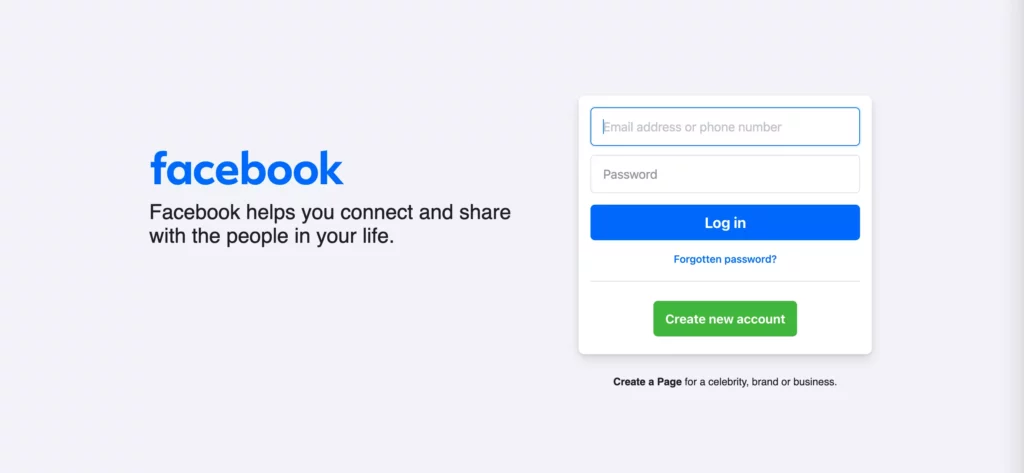
So in general, the responsibility of a back-end developer is to build and maintain this side of the web and make the web operate faster and more effectively.
Back-end developers need to acquire knowledge of various programming languages, frameworks, and tools. They include Java, PHP, Golang, Ruby, Python, you name it.
Tech choices often depend on your project’s specific requirements and complexity. For example, Java is often used because of various advantages such as great performance, platform independence, robustness, high security, simplicity, etc.
Full-Stack Development
Full-stack web development is the process of developing both servers of a website: front-end and back-end. This means full-stack web developers should be able to deal with both the databases and the interfaces. For this reason, they have to master a certain back-end programming language along with the must-have HTML, CSS, and JavaScript.
Popular Web Development Terms You Need to Know
When learning about web development, you must grasp several terms as below:
- Domain – Acts as your website’s address on the internet. It’s what people type into the browser to find you, and choosing the right one matters more than it seems.
- Hosting – Hosts your website’s files (code, text, images, etc.) on servers.
- CMS (Content Management System) – Lets you manage website content without touching much code. Tools like WordPress make updating pages feel more like editing a document than building software.
- API (Application Programming Interface) – Enables different systems to talk to each other. Your website may use APIs to pull data from payment gateways, maps, or third-party tools.
- DNS (Domain Name System) – Connects your domain name to the actual server where your site lives. When it breaks, everything suddenly stops working.
- Browser – Acts as the application people use to view websites, such as Chrome or Safari. It interprets your code and turns it into something users can see, click, and scroll through.
- Wireframe – Acts as your website’s layout, excluding visuals.
- Framework – A set of tools and rules that helps developers build faster and more consistently.
- Server – A computer storing your website’s files and responds to requests from users. Every time someone loads a page, the server is doing a little bit of work behind the scenes.
- Database – Stores information your website needs, like user accounts or blog posts. Instead of sitting in files, data lives here neatly organized, ready to be called when needed.
Website Development Technologies
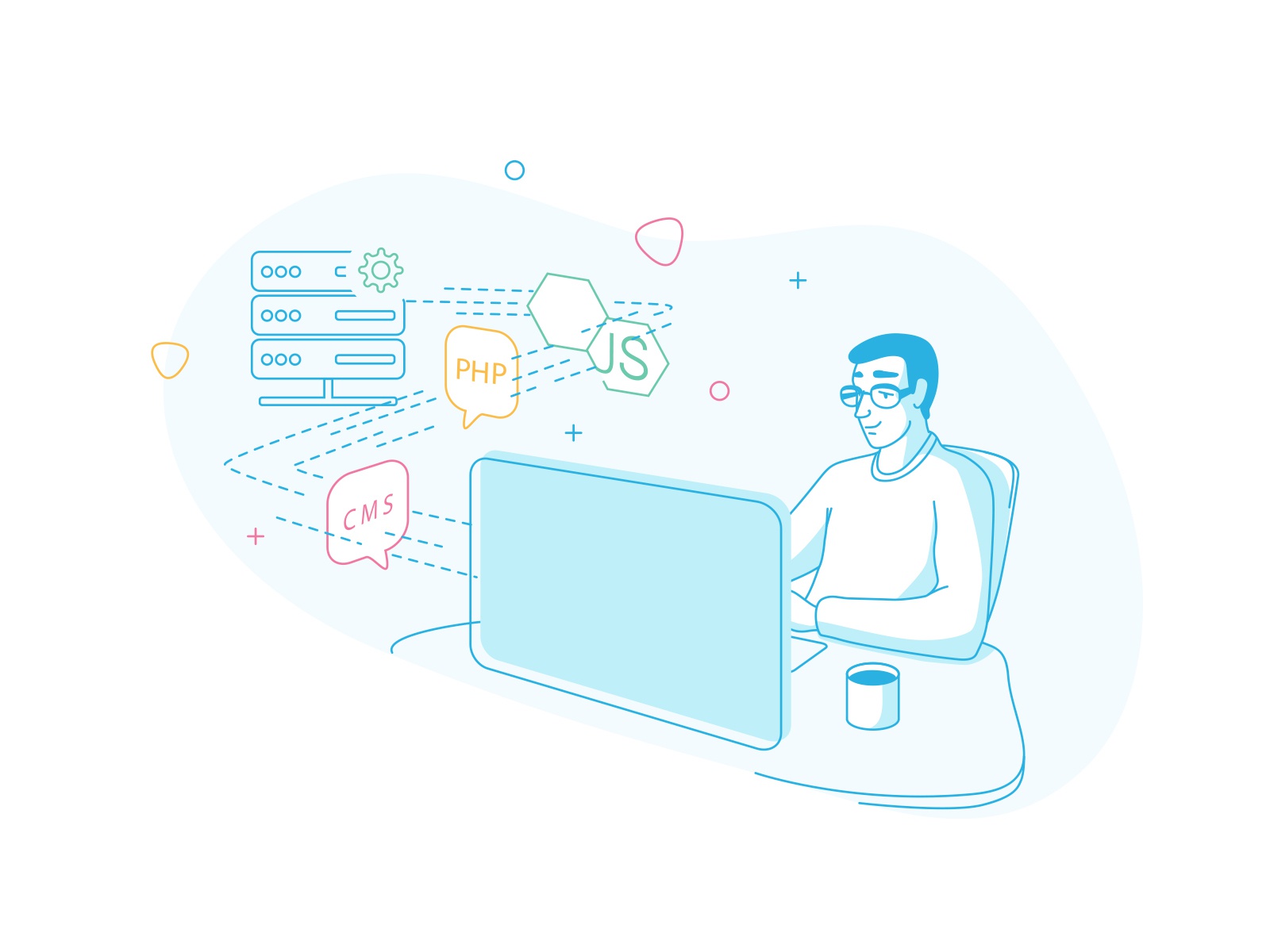
When beginners ask about website development technologies, there is a pile to consider. Below are popular website development technologies:
- Programming languages
Programming languages help you tell computers what to do. They come into two main groups: frontend and backend development.
HTML, CSS, and JavaScript are a powerful trio to turn UI/UX design into the dynamic user interface. Of which, HTML structures the page, CSS styles it, and JavaScript makes it move, react, respond.
On the server side, languages like PHP, Python, Java, or JavaScript again (via Node.js) handle logic, data processing, and communication with databases.
- Frameworks
Frameworks help developers avoid writing everything from scratch by providing prebult components to build a website.
Frontend frameworks like React, Vue, or Angular help manage how interfaces behave as users interact with them.
On the backend, frameworks such as Laravel, Django, or Express speed things up by handling common tasks, like routing, security basics, or database connections. So you can focus on what makes the project unique, for example custom functionality.
- Common CMS
A CMS, or Content Management System, is what makes websites editable for non-developers. Without one, every small text change could require touching code, which isn’t ideal for marketing teams or content writers.
WordPress is the most popular CMS by far. It powers blogs, business websites, even large platforms. Others like Joomla, Drupal, or newer headless CMSs offer different levels of control and flexibility.
- Hosting & databases
Hosting is where your website files live, on a server connected to the internet 24/7. Shared hosting, cloud hosting, dedicated servers – each option has different pros, cons, and price tags
Databases store information your site needs to remember, from user accounts and orders to blog posts. Tools like MySQL, PostgreSQL, or MongoDB keep data organized and retrievable, even when traffic spikes.
FURTHER READING: |
1. Hash Values (SHA-1) in Git: What You Need To Know? |
2. Head Pointer in Git: What You Need To Know? |
3. What Are Git Concepts and Architecture? |
4. .gitignore: How Does it Work? |
Website Development Process
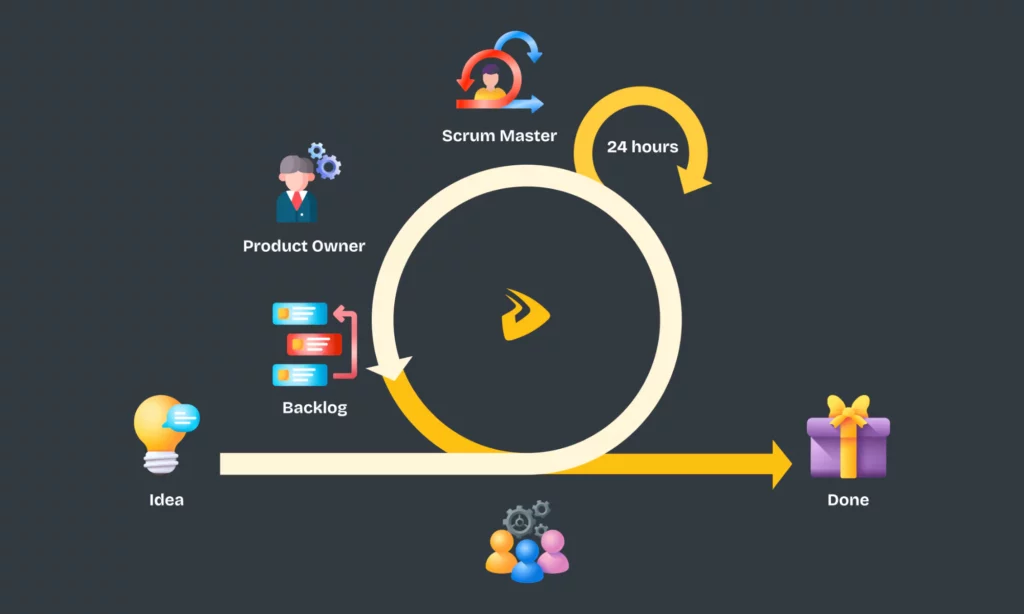
The website development process for all projects may vary, depending on their goals, scope, and complexity. Still, there are general overlaps between these projects, starting with information gathering & planning and ending with deployment and ongoing maintenance.
Gathering information is the first thing to do. Many tech companies like Designveloper often have a meeting with clients to ask about their project’s requirements, target audience, and more.
Then, we create documents that clarify what the project includes and what solutions we need to offer. Besides, we create a list of truly essential features and prepare site architecture documents to outline the website’s overall structure and connected pages.
Then comes design. This is where we turn wireframes into prototypes with visuals to get feedback from clients.
After that, development takes place. Our development team uses frontend and backend technologies to make the user interface dynamic and handle server-side jobs – data handling, API integrations, you name it.
Testing is integrated throughout the web development process to ensure the website works as planned before launch. After the site goes live, our team also handle ongoing maintenance and feature improvements to keep the site’s performance optimal.
Common Website Development Challenges

Building a website is not simple. If you aren’t aware of common mistakes, you may fail to build a website aligned with your ultimate purposes.
- Unclear requirements
Without clear requirements, website development leads your team to nowhere. Don’t just start with a vague idea like “We need a website.” Instead, clarify what you want to achieve with the website, who your target audience is, and more.
Only clear requirements help your team set realistic timelines, estimate costs almost precisely, and establish the right feature priorities. Otherwise, your team has to face costly rework and ineffective deliverables.
- Performance issues
You need a website that works well, not just works. Why? Because your visitors absolutely abandon your site if it loads pages too slowly or if they find it hard to navigate around your site to find information.
Performance issues can come from anything. Unoptimized images, poor hosting choices, lack of caching, inefficient database queries, etc. – all contribute to worsen your site’s performance. Think of the peak time when your site has to deal with suddenly increasing traffic. Those problems turn into a nightmare for your site.
- Security risks
Cyberattacks are the common problem for those going online. Hackers can perform any attack to vulnerabilities on websites, regardless of their size. This makes websites face serious risks, like data leaks, spam injections, or full-site takeovers.
So, build your website with security in mind. Don’t use outdated plugins and poor password practices. Instead, adopt robust security practices and plan regular updates.
- Maintenance & updates
Websites need ongoing care to update content, adapt to browser changes, and meet evolving user demands. So, plan periodic maintenance and feature improvements to keep your site stable and usable long-term.
Website Development Trends

Every year, we’ve seen emerging trends that shape the current status and even the future of website development. Considering these trends helps you understand where the segment moves towards but know which ones benefit your site.
- Mobile-first development
This isn’t a new trend, honestly. Among 6.04 billion Internet users, there are up to 5.78 billion people using mobile devices. Mobile users not only access apps but also surf websites on mobile browsers, like Safari or Chrome.
So, instead of developing for desktop and squeezing your site down, why don’t you start with mobile-first designs? This involves creating touch-friendly layouts, readable text, and feature priorities for mobile devices.
- Progressive Web Apps (PWAs)
Following the above trend is the rise of PWAs, which run on web browsers but offer app-like experience. Your users don’t need to download a PWA from any app store but still can access app-specific features, like push notifications, offline work, or access to a device’s camera. More importantly, investing in PWAs may be cheaper than building a native app and a website separately.
- AI-powered development
The advent of AI tools in coding, like Claude Code or ChatGPT, speeds up development. They offer code suggestions, assist with debugging, generate documentation, create tests, and more.
Developers interact with AI tools through natural language prompts and let them handle many repetitive, low-level tasks. AI doesn’t replace them, but supports them to work faster and focus more on the creative and strategic side of website development.
- The rise of no-code/low-code platforms
These platforms allow non-technical people to build a simple website with ease by dragging and dropping pre-built UI components. Meanwhile, they handle much of the code and other behind-the-scenes tasks.
Conclusion
We hope this comprehensive article has quenched your thirst for understanding more about website development. Learning about all those basics gives you a solid foundation to step further into other parts of web development, from timeline and cost estimation to project management.
And hey, if you are looking for a software outsourcing company that is affordable and reliable, Designveloper might be the best choice in town.
At the moment, we are offering a free consulting service, just tell us your idea, and we’ll help you realize it!
Also published on

Share post on










Related Articles


WebSocket Protocol Vs HTTP: Key Differences And When To Use Each
WebSocket Protocol Vs HTTP: Key Differences And When To Use Each Published August 05, 2026
The Future Of Frontend Web Development: Trends Teams Should Prepare For
The Future Of Frontend Web Development: Trends Teams Should Prepare For Published August 03, 2026
Best Frontend Frameworks For Modern Web Development In 2026
Best Frontend Frameworks For Modern Web Development In 2026 Published August 03, 2026



















