
















How To Build An App For Your Business In 10 Steps?

KEY TAKEAWAYS
- Before choosing features, identify one repeated customer or employee task and record how the current process performs.
- A useful first release completes one end-to-end journey; defer extras until a pilot shows they solve a real problem.
- Choose the access channel—web, PWA, cross-platform, or native separately from the build method: no-code, low-code, or custom.
- Estimate delivery by phase, roles, dependencies, exclusions, and first-year operations; the mobile app development process guide offers a useful stage-by-stage reference.
- Before rollout, agree on a metric owner, baseline, review window, and guardrails, plus the conditions to keep, revise, or pause the product.
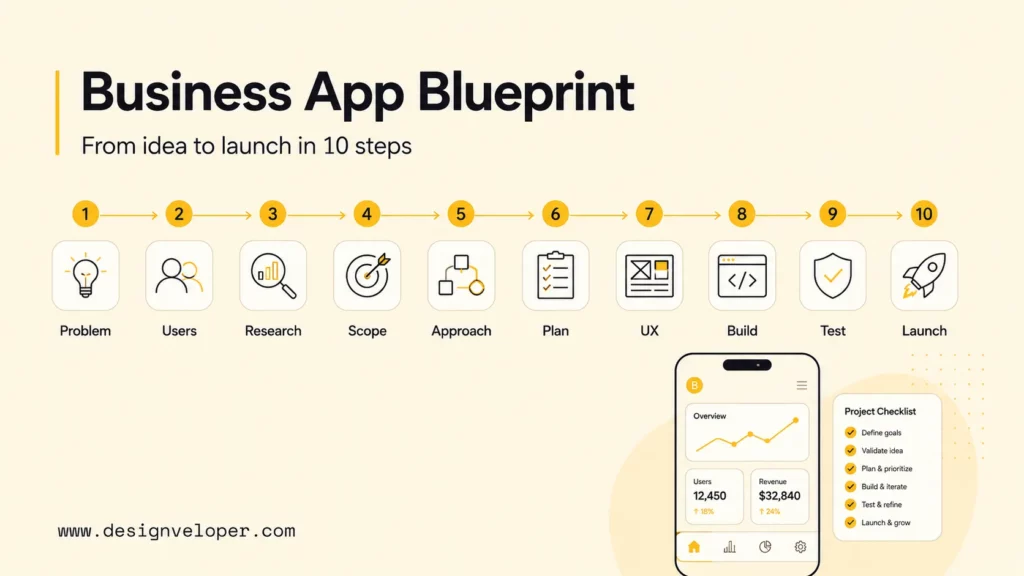
Learning how to build an app for your business starts with a workflow that is costly, slow, error-prone, or difficult for users to complete—not with a list of screens. Validate that problem, define a narrow first release, choose a delivery approach that fits actual user needs, then test and operate the product with clear ownership. The ten steps below connect those decisions from discovery through launch.
Why Build An App For Your Business?
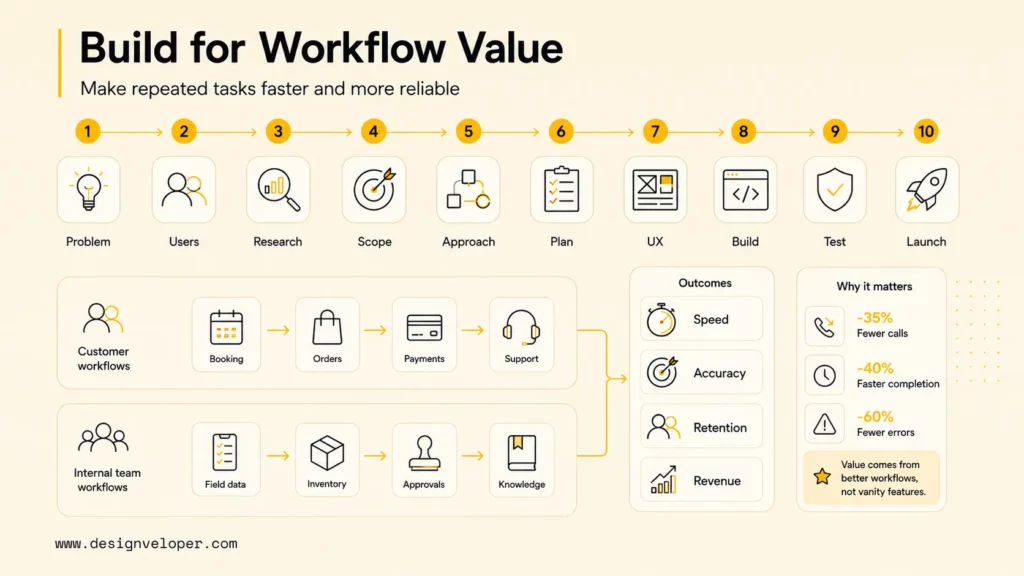
A business app is worth considering when it makes a repeated task meaningfully easier, faster, more reliable, or more valuable than the current process. That task may belong to customers—booking, ordering, payment, service tracking—or employees handling field work, inventory, approvals, and internal information. The app itself is not the outcome; the improved workflow is.
Example 1 — Distributor reorder (illustrative, not a reported customer case): Account buyers might rely on sales staff to repeat familiar orders. Before funding software, map the steps and record a baseline such as time to submit an order, corrections, incomplete orders, and support contacts. A buyer portal may be useful if users need contract pricing and order status, but only if the business can provide trustworthy account, price, inventory, and order data.
Software can also connect fragmented systems, but an extra interface does not automatically simplify work. Decide which system owns each record, who resolves mismatches, and what the user sees when a payment, inventory lookup, or CRM request fails. If a configuration change, existing platform, or integration can solve the same problem with less operational burden, compare it before committing to a standalone app.
Set a business objective that can be observed: reduce time to complete a task, improve order accuracy, shorten approval delays, or make a service available through a new channel. Pair the target with guardrails—such as error rate, support demand, privacy, or staff workload—so that a faster process does not create a different problem.
A business app earns its place by improving a repeated workflow, not by adding another icon or interface.
Before You Build: Choose The Right App Approach
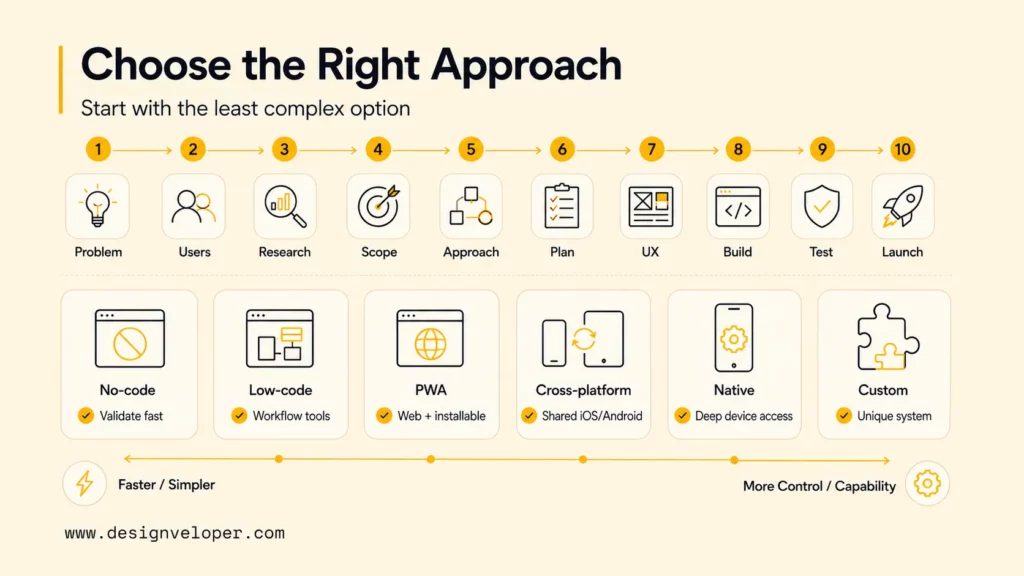
Make two related but separate decisions: how users will access the product, and how the team will build and maintain it. A mobile app is not synonymous with custom development, and a no-code tool does not by itself determine whether the result is a web app or a mobile experience. Start with the user journey and required capabilities, then test the least complex option that could meet them.
Choose How Users Access The App
The access channel should match where users do the task and which device capabilities the workflow actually needs. A browser-based route can be appropriate for broad access; store distribution or deeper device integration may justify a mobile app.
| Access channel | Consider it when | Prototype check |
|---|---|---|
| Responsive web app | Users need a link, desktop access, broad device coverage, or frequent content and workflow updates. | Test the core task in target browsers, screen sizes, and assistive-technology flows. |
| Progressive web app (PWA) | Installability and web reach help, and required browser capabilities are available for the target audience. | Verify offline behavior, notifications, background work, and device APIs on supported browsers. |
| Cross-platform mobile app | iOS and Android users need a shared product journey and the prototype can meet both platforms’ requirements. | Check representative devices for capability, accessibility, performance, and platform-specific UX. |
| Native mobile app | A required OS capability, measured performance constraint, or platform-specific experience cannot be met acceptably by a shared approach. | Confirm the requirement is essential and budget for platform-specific releases and maintenance. |
A responsive web application can suit workflows that users reach from several devices. Cross-platform app development can share product work across operating systems, but it is not an automatic default: validate the hardest journey on actual target devices before choosing it.
Choose How The Team Builds And Owns It
Build method is a separate decision about implementation, control, and future change. No-code tools can help validate forms, portals, or straightforward workflows; low-code can support governed departmental apps and integrations; custom development gives more control when business rules, security, data ownership, or system connections exceed platform limits. The trade-off is not simply speed versus quality: every route still needs testing, operating ownership, and a plan for change.
Before committing to a builder or framework, test a representative task—not just a landing screen. Include permissions, an integration error, a recovery path, and the data export or handoff the business would need if it later changed platforms. Compare app-builder options only after identifying those requirements.
For a distributor portal, the prototype might test whether an authorized buyer can retrieve the correct contract price, repeat an order, and see a reliable status. If pricing cannot be verified or an order can be submitted twice after a network retry, the product approach is not ready, even if its screens look complete.
10 Steps To Build An App For Your Business
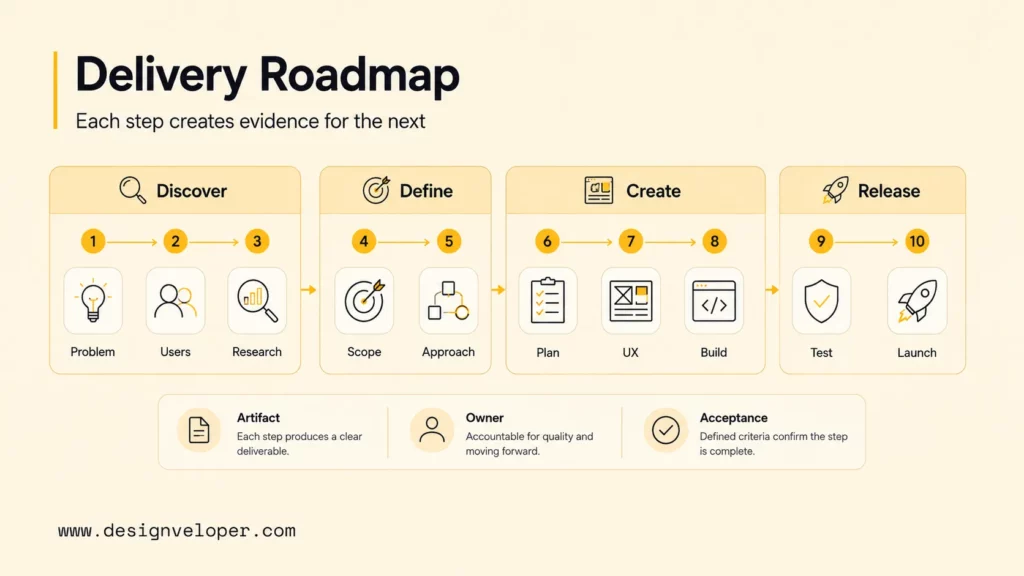
The sequence below moves from understanding the problem to running a controlled release. Some discovery, design, and engineering work can overlap, but each step checks a different product risk; skipping a check usually transfers uncertainty into a more expensive phase.
Four phases of business app delivery
Steps 1–3
Steps 4–6
Steps 7–8
Steps 9–10
Use evidence from each phase to confirm, narrow, or change the next investment.
Step 1. Define The Business Problem And App Goal
Describe the current task in observable terms: who performs it, what they need to finish, where delay or error occurs, and what the business consequence is. “We need an app” is not yet a problem statement. “Account buyers call sales to confirm prices before repeating an order” identifies a user, a task, and a point to investigate.
Record a baseline before changing the workflow. Depending on the task, that might include completion time, failed or corrected transactions, support contacts, abandonment, or staff effort. Then write one outcome and one primary metric with an accountable owner. The target should be set from the business case and current performance; do not borrow a generic benchmark that may not fit the operation.
Step 2. Understand Your Target Users
Observe the people who do the task, rather than relying only on stakeholder descriptions of what they want. Buyers, daily users, administrators, support staff, and compliance owners may all interact with the same product but have different permissions, information needs, and failure consequences. Ask participants to walk through their current process and explain what they do when the normal path breaks.
For an early qualitative usability cycle, recruit a small group of people who perform the target task and test the flow iteratively. Add other roles when their workflows differ; these sessions help reveal comprehension and usability issues, but they are not a statistically representative survey. Capture device, environment, accessibility needs, workarounds, trust concerns, and recovery steps alongside the main happy path.
Step 3. Research Competitors And Similar Apps
Compare direct competitors, substitutes, and the way users currently get the job done. Review onboarding, task flow, pricing, permissions, support, and user complaints for clues about expected features and points of friction. The purpose is not to copy a competitor’s feature set; it is to understand what users already know, where existing options fall short, and whether a business process can be improved in a distinct way.
Use a simple matrix with four labels: “must support,” “could differentiate,” “do not need,” and “unknown.” Verify whether the proposed workflow depends on licensed content, data access, payment rules, maps, or third-party APIs. For the distributor example, a public product page cannot confirm private contract pricing or ERP readiness; those assumptions need to be checked with the business’s own systems and users.
Step 4. List Core Features For The First Version
Scope the first release around the smallest complete journey that can test the product’s main assumption. Example 2 — Service-booking first release: Include customer sign-in, service and availability selection, booking, payment if required, confirmation, cancellation under a stated policy, and a staff view for managing appointments. Loyalty tiers, social sharing, and recommendations can wait unless research shows they are necessary to complete or validate that journey.
For the distributor pilot, a distinct first release could include verified buyer sign-in, current contract pricing, repeat order from history, protected order submission, and status lookup. Defer recommendations and forecasting until the pilot shows that they are needed; first confirm that the source system can return accurate account and price data.
For each proposed feature, ask whether it enables the outcome, reduces a critical risk, or provides evidence the team needs. Connect in-scope items to a user story, acceptance test, event to measure, and owner; move the rest to a later list. A POC, MVP, and prototype comparison can help distinguish a technical proof from a first usable release.
Step 5. Choose The App Type And Development Approach
Revisit both decisions from the earlier approach section using validated user and workflow requirements. Choose a web, PWA, cross-platform, or native access channel based on device context and required capabilities; separately choose no-code, low-code, or custom implementation based on integrations, governance, data ownership, and maintenance. Document the alternatives rejected and the evidence behind the choice so the team can revisit it if the pilot changes the requirements.
Cross-platform may fit when a representative prototype meets the required capability, accessibility, performance, and user-experience needs on both iOS and Android. Choose native development when a required device function or measured constraint makes the shared approach unsuitable. A PWA is conditional on browser support for the actual task, not merely on the general appeal of installable web delivery.
Step 6. Estimate Budget, Timeline, And Team Needs
Estimate work by deliverable and uncertainty, not by screen count. Include product discovery, UX, application and backend work, integrations, data preparation, testing, security review, release, and post-launch operations. List the roles needed for each phase—such as product owner, business analyst, designer, web or mobile engineer, backend engineer, QA, DevOps, and security specialist—and name the person accountable for decisions even when one person covers several roles.
Ask for effort or price assumptions, rate basis, client dependencies, exclusions, change-control terms, and acceptance checks. A missing API, unclear data quality, or slow decision turnaround can change the estimate; show those dependencies rather than hiding them in a single headline figure. Keep contingency and the first year of hosting, monitoring, support, updates, and third-party fees visible in the plan.
Step 7. Design The UX/UI And User Flow
Design the complete task before polishing individual screens. Map entry, decision points, confirmation, and exit; then include empty, loading, validation, permission, network failure, cancellation, and recovery states. A clickable prototype lets representative users try the same scenario and helps the team discover confusing labels or missing steps before those assumptions become code.
For a reorder flow, show how a user confirms the account and price, reviews quantities, corrects an item, submits once, and checks order status. State what happens if the connection drops after submission, so the user can distinguish a pending order from a completed one. Use accessible components and platform conventions. Check Apple’s App Review Guidelines and Android’s core app quality guidelines before finalizing platform-dependent flows.
Step 8. Build The MVP Or First App Version
Build in small, reviewable increments with version control, test and production environments, managed secrets, a deployment process, and agreed coding and acceptance practices. Implement the riskiest path early rather than completing every screen before testing a critical integration. If the app depends on account identity, payment, offline behavior, or an ERP API, prove how that dependency behaves under realistic success and failure conditions.
Keep architecture proportional to the validated need, while separating responsibilities clearly enough to change or secure them. Define who can view or alter sensitive records, how errors are logged, and how a risky feature can be disabled. In the distributor example, order submission should not silently duplicate an order after a retry; use a safe submission design and a reconciliation path owned by the business team.
Step 9. Test Security, Performance, Usability, And Devices
Test the complete user journey on supported devices and browsers, including accessibility, permissions, poor connectivity, interrupted sessions, and recovery. Automate repeatable unit, API, integration, and interface checks, then use exploratory testing for cases automation does not predict. Set performance and compatibility criteria from the task and user context; a screen that loads quickly in one test environment does not establish that the full product is ready.
For mobile products, the OWASP Mobile Application Security Verification Standard can help organize security checks for storage, authentication, network communication, platform interaction, resilience, and privacy. Test backend services separately, review data collection and permissions, and confirm that the release has no unresolved critical defects, required disclosures, and a tested rollback or feature-disable path.
Step 10. Launch, Monitor, And Improve The App
Release to a controlled group before broad rollout when the product or its dependencies carry meaningful risk. Prepare store materials if applicable, support contacts, account access for reviewers, incident ownership, monitoring, and a communication plan. Decide in advance who can pause the release and how the business will handle orders or requests already in progress.
For each pilot metric, name an owner, record the baseline, set a review window, and agree on guardrails and pass/change/pause thresholds before launch. In the distributor scenario, a proposed four-week pilot could compare order completion and correction rates with a comparable four-week pre-pilot baseline; the product owner reviews weekly, while operations owns pricing accuracy and support contacts. Keep the workflow only if completion improves without breaching agreed guardrails; revise when users can complete it but encounter fixable friction; pause immediately for incorrect pricing, unauthorized access, or duplicate orders. These are proposed decision rules, not reported results or universal benchmarks.
Instrument only events the team needs to answer those questions, and align collection with privacy and retention rules. Google Analytics for Firebase and Firebase Crashlytics are examples of analytics and stability tools; choose a stack the team can govern and support. Compare use with the Step 1 baseline, then prioritize the next release around observed friction rather than feature requests alone.
Xem thêm:
- Software Development Life Cycle (SDLC): Guide for Business
- How Cross Platform App Development Can Reduce Costs?
How Much Does It Cost To Build A Business App?
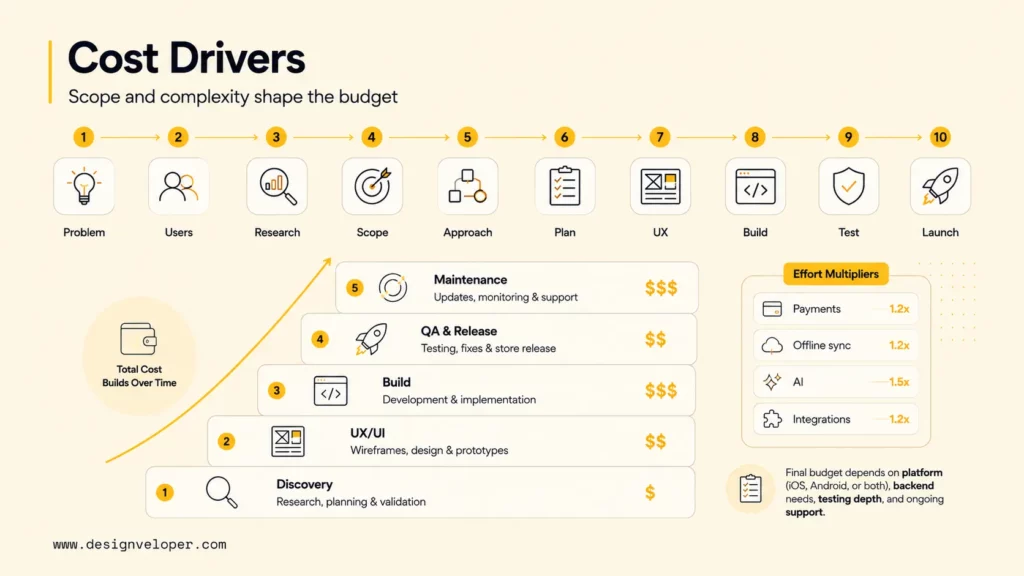
There is no single price that applies to every business app. Build a scoped estimate from the work required, the people doing it, the assumptions behind their effort, and the costs of operating the product after release. A simple workflow using an existing platform and a multi-role product with custom integrations are different projects; do not compare their headline quotes without comparing scope and inclusions.
| Estimate phase | Deliverables and roles to include | Assumptions to price |
|---|---|---|
| Discovery and product definition | Workflow research, problem statement, scope, data and integration review; product owner and business analyst. | Stakeholder availability, access to users and systems, decision turnaround, and unresolved requirements. |
| UX and prototype | User flows, wireframes, accessible interaction design, prototype and usability sessions; designer and research support. | Number of roles, platforms, language variants, and revision rounds. |
| Application and backend | Client experience, APIs, identity, data model, admin functions and core workflow; web/mobile and backend engineers. | Chosen channel, permissions, environments, expected changes, and required technical quality. |
| Integration and data | Third-party connections, migration or cleanup, reconciliation and error handling; integration engineer and business-system owner. | API readiness, data quality, vendor access, licenses, and who owns exceptions. |
| Quality, security and release | Functional, device, accessibility, performance and security testing; QA, DevOps, and specialist review as needed. | Supported device matrix, assurance requirements, store review, and release environments. |
| First-year operations | Hosting, monitoring, support, dependency renewals, OS or SDK updates, incident response, and planned improvements. | Traffic, service-level expectations, support coverage, third-party pricing, and maintenance ownership. |
For each phase, estimate effort by role and apply the team’s agreed rate basis, then state what is included and excluded. Obtain separate assumptions for vendor fees, payment charges, data migration, security review, and first-year support rather than treating them as invisible extras. Add contingency for identified uncertainty—such as an unverified legacy API—and update it when discovery resolves that risk. Compare proposals against the same scope, dependencies, and acceptance criteria.
Cost control comes from reducing unvalidated scope, testing hard dependencies early, and reusing services only when they satisfy security and operating needs. Do not lower the estimate by removing essential authentication, error recovery, privacy, QA, or monitoring. The app development cost guide covers additional cost drivers and planning considerations.
Common Challenges When Building A Business App
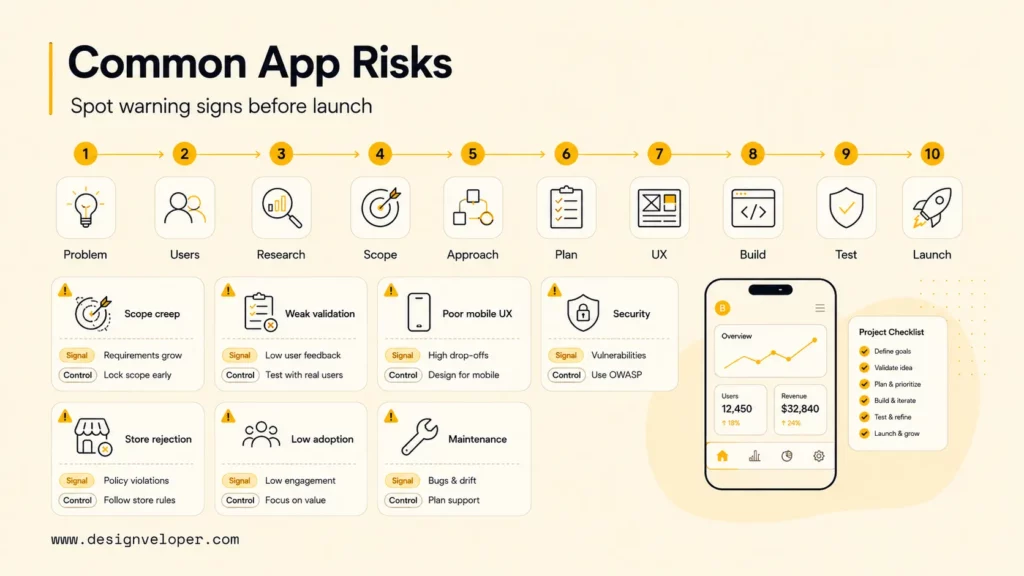
Several risks can undermine an otherwise plausible app plan. One avoidable risk is beginning development before the business has agreed on the problem, user, and desired outcome; that ambiguity can reappear as scope changes, disputed acceptance tests, or a product that does not fit the real task. Make the decision owner and evidence needed for the next investment explicit.
| Challenge | Early warning | Practical control |
|---|---|---|
| First release grows too large | Every stakeholder describes their request as essential. | Require each item to support the primary journey, reduce a critical risk, or produce needed evidence. |
| Weak user validation | Requirements come only from internal assumptions. | Observe current work, test a prototype with task performers, and run a bounded pilot. |
| Mobile experience is awkward | A desktop layout is simply compressed onto a phone. | Test touch targets, accessibility, interruptions, permissions, and recovery on target devices. |
| Integration or payment errors | Timeouts, duplicate requests, or data mismatches have no owner. | Define retries, idempotency, reconciliation, user messaging, audit trails, and manual recovery. |
| Privacy or store review is delayed | Data collection, account deletion, reviewer access, or policy checks are postponed. | Review platform and privacy requirements during design and before release. |
| Adoption is lower than expected | The launch assumes that publication alone will bring users. | Plan onboarding, user communication, support, and a measurable adoption test. |
| Maintenance is unfunded | The plan ends at version 1.0. | Assign operational ownership and fund updates, monitoring, support, and security fixes. |
Integration deserves a recovery plan because an external service can be unavailable or return incomplete data. Define what happens when an identity provider, inventory system, payment service, or legacy API times out; make it possible to reconcile a transaction and tell the user whether it is pending, complete, or needs action. For a reorder flow, staff should be able to investigate an exception without creating a second order or silently accepting an incorrect price.
Product ownership also continues after technical delivery. Name who approves scope, administers store accounts, answers incidents, reviews analytics, owns customer data, and funds support. Without those responsibilities, a technically complete release can become difficult to update or trust.
When Should You Hire An App Development Partner?
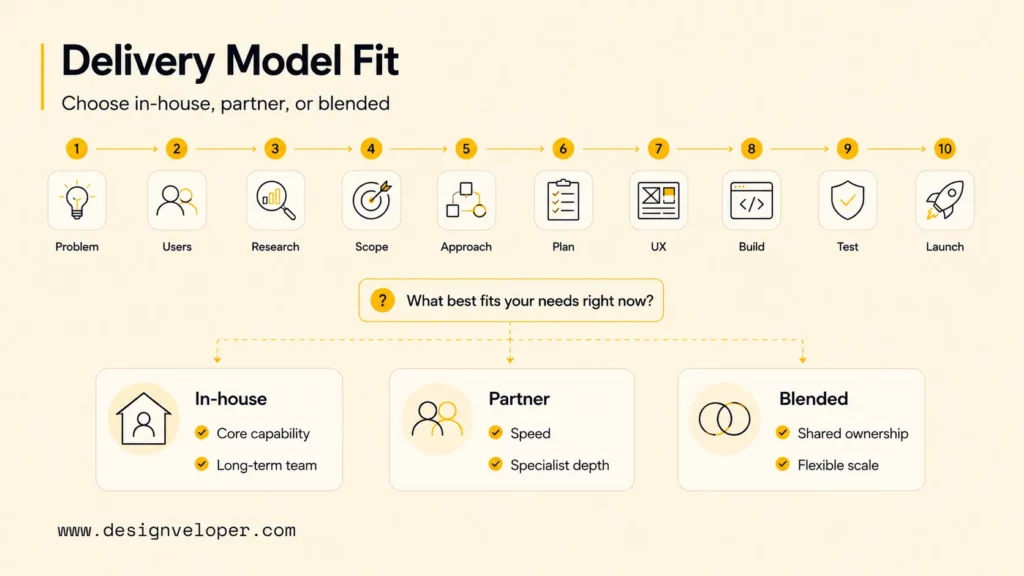
Consider a development partner when the business lacks delivery capacity or specialist experience for the validated scope and cannot sustain the required work internally. Custom integrations, role-based access, payments, offline workflows, data migration, or ongoing release needs may justify outside support, but complexity alone does not mean every product should be outsourced.
| Delivery model | Often fits when | Confirm before choosing |
|---|---|---|
| In-house | The product is a continuing core capability and the business can lead and retain the needed roles. | Product ownership, recruitment, support coverage, and sustained investment. |
| Development partner | A defined release needs specialist depth or capacity the business cannot assemble in time. | Named delivery team, scope control, code and data ownership, knowledge transfer, and post-launch support. |
| Blended team | Internal product knowledge is strong but design, engineering, QA, security, or DevOps needs reinforcement. | Decision rights, shared documentation, access controls, and who owns operations after handoff. |
Ask prospective partners how they will map the workflow, validate scope, expose technical dependencies, test security and accessibility, manage changes, and measure release readiness. Review a relevant example of their process and meet the people who would do the work. Agree on deliverables, acceptance checks, source-code and account ownership, documentation, escalation, and support terms before development starts.
At Designveloper, we work from business workflow to maintainable product. Our software development services can cover discovery, UX/UI, web and mobile engineering, backend and API integration, testing, release preparation, monitoring, and post-launch iteration when a product needs to work with the systems a business already uses.
Xem thêm:
- What Is Software Development Outsourcing?
- Custom Software Development: How It Can Drive Your Business Growth
FAQs About Building An App For Your Business
These questions address practical decisions that often remain after a business has confirmed a workflow and first-release scope.
How Long Does It Take To Build An App For A Business?
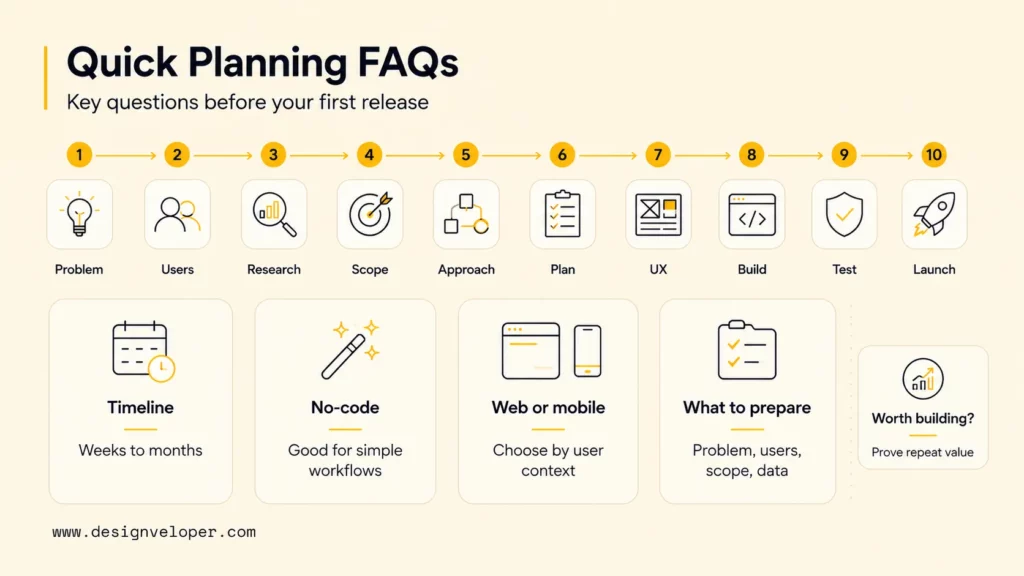
There is no dependable calendar estimate until the release scope and dependencies are defined. Estimate discovery, design, engineering, integration, QA, and release separately; the schedule depends on platform count, API readiness, data work, decision turnaround, testing depth, and any store review. Show which activities can overlap and state assumptions before presenting a range. The app development timeline guide provides a phase-by-phase planning reference.
Can I Build A Business App Without Coding?
Yes, no-code and AI-assisted tools can support prototypes and some production workflows, including forms, portals, and internal tools. Before relying on one, test authentication, permissions, integrations, data export, accessibility, performance, pricing, deployment, and support requirements. A prototype demonstrates a flow; it does not by itself prove the platform is appropriate for production.
Should I Build A Mobile App Or A Web App First?
Start with a web app when users need broad, link-based access, desktop workflows, or frequent updates. Consider mobile when the task depends on app-store distribution or tested device capabilities such as camera, location, or offline work. Prototype the actual journey on target devices and browsers; choose based on user context, accessibility, performance, and experience rather than the label “mobile.”
What Should I Prepare Before Building A Business App?
Prepare the problem statement, users and roles, current workflow, baseline, first-release journey, required integrations, data and privacy constraints, platform assumptions, budget inputs, decision owner, and support plan. Gather API documentation, test access, representative data, policies, and subject-matter experts early. These inputs let a team identify scope and dependencies before committing to an estimate.
How Do I Know If My Business App Idea Is Worth Building?
An idea merits further investment when a reachable group has a repeated problem, a proposed workflow can address it, and the business can deliver and support the solution at an acceptable cost. Test the riskiest assumption with interviews, observation, a concierge process, or a clickable prototype. Set a decision threshold before a pilot—such as completed tasks without critical errors—and use the evidence to continue, revise, or stop; do not treat interest alone as proof of adoption.
Build the smallest product that can improve a verified workflow and produce evidence for the next decision. Clear scope, a suitable access and build approach, realistic phase estimates, tested recovery paths, and accountable post-launch ownership help a business invest in an app without mistaking delivery activity for user or business value.
Also published on

Share post on










Related Articles


How Will AI Affect Software Development? Complete Guide In 2026
How Will AI Affect Software Development? Complete Guide In 2026 Published October 21, 2026
Mobile App Development Process: Seven Stages From Idea To Launch
Mobile App Development Process: Seven Stages From Idea To Launch Published October 20, 2026
TOP 5 iOS App Development Languages: Swift, Objective-C & Cross-Platform
TOP 5 iOS App Development Languages: Swift, Objective-C & Cross-Platform Published October 16, 2026


















