
















Top 5 iOS App Development Languages: What To Learn & How To Choose

KEY TAKEWAYS:
- Swift is the default for new native iOS apps because it fits Apple APIs, Xcode, SwiftUI, performance needs, and long-term platform maintenance.
- Cross-platform choices depend on product scope: Flutter, React Native, and .NET MAUI make sense when shared iOS, Android, and business delivery outweigh maximum native specialization.
- Objective-C remains useful for legacy maintenance, but most teams should modernize gradually instead of rewriting a stable production app all at once.
- The language decision must include testing, release, backend, security, and App Store work because the stack is only reliable when the full delivery system is planned.
- A business iOS app needs a maintainable stack with clear ownership, realistic cost assumptions, reusable components, and a roadmap for updates after launch.
Choosing among iOS app development languages is not simply a contest between Swift and everything else. The right choice depends on whether the product is iOS-first or cross-platform, whether an existing codebase must be preserved, which device capabilities matter, and who will maintain the app after launch. For most new native iPhone apps, Swift is the practical default. Flutter, React Native, and .NET MAUI become compelling when shared delivery across platforms creates more value than maximum native specialization.
A language also sits inside a larger delivery system. Teams still need Xcode, Apple SDKs, interface frameworks, signing, testing, backend services, analytics, security controls, mobile app development services, and an App Store release process. A fast language choice cannot rescue unclear requirements or weak architecture, while a well-matched stack can make feature delivery and maintenance far more predictable.
Quick decision guide: Choose Swift for a new premium iOS-first product or deep Apple-platform integration. Keep Objective-C when maintaining a mature legacy app, but plan incremental Swift adoption. Choose Dart with Flutter for a highly customized shared iOS and Android interface. Choose JavaScript or TypeScript with React Native when a strong React team needs mobile delivery. And choose C# with .NET MAUI when the organization already builds around Microsoft and .NET.
| Product situation | Best starting choice | Reason to validate |
|---|---|---|
| New iOS-first app | Swift | Direct access to Apple frameworks, current learning resources, and native tooling. |
| Existing Objective-C product | Objective-C plus staged Swift migration | Preserves proven code while modernizing at controlled boundaries. |
| Shared iOS and Android product | Flutter or React Native | One product team can share substantial UI and business logic. |
| React-heavy organization | TypeScript with React Native | Existing language, component, and frontend knowledge transfers well. |
| Microsoft enterprise environment | C# with .NET MAUI | Shared .NET skills, libraries, tooling, and business logic. |
Recommended for you:
- 10 Best Mobile App Development Frameworks In 2026
- Top 20 Mobile App Development Companies In Vietnam
- eCommerce App Development Guide 2026: Features, Process
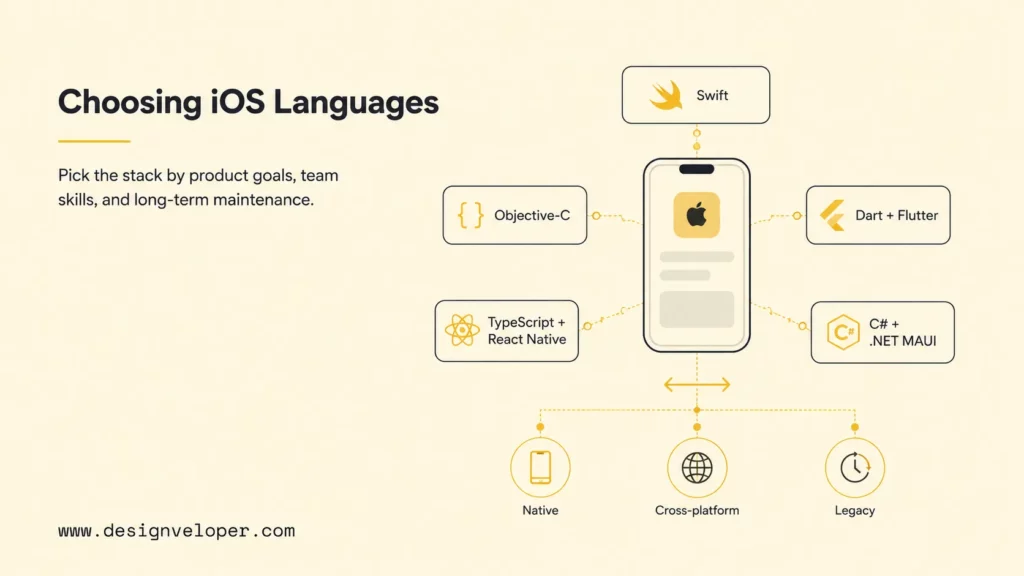
What Are iOS App Development Languages?
iOS app development languages are the programming languages used to express an iPhone or iPad app’s interface, behavior, data flow, and integrations. Swift and Objective-C work directly with Apple’s native SDKs. Dart, JavaScript, TypeScript, and C# normally reach iOS through cross-platform frameworks that provide shared abstractions while still producing an iOS application package.
The language is only one layer. Native Swift development commonly uses SwiftUI or UIKit for the interface, Foundation for core services, and Xcode to build, test, profile, sign, and submit the app. Apple describes Xcode as the integrated environment for the entire Apple-platform workflow. A production app may also need a backend API, database, authentication, push notifications, payment services, observability, CI/CD, an administrator portal, and custom software development practices for unique workflows.
Cross-platform does not mean platform-free. A Flutter, React Native, or .NET MAUI project can share significant code across iOS and Android, but iOS releases still depend on Apple certificates, provisioning profiles, platform permissions, device testing, Xcode-compatible tooling, and App Store rules. Features such as Apple Pay, Sign in with Apple, widgets, background modes, Bluetooth, camera capture, and advanced accessibility can require native configuration or code.
It helps to separate three questions. The first is which language the team writes most often. The second is which UI and runtime framework executes that code. The third is how much platform-specific work remains. The Designveloper overview of mobile app development connects these technology choices with product strategy, design, testing, deployment, and maintenance.
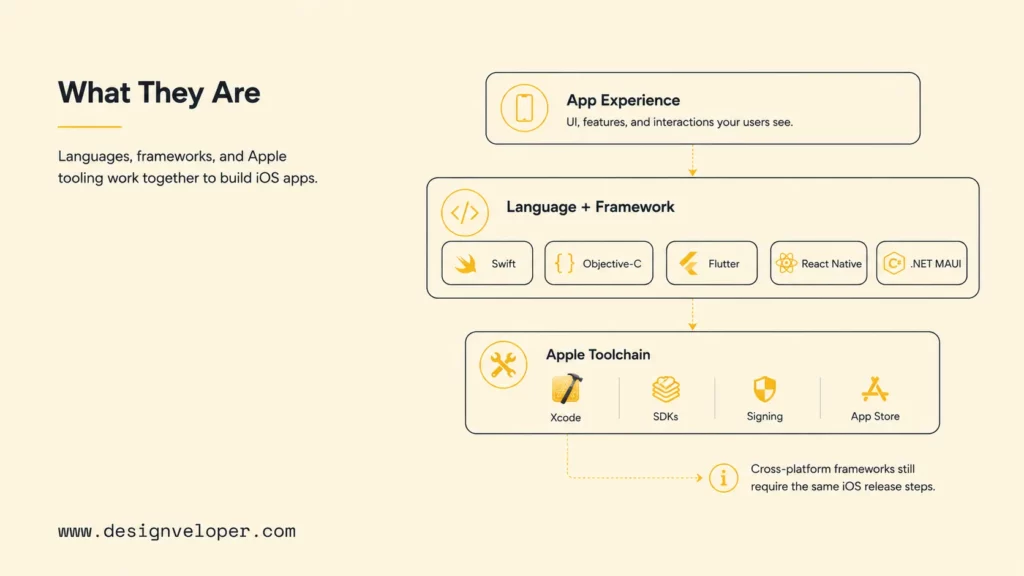
The best iOS language is the one that fits the product’s risk, the team’s strengths, and the maintenance model at the same time.
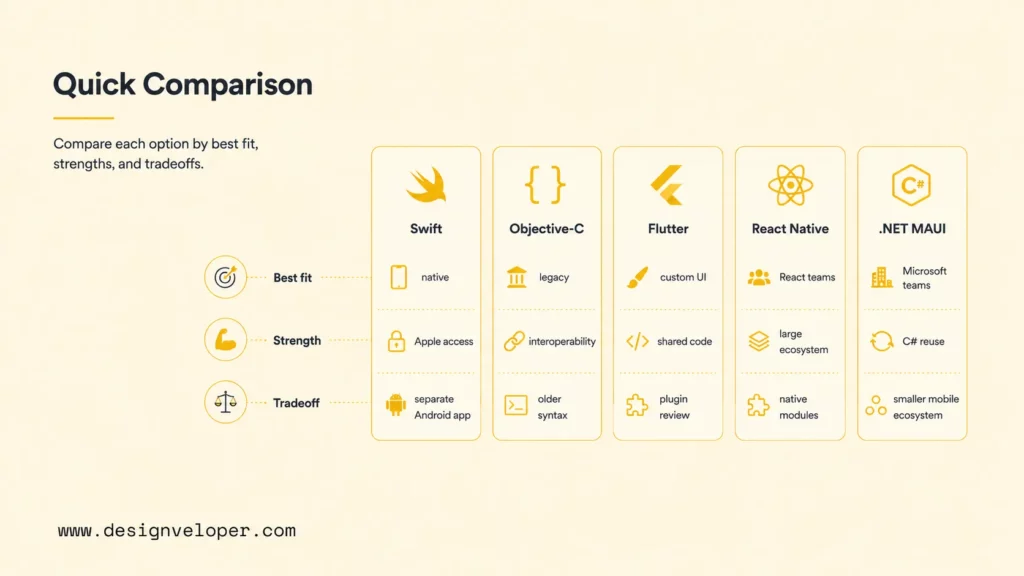
Quick Comparison Of iOS App Development Languages
The table below compares the five practical choices in this guide. “Shared code” is not a guarantee that every feature is written once. Teams should expect iOS-specific work for release configuration, certain plugins, platform conventions, and any capability the framework does not expose adequately.
| Language and framework | Best for | Main strengths | Important tradeoff |
|---|---|---|---|
| Swift with SwiftUI or UIKit | Modern native iOS apps | First-party Apple path, direct SDK access, strong performance, platform-consistent UX | Separate Android implementation if both platforms are required. |
| Objective-C with UIKit | Legacy native maintenance | Mature runtime, access to established code, interoperability with Swift | Older syntax and a weaker default choice for greenfield learning. |
| Dart with Flutter | Cross-platform products with custom UI | Single framework for UI and logic, consistent rendering, productive tooling | Package quality and platform-specific integration need active review. |
| JavaScript or TypeScript with React Native | Cross-platform apps backed by React skills | Familiar web-team language, large ecosystem, native component model | Dependencies and native modules can add upgrade and debugging work. |
| C# with .NET MAUI | Cross-platform business apps in .NET organizations | Shared C#, XAML, business logic, and Microsoft tooling | Smaller mobile ecosystem and a Mac is still required for iOS builds. |
Swift offers the shortest path to newly released Apple capabilities and the clearest answer when the experience is designed primarily for iPhone. Objective-C is valuable because many long-lived apps and libraries still contain it, not because teams should automatically select it for a new project. Cross-platform frameworks can reduce duplicate work, yet their true benefit depends on how much the product’s screens, logic, and release cadence are genuinely shared.
Do not select from popularity alone. Prototype the hardest requirement: offline conflict resolution, video processing, Bluetooth hardware, a payment flow, background location, or an enterprise identity integration. Measure startup time, UI responsiveness, accessibility, package support, and how much native code is needed. A representative proof reveals more than a generic benchmark and gives a clearer view of how much it costs to make an app.
Further reading:
- What Is Software Development And The Software Development Process?
- What Is Agile Software Development? Methodologies And Benefits
- Software Development Outsourcing: Definition, Benefits, And How To Start
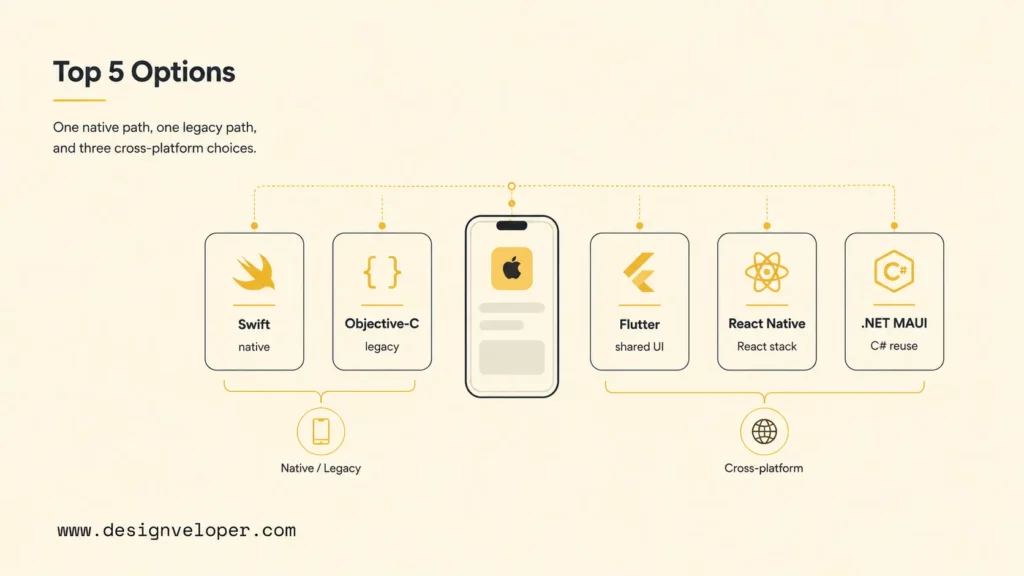
Top 5 iOS App Development Languages
These five options cover the most common native, modernization, and cross-platform decisions. Each can ship an iOS product, but they optimize for different organizational and technical constraints.
Related reading:
- Flutter Vs React Native: Which One Is Better For Business?
- Front-End Vs Back-End: Which Suits You Best?
- Web App Development Cost: 2026 Breakdown
Swift For Modern Native iOS App Development
Swift is Apple’s modern language for its platforms. Apple positions it as expressive, fast, safe by design, and interoperable with existing projects. For a new iOS-first application, Swift provides direct access to platform APIs and current Apple examples without a framework translation layer. Its type system, optionals, value types, structured concurrency, and memory management help teams express many common errors earlier in development.
Swift commonly pairs with SwiftUI, Apple’s declarative interface framework, or UIKit when a product needs mature controls, existing architecture, or specialized behavior. Teams can combine them rather than treating the choice as absolute. This makes Swift suitable for ecommerce, finance, booking, health, media, device-connected, and AI-enabled apps that require close platform integration.
Choose Swift when iOS is the priority, the app must adopt new Apple capabilities quickly, native interaction quality matters, or long-term ownership justifies dedicated Apple-platform expertise. The main cost is organizational: an Android product typically needs Kotlin and a separate client implementation. Shared backend APIs, design systems, analytics definitions, and product logic can still keep the two platforms aligned. Our guide to Swift app development explores the business value of this native route.
Objective-C For Legacy iOS App Maintenance
Objective-C is a C-based object-oriented language with a dynamic runtime. It powered Apple-platform development before Swift and remains present in mature applications, SDKs, and internal libraries. Its importance today is most visible in maintenance, debugging, security remediation, and gradual modernization of systems that already deliver business value.
A full rewrite is rarely the safest first response to an older codebase. Rewrites can hide undocumented behavior, delay product improvements, and recreate defects that production use already exposed. Because Swift interoperates with Objective-C, teams can establish a boundary, add new modules in Swift, expose carefully designed interfaces, and replace risky areas over time. Automated regression tests, crash monitoring, and dependency review should accompany that migration.
Learn enough Objective-C to understand headers and implementations, message syntax, protocols, categories, blocks, memory ownership, nullability, and bridging. Use it for greenfield work only when a critical library, team constraint, or established architecture gives a defensible reason. Otherwise, Swift has the stronger learning path for modern native development.
Dart With Flutter For Cross-Platform iOS Apps
Dart is the language behind Flutter, a framework that builds interfaces and business logic for multiple platforms from one project. Flutter is attractive when a company wants iOS and Android releases to share a distinctive visual system, navigation, validation, state management, and a substantial portion of application behavior.
Flutter controls much of its rendering, which supports consistent custom interfaces. It also provides hot reload and a cohesive widget model that can improve iteration speed. Common fits include MVPs, marketplaces, booking products, ecommerce, education, and operational tools where platform parity matters more than a completely separate native design on every screen.
Teams must still inspect plugins, platform channels, binary size, accessibility, startup behavior, and upgrade cadence. The official Flutter iOS deployment documentation requires the Apple-side build, signing, versioning, and App Store steps. If a required SDK has incomplete Flutter support, developers may write Swift or Objective-C integration code. Flutter is therefore a shared-delivery strategy, not an escape from iOS engineering.
JavaScript Or TypeScript With React Native
React Native lets teams use JavaScript or, commonly, TypeScript to build applications that render through native platform components. Its official introduction expects JavaScript fundamentals and notes that knowledge of iOS and Android remains useful. The framework is an especially natural option for organizations with React engineers, shared API clients, TypeScript models, and established frontend practices.
TypeScript is usually preferable for a growing business application because static types improve editor feedback, refactoring, API contracts, and collaboration. React Native suits content, commerce, booking, social, and internal apps that need coordinated iOS and Android roadmaps. A mature team can share domain logic and many components while still applying platform-specific patterns where users expect them.
Evaluate the native module surface before committing. Payments, maps, camera, notifications, authentication, analytics, and device SDKs may depend on community or vendor packages. Teams need a dependency policy, upgrade testing, crash diagnostics, and engineers able to inspect Swift, Objective-C, Kotlin, or Java when the abstraction leaks. React Native is most effective when native work is planned rather than treated as an exception.
C# With .NET MAUI For Cross-Platform Development
C# with .NET MAUI is designed for organizations that want native mobile and desktop applications from a shared .NET codebase. Microsoft’s .NET MAUI overview describes a framework using C# and XAML across Android, iOS, macOS, and Windows, with access to platform-specific APIs when required. iOS code is ahead-of-time compiled, and building for iOS still requires a Mac.
This stack is a sensible candidate for enterprise portals, field operations, inventory, workforce, and line-of-business apps when the company already owns .NET services, C# libraries, Visual Studio skills, and Microsoft identity or cloud infrastructure. The reuse can extend beyond UI into validation, networking, business rules, test utilities, and developer practices.
Compare the availability and maintenance of required mobile packages with Swift, Flutter, and React Native. Confirm support for device peripherals, vendor SDKs, accessibility, performance, and the organization’s target iOS range. .NET MAUI is not automatically the cheapest option, but it can reduce organizational friction when C# is already a strategic language.
How To Choose The Right iOS App Development Language
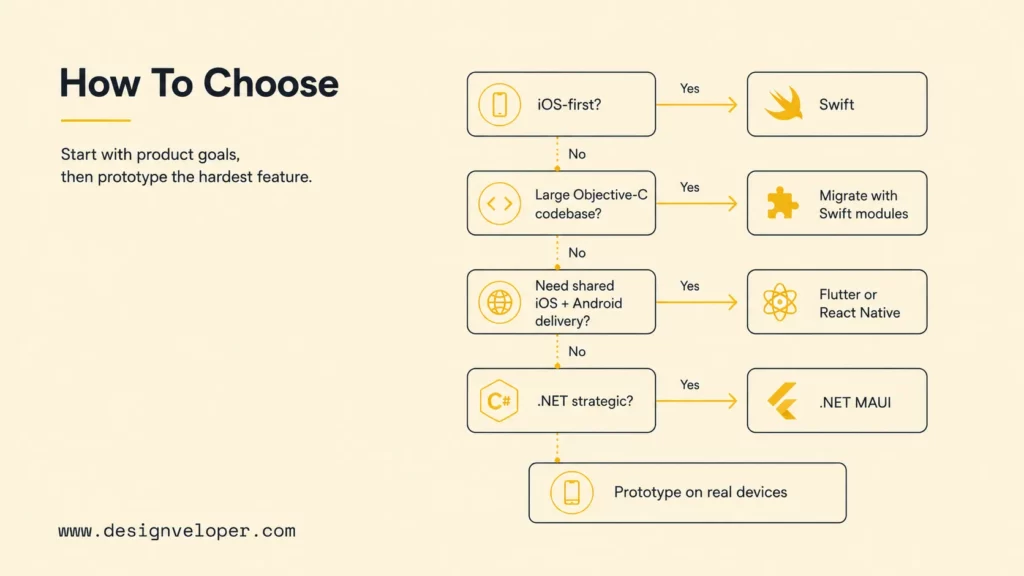
Begin with the product goal. A premium iOS-first consumer experience, complex media app, or product that depends on newly released Apple APIs generally favors Swift. A mature Objective-C product favors controlled modernization. A two-platform MVP may favor Flutter or React Native. An internal application inside a Microsoft organization may favor .NET MAUI.
iOS stack decision flow
If yes, start with Swift.
If yes, maintain it and migrate in measured Swift modules.
Compare Flutter and React Native using the hardest feature.
Validate .NET MAUI packages, iOS targets, and Mac build capacity.
Final gate: prototype the highest-risk integration, test on real target devices, and estimate five-year maintenance rather than version-one coding alone.
Map features before comparing languages. Payments, push notifications, maps, camera, biometric login, offline sync, real-time messaging, background processing, health data, Bluetooth, accounts, admin controls, analytics, and third-party integrations all change the evaluation. List the official or well-maintained package for each feature, the native fallback, its license, current support, and who owns upgrades.
Then examine team reality. A theoretical productivity advantage disappears if nobody can debug build failures, native modules, certificates, or performance. Hiring availability, onboarding time, test automation, release ownership, and incident response matter. When outsourcing, assess the delivery team’s experience with the chosen framework and the specific risk pattern, not just the number of apps in a portfolio.
| Decision factor | Question to answer | Evidence before approval |
|---|---|---|
| Product and UX | Is the experience iOS-first, platform-specific, or shared? | Prototype of the primary and hardest user journeys. |
| Capabilities | Which Apple APIs, devices, and third-party SDKs are essential? | Package and native-integration proof on a real device. |
| Team | Who can build, review, release, and debug the stack? | Named owners and a realistic hiring or partner plan. |
| Budget and timeline | Where does shared code actually reduce work? | Estimate includes platform exceptions, QA, stores, and upgrades. |
| Maintenance | Can the app stay supported for years? | Dependency policy, supported OS range, monitoring, and update cadence. |
Avoid false precision in “native versus cross-platform” cost claims. Cross-platform can reduce duplicate client work, but product discovery, backend engineering, QA, security, store operations, and platform-specific polish remain. Native can cost more across two platforms, yet may reduce integration risk for deeply platform-dependent products. Estimate the actual scope and uncertainty, not a generic percentage.
Explore more:
- Most Used Programming Languages In 2026: Rankings, Jobs And Use Cases
- What Is Java: Definitions, Applications And Learning Resources
- What Is Python Programming? Definition, Uses, And How To Start
What To Learn Before Building iOS Apps
Start with programming fundamentals: variables, control flow, functions, types, collections, error handling, asynchronous operations, object and value semantics, testing, version control, and basic data structures. Apple provides a current Swift learning pathway for native beginners. Cross-platform learners should add Dart, React and TypeScript, or C# and XAML according to the selected framework.
Learn Xcode even if the main app uses a cross-platform framework. An iOS developer needs to run simulators, connect devices, inspect logs, manage schemes and build settings, profile performance, configure capabilities, sign builds, archive releases, and diagnose failures. A Mac is part of the practical iOS toolchain, and access to physical devices is necessary for behaviors the simulator cannot reproduce reliably.
Study mobile interface design and accessibility. Apple’s Human Interface Guidelines describe platform conventions for layout, navigation, controls, inputs, feedback, privacy, and accessibility. Build responsive layouts for different iPhone and iPad sizes, Dynamic Type, light and dark appearances, reduced motion, VoiceOver, localization, interruptions, empty states, slow networks, and permission denial.
Learn APIs, JSON, authentication, secure token handling, databases, caching, offline synchronization, push notification architecture, analytics, crash reporting, and privacy disclosures. A mobile app is an untrusted client of backend services, so authorization must be enforced by the server. The OWASP Mobile Application Security Verification Standard provides a useful control model for storage, cryptography, authentication, networking, platform interaction, code quality, resilience, and privacy.
- Foundation: language syntax, Git, debugging, automated tests, HTTP, and data modeling.
- iOS platform: Xcode, SwiftUI or UIKit concepts, app lifecycle, permissions, signing, and device testing.
- Production: API contracts, identity, secure storage, analytics, monitoring, accessibility, and failure recovery.
- Release: App Store Connect, metadata, privacy details, review access, TestFlight, rollout, and support.
- Maintenance: OS updates, SDK upgrades, dependency review, crash triage, performance, and user feedback.
Apple’s App Review Guidelines are a design input, not a final publishing checklist. They cover safety, performance, business, design, and legal issues, and they require responsibility for third-party SDK behavior. Test crashes, metadata, login access for reviewers, backend availability, privacy, payments, user-generated content, account deletion, and minimum functionality before submission.
AI coding assistants can explain APIs, scaffold tests, suggest refactors, and accelerate routine work. They do not replace architecture, threat modeling, license review, accessibility testing, real-device verification, or accountable code review. Treat generated code as an untrusted contribution: understand it, test it, scan dependencies, and confirm it against current official documentation.
Continue reading:
- Rust Vs Python: Which Language Is Best For Your Project?
- 15 Best AI No-Code App Builders In 2026
- Offshore Software Development: The Pros And Cons Of Offshore
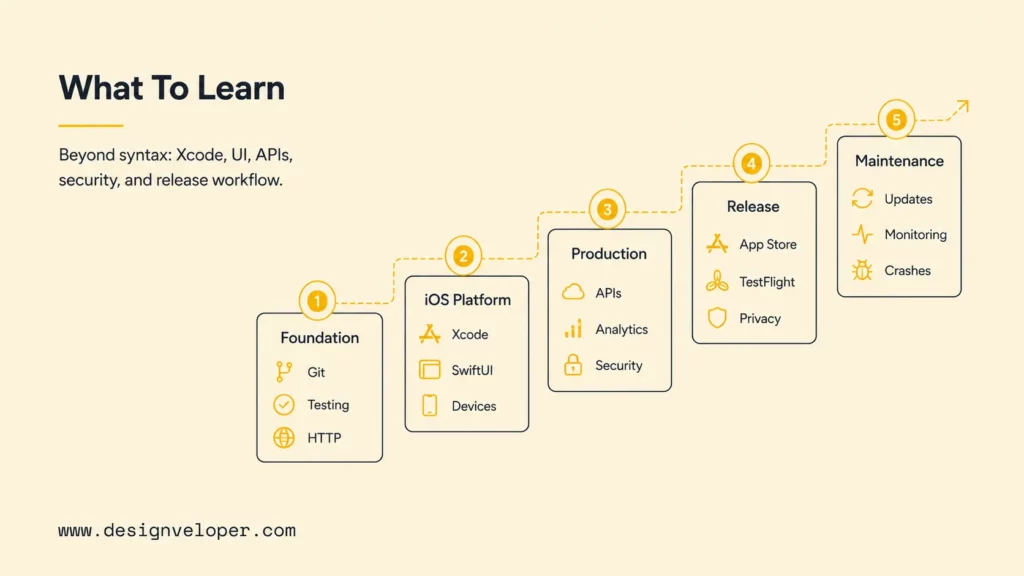
Shipping an iOS app requires product, platform, security, and release knowledge; language syntax is only the entrance.
Choosing The Right Stack For A Business iOS App
For a premium iOS-first business product, we normally begin the technical evaluation with Swift. It keeps the team close to Apple’s frameworks and makes platform-specific behavior explicit. That can be valuable for fintech, health, media, commerce, device integrations, or customer experiences where native polish and fast adoption of Apple capabilities matter.
For an existing Objective-C application, we first assess architecture, dependencies, crash data, test coverage, and release risk. We preserve stable behavior, isolate risky components, add tests, and introduce Swift at controlled boundaries. A phased migration keeps business delivery moving and provides evidence for each modernization investment.
For an MVP serving iOS and Android, we compare Flutter and React Native against the actual journeys and integrations. Flutter is attractive for a cohesive custom interface. React Native is attractive when TypeScript and React are already strengths. For Microsoft-centered enterprise teams, we include .NET MAUI when shared C# assets and operating practices create a clear advantage.
At Designveloper, we treat stack selection as part of product discovery rather than a preset sales answer. We connect requirements, UX/UI, mobile engineering, backend APIs, quality assurance, DevOps, App Store preparation, and post-launch improvement. Our mobile app development process explains the full lifecycle, while our iOS development tools guide covers the practical toolchain.
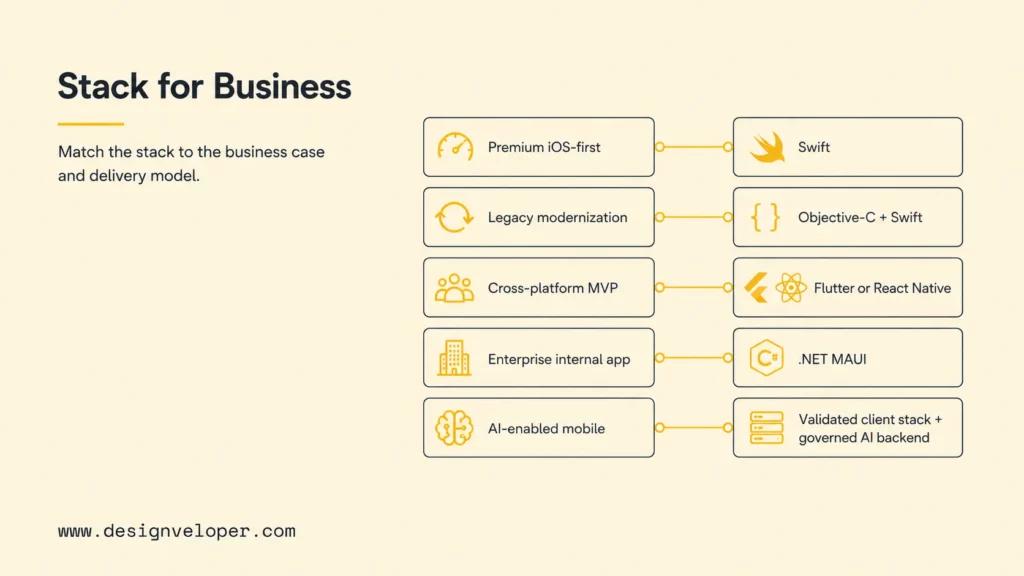
| Business case | Likely starting stack | Validation focus |
|---|---|---|
| Premium iOS-first customer app | Swift with SwiftUI and/or UIKit | Apple integrations, accessibility, performance, and native UX. |
| Legacy modernization | Objective-C plus incremental Swift | Regression protection, module boundaries, dependency and security risk. |
| Cross-platform MVP | Flutter or React Native | Feature coverage, native-module needs, QA matrix, and release cadence. |
| Enterprise internal app | C# with .NET MAUI or another validated shared stack | Identity, device support, integration, governance, and maintainability. |
| AI-enabled mobile product | Any validated client stack plus governed backend or on-device model | Privacy, evaluation, latency, cost, fallback, safety, and observability. |
The deliverable should be more than a framework name for teams planning to build an app for your business. We recommend a decision record, proof of concept for the highest-risk feature, architecture diagram, supported-device policy, package inventory, test strategy, release plan, and ownership model. If you need a team to turn that evidence into a maintainable product, our software development services cover discovery through delivery and ongoing improvement.
FAQs About iOS App Development Languages
What Language Is Used To Make iPhone Apps?
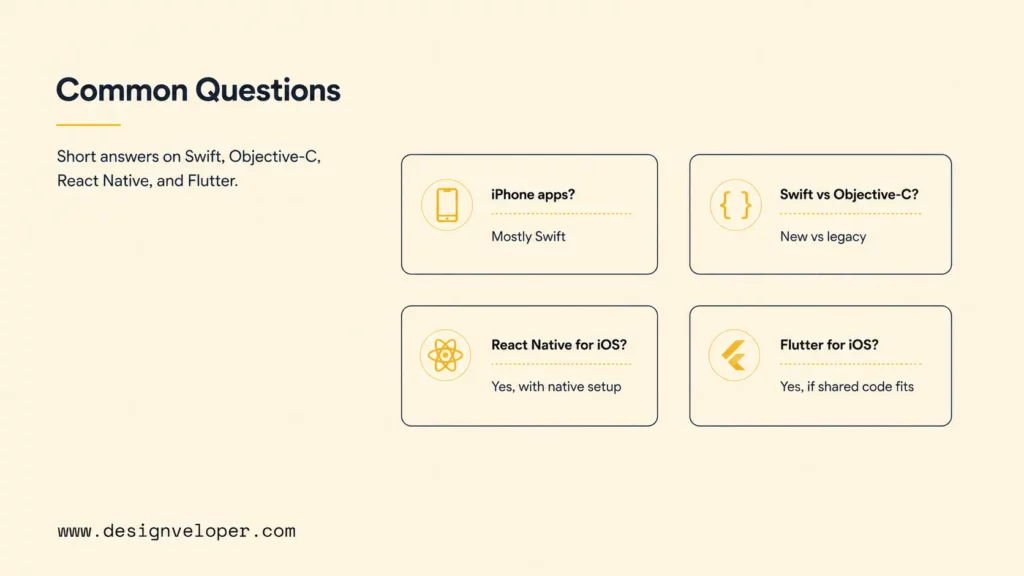
Swift is the main modern language for native iPhone apps, usually with SwiftUI or UIKit. Objective-C remains in older applications and libraries. Teams can also build iPhone apps with Dart and Flutter, JavaScript or TypeScript and React Native, or C# and .NET MAUI. The resulting product must still meet Apple’s build, signing, privacy, testing, and review requirements.
Does Apple Use C or C++?
C and C++ are used in Apple-platform software and can coexist with Objective-C or Swift through appropriate interfaces. They are useful for systems code, performance-sensitive engines, media processing, and portable libraries. However, most teams do not choose plain C or C++ as the primary language for a conventional modern iPhone interface. Swift is the clearer default, with C or C++ reserved for components that genuinely benefit from them.
Is Swift Better Than Objective-C?
Swift is generally the better choice for a new native iOS application because it is Apple’s current learning and framework path, has modern language features, and interoperates with existing code. Objective-C remains better when the immediate job is to understand, stabilize, or extend a large proven Objective-C system. The practical answer for modernization is often both: preserve working Objective-C while implementing well-bounded new work in Swift.
Can React Native Be Used For iOS App Development?
Yes. React Native can produce iOS applications using JavaScript or TypeScript and native components. It is a strong candidate when iOS and Android share a roadmap and the team has React expertise. Developers still need iOS build configuration, signing, device tests, App Store preparation, and native modules for capabilities that are not fully provided by the shared layer.
Is Flutter Good For iOS Apps?
Flutter can be a good choice for iOS apps when a product needs a shared iOS and Android codebase, a custom visual system, and coordinated releases. Validate plugin support, accessibility, startup and runtime performance, Apple-specific interaction expectations, and the hardest device integration. Native Swift may be safer when the experience depends heavily on new or specialized Apple APIs.
There is no universal winner among iOS app development languages. Swift leads for modern native work, Objective-C protects legacy value, and Dart, TypeScript, or C# can support effective cross-platform strategies. Choose with product evidence, test the highest-risk capability, plan the Apple release path, and fund maintenance from the beginning.
Also published on

Share post on










Related Articles



Financial App Development: Features, Security, And Cost
Financial App Development: Features, Security, And Cost Published August 13, 2026
How To Create A Free App And Make Money: 8 Monetization Models
How To Create A Free App And Make Money: 8 Monetization Models Published July 30, 2026
Healthcare App Development: Building Secure Apps For Better Care
Healthcare App Development: Building Secure Apps For Better Care Published July 29, 2026



















