
















Best AI Chatbots For Businesses In 2026: Compare Tools By Use Case

KEY TAKEAWAYS:
- Choose by workflow, not by model name. Support, ecommerce, sales, internal knowledge, and team productivity need different chatbot capabilities.
- Use the system that already owns the workflow when possible. Help desks, CRMs, ecommerce platforms, identity systems, and knowledge bases often matter more than the chat interface.
- Human handoff is part of the product. A business chatbot should preserve context and route sensitive, uncertain, or high-value work to the right person.
- Start with one measurable job. Track answer quality, completion, escalation, lead acceptance, booking, cost, customer satisfaction, and human rework before expanding.
- Build only when the workflow needs it. Custom AI chatbot development is most useful when data, permissions, approvals, integrations, or the customer experience are unique.
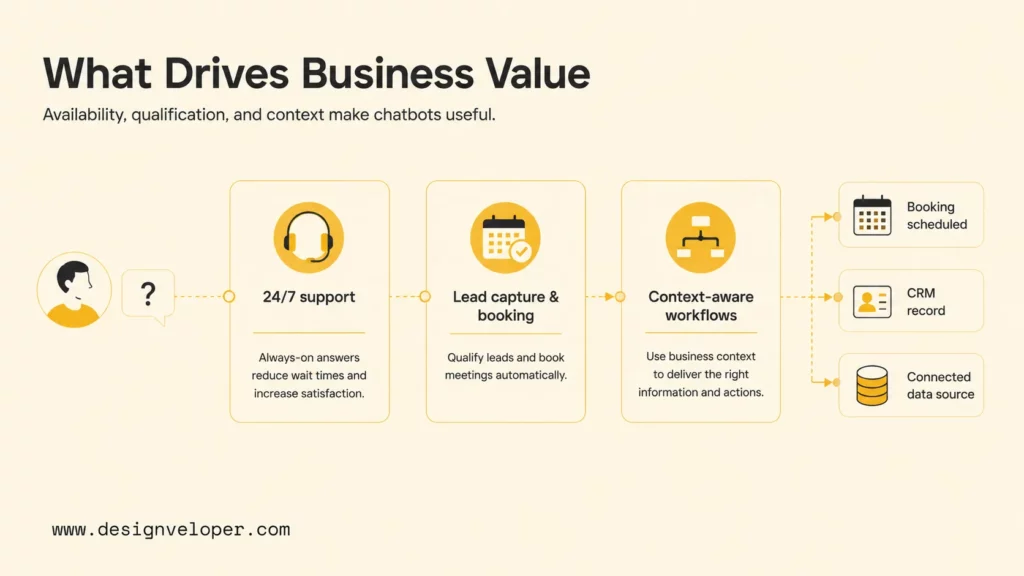
Businesses rarely need a chatbot that simply talks. They need a reliable way to answer a customer, qualify a lead, find an internal policy, check an order, or route work to a person. The best AI chatbots for businesses therefore depend on the workflow, the systems that hold its context, and the level of action the bot must take. This comparison matches popular tools to those jobs, then explains the features, controls, and rollout steps that separate a useful business chatbot from a costly chat widget. When the workflow is unusual, AI chatbot development can provide more control than adapting a generic product.
For a deeper dive:
- 11 Best AI Chatbot Platforms to Use
- 11 Best AI Chatbot Automation Tools By Categories
- Chatbot Vs ChatGPT: Differences, Features, And Which Is Better
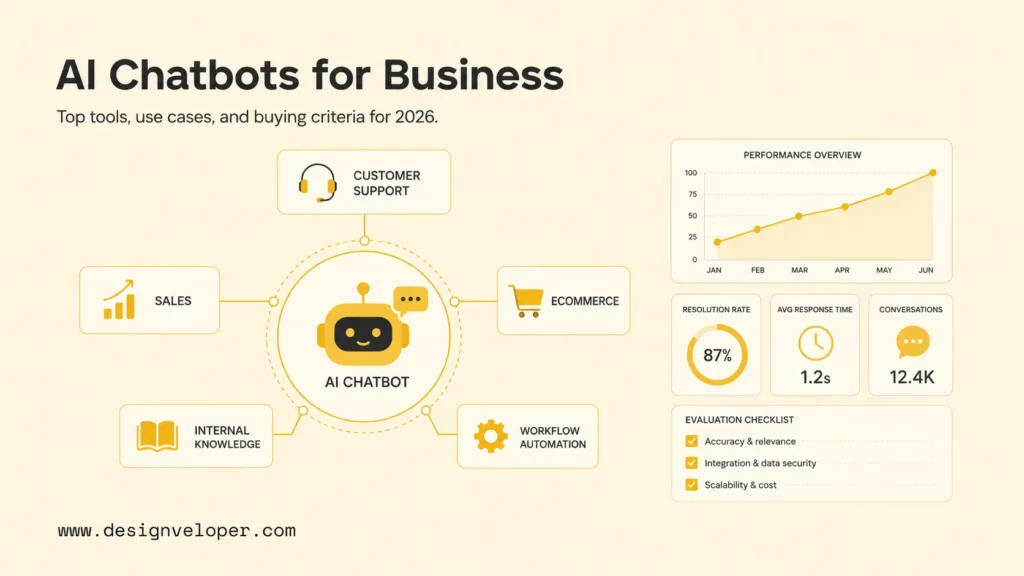
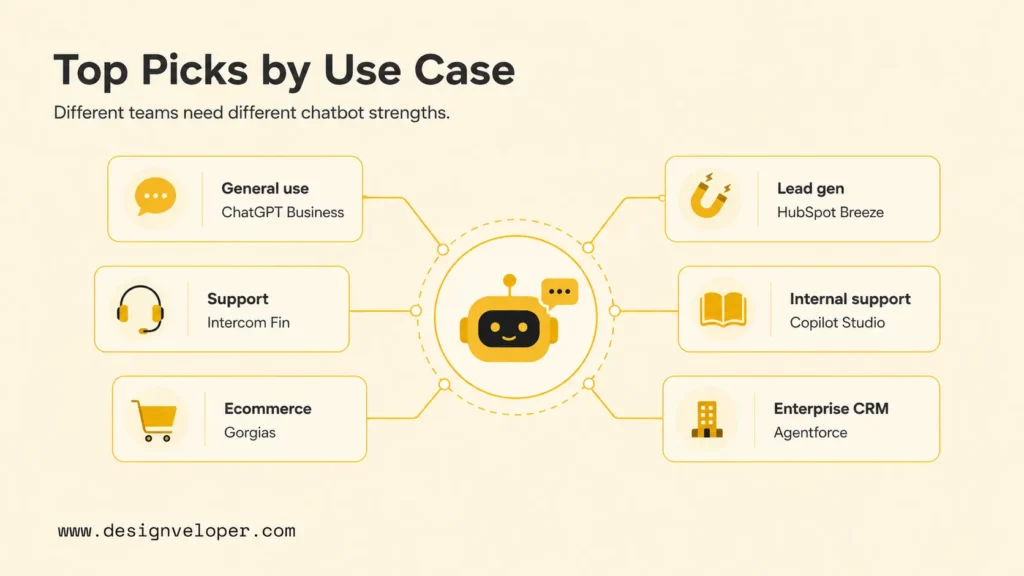
Best AI Chatbots For Businesses At A Glance
The shortlist below is organized around the workflow a business wants to improve. A general AI workspace may be right for employee productivity, while a help-desk product may be better for customer support. An ecommerce or CRM-focused tool can reduce integration work when the business already uses that platform as its system of record.
Product names, plans, limits, credits, and automated-action pricing change. Verify current commercial terms, data handling, permissions, integrations, and human-review options before rollout. Also clarify whether the requirement is a chatbot, a general AI assistant, or an AI agent that can take actions. What Is A Chatbot? gives the basic distinction.
| Platform | Best fit | Strongest fit | Verify before rollout |
|---|---|---|---|
| ChatGPT Business | General-purpose team use | Research, writing, analysis, and reusable team assistants | Workspace controls, data handling, connectors, and whether a separate customer layer is needed |
| Intercom Fin | Customer support automation | Answers connected to help content, inboxes, and support workflows | Knowledge quality, resolution rules, escalation, and support ownership |
| Gorgias AI Agent | Ecommerce and Shopify stores | Product, order, return, and post-purchase support context | Store access, policy accuracy, refund boundaries, and escalation volume |
| HubSpot Breeze Agents | CRM-led sales and service | Prospect and customer context inside HubSpot workflows | Lead routing, CRM write access, task charges, and human review |
| Tidio Lyro | Small businesses and fast setup | Focused website support for clear, FAQ-driven workflows | Conversation limits, answer sources, policy exceptions, and handoff coverage |
| Microsoft Copilot Studio | Internal knowledge and employee support | Authenticated assistants across Microsoft business data and tools | Identity, permissions, connector scope, licensing, and sensitive-data handling |
| Salesforce Agentforce | Salesforce-heavy sales and service | Actions and context inside Salesforce records and processes | Usage units, permissions, data quality, and action approvals |
| Lindy | Lightweight operational automation | Email, meetings, calendars, CRM follow-up, and admin tasks | Tool permissions, task reliability, data exposure, and usage limits |
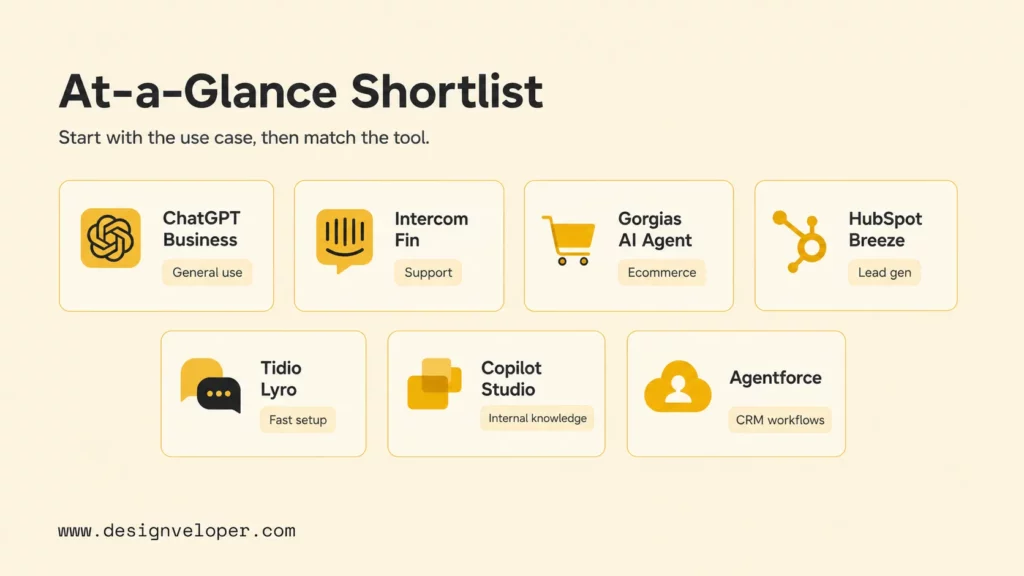
The Best AI Chatbots For Businesses
Each product below has a different center of gravity. These mini-reviews focus on the workflow it can support, the context it needs, and the boundary that should shape a pilot. A tool can be strong in one environment and a poor choice in another.
1. ChatGPT Business: Best For General-Purpose Team Use
ChatGPT Business is a useful starting point for teams that want one AI workspace for research, writing, analysis, brainstorming, document work, and reusable internal assistants. Choose it when the first requirement is employee productivity or exploration.
Do not assume that a general assistant is a production customer-service system. If the chatbot must identify a customer, retrieve an account record, write to a CRM, or execute a refund, the team still needs a controlled integration and approval layer.
2. Intercom Fin: Best For Customer Support Automation
Intercom Fin fits support teams that already manage customer conversations, help content, and agent work in Intercom. Its value comes from placing automated answers close to the inbox and human support process.
Test historical conversations, missing information, policy exceptions, account-specific questions, and escalation. Choose it when the support team wants to improve an existing Intercom workflow, then measure useful resolution, satisfaction, escalation quality, and agent rework.
3. Gorgias AI Agent: Best For Ecommerce And Shopify Stores
Gorgias AI Agent fits ecommerce teams that need product, order, delivery, return, and post-purchase context in support conversations. Its value comes from current store data and policies, not from repeating generic product copy.
Test order-status questions, return exceptions, damaged-item claims, and refund requests. Keep approvals with people when an action affects money, inventory, or a customer promise.
4. HubSpot Breeze Agents: Best For CRM-Led Sales And Service
HubSpot Breeze Agents suit organizations that already use HubSpot for marketing, sales, service, and customer records. A useful sales chatbot should identify intent, ask only the questions needed to qualify a visitor, route the lead, book a next step, and create structured CRM context.
Set a quality threshold for accepted leads or completed bookings before expanding traffic. A chatbot that captures many low-quality contacts can increase sales work, so measure lead acceptance and follow-up effort instead of raw conversation volume.
5. Tidio Lyro: Best For Small Businesses That Need Fast Setup
Tidio Lyro is a practical option for a small business with a focused website support workflow, clear service information, and limited technical capacity. The first release can answer common questions, collect contact details, explain policies, and route conversations to a person.
Add service descriptions, opening hours, booking rules, pricing boundaries, and escalation instructions. Fast setup does not remove the need to test confusing questions and unsupported requests before sending more traffic to the bot.
6. Microsoft Copilot Studio: Best For Internal Knowledge And Employee Support
Microsoft Copilot Studio is a strong fit for organizations that already use Microsoft 365, Teams, SharePoint, Power Platform, and Microsoft identity. Internal assistants may answer HR, IT, finance, onboarding, or project questions, so authentication and permissions matter as much as response quality.
Choose it when the organization can name authoritative sources and data owners. Test user access, evidence, refusal behavior, and retention. A broad internal bot that exposes restricted information is a governance problem, not a successful knowledge project.
7. Salesforce Agentforce: Best For Salesforce-Heavy Sales And Service Teams
Salesforce Agentforce is worth evaluating when customer conversations must connect to Salesforce records, service processes, sales workflows, or industry data. Its fit depends on record quality and action permissions, not only on fluent answers.
Include data cleanup, permission design, approval points, usage units, and rollback procedures in the pilot. Keep a person responsible for high-value or ambiguous conversations.
8. Lindy: Best For Lightweight Operational Automation
Lindy is closer to an AI assistant and workflow-automation product than a traditional customer-facing chatbot. It can suit teams that want help with email, meetings, calendars, CRM follow-up, and repetitive administrative work.
Choose it when the task is narrow, connected tools are trusted, and a person can review important outputs. Define which messages it may send, which records it may change, and when a human must approve the next step.
For practical examples:
- Conversational AI Vs. Chatbot: Key Differences And Use Cases
- What Are AI Agents? How They Work And Examples In Business
- AI Agent for Customer Service: Best Use Cases and Examples
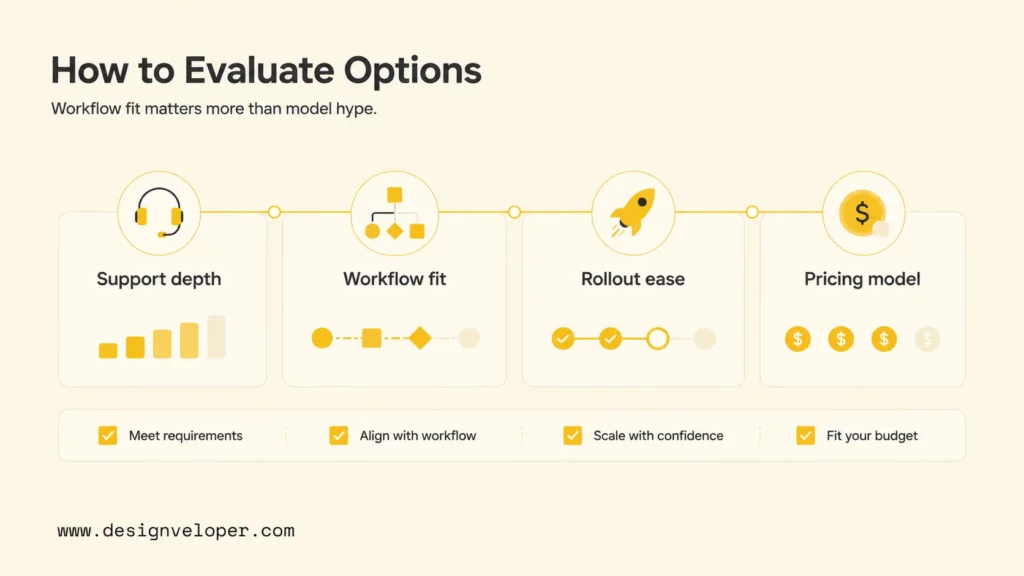
How To Choose An AI Chatbot For Your Business
The goal is not to find the tool with the most features. It is to find the smallest safe system that can produce a useful result in the workflow you care about.
| Business situation | Start with | Decision test |
|---|---|---|
| Support-heavy team | The current help-desk ecosystem | Can it resolve representative cases, preserve context, and reduce agent rework? |
| CRM-led sales team | The current CRM or a controlled CRM-connected layer | Can it qualify, route, book, and write useful records without polluting the CRM? |
| Small business with simple questions | A focused website chatbot | Can the team update sources, inspect conversations, and manage handoff without engineering support? |
| Internal knowledge workflow | An authenticated assistant platform | Does retrieval respect identity, permissions, source ownership, and retention? |
| Cross-system action workflow | An agent platform or custom build | Can each action be validated, observed, approved, retried, and reversed? |
Also compare the cost of incorrect automation. Include implementation, content preparation, integration, evaluation, monitoring, maintenance, and human review in the business case. The AI agent governance principles are useful even when the vendor calls the product a chatbot.
- Buy first when the workflow is common, the source system is supported, and the team can work within the platform’s permission model.
- Customize the integration when the data is proprietary but the conversation and action flow are still standard enough to assemble from reliable services.
- Build a product when the business needs unusual rules, multiple systems, regulated permissions, or a distinct customer experience.
Recommended next steps:
- AI Agent Pricing Framework: Cost Models, Hidden Fees, And ROI Tips
- What Is AI Automation? How It Works, Benefits, Tools, and Use Cases
- How To Build And Use AI Business Process Automation Effectively
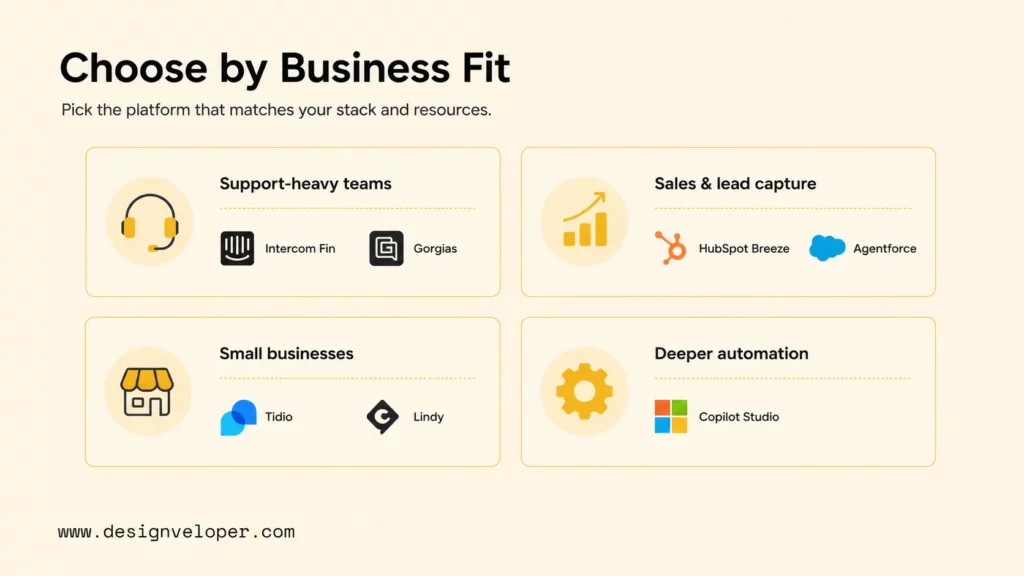
What Features Matter Most Before You Choose
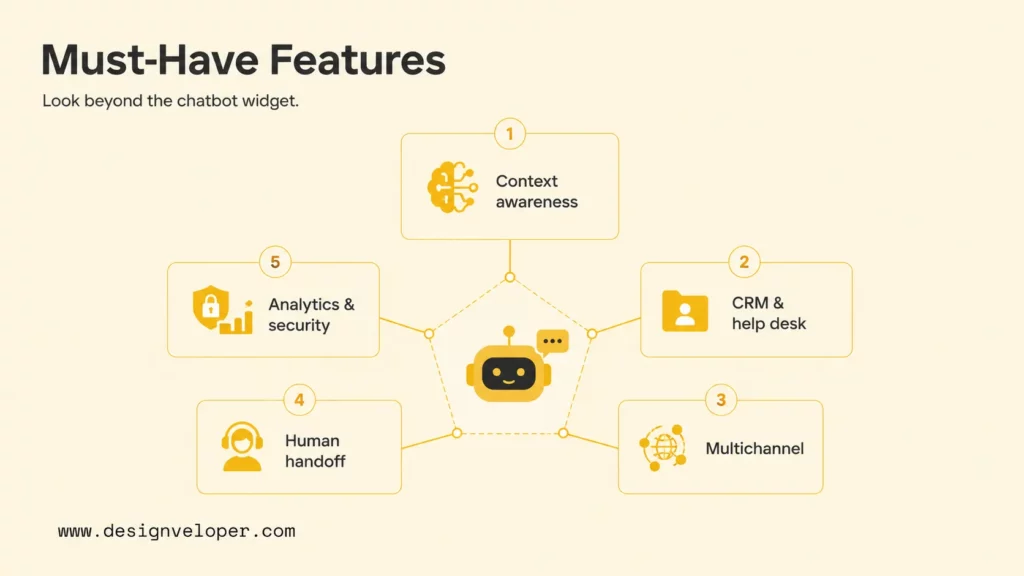
Feature lists become useful only when each capability maps to a business requirement. Review the following areas against the first workflow you want to automate.
Knowledge And Data
The chatbot should use approved sources and make uncertainty visible when evidence is incomplete. Map the system of record, data owner, update frequency, retention rule, and access boundary before connecting a knowledge base. A vector database can improve semantic retrieval, but it does not solve permissions, freshness, evaluation, or citation design by itself.
An internal HR assistant, for example, may retrieve a leave policy from a controlled document store. It should identify the current policy, avoid exposing another employee’s information, and route a case to HR when the policy does not answer the question.
Integrations And Actions
Check which tools the chatbot can read and which actions it can request or perform. CRM, help-desk, ecommerce, identity, calendar, billing, and knowledge systems should have clear ownership. Review authentication, API limits, input validation, idempotency, retries, logs, and rollback behavior before enabling write access.
A sales bot might collect company size and product interest, then create a qualified CRM task and offer a calendar slot. It should not silently change a lead stage or send a high-value commitment when required fields are missing. AI chatbot integration is successful only when the conversation and downstream record agree.
Safety And Measurement
Require human approval before refunds, sensitive-data transfers, account changes, external commitments, and irreversible actions. Preserve the conversation, collected facts, attempted actions, source references, and reason for escalation so a person can continue without restarting.
Measure successful resolution, accepted leads, completed bookings, employee task completion, customer satisfaction, latency, cost per automated outcome, and human rework. If the business cannot name the owner, baseline, review cycle, and threshold for expansion, the chatbot is not ready for a larger rollout.
Continue reading:
- How To Build A Chatbot With LangChain Step-By-Step Guide
- How To Build A RAG Chatbot: Architecture, Steps, And Best Practices
- RAG Pipeline Diagram: Components, Workflow, And Production Design
When Should You Build A Custom AI Chatbot?
Buying a platform and building a useful chatbot experience are different decisions. An off-the-shelf product is often the fastest way to test a narrow workflow. Custom development becomes more useful when the chatbot must follow unique business rules, connect several systems, respect complex permissions, or support actions that affect money, access, records, or customer commitments.
Buy First For A Standard Workflow
Start with an existing product when the business needs a common support, sales, ecommerce, or internal-knowledge flow. Keep the pilot narrow: define approved sources, permitted actions, handoff rules, an evaluation set, and a stop condition before adding more channels.
Build For Unique Data And Controls
A custom build is more defensible when the business has proprietary data, non-standard approval rules, several systems of record, complex tenant boundaries, or a product experience that a generic widget cannot represent. The custom layer may combine retrieval, tool calls, deterministic rules, evaluation, monitoring, and a human-review queue.
Consider a B2B service portal where a buyer asks about a contract-specific delivery date. The chatbot may need to identify the account, retrieve the approved contract and order state, check a fulfilment system, explain the result, and escalate a change request. A generic FAQ bot cannot safely own that workflow without the right data and controls.
For proprietary knowledge, advanced RAG can improve retrieval design, while AI agent versus chatbot guidance helps clarify whether the system needs actions or only answers.
For enterprise workflow context:
- Enterprise AI Agents: Use Cases, Tools, And Implementation
- AI Agent Orchestration: How Multi-Agent Workflows Work In Practice
- A Practical Guide To AI Agent Architecture With Diagrams
How To Roll Out An AI Chatbot Safely
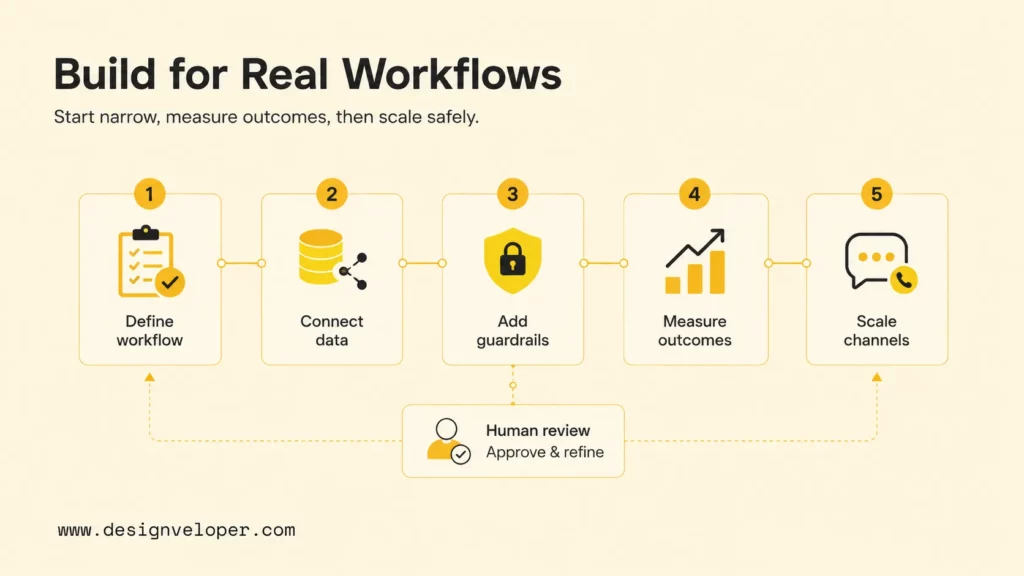
A useful pilot is a complete workflow with a clear boundary, not a demo that answers a few ideal questions. Use the following sequence to connect the chatbot to a measurable business result.
1. Define One Workflow And Success Metric
Write the first use case as a complete journey: trigger, user, required context, expected response or action, approval point, failure path, and success metric. Examples include order-status questions, lead qualification, appointment booking, internal policy lookup, and support triage.
2. Connect Approved Data And Tools
Map each source and action before adding a model. Identify the system of record, data owner, freshness expectation, access rule, API limit, and fallback when the source is unavailable. Separate temporary workflow state from long-term customer information and define retention.
3. Add Guardrails And Human Handoff
Define what the chatbot may answer, recommend, retrieve, or change. Require confirmation or human approval before refunds, sensitive-data transfers, account changes, external commitments, and irreversible actions. Log the source, tool call, decision, and handoff reason.
4. Measure, Improve, And Expand
Review answer accuracy, successful resolution, escalation quality, lead acceptance, booking completion, customer satisfaction, latency, cost per outcome, and human rework. Use failed conversations to improve content, retrieval, routing, prompts, tools, and interface design. Add a channel or action only when the first workflow is stable.
Teams that need to train a chatbot with their own data should plan more than document loading. Source ownership, chunking, access control, evaluation examples, update rules, citations, retention, and escalation all affect the production result.
FAQs About AI Chatbots For Businesses
Which Is The Best AI Chatbot For Business?
There is no single best option for every business. ChatGPT Business suits broad team productivity; Intercom Fin suits support operations; Gorgias suits ecommerce; HubSpot and Salesforce suit CRM-led workflows; Tidio suits focused website support; and Microsoft Copilot Studio suits Microsoft-centered internal support. Choose the platform that already owns the data and process your chatbot must use.
How To Build An AI Chatbot For Companies?
Define one workflow, user, outcome, knowledge scope, integration, approval rule, failure path, and metric. Then choose an existing platform or build the smallest custom layer that can test the workflow. Evaluate real conversations, add permissions and observability, and expand only after the initial use case is reliable.
Are AI Chatbots Profitable?
They can be profitable when they reduce repetitive support work, improve lead acceptance, increase completed bookings, or help employees find answers faster. Measure value against platform usage, implementation, integrations, maintenance, monitoring, human review, and the cost of incorrect or escalated conversations.
Can An AI Chatbot Qualify Leads And Support Sales?
Yes. It can ask qualifying questions, identify intent, route the lead, recommend a next step, book a meeting, and write structured CRM context. Use clear routing rules and escalate high-value, complex, or ambiguous opportunities to a salesperson.
How Much Does An AI Chatbot For Business Usually Cost?
Costs vary by platform and workflow. Some tools use seats or monthly plans, while others add conversations, credits, automated resolutions, tasks, users, or usage-based model fees. A realistic estimate also includes integration, content preparation, evaluation, security, maintenance, support, and human rework.
The Practical Answer
The best AI chatbot for businesses fits a real workflow, uses approved context, and has a measurable path to human support. Start with one job and one audience. Prove answer quality, completion, cost, and safety before adding more channels or actions.
Use an existing platform when it matches the workflow and operating model. Move toward custom development when the business needs unique data, permissions, approvals, integrations, or a product experience that generic chatbot software cannot deliver reliably. Designveloper can support that path through AI development services focused on workflow scope, data, integration, controls, measurement, and delivery.
Also published on

Share post on










Related Articles


Is Vibe Coding Legal? Ownership, Copyright, and Release Risks
Is Vibe Coding Legal? Ownership, Copyright, and Release Risks Published October 16, 2026
How to Build a Chatbot with LangChain in Python: 6 Steps
How to Build a Chatbot with LangChain in Python: 6 Steps Published October 16, 2026
Agentic AI Replacing AI: How Workflows Change and When to Switch
Agentic AI Replacing AI: How Workflows Change and When to Switch Published October 16, 2026


















