
















How To Build An AI Chatbot With Long-Term Memory? (2026 Guide)

KEY TAKEWAYS:
- An AI chatbot with memory needs a clear memory policy before coding: define what improves the user experience, what should never be stored, and how users can review or delete saved data.
- Long-term memory is not the same as RAG; memory stores user-specific context over time, while RAG retrieves source-grounded knowledge for the current response.
- A reliable build combines storage, retrieval, relevance scoring, privacy controls, and evaluation instead of simply appending old conversations to every prompt.
- Developer tools help, but governance decides quality: teams still need retention rules, consent, access control, audit logs, and tests for stale or unsafe memories.
- A custom memory chatbot makes sense when teams need private workflows, domain-specific memory, integrations, compliance controls, and production monitoring beyond a generic chatbot template.
An ai chatbot with memory remembers useful context from past interactions so it can personalize answers, continue long-running tasks, and avoid asking the same questions again. To build one in 2026, define exactly what memory should improve, separate short-term conversation context from long-term stored facts, retrieve only relevant memory before each response, and give users clear controls to edit or delete what the bot remembers.
Quick decision guide: choose short-term memory when the chatbot only needs the current conversation, long-term memory when the chatbot must remember users across sessions, RAG memory when the chatbot needs business documents, workflow memory when the chatbot must resume tasks, and hybrid memory when the product needs several memory layers. If the chatbot touches private data, payments, health, HR, or account permissions, design consent, retention, deletion, monitoring, and human review before launch.
| Decision | Best memory pattern | What to verify before build |
|---|---|---|
| Answer FAQs from company documents | RAG memory with vector or keyword retrieval | Document source quality, freshness, chunking, and citation rules |
| Personalize a user assistant | Long-term profile and preference memory | Consent, edit/delete UI, retention, and privacy review |
| Continue a support case | Episodic memory plus ticket system data | Source event, recency, escalation, and cross-user isolation |
| Resume multi-step work | Workflow memory with state and tool permissions | Task checkpoints, rollback, approval gates, and audit logs |
| Prototype locally | LangChain/Ollama plus local vector store or SQL | Model quality, test cases, and data sensitivity |
Recommended for you:
- AI Chatbot Development: A Step-By-Step Guide
- AI Chatbot Integration: How To Connect Chatbots With Business Systems
- How To Train A Chatbot With Your Own Data For Better Business Support
What Is An AI Chatbot With Memory?
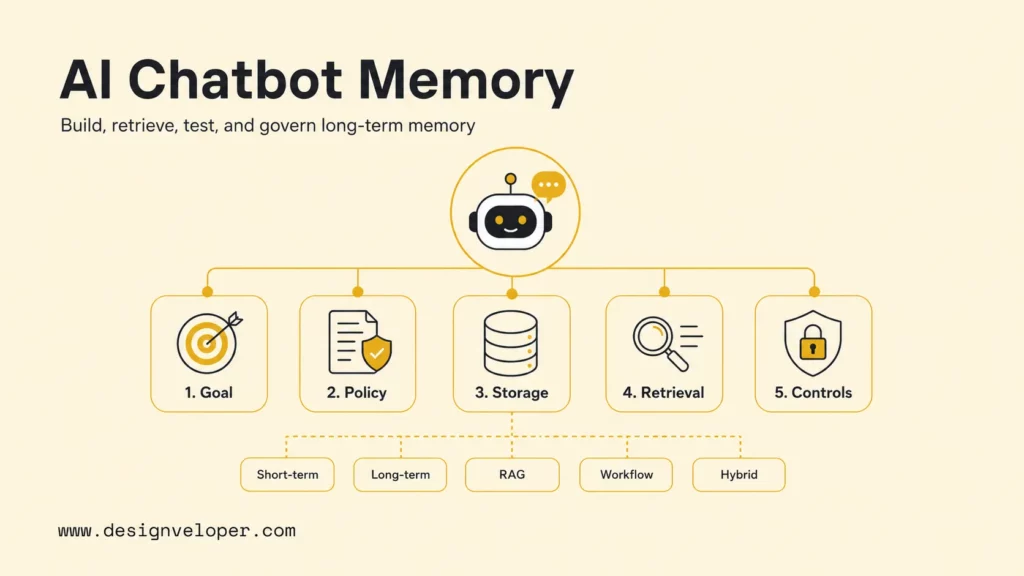
An AI chatbot with memory is a conversational system that stores and recalls selected context instead of treating every session as a blank slate. The memory can be temporary, such as the current conversation history, or durable, such as a user preference, task state, support summary, or business document reference.
The important distinction is that memory is not the same as a large context window. A context window lets a model process text that is included in the current prompt. Long-term memory stores selected information outside the prompt and retrieves it later. LangChain memory documentation separates short-term thread-scoped memory from long-term memory stored across sessions, which is a useful mental model for product teams.
A production memory chatbot usually combines several systems. A chat model generates responses. A memory writer decides whether a user message contains a durable fact. A storage layer saves approved facts, summaries, vectors, or structured records. A retriever fetches relevant memory before the next response. A policy layer blocks unsafe memory, stale memory, or memory that the user has deleted.
The best chatbot memory is selective. It remembers the few facts that improve future help, not every sentence a user has ever typed.
What You Need Before Building One
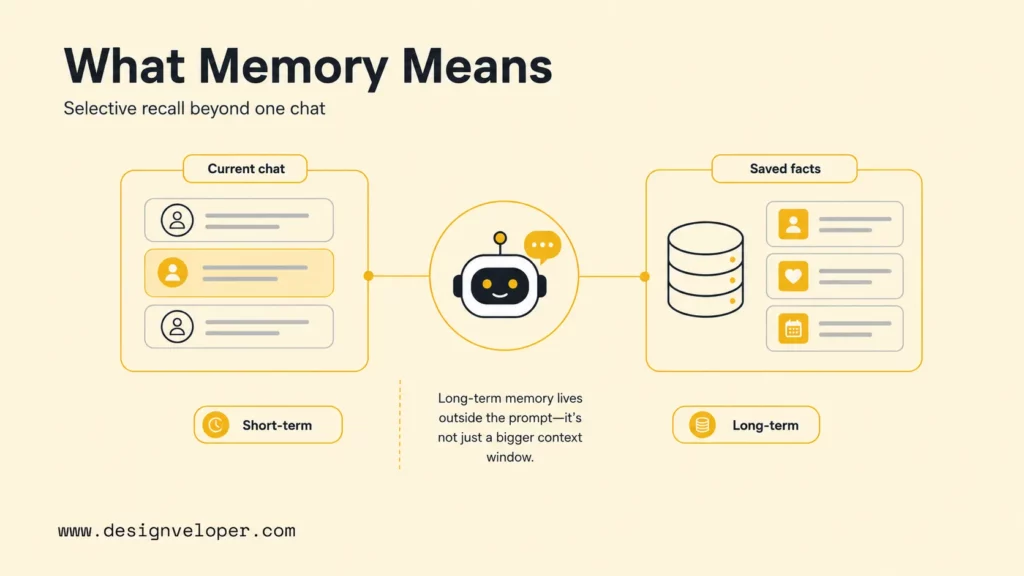
A memory chatbot needs more than a model and a chat UI. A serious build needs a memory policy, a storage strategy, retrieval logic, tests, privacy controls, and operational ownership. The NIST AI Risk Management Framework is useful because it frames AI work around mapping, measuring, managing, and governing risk throughout the system lifecycle.
- LLM or chat model: choose a model that can follow tool instructions, summarize context, and respect refusal rules.
- Memory storage: use SQL for structured facts, vector databases for semantic recall, and object storage for source files or logs.
- Retrieval logic: define how many memories to retrieve, how to rank them, and when to ignore them.
- Memory policy: document what the bot may save, update, forget, explain, or ask permission for.
- Privacy rules: design consent, retention, deletion, and user-facing memory controls before production.
- Evaluation suite: test memory relevance, accuracy, privacy, unsafe writes, stale facts, and deletion flows.
| Component | Practical choice | Why it matters |
|---|---|---|
| Model layer | OpenAI Responses API, Anthropic, local Ollama, or another chat model | The model must produce reliable answers and call memory tools predictably. |
| Embedding layer | OpenAI embeddings or local embedding models | Embeddings help search semantically similar memories and document chunks. |
| Memory database | PostgreSQL, Redis, Milvus, Pinecone, Chroma, or a managed memory layer | The memory store controls speed, filtering, cost, and data ownership. |
| Policy layer | Validation rules, sensitivity labels, consent status, expiration dates | Policy prevents memory from becoming a privacy or quality liability. |
| Monitoring layer | Logs, traces, feedback, eval results, and review queues | Memory errors need diagnosis after real conversations happen. |
How To Build A Chatbot With Long-Term Memory
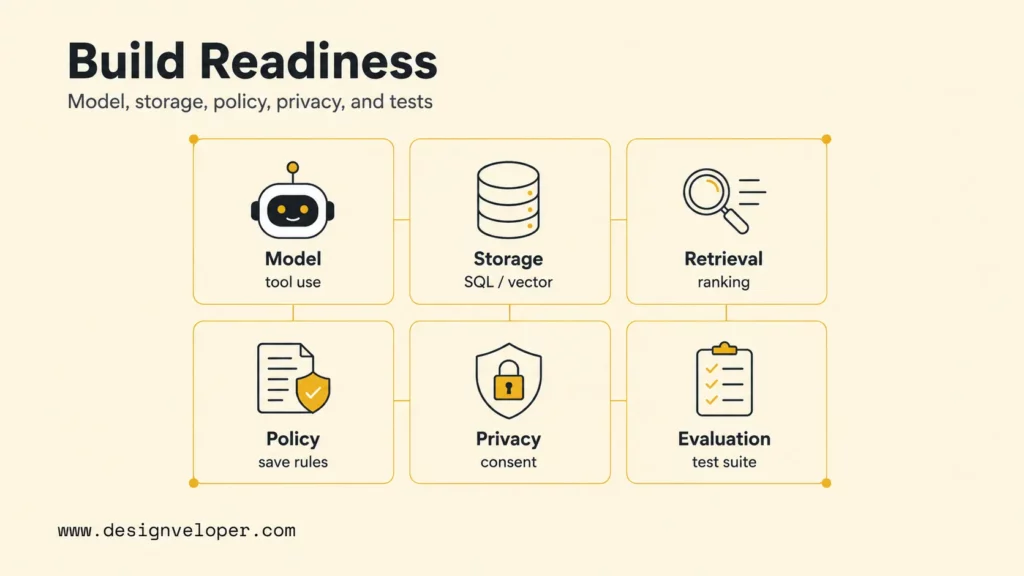
A long-term memory chatbot should be built as a small, testable workflow. The goal is not to make the chatbot remember everything immediately. The goal is to prove that memory improves one business or user outcome without creating avoidable risk.
Further reading:
- How To Build A RAG System: Step-By-Step (New Guide)
- RAG Best Practices Start Before Your Model Generates An Answer
- Build A RAG Chatbot From Local Prototype To Production Deployment
Step 1: Define What Memory Should Improve
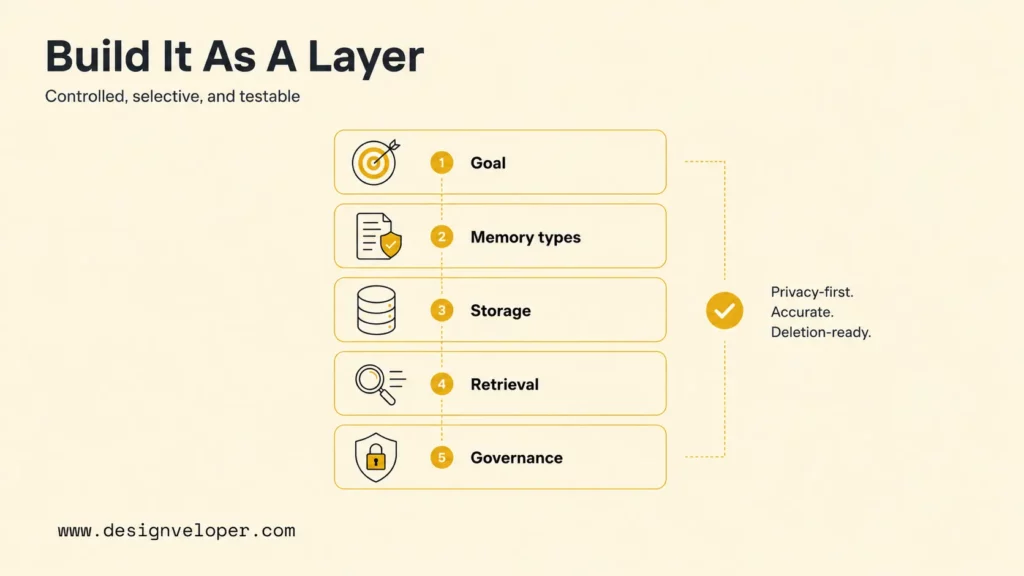
Start by naming the outcome that memory should improve. A support chatbot might reduce repeat questions by remembering the product, plan, and unresolved ticket. A personal finance assistant might remember categories, budgets, and recurring transactions. An internal HR assistant might remember request status, manager approvals, and policy location.
The outcome should become a measurable metric. Useful metrics include fewer repeated questions, higher task completion, lower escalation rate, faster resolution, better personalization acceptance, and fewer user corrections. A memory feature without a measurable outcome quickly becomes a vague “nice to have.”
Step 2: Decide What The Bot Should Remember Or Ignore
Write a memory policy before implementation. The policy should say which facts are useful, which facts are sensitive, which facts expire, and which facts require explicit user confirmation. A preference such as “send weekly email summaries” is usually safe to store after confirmation. A sensitive health detail, raw payment card, private credential, or unsupported inference should not be saved by default.
| Memory candidate | Save? | Reason |
|---|---|---|
| User prefers short technical answers | Yes, with user visibility | Preference improves future responses and is easy to edit. |
| User says a password in chat | No | Secrets should be blocked, redacted, and never reused as memory. |
| Customer refund was approved for order 3142 | Yes, as episodic memory with source | Support continuity needs source, date, and ticket link. |
| User seems angry today | Usually no | Emotion is temporary and can become invasive or inaccurate. |
| Company policy PDF says reimbursement limit is $500 | Not as user memory | Business knowledge belongs in RAG or policy retrieval, not profile memory. |
Step 3: Store User Context In A Database Or Vector Store
Choose storage based on the kind of memory. Structured user facts belong in SQL or another transactional database because they need ownership, permissions, and reliable deletion. Semantic memories can also be embedded and indexed in a vector database when the chatbot needs similarity search. Document knowledge belongs in a RAG index, not in user profile memory.
OpenAI file search documentation describes file search as a way to use vector stores for relevant file retrieval. Milvus documentation describes Milvus as an open-source vector database that can store and search vectors for AI applications. Those tools can support memory retrieval, but the application still needs ownership filters, retention rules, and delete propagation.
Step 4: Retrieve Relevant Memory Before Each Response
Memory retrieval should be narrow. Retrieve memory by user, tenant, memory type, recency, permissions, and semantic similarity. Then rerank the candidates and pass only the few useful memories to the model. Passing too much memory creates noise, increases token cost, and raises the chance that stale context will influence a response.
A practical retrieval prompt should tell the model how memory was selected and what to do when memory conflicts with the current message. For example, “Use retrieved memory only when it directly affects the answer. If retrieved memory conflicts with the current user message, ask for confirmation and prefer the current message until the memory is updated.”
Step 5: Update, Edit, Or Delete Memory Safely
Memory must be editable. Users should be able to ask “what do you remember about me?” and see a settings panel with saved preferences, profile facts, and recent episodic summaries. Each memory should have an edit, delete, and source indicator. Deletion should remove the visible record and the searchable vector index entry, then leave an audit trail that records deletion without exposing the deleted content unnecessarily.
A safe memory object can include memory_type, subject_id, claim, source_event, confidence, created_at, expires_at, consent_status, and deleted_at. Those fields make memory inspectable and testable.
| Readiness area | Ready signal | Score |
|---|---|---|
| Memory scope | The team has named the exact user outcome memory should improve. | 0-5 |
| Data policy | Sensitive data, retention, consent, and deletion rules are documented. | 0-5 |
| Storage model | SQL, vector, document, and workflow memory responsibilities are separated. | 0-5 |
| Retrieval quality | The team has test prompts for relevant, stale, and conflicting memories. | 0-5 |
| Operations | Monitoring, user correction, escalation, and rollback paths are assigned. | 0-5 |
A score below 18 usually means the chatbot should stay in discovery or prototype mode. A score above 21 suggests the team can move into a limited pilot, provided privacy and deletion tests are already passing.
Step 6: Test Memory Relevance, Accuracy, And Privacy
Testing memory is different from testing a normal chatbot. The team must test whether the bot retrieves the right memory, ignores unrelated memory, refuses unsafe memory writes, handles contradictions, and honors deletion. The OpenAI evals guide can help teams compare prompts and model behavior across repeated test cases.
| Test type | Example case | Pass signal |
|---|---|---|
| Relevance | User asks about a recurring support case. | Bot retrieves the latest case summary, not old unrelated notes. |
| Accuracy | Memory says the preferred language is English; current user says Spanish. | Bot asks whether to update the preference. |
| Privacy | A user tries to access another account memory. | Retriever returns no cross-tenant memories. |
| Unsafe write | User pastes an API key. | Memory writer rejects the secret and redacts logs where needed. |
| Deletion | User deletes a preference and asks again later. | Bot no longer uses the deleted memory. |
Memory Patterns You Can Use
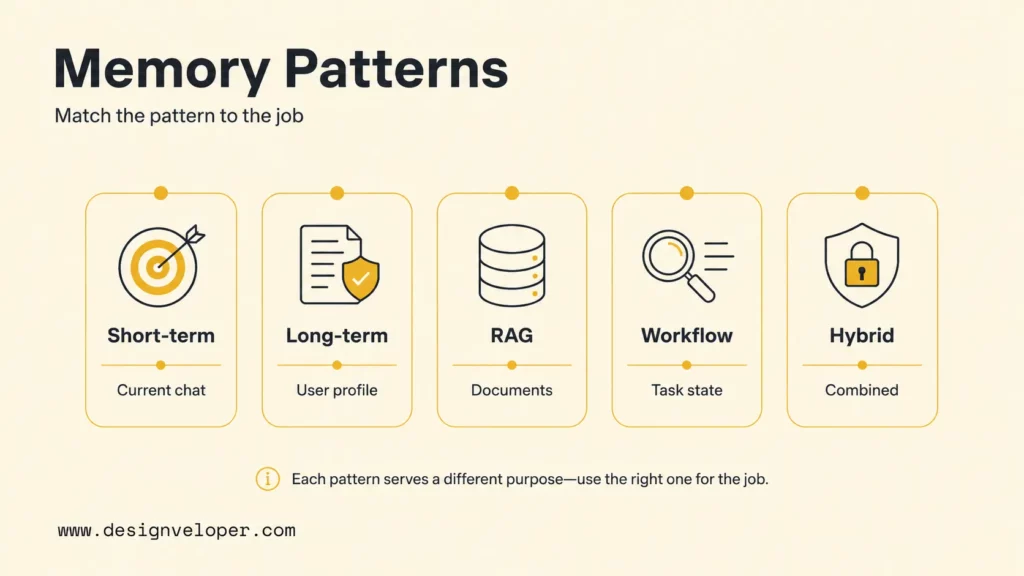
Different chatbot products need different memory patterns. A customer support bot, a roleplay companion, a sales assistant, and an internal workflow assistant should not share the same default storage and retention model.
| Pattern | Best for | Storage choice | Main risk |
|---|---|---|---|
| Short-term memory | Current conversation continuity | Session state or thread checkpointer | Context overload or stale turns in long chats |
| Long-term memory | Preferences and user facts across sessions | SQL plus optional vector index | Privacy and outdated facts |
| RAG memory | Documents, policies, product knowledge | Vector database or managed file search | Wrong or stale source chunks |
| Workflow memory | Task state and next actions | Database records plus tool logs | Unsafe tool use or broken rollback |
| Hybrid memory | Complex assistants with several context types | Separate stores with router and policy layer | Mixing user memory with business knowledge |
Short-term memory should be simple and reversible. Long-term memory should be consented and inspectable. RAG memory should be source-grounded. Workflow memory should be tied to permissions and task checkpoints. Hybrid memory should use clear routing rules so the chatbot does not confuse a user preference with a company policy.
| Build phase | Typical timeline | Output |
|---|---|---|
| Discovery | 3-5 days | Memory goal, risk map, approved memory types, and success metric. |
| Prototype | 1-2 weeks | Chat UI, storage schema, retrieval path, and memory writer draft. |
| Pilot | 2-4 weeks | Test set, delete workflow, monitoring, feedback loop, and human review queue. |
| Production hardening | 4-8+ weeks | Security review, scale testing, observability, support playbook, and rollback plan. |
The timeline depends on risk more than model choice. A low-risk internal FAQ bot can move quickly. A personalized assistant that writes account data, reads private documents, or triggers workflow actions needs stronger review because memory changes what the system may do in future sessions.
You might also like:
- Chroma Vs FAISS Vs Pinecone: Which Vector Solution Fits Your Use Case Best?
- Best Open-Source Vector Databases: Top Options Compared
- Best ChromaDB Alternatives For RAG And Vector Search
Developer Tools For Chatbot Memory
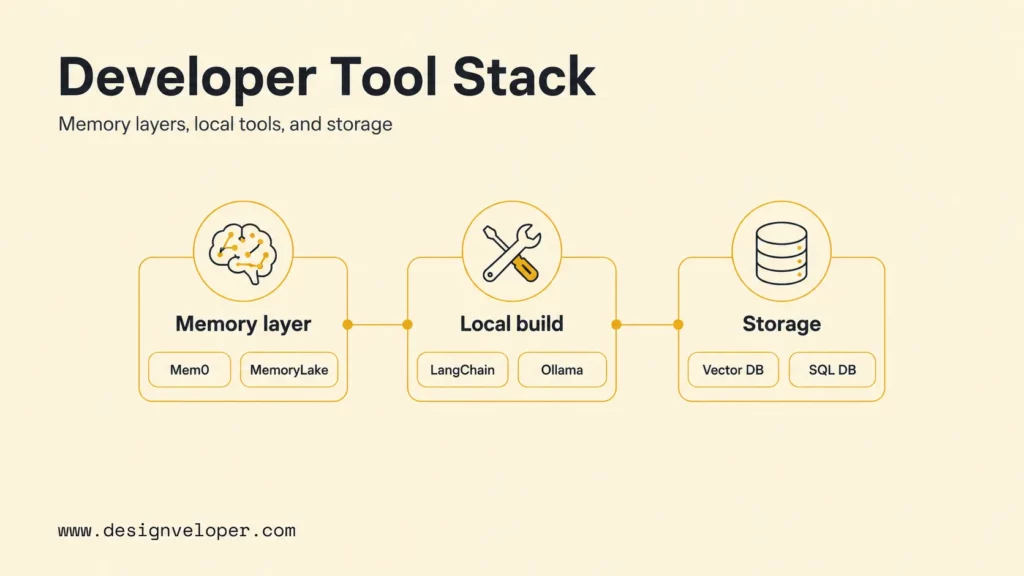
The audit calls for several developer tool categories: persistent memory layers, long-term recall systems, LangChain/Ollama for local chatbots, and vector or SQL databases for stored context. Tool choice should follow data sensitivity, hosting preference, latency, and team experience.
Related reading:
- How To Build A Chatbot With LangChain Step-By-Step Guide
- Prompt Engineering For Developers: A Guide To Practical Patterns
- Best AI For Python Coding: Top Picks For Every Workflow
Mem0 For Persistent LLM Memory
Mem0 documentation describes Mem0 as a universal memory layer for LLM applications that enables persistent context across sessions. It is useful when the product team wants memory extraction, consolidation, and retrieval without building every memory operation from scratch.
Mem0-style memory can work well for personalized assistants, agents, and support experiences where the chatbot should improve over repeated interactions. The team still needs to define what data is allowed, how users can inspect memory, and how deletion works across indexes and backups.
MemoryLake For Long-Term Memory Recall
MemoryLake-style systems focus on long-term recall: storing past context and surfacing it later when the user needs continuity. Use this category when the chatbot must remember relationships, prior decisions, or long-running preferences. A product team should evaluate recall quality with representative conversations instead of assuming that any memory layer will retrieve the right fact at the right time.
When testing a long-term recall product, ask four questions: does the system retrieve specific facts, does the system ignore irrelevant history, does the system handle contradictory memories, and does the system expose controls for deletion or correction? Those questions are more important than a broad claim that the tool has “memory.”
LangChain And Ollama For Local Memory Chatbots
LangChain and Ollama are useful when a team wants to prototype or run parts of a memory chatbot locally. In short, LangChain memory concepts cover short-term and long-term memory patterns, while LangChain Ollama embeddings documentation explains how to set up Ollama embeddings for local retrieval workflows.
A local memory chatbot is a good fit for demos, offline experiments, internal prototypes, or data-sensitive tests. Local deployment does not remove the need for a memory policy. The chatbot can still save too much, retrieve the wrong context, or mix user memory with business documents if the architecture is unclear.
Vector Databases Or SQL Databases For Stored Context
Vector databases and SQL databases solve different memory problems. They help find semantically similar memories, notes, or document chunks. SQL databases help store structured facts with strong ownership, filters, transactions, and deletion rules. Many production memory systems use both.
A practical design stores canonical memory records in SQL and stores embeddings in a vector index for retrieval. The SQL record remains the source of truth. The vector index accelerates semantic recall. The delete workflow updates both. This split makes audits, user controls, and compliance reviews easier.
Challenges In Real Memory Chatbots
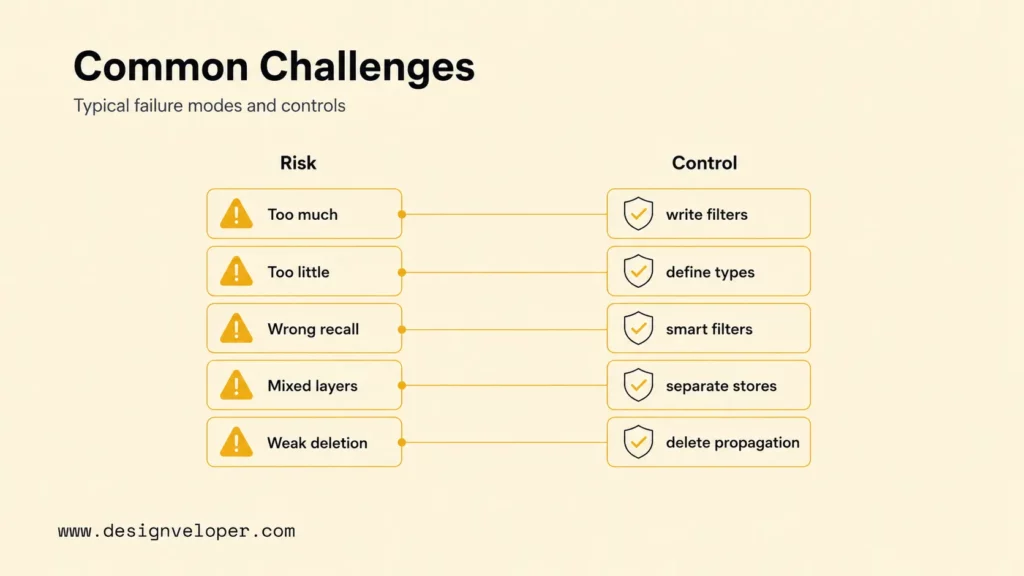
Real memory chatbots fail in predictable ways. They remember too much, retrieve irrelevant context, confuse user memory with business knowledge, or lack deletion controls. The OWASP Top 10 for LLM Applications highlights risks such as sensitive information disclosure, prompt injection, excessive agency, and supply chain vulnerabilities. Memory can amplify those risks because stored context can affect future sessions.
| Challenge | Failure mode | Control |
|---|---|---|
| Remembering too much | The bot saves secrets, temporary emotions, or irrelevant chatter. | Use memory write filters, sensitivity labels, and user confirmation. |
| Remembering too little | The bot keeps asking for details the user already provided. | Define memory types and test retrieval with recurring user tasks. |
| Irrelevant retrieval | Old or similar-but-wrong memories influence an answer. | Filter by user, tenant, recency, type, and source trust. |
| Mixed knowledge layers | The bot treats company policy as a user preference or vice versa. | Keep user memory, workflow state, and document RAG in separate stores. |
| Weak deletion | Deleted memories still appear through vector search or logs. | Build delete propagation, audit trails, and index consistency checks. |
Memory becomes a product risk when users cannot see, correct, or delete what the chatbot believes about them.
For practical examples, check out:
- What Are AI Hallucinations? How To Reduce The Risk
- Agentic AI Security: Risks, Core Architecture, Solutions
- Enterprise AI Agents: Use Cases, Tools, And Implementation Guide
When A Custom AI Chatbot With Memory Makes Sense
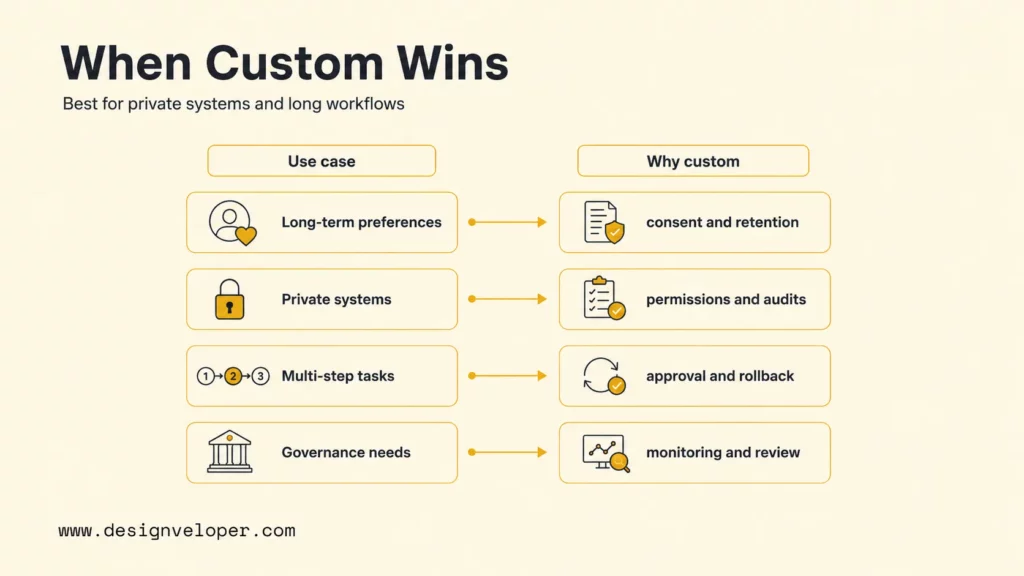
A custom AI chatbot with memory makes sense when off-the-shelf chat tools cannot match the workflow, data access rules, privacy needs, or long-running task logic. A generic chatbot can answer common questions. A custom memory chatbot can connect to internal systems, remember approved context, follow company permissions, and continue work across sessions.
On this note, Designveloper can help build secure AI chatbots with memory for personalized assistant experiences, workflow automation, and long-running user interactions. A production-ready memory assistant may need vector search personalization, multi-step assistant flows, multi-model fallback, observability, and feedback loops so the team can improve memory quality after launch without exposing private implementation details.
Specifically, our AI development services cover LLM integration, AI assistants, workflow automation, and production-ready AI systems. Additionally, our broader software development services support the surrounding product work: databases, dashboards, UI/UX, testing, deployment, and maintenance.
| Use a custom build when… | Why custom memory helps |
|---|---|
| The chatbot must remember user preferences across months | The product needs consent, retention, edit, and deletion rules. |
| The chatbot must use private business systems | The product needs permissions, audit logs, and secure integrations. |
| The chatbot must run multi-step workflows | The product needs task state, tool approval, and rollback paths. |
| The chatbot must meet industry or internal governance rules | The product needs controlled storage, monitoring, evaluation, and human review. |
FAQs About AI Chatbots With Memory
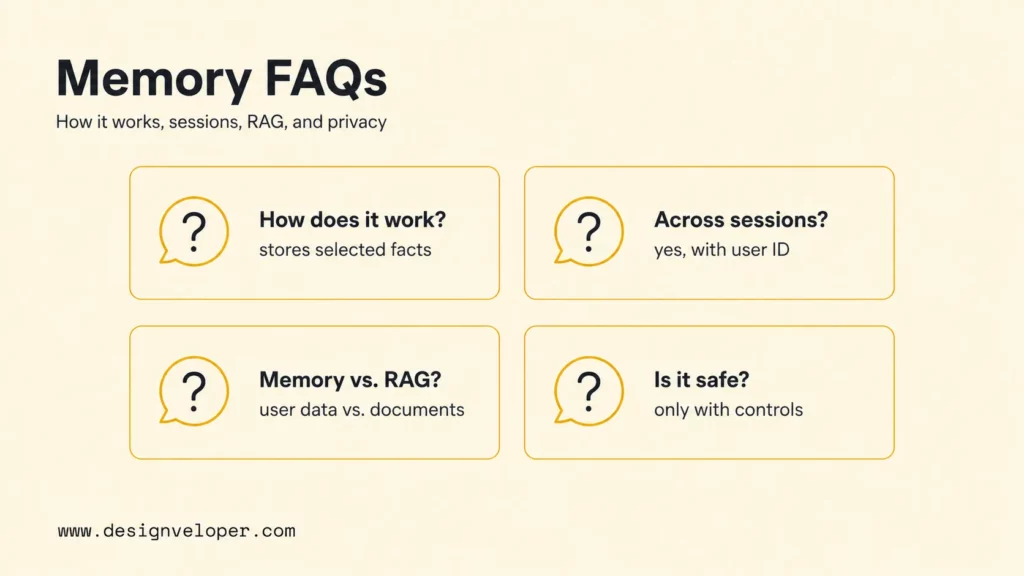
How Does Long-Term Memory Work In A Chatbot?
Long-term memory works by extracting useful facts from conversations or business events, storing those facts in a database or vector index, retrieving relevant memories before future responses, and updating or deleting memory when the user or system changes the record. The model does not truly remember on its own; the application supplies selected memory at response time.
Can A Chatbot Remember Users Across Sessions?
A chatbot can remember users across sessions when the application stores approved user context with a stable user ID or account ID. The chatbot should only retrieve memories that match the current user, tenant, role, consent status, and retention rule. User-facing memory controls are important because cross-session memory changes trust expectations.
What Is The Difference Between Chatbot Memory And RAG?
Chatbot memory usually stores user-specific or task-specific context, such as preferences, past support cases, or workflow state. RAG retrieves external knowledge, such as product documents, policy files, FAQs, or internal manuals. A strong chatbot may use both, but user memory and business knowledge should stay in separate stores with separate policies.
Is Chatbot Memory Safe For Private Data?
Chatbot memory can be safe for private data only when the system has clear consent, access control, retention, deletion, encryption, logging, and review rules. Private data should never be saved just because it appeared in a conversation. Sensitive memory needs stricter policy, stronger testing, and a user-visible way to correct or delete records.
Also published on

Share post on










Related Articles


13 Best Vibe Coding Tools for Building Apps and Editing Codebases
13 Best Vibe Coding Tools for Building Apps and Editing Codebases Published September 30, 2026
Can ChatGPT Create an App? What It Can Build and What to Check
Can ChatGPT Create an App? What It Can Build and What to Check Published September 30, 2026
Is LangChain Bad? Developer Complaints, Pros, And When To Use It
Is LangChain Bad? Developer Complaints, Pros, And When To Use It Published September 30, 2026



















