
















Mobile App Development Best Practices For Reliable Releases

KEY TAKEAWAYS:
- Ground discovery in mobile app market research. Validate a real user need before committing to features.
- Choose platforms and architecture from evidence. Let audience, device capabilities, team skills, and operating constraints guide the choice.
- Make quality observable. Set checks for accessibility, security, performance, offline behavior, and the tasks users need to complete.
- Plan for release and operations early. Treat store review, analytics privacy, feedback, updates, and maintenance as part of product delivery.
An app brief can ask for broad platform reach, quick releases, offline access, and strong data protection all at once. Those goals do not automatically fit the same architecture or first release. The value of mobile app development best practices is making trade-offs visible before a team commits to a platform, interaction, data flow, or maintenance plan. The practices below follow the product from discovery through support, helping product and engineering teams decide what to test, who owns each check, and what evidence would trigger a change.
1. Research The People, Problem, And Alternatives
Start by finding out what users are trying to accomplish, where the current process breaks down, and what they already use instead. Interview representative users, observe the task where possible, and examine competing products for workflow patterns—not just feature lists. Treat brainstormed app ideas as hypotheses to validate, not evidence of demand.
Write down the audience, the situation that triggers the need, the current workaround, and the cost of leaving the problem unsolved. Then test the riskiest assumption with a small prototype, landing-page test, or manual service before committing to a full build. Include accessibility needs and low-connectivity contexts in the research; they can change both the interface and the technical design.
Check: Can the team describe a specific user and task, cite what it observed, and explain what evidence would disprove the idea?
2. Set A Product Outcome And Measurable Success Criteria
Replace goals such as “make the best app” with an outcome tied to a user task or business need. For a booking app, that might mean helping a customer find an available slot and finish a booking without contacting support. Choose a small set of measures: task completion, time to complete, repeat use, support requests, or a relevant business result. What Is A Minimum Viable Product (MVP)? A Practical Guide explains why an MVP should test a defined assumption, not merely contain fewer features.
Set a baseline, a target, a measurement window, and an owner for each metric. Pair a success measure with a guardrail: for example, faster checkout should not come at the cost of more failed payments or accidental purchases. Avoid choosing a universal retention target before understanding the product’s usage cycle; a daily utility and an annual tax app have different natural rhythms.
Check: Before development starts, can the team state what user behavior should change, how it will be measured, and what result would trigger a rethink?
3. Select iOS, Android, Or Both Based On The Audience
Platform coverage is a product decision. Use customer research, existing product data, regional distribution, device requirements, and launch capacity to decide whether the first release should support iOS, Android, or both. Global operating-system share can provide background, but it cannot tell you which platform your specific audience uses or whether the app depends on capabilities available on one platform.
Consider device access, accessibility support, distribution, and the cost of maintaining each release. If uncertainty remains, interview users from the target segment or test the highest-risk workflow on representative devices before committing. Review this iOS and Android app development decision, then validate the choice with your own audience.
Check: Record why each platform is in or out of scope, who would be excluded, and what evidence would cause the decision to change.
4. Choose Native Or Cross-Platform Development For The Job
Platform coverage and implementation approach are related but separate choices. Native development can provide direct access to operating-system APIs and platform conventions, while cross-platform frameworks can share more code across iOS and Android. Neither is automatically faster, cheaper, or better; the result depends on product requirements, integrations, team experience, and how much platform-specific behavior the app needs.
| Approach | Often Fits | Validate Before Choosing |
|---|---|---|
| Native iOS or Android | A product with deep platform integration, specialized device features, or a highly platform-specific experience | Platform API needs, specialist capacity, duplicated implementation work, and release ownership |
| Cross-platform | A product that needs iOS and Android coverage with substantial shared UI or business logic | Plugin maturity, accessibility, performance on target devices, native-module needs, and framework upgrades |
Designveloper’s Walrus Education project page describes a platform connecting students, teachers, and schools, and lists React Native among the technologies used for its web and mobile apps. It illustrates a documented cross-platform scope, but publishes no comparative cost or performance results. Treat it as context, then test your own device features and integrations.
Build a small technical spike for the riskiest feature—such as background location, camera processing, Bluetooth, or complex animation—instead of relying on a framework comparison alone. Compare native app development with a cross-platform framework such as React Native, then test the integration the product must ship.
Check: Can the team demonstrate the hardest required workflow on the target devices and explain the maintenance trade-off?
Further reading:
- What Is Mobile App Development? Definition, Types, Stages
- 8 Mobile App Development Software (Features & Price)
- Custom Mobile App Development Process: A Detailed Guide
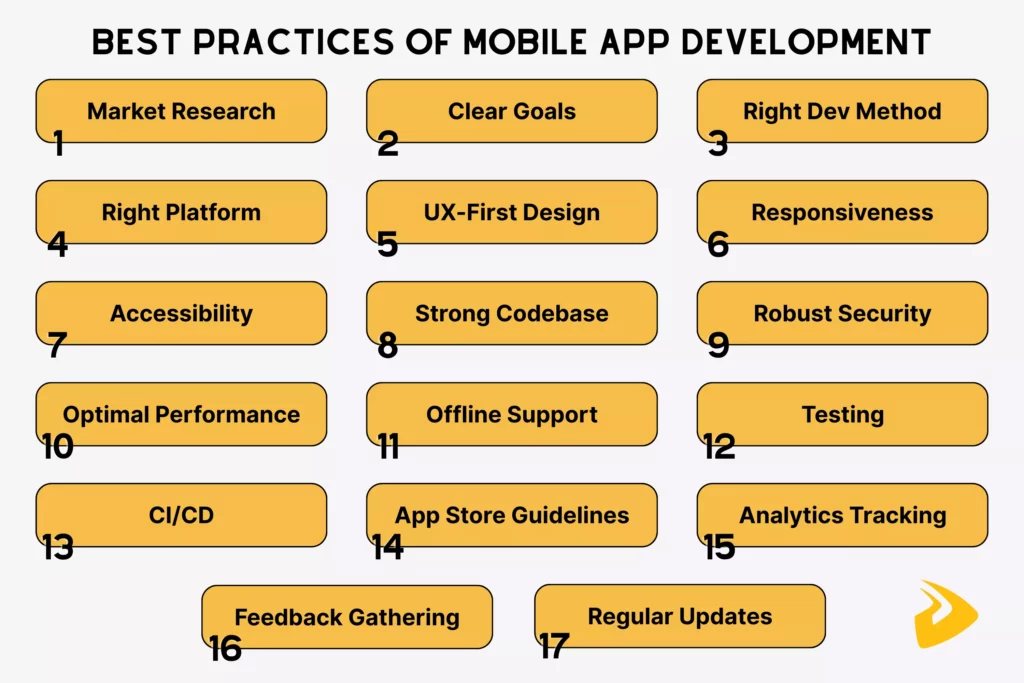
5. Design Around The User’s Main Task
Map the shortest understandable path through the app’s most important task before polishing individual screens. Use plain labels, predictable navigation, clear system feedback, and a visible recovery path when an action fails. Reduce optional steps, but do not hide information people need to make a safe decision. Test the flow with a low-cost prototype before committing to detailed visual design.
Sketch the flow in an app wireframe, then ask representative users to complete the key task without coaching. Note where they hesitate, choose the wrong control, or cannot tell whether an action succeeded. For high-impact actions such as submitting a payment or deleting a record, make the consequence and confirmation state explicit.
Check: Can a first-time user complete the core task and explain what happened at each important step?
6. Adapt Layouts To Screens, Settings, And Device States
Mobile interfaces need to work across more than a single phone size. Account for compact and large displays, tablets where relevant, orientation changes, text scaling, safe areas, keyboard appearance, and interrupted sessions. Use flexible constraints and responsive components instead of positioning every element for one screenshot. Test realistic content too: long names, translated labels, empty states, and error messages often expose layout problems that placeholder text hides.
Platform conventions also matter. Users should not have to relearn familiar navigation or permission patterns without a good reason. If the app supports foldables, tablets, or split-screen use, treat those as product requirements and test their specific states rather than assuming a phone layout will stretch cleanly.
Check: Define a device and OS matrix from audience data, then review key screens at its smallest and largest supported sizes and with larger text enabled.
7. Build Accessibility Into Design And Implementation
Accessibility needs to be tested in the real interaction, not inferred from color choices alone. Check text contrast and scaling, touch target size, semantic labels, focus order, motion, captions, and whether controls expose their state to assistive technology. Test core flows with VoiceOver on iOS and TalkBack on Android, and include keyboard or switch access when relevant to the product.
Follow the platform guidance in Apple’s accessibility guidance and Android’s accessibility principles. Automated checks can catch some issues, but they do not replace testing with assistive technology or feedback from people with disabilities.
Check: Add accessibility criteria to design reviews and release tests, and record unresolved barriers as defects with an owner.

8. Keep The Mobile Client Architecture Clear And Modular
Keep the mobile client modular by separating screens, business rules, platform-specific code, and data access. Define how state moves through the app, where validation happens, how errors are represented, and which layer owns caching. Clear boundaries make ownership and testing easier, but they do not guarantee that a change cannot affect another module.
Choose the backend structure separately. A modular monolith keeps related backend modules in one deployable application; microservices split work into independently deployable services but add network and operations work. Plan API contracts between the app and backend, including version changes, authentication expiry, and interrupted requests. Place those decisions in the mobile app development process before implementation makes them harder to change.
Check: A developer should be able to locate the owner of a screen, business rule, network call, and local data change without tracing unrelated modules.
9. Protect Data With A Threat-Led Security Plan
Begin with a data inventory: what the app collects, where it is stored, which systems receive it, and who can access it. Collect only what the feature needs. Use platform-appropriate secure storage for credentials and tokens. Use TLS for network traffic, enforce authorization on the server, avoid embedding secrets in the app package, and keep dependencies and SDKs maintained. Authentication alone does not protect an API if the server fails to check what the signed-in user is allowed to do.
Use a threat model to identify risks such as account takeover, insecure local storage, exposed logs, weak deep-link handling, or abuse of a sensitive action. The OWASP Mobile Application Security Verification Standard offers a structured set of security requirements to adapt to the app’s risk. Map applicable privacy, consumer-protection, and sector rules with qualified counsel; requirements depend on data, geography, and the organization’s role.
Check: Tie each sensitive data flow to a control, a test, and an owner. Review the permissions requested by the app against the feature that needs them.

10. Set Performance Budgets For Important User Flows
“Fast” should describe a measured experience, not a promise. Choose the screens and actions that matter—such as cold launch, search results, image loading, or checkout—and define acceptable response and resource limits for the devices your users have. Measure startup time, frame drops, memory use, battery impact, network requests, and crash behavior where relevant.
Profile release builds on representative lower- and mid-range devices as well as current hardware. Optimize the bottleneck shown by measurement: compress oversized media, avoid unnecessary work on the main thread, paginate large collections, cache suitable responses, and remove redundant requests. Android’s core app quality guidance is a useful reference for user-facing checks; a test identifies problems but cannot make a slow network fast.
For a search flow, for example, set a product-specific limit for the time between a query and usable results on supported devices and network profiles. Also choose relevant thresholds for startup, crashes, memory, or battery use. Do not borrow a universal number without matching its device, build, and measurement conditions.
Check: Store a baseline, define a threshold and owner for each critical flow, and compare the same release-build test across supported device classes and network conditions.
11. Define What The App Should Do When Connectivity Fails
Not every app needs a full offline mode, but every network-dependent app should handle delay, loss, and reconnection deliberately. Decide which information can be read from a local cache, which actions can be queued, and which actions must stop until the server confirms them. Show whether displayed data may be stale and give users a clear retry or recovery option.
For example, a field-service app might let a technician save a draft inspection offline and sync it later, while preventing the same payment or work order from being submitted twice. Use idempotent requests—requests that can be safely retried without repeating an action—along with retry limits, conflict rules, and timestamps where appropriate. Tell users when a change is saved locally versus confirmed remotely.
Check: Simulate an interrupted request, airplane mode, a slow connection, and reconnect. Confirm that users do not lose work or unknowingly duplicate a consequential action.
12. Test By Risk Across Devices And Network Conditions
Build a test plan around the failures that would matter most to users. Unit tests can cover business rules; integration tests can check APIs and persistence; UI tests can validate critical journeys. Add manual exploratory testing for permissions, interruptions, accessibility, and interactions that are difficult to automate reliably.
Choose a representative device and OS matrix using actual audience data. Test fresh install and upgrade paths, low storage, background/foreground transitions, permission denial, slow or unstable networks, and the accessibility features the product supports. A test suite shows behavior only under the conditions it covers; it cannot prove quality on every device, OS version, or network. AI-generated tests may suggest cases, but a person still needs to validate expected behavior and important edge cases.
Check: For every release-blocking risk, name the test that detects it, the environment where it runs, and the person who reviews a failure.

13. Automate Repeatable Build And Release Checks
Use continuous integration (CI) to build changes and run repeatable checks when code is merged. Continuous delivery keeps a tested release ready for a controlled promotion; continuous deployment sends eligible changes to production automatically. Mobile releases still need store-specific submission and review, so define where human approval and staged rollout apply. DORA’s continuous delivery guidance explains the capability and its operating practices.
A mobile pipeline can run formatting, static analysis, unit and integration tests, dependency checks, and artifact signing before sending a build to internal or beta testing. Keep signing credentials out of source control and limit who or what can access them. For related DevOps practices, see the separate overview.
For store delivery, separate internal, beta, and production release stages. Use staged rollout where available, monitor crashes and support signals, and document how to pause or roll back a release. Automation reduces repetitive manual steps; it does not remove the need for release ownership or a response plan.
Check: A failed quality gate should block promotion, and the team should be able to identify the exact build, tests, and approvals associated with a release.
Related reading:
- DevOps Pipeline: A Complete Guide To Building One
- DevOps Best Practices: 10 Ways To Improve Speed And Reliability
- DevOps Tools: Best Tools For Every Stage Of The DevOps Lifecycle
14. Prepare For App Store Review As Part Of Product Work
Store compliance affects product flows, privacy disclosures, account management, and payment design, so review the rules before implementation is complete. Check current submission requirements, permission explanations, privacy details, content ratings, account deletion, and the platform’s rules for digital goods. Provide reviewers with working credentials or clear steps when access is required, and make sure the submitted build matches the information in the listing.
Use Apple’s App Store Review Guidelines and Google Play’s current developer policies as living checklists. Follow Google’s app publishing guidance for submission steps. Policies can change; check them again before each release instead of relying on an old statistic about rejected or removed apps.
Check: Assign an owner to each submission requirement and complete a pre-review pass using the current rules for every target store.
15. Instrument A Small, Privacy-Aware Analytics Plan
Decide which product questions analytics should answer before adding events. A booking product may need to know whether users start a search, view availability, and complete a booking—not record every tap or collect sensitive values. Define event names, properties, and ownership; avoid personal or confidential data in event payloads; and set access, retention, and deletion rules.
Apply required notices, consent choices, and regional privacy obligations to the app and its analytics SDKs. Firebase’s Analytics documentation explains available collection and configuration features, but the team remains responsible for choosing what to collect and disclosing it accurately.
Check: Review the event schema before release, test that events fire once with the expected values, and confirm that consent and deletion behavior work as designed.
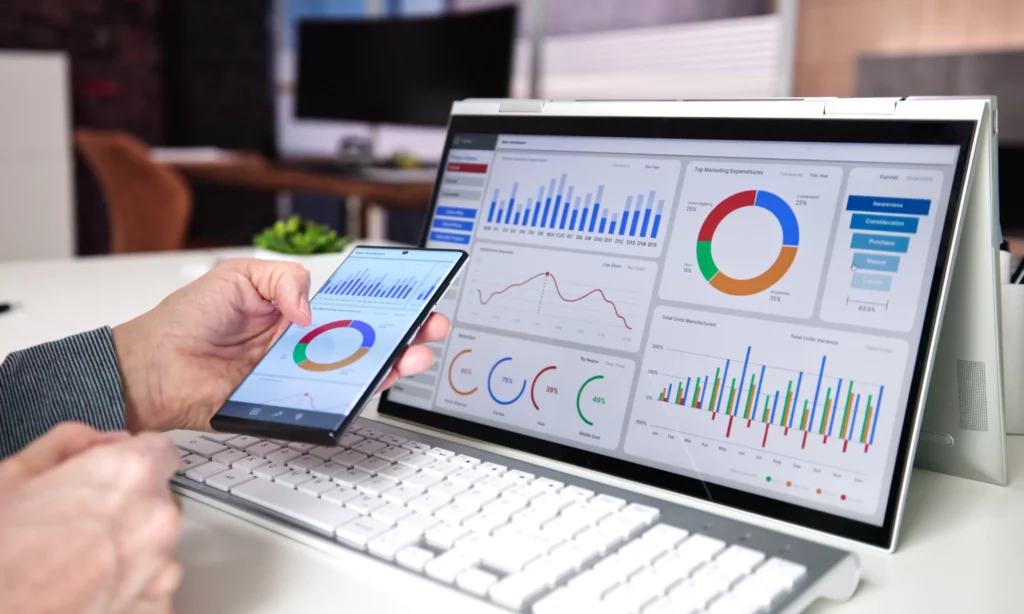
16. Combine User Feedback With Behavioral Evidence
After launch, review support requests, usability sessions, app-store reviews, and analytics together. Each source has limits: reviews overrepresent people motivated to post, event data lacks context, and a small interview is not a population estimate. Look for recurring friction, then test the cause before prioritizing a redesign or feature.
Maintain a simple feedback loop. Group each signal by user task, then assess its severity and frequency. Choose a fix or experiment, and check whether it helped without harming a guardrail. Share feedback across product, design, engineering, and support so decisions do not rest on one dashboard or anecdote.
Check: For a major product change, document the user evidence, the expected outcome, and the post-release measure that will confirm or challenge the decision.
17. Budget For Maintenance And Planned Updates
An app remains a product after launch. Assign owners for operating-system and SDK updates, dependency upgrades, security fixes, crash investigation, customer support, backups, and changes to backend APIs. Keep a release calendar flexible enough for urgent fixes, and retire unsupported versions through a communicated migration plan rather than silently breaking older clients.
Review user needs, reliability signals, and platform changes on a regular cadence. Add new capabilities only when they address a validated problem; a trend is not a roadmap by itself. Use industry trend reports to generate questions, then decide based on your own users, product strategy, and operational capacity.
Check: Name the person responsible for maintenance, set a review cadence, and reserve capacity for security and compatibility work alongside new features.
Make The Practices Part Of The Release Plan
Strong mobile app development practices connect product assumptions to checks that a team can own and repeat. Start with the risks that could block a core task or expose user data, then add controls and measurements that fit the app’s actual audience and operating conditions.
For teams planning a multi-platform product, external integrations, or offline workflows, Designveloper’s mobile app development services can be a starting point for discussing scope, delivery, and ongoing support.
Also published on

Share post on










Related Articles


Mobile App Development Best Practices For Reliable Releases
Mobile App Development Best Practices For Reliable Releases Published October 05, 2026
Top Mobile App Design Tools: 12 Picks For Different Workflows
Top Mobile App Design Tools: 12 Picks For Different Workflows Published September 30, 2026
Android Vs iPhone Users In 2026: Market Share And Survey Insights
Android Vs iPhone Users In 2026: Market Share And Survey Insights Published September 30, 2026


















