
















What Is Native App Development? Pros, Cons, and Uses

Choosing the right mobile app development approach affects far more than the first release. Product teams need to balance performance, user experience, budget, timeline, device access, and long-term maintenance before deciding how an app should be built. Many teams start this decision by comparing native, hybrid, and cross-platform development. Each approach can support a successful mobile product, but each one creates different trade-offs for speed, cost, scalability, and platform quality.
This guide explains what native app development means, how it works, which tools are commonly used, where it performs best, and when another development approach may be more practical.
What Is Native App Development?
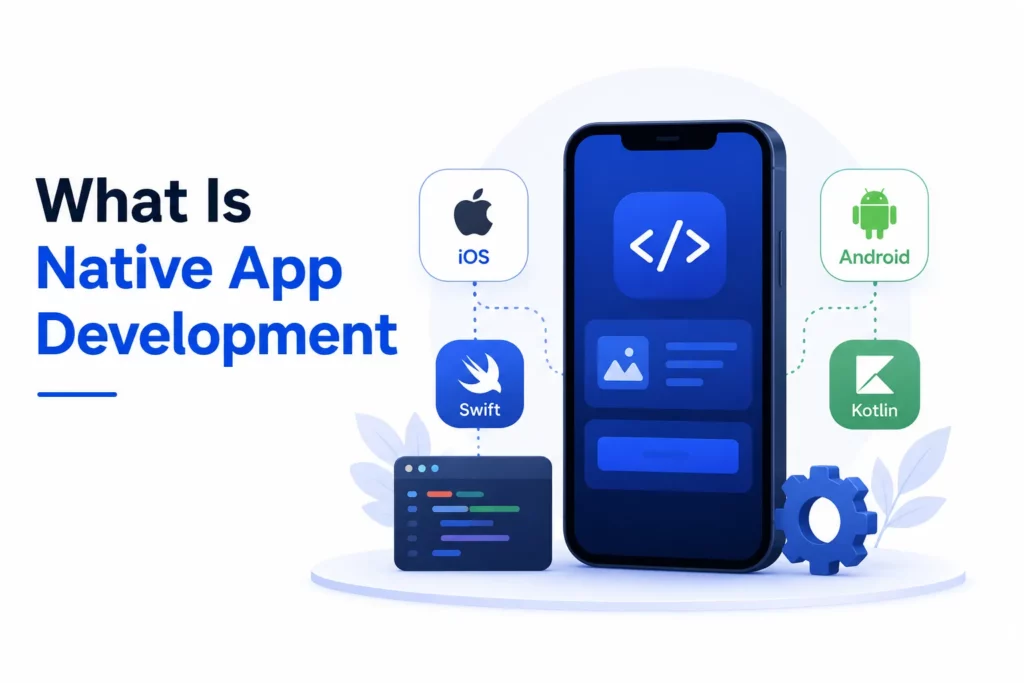
Native app development is the process of building a mobile app specifically for one platform, such as iOS or Android, using that platform’s official tools and programming languages.Teams comparing iOS and Android app development should also consider how each platform affects design patterns, release requirements, and maintenance work.
Native applications are designed to run directly on the operating system they are built for. The app can use platform-native UI components, access device features more directly, and follow the user experience standards of that ecosystem. Apple’s Human Interface Guidelines provide design guidance for Apple platforms, while Android developers use Google’s official Android documentation and Material Design principles to build consistent Android experiences.
A simple way to understand native app development is to think of it as building “for the operating system from the ground up.” The app is not trying to behave like an iOS or Android app through a shared wrapper. The app is created using the technologies, patterns, and capabilities that the platform already supports.
Key Characteristics of Native App Development
Native app development has several core characteristics that separate it from hybrid and cross-platform approaches.
- Platform-specific development: Native app development starts with the target platform. A team decides whether the product needs an iOS app, an Android app, or both. Each platform then receives its own development workflow, technical architecture, interface design, testing process, and release pipeline.
- Official tools and languages: An iOS team usually works in Xcode, writes code in Swift or Objective-C, builds interfaces with SwiftUI or UIKit, and prepares the app for App Store review. An Android team usually works in Android Studio, writes code in Kotlin or Java, builds interfaces with Jetpack Compose or XML layouts, and prepares the app for Google Play release.
- Direct device integration: Native development can connect directly to the camera, GPS, Bluetooth, NFC, biometrics, push notifications, local storage, background services, and other platform-level APIs. This direct access is one reason native development is often preferred for apps with demanding performance, security, or hardware requirements.
- Separate codebases: Separate codebases are common when a company builds both iOS and Android native apps. The two apps may share the same product logic, backend APIs, design system, and feature roadmap, but developers usually implement the user interface and platform behavior separately. This structure increases development effort, but it gives teams more control over quality and platform-specific optimization.
Native App Development Technologies
Native app development uses platform-specific languages, tools, and frameworks to build apps that fit each operating system closely.
iOS Native App Development
iOS native development uses Apple’s development ecosystem. Swift is the modern language most teams choose for new iOS apps because it is expressive, safer than older alternatives in many cases, and strongly supported by Apple. Objective-C still appears in legacy apps and older codebases.
Xcode is the official integrated development environment for Apple platforms. iOS developers use Xcode to write code, build interfaces, manage assets, test on simulators and devices, debug performance issues, and prepare App Store submissions.
SwiftUI and UIKit are the main interface frameworks. SwiftUI gives developers a declarative way to build modern interfaces across Apple platforms. UIKit remains important for many production apps, especially when teams need mature components, legacy support, or deeper customization.
Android Native App Development
Android native development uses Google’s Android ecosystem. Kotlin is the preferred language for many modern Android projects because it offers concise syntax, null-safety features, and strong interoperability with Java. Java remains widely used in older Android applications and enterprise codebases.
Android Studio is the official development environment for Android apps. Android developers use Android Studio to write code, manage dependencies, design interfaces, test across device configurations, inspect performance, and package releases.
Jetpack Compose and XML layouts are common approaches to Android UI development. Jetpack Compose provides a modern declarative UI toolkit, while XML layouts remain common in existing apps and teams with established Android development patterns.
Backend and Supporting Technologies
Native mobile apps usually connect to backend systems through APIs. A backend may handle user accounts, payment processing, content management, business logic, data synchronization, notifications, analytics, and admin operations.
Supporting technologies often include cloud infrastructure, authentication providers, databases, push notification services, crash reporting tools, analytics platforms, and CI/CD pipelines. A strong native app therefore requires more than mobile code. A production-ready product needs a reliable backend, secure data handling, clear release management, and continuous monitoring after launch.
Read more details about the best language for app development if your team is comparing platform goals, technical skills, and long-term maintenance needs.
Examples of Native Apps
Native app development is common in use cases where performance, device access, security, or real-time behavior directly affect the user experience.
- Navigation and location-based apps: These apps depend on GPS, maps, background location, real-time route updates, offline map access, and battery-conscious performance. Google Maps and Waze are practical examples because users expect accurate location data and fast route changes while driving, walking, or using public transit.
- Messaging and communication apps: These apps need push notifications, media access, local storage, contact permissions, camera integration, voice calls, video calls, and reliable message delivery. WhatsApp, Telegram, and iMessage show how native capabilities support fast communication and consistent device-level behavior.
- Banking and fintech apps: These apps require biometric authentication, secure local storage, fraud alerts, transaction flows, camera-based verification, and strict permission handling. Chase Mobile, Bank of America Mobile Banking, Revolut, and PayPal are examples of products that depend on security, reliability, and smooth access to device features.
- Fitness and health apps: These apps often rely on GPS tracking, sensors, Bluetooth devices, background activity, wearable integrations, and health data. Strava, Nike Run Club, Apple Fitness, and Fitbit show how native development helps apps track activity accurately and maintain performance during long sessions.
- Mobile games and AR apps: These apps need smooth graphics, fast touch response, camera access, AR features, stable networking, and careful resource management across many devices. Pokémon GO, PUBG Mobile, Genshin Impact, and Roblox are examples of performance-sensitive apps that benefit from native or platform-optimized development.
Benefits of Native App Development
Native app development offers the following benefits for products that need strong performance, platform quality, and device-level control.
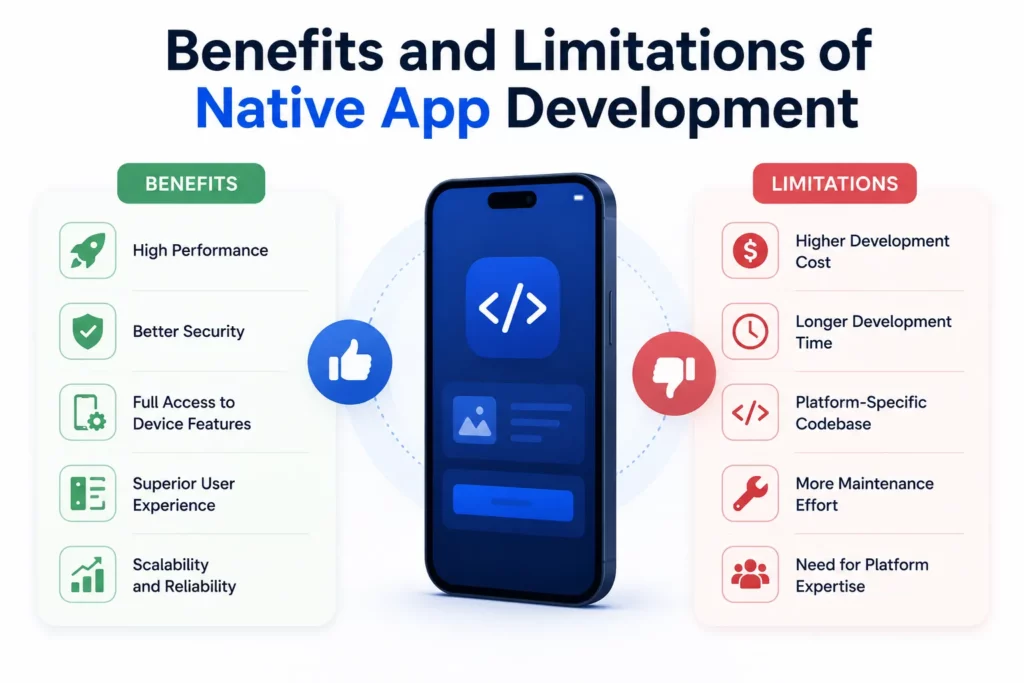
- Better Performance: Native apps are optimized for the target operating system, which makes them suitable for animation-heavy, real-time, or resource-intensive products. A native app can often respond faster because it uses platform-specific APIs and components instead of relying on an extra abstraction layer.
- Stronger User Experience: Native apps follow platform-specific UI patterns, gestures, navigation behavior, accessibility conventions, and interaction standards. Users often experience a more familiar interface because the app behaves like other high-quality apps in the same ecosystem.
- Full Access to Device Features: Native apps can use device capabilities such as camera, GPS, NFC, Bluetooth, biometrics, sensors, push notifications, local storage, and background processing. This access matters when the product depends on hardware or system-level behavior.
- Better Security Options: Native development gives teams better access to platform-level security features, including secure storage, biometric authentication, permission controls, and OS-level protections. Finance, healthcare, insurance, and enterprise apps often need this level of security control.
- Offline Functionality: Native apps can store data locally and continue supporting key workflows when internet access is weak or unavailable. Field service apps, travel apps, note-taking apps, logistics tools, and productivity apps often benefit from reliable offline behavior.
- Long-Term Scalability: Native apps give teams more control over architecture, performance optimization, platform updates, and complex feature development. A product that expects long-term growth may benefit from this control, especially when user experience is a competitive advantage.
Limitations of Native App Development
Native app development also creates limitations that teams should evaluate before committing to separate platform builds.
- Higher Development Cost: Native development often requires separate iOS and Android workstreams. A company may need two development teams, two codebases, separate testing cycles, and platform-specific maintenance.
- Longer Time to Market: Building two native apps can take longer than using one shared codebase. Product teams must plan features, implementation, QA, and releases for each platform, even when both apps support the same business goals.
- More Maintenance Work: Native apps require separate updates for bugs, new features, operating system changes, design refinements, and store requirements. Maintenance becomes more demanding when both iOS and Android apps need consistent behavior.
- Requires Specialized Talent: Native development requires platform-specific skills. iOS development needs experience with Swift, Xcode, Apple frameworks, App Store policies, and Apple design patterns. Android development needs experience with Kotlin or Java, Android Studio, Android SDKs, Google Play requirements, and Android device fragmentation.
Native App vs Hybrid App vs Cross-Platform App
Native, hybrid, and cross-platform development solve different product problems. Native development usually offers stronger performance and deeper platform access, while hybrid and cross-platform approaches can reduce duplicated development work and shorten time to market.
| Factor | Native App | Hybrid App | Cross-Platform App |
|---|---|---|---|
| Codebase | Separate per platform | Mostly shared | Mostly shared |
| Performance | Highest | Lower to moderate | Moderate to near-native |
| User experience | Best platform fit | Less native feel | Close to native |
| Development cost | Higher | Lower | Moderate |
| Time to market | Slower | Faster | Faster |
| Device access | Strongest | Limited or plugin-based | Good, but may need native modules |
| Best for | Complex, high-performance apps | Simple apps and MVPs | Multi-platform apps with shared logic |
When Should You Choose Native App Development?
Product teams should choose native app development when performance directly affects user satisfaction or business outcomes. A trading app, mobile game, video editing app, navigation app, or real-time communication tool cannot afford slow responses, laggy interfaces, or unstable device integrations.
Teams should also choose native development when the app depends heavily on platform-specific features. Camera workflows, Bluetooth devices, NFC payments, biometric authentication, background location, health data, AR features, and sensor-based interactions often require deeper native implementation.
Security-sensitive products can also benefit from native development. A banking, healthcare, insurance, or enterprise mobility app may need encrypted local storage, secure authentication, careful permission handling, compliance-focused architecture, and consistent performance across supported devices.
Long-term product strategy also matters. A company that expects the mobile app to become a core business channel may prefer native development because the approach gives more control over performance, UX quality, platform updates, and future feature complexity.
When Native App Development May Not Be the Best Choice
Native development may not be the best first choice when budget is limited and the product still needs market validation. An early-stage startup may prefer cross-platform development if the immediate goal is to test demand, collect feedback, and iterate quickly across iOS and Android.
Native development may also be unnecessary for simple apps. A basic content app, event app, directory, lightweight booking tool, or internal dashboard may not need deep platform optimization. A hybrid app or cross-platform approach can reduce cost and speed up launch when the feature set is straightforward.
A single shared codebase can also help teams with limited engineering capacity. Cross-platform frameworks allow developers to reuse business logic and interface components across platforms, although complex features may still require native modules or platform-specific adjustments.
The right choice depends on product risk. A simple MVP usually benefits from speed and lower cost. A complex, performance-sensitive product usually benefits from native control and long-term technical stability.
How Much Does Native App Development Cost?
Native app development cost depends on platform coverage, feature complexity, design quality, backend requirements, integrations, security needs, and maintenance expectations. A single-platform native app costs less than building both iOS and Android versions. A basic app with standard screens costs less than a product with real-time communication, payments, offline sync, AI features, or hardware integrations. Product teams can use a broader app development cost breakdown to estimate budget ranges before choosing a native build.
UI/UX complexity also affects cost. A polished native app may require platform-specific design work, custom animations, accessibility support, and extensive usability testing. Backend complexity adds another cost layer when the app needs user management, role-based permissions, dashboards, API integrations, notifications, or data synchronization.
Security and compliance can increase development effort. Finance, healthcare, and enterprise apps often need stronger authentication, audit trails, encrypted storage, secure APIs, compliance review, and more rigorous testing.
Native development usually requires a higher upfront investment than hybrid or many cross-platform approaches. The investment can make sense when the product needs strong performance, long-term scalability, reliable device access, and a user experience that supports business growth.
Native App Development Process
A native app development process usually moves from product planning to platform-specific implementation, testing, release, and continuous optimization.
- Discovery and Product Planning: The team defines target users, business goals, platforms, core features, technical requirements, risks, budget, timeline, and success metrics. A strong discovery phase prevents teams from building platform-specific features that users do not need, while an early app development timeline helps stakeholders understand delivery phases before implementation starts.
- UI/UX Design: Designers create user flows, wireframes, prototypes, and platform-specific interfaces. iOS and Android users often expect different navigation patterns, gestures, and component behavior, so native design should respect each ecosystem.
- Architecture and Technology Selection: Engineers choose the app architecture, programming language, data storage approach, API strategy, security model, third-party services, analytics tools, and release pipeline. Android’s official Guide to app architecture emphasizes scalable architecture as applications grow, which is especially relevant for long-term native products.
- Development: Native developers build the app using platform-specific tools, frameworks, and components. iOS and Android teams may work in parallel while coordinating shared product logic, API contracts, design decisions, and release milestones.
- Testing and Quality Assurance: QA teams test functionality, performance, security, usability, accessibility, device compatibility, operating system versions, network conditions, and edge cases. Native apps often need real-device testing because mobile behavior can vary across hardware, OS versions, and permission settings.
- App Store Deployment: Release teams prepare builds, store listings, screenshots, privacy details, app permissions, compliance information, and review submissions. Apple App Store and Google Play requirements can affect both technical implementation and product copy.
- Maintenance and Optimization: Product teams monitor crashes, analytics, user feedback, operating system updates, security changes, and performance metrics after launch. Native app development continues after release because mobile platforms, devices, and user expectations evolve constantly.
Native App Development Best Practices
Successful native app development starts with platform guidelines. iOS and Android users expect familiar navigation, input behavior, accessibility support, permission flows, and visual patterns. A native app should feel natural on the device instead of forcing one generic experience across all platforms.
Performance should be part of the architecture from the beginning. Developers should optimize startup time, screen transitions, network calls, image loading, local storage, background tasks, and battery usage. Performance work becomes harder when teams wait until the end of development.
Security should guide data handling decisions. Teams should protect sensitive data with secure storage, encrypted communication, least-privilege permissions, secure authentication, and careful API design. Apps that handle payments, personal data, health information, or enterprise records need stronger security planning.
Testing should cover real devices, not only simulators. Device models, screen sizes, operating system versions, network conditions, permissions, and battery settings can affect app behavior. Real-device testing helps teams catch issues before users experience them.
Maintenance planning should start before launch. Native apps need regular updates for platform changes, dependency upgrades, crash fixes, performance improvements, accessibility refinements, and new product requirements. A strong maintenance plan protects the investment made during development.
Future of Native App Development
Cross-platform frameworks will continue to improve, and many products will use shared-code approaches successfully. Modern mobile app development frameworks can deliver strong results for business apps, marketplaces, dashboards, social products, and MVPs where speed and cost efficiency matter.
Native development will remain important for products where performance, hardware access, security, and premium user experience are non-negotiable. Mobile operating systems continue to introduce new capabilities, and native development usually gives teams the earliest and deepest access to those capabilities.
The future of mobile development is unlikely to be “native only” or “cross-platform only.” Strong product teams will choose the development approach based on business priorities, technical risk, user expectations, and long-term roadmap requirements.
FAQs About Native App Development
What languages are used for native app development?
iOS native apps commonly use Swift or Objective-C. Android native apps commonly use Kotlin or Java. Some performance-heavy Android components may also use C++ through the Android NDK, but most business apps use Kotlin or Java.
Is native app development better than cross-platform development?
Native app development is better when the app needs high performance, deep device access, strong security, or a highly polished platform-specific user experience. Cross-platform development can be better when the team needs faster delivery, a shared codebase, and lower development cost.
Is React Native considered native app development?
React Native is usually considered cross-platform development, not fully native development. React Native apps can render native UI components and use native modules, but the development approach is based on a shared JavaScript or TypeScript codebase rather than separate platform-native codebases.
Are native apps more expensive to build?
Native apps are often more expensive because iOS and Android versions usually require separate development, testing, and maintenance. The higher cost can be justified when the app needs performance, security, device integrations, or long-term scalability.
Can a native app work offline?
A native app can work offline when developers build local storage, caching, and synchronization logic into the product. Offline capability is especially useful for field service tools, travel apps, productivity apps, logistics apps, and enterprise workflows.
What is the difference between native and hybrid apps?
Native apps are built for a specific platform with official tools and languages. Hybrid apps usually use web technologies inside a mobile container. Native apps generally offer better performance and deeper device access, while hybrid apps can reduce cost and speed up development for simpler use cases.
Should startups choose native app development?
Startups should choose native development when the product depends on performance, security, advanced device features, or premium UX. Startups that still need to validate demand may start with cross-platform development or a simpler MVP before investing in full native apps.
Conclusion
Native app development gives teams the highest level of control over mobile performance, platform-specific user experience, device capabilities, security, and long-term scalability. This approach is especially valuable for complex products, performance-sensitive apps, regulated industries, and mobile experiences that serve as a core business channel.
Native development also requires higher investment, specialized talent, longer timelines, and more maintenance work. A team should choose native development when the product’s business value depends on quality, reliability, and platform depth. A team can consider hybrid or cross-platform development when speed, budget, and shared code matter more than deep platform optimization.
Designveloper can help teams evaluate the right mobile development approach, plan scalable app architecture, and build production-ready mobile applications for iOS, Android, and cross-platform use cases. With more than 100 projects delivered, over 500,000 working hours, and long-term collaborations with clients across multiple industries, Designveloper has built practical experience in turning mobile app ideas into reliable software products.
Contact Designveloper to discuss how product planning, UI/UX design, backend engineering, API integration, quality assurance, and long-term maintenance can support your next mobile app project.
Also published on

Share post on










Related Articles



Mobile App Development Best Practices For Reliable Releases
Mobile App Development Best Practices For Reliable Releases Published October 05, 2026
Top Mobile App Design Tools: 12 Picks For Different Workflows
Top Mobile App Design Tools: 12 Picks For Different Workflows Published September 30, 2026
Android Vs iPhone Users In 2026: Market Share And Survey Insights
Android Vs iPhone Users In 2026: Market Share And Survey Insights Published September 30, 2026


















