
















Best Open-Source Vector Databases In 2026: Top Options Compared

KEY TAKEWAYS:
- Open-source vector databases are useful when teams need control over retrieval infrastructure for RAG, semantic search, recommendations, and AI-agent workflows.
- The best choice depends on workload fit rather than popularity: Milvus, Qdrant, Weaviate, Chroma, pgvector, FAISS, Vespa, OpenSearch, Redis, and Cassandra each solve different problems.
- Production RAG needs more than vector similarity: teams must test metadata filtering, hybrid search, permissions, latency, and retrieval quality with real documents and real questions.
- Self-hosting can reduce vendor lock-in, but it also adds operations work such as backups, monitoring, security, index rebuilds, upgrades, and rollback planning.
- A healthy adoption process starts with a retrieval workflow and evaluation set, then selects the database that best matches scale, stack, governance, and product goals.
A vector database open source stack gives teams more control over retrieval infrastructure for RAG, semantic search, recommendation, and AI agents. The best open-source vector databases in 2026 include Milvus, Qdrant, Weaviate, Chroma, pgvector, FAISS, Vespa, OpenSearch, Redis, and Apache Cassandra. The right choice depends on whether a team needs fast prototyping, Postgres-native search, hybrid retrieval, distributed scale, low-level index control, or an existing search/database platform with vector support.
Open source does not automatically mean simple or free. A self-hosted vector database still needs servers, backups, monitoring, security, access control, metadata design, index rebuilds, and retrieval evaluation. A good selection process compares tools against real documents, real user questions, realistic filters, and the engineering capacity required to keep the system reliable after launch.
Explore more:
- How To Build RAG: From Prototype To Production
- Chroma Vs FAISS Vs Pinecone: Which Vector Solution Fits Your Use Case Best?
- LangChain RAG: How To Build A RAG Agent With LangChain
What Are Open-Source Vector Databases?
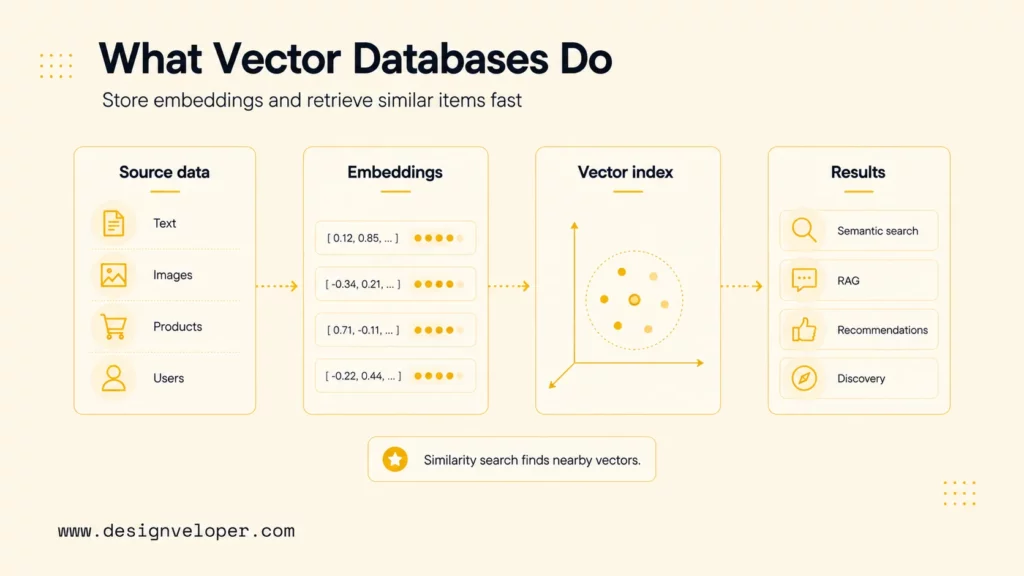
Open-source vector databases are databases, search systems, or libraries that store and retrieve vector embeddings with source code that teams can inspect, self-host, extend, or contribute to. Vector embeddings represent text, images, products, users, or events as high-dimensional numeric arrays. Similarity search then finds items with vectors close to a query vector, which makes vector databases useful for semantic search, RAG, recommendation, clustering, anomaly detection, and AI-powered discovery.
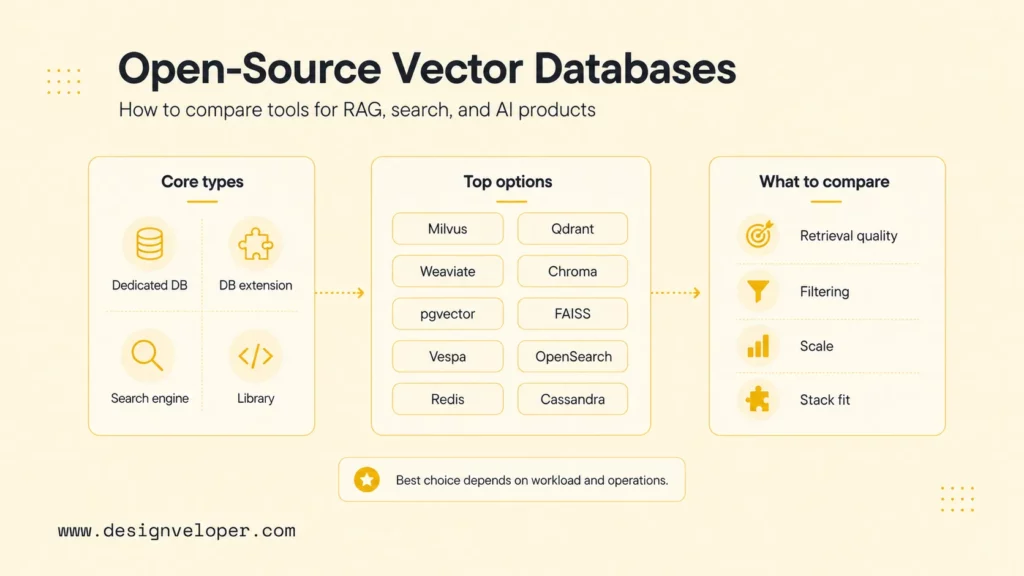
The category includes different types of systems. Milvus documentation describes a purpose-built vector database for scale. Qdrant documentation presents a vector database and vector similarity search engine. Weaviate documentation focuses on an AI-native database with vector and hybrid search. By contrast, FAISS documentation defines FAISS as a similarity search library rather than a full operational database.
The practical lesson is that open-source vector database selection is partly a database decision and partly an architecture decision. A team must decide whether it needs a standalone vector database, a vector extension inside an existing database, a search engine with vector features, or a low-level library used inside custom infrastructure.
Recommended for you:
- What Is A Context Window In AI? How LLMs Process And Retain Information
- AI Agent Orchestration: Coordinating Systems Safely
- Best AI Agent Frameworks For Building Smarter AI Systems
Why Teams Choose Open-Source Vector Databases
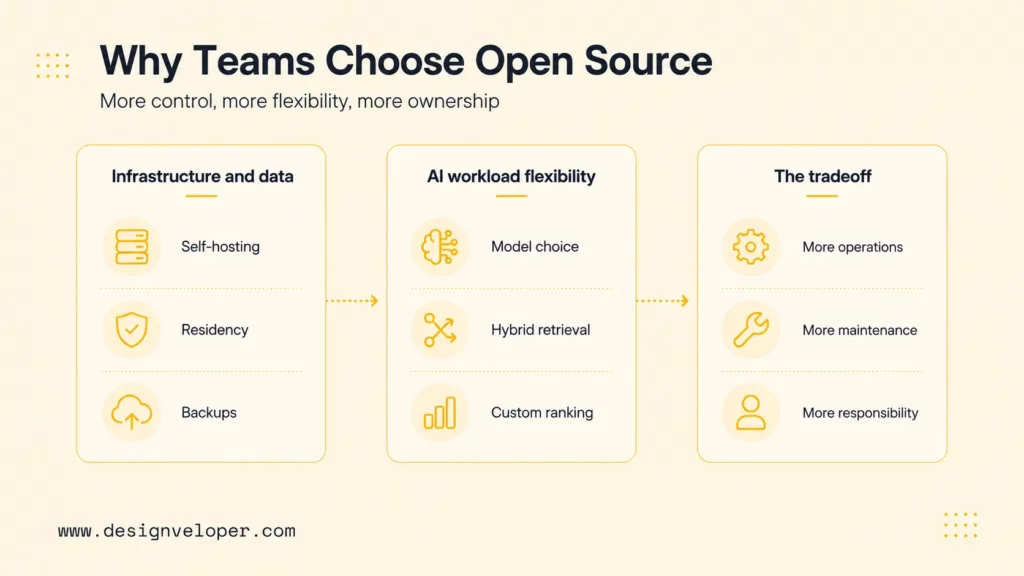
Teams choose open-source vector databases when they want infrastructure control, data control, customization, and a clearer path to experimenting across retrieval designs. Open source is especially attractive for teams with sensitive data, strict hosting requirements, internal platform skills, or a need to understand how retrieval behavior changes as the application grows.
More Control Over Infrastructure And Data
Open-source systems can be self-hosted in a private cloud, on-premises environment, or existing Kubernetes platform. This control matters when company policies restrict where embeddings, documents, logs, or user queries can live. Self-hosting also lets teams define retention policies, backups, network boundaries, observability, and deployment regions.
The tradeoff is ownership. A managed vector database vendor may handle uptime, scaling, and support. An open-source deployment makes the internal team responsible for incident response, upgrades, index maintenance, and cost optimization. Open source is powerful when the team wants control and has the capacity to use that control responsibly.
Better Flexibility For AI Workloads
Open-source vector databases can give teams more flexibility around embedding models, chunking strategies, hybrid search, reranking, metadata filters, deployment patterns, and framework integrations. A RAG team may want to test dense retrieval, sparse retrieval, hybrid retrieval, document-level permissions, and custom ranking without waiting for a vendor roadmap.
Flexibility is valuable because retrieval quality is rarely solved by the database alone. Teams usually improve RAG systems by changing chunking, metadata, query rewriting, embedding models, rerankers, prompt design, and evaluation datasets. An open-source stack can make those experiments easier to inspect and reproduce.
When Proprietary Options May Still Make More Sense
Proprietary or managed vector databases may still make more sense when the team lacks operations capacity, needs enterprise support, wants predictable managed scaling, or must ship a customer-facing product quickly. Managed systems can reduce infrastructure work and make security/compliance reviews easier if the vendor already supports the required controls.
The question is not whether open source or proprietary is morally better. The question is which option reduces product risk. A small team with no platform engineer may be safer on a managed service. A regulated enterprise with strict data residency and platform engineers may prefer open source. A research team may start with FAISS, while a product team may need Qdrant, Milvus, Weaviate, or pgvector.
What To Look For In The Best Open-Source Vector Databases
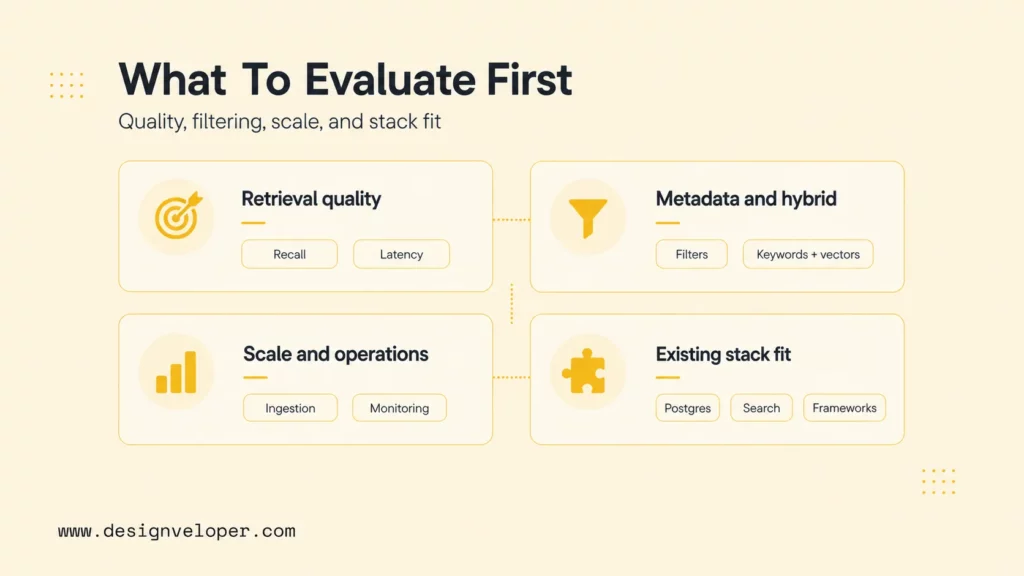
The best open-source vector database should fit retrieval quality, operational reality, and product goals. A strong demo can still fail if metadata filters are weak, backups are unclear, or the database cannot scale under real queries. Selection should focus on the workload, not only GitHub stars or community excitement.
Retrieval Quality And Indexing Performance
Retrieval quality measures whether the system returns the right chunks or items for real user questions. Indexing performance measures how quickly the database can ingest vectors, build indexes, and respond to similarity queries. Approximate nearest neighbor indexes can improve speed, but teams must test recall and latency together because faster retrieval can become less useful if it returns poor evidence.
Teams should evaluate with their own data. A vector database that works well on a benchmark may perform differently on short support tickets, long legal documents, product catalogs, multilingual content, code snippets, or user-generated text.
Metadata Filtering And Hybrid Search
Metadata filtering is essential for production RAG because teams often need to filter by tenant, role, region, source, date, product, document type, or permission. Hybrid search combines vector similarity with keyword or sparse retrieval, which can improve recall for exact names, IDs, acronyms, and domain terms. Weaviate’s hybrid search documentation and OpenSearch’s vector search documentation show why modern search stacks often blend dense vectors with traditional retrieval.
A database without strong filtering can create security and relevance problems. A support assistant that retrieves another customer’s document is not only inaccurate. It is a trust and compliance failure.
Scalability And Operational Complexity
Scalability includes vector count, query volume, index rebuild speed, memory use, disk layout, horizontal scaling, backups, compaction, upgrade paths, and monitoring. Operational complexity includes how much specialist knowledge the team needs to keep the system healthy. A high-performance distributed database can be excellent for a large platform team and excessive for a small prototype.
Buyers should ask who owns vector database operations after launch. If the answer is unclear, a simpler system may be safer than a more powerful one.
Fit With Your Existing Stack
Existing stack fit matters because vector search rarely lives alone. A team already using PostgreSQL may prefer pgvector because it keeps vectors near relational data. Aanother team which runs OpenSearch may add vector search instead of introducing a new database. And another already using Redis for low-latency serving may test Redis vector search. Finally, a team building a new AI platform may choose Milvus, Qdrant, or Weaviate as a dedicated vector layer.
Framework integration also matters. LangChain’s vector store integrations list shows broad support across Chroma, FAISS, Milvus, OpenSearch, pgvector, Qdrant, Redis, Weaviate, and others. Framework support helps teams prototype, but production systems should still test database behavior directly.
Discover more here:
- RAG Best Practices: How To Build More Reliable Retrieval Systems
- RAG Pipeline Diagram: How Retrieval-Augmented Generation Works
- RAG Vs Fine-Tuning: Which Approach Fits Your AI Product?
Top 10 Open-Source Vector Databases In 2026
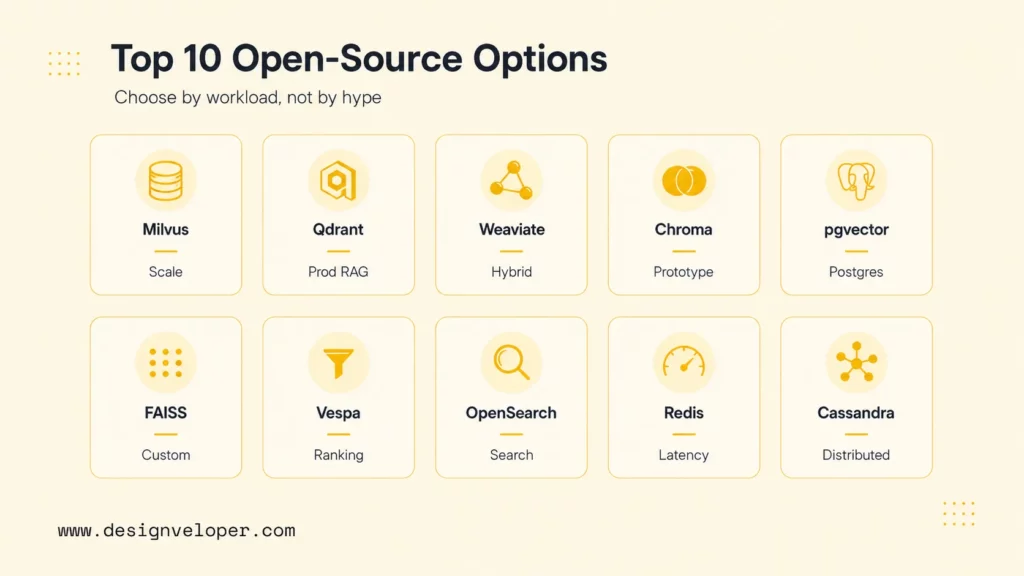
The following list compares ten strong open-source vector database options and vector-search systems. The ranking is goal-based rather than absolute. Each option has a different sweet spot for RAG, semantic search, infrastructure control, and production operations.
1. Milvus
Milvus is an open-source vector database designed for large-scale embedding search. It supports vector indexing, scalar filtering, hybrid search patterns, and deployment through projects such as Docker and Kubernetes. Milvus is often shortlisted when teams need a dedicated, distributed vector database rather than an extension inside an existing relational or search system.
Best For: Large-scale RAG, semantic search, recommendation, image retrieval, and AI platforms with growing vector volumes.
Key Features: Purpose-built vector storage, multiple index options, scalar filtering, distributed architecture, integrations, and the broader Zilliz/Milvus ecosystem.
Pros: Milvus is strong for scale and dedicated vector workloads. It has mature documentation, cloud-native deployment options, and a large ecosystem around vector search.
Cons: Milvus can be more infrastructure-heavy than lightweight options. Smaller teams should confirm they can operate the deployment, monitor performance, and manage upgrades before choosing it for production.
2. Qdrant
Qdrant is an open-source vector database and similarity search engine written in Rust. It is known for practical APIs, filtering, payload support, and production-oriented vector search. Qdrant’s filtering documentation is especially relevant for RAG systems that need tenant, permission, or domain filters.
Best For: Production RAG, semantic search, recommendation, and teams that want a focused vector database with strong filtering.
Key Features: Vector search, payload metadata, filtering, collections, snapshots, distributed deployment options, and REST/gRPC APIs.
Pros: Qdrant balances developer experience and production features well. It is approachable enough for serious prototypes and strong enough for production use cases.
Cons: Qdrant still requires database operations when self-hosted. Teams should model memory, disk, snapshot, and cluster requirements for larger deployments.
3. Weaviate
Weaviate is an open-source AI-native database with vector search, hybrid search, metadata filtering, and GraphQL/REST-style APIs. It is often chosen by teams that want semantic search and hybrid retrieval in one database layer, plus integrations with model providers and AI development workflows.
Best For: Hybrid search, RAG, knowledge search, AI applications, and teams that want a database designed around objects plus vectors.
Key Features: Vector search, hybrid search, filters, schema-based collections, modules, multi-tenancy features, and integration support.
Pros: Weaviate is strong when keyword relevance and vector relevance both matter. Its hybrid search support is helpful for enterprise content with exact product names, acronyms, IDs, and domain vocabulary.
Cons: Weaviate can be more complex than minimal vector stores. Teams should understand schema design, module choices, and cluster operations before scaling.
4. Chroma
Chroma is an open-source embedding database built for AI applications and local RAG development. It is popular because developers can quickly create collections, store documents and embeddings, attach metadata, and test retrieval in Python projects.
Best For: Local RAG prototypes, notebooks, internal proof-of-concepts, and early AI product discovery.
Key Features: Embedding collections, document metadata, simple APIs, local persistence, and common framework integrations.
Pros: Chroma is easy to start with and helps teams focus on retrieval behavior instead of infrastructure during early experimentation.
Cons: Chroma may require more planning for large production deployments, tenant isolation, observability, and enterprise operations than heavier vector databases.
5. pgvector
pgvector is an open-source PostgreSQL extension for vector similarity search. It lets teams store embeddings inside Postgres and query them alongside relational data. pgvector supports exact and approximate nearest neighbor search, and its appeal is strongest for teams already committed to Postgres.
Best For: Postgres-based products, internal tools, moderate-scale RAG, semantic search near relational data, and teams that want to avoid another database.
Key Features: Vector column types, similarity operators, HNSW and IVFFlat index support, SQL workflows, and direct integration with relational data.
Pros: pgvector keeps architecture simple when Postgres is already the system of record. Teams can use SQL, existing backups, permissions, and operational habits.
Cons: pgvector may not be the best fit for very large dedicated vector workloads or specialized distributed vector search where purpose-built systems are stronger.
6. FAISS
FAISS is an open-source library for efficient similarity search and clustering of dense vectors. It is included here because many teams use FAISS as the vector search engine inside custom pipelines, even though FAISS is not a complete database.
Best For: Custom high-performance search, research, recommendation pipelines, offline retrieval, and teams that want full infrastructure control.
Key Features: Dense-vector indexing, clustering, approximate search, GPU support in relevant builds, and low-level performance tuning.
Pros: FAISS is powerful for speed and index control. It works well when engineers can build the persistence, metadata, and serving layers around it.
Cons: FAISS does not provide full database operations by itself. Teams must handle metadata, backups, access control, monitoring, and deployment separately.
7. Vespa
Vespa is an open-source search and serving engine that supports nearest-neighbor vector search, lexical search, ranking, recommendation, and large-scale application serving. It is strong when teams need more than vector search, especially ranking and retrieval across complex data.
Best For: Large-scale search, recommendation, ranking, hybrid retrieval, and applications that combine vectors with structured and text signals.
Key Features: Approximate nearest neighbor search, ranking expressions, hybrid retrieval, streaming, large-scale serving, and strong search infrastructure capabilities.
Pros: Vespa is powerful for search-heavy products where ranking and serving logic are central. It can handle more complex retrieval pipelines than simple vector stores.
Cons: Vespa has a steeper learning curve. Teams should choose it when they genuinely need search and ranking infrastructure, not only a small RAG vector store.
8. OpenSearch
OpenSearch is an open-source search and analytics suite with vector search capabilities. It is attractive for teams already using OpenSearch or Elasticsearch-style search because vector retrieval can live near keyword search, logs, dashboards, and search operations.
Best For: Teams already using OpenSearch, hybrid search, document search, log/search platforms, and enterprise search modernization.
Key Features: Vector search, k-NN methods, filtering, hybrid retrieval patterns, index management, and search analytics ecosystem support.
Pros: OpenSearch can reduce stack sprawl when a company already operates it. Hybrid search and existing search skills can be useful for enterprise content.
Cons: OpenSearch is a broad search platform, not only a vector database. Teams should evaluate vector-specific performance, index size, cluster cost, and query behavior carefully.
9. Redis
Redis vector search supports vector fields and similarity search inside Redis search workflows. It is relevant when teams already use Redis for fast data access and want low-latency vector retrieval close to application-serving infrastructure.
Best For: Low-latency serving, recommendation features, session-adjacent retrieval, caching-heavy systems, and teams already operating Redis.
Key Features: Vector fields, HNSW and flat indexes, filtering with query syntax, fast serving, and integration with Redis data structures.
Pros: Redis can be fast and familiar for teams already using it. Vector search can fit naturally into low-latency application paths.
Cons: Redis may not be the best standalone choice for large document-heavy RAG systems where persistent database operations, large indexes, and retrieval governance dominate.
10. Apache Cassandra
Apache Cassandra vector search brings vector search capabilities to Cassandra through storage-attached indexing and approximate nearest neighbor search. Cassandra is relevant when teams already use Cassandra for distributed, high-scale operational data.
Best For: Cassandra-based architectures, distributed operational data, high-availability systems, and teams that want vectors near existing wide-column data.
Key Features: Vector type support, ANN search, storage-attached indexes, distributed data architecture, and integration with Cassandra workloads.
Pros: Cassandra can make sense when the organization already operates Cassandra and wants vector search without moving data into a separate system.
Cons: Cassandra is not the simplest way to start with vector search. It fits experienced Cassandra teams better than beginners choosing their first RAG database.
Learn more in:
- A Practical Guide To AI Agent Architecture With Diagrams
- What Is The Model Context Protocol (MCP)? How Does It Work?
- LangChain Vs MCP: What’s The Difference And When To Use Each?
Which Open-Source Vector Databases Fit Different Use Cases Best
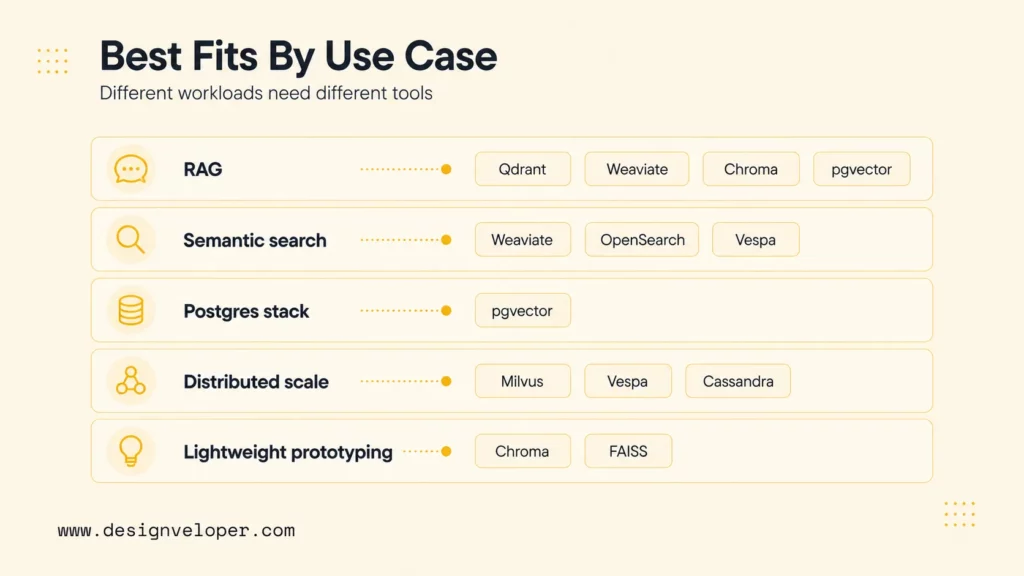
Different workloads need different vector systems. A RAG chatbot, ecommerce semantic search feature, Postgres-native app, distributed recommendation engine, and notebook prototype should not all start with the same default.
Best For RAG
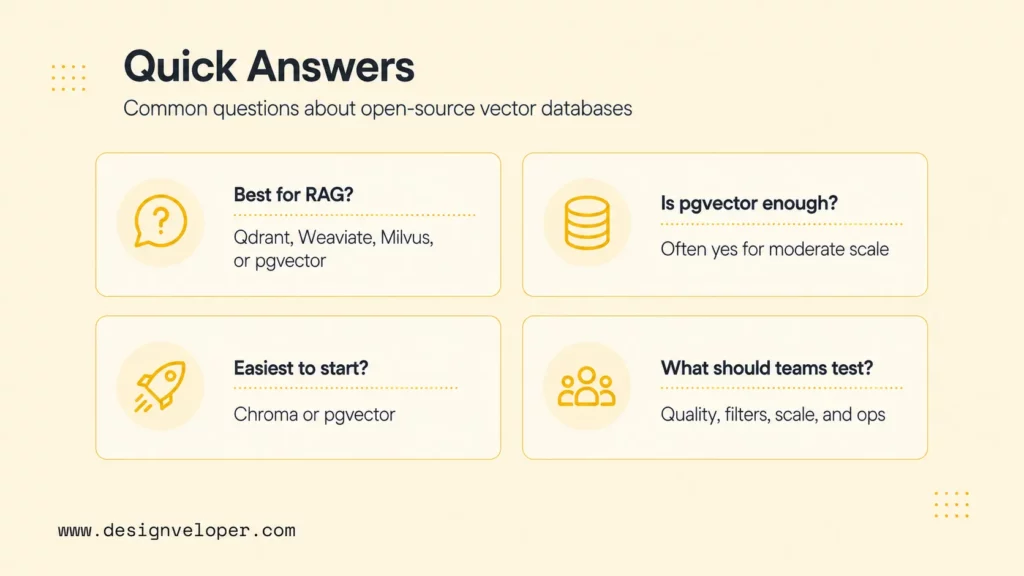
Qdrant, Weaviate, Milvus, Chroma, and pgvector are strong RAG candidates. Chroma is excellent for early prototypes. Qdrant and Weaviate are strong for production RAG with filtering and hybrid retrieval. Milvus is strong for larger vector workloads. pgvector is practical when the RAG application already depends on Postgres.
Best For Semantic Search
Weaviate, OpenSearch, Vespa, Qdrant, and Milvus are strong semantic search candidates. Weaviate and OpenSearch are attractive for hybrid search. Vespa is strong when ranking and search serving are complex. Qdrant and Milvus are strong when vector search is the main retrieval layer.
Best For Postgres-Based Stacks
pgvector is the most natural option for Postgres-based stacks because it keeps embeddings near relational records. A team can query user data, product data, permissions, and vectors in one database. pgvector is especially practical for moderate-scale AI features where adding a new database would create unnecessary operational complexity.
Best For Large-Scale Distributed Workloads
Milvus, Vespa, Cassandra, and OpenSearch are strong candidates for large-scale distributed workloads, depending on the product shape. Milvus is purpose-built for vector scale. Vespa is strong for search and ranking systems. Cassandra fits distributed operational data teams. OpenSearch fits organizations already running search clusters.
Best For Lightweight Prototyping
Chroma and FAISS are strong for lightweight prototyping. Chroma is easier when the prototype needs documents, metadata, and a database-like API. FAISS is useful when the prototype is focused on search performance or custom embedding experiments. pgvector can also be lightweight if the team already has Postgres running.
For a deeper dive, read:
- Why AI Agents Need MCP: How AI Systems Connect To Tools And Data
- Building And Deploying An MCP Server In Python
- What Is An AI Harness & Build A Minimal One Yourself
How To Choose The Right Open-Source Vector Database
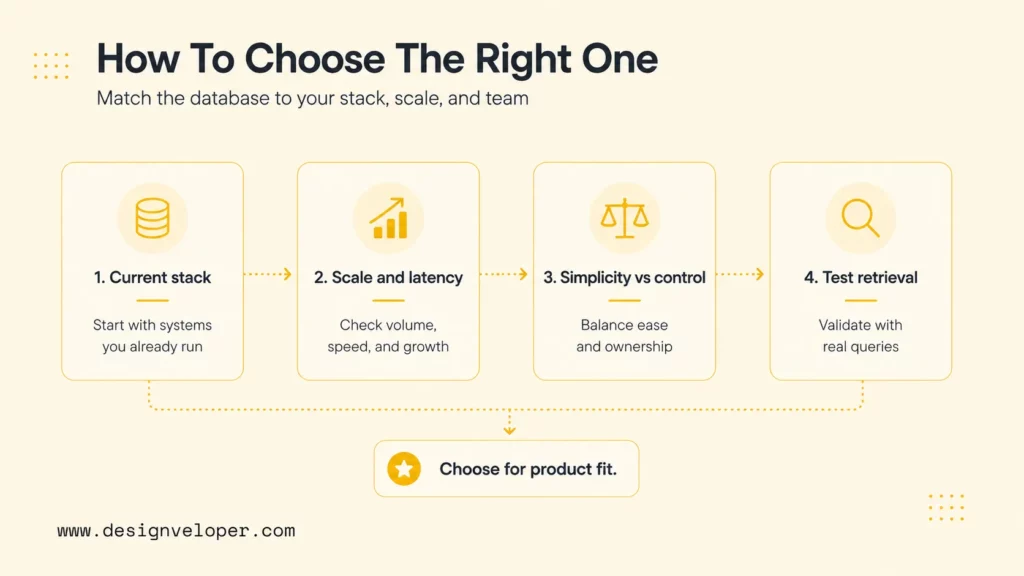
The right open-source vector database should match the current stack, the expected scale, the operational team, and the quality bar for retrieval. A careful choice prevents teams from outgrowing a prototype too quickly or overbuilding before the product has proven value.
Choose Based On Your Current Stack
Start with the systems the team already operates. If Postgres is central, pgvector may be the lowest-friction choice. If OpenSearch is already the search layer, OpenSearch vector search may be efficient. Additionally, if Redis already powers low-latency serving, Redis vector search may fit a narrow feature. And if the team is building a dedicated AI retrieval platform, Milvus, Qdrant, or Weaviate may be better starting points.
Choose Based On Scale And Performance Needs
Small prototypes need speed of learning. Production systems need reliability. Large systems need ingestion throughput, query latency, memory control, backup plans, index rebuild strategies, and monitoring. FAISS can provide speed when engineers own the architecture. Milvus and Qdrant can support serious vector workloads. Vespa can support ranking-heavy search systems. Cassandra can fit distributed data platforms.
Choose Based On Simplicity Vs Infrastructure Control
Simplicity and control often pull in opposite directions. Chroma and pgvector can keep early systems simple. FAISS and Vespa give more control but require more expertise. Milvus, Qdrant, and Weaviate sit between those extremes for many teams: purpose-built enough for production vector search, but still operationally meaningful when self-hosted.
Test Retrieval Quality Before Committing
Teams should test retrieval quality before committing to any database. The test set should include real user questions, expected documents, required metadata filters, difficult negative cases, and acceptable latency limits. A good evaluation measures precision, recall, answer usefulness, hallucination risk, filter correctness, cost, and operational complexity.
| Evaluation area | What to test | Why it matters |
|---|---|---|
| Retrieval quality | Expected chunks for real questions | Good answers need good evidence |
| Filtering | Tenant, role, date, source, and document-type filters | Production retrieval must be relevant and permission-aware |
| Latency | P50, P95, and worst-case response time | User experience depends on stable performance |
| Operations | Backups, monitoring, index rebuilds, upgrades, and rollback | Vector search becomes production infrastructure after launch |
What Successful Vector Database Adoption Looks Like
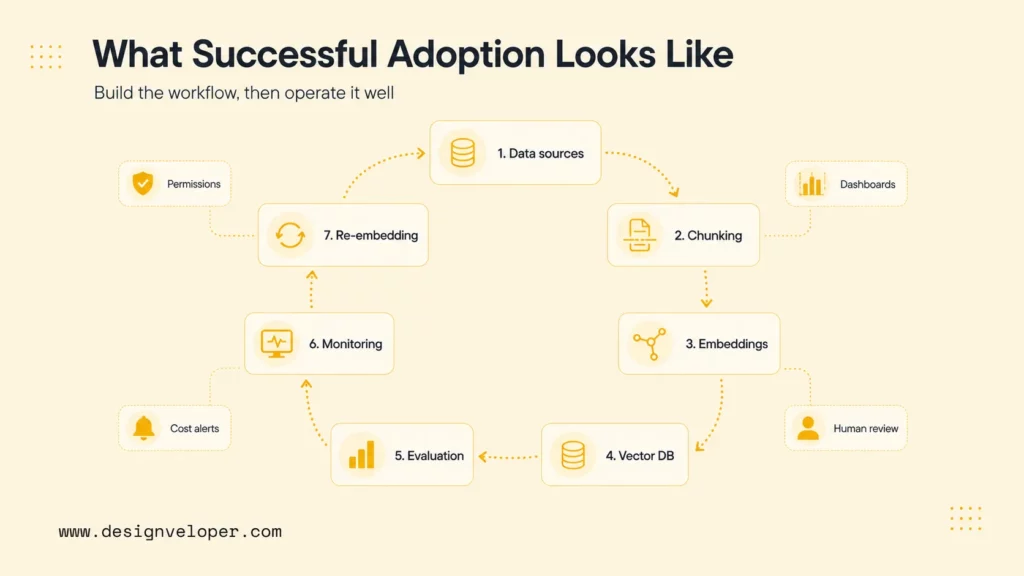
Successful vector database adoption starts with a retrieval workflow, not a tool name. Teams should define what users ask, what sources the system can use, which metadata fields enforce relevance and permissions, and how answer quality will be measured. The database should then be selected against that workflow.
A healthy production rollout includes ingestion rules, chunking standards, embedding model selection, metadata schema, vector index settings, evaluation datasets, monitoring dashboards, cost alerts, and human review for high-impact answers. Teams should also plan how often documents are re-embedded and how stale or deleted content is removed from retrieval.
Designveloper helps teams build AI and RAG systems where vector databases connect to real product data, permission rules, and user workflows. Our AI development services cover workflow discovery, architecture design, vector database selection, integration, testing, deployment, and post-launch iteration for production AI applications.
Open-source adoption works best when the organization treats the vector database as a living part of the product. Retrieval quality should be reviewed after new documents, new user behavior, embedding model changes, or prompt changes. A database choice is only successful when the system keeps returning useful, safe, and explainable results as the product changes.
FAQs About Open-Source Vector Databases
These questions summarize the main decisions teams face when comparing open-source vector databases for RAG, semantic search, and production AI infrastructure.
What Is The Best Open-Source Vector Database For RAG?
The best open-source vector database for RAG depends on scale and stack. Chroma is strong for local RAG prototypes. Qdrant and Weaviate are strong for production RAG with filtering and hybrid retrieval. Milvus is strong for larger vector workloads. pgvector is practical when the RAG application already uses PostgreSQL.
Is pgvector Enough For Production AI Workloads?
pgvector can be enough for production AI workloads when the dataset, query volume, and latency requirements fit PostgreSQL operations. It is especially useful when vectors need to stay near relational data. Purpose-built vector databases may be better for very large indexes, distributed vector workloads, or specialized retrieval infrastructure.
Which Open-Source Vector Database Is Easiest To Start With?
Chroma is one of the easiest open-source vector databases to start with for local RAG and Python prototyping. pgvector is also easy for teams that already use PostgreSQL. FAISS is lightweight for experiments but requires more custom code because it is a search library rather than a full database.
What Should Teams Evaluate Before Choosing A Vector Database?
Teams should evaluate retrieval quality, metadata filtering, hybrid search, scalability, deployment model, backup strategy, monitoring, framework integrations, cost, and operations capacity. The best evaluation uses real documents and real user questions rather than generic demos.
When Should Teams Choose Open-Source Over Proprietary Options?
Teams should choose open source over proprietary options when they need infrastructure control, self-hosting, data residency, customization, cost transparency, or deeper technical ownership. Proprietary or managed options may be better when the team needs vendor support, simpler operations, faster production launch, or managed scaling.
Also published on

Share post on










Related Articles



Enterprise AI Agents: Use Cases, Platforms, And Safe Deployment
Enterprise AI Agents: Use Cases, Platforms, And Safe Deployment Published September 25, 2026
Graph RAG Vs Traditional RAG: Choosing The Right AI Architecture
Graph RAG Vs Traditional RAG: Choosing The Right AI Architecture Published September 25, 2026
10 Best AI Agents in 2026 for Work, Coding, and Automation
10 Best AI Agents in 2026 for Work, Coding, and Automation Published September 24, 2026



















