
















11 Best AI Chatbot Automation Tools In 2026 By Categories

KEY TAKEWAYS:
- The best chatbot automation tool depends on the workflow you need to automate, not only the chatbot brand: support, sales, CRM, social messaging, workflow orchestration, and custom AI agents all need different strengths.
- Toplist tools should be compared by integration depth, handoff quality, knowledge-base control, analytics, pricing model, and ownership rather than by AI features alone.
- A chatbot becomes reliable only when teams design escalation paths, QA checks, security rules, and long-term maintenance before automating customer conversations.
- Workflow-first platforms such as n8n and Zapier are useful when the chatbot must coordinate business systems, APIs, approvals, and follow-up actions beyond a single chat inbox.
- For production use, chatbot automation should be treated as a business system with measurable goals, human fallback, integration monitoring, and continuous improvement.
Choosing chatbot automation tools in 2026 is not only a software comparison. The harder question is which tool can support the workflow behind the conversation: support tickets, lead routing, CRM updates, social messaging, knowledge-base answers, human handoff, and long-term ownership.
Demand is moving quickly. Gartner reported that 51% of customers surveyed in early 2025 would use a GenAI assistant for customer service interactions on their behalf. That does not mean every chatbot project will succeed. It means businesses need to choose tools that match real channels, data, risk, and support operations.
The market is also shifting from simple chat widgets toward AI agents that can resolve issues, update records, and coordinate follow-up work. Intercom’s 2026 Customer Service Transformation Report says 82% of senior leaders invested in AI for customer service over the previous 12 months, while Zapier’s 2026 agentic AI adoption survey found customer support triage and response among the top enterprise AI agent use cases. These signals make chatbot automation more strategic, but they also raise the bar for governance, integrations, and clear ownership.
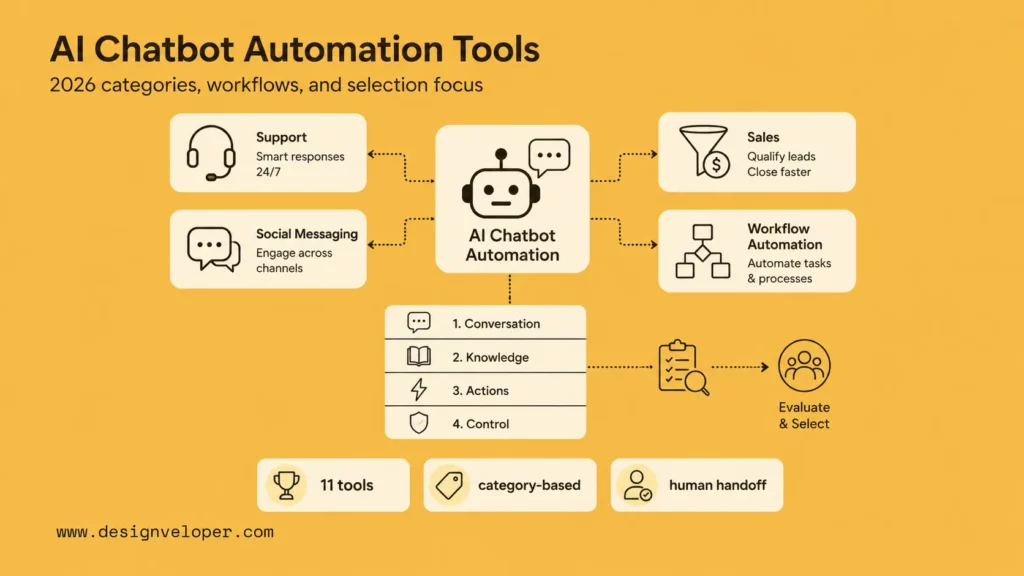
This guide compares 11 AI chatbot automation tools by category, then explains how to choose and implement them without turning the chatbot into another disconnected widget.
Explore more:
- AI Agent Vs Chatbot: How To Choose The Right Automation Pattern
- Top 10 Best AI Chatbots We Have Tried And Tested In 2026
- Best AI Chatbots For Businesses In 2026: Top Picks By Use Case
What Is AI Chatbot Automation?
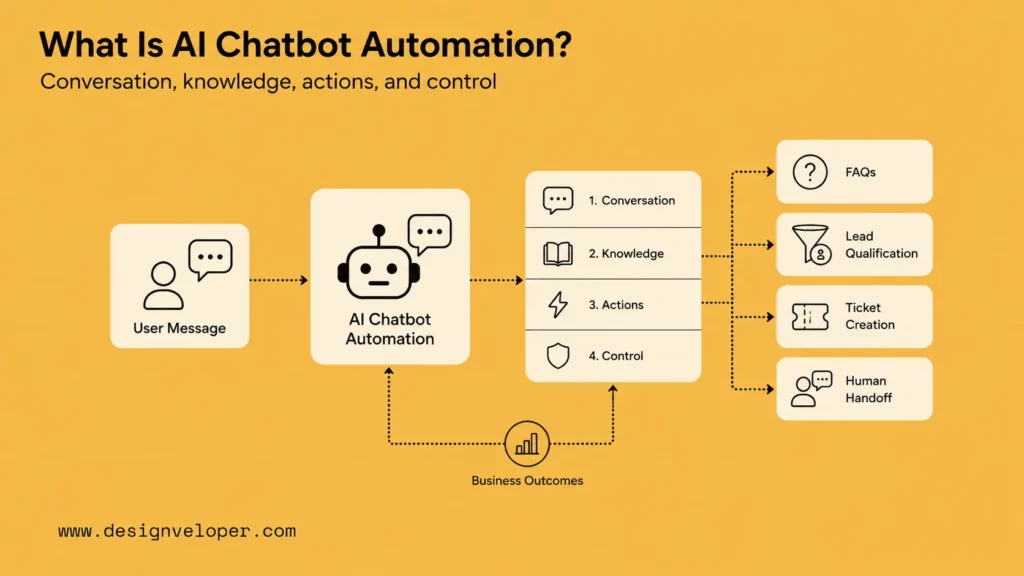
AI chatbot automation uses conversational software to answer questions, qualify leads, collect information, trigger workflows, or hand off conversations to people. A simple bot may follow fixed rules. A modern AI chatbot can retrieve knowledge, summarize context, call tools, update systems, or route a request based on intent.
The most useful automation happens when the bot is connected to the business process. For example, a support chatbot should know when to create a ticket, search help content, escalate to an agent, and preserve the conversation history. A sales chatbot should identify buying intent, qualify the lead, book a meeting, and send the context to the CRM.
That is why the best tool depends on the operating model. A small ecommerce team may need fast setup and live chat. A B2B sales team may need routing and account context. A product team may need a custom AI agent connected to internal APIs.
A practical way to define the scope is to separate four layers. The conversation layer is the chat interface, social inbox, voice channel, or help desk widget. The knowledge layer contains help articles, product data, policies, documents, and previous tickets. The action layer creates tickets, updates CRM records, triggers refunds, books meetings, or starts workflows. The control layer covers permissions, logs, fallback rules, analytics, and human approval. A tool may be excellent at one layer and weak at another, so teams should compare platforms against the whole operating model.
Recommended for you:
- AI Chatbot Integration: How To Connect Chatbots With Real Business Systems
- AI Chatbot Development: Building Better Automated Conversations
- AI Chatbot With Memory: How Context Improves Customer Conversations
11 Best AI Chatbot Automation Tools At A Glance
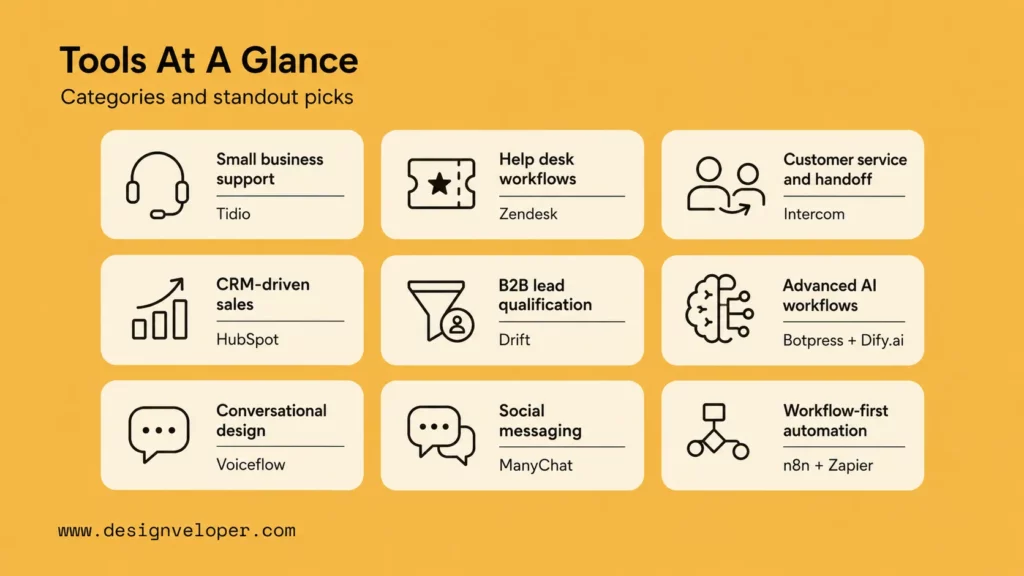
The tools below are grouped by the chatbot automation category they fit best. Use this table as a first filter, then read the individual reviews for strengths, limits, and pricing direction.
Start with the category that matches the first workflow you want to automate, not the most impressive demo. A practical first workflow should have one channel, one owner, one measurable outcome, and one clear handoff rule.
| Categories | Best For | Standout Tools |
|---|---|---|
| Small business support | Fast live chat, FAQs, and simple support automation | Tidio |
| Help desk workflows | Ticketing, support operations, AI agents, and agent handoff | Zendesk |
| Customer service and handoff | AI support agent plus inbox, help center, and human support | Intercom |
| CRM-driven sales | Lead capture, routing, CRM context, and sales/service teams | HubSpot Chatbot Builder |
| B2B lead qualification | High-intent website visitors and conversational marketing | Drift |
| Advanced AI workflows | Custom chatbot logic, knowledge bases, and developer control | Botpress, Dify.ai |
| Conversational design | Voice and chat flow design across channels | Voiceflow |
| Social messaging | Instagram, Facebook, TikTok, WhatsApp, and DM automation | ManyChat |
| Workflow-first automation | Chatbots connected to many apps, APIs, and back-office tasks | n8n, Zapier Chatbots |
If the shortlist is still too wide, use this starting-point table before booking demos:
| Your first automation goal | Start with this tool category | Specific first action |
|---|---|---|
| Reduce repetitive website support questions | Small business support or help desk workflow | Export the 30 most repeated tickets, group them into 5 intents, and test Tidio, Zendesk, or Intercom against those exact intents. |
| Qualify B2B website visitors | CRM-driven sales or B2B qualification | Write the required qualification fields: company size, budget range, use case, urgency, email, and meeting owner. |
| Automate Instagram or WhatsApp conversations | Social messaging | Map one campaign flow from comment trigger to DM, opt-in, offer, checkout link, and human handoff. |
| Connect chatbot answers to internal tools | Workflow-first automation | List every API action the bot may call, then mark each action as read-only, draft-only, or human-approved write. |
| Build a custom AI assistant inside a product | Advanced AI workflows or app-like agents | Define the assistant state, knowledge source, user permissions, evaluation cases, and logging requirements before choosing the builder. |
Discover more here:
- Why AI Agents Need MCP: How AI Systems Connect To Tools And Data
- A Practical Guide To AI Agent Architecture With Diagrams
- What Is An AI Harness & Build A Minimal One Yourself
The 11 Best AI Chatbot Automation Tools For Businesses In 2026
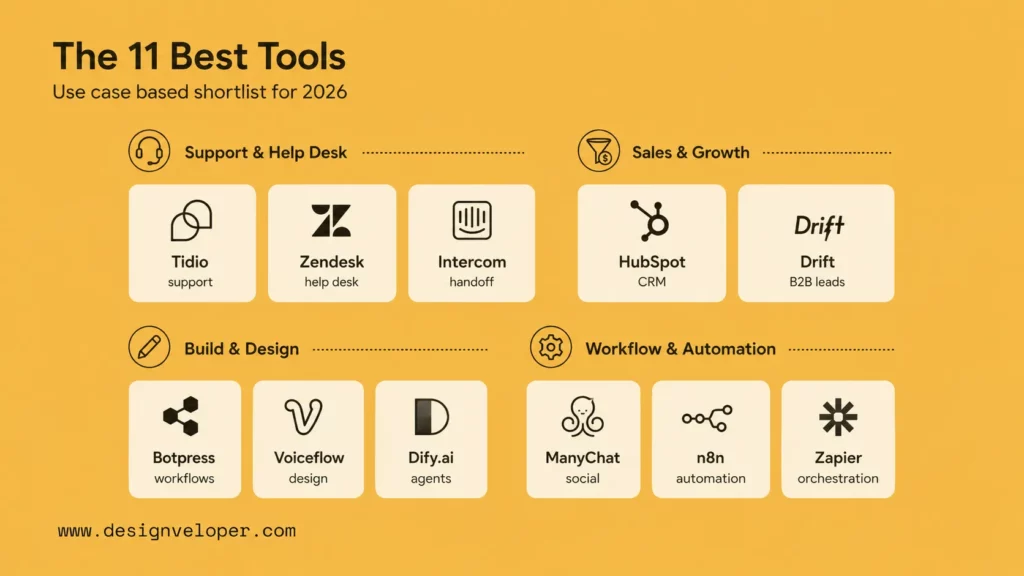
Each tool below is strong for a different job. The review format covers best fit, key strengths, limitations, and pricing direction so teams can compare both product fit and operational risk.
Use the list as a shortlist, not as a universal ranking. For example, a support team with hundreds of tickets per day should care about handoff, knowledge quality, and reporting. A marketing team running Instagram campaigns should care about social triggers and audience segmentation. A product team building a custom AI assistant should care about APIs, data ownership, model flexibility, testing, and observability. Those differences matter more than a generic feature count.
1. Tidio – The Best AI Chatbot Automation Tool For Small Business Support
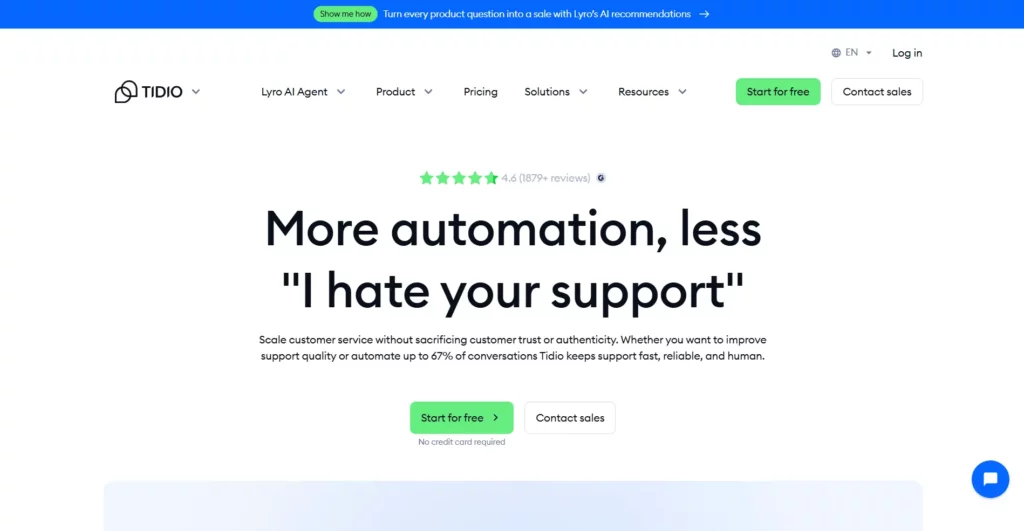
Tidio is a good fit for small teams that want live chat, help desk basics, AI answers, and simple chatbot flows in one place. It is often easier to adopt than enterprise help desk platforms because setup can start with website chat, FAQs, and common support questions.
- Best For: small business support, ecommerce FAQs, lead capture, and live chat.
- Key Strengths: simple setup, Lyro AI agent, live chat, help desk, and flow automation.
- Limitations: deeper custom workflows may need another automation layer.
- Pricing: Tidio publishes current plan details on its pricing page, with plan fit depending on support volume and AI usage.
For 2026 planning, Tidio is useful when the first automation target is a narrow support queue rather than a complex enterprise workflow. Its pricing page currently separates customer service plans, Lyro AI Agent usage, and Flows, so teams should estimate live conversations, AI conversations, and flow visitors separately. That matters because a small store may start with FAQ automation, then quickly need abandoned-cart messages, Shopify context, and human handoff rules. The best fit is a team that wants speed and simplicity but can still document when a question should leave automation.
2. Zendesk – The Best Chatbot Automation Tool For Help Desk Workflows
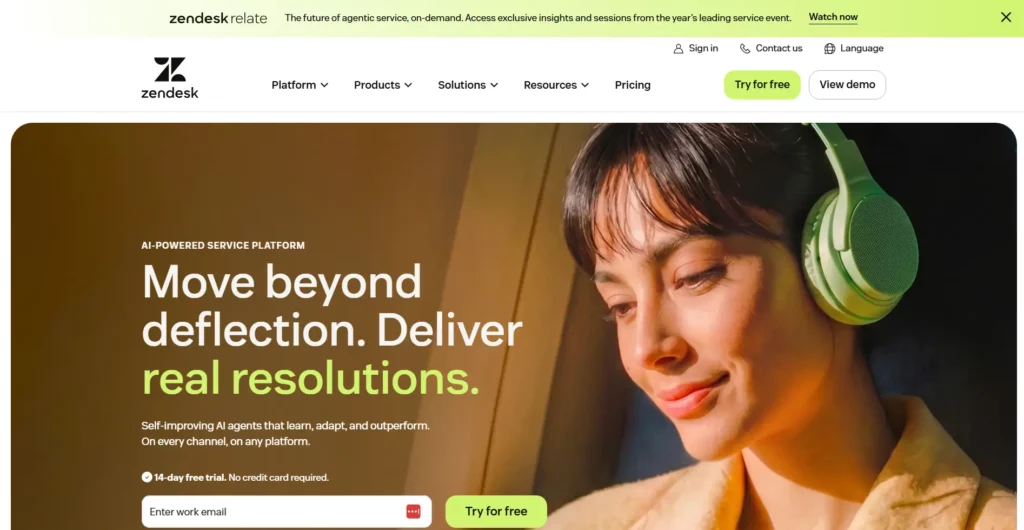
Zendesk is strongest when the chatbot must live inside a mature support operation. It connects AI agents, help center content, ticketing, routing, agent workflows, and reporting. Zendesk has also been expanding AI agent access, with a 2026 support announcement describing a phased rollout of new AI agent packaging for customers.
- Best For: support teams with tickets, SLAs, help centers, and agent handoff.
- Key Strengths: mature help desk workflows, AI agents, knowledge-base integration, and support analytics.
- Limitations: total cost can grow with seats, AI features, and support operations complexity.
- Pricing: confirm current plans and AI packaging through Zendesk pricing and the latest Zendesk AI agent access update.
Zendesk is especially relevant for teams that already measure support work through ticket status, SLA, CSAT, deflection, quality assurance” data-wpil-keyword-link=”linked” data-wpil-monitor-id=”3899″>quality assurance, and agent productivity. Its March 2026 update described broader access to advanced AI agent capabilities, including agentic reasoning, multi-step procedures, and external API integrations. Zendesk also announced its Autonomous Service Workforce at Relate 2026, showing how help desk vendors are packaging AI agents, copilots, and outcome-based pricing around service operations. Buyers should therefore evaluate Zendesk as a support system, not only as a bot builder.
3. Intercom – The Best AI Chatbot Tool For Customer Service And Handoff
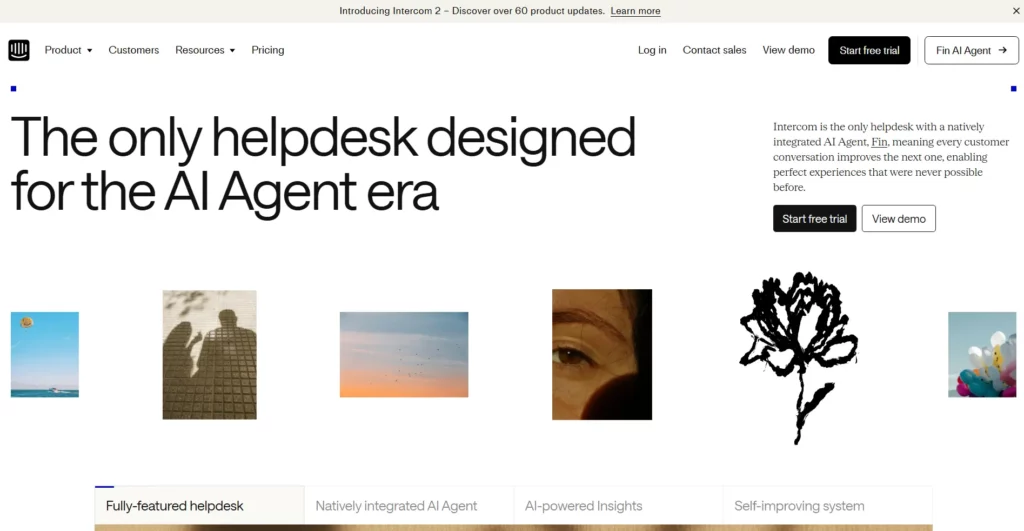
Intercom is built around customer communication, support inboxes, help center content, and Fin AI Agent. It is a strong choice when the business needs AI answers plus smooth handoff to a human support team.
- Best For: customer service teams that want AI resolution, live support, and a polished customer experience.
- Key Strengths: Fin AI Agent, messenger experience, help center connection, and support workflows.
- Limitations: pricing should be modeled against resolved conversation volume and support seats.
- Pricing: Intercom publishes current options on its pricing page, including AI-powered customer service plans.
Intercom works well when the chatbot should feel like part of a customer communication system rather than a separate FAQ box. Its current pricing page lists Fin AI Agent with resolution-based pricing, so the key financial question is how many issues the AI will resolve and which conversations still need a paid human seat or support workflow. This model can be attractive when automation quality is high, but it needs careful measurement because the bill follows successful resolution volume. Teams should define what counts as a resolution, how the AI should summarize context before handoff, and which topics must remain human-led.
4. HubSpot Chatbot Builder – The Best Chatbot Automation Tool For CRM-Driven Sales
HubSpot Chatbot Builder works best when the chatbot is part of a CRM motion. Teams can use it to qualify leads, book meetings, route visitors, collect information, and connect the conversation to HubSpot records.
- Best For: sales and service teams already using HubSpot CRM.
- Key Strengths: CRM context, lead routing, forms, meeting booking, and no-code setup.
- Limitations: advanced AI automation may depend on HubSpot edition and connected systems.
- Pricing: HubSpot says its chatbot builder is available for free, with additional functionality in premium HubSpot hubs.
HubSpot is most valuable when the chatbot is measured by CRM outcomes: qualified contacts, booked meetings, lifecycle-stage updates, pipeline movement, or faster service routing. A simple visitor bot can ask qualifying questions, but the real advantage comes from writing answers and routing rules against HubSpot records. Before using it for serious automation, teams should map which properties the chatbot may read or update, which sales owner receives the lead, and whether the bot should create a ticket, task, deal, or meeting. That planning keeps CRM data clean as volume grows.
5. Drift – The Best AI Chatbot Tool For B2B Lead Qualification
Drift, now part of Salesloft, is still associated with conversational marketing and B2B website qualification. It is strongest when sales and marketing teams want to engage high-intent visitors, qualify accounts, and book meetings from the website.
- Best For: B2B pipeline generation, account-based marketing, and sales handoff.
- Key Strengths: visitor engagement, meeting routing, conversational marketing, and Salesloft ecosystem fit.
- Limitations: it is more specialized and enterprise-oriented than general chatbot builders.
- Pricing: Salesloft directs teams to contact sales through its pricing page.
Drift is a stronger candidate when the website conversation is part of a revenue workflow: identify the account, qualify the buyer, route to the right rep, and reduce the delay between intent and sales action. That makes it less suitable for companies that only need low-cost FAQ automation. Its value depends on clean routing rules, CRM hygiene, sales coverage, and clear qualification criteria. If those pieces are weak, the chatbot may create more noise than pipeline.
6. Botpress – The Best Chatbot Builder For Advanced AI Workflows
Botpress is a strong fit for teams that want more control over chatbot behavior, integrations, knowledge, and AI workflow design. It is closer to an AI agent builder than a simple customer support widget.
- Best For: advanced AI workflows, custom bots, and teams that need more configuration control.
- Key Strengths: AI agent building, integrations, knowledge handling, analytics, and developer-friendly customization.
- Limitations: teams still need strong design, testing, and governance for production use.
- Pricing: Botpress describes its model on its pricing page, including pay-as-you-go elements.
Botpress is worth shortlisting when the team wants to design richer logic than a basic FAQ tree. Its public pricing describes a free pay-as-you-go tier, paid plans, AI spend, human handoff, conversation insights, and watermark removal. That structure is useful for prototypes because teams can start small, but production projects still need usage monitoring and model-cost controls. Botpress is also a better fit when a technical owner can review prompts, knowledge sources, API calls, analytics, and regression tests before the bot is trusted with business actions.
7. Voiceflow – The Best Chatbot Builder For Conversational Design
Voiceflow focuses on designing, testing, and deploying AI agents for chat and voice. It is useful when conversation design, team collaboration, and multi-channel experience are central to the project.
- Best For: conversational design teams, voice agents, and customer experience teams.
- Key Strengths: visual agent building, chat and voice support, observability, analytics, and collaboration.
- Limitations: complex backend actions still need careful integration planning.
- Pricing: Voiceflow presents business and agency options on its pricing page, with demo-based pricing for many business deployments.
Voiceflow is useful when the hardest problem is conversation design: paths, prompts, fallback language, channel behavior, voice turns, and testing across a team. Its pricing page emphasizes business and agency paths, production environments, observability, evaluations, and deployment across voice and chat. That makes it a good option for CX teams that want a shared design surface before engineering connects backend services. The limitation is that beautifully designed conversations still need secure integrations, reliable data sources, and operational owners after launch.
8. Dify.ai – The Best AI Chatbot Platform For Custom App-Like Agents
Dify.ai is a strong option for teams building custom AI applications, not just web chat widgets. It supports app-like AI workflows, knowledge bases, model configuration, and agent logic.
- Best For: custom AI apps, internal agents, RAG workflows, and product teams.
- Key Strengths: workflow design, model flexibility, knowledge management, and developer-friendly AI app creation.
- Limitations: product teams must still own permissions, UX, evaluation, and deployment.
- Pricing: Dify publishes cloud plan options on its pricing page.
Dify is helpful when chatbot automation is closer to an app or internal AI product. Its current pricing page lists cloud plans with message credits, team workspaces, apps, knowledge documents, data storage, request limits, workflow execution, API rate limits, and log history. Those details matter for RAG-heavy chatbots because document volume, knowledge retrieval, logs, and evaluation all affect production readiness. Teams should choose Dify when they want model flexibility and app-style delivery, then plan evaluation datasets and permission rules before exposing the agent to customers or staff.
9. ManyChat – The Best Chatbot Automation Tool For Social Messaging
ManyChat is built for social messaging automation. It is especially useful for brands, creators, coaches, and ecommerce teams that rely on Instagram, Facebook Messenger, WhatsApp, TikTok, SMS, or email flows.
- Best For: social DM automation, comment-to-message flows, lead capture, and creator commerce.
- Key Strengths: social channels, visual automation, audience growth workflows, and lead routing.
- Limitations: it is not a full help desk or custom AI platform.
- Pricing: ManyChat’s help center notes a new pricing model introduced on March 2, 2026, so teams should check current plan fit before committing.
ManyChat is a clear choice when automation starts where customers already talk to the brand. Its current pricing page describes plans by active contacts, channels, users, AI-powered conversations, and overage pricing. That is important for campaigns because a successful Instagram or WhatsApp flow can spike contact volume quickly. Brands should model campaign peaks, opt-in rules, handoff capacity, and message templates before launching high-volume promotions.
10. n8n – The Best Workflow-First Tool For Chatbot Automation
n8n is not only a chatbot builder. It is a workflow automation platform that can connect chatbots to CRMs, databases, internal APIs, tickets, spreadsheets, email, webhooks, and AI services. That makes it valuable when the chatbot is only the front door to a larger automation workflow.
- Best For: workflow-first chatbot automation, internal operations, and API-connected assistants.
- Key Strengths: visual workflows, many integrations, self-hosting option, code steps, and AI workflow builder credits.
- Limitations: self-hosting and complex workflows require security, monitoring, and engineering ownership.
- Pricing: n8n says its pricing is based on monthly workflow executions, with unlimited users, workflows, and integrations across plans.
n8n becomes powerful when a chatbot must coordinate several systems after the conversation. A support bot might trigger a webhook, query a database, summarize the issue with an LLM, create a ticket, notify a Slack or Mattermost channel, and wait for human approval before replying. That workflow-first model is flexible, but it raises security and reliability duties. Self-hosted n8n deployments also need timely patching, access control, secrets management, and monitoring, especially because automation platforms can become attractive targets when they hold API credentials and operational workflows.
11. Zapier Chatbots – The Best Chatbot Builder For AI Orchestration
Zapier Chatbots fits teams that already use Zapier or need a fast chatbot connected to many business apps. Zapier’s help center says chatbots can be embedded on a website and used for support, lead qualification, and internal self-service.
Best For: no-code AI orchestration across many apps.
Key Strengths: fast setup, Zapier automation ecosystem, AI by Zapier, Tables, Interfaces, and app integrations.
Limitations: complex workflows can become hard to govern without naming, ownership, and logging standards.
Pricing: Zapier publishes platform plans on its pricing page, while its Chatbots quick start guide notes that the free Chatbots plan supports up to two chatbots.
Zapier Chatbots is attractive when speed and app connectivity matter more than deep custom engineering. Zapier’s chatbot setup documentation says teams can create a branded AI chat experience, add knowledge from files or web pages, connect Zapier Tables, and use automations as actions. That makes it useful for internal helpers, lightweight lead capture, and quick website assistants. The tradeoff is governance: as more Zaps, Tables, and chatbots appear, teams need naming standards, owners, logs, and a review process for actions that affect customers or data.
How We Chose The Best AI Chatbot Automation Tools
The list prioritizes fit by category rather than one universal ranking. A business support chatbot, a B2B qualification bot, a social messaging bot, and a workflow-connected AI agent have different success criteria.
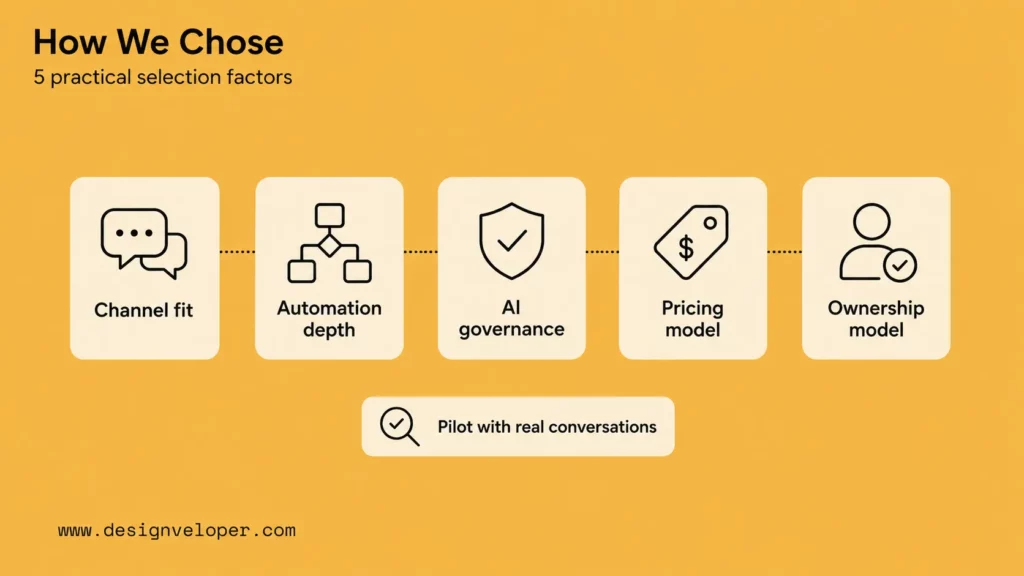
We looked at five practical factors: channel fit, integration depth, AI capability, handoff support, and operational control. A tool scored better when it helped teams connect the chatbot to real business systems, not only create a conversation screen.
Pricing also needs careful interpretation. Some vendors price by seat, some by resolved conversation, some by contact count, some by task or workflow execution, and some by custom enterprise contract. A cheap starting plan can become expensive if the chatbot handles high volume, needs premium integrations, or requires multiple teams to manage workflows. Before buying, model the expected number of conversations, channels, users, handoffs, and automated actions.
Current product updates were another filter. Zendesk’s 2026 AI agent packaging update, ManyChat’s March 2026 pricing model, Zapier’s 2026 chatbot help documentation, and vendor pricing pages show how quickly capabilities and cost units change. That is why this list favors source-backed fit over static feature claims. A buyer should re-check the official pricing or release page before procurement, then run a short pilot with real conversations rather than relying only on demo data.
| Selection factor | What to check before buying |
|---|---|
| Channel fit | Website, help desk, CRM, social messaging, voice, or internal apps. |
| Automation depth | Whether the bot can route, create records, call APIs, or trigger workflows. |
| AI governance | Knowledge controls, escalation, logging, data handling, and human review. |
| Pricing model | Seats, contacts, conversations, resolutions, tasks, workflow executions, or custom enterprise pricing. |
| Ownership model | Whether marketing, support, sales, IT, product, or engineering can safely maintain it. |
The strongest shortlist usually contains one tool from the company’s existing system of record and one tool that solves the missing capability. For example, a HubSpot-heavy sales team may test HubSpot Chatbot Builder first, then add n8n only if it needs cross-system workflows. A support team on Zendesk should compare Zendesk AI agents and Intercom Fin against actual ticket categories and resolution economics. A product team building an embedded assistant may evaluate Botpress, Voiceflow, or Dify because those tools expose more design and agent-building control.
Learn more in:
- What Is AI Integration? A Practical Guide For Connected AI Systems
- AI Business Process Automation: How AI Improves Workflows
- From AI MVP To Product: Why Great Demos Are Not Enough
How To Get More Value From Chatbot Automation
Chatbot automation creates value when it reduces a real bottleneck. It should not be introduced only because a tool has AI features. The operating workflow should lead the software choice.
A good rollout starts small and measurable. Pick one workflow where success can be observed within a few weeks: fewer repeated questions, faster first response, more qualified leads, lower manual triage time, or cleaner internal handoffs. Then compare chatbot results against human review before expanding the bot’s authority.
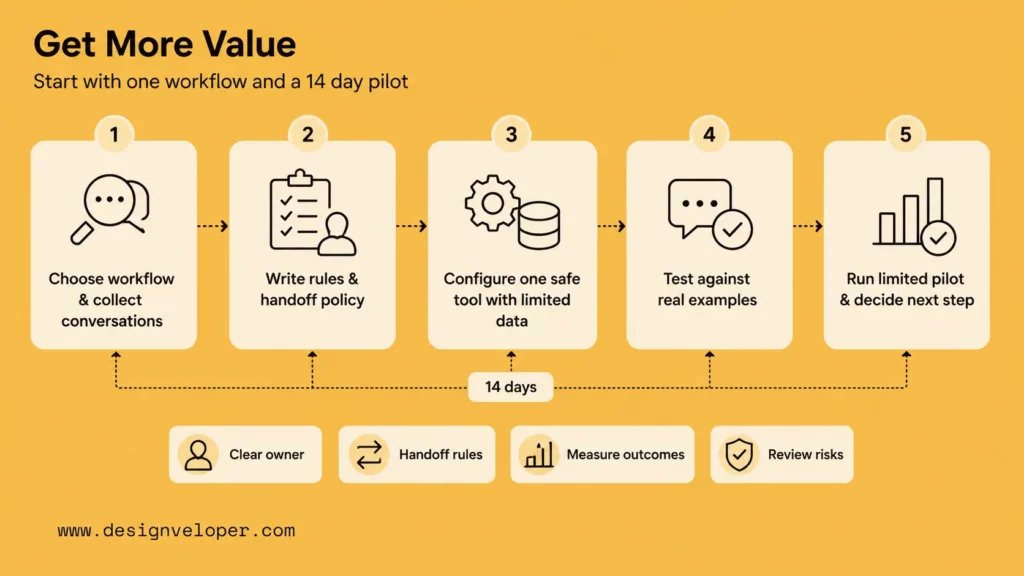
For a concrete starting point, run a 14-day pilot on one workflow. For example, a support team can automate the question “Where is my order?” only after it defines the order lookup source, identity check, response template, delay threshold, and human escalation rule.
| Pilot day | What to do | Concrete output |
|---|---|---|
| Days 1-2 | Choose one workflow and collect real conversations. | 30-50 anonymized examples grouped by intent. |
| Days 3-4 | Write allowed answers, forbidden answers, and handoff rules. | One bot policy document reviewed by support and IT. |
| Days 5-7 | Configure the chatbot in one tool and connect only safe data. | Demo bot with read-only knowledge or draft-only actions. |
| Days 8-10 | Test against real examples and edge cases. | Pass/fail sheet covering accuracy, handoff, latency, and source use. |
| Days 11-14 | Run a limited pilot with human review. | Decision to expand, revise, or stop based on measured outcomes. |
- Start With One Clear Workflow: choose one measurable use case, such as order questions, demo booking, ticket triage, internal policy lookup, or lead qualification.
- Connect The Bot To Real Business Systems: map the CRM, help desk, database, knowledge base, calendar, ticketing tool, or ecommerce platform the chatbot must use.
- Test, Refine, And Expand Over Time: review failed answers, missed intents, handoff reasons, and automation outcomes before adding more workflows.
A simple implementation checklist helps teams avoid tool-first thinking. It also gives the buyer exact questions to ask vendors during procurement:
- Define the owner of the chatbot, knowledge base, integrations, and escalation policy.
- Write a list of questions or actions the chatbot is allowed to handle.
- Set rules for when the chatbot should stop and hand off to a person.
- Track automation success, user satisfaction, handoff rate, and unresolved intents.
- Review data exposure, prompt injection, auditability, and access permissions before launch.
Teams should also define a measurement plan before rollout. Track containment only if it means the user actually got a correct answer. Track handoff quality by checking whether the agent receives the user goal, conversation summary, account context, and any actions already taken. Track cost by unit, not only by plan price: cost per resolved conversation, cost per qualified lead, cost per automated workflow, or cost per avoided manual task. This prevents a chatbot from looking successful simply because it answers many easy questions while failing high-value workflows.
| Rollout step | Practical output | Why it matters |
|---|---|---|
| Workflow mapping | One approved diagram or checklist for the target conversation. | Prevents teams from automating unclear or low-value tasks. |
| Knowledge preparation | Reviewed FAQ, policy, product, or help-center content. | Reduces wrong answers caused by stale or conflicting sources. |
| Integration review | List of systems, permissions, API actions, and fallback paths. | Keeps the chatbot from acting outside its safe boundary. |
| Pilot evaluation | Test set of real conversations, pass/fail criteria, and owner sign-off. | Shows whether the bot works before scaling volume. |
| Operations handoff | Named owners for analytics, content updates, errors, and improvements. | Makes automation maintainable after the launch week. |
For a deeper dive, read:
- Agentic AI Security: Guardrails For Tool-Using Systems
- AI Agent Orchestration: Coordinating Systems Safely
- How To Build An AI Agent: A Practical Step-By-Step Guide
Common Mistakes Businesses Make With Chatbot Automation Tools
The most common failures are not caused by choosing an unknown tool. They are caused by unclear workflow ownership, weak integrations, and unrealistic expectations about what AI should decide on its own.
The risk grows when a chatbot moves from answering to acting. Answering from a help article is one level of risk. Updating a CRM record, refunding an order, changing a subscription, or sending a customer-facing message is another. Treat those actions as software workflows with permissions, logs, rollback paths, and human review where the business impact is high.
Choosing A Tool Before Defining The Workflow
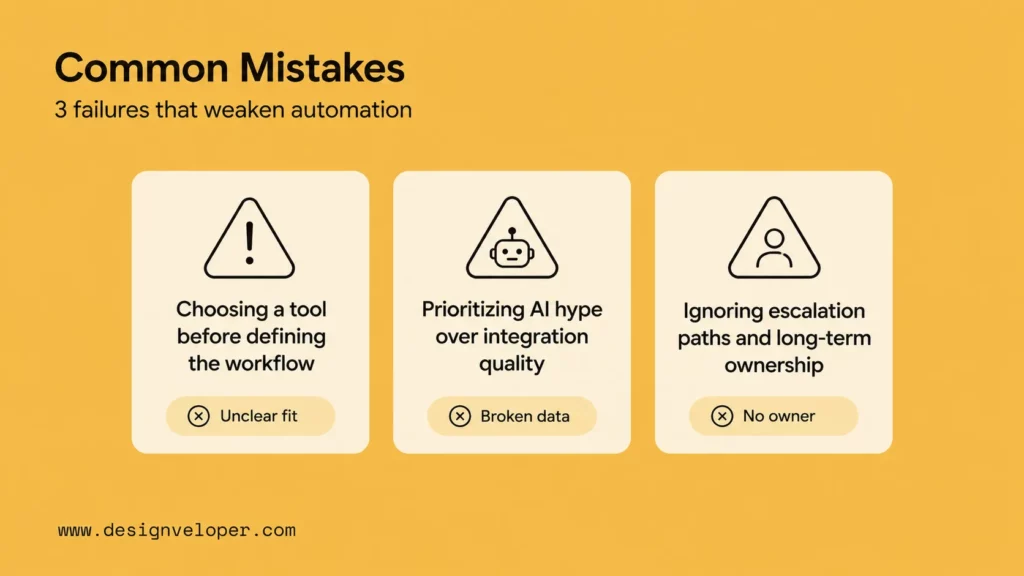
A chatbot project should start with the process, not the vendor. If the business does not know which customer question, sales task, or internal workflow it wants to automate, every platform demo will look attractive. Define the workflow first, then choose the tool that fits the channel, data, and handoff path.
The simplest test is to write the workflow in plain language before opening a vendor demo: “When a user asks about order status, the bot verifies identity, checks the ecommerce order record, gives the shipping update, and escalates if the order is delayed more than three days.” If that sentence cannot be written, the automation target is not ready. If it can be written, the team can compare tools against specific requirements instead of broad AI promises.
Turn that sentence into a vendor checklist: Can the tool verify identity? Can it read order status without exposing private fields? Can it detect delayed shipments? What about creating a support ticket with the conversation summary? Or preventing the bot from promising refunds? Specific questions reveal gaps faster than a general “does it use AI?” demo.
Prioritizing AI Hype Over Integration Quality
AI quality matters, but integration quality often decides whether the chatbot is useful. A bot that cannot access the right order, ticket, CRM, or policy data will frustrate users even if the model sounds fluent. For LLM-based systems, the OWASP Top 10 for LLM Applications is also a useful reference for risks such as prompt injection, sensitive information disclosure, and agent/tool misuse.
Integration quality also affects accountability. A chatbot that reads from three knowledge bases without version control may give inconsistent answers. One that can update records without an audit trail creates support and compliance risk. Another which triggers workflows without rate limits can amplify a small prompt or configuration error into many wrong actions. The fix is not to avoid AI, but to design the bot like production software: scoped permissions, test cases, logs, rollback paths, and clear release ownership.
Ignoring Escalation Paths And Long-Term Ownership
Every chatbot needs a human path. Users should know when they are speaking to AI, how to reach a person, and what happens when the bot is uncertain. Internally, the business needs an owner for knowledge updates, prompt changes, failed conversations, analytics, and integration maintenance.
Ownership should be visible in the operating model. Support may own answer quality, sales may own qualification rules, marketing may own campaign flows, IT may own identity and access, and engineering may own APIs or custom actions. Without that split, teams often discover too late that nobody is responsible for stale help content, broken integrations, or an AI answer that sounds confident but violates policy.
Turning Chatbot Automation Into A Reliable Business System
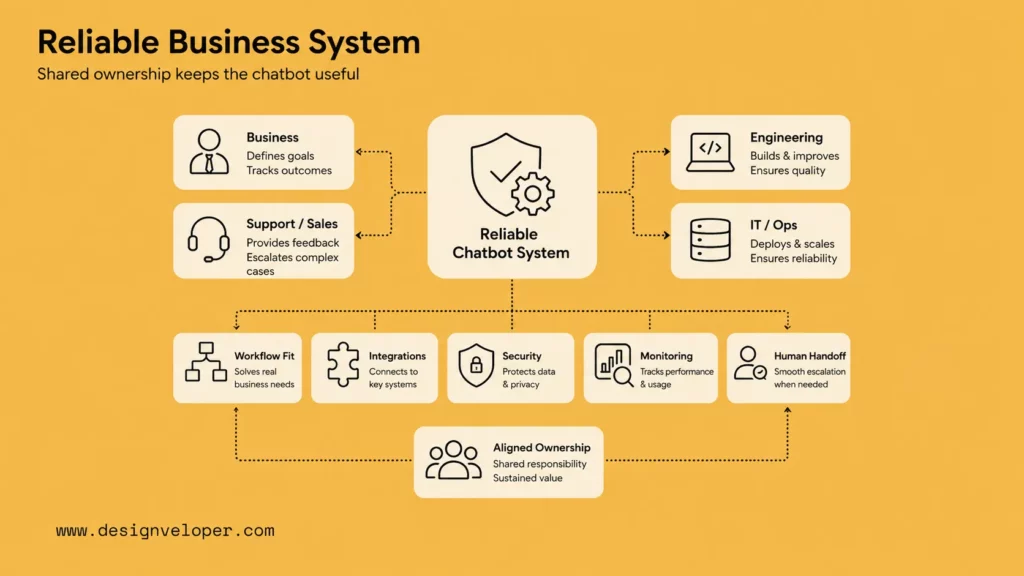
The best tool is not simply the one with the most AI features. It is the one that fits the company’s channels, workflows, integrations, and support model over time. A chatbot connected to the wrong process becomes another support burden. A chatbot connected to the right process can reduce repetitive work and improve response quality.
That is why the final decision should include both business and technical owners. Business teams define the customer promise and escalation rules. Support or sales teams define the daily workflow. IT and engineering teams confirm data access, security, integrations, monitoring, and maintainability. Without that shared ownership, even a strong chatbot automation platform can become difficult to trust after launch.
Designveloper approaches chatbot automation as product engineering. We help teams define the workflow, choose the right automation pattern, connect business systems, design human review points, test risky paths, and prepare the chatbot for monitoring and iteration. Our AI development services cover custom AI assistants and workflow automation, while our web application development services support the interfaces, APIs, and delivery controls needed around the chatbot.
For production projects, that work often includes more than choosing a vendor. A chatbot may need a secure admin portal, a RAG knowledge pipeline, CRM or help desk integration, analytics dashboards, role-based access, QA datasets, release checks, and support runbooks. These surrounding pieces decide whether chatbot automation stays useful after the first demo. They also help teams decide when an off-the-shelf tool is enough and when a custom layer is needed around it.
For a business choosing among chatbot automation tools, the safest next step is a workflow review. Identify the top conversations worth automating, the systems involved, the risk of wrong answers, and the human handoff path. Then choose the platform that supports that operating model instead of forcing the business to fit the tool.
Also published on

Share post on










Related Articles


Best AI Chatbots For Businesses In 2026: Compare Tools By Use Case
Best AI Chatbots For Businesses In 2026: Compare Tools By Use Case Published September 21, 2026
Best Claude Model in 2026: Fable, Opus, Sonnet and Haiku
Best Claude Model in 2026: Fable, Opus, Sonnet and Haiku Published September 18, 2026
Generative AI Applications: 20 Practical Use Cases Across Industries
Generative AI Applications: 20 Practical Use Cases Across Industries Published September 18, 2026



















