
















Agentic AI in Action: 7 Real Life Use Cases and Examples

KEY TAKEAWAYS:
- Useful agentic AI examples show the trigger, permitted actions, human handoff, and a way to check the result.
- A system that only follows fixed rules may not need an agent; use one when limited planning across tools adds clear value.
- Vendor product pages verify what a company describes, not typical customer outcomes. Treat case metrics as attributed claims.
- Start with reversible work and require approval for money, privileged access, clinical decisions, and external commitments.
An agentic AI use case is a bounded workflow. The system interprets a goal, chooses steps, uses approved tools, checks the result, and hands off when it encounters uncertainty or reaches a permission limit. The label does not mean a system can make every decision alone. Strong examples solve repeatable, multi-step work with clear inputs, permitted actions, and an accountable owner. The examples below cover engineering, customer operations, HR, finance, healthcare administration, research, and personal productivity. They distinguish illustrative workflows from vendor-described products and customer results.
What Makes a Workflow Agentic?
An agentic workflow uses an AI model to plan or adjust a sequence of actions toward a goal, often across approved tools. The system observes the results of its actions and may choose a next step. A chatbot can explain a process, and ordinary automation can follow fixed rules, but neither alone shows that a workflow needs an agent.
Use this comparison to check whether a proposed example involves meaningful action or only a new interface for an existing task.
| Workflow type | What the system does | Good fit when | Human boundary |
|---|---|---|---|
| Rule-based automation. | Runs a fixed path when defined conditions are met. | Inputs and exceptions are predictable. | A person maintains the rules and handles exceptions. |
| AI assistant. | Answers, summarizes, or drafts content for a person. | The user should make the decision or perform the action. | The user checks the answer and completes the work. |
| Agentic workflow. | Plans bounded steps, calls permitted tools, checks outcomes, and may adapt. | A multi-step task needs some judgment, and tool access can be limited. | Policy gates, approval, logs, and escalation define what it cannot do. |
These labels describe a spectrum, not a guarantee of autonomy. If fixed rules can complete a workflow more simply, an agent may add cost, delay, and new failure modes without improving the result.
7 Agentic AI Use Cases Across Industries
The table maps each use case to a real trigger, a bounded set of actions, a human control, and a measure. Treat these as workflow patterns to test in your own systems, not as claims that every company has deployed them successfully.
| Workflow and trigger | Possible agent work | Human boundary and useful measure |
|---|---|---|
| Software and IT: a failed build or assigned issue | Gather approved context, run tests, draft a fix, and prepare a review request. | A developer approves merge or deployment. Track review time, accepted changes, and reverts. |
| Sales and service: a new lead or a policy-covered support request | Check permitted CRM or order data, prepare a response, update a record, or route a follow-up. | A person approves outreach, discounts, refunds, or exceptions. Track correct resolution, reopens, and opt-outs. |
| HR and internal operations: an accepted offer or employee request | Coordinate onboarding tasks, retrieve current policy, and prepare a service ticket. | HR or IT approves changes to access, pay, or employee records. Track completion time and correction rate. |
| Finance and procurement: an invoice does not match a purchase order | Compare approved records, explain a discrepancy, and prepare a coding or approval packet. | An authorized finance user approves ledger changes and payments. Track exception accuracy and duplicate-payment risk. |
| Healthcare administration: a referral arrives with missing information | Check required fields, collect permitted records, and route the case to the right team. | A clinician owns clinical judgment. Track referral completeness, routing time, and clinician corrections. |
| Research and analysis: a team needs evidence for a defined question | Search approved sources, compare findings, and prepare a cited brief or analysis. | An analyst checks sources, calculations, and conclusions. Track citation accuracy and rework. |
| Personal productivity: a user asks for a day plan or travel options | Review consented calendar details, compare options, and prepare a plan. | The user confirms bookings, payments, and messages. Track corrections and completed tasks. |
A table can help shortlist a workflow, but it does not replace a section-level design. The details below show where an agent can act, where the process should stop, and which result a pilot should measure.
1. Software Development and IT Operations
A failed test or a clearly scoped bug can trigger an agent to gather context from a ticket and approved repository, run the relevant checks, and prepare a proposed patch. The agent should open a pull request with its test output and reasoning so a developer can review the change.
This pattern fits small bugs in repositories with reliable tests and rollback paths. It should not merge code, deploy production, rotate credentials, or change infrastructure permissions without developer review. An AI code review workflow can help, but a human still owns the change.
2. Sales, Marketing, and Customer Support
A customer message or a new lead can start a workflow that checks approved CRM, order, or policy data. For support, the agent can draft an answer, update a case, or resolve a low-risk request that matches a current rule. For sales, it can summarize a lead and prepare a follow-up for a representative.
Require approval before outreach, discounts, refunds outside policy, or campaigns. Check consent and suppression rules before external messages. Keep complex or disputed cases with a person.
3. HR and Internal Operations
An accepted job offer or an employee’s policy question can start an internal workflow. The agent can retrieve the latest approved policy, prepare onboarding tasks, check whether required fields are present, and send the request to the correct HR or IT queue.
Limit access to the records needed for the request. Use role-based permissions and do not let the agent infer hiring, pay, or performance decisions. HR or IT approves account and personnel changes.
4. Finance, Accounting, and Procurement
An invoice exception is a practical starting point: the agent compares an invoice with an approved purchase order and receipt, highlights mismatched quantities or amounts, and prepares a review packet. It can suggest an account code when the rules and evidence are clear, then route uncertain items to finance.
Require approval for payments, vendor-bank changes, tax filings, and ledger adjustments. Stop when source records conflict or a match falls outside an agreed tolerance. For stable rules-only steps, AI business process automation may be simpler.
5. Healthcare Administration
A referral or appointment request can trigger an administrative agent. It can check required forms, gather permitted records, identify missing details, and route the case to a scheduling team or clinician. The agent may organize information, but it should not diagnose a patient, rank clinical urgency on its own, or change a treatment plan.
Use current protocols, least-privilege access, and an escalation route. A clinician reviews any signal that could affect care. Pause if data are unclear or the request exceeds the administrative scope.
6. Research and Data Analysis
A product team comparing two API options can give an agent a defined question, an approved source list, and a required output format. The agent can search documentation, extract relevant limits, compare evidence, and create a draft brief with links to the original sources.
A researcher checks whether each source supports the claim, repeats key calculations, and labels inference. Use read-only internal data until the owner approves more access. An AI-driven decision-making process still needs a named decision owner.
7. Personal Productivity and Consumer Tasks
A user might ask an agent to plan a two-day trip around a date range, a budget, and accessibility needs. The agent can compare travel options, check the user’s consented calendar, draft an itinerary, and collect booking choices in one place.
The user confirms purchases, cancellations, messages, and data sharing. Start with read-only planning; require approval for actions that spend money or change an account.
Related reading:
- Agentic AI Architecture: Components, Patterns, And Workflows.
- AI Agent Architecture Diagrams: Components, Patterns, and Design Steps.
- How to Build Agentic AI: Practical Guide with Examples.

Worked Example: An Employee Software-Access Request
A new analyst requests read-only CRM access before their start date. The agent can prepare the request, but a manager or system owner must authorize it.
- Check the request. Match identity, start date, application, and reason to the approved onboarding ticket. Stop if details conflict.
- Read the access rule. Check the role matrix. If the source is missing or ambiguous, do not infer a role from a job title.
- Prepare a proposal. Create a ticket with the requested level, policy rule, and supporting evidence. Keep the agent read-only.
- Route for approval. Send it to the manager and application owner. Missing or conflicting approval stops the workflow.
- Apply the approved change. Use a constrained tool for the exact approved role. Never grant extra access or use a human’s identity.
- Verify and record. Read back the access level; log the request, action, approver, and time. Route any mismatch to IT security.
Compare resolution time with the existing process, while watching for incorrect grants, reopens, and approval delays. If a required approval or role record is missing, the agent should stop and explain why.
How to Choose and Measure a First Agentic AI Pilot
A strong first use case has repeated work, reliable inputs, and limited tool access. Choose a workflow the business can measure, not the one with the most steps. Avoid high-impact actions until the team has tested its data and controls.
- Repeatable: the task occurs often enough to compare performance with the current process.
- Bounded: the agent has a short approved tool list, defined inputs, and a clear stop condition.
- Measurable: the team can record a baseline for time, quality, rework, or cost before the pilot starts.
- Recoverable: an incorrect action can be reversed, or a human must approve it first.
- Owned: one business owner handles exceptions, while a technical owner manages access, logs, and testing.
Set a decision rule before launch. A service-desk pilot could target faster resolution without more incorrect access changes or reopens. Set the threshold from the team’s baseline and risk tolerance; it is a proposed test, not an industry benchmark.
| Pilot check | Record | Decision owner |
|---|---|---|
| Outcome | Baseline and target for resolution time or completed work. | Process owner |
| Quality guardrail | Incorrect actions, reopens, corrections, and unresolved exceptions. | Business and risk owners |
| Human review | Approval rate, escalation reason, and time waiting for review. | Named approver |
| Operating cost | Model and tool use, support effort, and reviewer time per completed case. | Product or finance owner |
Start in read-only or draft mode. Test normal cases and exceptions, then enable only low-risk actions that pass the agreed checks. Review incidents and drift on a fixed schedule. Use documented human-in-the-loop guidance for critical decisions as one reference. Also plan for AI hallucinations; a fluent response does not prove the agent used the right record or rule.
Vendor Product Examples: Capabilities and Evidence
Product pages can show how a vendor describes an agent’s intended workflow. They do not establish independent reliability, typical customer results, or return on investment. The examples below label the evidence source and keep any reported customer metric attached to its publisher.
1. Devin by Cognition: Software-Engineering Tasks
Cognition’s March 2024 launch post showed Devin using a shell, editor, and browser in a sandbox, including a task from a GitHub issue. This vendor demonstration does not prove typical performance across repositories.
The useful pattern is a bounded engineering task with a reviewable result. Test whether the agent reproduces a bug, proposes a patch, runs tests, and gives reviewers evidence.
Evidence status: vendor-described capability in a dated launch post; no independent customer outcome is established. Keep code review, merge, and deployment under normal approval. See Cognition’s Devin introduction.
2. Salesforce Agentforce: CRM and Service Actions
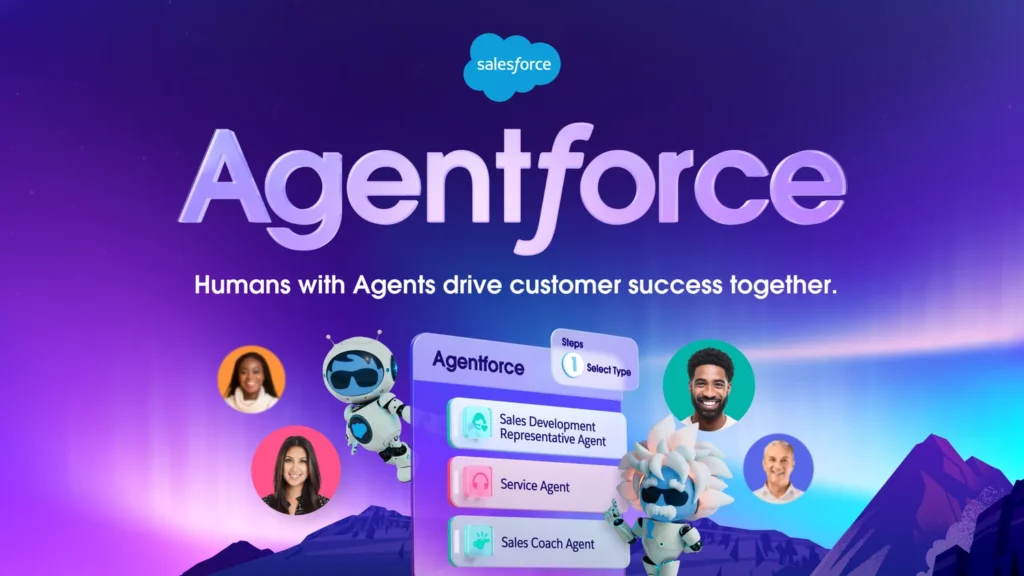
Salesforce describes Agentforce as a platform to build, test, deploy, and monitor agents using business data and configured actions. Its page also describes guardrails and session review.
Decide which CRM actions need approval. An agent may draft a support response, while account changes, refunds, or external offers may need a policy check or human review.
Evidence status: vendor-described capabilities, not an independent deployment study. Check permissions, audit records, and review steps in the actual setup. See Salesforce’s explanation of Agentforce.
3. Moveworks: Employee Support
Moveworks says its employee assistant can answer policy questions and resolve requests such as password resets and software installs. This illustrates an internal workflow using approved systems.
Moveworks reports that BambooHR reduced ticket volume by 20-30%. This is a vendor-reported customer result, not an independent benchmark or a result every employer should expect.
Confirm identity and access rights before an account action. Route exceptions to IT, and track resolution quality and reopens alongside ticket volume. See Moveworks’ self-service description and the BambooHR customer story.
Related reading:
- Best AI Agent Frameworks For Building Smarter AI Systems.
- How To Build An AI Agent: A Beginner’s Step-By-Step Python Example.
- AI Chatbot Development: Types, Process, Costs, And Use Cases.

4. Artisan Ava: Outbound Sales Preparation
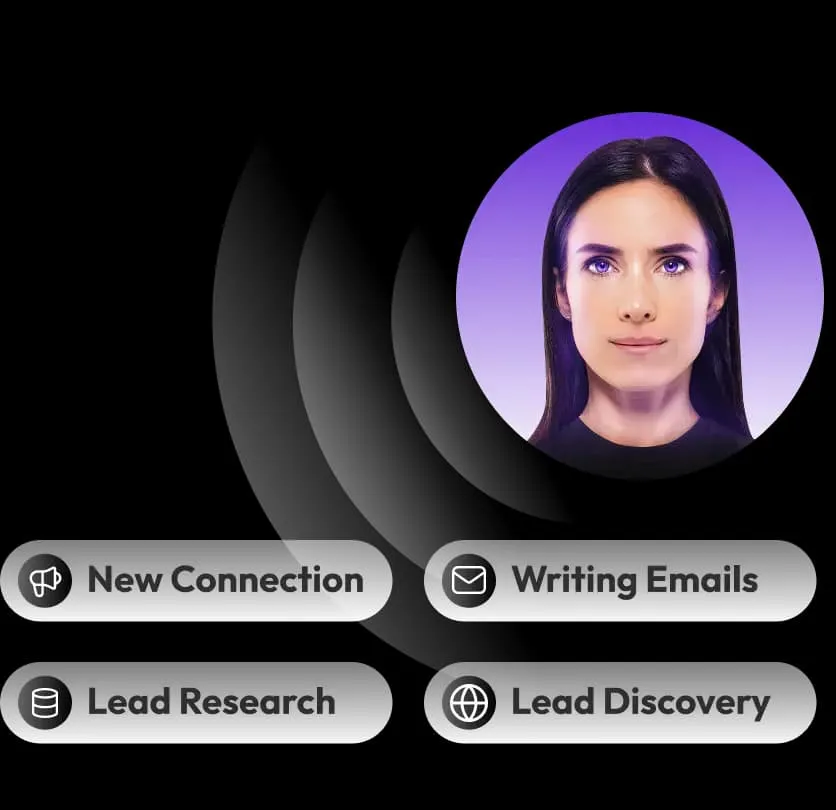
Artisan presents Ava as an AI sales agent for outbound prospecting and describes support for prospect research and outreach tasks. That makes it a vendor example of sales work organized around lead context, a message, and follow-up rather than a single generated email.
Test whether the data sources are current, the target list follows consent and suppression rules, and the message is accurate. Keep human review for audience selection, new campaigns, and exceptions.
Evidence status: vendor-described product positioning; the source used here does not demonstrate an independently verified increase in pipeline or meetings. Measure qualified replies, opt-outs, bounce rates, and sales-team corrections during a controlled test. See Artisan’s description of Ava.
5. Intuit AI in QuickBooks: Accounting Support
Intuit’s QuickBooks documentation describes embedded accounting AI features, including an Accounting Agent. This confirms the vendor’s product description, not accounting accuracy, savings, or suitability for every business.
A cautious use case is transaction review: gather approved records, highlight a possible mismatch, and prepare a question or proposed entry for a bookkeeper. The agent should not submit a tax filing, release payment, or alter a ledger without the user’s authorization and a check of the underlying records.
Evidence status: first-party QuickBooks documentation; availability and workflow details may vary by product and region. Confirm current access and review requirements in the product before relying on a feature. See Intuit’s overview of AI in QuickBooks Online.
Related reading:
- ERP AI Chatbot: Turn Operational Data Into Safe Actions At Scale.
- AI In Product Development: From Concept To Market Faster.
- 10 Must-Have AI Apps In 2026 And How They Work.

6. Perplexity Deep Research: Source-Gathering Workflows
Perplexity describes Deep Research as a feature that plans research, searches sources, and produces a cited report using web information and user files. This is a product illustration, not a measured analyst-productivity case.
A researcher can collect evidence for a defined question, then check each source, date, and uncertain claim. Citations make review easier but do not prove a source is authoritative or accurately summarized.
Evidence status: vendor-described research capabilities. Keep a human responsible for source quality, calculations, and the final recommendation. See Perplexity’s Deep Research product overview.
7. Beam AI: Cross-System Process Workflows
Beam’s catalog presents agent workflows for finance, HR, support, and software engineering. Its examples show vendor-described tasks that check information or route exceptions across steps.
This platform type may fit processes that cross tools. Before a pilot, check integrations, failure behavior, access controls, audit records, and whether staff can review or reverse actions.
Evidence status: vendor-described workflow examples; the catalog is not independent evidence of customer outcomes. A real pilot still needs a defined process owner, baseline, exception path, and acceptance criteria. See Beam’s AI agent workflow catalog.

Before scaling, test missing or conflicting data, revoked permissions, duplicate requests, and attempts to exceed the agent’s role. Set a rollback route, log tool actions, and name the person who can pause the workflow. For a custom product, integration, or control design, Designveloper’s AI development services may be relevant; the public service page does not document an agentic AI customer outcome.
Also published on

Share post on










Related Articles


AI Agent Case Studies: 10 Real-World Examples Across Industries
AI Agent Case Studies: 10 Real-World Examples Across Industries Published October 21, 2026
How Will AI Affect Software Development? Complete Guide In 2026
How Will AI Affect Software Development? Complete Guide In 2026 Published October 21, 2026
How To Build A RAG System: Step-By-Step (New Guide)
How To Build A RAG System: Step-By-Step (New Guide) Published October 19, 2026


















