
















10 Must-Have AI Apps In 2026 And How They Work

AI apps are software products that use artificial intelligence to help people write, research, summarize meetings, automate workflows, generate media, code, analyze information, or personalize daily tasks. The best AI apps in 2026 are not just chat boxes with a trendy label. They solve a recurring job, fit naturally into a workflow, protect user data, and make the output easier to review, edit, or act on.
Quick decision guide: choose ChatGPT or Claude for general thinking and writing, Gemini for Google Workspace-heavy work, Perplexity for cited web research, Otter.ai or Fathom for meetings, Gumloop for no-code automation, Grammarly for writing across apps, ElevenLabs for voice, and Suno for music. For business workflows that need private data, approval logic, dashboards, or integrations, start with a custom AI app plan instead of forcing a consumer AI app into production operations.
| Need | Best starting app | Why it fits | What to check first |
|---|---|---|---|
| Everyday AI assistant | ChatGPT or Claude | Broad writing, reasoning, coding, and analysis coverage. | Data settings, plan limits, model access, and team controls. |
| Google Workspace support | Gemini | Strong fit for Gmail, Docs, Drive, Sheets, and multimodal Google workflows. | Workspace plan, admin controls, source grounding, and file permissions. |
| Research with citations | Perplexity | Answers include visible sources and search-style exploration. | Source quality, citation accuracy, and whether sources are current. |
| Meeting notes | Otter.ai or Fathom | Transcription, summaries, action items, and searchable call history. | Consent rules, recording policy, integrations, and retention. |
| AI business process automation | Gumloop | No-code AI workflows can connect documents, web tasks, and app actions. | Step reliability, connector limits, data security, and human review. |
| Creative media | ElevenLabs or Suno | Voice and music generation speed up audio drafts and creative experiments. | Usage rights, licensing, voice consent, and quality review. |
Recommended for you:
- 15 Best AI Coding Assistant Tools For Developers
- Top 10 Best AI Chatbots We’ve Tried And Tested
- What Is AI Integration? How to integrate AI successfully?
What Are AI Apps?
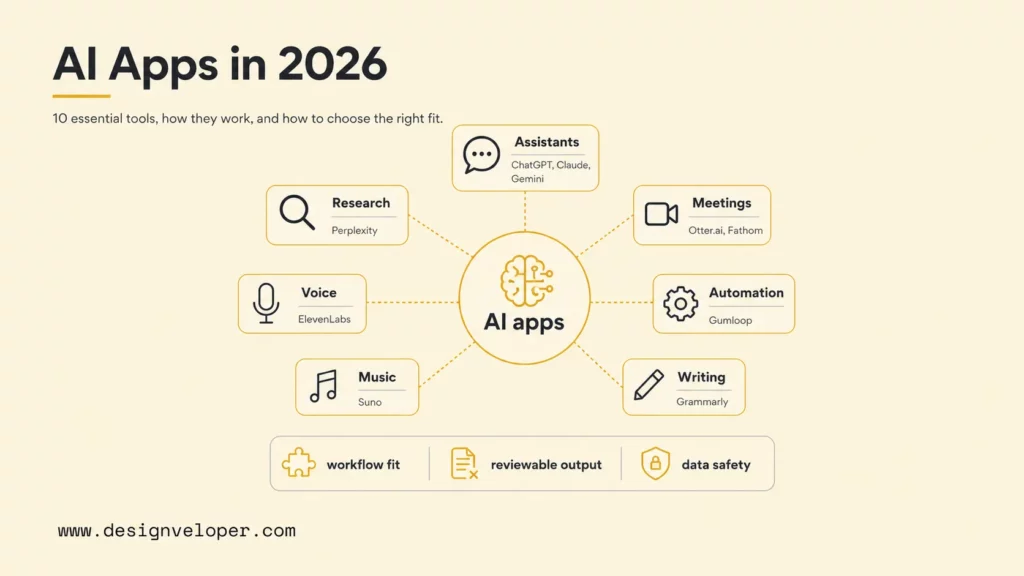
AI apps are applications that use machine learning, large language models, speech models, vision models, recommendation systems, or generative models to perform tasks that normally require language understanding, pattern recognition, prediction, or creative generation. A simple AI app may rewrite an email. A more advanced AI app may read documents, retrieve facts, summarize a meeting, trigger a workflow, update a CRM, and ask a human to approve the result.
The AI app category has become broad because AI is now a feature layer inside many software products. ChatGPT, Claude, Gemini, and Perplexity are standalone AI assistants. Otter.ai and Fathom are meeting apps with AI transcription and summaries. Gumloop is a workflow automation app that lets users chain AI and app actions. Grammarly adds AI writing support across browsers and documents. ElevenLabs and Suno focus on audio generation. Each product is an AI app, but each product solves a different job.
The difference between a useful AI app and a shallow AI feature is the workflow around the model. Useful AI apps include input controls, source handling, privacy settings, review steps, export options, team controls, and pricing that matches actual usage. This matters because AI can sound confident even when the output needs verification. A research app should show sources. A meeting app should make transcripts searchable and editable. A business automation app should make failed steps visible instead of silently pushing bad data into internal tools.
AI adoption is now mainstream enough that buyers need practical selection criteria. McKinsey’s 2025 State of AI survey reports that organizations are using AI across more business functions, while the Stanford AI Index tracks rapid movement in model capability, AI investment, and enterprise adoption. That growth does not mean every AI app belongs in every workflow. It means teams need a stronger way to choose.
What To Look For In A Good AI App
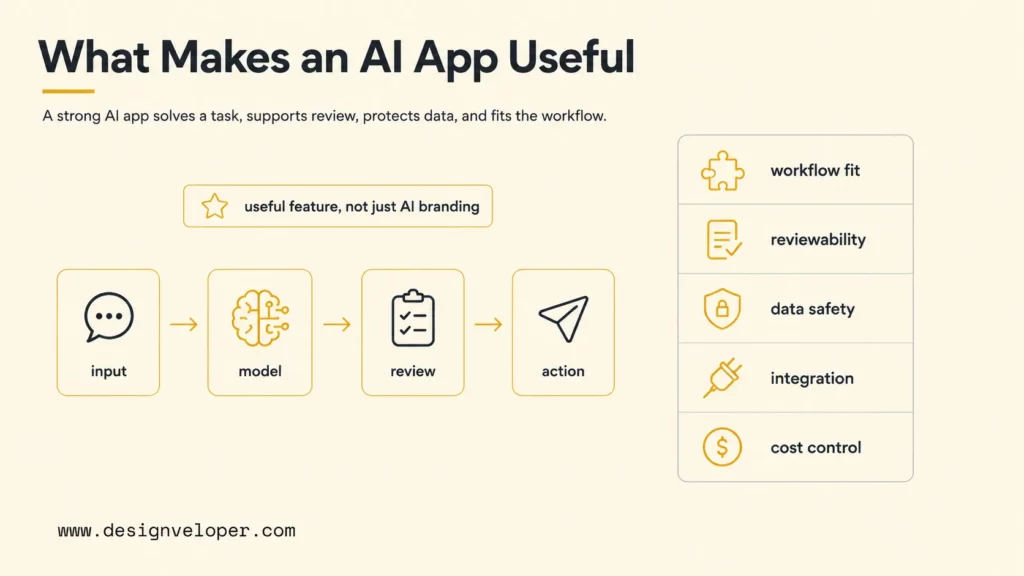
A good AI app should solve a concrete task, produce reviewable output, respect permissions, and make the user’s next action clearer. Buyers should avoid choosing apps only because a product claims to be “AI-powered.” The better filter is workflow value: what work becomes faster, more accurate, more creative, or easier to automate after the app is adopted?
- Useful AI feature, not just AI branding: the app should handle a real job such as drafting, summarizing, searching, generating audio, extracting data, or routing work. Ask for a before-and-after example rather than a feature label.
- Output quality and reliability: the app should provide outputs that are accurate enough for the task and easy to review. For research, citations matter. For meetings, speaker labels and timestamps matter. For automation, logs and retry behavior matter.
- Privacy and permission controls: the app should explain how prompts, files, recordings, generated media, and workspace data are handled. Business users should check admin controls, retention settings, and data-use terms before uploading sensitive information.
- Integration with daily workflow: the app should work where the task happens. Writing apps need browser and document support. Meeting apps need calendar and video-call integration. Automation apps need connectors and handoff rules.
- Pricing, usage limits, and upgrade path: free plans are useful for testing, but production use often needs better models, higher limits, team controls, security features, or API access. Compare official pricing pages before standardizing on one app.
Teams should also separate personal productivity apps from operational systems. A personal AI writing assistant can improve individual output without touching business-critical systems. An AI app that updates customer records, handles support tickets, or processes invoices needs stronger access control, testing, monitoring, and rollback plans. That distinction is where custom AI software becomes more relevant than another subscription.
AI app selection scorecard
Does the app reduce repeated work in a named task?
Can users inspect, edit, cite, approve, or undo outputs?
Are permissions, retention, and workspace data settings clear?
Does the app connect to daily tools without brittle copy-paste?
Are usage limits, seats, credits, exports, and team features transparent?
Use the scorecard to test each app against a real workflow before comparing feature lists. A strong fit should improve a repeated task while keeping outputs reviewable, permissions controlled, and costs predictable.
10 Must-Have AI Apps In 2026
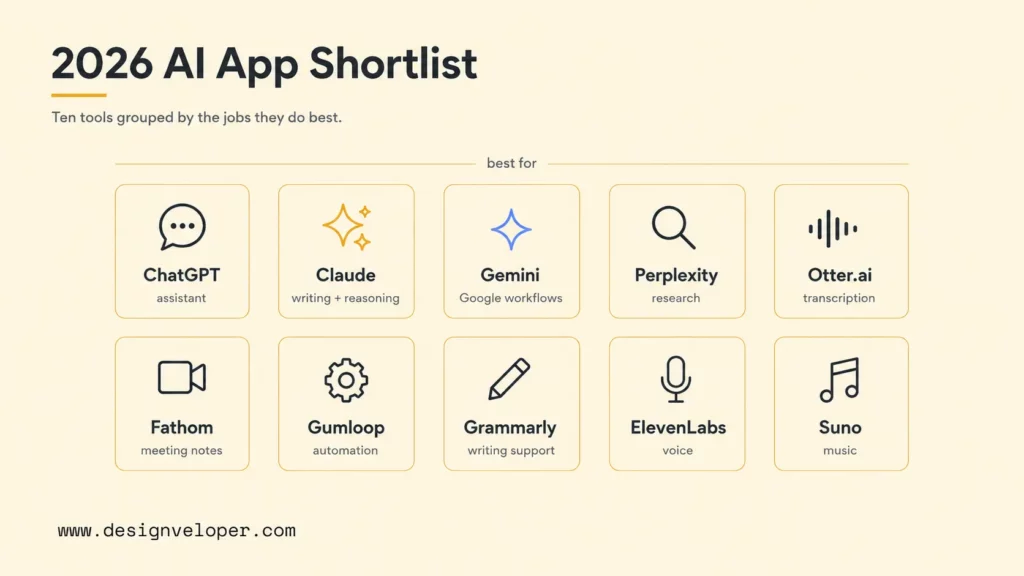
The following AI apps cover the most common 2026 use cases: general assistance, writing, reasoning, research, meetings, workflow automation, voice, and music. The list favors tools with clear official product pages, practical daily use, and a distinct job-to-be-done. Pricing and features change often, so teams should verify each official plan page before buying seats or moving sensitive data into a workflow.
| AI app | Best for | Official app | Pricing or plan page |
|---|---|---|---|
| ChatGPT | Everyday assistant for brainstorming, writing, analysis, and task support. | ChatGPT | ChatGPT pricing |
| Claude | Writing, reasoning, coding help, document review, and long-form synthesis. | Claude | Claude pricing |
| Gemini | Multimodal AI app connected with Google search and Workspace workflows. | Gemini | Google AI plans |
| Perplexity | AI search and web research with answer citations and source exploration. | Perplexity | Perplexity Pro |
| Otter.ai | Meeting transcription, summaries, action items, and team meeting notes. | Otter.ai | Otter pricing |
| Fathom | AI meeting assistant for call recording, summaries, and CRM-friendly notes. | Fathom | Fathom pricing |
| Gumloop | No-code workflow automation with AI steps, scraping, documents, and integrations. | Gumloop | Gumloop pricing |
| Grammarly | Writing assistance, tone editing, grammar checks, and workplace writing support. | Grammarly | Grammarly plans |
| ElevenLabs | AI voice generation, dubbing, voice cloning, and audio workflows. | ElevenLabs | ElevenLabs pricing |
| Suno | AI music generation for songs, demos, creative exploration, and audio drafts. | Suno | Suno pricing |
The best AI app is not the app with the longest feature list. The best AI app is the one that turns a repeated task into a faster, safer, and easier workflow.
ChatGPT: Best AI Assistant For Everyday Tasks
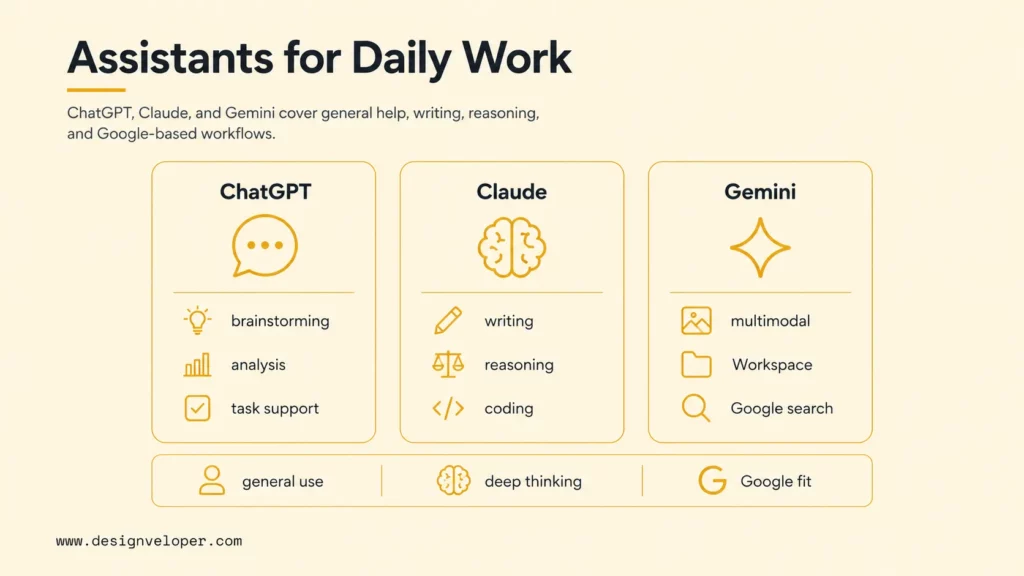
ChatGPT is a strong default AI assistant for everyday tasks because it can help with brainstorming, writing, coding support, document analysis, data exploration, image understanding, and task planning. OpenAI’s ChatGPT release notes are useful for checking current product behavior because ChatGPT changes frequently across models, connectors, voice, memory, and workspace features.
ChatGPT is a good starting point for individuals and teams that need one flexible assistant instead of several narrow tools. The main buying checks are model access, file limits, connector availability, data controls, workspace administration, and current pricing on the ChatGPT pricing page. For business use, teams should also define which tasks can use ChatGPT freely and which tasks need source review, legal review, or private-system integration.
Claude: Best AI App For Writing, Reasoning, And Coding
Claude is especially useful for long-form writing, careful reasoning, code explanation, and document-heavy analysis. Claude’s value is strongest when users need a calm assistant that can read context, compare options, summarize tradeoffs, and help polish technical or business writing without turning every answer into a short chat reply.
Claude is a practical option for product managers, engineers, analysts, and content teams that work with long briefs, requirements, or code snippets. Before adopting it, check the current Claude pricing page, team administration, file handling, model availability, and data-use policy. For coding teams, also compare Claude with dedicated development surfaces such as Claude Code when the workflow moves from advice to codebase changes.
Gemini: Best Multimodal AI App For Google Workspace
Gemini is a strong fit for users already working inside Google Search, Gmail, Docs, Sheets, Slides, Drive, and Android. Gemini’s advantage is not only chat. The practical value is multimodal support and proximity to Google Workspace workflows, where users often need help drafting, summarizing, organizing, and interpreting work artifacts.
Gemini is best when a team lives in Google’s productivity stack and wants AI support near documents, email, and files. Buyers should check Google AI plans or Google Workspace Gemini availability, because consumer and business access can differ. Admins should also review workspace permissions carefully so AI access does not accidentally expose Drive files beyond their intended audience.
Perplexity: Best AI App For Web Research
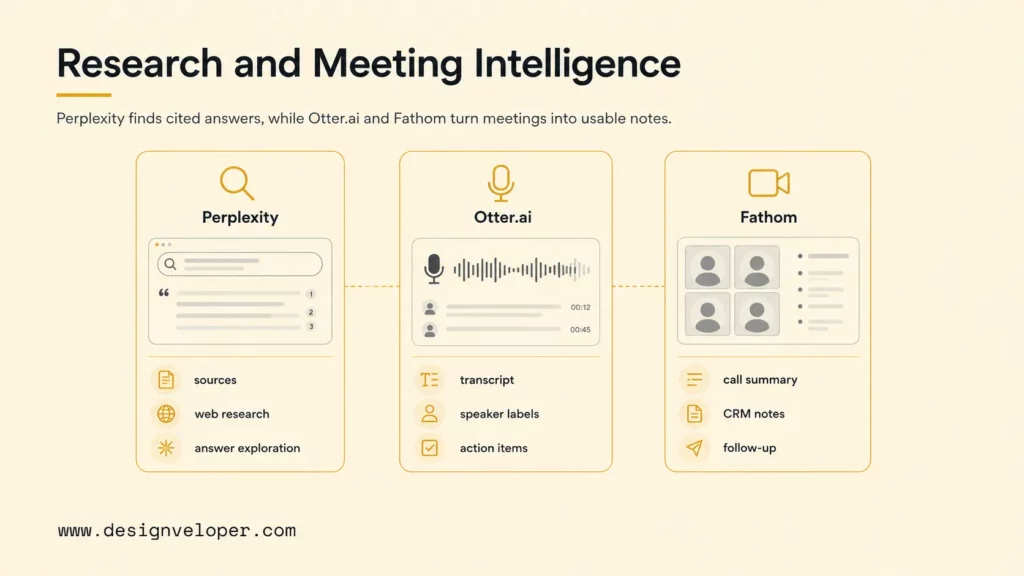
Perplexity is useful when the primary job is web research with visible sources. Perplexity answers questions, cites web pages, and lets users continue exploring related sources. That makes it different from a general chatbot when the task requires current information, source comparison, or a faster first-pass research map.
Perplexity is not a substitute for human source judgment. Users still need to open cited pages, check dates, compare primary sources, and avoid treating generated summaries as final evidence. The current Perplexity Pro page is the starting point for plan limits and advanced features. For SEO, product, and market research, Perplexity works best as a source-discovery tool, not the final author of claims.
Otter.ai: Best AI App For Meeting Transcription
Otter.ai focuses on meeting transcription, summaries, action items, and searchable meeting records. It is useful for teams that spend time in calls and need a reliable way to capture decisions, next steps, customer feedback, and follow-up tasks. A good meeting AI app reduces the cost of remembering what happened after the meeting ends.
Otter.ai should be evaluated with recording consent and retention policies in mind. Teams need to know who can access transcripts, how recordings are stored, how long meeting content is retained, and whether sensitive calls should be excluded. The Otter pricing page is useful for comparing transcription minutes, team features, and admin controls before rolling it out across departments.
Fathom: Best AI Meeting Assistant For Call Summaries
Fathom is another strong meeting assistant, especially for users who want call summaries, highlights, and action items without manually writing notes. It is often useful in sales, customer success, recruiting, consulting, and internal project calls where the meeting output needs to move into a CRM, task tracker, or follow-up email.
Fathom and Otter.ai overlap, but buyers should compare workflow fit. Fathom may be attractive when the desired output is a concise meeting summary and follow-up workflow. Otter.ai may be attractive when searchable transcripts and meeting memory are the main need. Check the current Fathom pricing page and integration options before choosing one as the default meeting assistant.
Gumloop: Best AI App For No-Code Workflow Automation
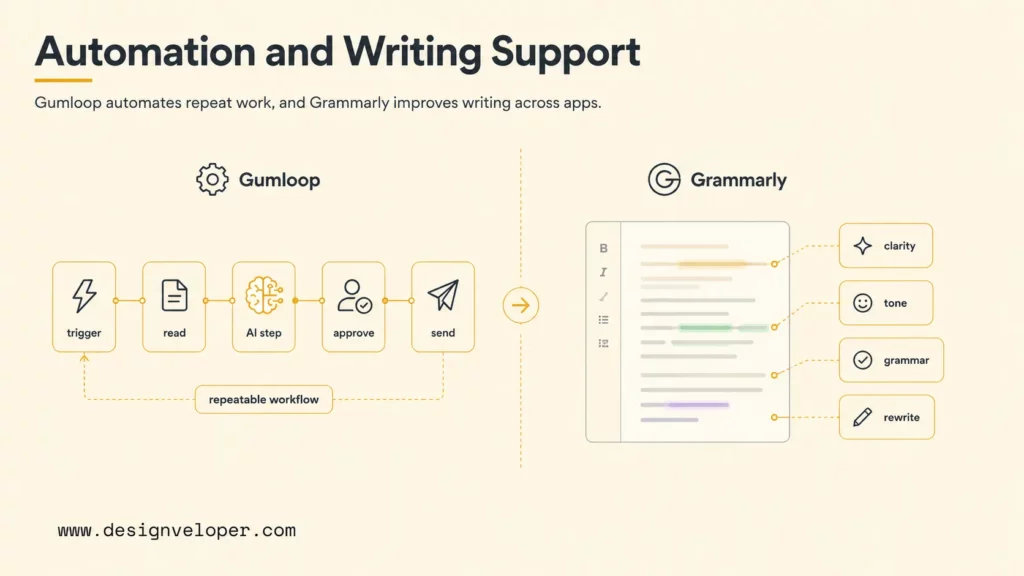
Gumloop is useful for users who want to build AI workflows without writing traditional code. A workflow might scrape a page, read a document, classify data, generate a summary, update a spreadsheet, or route information to another app. Gumloop fits the growing category of AI automation tools that turn isolated prompts into repeatable processes.
No-code automation still needs operational discipline. Teams should document inputs, outputs, error handling, access permissions, and review points. A workflow that handles public web research is lower risk than a workflow that updates customer data or financial records. The Gumloop pricing page helps teams compare limits, credits, and scale before treating a no-code prototype as a production process.
Grammarly: Best AI Writing Assistant Across Apps
Grammarly is a mature AI writing assistant for grammar, clarity, tone, rewriting, and workplace communication. Its strength is being available across many places where writing happens: browsers, documents, email, and team communication tools. For many users, Grammarly is less about one big AI moment and more about small improvements across daily writing.
Grammarly is useful for teams that want more consistent customer-facing and internal writing. However, teams should set guidelines for sensitive content, legal language, client data, and brand voice. The Grammarly plans page should be reviewed for team features, admin controls, and security needs. For public content, Grammarly can support editing, but it should not replace source verification or human editorial judgment.
ElevenLabs: Best AI Voice Generation App
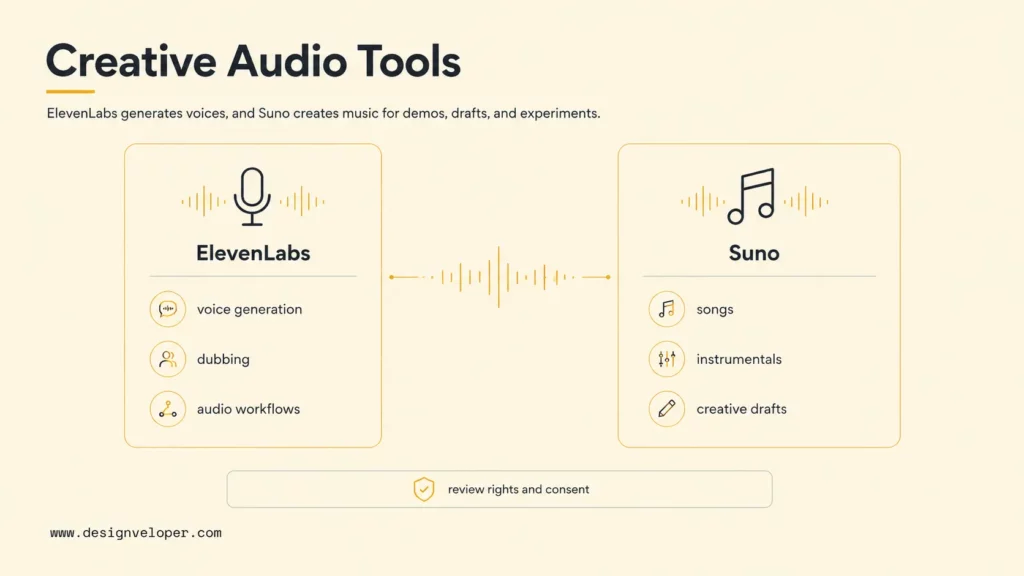
ElevenLabs is a leading AI voice app for voice generation, dubbing, voice design, and audio localization. It is useful for product demos, training content, marketing drafts, accessibility experiments, game dialogue prototypes, and multilingual audio workflows. Voice AI can save time, but it also raises consent and authenticity questions that text apps may not.
The main review points are voice rights, consent, watermarking or disclosure policy, commercial usage, and audio quality. Teams should never clone or imitate a voice without proper permission. The ElevenLabs pricing page is the place to verify current usage limits, commercial terms, and plan features. For business audio workflows, voice generation should include human approval before publication.
Suno: Best AI Music Generation App
Suno is an AI music generation app for creating songs, instrumental ideas, demos, and creative drafts. It is useful for creators who want fast musical exploration, marketers testing campaign concepts, educators building examples, and product teams experimenting with audio experiences. Suno shows how generative AI apps are moving beyond text into richer creative media.
Suno should be used with licensing and brand-safety review. Users need to understand commercial rights, plan limits, content policy, and whether generated music is appropriate for the intended channel. The Suno pricing page is the first stop for current plan details. For serious creative production, AI-generated music should be treated as a draft or component that still needs human direction.
AI apps are most useful when users can inspect the result, understand the source, and decide what happens next. Automation without review is where convenience turns into operational risk.
Further reading:
- Gemini Vs ChatGPT: Complete AI Assistant Comparison
- Best Claude Model: How to Choose The Right One?
- Chatbot Vs ChatGPT: Differences, Features, And Which Is Better
How AI Apps Work Behind The Scenes
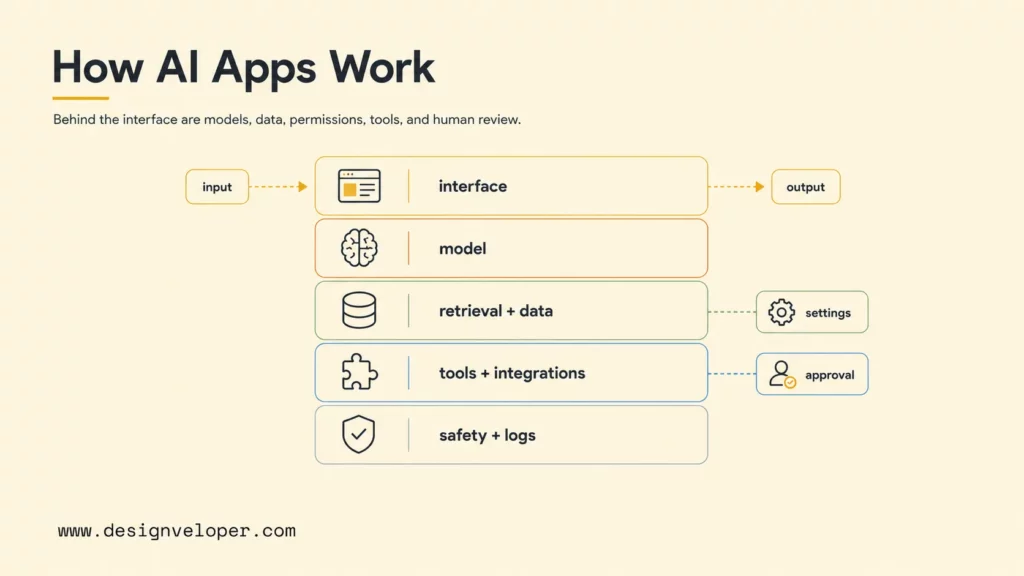
AI apps work by combining models, data, interfaces, permissions, and workflow logic. The model is only one part of the system. A polished AI app also needs prompts, retrieval, memory, user settings, safety checks, logging, integrations, billing, and a product interface that lets users understand and revise the output.
- LLMs for chat, writing, reasoning, and coding: large language models predict and generate text based on user instructions, context, and tool outputs. ChatGPT, Claude, and Gemini use this pattern for assistant workflows.
- Multimodal AI for text, image, audio, and video inputs: multimodal systems can interpret or generate more than text. Gemini and ChatGPT both show how everyday assistants are becoming multimodal product surfaces.
- Speech recognition for transcription and meeting notes: Otter.ai and Fathom convert audio into text, then summarize the meeting and extract action items.
- Generative models for voice, music, images, and video: ElevenLabs generates voice and Suno generates music. These apps need extra controls around rights, consent, and brand safety.
- Automation layers for multi-step workflows: Gumloop and similar apps chain model outputs with tools, APIs, documents, and human decisions so AI can support repeatable processes instead of one-off prompts.
Business-grade AI apps also need observability. Teams should be able to see which model was used, what input entered the system, which tools were called, what output was produced, and where the user approved or rejected the result. The OWASP Top 10 for LLM Applications 2025 highlights risks such as prompt injection, sensitive information disclosure, excessive agency, and unbounded consumption. These risks are especially relevant when an AI app can access tools, files, or customer data.
Related reading:
- A Practical Guide To AI Agent Architecture With Diagrams
- AI Agent Pricing Framework: Cost Models, Hidden Fees, And ROI Tips
- Agentic AI Security: Risks, Core Architecture, Solutions
Free Vs Paid AI Apps
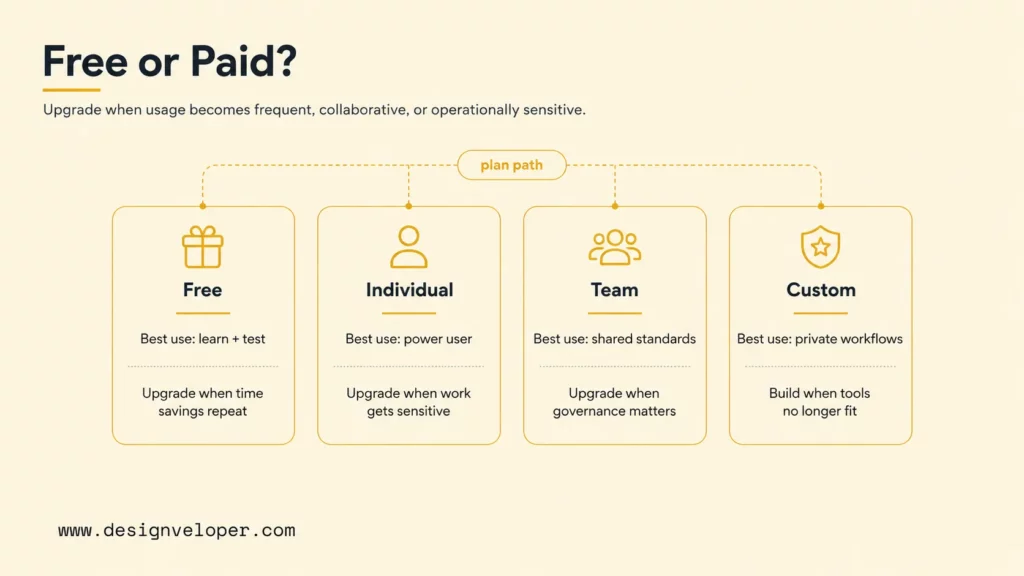
Free AI apps are useful for testing, learning, and low-risk personal tasks. Paid AI apps usually unlock better models, higher usage limits, team features, privacy controls, integrations, administrative settings, exports, and support. The right choice depends on workflow value, not only monthly price.
| Plan type | Best use | Common limits | Upgrade when |
|---|---|---|---|
| Free plan | Learning the interface, testing a small task, or exploring personal productivity. | Lower usage limits, fewer advanced models, fewer integrations, and weaker team controls. | The app saves time weekly or handles work that needs reliability. |
| Individual paid plan | Power users who need better models, more uploads, more generations, or faster workflows. | Limited admin controls and limited team governance. | Several people need shared standards or sensitive work enters the app. |
| Team or business plan | Companies standardizing AI use across teams. | Higher cost and setup effort. | The app touches client data, internal data, customer workflows, or compliance-sensitive work. |
| Custom AI app | Workflows that need private data, custom integrations, approval logic, or dashboards. | Requires discovery, engineering, testing, and maintenance. | Off-the-shelf tools cannot match the process or risk profile. |
A useful free-vs-paid test is simple: estimate how often the app will be used, what output it will produce, what happens if the output is wrong, and how much time the app saves. A paid plan is easier to justify when the app improves a recurring workflow. A custom app is easier to justify when the workflow affects revenue, customer experience, compliance, or internal operations.
AI Apps For Business Workflows
Businesses often need AI apps that connect with internal data, tools, and processes. A consumer app can help an employee write faster, but a business workflow may require authenticated data access, audit logs, approval queues, role-based permissions, dashboards, and integration with CRM, ERP, HR, finance, or support systems. That is where the build decision changes.
Designveloper helps teams move from scattered AI subscriptions to production-ready AI systems. Our AI development services cover custom AI software, LLM integration, workflow automation, and product engineering. For AI app projects, that usually means mapping the workflow, choosing the right model or model mix, designing RAG or memory where needed, building secure integrations, adding human review steps, testing edge cases, and monitoring quality after launch.
Public Designveloper projects show why workflow context matters. The Lumin project page describes a document platform for viewing, editing, sharing, and signing PDFs, which is the kind of document-heavy environment where AI features need grounding, permissions, and review. The HRM project page shows HR process digitization, another setting where AI support must respect approvals, roles, and internal policies. These examples are useful patterns for AI apps because the app has to fit the operation, not only impress in a demo.
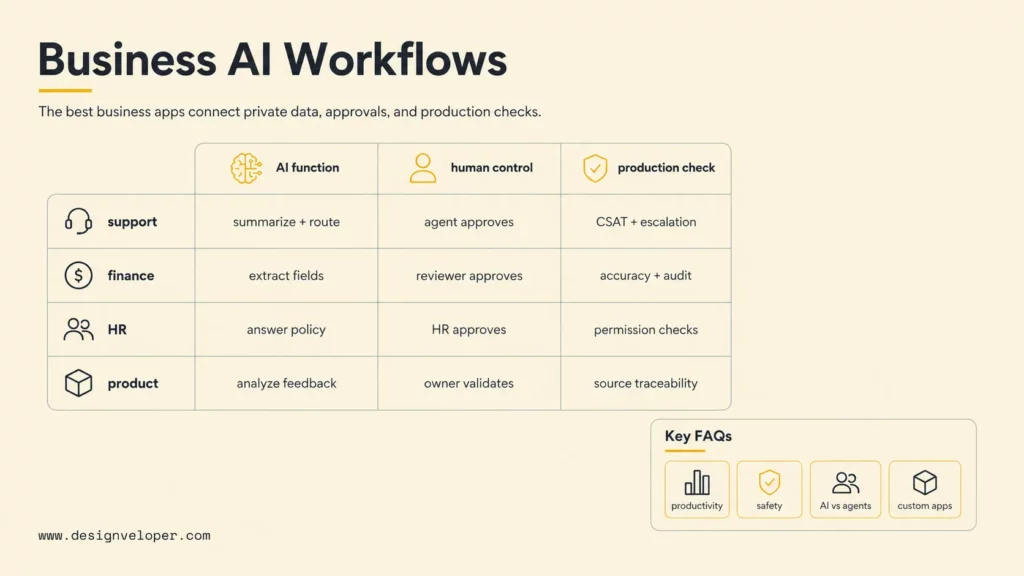
The safest business path is to start with one workflow and define the acceptance criteria. For example, an AI support app might summarize tickets, draft replies, and route high-risk issues to a human. An AI finance app might extract invoice data, flag uncertainty, and ask a reviewer to approve records before anything enters accounting. An AI HR app might answer policy questions and escalate ambiguous leave requests. Each workflow needs a different combination of model behavior, UI, permissions, and monitoring.
Business AI app workflow map
| Workflow | AI function | Human control | Production check |
|---|---|---|---|
| Customer support | Summarize, draft, classify, and route tickets. | Agent approves sensitive replies. | CSAT, escalation rate, and wrong-answer review. |
| Finance operations | Extract invoice or receipt fields. | Reviewer approves uncertain fields. | Accuracy, audit trail, and duplicate detection. |
| HR self-service | Answer policy questions and guide requests. | HR approves exceptions. | Permission checks and policy freshness. |
| Product teams | Analyze feedback and draft requirements. | Product owner validates priorities. | Source traceability and roadmap alignment. |
For a deeper dive, read:
- AI Chatbot Integration: How To Connect Chatbots With Business Systems
- AI In Product Development: From Concept To Market Faster
- AI-Driven Decision Making To Harness Business Data
FAQs About AI Apps
What Makes An App An AI App?
An app becomes an AI app when artificial intelligence performs a meaningful part of the workflow, such as understanding language, generating text, interpreting images, transcribing speech, recommending actions, classifying data, or automating multi-step tasks. A light AI label is not enough. The AI feature should change what the user can do or how quickly the user can do it.
Which AI App Is Best For Productivity?
The best productivity AI app depends on the task. ChatGPT and Claude are strong general assistants. Gemini is useful for Google Workspace users. Grammarly improves writing across apps. Otter.ai and Fathom help with meeting productivity. Gumloop is better when productivity depends on automating a repeated workflow rather than writing a better paragraph.
Are Free AI Apps Safe To Use?
Free AI apps can be safe for low-risk personal use, but users should read data-use terms, privacy settings, retention rules, and sharing controls before uploading sensitive content. Businesses should avoid putting confidential client data, employee records, regulated data, credentials, or private strategy into free tools without approved security review.
What Is The Difference Between AI Apps And AI Agents?
AI apps are software products with AI features. AI agents are systems that can plan or perform multi-step tasks, often by using tools, memory, APIs, or workflow logic. Some AI apps include agent-like behavior. The difference matters because agentic behavior usually requires stronger permissions, monitoring, cost controls, and human approval paths.
Can Businesses Build Custom AI Apps?
Businesses can build custom AI apps when off-the-shelf tools do not match their data, workflow, security, or integration needs. A custom AI app can combine LLMs, RAG, workflow automation, dashboards, role-based permissions, audit logs, and human review. Designveloper can help teams scope, build, test, and maintain custom AI apps that fit real operations rather than isolated prompts.
AI apps will keep changing in 2026, but the selection rule stays stable: choose the app that fits the workflow, makes outputs reviewable, protects data, and improves a repeated task. For personal work, a trusted AI assistant or meeting app may be enough. For business operations, the strongest path is often a custom AI app that connects models, data, permissions, and human review into one reliable product.
Also published on

Share post on










Related Articles


AI Chatbot Integration: A Practical Guide to Connecting Your Systems
AI Chatbot Integration: A Practical Guide to Connecting Your Systems Published September 29, 2026
How To Build A RAG Chatbot: Steps, Code & Best Practices
How To Build A RAG Chatbot: Steps, Code & Best Practices Published September 29, 2026
What Is An LLM Agent? How It Works, Architecture, And Examples
What Is An LLM Agent? How It Works, Architecture, And Examples Published September 29, 2026



















