
















Gemini Vs ChatGPT: Complete AI Assistant Comparison

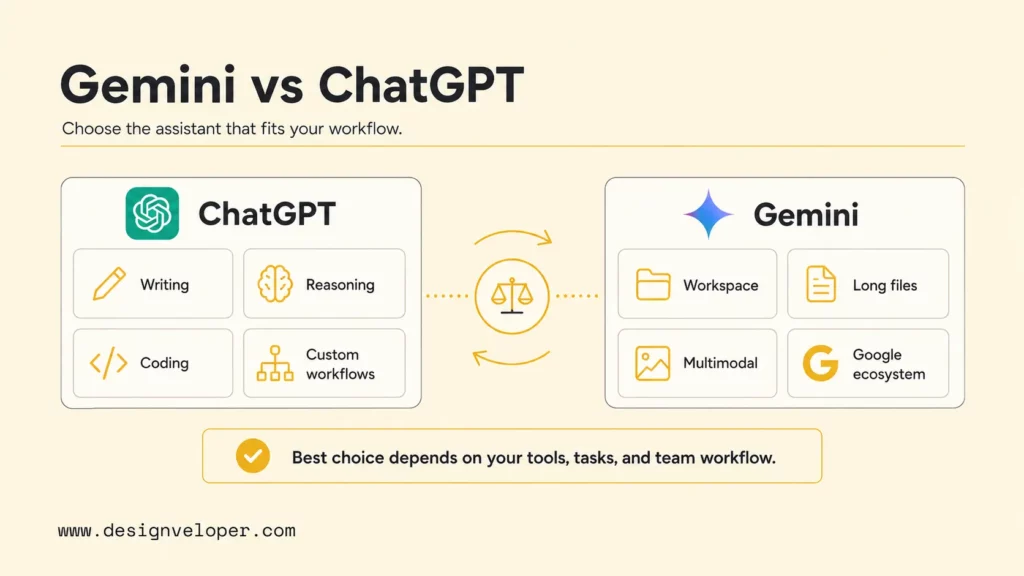
Gemini vs ChatGPT is best understood as a workflow choice, not a single scoreboard. ChatGPT usually fits people who need strong writing, structured reasoning, coding help, custom assistant workflows, and broad third-party app usage. Gemini usually fits people who live in Google Workspace, need native multimodal input, analyze long files, or want Google-connected productivity inside Gmail, Docs, Drive, and related tools.
Both assistants can answer questions, summarize documents, draft content, analyze files, write code, and help teams move faster. The difference is where each assistant feels natural. ChatGPT feels like a flexible general assistant that can become a writing partner, tutor, analyst, developer helper, or workflow builder. Gemini feels strongest when the task is tied to Google apps, long context, multimodal review, and everyday productivity.
Quick decision guide: Choose ChatGPT if the main job is reasoning, writing, coding, custom assistant setup, or polished output. Choose Gemini if the main job is Google Workspace productivity, long document analysis, multimodal inputs, or research connected to the Google ecosystem. Use both when a team needs Google-native research and file handling plus ChatGPT’s stronger drafting, coding, and assistant-building workflow.
| Decision point | ChatGPT fit | Gemini fit | Best next step |
|---|---|---|---|
| Writing and explanation | Strong for structured drafts, rewrite passes, outlines, tone control, and step-by-step reasoning. | Useful for everyday writing, Google Docs support, and quick productivity tasks. | Test both on one real draft, then score clarity, edit time, and source accuracy. |
| Coding and technical work | Often stronger for debugging, architecture explanations, code review, and developer workflows. | Useful when development is tied to Google Cloud, Android, Workspace, or Google AI tools. | Use a small repository task and compare tests passed, review time, and hallucinated APIs. |
| Research and files | Strong with file uploads, analysis, structured synthesis, and deep reasoning workflows. | Strong with long files, multimodal uploads, and Google-connected research workflows. | Use the same PDF, sheet, or meeting notes and compare source traceability. |
| Business rollout | Best when the team needs a flexible assistant, custom GPTs, API paths, and broad workflow design. | Best when the company already operates inside Google Workspace and wants native adoption. | Start with governed pilots, approved data classes, and clear human review points. |
Explore more:
- Chatbot Vs ChatGPT: Differences, Features, And Which Is Better
- Chatbot Vs. Conversational AI: Key Differences and Complete Guide
- Top 10 Best AI Chatbots We’ve Tried And Tested
Gemini Vs ChatGPT Quick Comparison
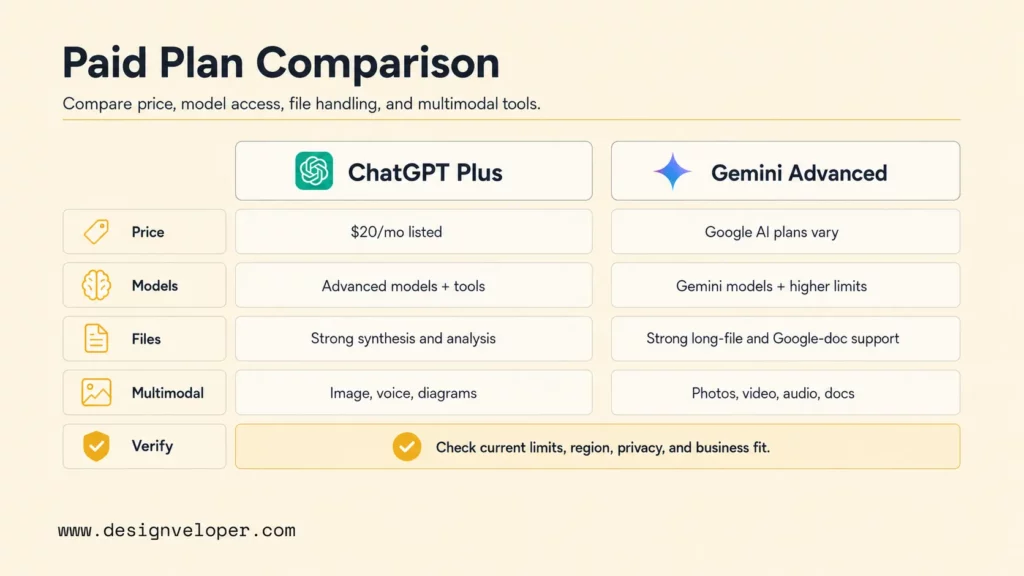
The fastest comparison is this: ChatGPT is usually the more flexible assistant for reasoning-heavy work, writing, coding, and custom workflows, while Gemini is usually the more natural assistant for Google users, multimodal file analysis, and Workspace productivity. Current plan details also matter. OpenAI lists ChatGPT Free, Go, Plus, Pro, Business, and Enterprise tiers on its ChatGPT pricing page, while Google packages consumer Gemini access through Google AI plans and business productivity through Google Workspace AI offerings.
The table below gives a practical snapshot for buyers, students, creators, developers, and operations teams. It avoids declaring a universal winner because the right choice changes with the task, data source, app ecosystem, and governance requirements.
| AI Assistant | Best For | Key Strength | Main Limitation | Ecosystem Fit | Paid Plan |
|---|---|---|---|---|---|
| ChatGPT | Writing, reasoning, coding support, tutoring, structured analysis, custom assistant workflows. | Flexible general-purpose help with strong drafting, explanation, and developer support. | May need careful context, source checks, and plan-specific limits for files, advanced models, and tools. | OpenAI web, desktop, mobile, API, connectors, custom GPTs, and business workspaces. | Plus, Pro, Business, and Enterprise options; check current pricing before buying. |
| Gemini | Google Workspace users, multimodal prompts, long files, productivity tasks, Google-connected research. | Native Google ecosystem fit across Gemini apps, Workspace, Android, and Google AI products. | Best value depends heavily on region, Workspace edition, access controls, and plan-specific feature availability. | Google Search, Gmail, Docs, Drive, Meet, Android, Google AI Studio, and Workspace services. | Google AI Pro or Ultra for consumers; Workspace and Gemini Enterprise paths for organizations. |
For text quality, ChatGPT tends to feel more deliberate when the user asks for a specific structure, audience, tone, and reasoning path. For app-context productivity, Gemini can feel faster because it sits near the Google surfaces many teams already use. For example, Google says Gemini can support teams across Workspace apps and agents through its Google Workspace AI tools, while OpenAI positions ChatGPT Business as a self-serve workspace plan for teams in its ChatGPT Business overview.
For file work, both assistants support analysis, but the details differ. OpenAI’s ChatGPT file uploads FAQ describes using uploaded files for synthesis, comparison, spreadsheet analysis, and summarization. Google’s Gemini file upload documentation says Gemini Apps can upload and analyze documents, spreadsheets, NotebookLM notebooks, photos, videos, and more. The better assistant is the one that can read the relevant file type, keep enough context, and explain where its answer came from.
Where Each AI Assistant Performs Better
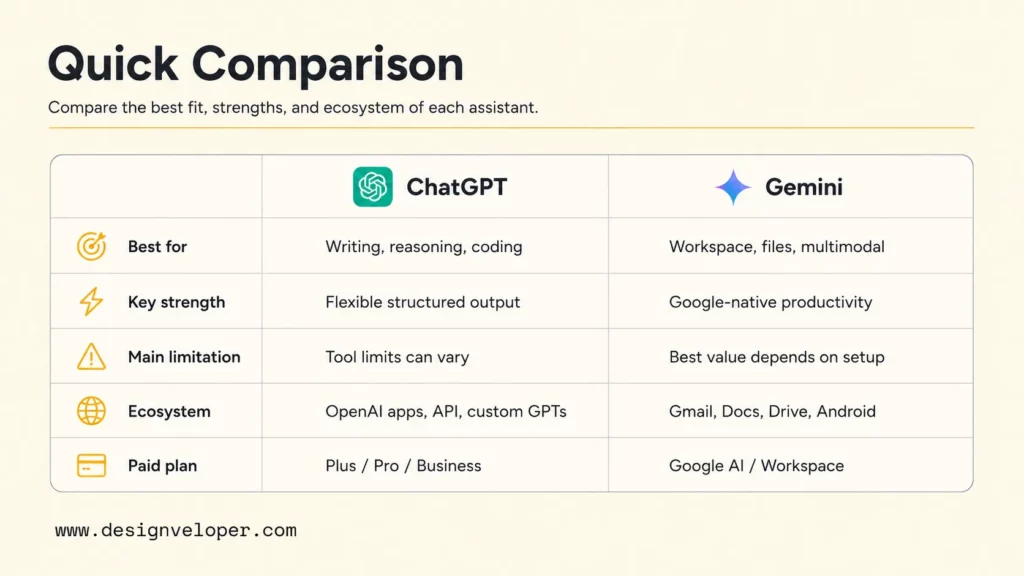
ChatGPT performs better when a task needs careful transformation: turn rough notes into an executive memo, debug an error, compare architecture options, generate test cases, explain a confusing concept, or iterate on a piece of writing until it sounds right. Gemini performs better when the task starts inside Google: summarize a Drive file, work across Workspace services, reason about a long document, inspect a visual input, or support a productivity routine that depends on Gmail, Docs, Sheets, Meet, or Android.
For reasoning and problem solving, ChatGPT is often easier to steer with detailed constraints. A strong prompt can ask ChatGPT to list assumptions, compare options, identify tradeoffs, and revise the answer against a rubric. That makes ChatGPT valuable for product managers, analysts, developers, marketers, and founders who need an assistant that can move from idea to structured output.
For writing and creative content, ChatGPT tends to provide more control over style and structure. Users can ask for a concise LinkedIn post, a long-form article outline, an investor email, a support macro, or a product requirements draft. Gemini can write well too, especially for everyday productivity and Workspace-adjacent drafting, but ChatGPT often wins when the user needs several rewrite passes with precise editorial direction.
For coding and technical support, ChatGPT is generally the safer first stop for explanation, debugging, code review, architecture choices, and iterative examples. OpenAI’s recent ChatGPT release notes show how quickly model availability and product surfaces can change, so teams should verify current model access in the ChatGPT release notes before standardizing a developer workflow. Gemini can still be useful for Google Cloud, Android, Firebase, BigQuery, and Google AI Studio work because it fits the Google developer environment.
For research and real-time information, Gemini has a natural advantage when the user wants Google-connected discovery or Workspace-integrated research. ChatGPT can also research, browse, analyze files, and produce strong syntheses depending on plan and tool availability. The practical issue is not which assistant can search. The practical issue is whether the answer links to credible sources, separates facts from interpretation, and gives the user enough context to verify the claim.
For multimodal input, Gemini is strong because Google has invested heavily in text, image, audio, video, and long-context use cases across its products. ChatGPT is also multimodal and can analyze images, files, and voice interactions depending on the plan and enabled tools. Buyers should test the exact use case: a product screenshot, handwritten meeting notes, a PDF, a spreadsheet, a slide deck, or a customer call transcript.
For context window and long-file analysis, Gemini can be compelling for long documents and multimodal files. ChatGPT can be stronger when the real task is not just reading a long file, but turning the file into a polished deliverable, decision memo, QA checklist, or technical plan. Long context is helpful, but output discipline matters just as much.
For app integrations and developer ecosystem fit, ChatGPT and Gemini split by environment. ChatGPT works well when a team wants broad assistant behavior, custom GPTs, API-based apps, and OpenAI-oriented workflows. Gemini works well when the organization is standardized on Google Workspace, Android, Google Cloud, or Google AI products.
The best AI assistant is not the one with the longest feature list. It is the one that removes the most review time from the workflow you actually run every week.
For a deeper dive, read:
- Enterprise AI Agents: Use Cases, Tools, And Implementation Guide
- How To Build An AI Agent: A Practical Step-By-Step Guide
- Agentic AI Security: Risks, Core Architecture, Solutions
Gemini Advanced Vs ChatGPT Plus
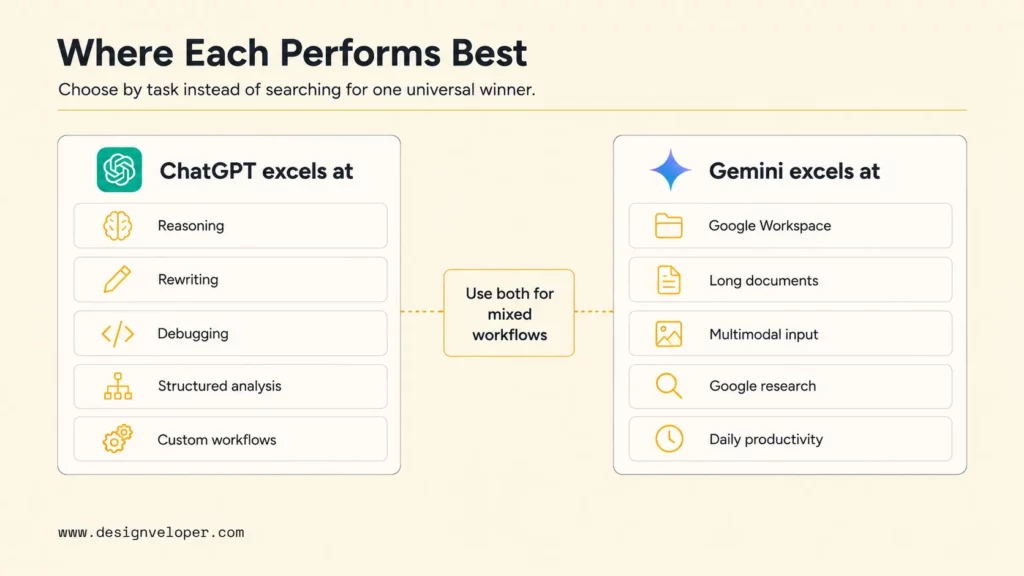
Gemini Advanced and ChatGPT Plus are easy to compare at a headline level, but hard to compare permanently because plan names, usage limits, included models, and feature bundles change often. OpenAI’s pricing page lists ChatGPT Plus at $20 per month at the time of drafting. Google’s AI plan page presents consumer Gemini access through Google AI plans, while Google’s May 2026 subscription update says Google reduced the top-tier AI Ultra monthly price from $250 to $200 and highlighted higher usage limits for advanced users in its Google AI subscriptions update. Editors should re-check both vendor pages before publication.
A fair comparison should look beyond monthly price. Users should compare what each paid plan unlocks in the work they actually do: model access, file uploads, image generation, voice, deep research, coding support, context length, Workspace integration, and usage caps. A low monthly price can be a poor fit if the assistant cannot access the right files or hits limits during the workday. A higher plan can be justified if it saves hours of expert review.
| Plan factor | ChatGPT Plus angle | Gemini Advanced / Google AI plan angle | What to verify before buying |
|---|---|---|---|
| Free plan limits | Good for casual use, basic exploration, and low-risk personal tasks. | Good for casual prompts and Google-account productivity exploration. | Current message limits, file limits, regions, model availability, and upgrade prompts. |
| Paid plan pricing | Plus has historically been a mainstream paid tier; OpenAI now also lists Go, Pro, Business, and Enterprise paths. | Consumer Gemini access is tied to Google AI plans; Workspace and Enterprise options are separate business paths. | Monthly price in the reader’s country, annual options, taxes, and whether the plan is personal or business-safe. |
| Model access | Paid tiers usually offer more advanced model access and tool access than Free. | Paid Google AI plans can unlock stronger Gemini models and higher limits. | Which models are available today, not which model appeared in a review last month. |
| File and context handling | Strong for document, spreadsheet, synthesis, and analysis workflows when file tools are enabled. | Strong for long files, multimodal file types, and Google-connected documents. | Maximum files, file sizes, accepted formats, retention rules, and whether sources are cited clearly. |
| Image, voice, and multimodal features | Useful for image analysis, voice, diagrams, screenshots, and creative work depending on plan. | Useful for photos, videos, documents, audio-related productivity, and Google-native multimodal work. | Actual support on web, mobile, desktop, Workspace, and region-specific accounts. |
| Workspace or app integration | Best when the team wants OpenAI workspaces, custom assistants, API paths, and broad tool use. | Best when the team already works inside Gmail, Docs, Drive, Meet, Sheets, or Android. | Admin controls, data permissions, connected apps, audit needs, and user training effort. |
Privacy and governance also matter. OpenAI says business data is not used to train models by default on business offerings in its enterprise privacy page. Google says licensed Workspace with Gemini interactions stay within the organization and are not used to train models in its Workspace Gemini FAQ. Consumer accounts and business accounts can have different defaults, so teams should not judge a business rollout by a personal subscription alone.
The practical verdict is simple. ChatGPT Plus is usually a better fit for people who want a powerful general assistant for writing, reasoning, coding help, and polished outputs. Gemini Advanced or Google AI plans are usually a better fit for people who want a Google-native assistant with strong multimodal and Workspace-adjacent value. Businesses should evaluate Workspace Gemini, Gemini Enterprise, ChatGPT Business, or ChatGPT Enterprise instead of relying on individual subscriptions for sensitive workflows.
Recommended for you:
- Best Claude Model: How to Choose The Right One?
- AI Model: A Detailed Guide to Understanding & Building
- What Are AI Tokens? How Tokens Shape Context And AI Performance
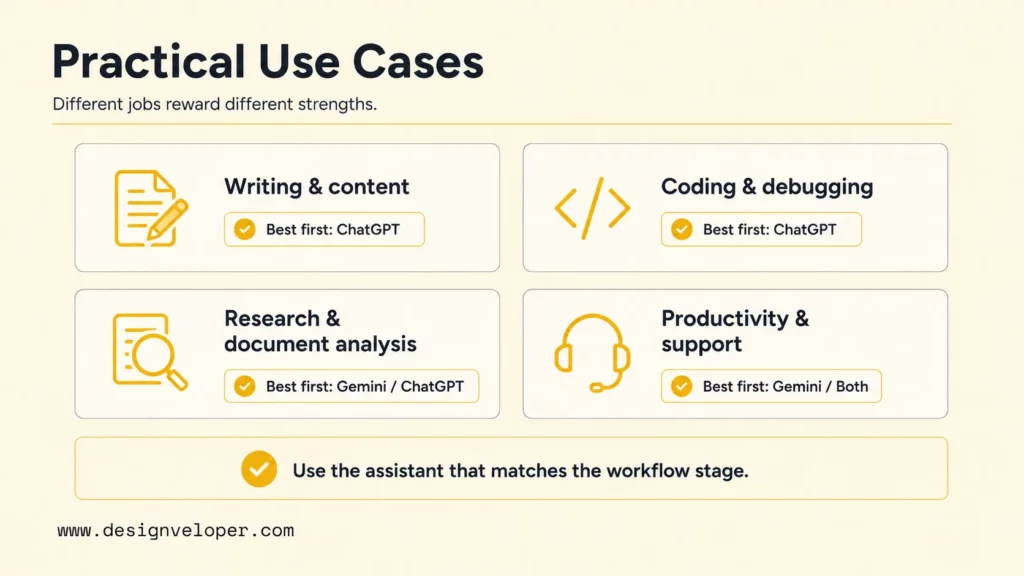
Practical Use Cases For Gemini And ChatGPT
The right assistant becomes clearer when the comparison moves from features to actual jobs. A marketer, developer, operations manager, teacher, founder, and support lead may all ask the same broad question, but each role needs a different answer. The following sections compare Gemini and ChatGPT across common work patterns that appear in real teams.
Writing, Brainstorming, And Content Creation
ChatGPT is usually stronger for writing that needs a defined audience, argument, structure, and editorial polish. It can turn a rough idea into a brief, transform a brief into a draft, rewrite the draft for a specific reader, and then compress the result into social posts, emails, or sales copy. ChatGPT is also good at explaining why a draft feels weak, which helps users learn rather than only copy an answer.
Gemini is useful when writing starts from Google work artifacts. A user can draft meeting follow-ups, summarize notes, work near Docs, and support everyday productivity. Gemini can be especially convenient for teams already using Google Workspace because users do not need to move as much context between tools.
- Use ChatGPT when the output must be persuasive, structured, heavily rewritten, or adapted for multiple audiences.
- Use Gemini when the writing task depends on Google files, meeting context, email context, or fast productivity inside Workspace.
- Use both when Gemini helps collect and summarize source material, then ChatGPT helps shape the final narrative.
Coding, Debugging, And Technical Explanation
ChatGPT is often the stronger assistant for coding, debugging, and technical explanation because it responds well to constraints: framework version, error log, desired behavior, file structure, tests, and acceptance criteria. It can explain a stack trace, propose a fix, write unit tests, compare library choices, and create a review checklist. The user still needs to run tests, inspect dependencies, and reject hallucinated APIs.
Gemini can be useful for technical work when the stack is close to Google products. Android development, Firebase, Google Cloud, BigQuery, and Google AI Studio workflows can benefit from Gemini’s ecosystem fit. Gemini can also help with multimodal debugging, such as interpreting screenshots, diagrams, and logs attached to a prompt.
For professional coding work, neither assistant should be treated as an autonomous senior engineer. A safer workflow is to ask the assistant for an implementation plan, apply the smallest patch, run tests, review security and data-handling implications, and document assumptions before merging.
Research, Summarization, And Long Document Analysis
Gemini is strong for research and long document analysis when the material lives inside Google’s ecosystem or includes multimodal files. The assistant can be valuable for summarizing long PDFs, extracting key points from documents, reviewing images or videos, and turning Google-connected material into a first answer. The user should still check citations and source quality before using the output in a decision.
ChatGPT is strong when research needs synthesis rather than collection. It can compare documents, extract contradictions, build a decision table, summarize a spreadsheet, or turn source material into an executive brief. OpenAI’s file upload documentation explicitly describes tasks such as document comparison, spreadsheet analysis, and synthesis, which makes ChatGPT useful for knowledge work that produces a deliverable.
| Research task | Better first assistant | Why | Human review step |
|---|---|---|---|
| Summarize a Google Drive-heavy research folder | Gemini | The work starts near Google documents and Workspace context. | Check which files were actually used and whether important sources were skipped. |
| Turn five PDFs into an executive decision memo | ChatGPT | The task needs synthesis, structure, and a clear recommendation. | Verify citations, source dates, and whether the conclusion follows from evidence. |
| Analyze screenshots, charts, or visual notes | Gemini or ChatGPT | Both can handle multimodal inputs depending on plan and surface. | Compare extracted facts against the original image before acting. |
| Prepare a literature-style source comparison | ChatGPT | The output benefits from tables, caveats, and structured argument. | Remove weak sources and mark uncertain claims. |
Meeting, Email, And Productivity Workflows
Gemini has a strong advantage when productivity work happens in Gmail, Docs, Drive, Sheets, Meet, and Calendar. A user can ask for summaries, drafts, follow-ups, and document help in a familiar environment. For organizations that already standardize on Google Workspace, adoption can be easier because the assistant appears close to the work.
ChatGPT is useful when productivity work requires a more general assistant. A founder can ask ChatGPT to turn messy meeting notes into a board update, a product manager can convert customer feedback into themes, and a sales lead can reshape call notes into a follow-up sequence. ChatGPT may require more copy-pasting or connector setup, but it can be more flexible once context is available.
Customer Support, Internal Knowledge, And Automation
ChatGPT and Gemini can both support customer support, internal knowledge, and automation, but teams should separate personal assistant use from production automation. A personal assistant can draft a reply or summarize a policy. A production support system needs retrieval, permissions, audit logs, fallbacks, monitoring, escalation rules, and quality checks.
Designveloper’s AI chatbot integration guide explains chatbot implementation as a process that starts with needs, channel choice, integration planning, implementation, and improvement. That same logic applies to Gemini and ChatGPT pilots. A business should not simply pick a famous model; it should define the workflow, the knowledge source, the risk level, and the human approval point.
Assistant selection scorecard for business teams
| Criterion | Score 1 | Score 3 | Score 5 |
|---|---|---|---|
| Workflow fit | Requires manual copying and unclear prompts. | Works for one team with some setup. | Fits the team’s daily apps and handoffs. |
| Output quality | Needs heavy rewriting or fact repair. | Useful with human editing. | Consistently reduces review time. |
| Governance | No data rules or admin controls. | Some rules, limited auditability. | Approved data classes, roles, logs, and escalation. |
| Maintainability | One person’s prompt habit. | Shared prompts and examples. | Documented workflow, metrics, and owner. |
A team should pilot the assistant with real documents, tickets, code, or meetings, then compare total review time and error rate instead of judging only by a demo answer.
Discover more here:
- Prompt Engineering For Developers: A Guide To Practical Patterns
- Best AI For Python Coding: Top Picks For Every Workflow
- What Pair Programming Means In The Age Of AI Pair Programmers
Which One Should You Use?
Use ChatGPT if the work depends on strong writing, detailed reasoning, coding help, creative iteration, structured analysis, or custom assistant setup. ChatGPT is the safer default for people who want one flexible assistant that can become a tutor, editor, analyst, debugging partner, brainstorming partner, or workflow designer.
Use Gemini if the work depends on Google Workspace, long files, multimodal analysis, Google-connected research, or daily productivity inside Gmail, Docs, Drive, Sheets, Meet, Android, and related services. Gemini is the safer default for teams whose work already lives in Google’s ecosystem and who want AI help close to existing documents and communications.
Use both if the workflow has two different stages. Gemini can help collect, summarize, or inspect Google-native context. ChatGPT can help reason through decisions, produce polished deliverables, debug code, or create a structured plan. Many mature teams will not standardize on one public assistant for every job. They will define which assistant is allowed for which data class and task type.
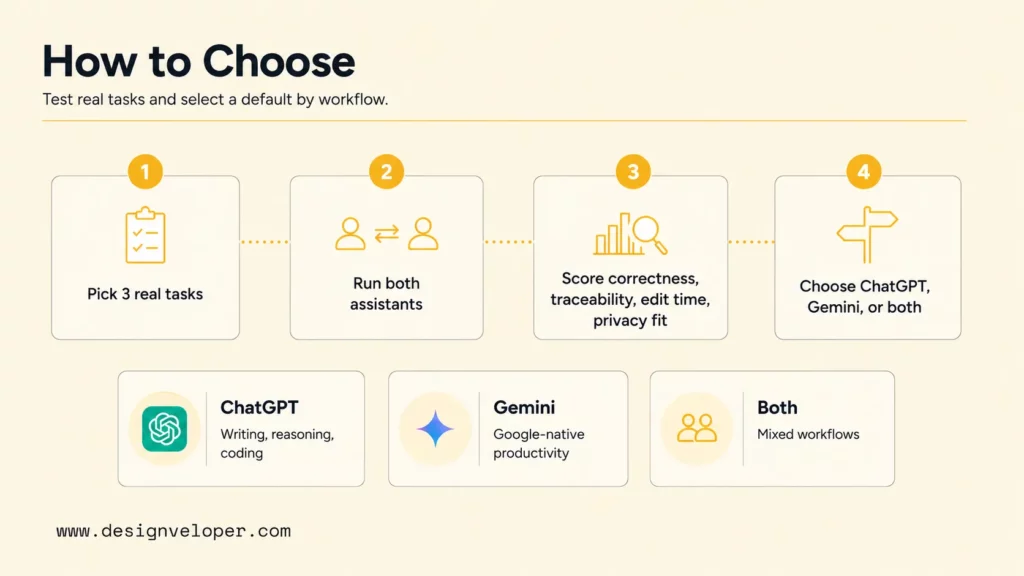
- Pick three real tasks: one writing task, one file-analysis task, and one technical or operational task.
- Run each task through Gemini and ChatGPT with the same source material and acceptance criteria.
- Score the results by correctness, source traceability, edit time, privacy fit, and workflow fit.
- Choose a default assistant per workflow, not a universal winner for the whole company.
- Create data rules before wider rollout: what can be pasted, what needs redaction, and what requires a custom internal system.
Use public AI assistants for leverage, not blind delegation. The assistant can draft, compare, and summarize, but the organization still owns judgment, data policy, and customer impact.
Learn more in:
- AI In Software Development: Changing How Software Gets Built
- What Is AI Integration? How to integrate AI successfully?
- How AI Automates Routine Tasks: What To Automate First?
Gemini And ChatGPT In Business Workflows
Gemini and ChatGPT can both support business workflows such as research, writing, coding, customer support, document analysis, internal knowledge, and automation. The more important question is whether a general assistant is enough. For many teams, the first pilot can start with Gemini or ChatGPT. The production workflow may need a custom AI app, internal retrieval, permission-aware knowledge access, business-system integration, dashboards, approval queues, and monitoring.
A practical business rollout should evaluate five areas. First, data privacy: which documents, customer records, code, contracts, or financial information can be used? Second, integration: does the assistant need Gmail, Drive, Slack, CRM, ticketing, ERP, GitHub, or database access? Third, governance: who approves prompts, connected apps, retention settings, and output use? Fourth, workflow fit: does the assistant reduce handoffs or create another place to copy information? Fifth, customization: does the company need a general assistant or a domain-specific AI system with controlled behavior?
At Designveloper, we’re all about practicality. Designveloper helps teams move from tool comparison to production design through AI development services that cover AI assistants, workflow automation, LLM integration, and business software. For example, an internal support assistant may need retrieval from policies, role-based access, feedback loops, and escalation to a human owner. A document-analysis assistant may need OCR, validation rules, redaction, and audit history. A customer-facing chatbot may need CRM context, safe fallback copy, and monitoring after launch.
The business lesson is not that Gemini beats ChatGPT or ChatGPT beats Gemini. The lesson is that public assistants are excellent for discovery, individual productivity, and early pilots. Reliable operations often need a workflow-aware system. Our work around AI automation and AI in product development follows that principle: start with a real operational problem, connect the assistant to the right systems, add human review where risk is high, and keep improving the workflow after launch.
FAQs About Gemini Vs ChatGPT
Is Gemini Better Than ChatGPT?
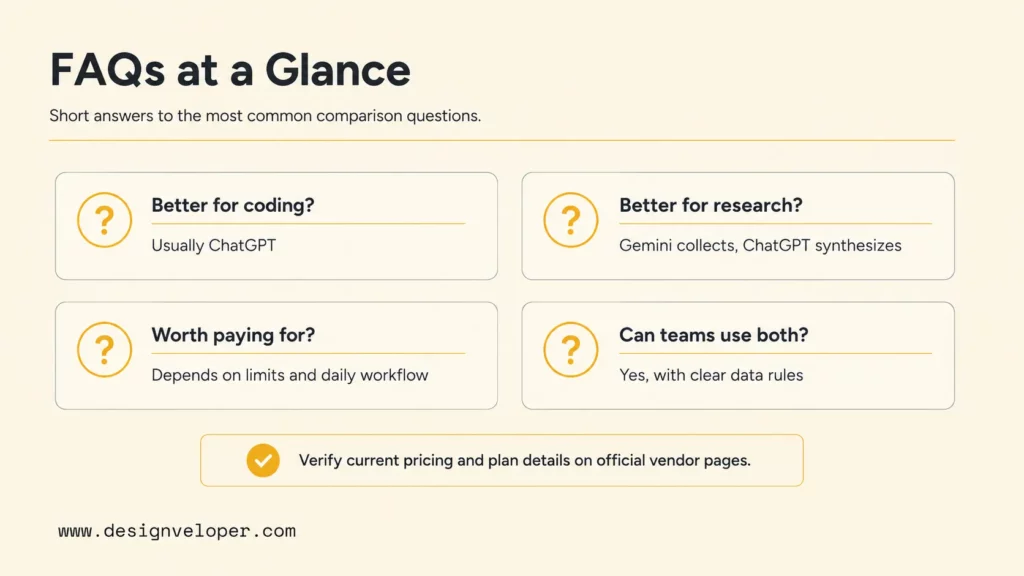
Gemini is better than ChatGPT when the task depends on Google Workspace, Google-connected productivity, long files, multimodal inputs, or research that starts inside the Google ecosystem. Gemini can feel more convenient for teams that already use Gmail, Docs, Drive, Sheets, Meet, Android, and Google Cloud. ChatGPT is usually better when the task needs stronger writing control, reasoning, coding help, custom assistant behavior, or polished deliverables.
Is ChatGPT Better Than Gemini For Coding?
ChatGPT is often better than Gemini for coding help, especially when the user needs debugging, step-by-step technical explanation, code review, test generation, or architecture discussion. Gemini can still be the better fit for Google Cloud, Android, Firebase, BigQuery, and Google AI workflows. Developers should compare the assistants on a real repository task, then judge tests passed, code clarity, hallucinated APIs, and review time.
Is Gemini Advanced Worth It Compared With ChatGPT Plus?
Gemini Advanced can be worth it compared with ChatGPT Plus if the user works heavily in Google products, needs Gemini’s multimodal and long-context strengths, or wants value from Google AI plan bundles. ChatGPT Plus can be worth it if the user values general reasoning, writing, coding support, file analysis, and a flexible assistant outside the Google ecosystem. Because pricing and limits change often, users should verify current plan details on official vendor pages before subscribing.
Which Is Better For Research, Gemini Or ChatGPT?
Gemini is often better for Google-connected research, long files, and multimodal source review. ChatGPT is often better for turning research into structured analysis, comparison tables, decision memos, and polished explanations. The safest research workflow is to use either assistant with traceable sources, ask for uncertainty, check dates, and verify important claims before using the output.
Can Businesses Use Gemini And ChatGPT Together?
Businesses can use Gemini and ChatGPT together, but they should define boundaries. Gemini may support Google Workspace productivity and document workflows. ChatGPT may support writing, coding, custom assistant setup, and structured analysis. Sensitive business workflows need data rules, account-level controls, human approval, and sometimes a custom AI system rather than personal assistant accounts.
Gemini vs ChatGPT should end with a workflow decision. ChatGPT is usually the stronger default for writing, reasoning, coding help, and flexible assistant behavior. Gemini is usually the stronger default for Google-native productivity, long files, multimodal input, and Workspace-connected tasks. Businesses that want reliable value should test both on real work, set data rules, and build custom AI workflows when a public assistant is not enough.
Also published on

Share post on










Related Articles


9 Best ChromaDB Alternatives for RAG and Vector Search In 2026
9 Best ChromaDB Alternatives for RAG and Vector Search In 2026 Published October 21, 2026
How To Build A RAG System: Step-By-Step (New Guide)
How To Build A RAG System: Step-By-Step (New Guide) Published October 19, 2026
8 Best AI Onboarding Tools For Faster Employee Ramp-Up In 2026
8 Best AI Onboarding Tools For Faster Employee Ramp-Up In 2026 Published October 19, 2026


















