
















Can ChatGPT Create an App? What It Can Build and What to Check

KEY TAKEAWAYS:
- Yes, ChatGPT can help create an app. It can turn a brief into code or a prototype, but a code sample is not proof of a working product.
- Choose the right starting point. A minimum viable product should test one user need before you add accounts, payments, or complex integrations.
- Separate the product modes. ChatGPT chat, a coding agent, an app for ChatGPT, and an app using the OpenAI API are different ways to build.
- Test before you trust the result. Run the code, check expected and failure cases, review dependencies, and keep secrets and sensitive data out of prompts.
- Keep a person responsible. Authentication, payments, personal data, compliance, uptime, and release decisions need accountable human review.
An app can look finished on screen while its data flow, failure handling, and release process remain untested. That gap makes the question “Can ChatGPT Create an App?” harder to answer than a screenshot suggests: a design, code sample, prototype, and supported product prove different things. Founders need to know what they can test themselves; development teams need to protect code and user data. A small browser-based task list makes the difference concrete and shows what to check before a prototype moves toward production.
Can ChatGPT Create an App?
Yes. ChatGPT can help plan an app, write or revise code, explain errors, and prepare test cases. Whether it can also edit project files, run commands, or publish anything depends on the product, connected tools, permissions, and plan you use.
A useful definition of “created” starts with evidence. A design mockup shows a possible interface. A prototype responds to a few inputs. A working app passes its agreed tests in the intended environment. A production app also has an owner for security, support, data, deployment, and future changes.
ChatGPT can move a project forward, but it does not remove those differences. Ask what the output proves before you treat it as complete: Did the code run? Were important cases tested? Is the data stored safely? Can someone maintain the app after launch?
Which Type of App Do You Mean?
“Create an app with ChatGPT” can describe several different products. The tool you choose changes what it can access and what still needs to be built.
| What you mean | What ChatGPT or the tool can do | What you still need to own |
|---|---|---|
| Use ChatGPT in a conversation | Draft requirements, suggest a design, generate example code, explain an error, or outline tests. | Move code into a project, run it, connect real services, and check that the result meets the requirements. |
| Use a coding agent with repository access | A configured agent such as Codex Cloud can work on coding tasks in an enabled environment. | Set access limits, inspect the changes, run relevant checks, and approve any merge or release. |
| Build an app for ChatGPT | The OpenAI Apps SDK quickstart shows how to build an experience that works inside ChatGPT. | Design the connected service and its data access. An app for ChatGPT is not automatically a standalone website or phone app. |
| Build your own app with the OpenAI API | Your software can send requests to an OpenAI model through the OpenAI API. | Build and operate the interface, server, user accounts, data controls, API-key handling, and release process. |
| Use a visual app builder | A no-code app builder can assemble screens and workflows through a visual editor; ChatGPT can help plan or explain the setup. | Check the builder’s platform limits, integrations, data model, export options, and no-code app builders before committing. |
These routes are not interchangeable. If the goal is a mobile product, compare the platform and mobile app development tools before asking ChatGPT to choose a stack. If the goal is to add a chat feature to your own product, you are planning an API integration, not asking ChatGPT to publish an app for you.
What App Work Can ChatGPT Help With?
ChatGPT is most useful when you give it a bounded task and a way to check its answer. It can support several parts of development, but each output needs a different kind of review.
- Turn an idea into a brief. Describe the user, the problem, and the one action the app should make easier. Ask for a short feature list, user flow, and acceptance criteria. Check that the proposed features fit the real user need.
- Draft code and project scaffolding. Ask for one screen, function, or API route at a time, with the language, framework, and existing project context. Then install dependencies, run the code, and review how it handles invalid or missing input.
- Explain unfamiliar code. Share a small, safe excerpt and ask what each part does or where an error may occur. Treat the explanation as a hypothesis until you compare it with the actual code and logs.
- Suggest tests and edge cases. Ask for checks around empty input, failed requests, duplicate actions, and permission boundaries. Run those checks yourself; a generated test list does not mean the app passed it.
- Improve documentation and handoffs. ChatGPT can draft setup notes, API descriptions, and release checklists. A teammate should confirm that each instruction matches the current repository and environment.
Developer Nation’s DN29 report says 42.7% of surveyed developers used AI chatbots to get answers to coding questions. The survey ran from November 2024 to January 2025. That figure is not a measure of ChatGPT-only use, code accuracy, or productivity gains.
Use the capability overview below as a map of possible assistance, not as evidence that any specific code has been run or approved.
For a deeper dive:
- What Is a Web Application (Web App)? Is It the Same as Website?
- How to Build an Application Like ChatGPT: A Full Guide
- MVP Development Cost: How Much Should You Budget?
Once you know which parts an AI tool can help with, the next question is where a person must verify the result.
Where Does Human Review Begin?
Human review begins wherever a wrong answer could harm users, expose data, lose money, or make the app hard to operate. A generated answer can be plausible and still miss a project requirement or an edge case.
- Check behavior. Run the app in the target environment and test normal, invalid, and failure inputs. Confirm the result against the acceptance criteria, not only the screen that looks finished.
- Protect data and credentials. Do not paste API keys, passwords, customer records, or other sensitive information into a prompt unless your organization’s policy allows that use. Store credentials outside client-side code and give connected tools only the access they need.
- Review integrations. Authentication, payments, notifications, maps, and business systems need correct access rules, error handling, and ownership. A sample API call does not prove that the live integration is safe or reliable.
- Plan the release. Before launch, assign an owner for deployment, backups, monitoring, support, and rollback. Security checks can reduce risk, but no single test can guarantee that an app is secure.
The NIST Secure Software Development Framework treats secure development as work across the software lifecycle. For an AI-assisted project, that means reviewing generated changes alongside the same code, dependency, and release controls used for other work.
Explore related decisions:
- MVP Examples: What Founders Can Learn From 10 Cases
- How to Choose a Web Development Company: Practical Guide
- 10 Best Prototyping Tools for UI, UX, and Product Design Teams

Those checks do not prevent you from experimenting. They help you keep a prototype small enough to learn from before you connect real users or data.
How to Build a Small App With ChatGPT
A good first build proves one useful action, not an entire business plan. The example here is a one-page task list that adds, completes, deletes, and saves tasks in the current browser.
It has no login, server, payment, or shared database. That boundary keeps the example easy to inspect and makes its limits clear.
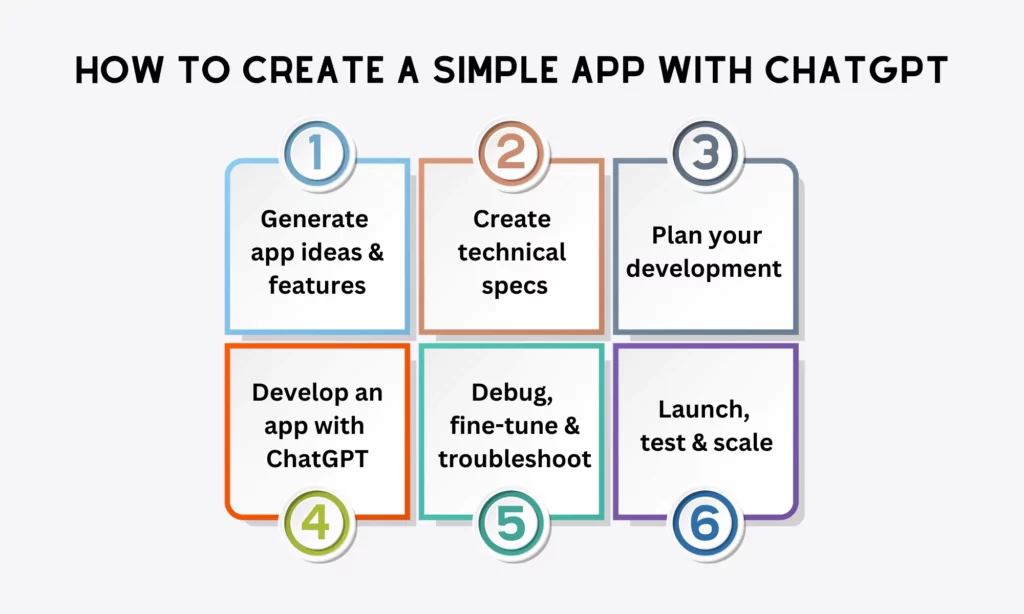
Use the existing prompt screenshots below as examples of how to describe an audience, requirements, plan, and code request. They illustrate prompts; the copyable task-list code is provided in text later in this section.
Step 1: Choose One User Task
Start with a person and a problem, not a long feature list. For this example, a student wants to record a short task, mark it complete, and find it again after refreshing the page.
Write down what success looks like before generating code:
- A user can add a task with a short label.
- A user can mark a task done and undo that action.
- A user can delete a task.
- Tasks remain in the same browser after a refresh when local storage is available.
If you are still choosing a direction for a mobile product, browse these mobile app ideas as prompts for user research, not as proof that an idea has market demand.
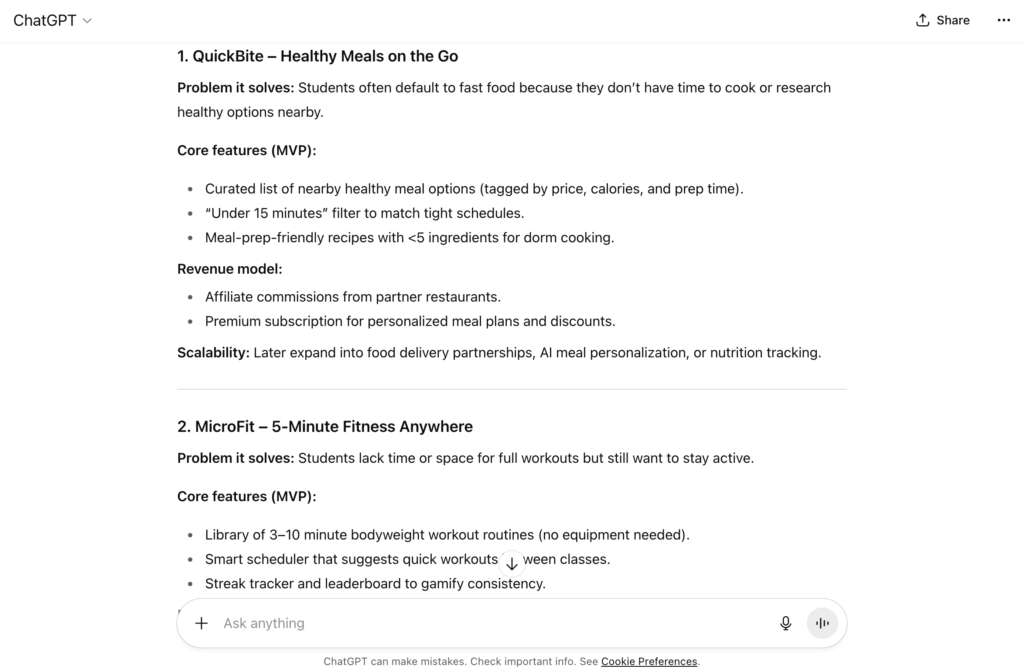
Keep the feature list short enough that you can check every item yourself.
Step 2: Write Requirements You Can Check
Ask ChatGPT to turn the chosen task into acceptance criteria. Replace broad requests such as “make it polished” with actions that someone can observe.
For the task list, define a clear response for each action: reject blank labels, show completed tasks differently, and remove deleted tasks. Then check that reloading restores saved tasks when browser storage is available.
You can ask for a concise technical brief with this prompt:
Describe a one-page task-list prototype for a beginner.
List the user, the problem, the four acceptance criteria, and the limits.
Use plain HTML, CSS, and JavaScript with no framework or external service.
Do not add login, payments, analytics, or a server.
Call out any behavior that must be tested in a browser.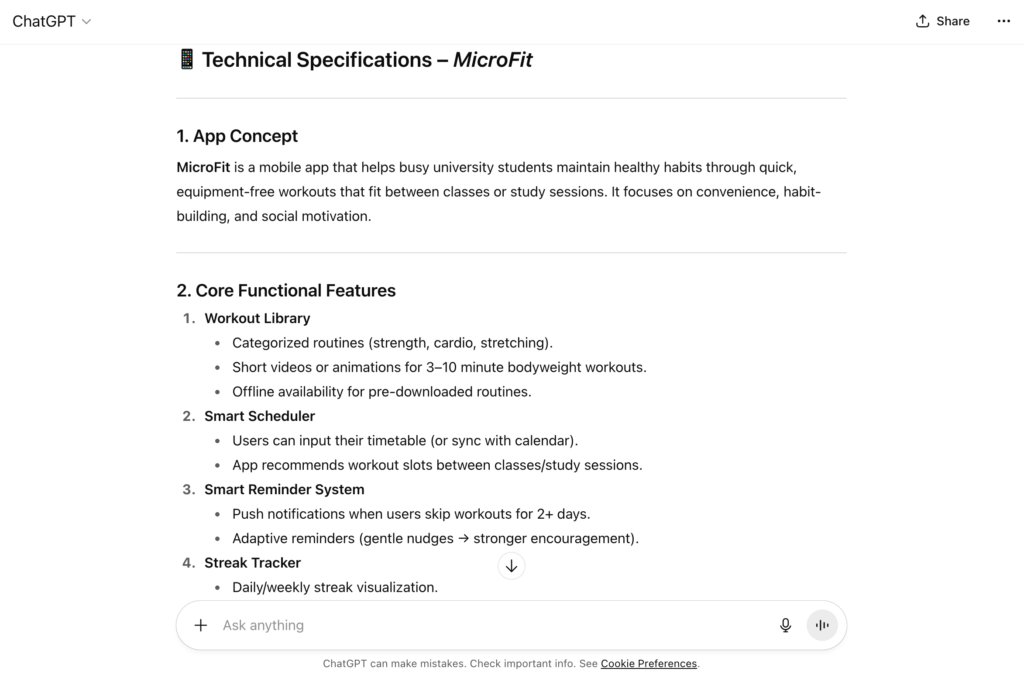
Read the brief before asking for implementation. Remove features that do not help test the first user task.
Step 3: Request a Small Build Plan
Ask for the smallest sequence of changes that can meet the criteria. A simple browser demo needs one file, a form, a list, and browser storage; it does not need a mobile framework or a cloud database.
Request the file names, setup steps, how to run the app, and what each test should show. Ask ChatGPT to state its assumptions and list what the prototype does not cover.
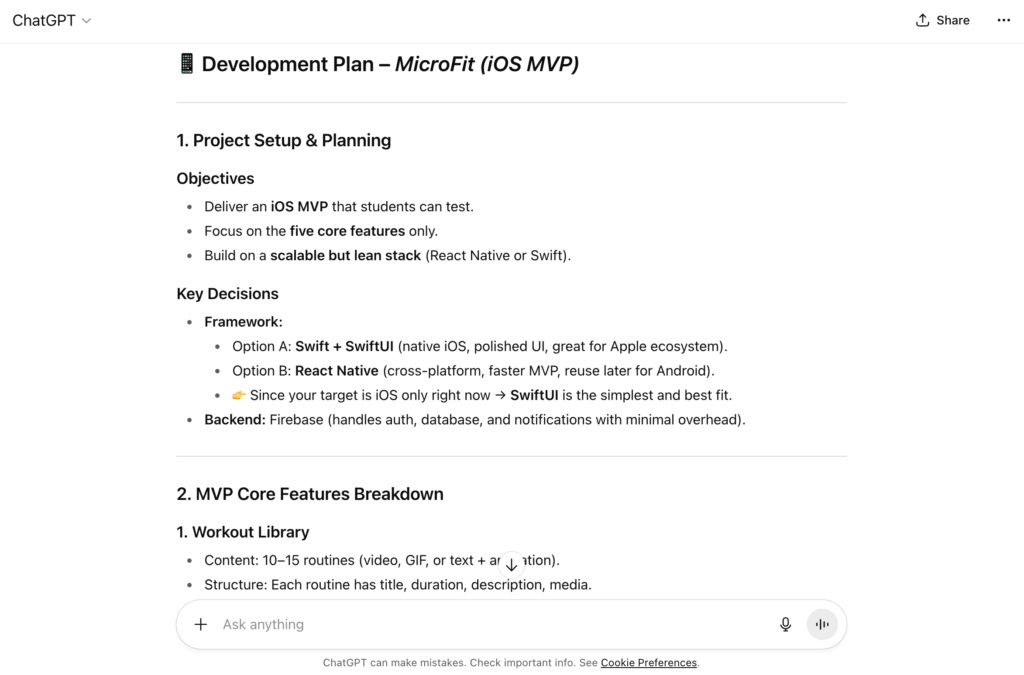
Do not accept a technology recommendation just because it sounds advanced. For a browser-only test, fewer dependencies make it easier to inspect what the code does.
Step 4: Generate the Code in Reviewable Pieces
Ask for one complete file and the exact steps to run it. If ChatGPT returns several files, request a file tree and ask it to label each code block with the matching file name.
For this demo, the prompt can be narrow: “Create a single-file task list using HTML, CSS, and plain JavaScript. Meet the four acceptance criteria above, validate empty input, and use browser local storage. Do not use a server, library, or external API. Explain the limits after the code.”
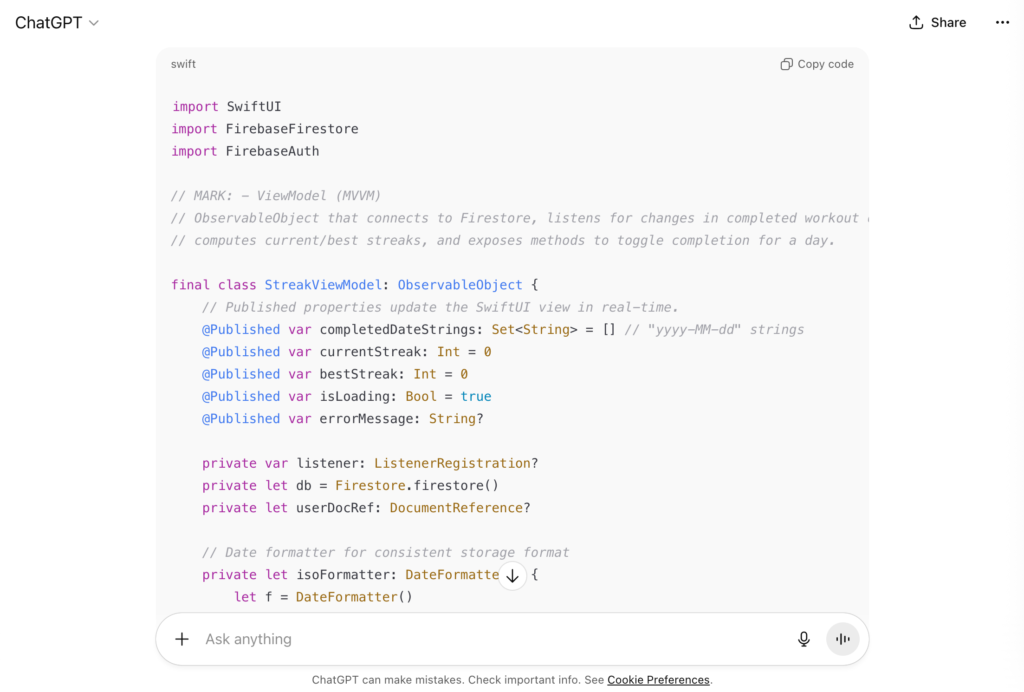
The prompt image is a visual example, not code you can run. The complete text below keeps the prototype inspectable and avoids the old problem of hiding code in a screenshot.
<!doctype html>
<html lang="en">
<head>
  <meta charset="utf-8">
  <meta name="viewport" content="width=device-width, initial-scale=1">
  <title>Task List Prototype</title>
  <style>
    body { font: 16px/1.5 system-ui, sans-serif; max-width: 38rem; margin: 3rem auto; padding: 0 1rem; }
    form, li { display: flex; gap: .75rem; align-items: center; }
    input { flex: 1; min-width: 0; padding: .6rem; }
    button { padding: .55rem .8rem; }
    li { margin: .75rem 0; }
    .task-text { flex: 1; overflow-wrap: anywhere; }
    .done { color: #53636f; text-decoration: line-through; }
  </style>
</head>
<body>
  <main>
    <h2>Quick Tasks</h2>
    <form id="task-form">
      <label for="task-input">New task</label>
      <input id="task-input" maxlength="120" required>
      <button type="submit">Add</button>
    </form>
    <p id="status" role="status"></p>
    <ul id="tasks"></ul>
  </main>
  <script>
    "use strict";
    const storageKey = "task-list-prototype-v1";
    const form = document.querySelector("#task-form");
    const input = document.querySelector("#task-input");
    const list = document.querySelector("#tasks");
    const status = document.querySelector("#status");
    let tasks = [];
    let storageReady = true;

    try {
      const raw = localStorage.getItem(storageKey);
      const saved = raw ? JSON.parse(raw) : [];
      if (Array.isArray(saved)) {
        tasks = saved.filter(task =>
          task && typeof task.text === "string" && typeof task.done === "boolean"
        );
      }
    } catch (error) {
      storageReady = false;
    }

    function saveTasks() {
      try {
        localStorage.setItem(storageKey, JSON.stringify(tasks));
        storageReady = true;
      } catch (error) {
        storageReady = false;
      }
    }

    function renderTasks() {
      list.replaceChildren();
      tasks.forEach((task, index) => {
        const item = document.createElement("li");
        const label = document.createElement("span");
        label.className = task.done ? "task-text done" : "task-text";
        label.textContent = task.text;

        const toggle = document.createElement("button");
        toggle.type = "button";
        toggle.textContent = task.done ? "Undo" : "Done";
        toggle.addEventListener("click", () => {
          tasks[index].done = !tasks[index].done;
          saveTasks();
          renderTasks();
        });

        const remove = document.createElement("button");
        remove.type = "button";
        remove.textContent = "Delete";
        remove.addEventListener("click", () => {
          tasks.splice(index, 1);
          saveTasks();
          renderTasks();
        });

        item.append(label, toggle, remove);
        list.append(item);
      });

      status.textContent = storageReady
        ? (tasks.length ? "Saved in this browser." : "Add a task to get started.")
        : "Browser storage is unavailable; tasks may not persist.";
    }

    form.addEventListener("submit", event => {
      event.preventDefault();
      const text = input.value.trim();
      if (!text) {
        status.textContent = "Enter a task before adding it.";
        return;
      }
      tasks.push({ text, done: false });
      saveTasks();
      form.reset();
      input.focus();
      renderTasks();
    });

    renderTasks();
  </script>
</body>
</html>
Save the text as index.html and open it in a browser. If local storage is blocked for a file URL, serve the folder on localhost with python3 -m http.server 8000, then open http://localhost:8000. This demo uses browser storage only; it has no login, sync, backup, server, or protection for sensitive data.
Step 5: Run the Acceptance Checks
Do not stop when the page loads. Check each promised behavior and one failure case:
- Add “Review the prototype” and confirm it appears once.
- Submit an empty or whitespace-only value and confirm no blank task is added.
- Mark a task done, undo it, then delete it.
- Refresh the page and check whether the remaining task is restored in the same browser.
- Try a long label and confirm it stays readable without breaking the page.
If a check fails, copy the exact error and the smallest relevant code section into ChatGPT. Ask it to explain the cause, propose a minimal change, and name a regression test. Remove credentials and personal data from logs before sharing them.
Step 6: Record What the Prototype Does Not Prove
This task list shows that a small browser interaction can work; it does not prove that a multi-user app is ready. Before expanding it, decide whether the next version needs accounts, shared data, server storage, permissions, an API, or a mobile release.
Keep a short handoff note with the accepted behavior, test results, known gaps, and next owner. That note makes it easier for a developer to review the prototype without assuming that every generated line is correct.
How Developers Can Use ChatGPT in a Real Project
In an existing project, use ChatGPT as a controlled contributor to a workflow that already has versioning and tests. The goal is to make changes easier to review, not to let an assistant bypass the team’s normal checks.
- Start with a clean task. State the user need, the files or component in scope, the acceptance criteria, and what must not change. Ask the tool to explain its plan before a high-impact edit.
- Work in an isolated branch or workspace. Keep a recoverable copy of the code and limit repository, terminal, and network access to what the task needs.
- Review the diff. Check changed files, new dependencies, data flows, error handling, and permission changes. Ask for an explanation of unfamiliar code, then verify it independently.
- Run the project checks. Use relevant unit, integration, and end-to-end tests, plus dependency or security checks where appropriate. A passing test suite covers only the cases it contains.
- Require approval for consequential actions. Keep a person in control of merging, production deployment, payments, external commitments, and sensitive data transfers.
If the project uses a framework, have ChatGPT follow the repository’s current conventions rather than generating a new architecture from scratch. A team moving beyond a one-file demo can compare frontend frameworks against its platform, skills, and maintenance needs.
When Can You Build It Yourself, and When Do You Need a Developer?
Choose the level of help by the impact of failure, the data involved, and who will support the app after launch.
- Build a prototype yourself when it handles a low-risk task, uses sample data, and does not need accounts, payments, private records, or a production promise. Use it to test whether users understand and complete the core action.
- Ask a developer to review it when the app stores data, connects to another service, sends notifications, needs account access, or must work across several devices. These choices affect architecture and security, not just the screen.
- Bring in an experienced team when the product handles health, financial, or other sensitive data; processes payments; must meet contractual or regulatory rules; or needs uptime, monitoring, and ongoing support.
Set a decision rule before you test a prototype. For example, name the task-completion measure, who will observe it, when results will be reviewed, and what outcome would justify the next build step. If the app itself uses AI, include model, data, and evaluation costs in the plan; see this guide to AI app development cost for that separate budgeting question.
FAQs About Creating an App With ChatGPT
Can ChatGPT create a complete app without coding knowledge?
It can help a beginner make a small prototype, especially with a visual app builder or a simple browser example. A product with accounts, shared data, payments, or ongoing support still needs technical setup and review. Start with one low-risk task and ask a developer to check anything that handles real user data.
Which programming language should you use with ChatGPT?
There is no single language that is best for every app. Choose based on the platform, the tools your team can maintain, and the libraries the project needs. Ask ChatGPT to explain a small example in that stack, then run it and compare the result with the framework’s current documentation.
Is ChatGPT suitable for an enterprise app?
ChatGPT can assist with planning and coding, but it should not own enterprise access, compliance, or release decisions. Before using generated code, review data handling, permissions, audit needs, integrations, testing, monitoring, and support ownership. Keep people accountable for approvals and production changes.
Use ChatGPT to Start the App, Not to Skip Its Owners
ChatGPT can help turn a clear app brief into code and a prototype. The reliable path is to keep the first task narrow, run the result against acceptance criteria, and add a developer review before the app handles real users, data, or money.
If a prototype is becoming a product with integrations, account controls, or ongoing support needs, involve a team that can own the full build and release path. Designveloper’s software development services are one option for scoping that work without treating generated code as a finished product.
Also published on

Share post on










Related Articles


AI Agent Case Studies: 10 Real-World Examples Across Industries
AI Agent Case Studies: 10 Real-World Examples Across Industries Published October 21, 2026
How Will AI Affect Software Development? Complete Guide In 2026
How Will AI Affect Software Development? Complete Guide In 2026 Published October 21, 2026
How To Build A RAG System: Step-By-Step (New Guide)
How To Build A RAG System: Step-By-Step (New Guide) Published October 19, 2026


















