
















10 Best Mobile App Development Tools: Choose Your Stack In 2026

KEY TAKEAWAYS:
- The best mobile app development tools should be chosen by workflow, including platform target, app type, team skill, backend needs, testing depth, release process, and long-term ownership.
- Native, cross-platform, backend, design, testing, and automation tools solve different jobs, so a production toolchain usually combines several tools rather than choosing one winner.
- Early tool selection should prove the riskiest path first, such as payments, offline sync, device APIs, store release, performance, security, accessibility, or enterprise integration.
- AI and automation can speed up coding and QA, but generated code still needs human review, tests, secret handling, dependency checks, and real-device validation.
- No-code builders serve a different path: confirm whether the result is a store-published native app or a web app, and test data ownership, offline use, and ongoing costs before committing.
A mobile app can look convincing in a prototype yet fail when it meets real devices, store rules, offline use, or an existing backend. Choosing mobile app development tools therefore means matching each part of the delivery process to the product’s hardest requirement, not picking a single winner from a list. An iOS-first camera app, a two-platform commerce product, and an internal operations pilot will need different combinations. This guide maps ten developer-led tools to their actual jobs, shows how to assemble a workable stack, and explains when a no-code builder is the more sensible starting point.
Recommended for you:
- 7 Stages of Mobile App Development Process
- How Much Does It Cost to Build an App? Breakdown
- How To Build An App For Your Business In 10 Steps?
What Is App Development?
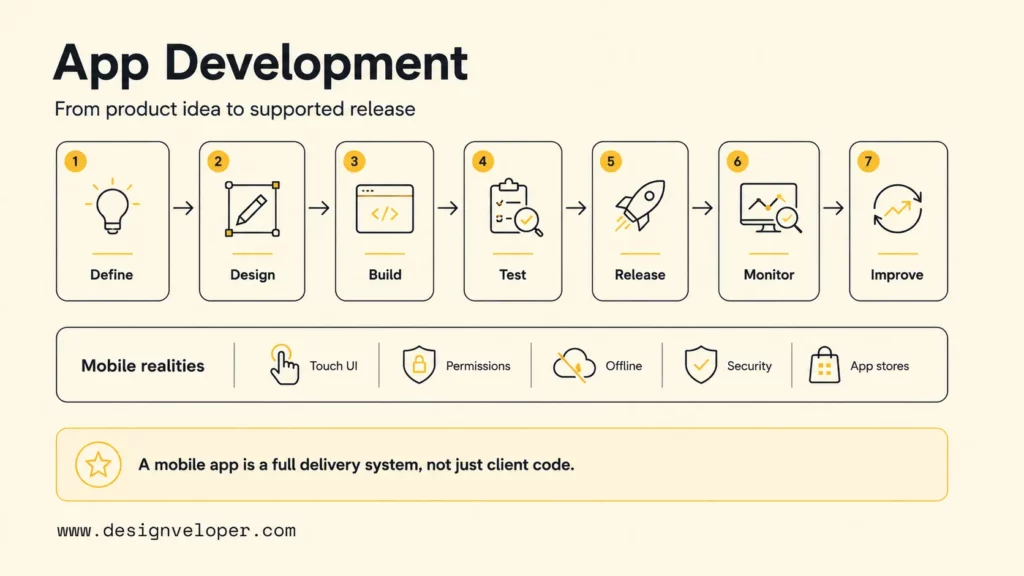
Software development for apps is the full process of defining, designing, building, testing, releasing, monitoring, and improving software for users. Mobile app development focuses on operating systems such as iOS and Android and must address touch interfaces, small screens, device permissions, unreliable networks, battery use, local storage, platform security, and app-store distribution.
A mobile application is rarely only client code. A typical product combines an iOS or Android client, backend APIs, identity, database, file storage, notifications, analytics, crash reporting, admin operations, automated tests, CI/CD, and support procedures. Payments, maps, camera access, offline sync, chat, AI features, or enterprise integrations add further services and failure modes.
The lifecycle starts with a measurable user problem and a narrowly defined first release. Teams map the journey, prototype it, select architecture and tools, implement in small increments, test on real devices, release to a controlled audience, and learn from behavior and production signals. The Designveloper mobile app development overview explains how app types, platform strategy, architecture, cost, and maintenance fit together.
A tool is useful only within that lifecycle. An IDE can compile code but cannot validate product demand. A prototype can expose usability problems but cannot prove backend reliability. Crash reporting can identify failures after launch but cannot replace pre-release testing. Mature delivery connects the tools with shared requirements, version control, acceptance criteria, environments, and accountable owners.
Further reading:
- Which Programming Language Is Best for App Development?
- Android App Development: From Idea To Play Store Launch
- iOS App Development: 10 Essential Tools for Every Developer
Types Of Mobile App Development Tools
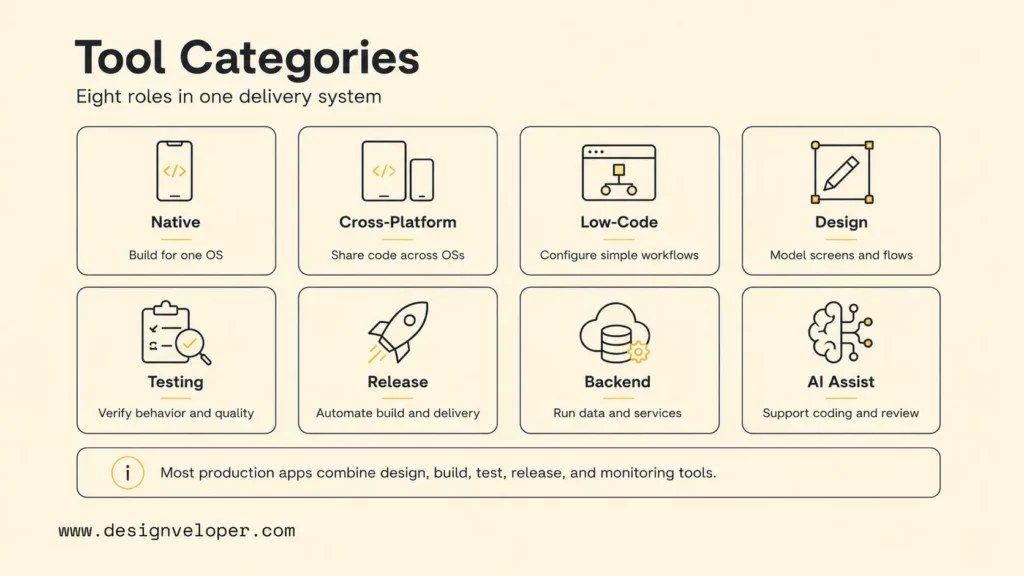
Mobile development tools fall into eight practical categories. Most production applications use at least one tool from design, client development, backend, testing, release, and monitoring. The exact combination depends on whether the product is native, cross-platform, low-code, or a hybrid of approaches.
| Category | What it does | Examples | Key question |
|---|---|---|---|
| Native development tools | Build directly for one operating system | Xcode, Android Studio | Does the app need deep platform access or highly native UX? |
| Cross-platform frameworks | Share UI and logic across operating systems | Flutter, React Native, .NET MAUI | How much code is truly shareable after native integrations? |
| Low-code and no-code builders | Assemble workflows with visual configuration | Platform-specific commercial builders | Can the platform meet security, export, scale, and integration needs? |
| UI/UX design and prototyping | Model flows, screens, components, and interaction | Figma | Has the hardest user journey been tested before engineering? |
| Testing and debugging | Verify code, APIs, UI flows, devices, and failures | Jest, Maestro, native test frameworks | Which risks require unit, integration, UI, security, and real-device tests? |
| CI/CD and release automation | Build, sign, test, and distribute repeatably | fastlane plus CI services | Can a release be reproduced without one person remembering manual steps? |
| Backend, database, and analytics | Run server logic, data, identity, events, and monitoring | Firebase and custom cloud stacks | Who owns access control, privacy, portability, reliability, and cost? |
| AI-assisted development | Suggest, explain, generate, and review code or prototypes | IDE assistants and AI builders | How will generated output be understood, tested, and governed? |
Native tools maximize direct access to platform SDKs and normally make new operating-system capabilities available first. Cross-platform frameworks optimize shared delivery but still require Apple and Android build systems. Low-code tools can validate simple workflows quickly, but teams should test exportability, authentication, data controls, custom logic, and pricing at realistic usage.
Supporting tools are not secondary. A design system prevents inconsistent interfaces. Automated tests protect critical behavior. CI/CD creates repeatable releases. Monitoring reveals crashes and regressions. Backend tooling controls the data and business rules that mobile clients cannot safely enforce. A toolchain review should therefore cover the whole lifecycle instead of choosing only a framework.
For cross-platform work, compare the specific UI, plugin, and native release requirements before picking a shared-code framework; an ecommerce checkout may expose constraints that a simple internal form never will.
10 Best Mobile App Development Tools By Use Case
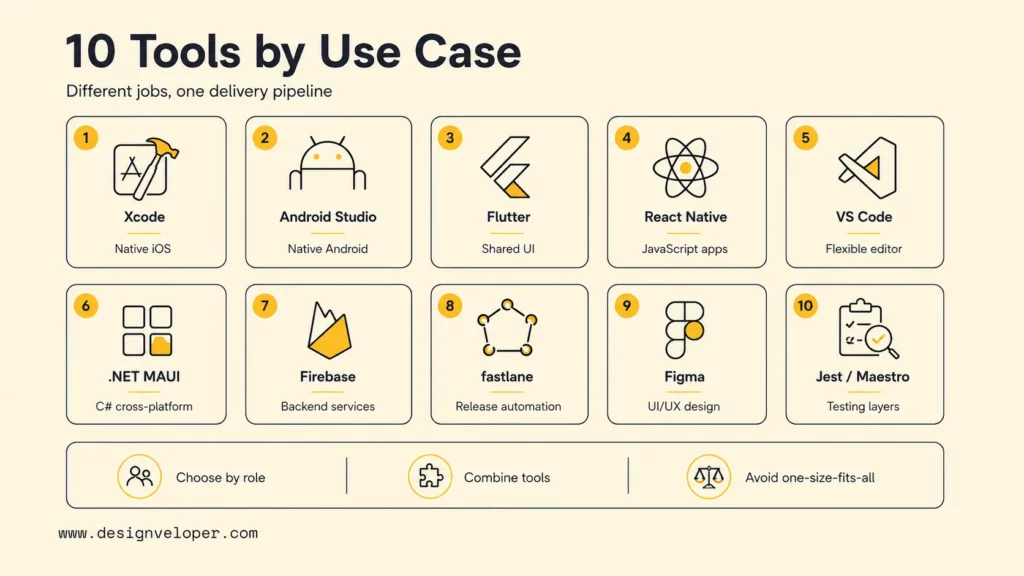
The ten selections below represent different jobs in a mobile delivery pipeline. The right shortlist may include six or more of them, because Xcode, Figma, Firebase, Maestro, and fastlane do not compete for the same role.
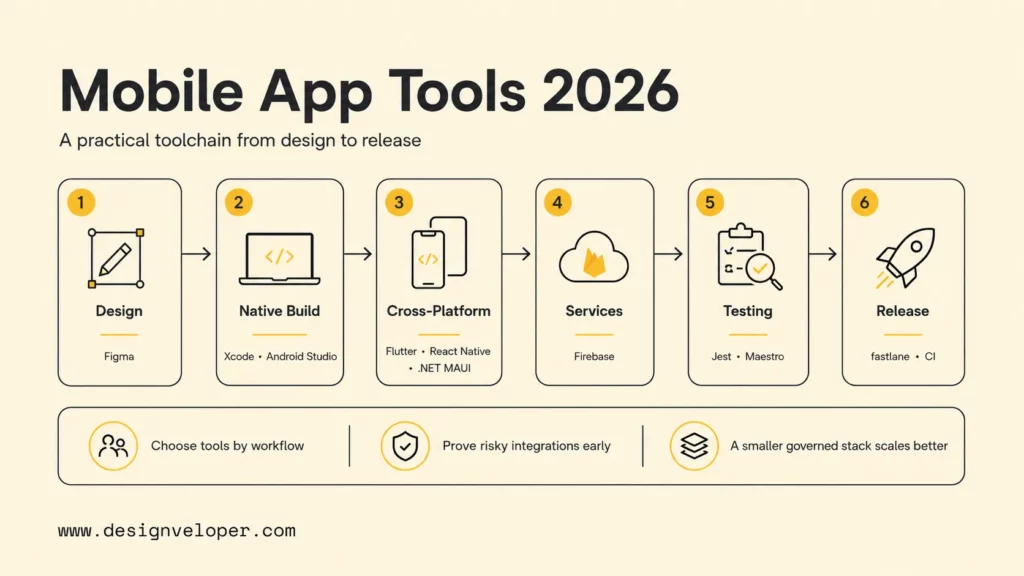
Mobile app toolchain map
Figma
Xcode / Android Studio
Flutter / React Native / MAUI
Firebase / APIs
Jest / Maestro
fastlane / CI
Production feedback flows back into design and development through analytics, crash reports, support requests, and user research.
Explore more:
- 15 Best AI Coding Assistant Tools For Developers
- Top 10 AI Code Review Tools And Best Practices For Implementation
- AI In Software Development: Changing How Software Gets Built
Xcode For Native iOS App Development
Apple Xcode documentation describes Xcode as the integrated environment for building, testing, optimizing, and submitting software for Apple platforms. Xcode includes a source editor, debugger, simulators, previews, profiling tools, signing support, and the archive workflow used for App Store delivery. Swift with SwiftUI or UIKit is the common native path.
Choose Xcode when the product is iOS-first, relies on Apple frameworks, needs precise platform behavior, or must adopt new Apple capabilities quickly. Cross-platform iOS projects also depend on Xcode for native configuration, simulators, certificates, provisioning, archives, and release diagnosis. The strongest limitation is platform scope: Xcode is for Apple’s ecosystem and requires macOS.
A useful proof of concept should exercise the hardest entitlement, device capability, background behavior, payment, or SDK integration on a physical iPhone. Confirm accessibility, signing ownership, supported iOS versions, TestFlight, and App Review requirements before estimating the release.
Android Studio For Native Android App Development
Android Studio is Google’s official Android IDE. It combines the IntelliJ-based editor with Gradle builds, emulators, device tooling, profilers, layout support, testing frameworks, lint checks, templates, and Android-specific debugging. Kotlin with Jetpack Compose is a common modern route, while Java and XML layouts remain in established projects.
Choose Android Studio for native Android apps, deep Android API integration, demanding performance, broad device support, or products that need Android-specific experiences. Flutter and React Native teams also use Android Studio for SDK installation, emulators, Gradle configuration, native modules, profiling, and release builds.
Android fragmentation makes the test plan important. Define minimum and target API levels, screen sizes, device classes, memory constraints, network conditions, permissions, background restrictions, and vendor-specific behavior. Use emulators for breadth and physical devices for critical workflows. Google’s core app quality guidelines provide a practical production baseline.
Flutter For Cross-Platform App Development
Flutter is a Dart-based cross-platform UI toolkit. The official Flutter architectural overview explains that Flutter shares code across iOS, Android, web, and desktop while still interfacing with underlying platform services. Its widget model, rendering approach, hot reload, and cohesive tooling make it attractive for visually consistent products.
Flutter fits MVPs, ecommerce, booking, education, marketplaces, and operational apps that need coordinated iOS and Android releases. Teams can share UI, state, validation, and domain logic, then use plugins or platform channels for native capabilities. A custom design system can be implemented consistently across platforms.
Validate plugin maintenance, startup and runtime performance, binary size, accessibility, platform conventions, and the effort for native integrations. iOS still requires Xcode and Apple release work; Android still requires the Android toolchain. Shared code reduces some duplication but does not remove platform QA or store ownership.
React Native For JavaScript-Based Mobile Apps
React Native uses React and JavaScript or TypeScript to create applications whose core primitives render to native platform UI. The current official guidance recommends using a framework such as Expo for many new applications while preserving access to libraries, SDKs, and custom native code when needed.
React Native is a strong candidate when a team already knows React, TypeScript, component architecture, and JavaScript testing. It suits content, commerce, booking, community, and internal products with shared iOS and Android roadmaps. Teams already using React for web products can reuse component thinking, though mobile behavior still needs its own testing. TypeScript helps large projects maintain API contracts and refactor safely.
Before choosing React Native, inventory payments, maps, camera, authentication, notifications, analytics, and vendor SDKs. Confirm package health, native-module requirements, upgrade strategy, and who can debug Swift, Objective-C, Kotlin, Java, Xcode, and Gradle when abstractions leak. Framework expertise must include native release capability.
Visual Studio Code For Lightweight Mobile App Coding
Visual Studio Code is a free, extensible editor for Windows, macOS, and Linux. The open-source Code – OSS repository uses the MIT license, while Microsoft’s VS Code distribution follows separate Microsoft license terms. Teams use it for Flutter, React Native, TypeScript, Dart, backend APIs, infrastructure files, and test automation.
VS Code fits teams that want a fast, customizable editor rather than a full platform IDE for every coding task. Extensions provide language servers, formatters, debuggers, test explorers, emulators, and framework commands. Workspace settings and recommended extensions can keep team behavior consistent.
VS Code does not replace Xcode or Android Studio for every native responsibility. Mobile teams still need platform SDKs, signing, simulators or emulators, profilers, store builds, and native configuration. Reproducibility also depends on a governed software development lifecycle. Limit extension sprawl: approve publishers, pin critical tooling when needed, review permissions, and avoid making a developer’s personal setup the only reproducible build environment.
.NET MAUI For C# Cross-Platform Apps
Microsoft .NET MAUI documentation defines .NET MAUI as a C# and XAML framework for native mobile and desktop applications across Android, iOS, macOS, and Windows from a shared codebase. It offers shared controls and APIs while allowing platform-specific code when necessary.
.NET MAUI fits Microsoft-centered organizations building enterprise portals, field operations, inventory, workforce, and line-of-business apps. Teams may reuse C# skills, .NET libraries, business rules, networking, validation, tests, and established identity or cloud practices. The single-project model can simplify multi-target organization.
Validate target operating-system support, package availability, device SDKs, accessibility, performance, and the team’s Mac capacity for iOS. A shared .NET codebase does not guarantee every UI or integration is shared. The business case is strongest when C# is already strategic and long-term mobile ownership is clear.
Firebase For Backend, Analytics, And Crash Reporting
Firebase documentation covers services for application backends, authentication, data, messaging, analytics, testing, and releases. Firebase can help a small team establish common mobile capabilities without building every service from scratch. It is particularly useful for prototypes and products that align with its managed service model.
Firebase Crashlytics supports Apple, Android, Flutter, and Unity crash reporting. It groups related failures, surfaces severity and prevalence, and can integrate error events with Google Analytics. Crash reporting should be configured with symbol files, release identifiers, privacy choices, alerts, and incident ownership so a stack trace becomes an actionable production signal.
Firebase is not a substitute for backend architecture. Review data location, access rules, authentication, server-side authorization, query patterns, quotas, cost growth, export, retention, vendor dependency, and regulatory requirements. Use the emulator suite and separate environments where appropriate. Keep sensitive business rules on trusted server infrastructure rather than relying on the mobile client.
Fastlane For App Store Release Automation
fastlane documentation describes an open-source tool for automating iOS and Android beta deployments and releases. A Fastfile defines lanes for activities such as incrementing builds, running tests, creating screenshots, building packages, uploading to TestFlight, or sending store releases.
fastlane is useful when manual signing, metadata, screenshots, and uploads consume time or produce inconsistent releases. It can run locally or inside CI and connect platform tasks to GitHub Actions, GitLab CI, Jenkins, CircleCI, or another build service. Version the Gemfile, lock dependencies, review plugins, and make release lanes auditable.
Release automation handles credentials and signing assets, so secrets must be protected with least privilege, secure storage, rotation, and restricted CI logs. Automation should enforce tests and approvals rather than bypass them. A failed upload needs clear retry behavior, and production release should remain traceable to reviewed source and an immutable build artifact.
Figma For Mobile App UI/UX Design
Figma prototyping guidance shows how teams create interactive flows, preview user journeys, share ideas, collect feedback, and test interactions. Mobile teams can define frames, components, variables, design-system rules, and prototypes before engineering invests in full implementation.
Figma works best when files represent real behavior rather than a gallery of ideal screens. Prototype onboarding, login, permission denial, checkout, loading, empty states, errors, offline recovery, cancellation, and support. Preview on representative physical devices and test with target users. Our guide on mobile app design process explains how research, flows, wireframes, prototypes, and iteration reduce downstream risk.
Design handoff needs more than measurements. Document component states, accessibility, content rules, responsive behavior, data limits, navigation, animation intent, and acceptance criteria. Connect design-system tokens with implementation where practical, but verify the built app rather than assuming visual parity from generated specifications.
Jest And Maestro For Different Testing Layers
Jest is a JavaScript testing framework suited to unit and integration tests for functions, state, validation, API clients, and React Native logic. Fast tests protect behavior close to the code and give developers feedback on every change. Mocks help isolate dependencies, but excessive mocking can hide integration defects.
Maestro CLI is an end-to-end mobile and web UI testing framework that defines user journeys as declarative YAML flows and runs them against emulators, simulators, or devices. Maestro tests behavior through the UI layer, making it useful for login, booking, checkout, permission, and other critical journeys across native and cross-platform apps.
Jest and Maestro solve different problems and can be used together. Unit tests should be numerous and fast; end-to-end tests should focus on a smaller set of high-value journeys. Add API contract tests, native platform tests, accessibility checks, security testing, performance measurement, and exploratory real-device QA according to risk. Flaky tests should be diagnosed, not silently retried forever.
How To Choose The Right Mobile App Development Tool
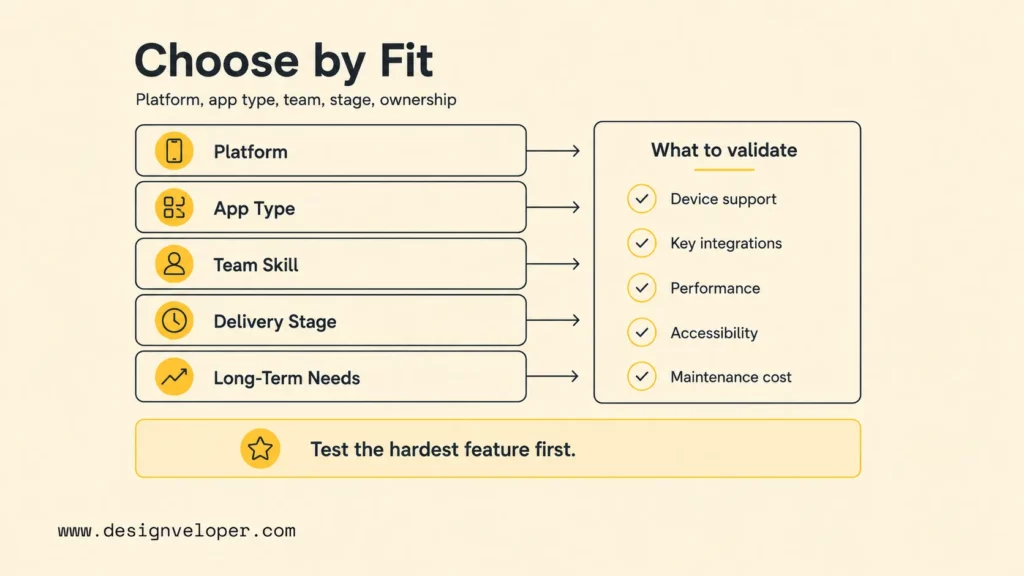
Choose the toolchain by platform, product workflow, team capability, delivery stage, and long-term operating needs. Start with non-negotiable requirements, then run a proof of concept for the hardest feature. Avoid selecting a framework because it is popular or because one developer used it successfully on a simpler app.
| Decision factor | Questions | Evidence |
|---|---|---|
| Platform | iOS, Android, both, tablet, desktop, or web? | Supported versions and a representative device matrix. |
| App type | Commerce, booking, marketplace, SaaS, enterprise, internal, device-connected, or AI-enabled? | Prototype of primary journey and integration inventory. |
| Team skill | Swift, Kotlin, JavaScript, Dart, C#, backend, QA, DevOps? | Named owners for code, native debugging, stores, and incidents. |
| Delivery stage | Design, build, test, deploy, monitor, or scale? | Tool purpose mapped to a measurable gate. |
| Long-term needs | Performance, security, offline, integrations, maintenance, and ownership? | Five-year dependency, cost, upgrade, and support plan. |
Score every candidate against must-have capabilities, not a broad feature list. Test the payment SDK, offline conflict, Bluetooth device, video pipeline, enterprise login, background job, or AI inference path that creates the most uncertainty. Measure build time, startup, UI responsiveness, accessibility, package maintenance, debugging effort, and platform-specific code.
Calculate total ownership cost. Include licenses, cloud usage, CI minutes, devices, app-store accounts, specialist hiring, onboarding, native work, QA, security review, observability, upgrades, support, and migration risk. A free framework can create expensive maintenance; a paid service can be economical if it removes reliable undifferentiated work without unacceptable lock-in.
Three starting combinations show how the same shortlist changes with the work:
- iOS-first product with demanding camera behavior: prototype the device feature in Xcode on a physical iPhone. Use Figma to test permission and recovery flows; add a backend only when the data model calls for one. Automate critical UI journeys with Maestro and use fastlane when manual releases become a bottleneck. Check signing and App Review early.
- React/TypeScript team shipping to iOS and Android: test the hardest native SDK in React Native before assuming code sharing will pay off. Use Xcode and Android Studio for platform builds and debugging, Jest for application logic, and Maestro for checkout or login across devices. Compare native integration effort against a Flutter proof of concept if the UI has unusual demands.
- Internal operations pilot: prototype the workflow in Figma, then trial a no-code builder if the data and access requirements are modest. Validate a real user’s offline, login, and export journey before paying for a plan or promising a store app. Move to a coded client when device access or control over the backend becomes a hard requirement.
These are starting points, not fixed recipes. Name an owner for platform accounts, customer data, test coverage, incidents, and upgrades before the first release.
AI And Automation In Mobile App Development Tools
AI coding assistants can accelerate code explanation, scaffolding, tests, refactoring, documentation, and routine debugging. Current Xcode and VS Code documentation includes coding intelligence or AI-assisted workflows, while Android Studio offers Gemini integrations in supported versions. The useful outcome is shorter feedback time, not unsupervised code volume.
AI app builders can create prototypes, forms, internal apps, and simple workflows quickly. They are valuable for testing product demand when the platform can support required data, identity, integration, and export controls. Complex consumer or enterprise apps still need architecture, platform review, security, accessibility, performance, backend authorization, store compliance, and maintenance planning.
If you need a no-code mobile builder:
A no-code builder is a separate purchasing decision from the ten developer-led tools above. For a store-distributed app, trial FlutterFlow’s App Store deployment path or Adalo’s iOS publishing process with your own Apple account. The existence of a publishing guide is not proof that your needed integrations, offline workflows, or plan tier will work. For a web-first internal pilot, compare the builder’s actual output and browser behavior before calling it a native mobile app.
- Build and publish: identify whether the output is a native package, a wrapped web app, or a PWA; check store account ownership, signing, review steps, and update rights.
- Own and protect data: test user roles, server-side access, data export, retention, and what happens if the vendor changes its plans.
- Test the hard path: use a real device to try offline edits, notifications, payments, or camera access if the product depends on them. Estimate plan cost at expected users and data volume using current vendor terms.
For a broader comparison of visual builders, see Best No-Code App Builders. Keep the builder path distinct from AI coding assistants: generated screens are not a substitute for tested distribution, authorization, and support.
Treat generated code as an untrusted contribution. Require human review, automated tests, dependency and license checks, secret scanning, static analysis, threat modeling, and real-device verification. Never paste production secrets, private customer data, or proprietary code into an AI service without an approved data policy and configuration.
- Use AI for bounded tasks: generate a test case, explain a crash, suggest a refactor, or draft a migration plan.
- Keep acceptance criteria explicit: functionality, security, accessibility, performance, and style must be testable.
- Verify current APIs: generated examples can use deprecated methods, imaginary packages, or insecure defaults.
- Preserve accountability: a named engineer approves the change and owns its production behavior.
Automation should extend beyond coding. CI can build every change, run unit and UI tests, scan dependencies, generate artifacts, and promote approved releases. Crash alerts and analytics can route regressions to owners. Our guide on mobile app development process shows how design, engineering, testing, deployment, and feedback remain connected instead of becoming isolated tool activities.
Outsourcing Vs In-House App Development
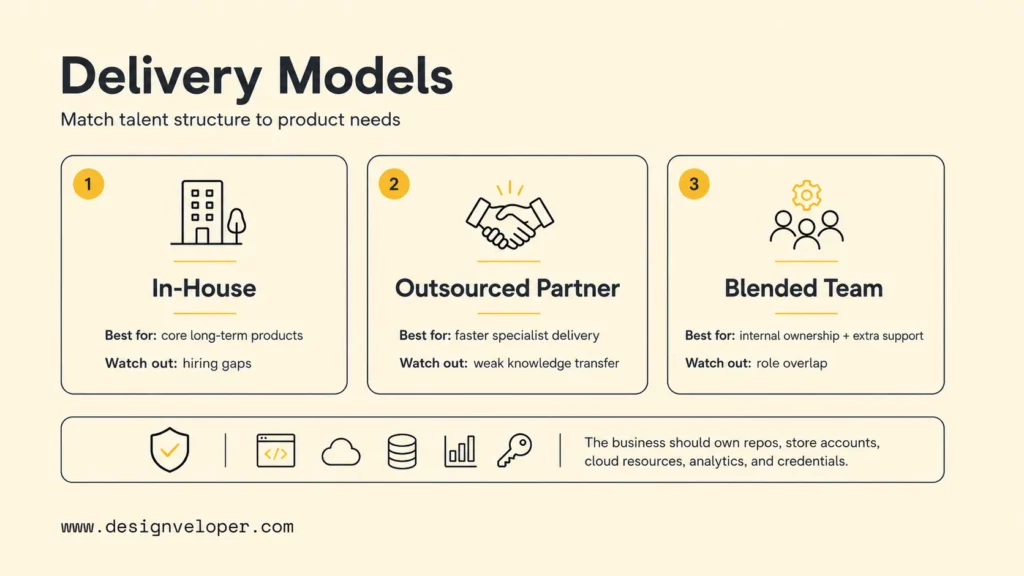
In-house development works when mobile is a permanent core capability, technical leadership is available, product investment is continuous, and the organization can recruit the required design, platform, backend, QA, DevOps, security, and product roles. Internal teams retain deep context and can iterate closely with operations.
Outsourcing works when the project needs faster staffing, specialized native or cross-platform expertise, complex integrations, a defined delivery outcome, or experience with app-store releases. A partner should contribute discovery, architecture, UX, QA, security, release automation, monitoring, and maintenance – not only coding capacity.
| Model | Strong fit | Main risk to manage |
|---|---|---|
| In-house | Long-term core product with sustained roadmap and leadership | Hiring gaps, skill concentration, and slow scaling. |
| Outsourced partner | Defined outcome requiring specialist breadth or faster delivery | Weak knowledge transfer, unclear ownership, and vendor dependence. |
| Blended team | Strong internal product ownership with targeted delivery support | Overlapping roles, communication gaps, and inconsistent standards. |
Evaluate a development partner using the hardest project constraints. Ask how the team selects tools, handles certificates and accounts, tests native and cross-platform behavior, protects secrets, manages dependencies, automates releases, responds to incidents, and transfers knowledge. Ensure the business owns source repositories, store accounts, cloud resources, analytics, design files, domains, and critical credentials.
At Designveloper, we connect tool selection to the product workflow and delivery constraints. We can support discovery, UX/UI, native or cross-platform engineering, backend APIs, payments, ecommerce workflows, AI features, offline synchronization, testing, CI/CD, store preparation, monitoring, and post-launch improvement. Our mobile app development services are structured around the full lifecycle rather than one preferred tool.
FAQs About Mobile App Development Tools
What Are Mobile App Development Tools?
Mobile app development tools are editors, IDEs, frameworks, design systems, backend services, test frameworks, release automation, and monitoring products used to create and operate iOS and Android apps. A project normally combines several of these categories.
What Is The Best Tool For Mobile App Development?
There is no single best tool. Xcode is the default environment for native iOS work, and Android Studio is the official IDE for native Android. Flutter, React Native, or .NET MAUI may be better when code sharing creates real value. The best selection passes the product’s hardest feature, team capability, security, accessibility, release, and maintenance tests.
Which Tool Is Best For Cross-Platform Mobile App Development?
Flutter is a strong choice for a cohesive custom UI and Dart team. React Native is compelling for React and TypeScript teams. .NET MAUI fits organizations invested in C# and Microsoft tooling. Compare the required SDKs, native modules, platform UX, performance, supported operating systems, package maintenance, hiring, and five-year ownership before deciding.
Can I Build A Mobile App Without Coding?
Yes, but a builder’s output may be a web app rather than a store-ready native app. Try the publishing and hardest device workflow yourself, then check access control, data export, offline behavior, and the current plan limits before choosing it for production.
Will AI Replace Mobile App Developers?
AI will automate more routine coding, explanation, testing, and debugging, but mobile delivery still needs accountable engineering judgment. Developers define architecture, integrate platforms, protect data, review generated code, validate accessibility and performance, resolve production incidents, meet store rules, and balance business tradeoffs. Teams that combine AI with strong validation are more likely to benefit than teams that remove review.
The best mobile app development tools form a coherent path from validated design to supported release. Select each tool for a clear job, prove the riskiest integration early, automate repeatable quality gates, keep platform expertise available, and plan ownership after launch. A smaller governed toolchain is usually more dependable than a large collection with no shared process.
Also published on

Share post on










Related Articles



How To Choose A Web Hosting Provider: Types, Checklist, And Tips
How To Choose A Web Hosting Provider: Types, Checklist, And Tips Published October 21, 2026
7 Best Open-Source RAG Frameworks For Production AI Projects
7 Best Open-Source RAG Frameworks For Production AI Projects Published September 28, 2026
Cloud Application Development: Architecture, Process, And Cost
Cloud Application Development: Architecture, Process, And Cost Published September 25, 2026


















