















27 Essential Elements For Successful Ecommerce Websites
February 24, 2025


Building an eCommerce website sounds straightforward on paper. Put products online, add a cart, and everything is done, right? But in reality, anyone who has worked on one knows it’s more complex than that.
The success of an eCommerce website usually comes from many small elements working together. A user-friendly navigation menu, a mobile-responsive design, an SEO-friendly product page, and many more you can think of.
In this article, we’re breaking down 27 essential elements of eCommerce websites. These elements are must-haves, ensuring the success of your potential site.

Top Must Have Elements for Ecommerce Websites
The eCommerce market is ballooning. By 2026, global eCommerce sales are expected to hit around US$3.89 trillion. The market will then keep climbing by 6.27% annually from 2026 to 2030, according to Statista. These numbers point to one thing pretty clearly: selling online is no longer optional for many businesses, but the table stakes.
But here’s the part people sometimes forget. Having an eCommerce website is one thing, but having one that works well is another. In this crowded market, customers don’t have the patience to wrestle with clunky menus, slow pages, or confusing product lists. They’ll just leave quietly if your eCommerce website doesn’t meet their expectations and choose your competitors instead.
That’s why we’ll zoom in on the top essential elements of a successful eCommerce website in this section. These are the fundamentals that, when done right, make shopping feel almost effortless.
1. User-Friendly Navigation

Navigation is one of those things people only talk about when it’s bad. When it’s good, users don’t notice it at all; they just move, click, browse, and somehow end up at checkout.
A user-friendly navigation helps shoppers understand your store within seconds. “Where am I? What can I buy here? How do I get back if I click the wrong thing?” If those answers aren’t obvious, frustration creeps in and kills their shopping experiences in your eCommerce website. You don’t want that, right?
So, to build better navigation, start simple. This includes clear category labels, logical grouping, and no clever naming just to sound different. Further, a focus on a visible menu and consistency across pages also helps users feel grounded. Breadcrumbs, drop-downs, even a sticky header – these small choices add up. The idea behind a user-friendly navigation is to reduce thinking and let users glide, not guess.
2. SEO-Friendly Site Structure and URLs
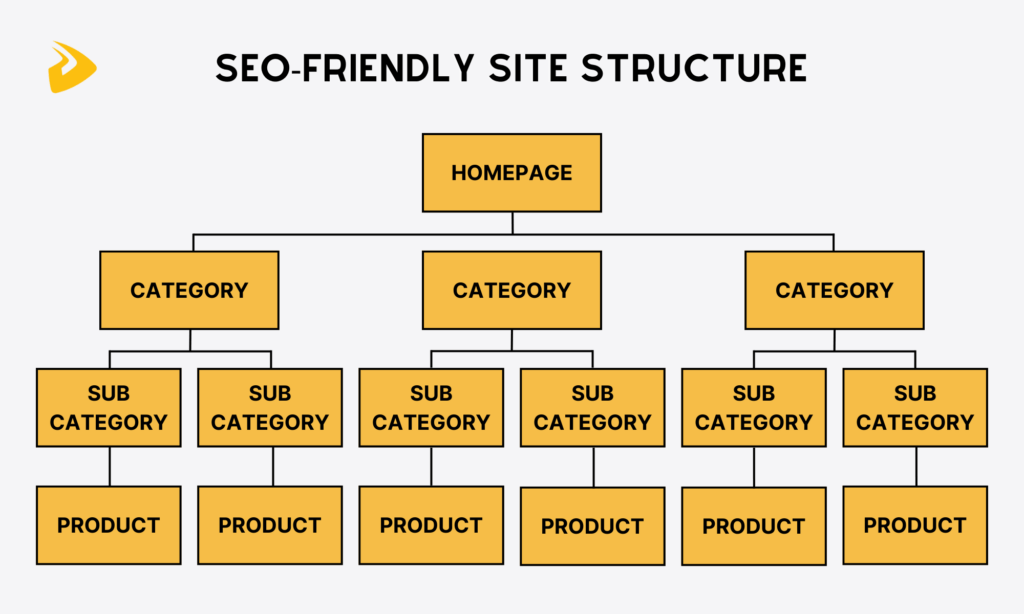
People often find your eCommerce website through search engines, typically Google Search. But how can you let the engine’s algorithms crawl your site and let it rank high on page results? There are many factors affecting your site’s rankings. But when building a website, what you need to focus on first is site structure.
Why? A clean, logical site structure makes it easier for search engines to understand what your store sells and how pages relate to each other. At the same time, it helps users move naturally from categories to products without hitting dead ends.
SEO-friendly URLs play a quiet role here. Short. They should be descriptive and human-readable. A URL like /men-running-shoes tells a clear story, unlike one filled with random numbers and symbols.
To get this right, plan your category hierarchy early, keep URLs consistent, and avoid unnecessary nesting.
Recommended reading: What is B2B Ecommerce? All You Need to Know about B2B Ecommerce
3. Mobile-Responsive and Mobile-First Design
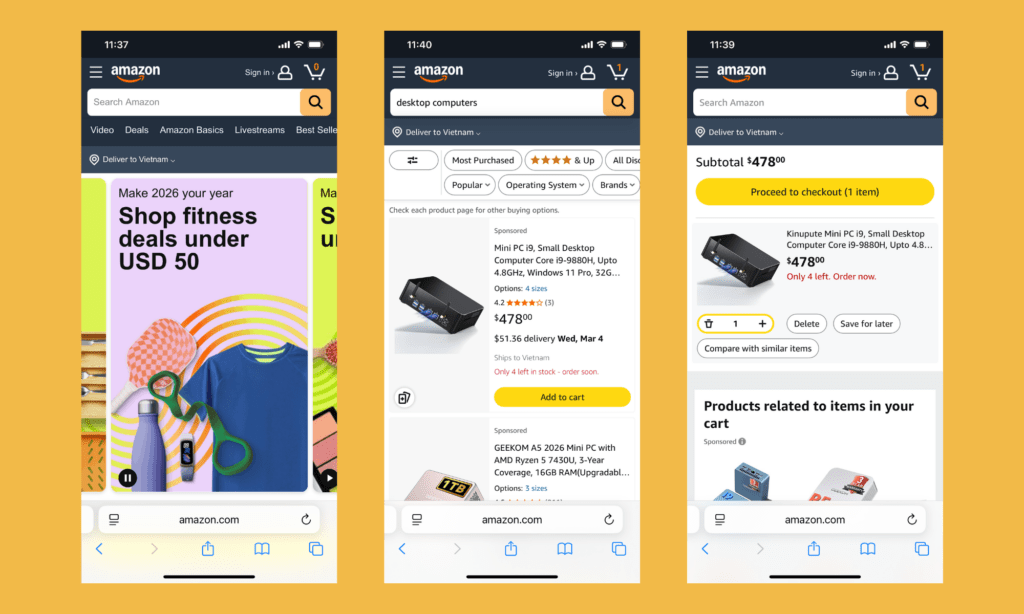
Most eCommerce traffic today comes from mobile. If your online store still treats mobile as an afterthought, you struggle to build a mobile-responsive site as reducing desktop layouts, making tiny buttons, and choosing main features for display on mobile screens are much more difficult.
So, a mobile-first mindset is important. You design for the small screen first, then expand. This approach often forces clarity, from cleaner layouts and fewer distractions to bigger touch targets.
To implement this, responsive frameworks are a good start, but testing is where the real work happens. Try your site on different devices and screen sizes. If it feels smooth there, the desktop version usually takes care of itself.
4. Fast Page Loading Speed
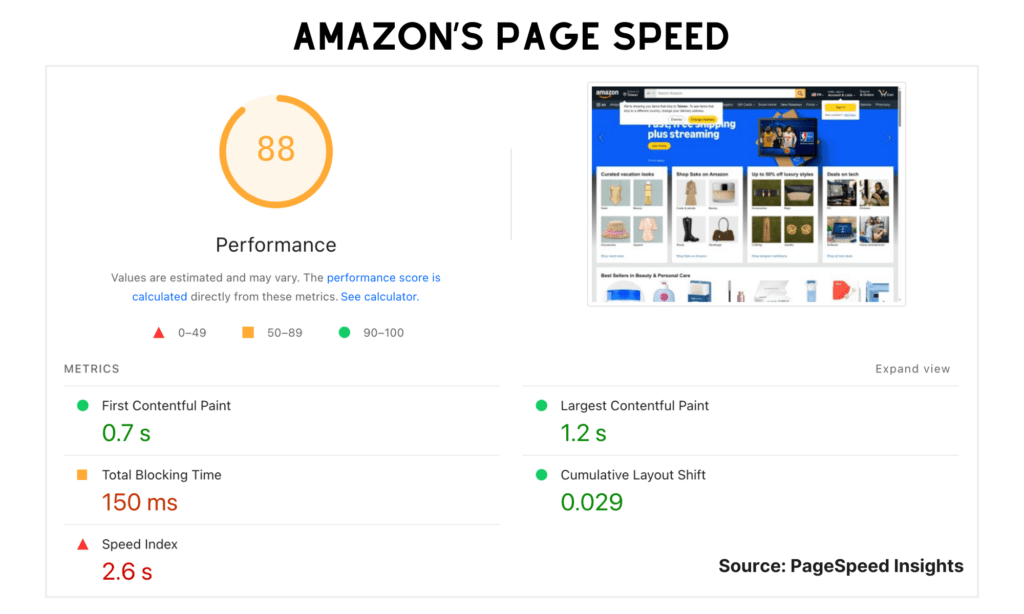
Speed is a trust signal, and another essential element of eCommerce websites. Online shoppers don’t tend to wait. They bounce when your online store loads pages or product images too slowly.
Page speed affects conversions, SEO, and overall user satisfaction. Large images, heavy scripts, and bloated themes are common culprits. So is poor hosting, though that’s often ignored.
Improving speed requires you to compress images, use lazy loading, and minimize unnecessary plugins. Choosing hosting that can handle traffic spikes is important as well.
5. Basic Product Search and Filtering
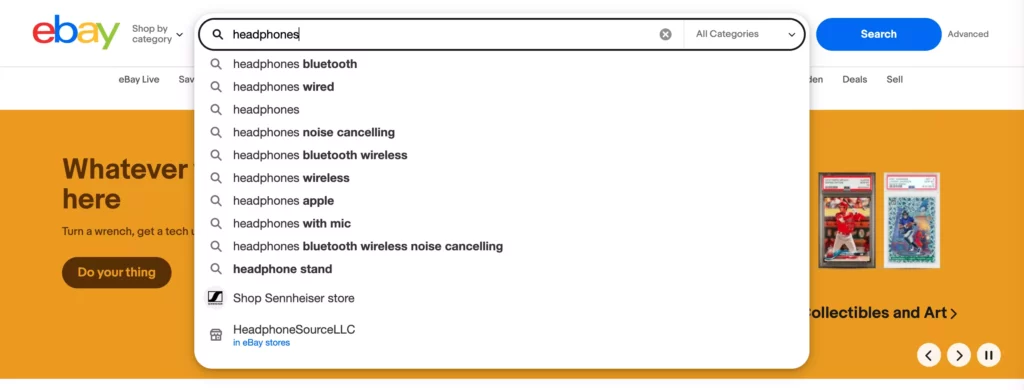
Not every shopper wants to browse. Some know exactly what they’re looking for and expect your site to keep up. That’s where product search and filtering step in.
A basic search bar that actually understands user intent can save time and prevent drop-offs. Besides, filters make large catalogs manageable by letting users find products based on price ranges, sizes, color, and availability. These tools help users narrow things down without feeling overwhelmed.
To build this well, focus on relevance over complexity. Clean filters and a visible search bar are must-haves. Analytics can also help here – see what people search for and adjust accordingly. When search works, shopping feels effortless.
6. Clear Product Titles and Descriptions

Product titles and descriptions do more work than most people give them credit for. They’re not just labels, but tiny sales pitches. When titles are unclear, shoppers pause, as they have to reread them so many times to understand what these titles mean. Sometimes they leave because the message feels fuzzy, and they don’t want to waste time interpreting it.
With clear titles and descriptions, you can tell users exactly what you’re selling exactly. They help answer a shopper’s question about your products or services. “What is it made of? Who is it for? Will it actually solve my problem?” Good descriptions explain these clearly.
To build this well, just focus on specifics – product type, key features, and more, depending on your what you offers. Break text into short paragraphs, use bullet points where it helps, and avoid copying manufacturer descriptions word for word.
Recommended reading: What is Cloud eCommerce Solutions?
7. High-Quality Product Images

Images are another essential elements of eCommerce websites, as they’re often the closest thing customers get to touching your product.
High-quality images reduce uncertainty. They show details of your products (e.g., clothes or electronic devices). A blurry photo, on the other hand, confuses users about whether those products meet their expectations about materials or quality.
Building strong product imagery doesn’t require a full studio setup. What matters more is consistency. Clean backgrounds, good lighting, multiple angles, and zoom functionality can help with that. Lifestyle shots can add context too, showing how the product fits into real life.
8. Transparent Pricing and Product Availability
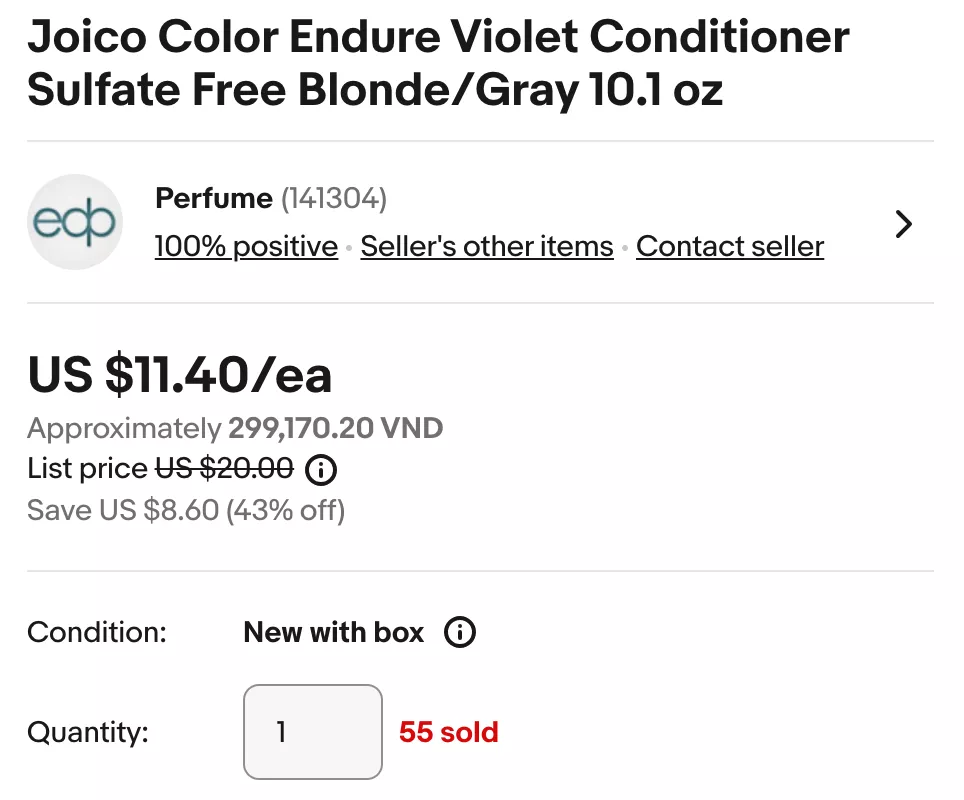
This breaks your users’ trust faster: A product looks affordable until checkout, then suddenly shipping, taxes, or fees appear from nowhere. That moment is where many carts are abandoned, as customers feel like being fooled by marketing tricks.
Transparent pricing sets expectations early. It tells shoppers how much they have to pay for your offerings exactly without hidden costs. Clear product availability does the same. If something’s out of stock, say it. If there are only a few items left, show that too.
To get this right, display prices clearly on product pages and highlight discounts without masking the original cost. And if shipping costs vary, explain why. Show stock status in plain language as well.
9. Customer Reviews and Ratings
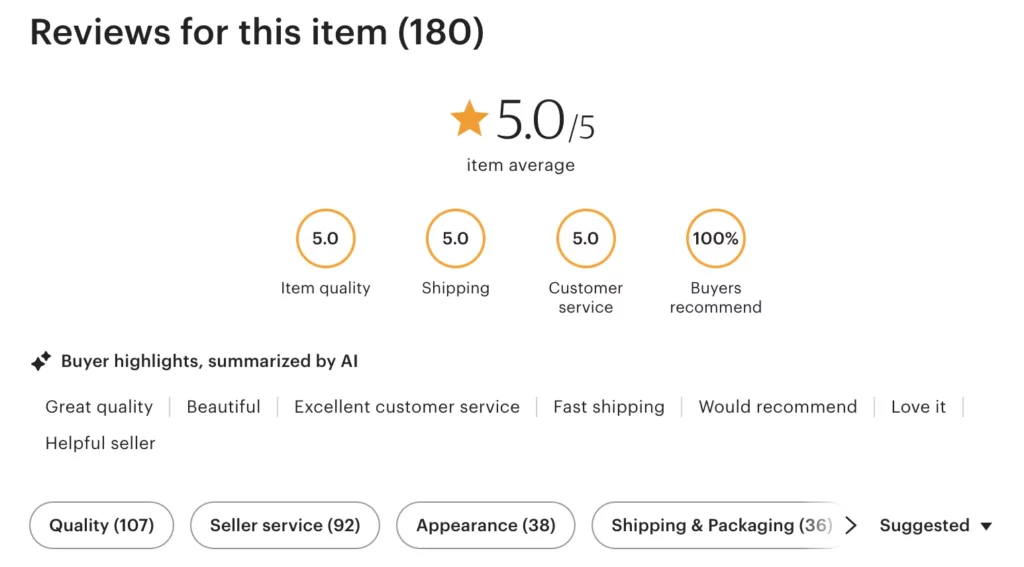
People trust other people and real experiences more than brand words.
Customer reviews and ratings provide social proof, but they also add real opinions. Even the occasional complaint can help because it makes everything feel more believable. A product with only perfect reviews can raise eyebrows.
To build a strong review system, make it easy for customers to leave feedback. Don’t hide negative reviews unless they’re abusive or spammy. Respond when possible to show that someone is listening. Star ratings help with quick scanning, while written reviews answer deeper questions.
10. Add-to-Cart and Cart Management Functionality
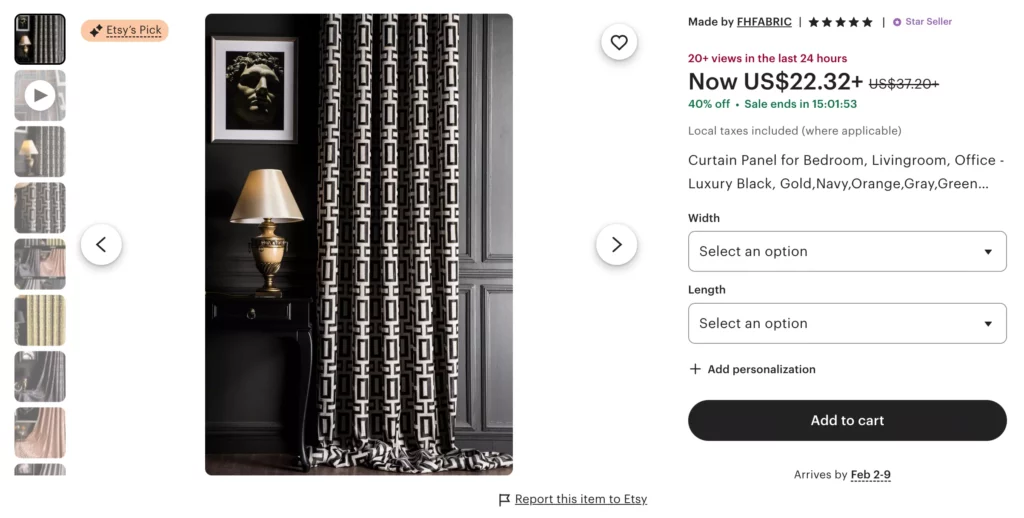
You may think the add-to-cart button is insignificant, but it’s an essential element of any eCommerce website. This button lets users add their favorite items to the cart immediately. Meanwhile, cart management then takes over – letting users adjust quantities, remove items, or save products for later without friction.
To build this well, keep the add-to-cart button visible and clearly styled. Avoid complex wording that confuses users. Also, the cart itself should be easy to access from anywhere on the site.
11. Simple and Distraction-Free Checkout Flow
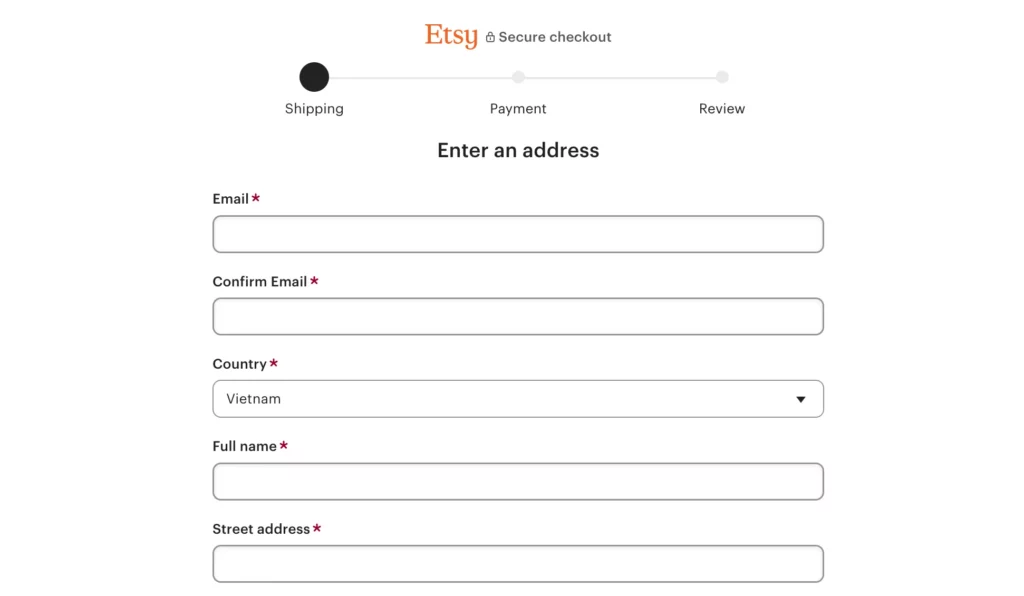
A customer may hesitate to click “Place Your Order” or “Buy Now” because of the complex checkout. One extra step or one random pop-up offering a discount they didn’t ask for may ruin their purchase experience. And as a result, they’ve gone.
So, you should use simple, distraction-free checkout flow to keep momentum intact. It respects the fact that users just want to finish what they started without side banners or unnecessary cross-sells. Just a clean path from cart to confirmation is enough to satisfy your customers.
To build this, strip checkout down to essentials. Ask only for information you actually need and autofill where possible. Additionally, use progress indicators so users know how close they are. Don’t forget to test the checkout flow with real people to see whether it needs improvements.
12. Guest Checkout Option
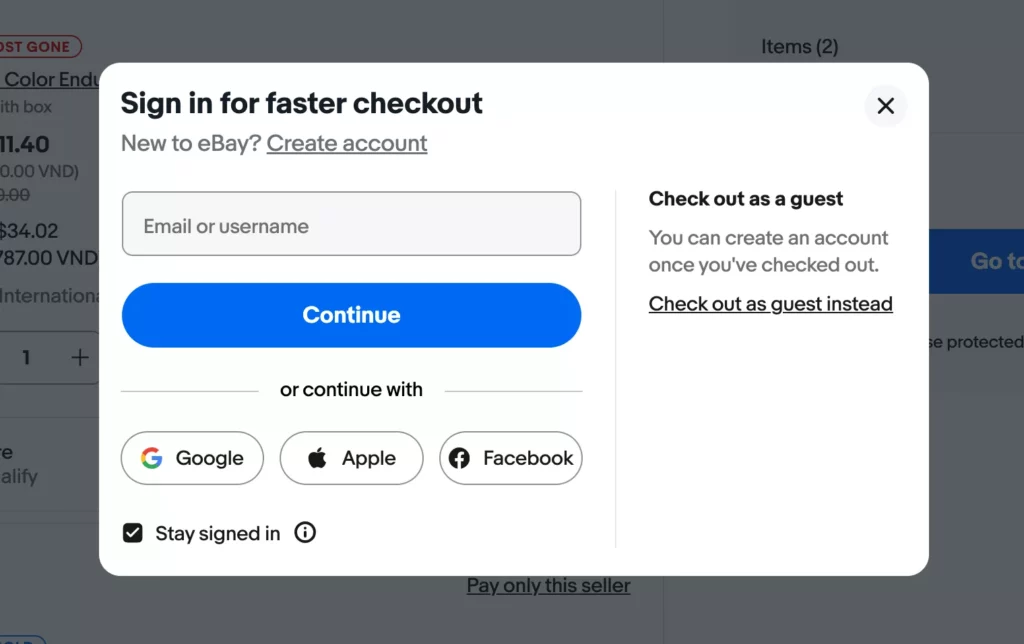
Not everyone wants a long-term relationship. Sometimes people just want to buy a thing and move on. In this case, forcing account creation can feel like an unnecessary commitment, especially for first-time buyers.
A guest checkout option removes that barrier. It speeds things up, which matters when users are already a bit impatient.
That’s why you should offer guest checkout first, then gently suggest account creation after the purchase is complete. This approach often leads to better results anyway. People sign up because they want to, not because they have to.
13. Order Confirmation Page and Transactional Emails
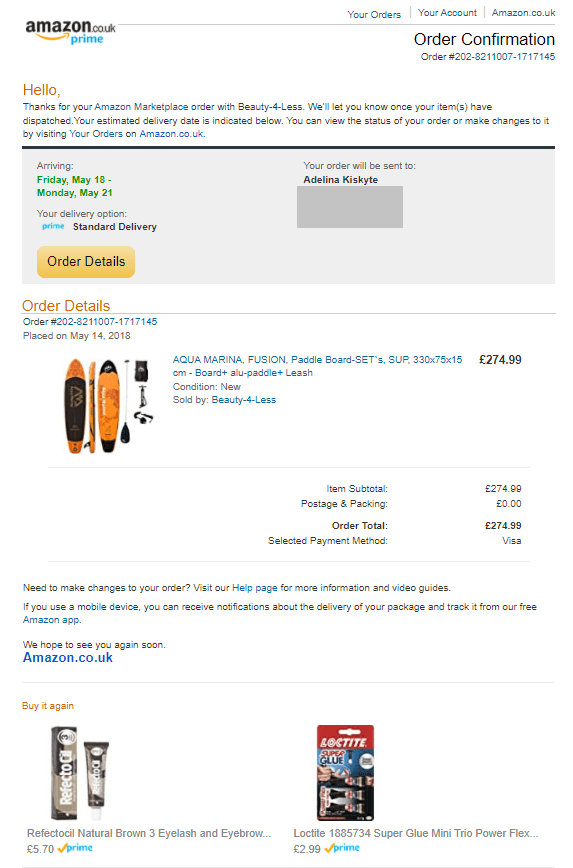
The moment after clicking “Place Your Order” is often filled with a little doubt. “Did I place an order or make a payment successfully?” Many people ask this question in their heads and feel worried if there’s nothing to confirm that they placed a successful order.
So, a clear order confirmation page is an essential element that no eCommerce website can lack. It reassures users that everything worked. It shows order details, delivery expectations, and next steps. Transactional emails then reinforce that trust once the user leaves the site.
To do this well, keep confirmations straightforward without marketing overload. The confirmation should include order number, items purchased, totals, and contact info for support. Emails should arrive quickly and be easy to read on mobile.
14. Secure Payment Gateway Integration

Payment is the most sensitive part of the eCommerce experience. Users are sharing financial details to pay for their orders. So, if your online stores use insecure or unfamiliar payout solutions, such financial information can be vulnerable to attacks. And worse, this erodes your users’ trust in your store.
Therefore, integrating a secure, well-known payment gateway is a must. To do it properly, choose reputable gateways that support multiple payment methods. Let’s say credit cards, digital wallets, or local options where relevant. Also, ensure smooth processing and no strange redirects.
15. SSL Certificates and Data Encryption
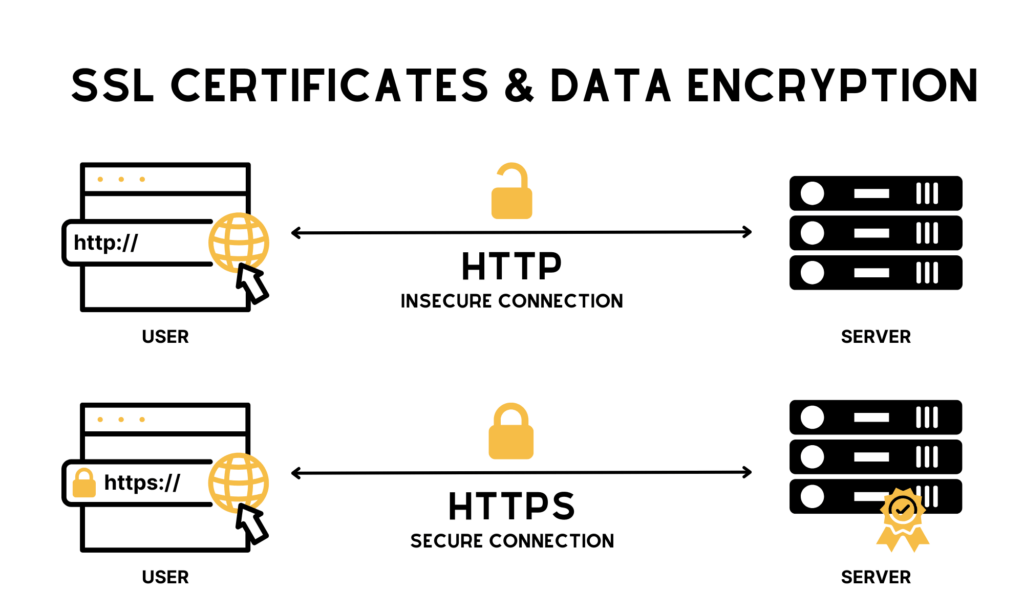
Along with secure payment gateways are SSL certificates and data encryption methods. Users don’t always know about these backend features, but they notice when browsers give warning signs or the crossed-out lock icon appears. This implicitly tells users that your online store is unreliable.
Behind the scenes, SSL and data encryption protect sensitive information and signal that your site takes security seriously. They also ensure compliance with industry regulations.
Implementing SSL is fairly straightforward these days. Most hosting providers offer it by default. The key is to ensure it’s properly configured across the entire site.
16. Visible Trust Badges and Security Signals

Without your noticing, trust badges and security signals are essential elements of eCommerce websites. When shoppers land on a product page, scroll a bit, and subconsciously see the signs, they may know this place is legit.
Logos from recognized payment providers, SSL indicators, and security certifications work like small nods of reassurance. Some people argue that users don’t care about these icons anymore. This may be true. But when they’re gone, hesitation to buy often sneaks in.
To build this element properly, place trust badges where purchase decisions happen – product pages, cart pages, or checkout screens. Don’t clutter the design. One or two well-known signals are usually enough. The goal isn’t to overwhelm users with proof, but to remove doubt before it even forms.
17. Clear “About Us” and Contact Information

An eCommerce website without an “About Us” page feels a bit like a store with no staff and name in sight. Products are there, prices are listed, but whom do shoppers buy stuff from?
Clear company information helps your shoppers understand the brand. Even a short story about how the business started or what it stands for can make a difference. Not everyone reads it, true, but those who do are often looking for reassurance.
Contact information matters just as much. An email address, a phone number, or even a physical location shows that your store is legit and open to listen to your potential customers.
To build this well, keep the “About Us” page honest and simple. Also, place contact links in visible areas like the footer and header. Remember that the goal is to make it easy to reach you.
18. Return, Refund, and Exchange Policies
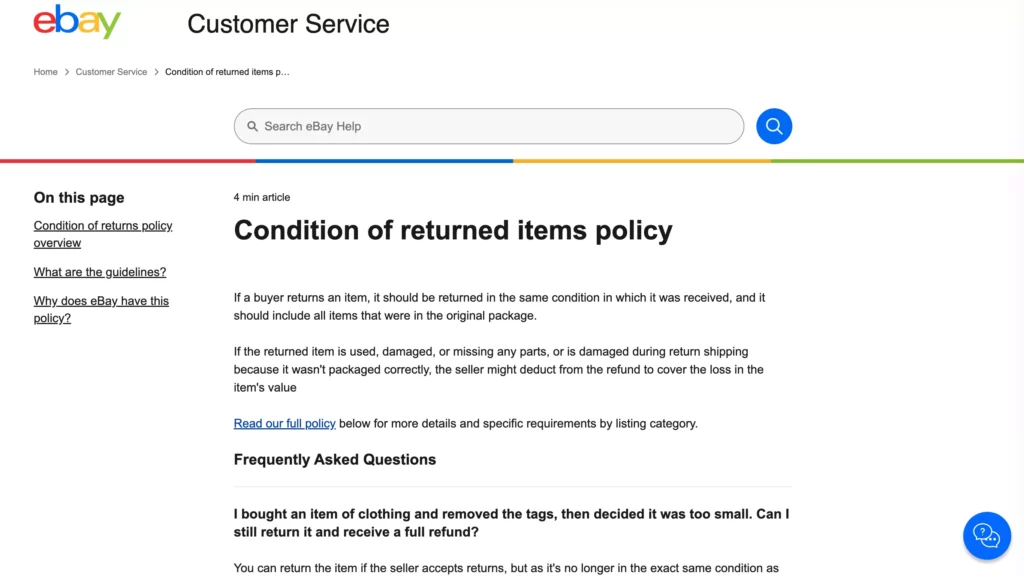
Buying online always carries a bit of risk. Will it fit? Will it look the same in person? What if it arrives damaged? Clear return and refund policies help solve that uncertainty.
When policies are unclear or where no one can see in the site, this hurts confidence and trust in your store. On the flip side, a clear and fair policy can actually encourage purchases.
To implement this, write policies in plain language with no legal maze. Further, explain timelines, conditions, and steps clearly. Remember to place links to these policies on product pages and during checkout.
19. Shipping Information and Delivery Timelines
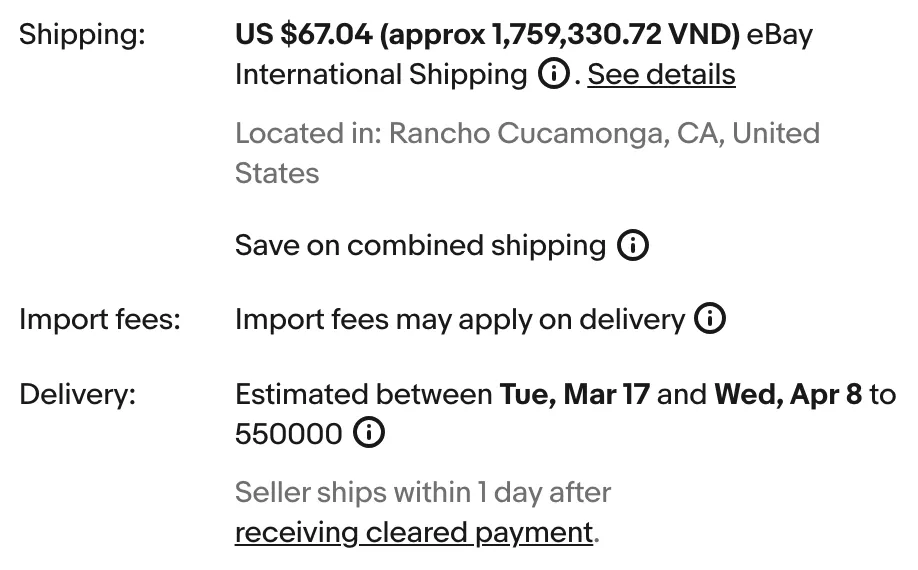
A successful eCommerce website isn’t without shipping information and delivery timelines. These essential elements tell shoppers how much it costs, how long it takes, and who’s delivering the package. Clear shipping details help users plan, especially for time-sensitive purchases.
To build this element, show shipping costs and timelines early – ideally before checkout. Use location-based estimates if possible and explain delays honestly when they occur.
20. Accessible Customer Support Channels
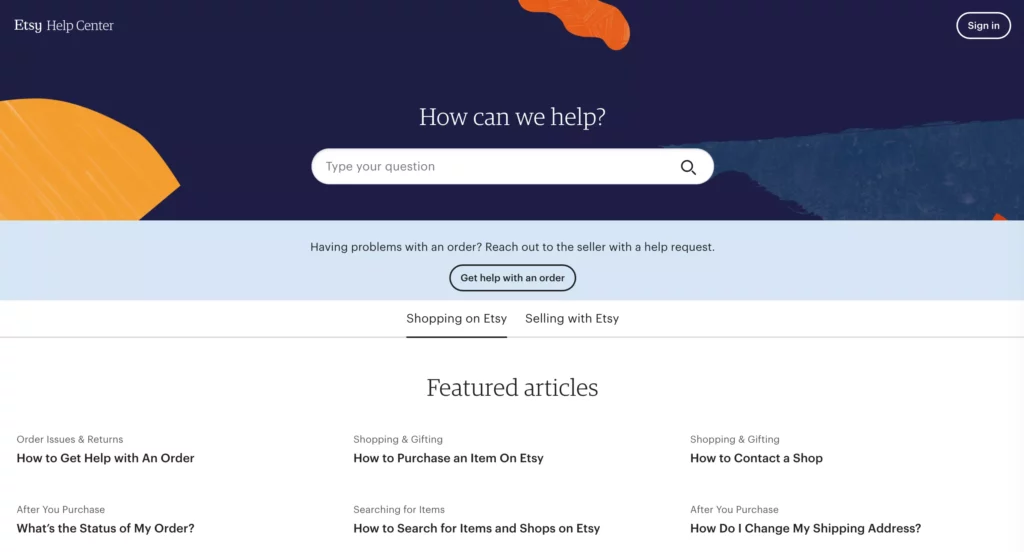
Let’s place yourself in the shoes of your shoppers. What would you do if orders get delayed, products arrive damaged, or you come up with questions about a product’s size? This is when customer support channels shine.
Accessible support channels show that your business is always available to help during and after the sale. Live chat, email support, phone lines, and even well-organized FAQs can ease tension and build trust. Not every store needs every channel, but at least one responsive option is essential.
To do this well, make support links visible across the site. Don’t hide them behind multiple clicks. Use AI-powered chatbots to help human staff answer FAQs and address common issues 24/7 and direct more complex problems to the right person.
21. Order Management System
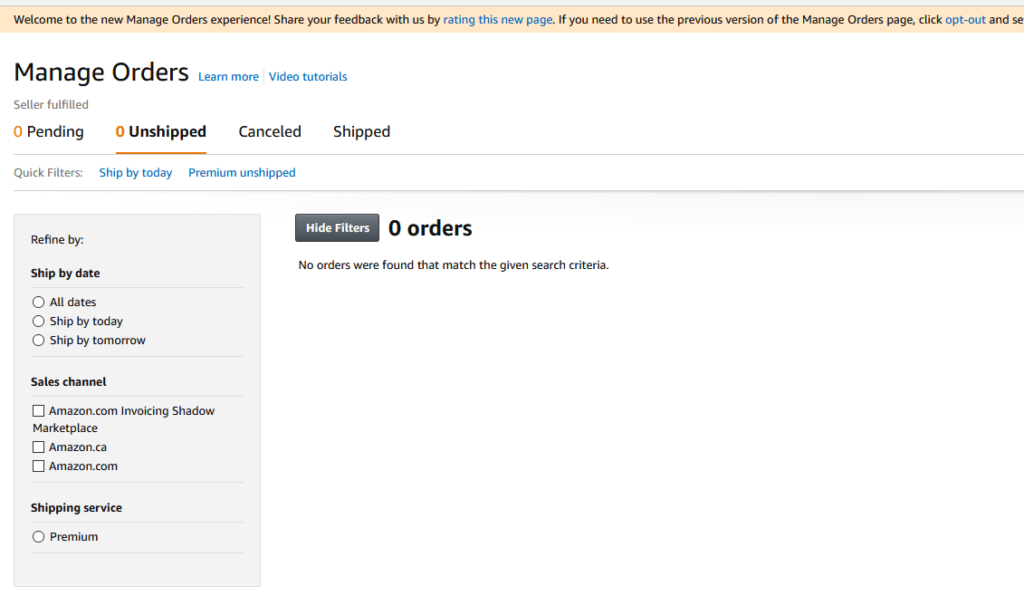
Once your shoppers have placed orders, your eCommerce website needs a system to manage all logistics work and avoid chaos.
A solid order management software (OMS) helps track orders from the moment a customer clicks Buy to the moment the package lands at their door. It keeps statuses clear – paid, packed, shipped, and delivered. From the customer’s side, this usually translates into fewer delays and fewer “Where is my order?” messages.
To build this element properly, integrate an OMS that syncs with your eCommerce website, payment gateway, and shipping providers. Automation helps a lot in status updates, invoice generation, and even basic notifications.
22. Basic Inventory Tracking
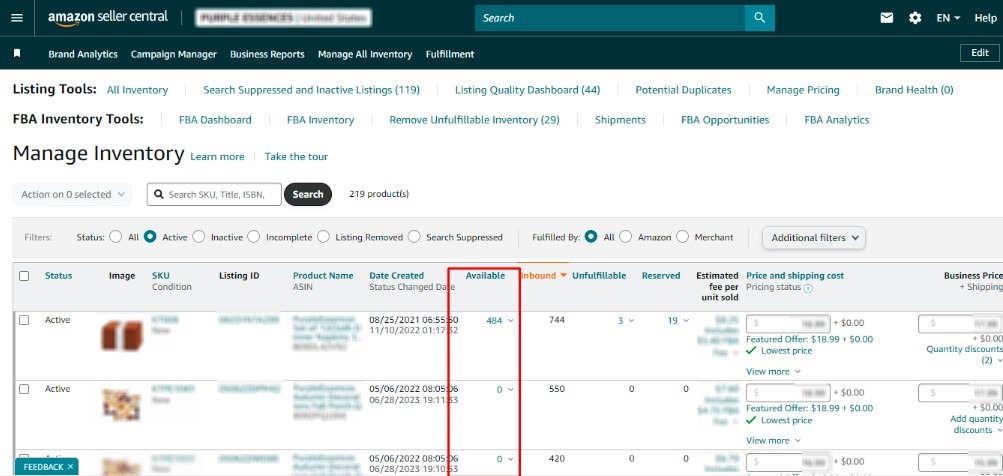
Inventory tracking is another essential feature of any eCommerce website. It helps manage stockouts and overselling.
Basic inventory tracking lets you know what’s in stock, what’s running low, and what’s completely gone. For this reason, you won’t oversell items and stock your stuff immediately. This functionality helps a lot when your product quantities and order volumes increase.
To build this element, connect inventory tracking directly to your product catalog. Update stock levels automatically after each purchase and set low-stock alerts so you’re not caught off guard.
23. Customer Data Management
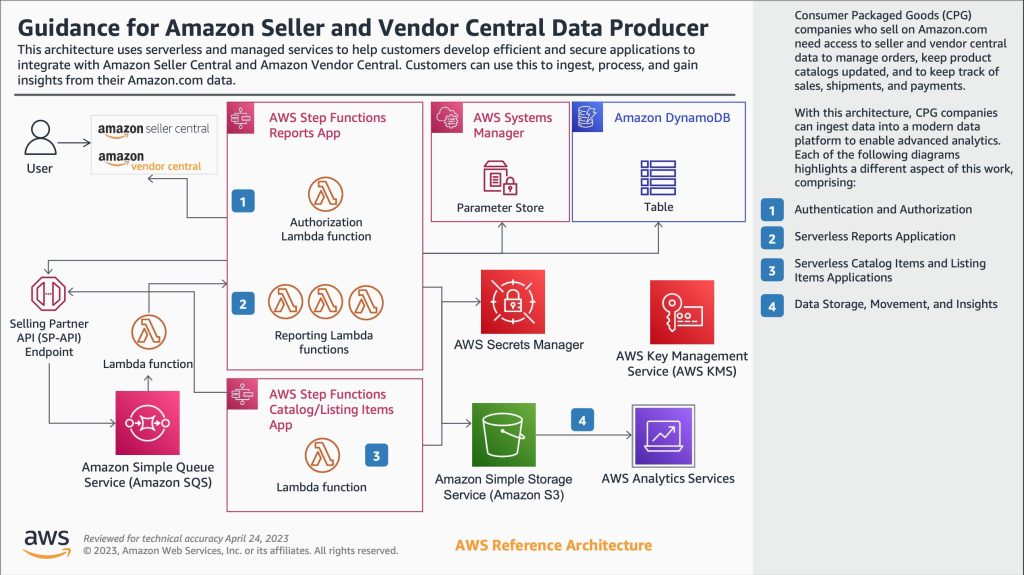
Every eCommerce site collects data: names, emails, order history, and preferences. The goal? To better understand buying behavior over time. Who are your repeat customers? What do they buy again and again? Where do they drop off? This information can guide marketing, support, and even product decisions.
To manage this effectively, centralize customer data in one system. Keep it clean and updated. But don’t forget to respect privacy rules and user consent. Besides, you can segment customers when it makes sense, but don’t overcomplicate things.
Advanced Ecommerce Features for the AI-Driven Era
AI appears in every corner of our daily lives and industries, including eCommerce. It’s there to increase shopping experiences and streamline eCommerce workflows. By 2026, AI in eCommerce will reach an estimated value of around $11.21 billion, increasing by roughly 23.6% annually until 2035.
So the question is, “How can my eCommerce website adapt in this AI-driven era?” Below are several AI-powered elements to upgrade your online store and automate many parts of your eCommerce operations. They’re not must-haves, but a big plus:
24. AI-Powered Search & Discovery

Search used to be simple. Just type a keyword and get results. But shoppers today want more accurate searches based on not only text but also images. That’s where AI comes in.
By analyzing user behavior, intent, and even context, AI search helps customers discover products in different ways. Of which, natural language search lets users type everyday phrases like “comfortable shoes for long walks” instead of using only keywords. Visual search, on the other hand, allows users to upload an image and find similar products.
This functionality brings in speed and relevance. When shoppers find the right product faster, bounce rates drop. To build this, your eCommerce site should integrate AI search tools that learn over time. It means these tools can improve results based on clicks, purchases, and failed searches.
25. Rich Product Media with AR & 3D Visualization
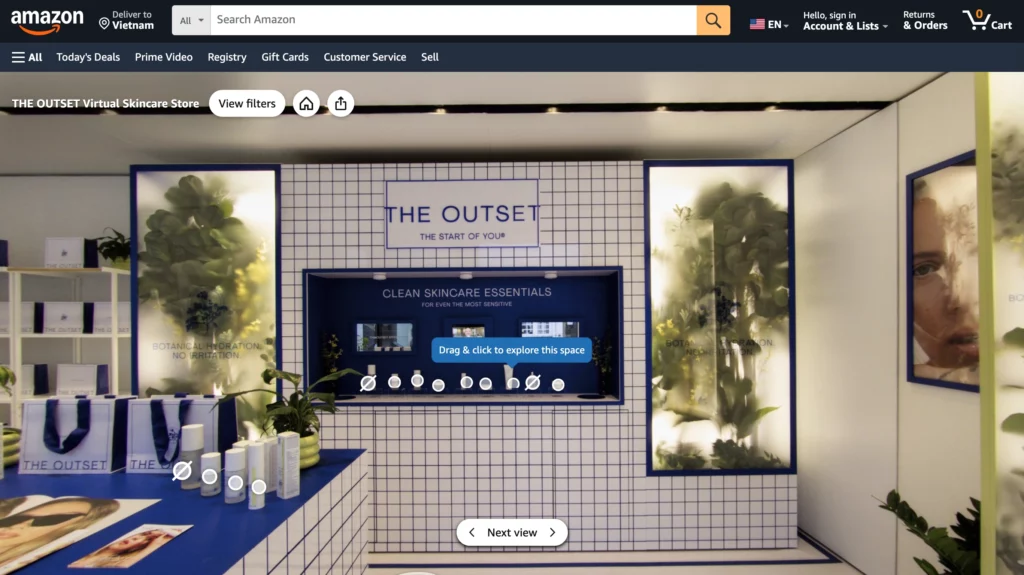
Static images matter. But they don’t always tell the full story, especially for products where size, fit, or placement matters. That’s where AR and 3D visualization step in.
Augmented Reality (AR) lets your customers try products before buying. Think about seeing how a sofa fits in their living room or how glasses look on their face. Meanwhile, 3D product visualization replaces flat images with interactive models that users can rotate, zoom, and explore.
These tools increase confidence. And confidence reduces returns. To implement this, you can start small by adding AR to high-consideration products or using 3D models for bestsellers.
26. Hyper-Personalization with AI & Customer Data
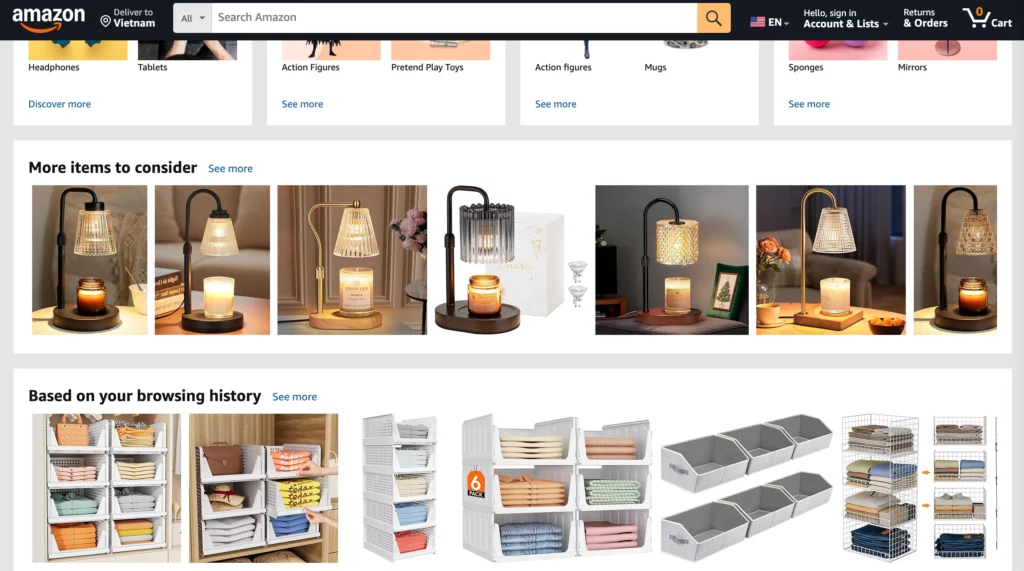
Personalization is the main use case of AI in eCommerce. Younger consumers, especially Millennials and Gen Z, seem more open to personalized experiences that AI creates.
Accordingly, AI-driven personalization looks at purchase history, browsing behavior, and real-time context to shape what users see. This functionality is often adopted for homepage layouts, product recommendations, pricing, promotions, and even loyalty programs.
The payoff? Higher average order value, stronger customer lifetime value, and better conversion rates. To build this essential element, your eCommerce site needs clean customer data and AI tools that can act on it responsibly.
27. AI Chatbots and Virtual Shopping Assistants (24/7)

Your customers can ask questions at late night or require explanation for returns at odd hours. Unfortunately, your human agents aren’t available these times to resolve the issues. But AI chatbots help fill those gaps without burning out human teams.
Modern AI chatbots go beyond FAQs. They can assist with product recommendations, guide users through checkout issues, provide order updates, and even support post-purchase care.
With AI chatbots, your online store can lower support costs, offer faster response times, and deliver a smoother overall shopping experience. But how to build an effective one? Our advise is to train chatbots on real customer questions and connect them to backend systems like order management. Also, make sure that when things get complex, the AI can hand off the issues to the right human.
How Designveloper Helps Your Business Build a Successful Ecommerce Website

Knowing what your eCommerce website needs is only half the battle. The harder part is building it properly. That’s usually where many companies often look for a partner who’s done this before. If this is also your case, why don’t you contact with Designveloper?
Designveloper is a leading web and software development company in Vietnam. We focus on building eCommerce websites that don’t just work well on launch day but actually handle higher traffic and changing customer expectations.
Our work covers full-cycle development, legacy website modernization, maintenance, and AI integration. We use modern tech stacks like MERN, NextJS, NestJS, or NodeJS to ensure performance and scalability for your online store.
Our successful eCommerce projects tell our top-notch capability and services. We helped upgrade Aha.is, a local eCommerce website that was struggling with speed, cost, and content management. In another project, we developed a product catalog–based advisory chatbot embedded into an eCommerce website. The chatbot provides detailed product information, recommends items based on real needs, and even sends confirmation emails automatically when users share their contact details.
So are you looking to build – or rebuild – an eCommerce website that’s fast, scalable, and secure? Designveloper is worth a serious look. Contact us and start turning your idea into a working solution!
Also published on

Share post on










Related Articles


Read more topics



AI Development
AI Development

Automation Technologies & Solutions
Automation Technologies & Solutions

Back-End Development
Back-End Development

Best Companies
Best Companies

Blockchain Technology and Applications
Blockchain Technology and Applications

Business Analyst Role & Skills
Business Analyst Role & Skills

Chatbot Development
Chatbot Development

Cloud Technology Revolution
Cloud Technology Revolution

CMS Platforms Development
CMS Platforms Development

Cyber Security
Cyber Security










