
















How to Choose the Best Platform for Ecommerce Website

If you’ve ever heard of Wix, Shopify, or Bigcommerce at least once, have you wondered what they truly are? “Ecommerce platforms” is the exact word to describe them. They’re born to streamline and speed up your eCommerce website development by offering all the essential ‘materials’ to support the process of selling and buying products.
If you plan to build an online store, you may be looking for how to choose the best eCommerce platform for your project. So, you’ve come to the right place. Here, we’ll compare the nine common eCommerce platforms, each with outstanding features, pros & cons, and pricing.
But first, you may want to understand clearly what an eCommerce platform is and what it can do.
What Is an Ecommerce Platform?
Simply, an eCommerce platform is the software that provides a well-built structure and tools to build and manage your online store. Accordingly, this platform allows you to display products, set up checkout flows, process payments securely, manage stock levels, and do other things through third-party APIs. For this reason, you don’t need to build everything from scratch, facilitating and speeding up eCommerce website development.
Think of an eCommerce platform as a fully furnished building that lets other sellers rent space to set up their kiosks and stores. The building owner gives you limited or full permissions to redecorate the space in alignment with your specific use cases.
Some platforms require technical expertise to develop very custom features or implement highly complex integrations. Meanwhile, others handle the heavy lifting, enabling non-coders to visually design storefronts even when they have no coding background.
With these benefits, it’s no wonder that eCommerce platforms can reach a globally estimated $13.92 billion in 2026, and this figure can grow by 4.5 times in 2034. AI advancements, mobile commerce, and omnichannel experience are the main reasons encouraging this growth.
Different Types of Ecommerce Platforms
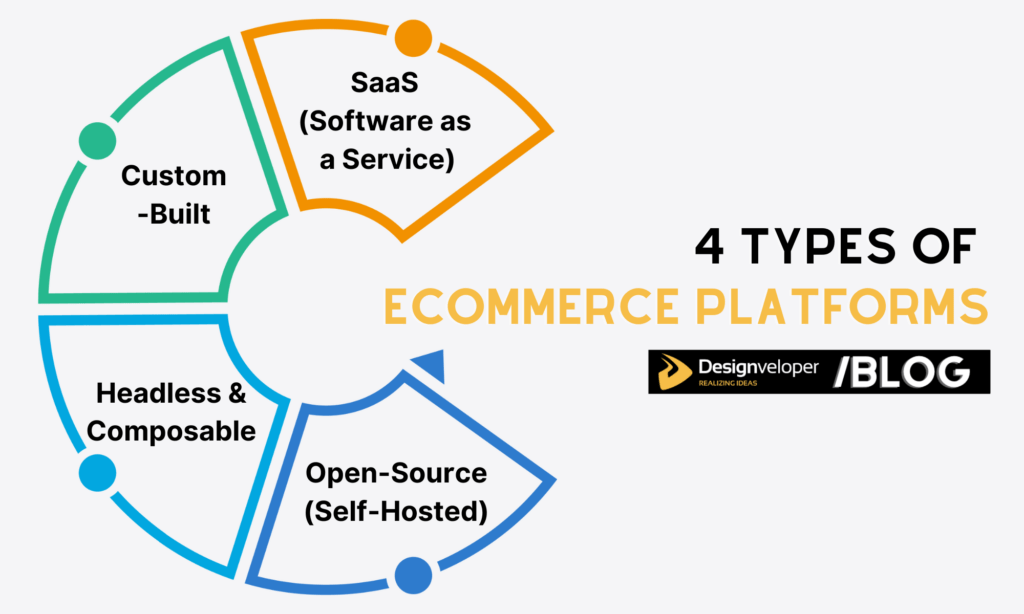
Once you understand what eCommerce platforms are, you may want to know how many types there are. Let’s take a look:
- SaaS (Software as a Service) Ecommerce Platforms
These platforms provide prebuilt tools to develop an online store. You only need to sign up, log in, choose ready-made templates, move design components around, integrate with essential apps, and launch. These platforms handle hosting, security, and updates itself. So, you don’t need deep technical expertise.
Examples: Shopify, BigCommerce, Wix Ecommerce.
- Open-Source Ecommerce Platforms (Self-Hosted)
Open-source platforms give you publicly available code to freely use and modify. With no worry about licensing fees, you can completely control the design and functionality of your online store. However, you have to handle custom integrations, hosting, performing tuning, and maintenance yourself. So, technical skills are needed if you use these platforms.
Examples: Magento Open Source, WooCommerce, PrestaShop.
- Headless and Composable Commerce Platforms
In these platforms, the front end (what users see) is separated from the back end (where commerce logic lives). This setup allows you to assemble different services – like checkout, search, or CMS – together and update them separately.
Examples: Commercetools, Elastic Path, Fabric, BigCommerce, Shopify (Headless mode).
- Custom-Built Ecommerce Platforms
As the name states, custom-built platforms refer to every software solution and component you build yourself from scratch. They’re ideal for businesses with huge investments and very unique requirements. They help handle complex business logic, deep integrations with legacy software, high transaction volumes, or anything that often go beyond the capabilities of off-the-shelf platforms.
Examples: Fully custom systems built using frameworks like Laravel, Django, or Node.js.
Recommended reading: What Are Cloud eCommerce Solutions?
How to Choose an Ecommerce Platform

So, how can you choose the best eCommerce platform for your development project? The answer depends on whether the tool fits your real situations. Consider the following factors before making a final decision:
- Business Model and Growth Stage
Start with where you are now. A small DTC brand has different needs than a marketplace or B2B seller. If your startup requires a simple product catalog, basic integrations, and fast time-to-market, SaaS solutions may be the best solution.
- Budget and Total Cost of Ownership (TCO)
Identify how much you can pay for the project. Then compare it with the total cost of building an online store, including a platform’s monthly fees, developer costs, hosting, security, plugins, and even ongoing maintenance.
- Scalability and Performance
Your platform should handle traffic spikes without breaking a sweat. If a flash sale brings the site down, that eCommerce platform is not growth-friendly, and you can remove it from your list.
- SEO and Marketing Capabilities
Built-in SEO tools, clean URLs, and content control save time later for marketing your site. So, consider whether the potential platform supports these capabilities well.
- Integrations and Ecosystem
Your eCommerce website needs to work seamlessly with payment solutions, shipping vendors, CRM systems, analytics tools, and more. Does the eCommerce platform support these integrations well? Ask this question when choosing a platform.
- Security and Compliance
The potential eCommerce platform must have strong security and compliance capabilities, like data encryption, PCI compliance, and regular updates.
- Technical Resources and Development Team
A powerful platform is useless if no one can manage it properly. If the potential platform doesn’t fit your team’s technical skills and available technical resources, it still can’t deliver a successful website.
- AI Integration
This factor is optional, but having AI-powered features – like search, recommendations, and personalization – can give you an edge.
Recommended reading: How To Develop A Mobile-Friendly eCommerce Website?
Best Platform for Ecommerce Website Development
There are a lot of eCommerce platforms out there. If you feel overwhelmed with that multitude, why don’t you start with our curated list of the nine best platforms for eCommerce website development? Here in this section, we’ll give you the basics of each platform’s notable features, benefits & drawbacks, and pricing plans.
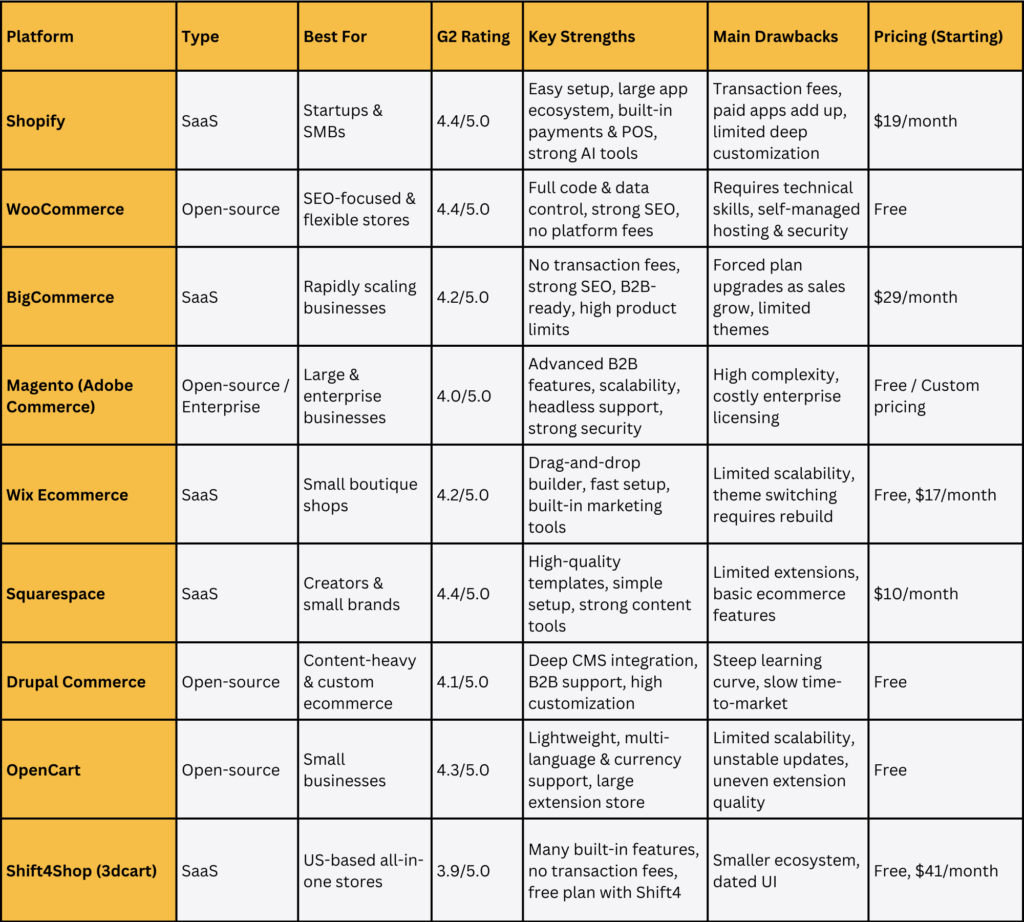
1. Shopify: The Best All-In-One for Startups and SMBs

Considered one of the most popular eCommerce platforms, Shopify has always been a useful tool for more than 800,000 businesses all over the world. It offers a wide range of eCommerce features and functionality to help them grow in a fast and effective manner.
G2 Rating: 4.4/5.0
Features:
- The drag-and-drop interface, paired with over 1,000 customizable themes or AI support, to build your own eCommerce site in minutes;
- AI capabilities (Shopify Magic and Sidekick) to edit images, generate email campaigns, create personalized answers to customer questions, and perform analytics;
- Over 13,000 apps in the store for page building, media enrichment, localization, loyalty programs, etc.;
- Diverse developer tools, like Oxygen to build headless storefronts or Liquid (Shopify’s open-source language) to integrate microservices;
- Shopify Payments, a built-in payment gateway that accepts many payout methods and removes third-party integrations;
- Shopify POS (Point of Sales) that can sync with your online store to track all orders.
Pros:
- Easy to set up and customize, no matter if you are an experienced developer or just starting out.
- A large community and a huge source of documents support your development.
- Shopify offers 24/7 customer service.
- Shopify has the Level 1 PCI DSS compliance certificate, along with SSL encryption and fraud analysis tools, to provide 24/7 security.
Cons:
- Despite a huge theme store, only some of them are free to use.
- You need to pay high extra fees unless you use Shopify Payments.
- The cost may increase to a whopping number in case you need to use additional plugins or features.
Price:
- A 3-day free trial, then $1/month for the first 3 months
- Basic (for solo entrepreneurs): $19/month (billed yearly)
- Grow (for small teams): $49/month (billed yearly)
- Advanced (for growing businesses): $299/month (billed yearly)
- Plus (for more complex businesses): $2,300/month (billed yearly) on a 3-year term
2. WooCommerce (WordPress): The Most Flexible and SEO-Friendly
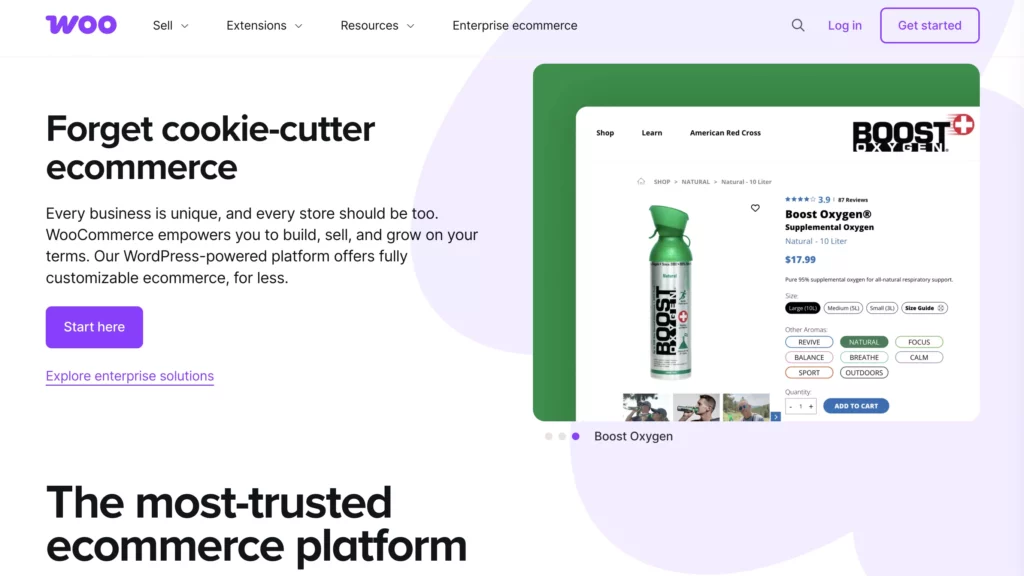
WooCommerce is one of the best-known open-source eCommerce platforms. It comes with a number of themes that were made to work with WordPress.
Because it works well with WordPress, WooCommerce is often thought to be the most popular eCommerce solution in the world. It gives store owners and developers who make WordPress templates full control over their own jobs. You can change it in any way you want with access to hundreds of free and paid WordPress extensions.
G2 Rating: 4.4/5.0
Features:
- An open-source eCommerce plugin for WordPress;
- Diverse themes, features, and extensions to build a custom store, handle payments, optimize checkouts, and more;
- Full control over your codebase, website, and data without depending on the platform;
- No-code site customization using Block Themes;
- Built-in marketing and SEO tools to extend reach and drive sales.
Pros:
- WooCommerce allows you to flexibly customize your eCommerce website without being limited within the platform’s scope.
- It requires no monthly fees; you only pay for hosting and extensions.
- It has strong SEO capabilities thanks to the WordPress foundation.
Cons:
- Despite no-code customization, WooCommerce still requires deep technical expertise to build an eCommerce website.
- You have to handle hosting, security & compliance, and maintenance yourself.
- WooCommerce-built websites can perform unstably if you use poor-quality hosting or add too many plugins.
Price: The core feature is free. But themes, extensions, and other third-party business services require fees.
3. BigCommerce: Best for Rapidly Scaling Businesses
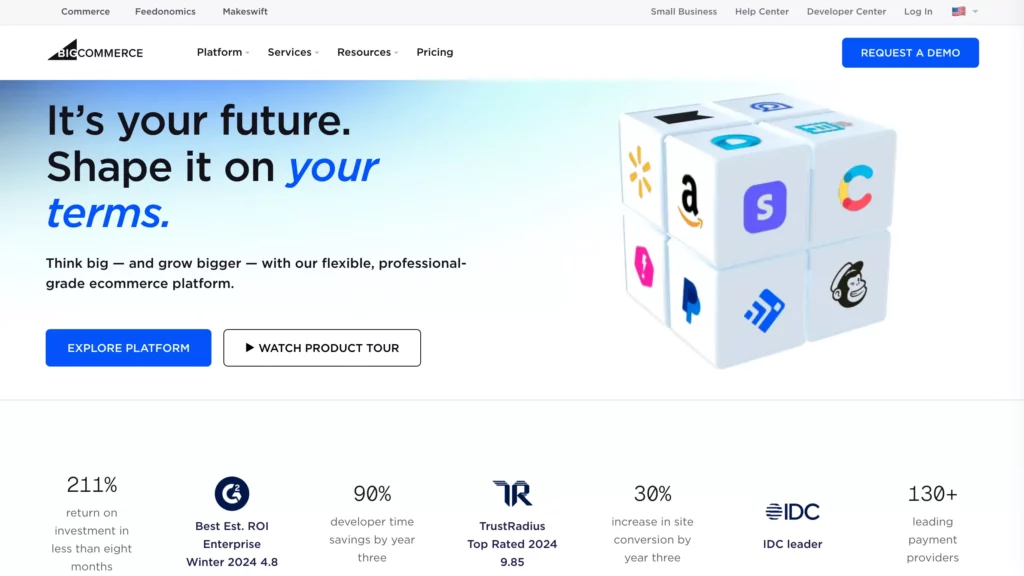
Like Shopify, BigCommerce is also a SaaS eCommerce platform. It takes care of website hosting, security, PCI compliance, and technical maintenance, letting you focus on selling products. Accordingly, the platform offers built-in tools to catalog products, handle secure payments, sell across channels, improve SEO, and more.
Besides all the basic features that every other platform has, BigCommerce offers us a well-built search engine tool. As a result, this is a perfect choice for stores or businesses that sell a lot of different items or have various categories. And speaking of search engines, BigCommerce also assists us very well in SEO.
G2 Rating: 4.2/5.0
Features:
- Native support for B2C and B2B needs, with the award-winning B2B Edition (to handle B2B eCommerce complexities) and the customizable Buyer Portal (to enhance B2B experiences);
- Strong capabilities for international selling and cross-channel eCommerce, like cross-border fulfillment, global CDN, or multi-storefront;
- Mobile-optimized design;
- Catalyst, an open-source headless framework, to build customizable storefronts using modern web techs like NextJS, React, and GraphQL;
- Strong SEO capabilities, like customizable URLs and automatic image optimization.
Pros:
- BigCommerce-built websites can handle growing traffic and volumes stably without lags.
- It requires no transaction fees, no matter which payment gateways you use.
- BigCommerce supports up to 250 options per product, plus 600 variants, which are considered much higher than its competitors.
Cons:
- BigCommerce can force you to higher pricing plans when your sales increase.
- The theme store is much smaller than Shopify, and there are only 12 free themes available.
Price:
- A 15-day free trial
- Standard (for individuals & small brands): $29/month (billed yearly)
- Plus (for ambitious small businesses): $79/month (billed yearly)
- Pro (for fast-growing businesses): $299/month (billed yearly)
- Enterprise: custom pricing
4. Magento (Open-Source & Adobe Commerce): The Powerhouse for Enterprise

Magento was acquired by Adobe in 2018. Its free version, Magento Open-Source, is still supported and maintained by Adobe. Meanwhile, its paid version, Enterprise Edition, was rebranded into Adobe Commerce and fully integrated into the Adobe Experience Cloud. Both versions offer a wide range of powerful tools to build a PCI-compliant, scalable store for your business.
G2 Rating: 4.0/5.0
Features:
- Strong B2B eCommerce features, like customer-specific price books, quick bulk ordering, and quote management;
- The headless platform, paired with visual editor and drop-in, customizable components, to build and optimize storefronts;
- Diverse extensions for customer support, marketing, payments & security, accounting & finance, shipping & fulfillment, and site optimization;
- AI-powered search and personalized storefront experiences;
- Payment Services to customize the checkout experience;
- Native support for monitoring, enterprise catalog management, and cross-channel sales.
Pros:
| Magento Open-Source | Adobe Commerce |
| – Free to download, use, and modify – Strong community support – No licensing fees | – Built-in B2B eCommerce features – Superior security & compliance support – Cloud hosting |
Cons:
| Magento Open-Source | Adobe Commerce |
| – Require deep technical expertise to build an eCommerce website – You have to handle hosting, security, PCI compliance, and maintenance yourself | – High licensing fees (at least $22,000 per year) – Allows less code modifications than Magento – Open-Source |
Price:
- Magento Open-Source: free
- Adobe Commerce: custom pricing
5. Wix: Best for Small Boutique Shop
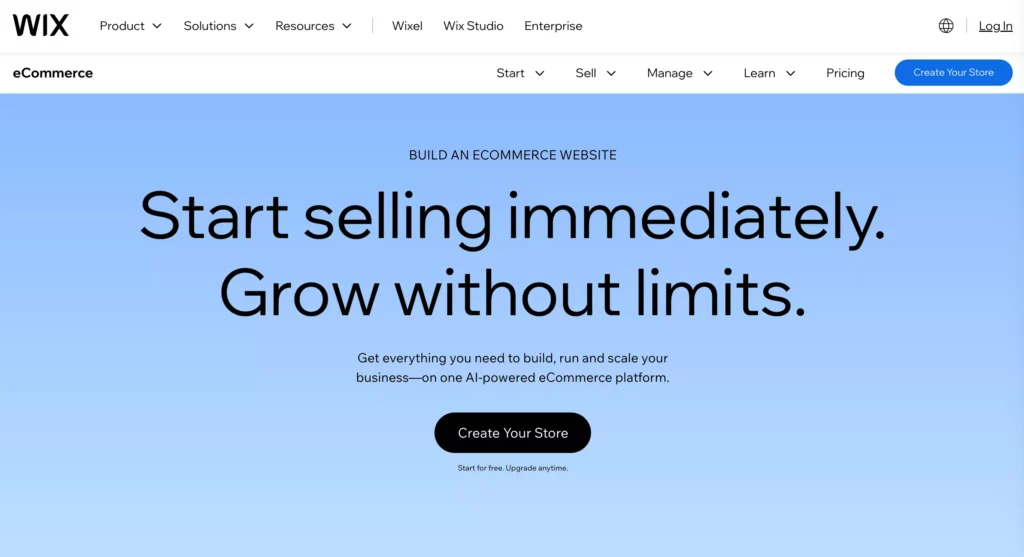
We all know that Wix is an intuitive website builder platform, and now, we can even sell products on this very tool. Though Wix Ecommerce won’t be able to perform sophisticated tasks like Shopify or Magento Commerce, it still offers standard features such as checkout, PayPal payment, live chat, product review, abandoned cart recovery, and multilingual support.
G2 Rating: 4.2/5.0
Features:
- A drag-and-drop visual editor, with over 100 customizable eCommerce templates, to build a high-converting online store;
- AI features to develop an eCommerce website, edit images, write product descriptions, and offer personalized recommendations;
- Basic product management and basic payment integrations;
- Velo, a development platform integrated into the Wix Editor to add custom code or APIs;
- A resilient security infrastructure to ensure fast page loading and secure performance;
- Built-in marketing, SEO, CRM, and analytics tools.
Pros:
- Wix Ecommerce is very easy to use, even for first-time users.
- You can set up Wix fast for testing ideas or managing small product lines.
Cons:
- There are fewer eCommerce features than on other platforms, so Wix isn’t ideal for large product catalogs or fast-growing businesses.
- When you want to change the theme, you have to customize the site all over again.
Price:
- A free plan using a Wix subdomain
- Light: $17/month
- Core: $29/month
- Business: $39/month
- Business Lite: $159/month
6. Squarespace: Simple Platform for Creators and Small Brands

Squarespace is a well-known SaaS website builder in the world. It provides different essential tools to build professional-looking websites, company portfolios, and online stores. Like other eCommerce platforms, it handles hosting, domain registration, and security, while letting you visually design the storefront.
G2 Rating: 4.4./5.0
Features:
- Fluid Engine, a visual editor, to move design content around and ensure mobile responsiveness;
- Blueprint AI to build a custom website within minutes by creating personalized content, generating images, and suggesting designs;
- Diverse eCommerce extensions to manage shipping & fulfillment, taxes, payments, and more;
- Built-in SEO, email campaign, and social media tools to improve search result rankings and drive engagement;
- Mobile-based store management.
Pros:
- Squarespace offers award-winning templates.
- It has great built-in eCommerce, blogging, and content tools to support your selling services.
- It requires simple setups without the need for technical skills.
Cons:
- In comparison with other eCommerce platforms, Squarespace offers much fewer themes, extensions, and payment solutions.
- Its eCommerce features are modest, not ideal for large catalogs and complex needs.
Price:
- A 14-day free trial
- Personal: $10/month (billed yearly)
- Business: $14/month (billed yearly)
- Basic Commerce: $17/month (billed yearly)
- Advanced Commerce: $30/month (billed yearly)
7. Drupal Commerce: Content-Driven Custom Ecommerce
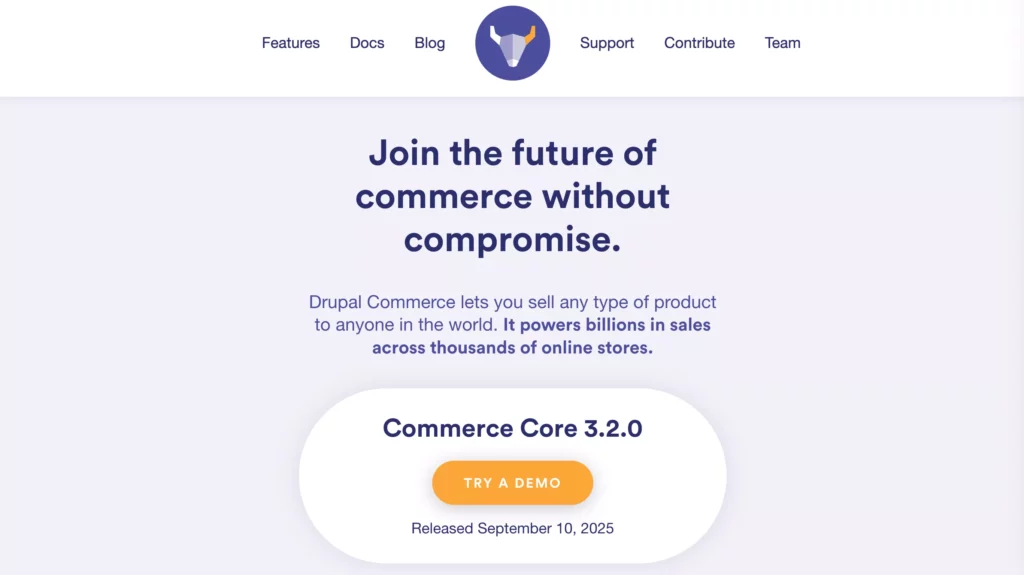
Drupal is an open-source CMS used to build websites. And Drupal Commerce is a framework built on top of Drupal to add eCommerce capabilities (e.g., product listings, shopping carts, and checkout) to your online store. It provides a central platform that highly adapts to your online commerce requirements and supports developing a scalable website.
G2 Rating: 4.1/5.0
Features:
- Drupal’s Layout Builder to build media-rich landing pages and complex product layouts;
- Headless commerce capabilities and diverse frontend libraries to develop custom apps using JSON:API or custom REST resources;
- High theme customization to meet your specific design requirements;
- Native support for faceted search, product recommendations, personalized promotions, SEO capabilities, and performance enhancing;
- Built-in tools for international selling and B2B commerce, like bulk pricing, quote preparation, or global payments;
- Diverse integrations with third-party services, community-generated modules, and custom extensions.
Pros:
- Drupal Commerce is open-source, licensed under the GPL.
- It supports international selling and B2B demands.
- It integrates deeply with the configurable features of Drupal CMS, which can adapt seamlessly when your business grows, hence supporting high traffic and transaction volumes well.
- The eCommerce platform has strong community support and security infrastructure.
Cons:
- Drupal Commerce is harder to learn than other eCommerce platforms.
- It’s not suitable for a fast time-to-market.
Price: Free
8. OpenCart: Open-Source Platform for Small Businesses
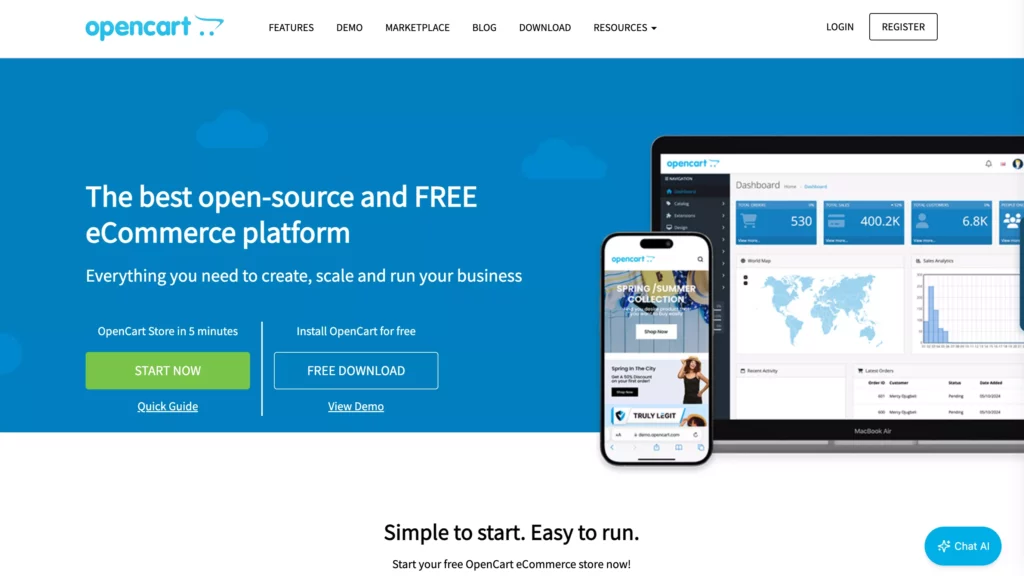
OpenCart is another open-source eCommerce development platform written in PHP. It supports you in building a feature-rich online store thanks to its diversity of built-in eCommerce and marketing tools.
The eCommerce suits both novices and experienced developers to build small-to-medium-sized sites. Besides the free, self-hosting version, you can use OpenCart Cloud – a managed, subscription-based solution – to host your site on the cloud.
G2 Rating: 4.3/5.0
Features:
- A feature-rich admin panel to manage orders, sales, customers, discounts, product options, and multiple stores;
- Integrations with various world-renowned shipping methods and payment gateways;
- A large marketplace of over 13,000 themes and extensions to modify functionality;
- International selling features, like multiple currencies, automatic rate updates, and translationability;
- Mobile-friendly designs;
- Built-in SEO and marketing tools
Pros:
- OpenCart is lightweight and free to use, suitable for small catalogs and simple eCommerce needs.
- It supports unlimited products and categories, along with various languages and currencies.
Cons:
- Scaling for growing or complex businesses is limited.
- Extension quality is sometimes poor.
- Updating a website is notorious for being “buggy.” So you have to back up your site before truly updating it.
Price: Free
9. Shift4Shop (Formerly 3dcart): All-in-One Ecommerce Platform

Shift4Shop is a cloud-based SaaS platform that allows you to develop, run, and scale an online store. Its old name was 3dcart, which was acquired by Shift4 Payments in 2020 and rebranded to Shift4Shop with more than 200 built-in features.
G2 Rating: 3.9/5.0
Features:
- A feature-rich visual builder and more than 100 mobile-friendly customizable themes, with HTML/CSS editing capabilities;
- Built-in tools for product and order management, customer marketing, shipping, and more.
- Strong B2B feature set, like customer groups, bulk pricing, or advanced shipping and freight options;
- Close integration with Shift4 payment services;
- Al-driven fraud protection powered by Kount.
Pros:
- The eCommerce platform offers a free, enterprise-level plan for US merchants if they use Shift4 for payment processing.
- It provides 24/7 customer support.
- Shift4Shop requires no transaction fees and offers a free domain registration.
Cons:
- Shift4Shop has a smaller community support than other platforms.
- Some design templates and the working dashboard feel a bit outdated.
Price:
- A free plan
- An unlimited plan with $41/month
- An end-to-end eCommerce plan with $229/month
How Designveloper Helps You Build a Successful Ecommerce Website
Above are the best eCommerce platforms you might want to give a try. We also hope that we’ve listed all the key factors to choose the best eCommerce platform for your potential website here.
Here at Designveloper, our specialists suggest Magento if you’re seeking an open-source platform for your online store. Further, we also choose Demandware, Salesforce Commerce, and Volusion, the most efficient cloud-based platforms for our own customers. These tools benefit marketing companies, data security groups, multinational companies (or global companies), and accounting companies the most.
But if none of the above commerce platforms catches your eye, you can also build your own customized store. And people at Designveloper are willing to help you with the DIY platform.
We offer a wide range of development services:
- Business consulting
- Ecommerce website design
- SaaS development
- Fully custom website development
- Ecommerce website maintenance and support.
Our experts help you develop high-performing, scalable solutions using technologies like MERN stack, NextJS, NestJS, Docker, AWS, and even AI. We don’t pick tech stacks randomly, but based on your specific requirements about the project, launch deadlines, and budget limits.
Email us now or contact our sales team here. Cheers!
Also published on

Share post on










Related Articles


Ecommerce UI/UX Design: Best Practices For Better Conversions
Ecommerce UI/UX Design: Best Practices For Better Conversions Published September 28, 2026
10 Ecommerce Best Practices For Better UX, SEO, And Sales
10 Ecommerce Best Practices For Better UX, SEO, And Sales Published September 21, 2026
B2C Ecommerce Model: Types, Examples, and How to Choose One
B2C Ecommerce Model: Types, Examples, and How to Choose One Published September 18, 2026



















