












HRM Software In 2026: 9 Platforms To Compare For Different Teams

HRM software helps businesses manage employee records and everyday HR tasks in one place. The right platform depends on what your team needs most: employee self-service, international HR, shift scheduling, or enterprise workforce planning.
Start with the processes that cause the most work today. Then narrow your shortlist based on payroll coverage, connections to existing systems, and the cost of getting the software running. The nine platforms below address different needs, rather than forming a ranking from best to worst.
What Is HRM Software?
Human resource management (HRM) software stores employee information and supports HR processes from hiring to departure. Instead of maintaining separate spreadsheets, HR teams can use a shared employee record to manage changes in job details, leave balances, and other employment information.
A typical HR platform may offer several modules, which are groups of related features:
- Core HR keeps employee records, contracts, and organizational structures up to date.
- Onboarding helps new hires complete paperwork and other tasks before and after their start date.
- Payroll and benefits support salary processing and employee benefit administration, where available.
- Time and attendance tracks working hours, absences, and leave.
- Talent management supports activities such as performance reviews, learning, and career development.
- Reporting helps HR teams monitor workforce information, such as headcount and absence trends.
These modules become more useful when they share information. For instance, an approved change in working hours can feed into a payroll system without HR entering the same data again. Our guide to HR workflow automation explains how to connect these routine tasks and approvals.
You may also see vendors use HRIS (human resource information system) or HCM (human capital management). HRIS often refers to the employee database and basic administration, while HCM tends to cover broader talent and workforce needs. ADP’s HCM evaluation guide notes that vendors use HR technology labels differently. Compare the actual modules and workflows instead of relying on the name of the category.
9 HRM Software Platforms To Compare
Choose a shortlist based on your main operational need. This table identifies potential matches and the questions that could rule them out. Our own product, HRM, appears first, followed by eight other products in alphabetical order. The comparison reflects publicly documented capabilities, not hands-on testing or a performance ranking.
| Product | Potential Fit | Distinctive Focus | What To Verify |
|---|---|---|---|
| HRM (Designveloper product) | Teams with internal HR requests | Leave and remote-work requests, timesheets, work logs, calendars and project staffing | Commercial availability, features, price, integrations and support |
| BambooHR | Teams prioritizing core HR | Employee records and lifecycle management | Plan contents, local payroll and integrations |
| Deel HR | International teams | Administration across countries and worker types | Country and employment service coverage |
| HiBob | Growing teams | Connected people data and talent processes | Local payroll, modules and integrations |
| Rippling | Teams connecting HR and IT | Workforce data linked to IT processes | Module pricing and system connections |
| SAP SuccessFactors | Large organizations | Cloud HR and talent management | Module scope, integrations and rollout |
| UKG Ready | Teams managing shifts and pay | Time, scheduling and payroll | Payroll regions and plan contents |
| Workday HCM | Enterprises with planning needs | Connected HR and workforce planning | Modules, integrations and implementation scope |
| Zoho People | Teams needing flexible HR processes | Records, attendance, leave and timesheets | Feature tiers, automation and payroll connections |
HRM For Employee Self-Service And Internal HR Workflows
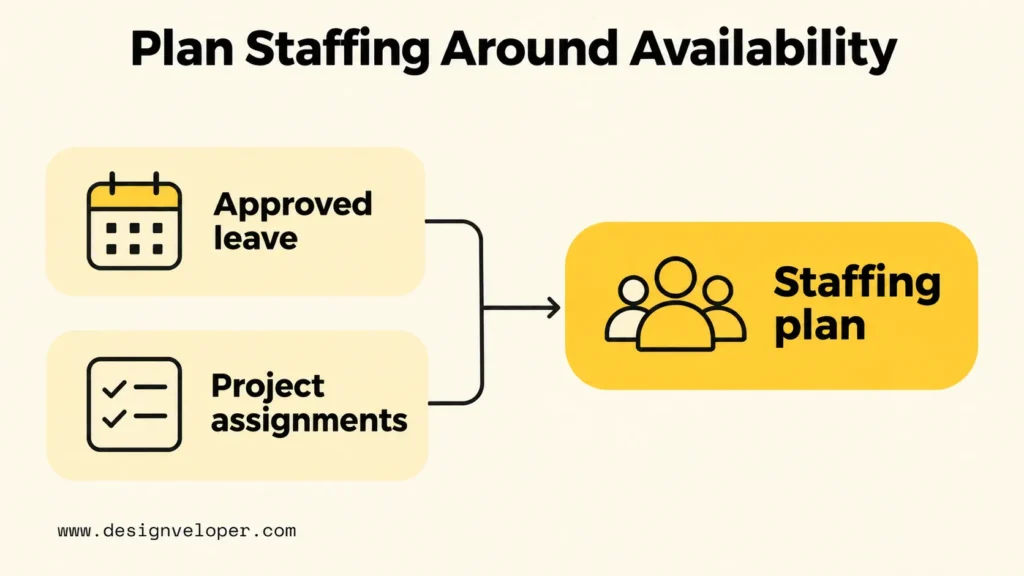
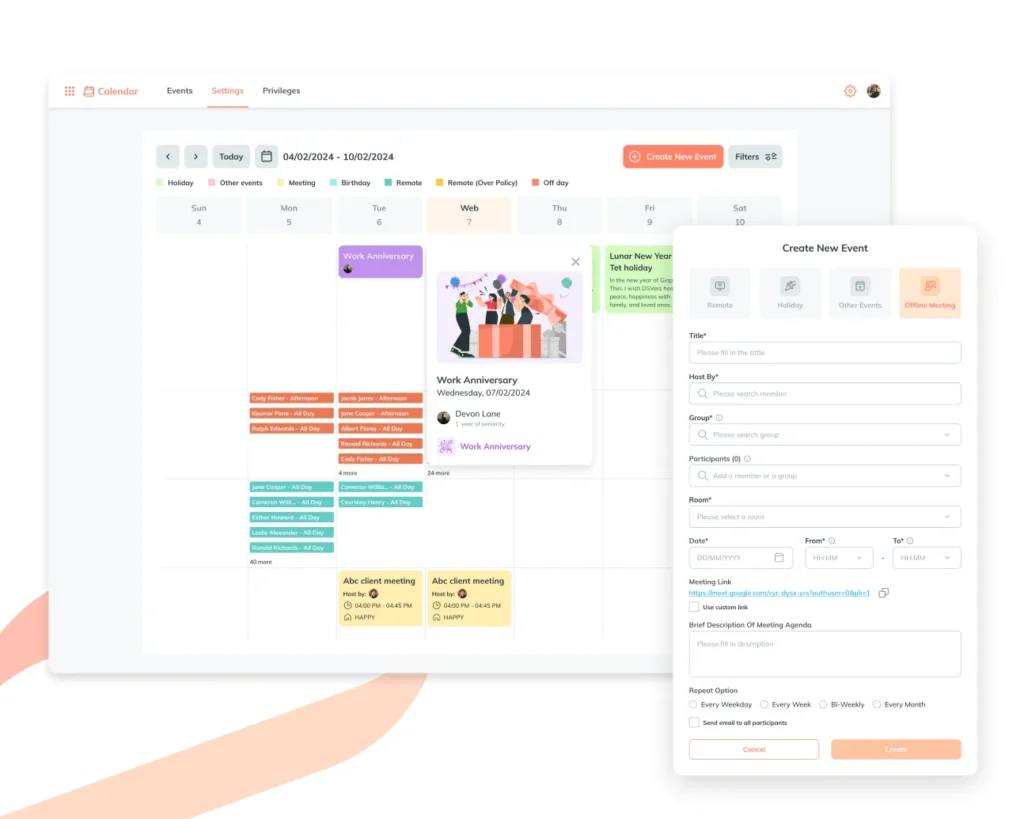
HRM is our product at Designveloper (DSV). It is a potential fit for teams that need to manage frequent employee requests alongside internal work activities. The HRM product overview describes an employee portal for leave and remote-work requests, timesheets, work logs, and calendars. HR staff can also manage accounts and allocate people to projects.
The combination is particularly relevant to project-based teams. Imagine a delivery manager planning next week’s staffing while employees submit leave requests. Reviewing both availability and project assignments is more useful than looking at a leave calendar alone. That is the workflow to evaluate when considering HRM.
Our public project page does not specify current pricing, deployment options, integrations, support terms, or general commercial availability. Confirm these details with us before treating HRM as a purchasable option. Do not assume payroll is included.
BambooHR For Core HR And Employee Experience
BambooHR is worth considering when employee records and everyday HR administration are your first priorities. Its platform overview covers hiring, onboarding, reporting, and performance management. That breadth makes it a candidate for teams replacing separate employee spreadsheets and onboarding tools.
Payroll coverage needs a separate check. The vendor’s payroll documentation identifies its native payroll as designed for US-based employees. Other countries may need a local integration, partner, or employment service. Use the BambooHR plan comparison to identify the features and add-ons required for your workforce. In a demo, ask how a change to an employee’s record reaches your existing payroll system.
Deel HR For Global Team Administration
Deel HR is a candidate for businesses managing employees and contractors across countries. Its HRIS overview describes a shared database for different worker types, with time-off management, approvals, and reporting. Deel advertises local HR policy templates covering 150 or more countries.
Managing records internationally is not the same as running payroll or legally employing staff abroad. Deel Global Payroll requires the customer to have an entity in the country of service. An employer of record (EOR) instead acts as the legal employer where that service is available. Prepare a list of countries and worker types before requesting a proposal. Confirm which services you need for each group and whether the vendor covers them.
HiBob For Growing Teams
Consider HiBob’s Bob platform when a growing organization wants to connect core HR with employee development. The Bob platform overview describes employee self-service, hiring, talent management, and workforce planning. A team can evaluate these capabilities together rather than buying a separate tool for every new HR requirement.
HiBob lists US and UK payroll products as well as Payroll Hub for connecting payroll data. Check which payroll route applies to each country and which modules and integrations come with your proposal. Ask the vendor to show how a promotion changes an employee’s record and reaches the payroll team. This reveals whether the connected system meets your actual process.
Rippling For Connected HR And IT Workflows
Rippling is worth evaluating when HR changes also require action from IT. Its HR platform covers employee administration, and the wider product range includes identity access and device management tools.
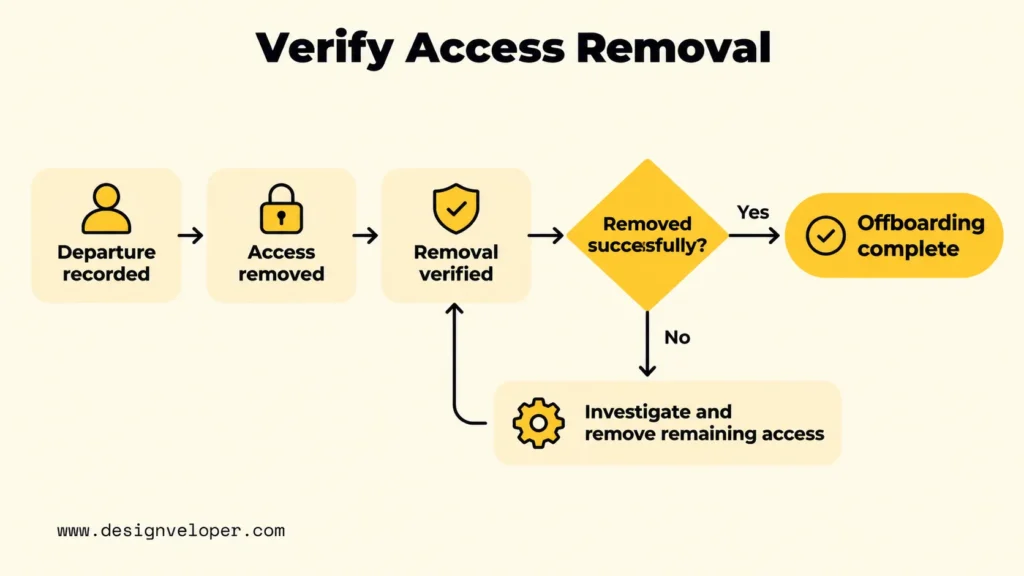
Consider an employee leaving the company. HR must record the departure, while IT needs to remove access to business applications. Ask Rippling to demonstrate how these tasks can work together in your proposed package. Include a failed access removal in the test so you can see how administrators detect and resolve it. Confirm whether the necessary IT modules, application connections, and support are included or need separate purchases.
SAP SuccessFactors For Enterprise HR And Talent
SAP SuccessFactors is a candidate for organizations that need broad HR and talent capabilities across business units. The SuccessFactors HCM overview describes a cloud suite for core HR and talent processes. It is worth exploring when a company wants common employee data and talent practices across divisions.
The evaluation should establish how much standardization the business can accept. For example, different divisions might use different performance review cycles. Ask which differences can be configured and whether they affect company-wide reporting. Confirm which modules are needed, how they connect to existing finance and HR systems, and what data migration and rollout work the proposal includes.
UKG Ready For Workforce Management
UKG Ready is a potential fit for small and midsize organizations whose HR processes depend heavily on work schedules. The UKG Ready platform connects HR, time tracking, scheduling, and payroll capabilities. This combination matters when worked hours and schedule changes affect employee pay.
UKG’s product comparison guide says Ready payroll focuses primarily on the US and Canada, with multi-country payroll available through UKG Global Payroll. Its Ready plan guide also distinguishes package options. Test a missed clock-in and an approved overtime correction. Confirm that each change can reach payroll accurately under your local pay rules and chosen package.
Workday HCM For Enterprise HR And Planning
Workday HCM is worth considering when HR information must support wider workforce decisions. Its human resource management overview describes core employee administration alongside talent, compensation, and workforce planning capabilities.
Suppose finance needs to compare proposed hiring against an annual staffing budget. HR data about current positions is useful only if it can inform that plan. Ask Workday which planning tools are required for this scenario and how they exchange data with your finance systems. Include reporting permissions and the migration of current job structures in the implementation discussion. A core HR purchase alone should not be assumed to cover the full planning requirement.
Zoho People For Configurable HR Operations
Zoho People is worth comparing when HR teams need to adapt everyday processes to their own policies. Its edition comparison lists employee records, attendance, leave, timesheets, and workflow features across different tiers. Choose the edition based on the rules and approvals you need, not just the number of employees.
Payroll is an important boundary. The vendor’s Zoho Payroll integration documentation limits that particular connection to India and Gulf Cooperation Council countries. If your company operates elsewhere, investigate other supported payroll connections. In a demo, test whether different employee groups can follow different leave rules without HR maintaining a parallel spreadsheet.
How To Choose HRM Software For Your Business
Choose HRM software that passes your essential workflow and country requirements first. Compare cost only after establishing which options can actually perform the work. Otherwise, a cheaper subscription may leave you paying for manual administration or additional systems.
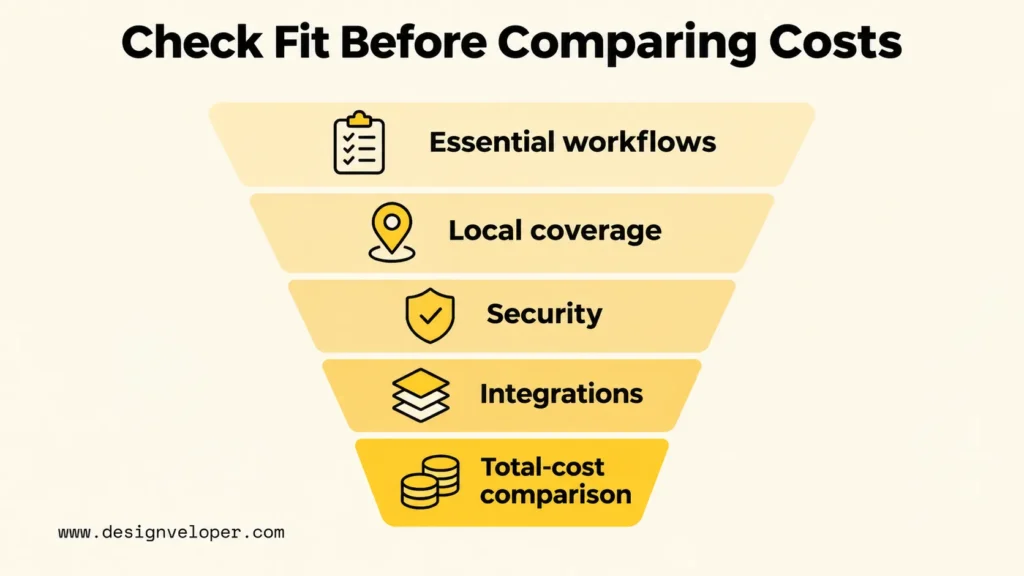
Match The Platform To Your HR Workflows
Write down the recurring HR tasks that your business needs to support. Start with employee records, onboarding, leave approvals, time tracking, and performance reviews. For each task, identify who starts it, who approves it, and where the final record belongs.
Separate essential tasks from future improvements. A business that struggles to get new starters ready for work may need onboarding before performance management. Our guide to employee onboarding automation explains how HR records can trigger tasks in IT and other systems.
Give each shortlisted vendor the same test. For example, a leave request should reach the correct manager, respect the employee’s available balance, and update the record after approval. Include an exception, such as a cancelled request. A platform that handles only the normal path may still leave HR with a manual workload.
Verify Payroll, Integrations, Security, And Local Coverage
Check payroll country by country, even when a platform advertises global HR coverage. Ask who calculates tax and deductions, who submits required filings, and whether a native module or a separate provider performs these tasks. Include your actual worker types and legal entities in the discussion.
Then check how information moves between HR and your accounting, recruitment, and identity systems. Decide which system holds the authoritative version of each record. Ask what happens when an update fails or arrives twice. Our API integration guide explains how to test these connections and assign responsibility for failures.
Employee data also needs careful access controls. Ask who can view salaries, edit bank details, and export employee records. Test permissions with ordinary employee and manager accounts, not just an administrator login. Request details about data storage, retention, backups, audit logs, and incident response. Confirm how you can retrieve your data when you leave the vendor.
Compare Total Cost And Implementation Effort
Compare the full cost of using each platform over the same period, such as three years. A subscription quote alone will not show what it takes to move from your current processes to a working system.
Request proposals that cover the same items:
- Subscription fees and the cost of required add-on modules.
- Setup, configuration, and migration of existing employee records.
- Integration development and any ongoing connector charges.
- Training, support, and the internal staff time needed to run the system.
Use identical employee counts, countries, and required modules for each proposal. Ask how fees change as your company grows. Include the cost of any software that must remain in use, especially payroll. This gives you a more meaningful comparison than a starting monthly price.
Decide When To Configure, Integrate, Or Build
Use a standard HR platform when its existing workflows meet your essential needs. Configure it when the process is broadly suitable but needs different approval rules or forms. Both approaches avoid creating an entire application that your team must maintain.
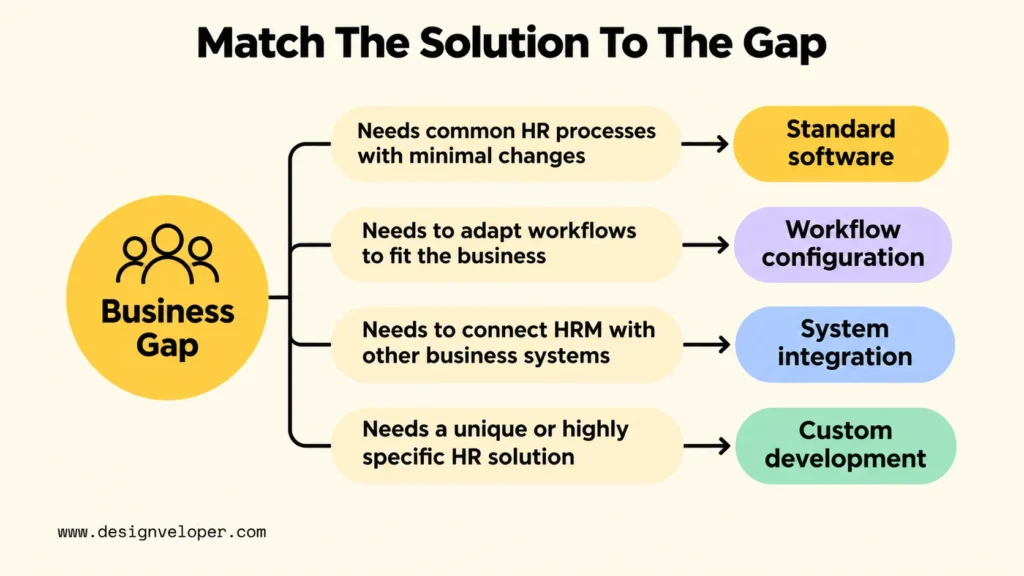
Integration makes sense when two suitable systems need to exchange information. For example, a business might keep its local payroll provider and connect it to a new employee portal. The goal is to remove duplicate data entry, not replace a payroll process that already works.
Evaluate a custom build when a critical process cannot be supported reliably through configuration or integration. A project-based firm might need unusual staffing rules that standard HR tools cannot represent. Test that specific requirement before funding a build. Our build vs buy software guide explains how to compare control, cost, and long-term maintenance responsibilities. A custom application is a separate option from evaluating our HRM product.
FAQs About HRM Software
How Much Does HRM Software Cost?
HRM software costs depend on employee count, selected modules, and the vendor’s billing model. Some vendors charge per employee each month, while others use minimum fees or tailored contracts. Ask for a written quote based on your expected headcount at launch and renewal. There is no single comparable price range for all nine platforms based on the public information reviewed.
Does HRM Software Include Payroll?
Some platforms include payroll capabilities, while others send employee information to separate payroll software. Even a native payroll module may be restricted to certain countries. Before buying, confirm whether the system calculates net pay, supports the required tax filings, and handles corrections after a pay run.
How Long Does HRM Software Implementation Take?
There is no reliable universal timeline. A basic employee database requires less preparation than a rollout involving several countries, historical data, and payroll integrations. Ask for a schedule with named milestones for data validation, configuration, user testing, and launch. If payroll is changing, include a parallel pay run to compare outputs before switching systems.
Can A Small Business Use HRM Software Without An HR Manager?
Yes. A small business can use HR software to manage routine employee records and requests without a dedicated HR manager. It still needs a named person to own employee data, approval rules, and access permissions. Assign that responsibility to an operations lead or business owner, and obtain qualified HR or payroll advice when local employment obligations require it.
Also published on

Share post on










Related Articles



HR Integration: How To Connect HR Systems Across Your Business
HR Integration: How To Connect HR Systems Across Your Business Published November 27, 2026
HRM Software In 2026: 9 Platforms To Compare For Different Teams
HRM Software In 2026: 9 Platforms To Compare For Different Teams Published November 27, 2026
The 5 Advantages of CRM in the Banking Sector
The 5 Advantages of CRM in the Banking Sector Published October 19, 2026