
















HR Workflow Automation: Benefits, Tools, And Implementation

KEY TAKEWAYS:
- HR workflow automation helps HR teams reduce repeated manual work across policy questions, time off, onboarding, payroll, benefits, IT, finance, and recruiting handoffs.
- AI improves HR automation when it handles context-heavy steps such as reading requests, summarizing documents, routing tickets, drafting responses, and flagging exceptions.
- Automation should support HR judgment, not replace it, especially in sensitive employee decisions, compliance reviews, compensation, performance, and escalations.
- The best HR workflow software depends on the process: employee data, onboarding, HR service delivery, integrations, approvals, analytics, and AI assistant needs point to different tools.
- Successful implementation needs process design and governance, including clear ownership, clean data, access control, audit trails, fallback paths, and measurable HR outcomes.
HR teams handle many repeated tasks every day. They answer policy questions, approve time off, as well as move employee data between payroll, benefits, IT, finance, and recruiting tools. These tasks look small on their own. Yet they slow HR down when they happen at scale.
This is why many teams now search for “hr workflow automation” as a practical way to reduce manual work. HR workflow automation uses software, rules, integrations, and AI to move HR tasks from request to completion with less manual effort. It does not remove HR judgment. Instead, it gives HR teams more time for employee support, workforce planning, and better people decisions.
The market also shows why this topic matters now. SHRM’s State of AI in HR 2026 report found that 39% currently have AI adopted in their HR functions and 7% intend to launch AI in their functions this year. Gartner also found that 76% of HR leaders agreed they would lag in organizational success if they did not adopt and implement generative AI within 12 to 24 months. The message is clear. HR automation has moved from a nice-to-have tool into a core operating layer.

What Is HR Workflow Automation?
HR workflow automation is the use of software to automate repeated HR tasks, approvals, notifications, data updates, and handoffs. It helps HR teams run a process the same way every time. It also helps employees complete simple tasks without waiting for manual support.
A basic HR workflow may start with an employee request. The system checks the rule, routes the request to the right person, updates the record, and sends a status message. For example, an employee submits a time-off request. The system checks their available balance. It sends the request to the manager. Once approved, it updates the calendar, payroll, and HR record.
AI in HR workflow automation adds a smarter layer. AI can read employee questions, classify documents, summarize feedback, extract data from forms, and suggest the next best action. It can also help HR teams analyze workforce data. However, strong automation still needs clear rules, clean data, and human review for sensitive decisions.
| HR Activity | Manual Workflow | Automated Workflow |
|---|---|---|
| Time-off request | Employee emails HR or manager. | Employee submits a request. The system checks balance, routes approval, and updates records. |
| Onboarding | HR sends forms, reminders, and tool access requests one by one. | The system triggers forms, welcome emails, IT tasks, payroll setup, and training checklists. |
| Employee support | HR answers repeated policy questions by email or chat. | An AI assistant answers routine questions and escalates complex issues. |
| Compliance tracking | HR tracks documents and deadlines in spreadsheets. | The system sends reminders, flags missing records, and keeps audit trails. |
Good HR workflow automation does three things well. First, it removes repeated manual steps. Second, it keeps employee data consistent across systems. Third, it gives HR leaders better visibility into status, risk, and workload.
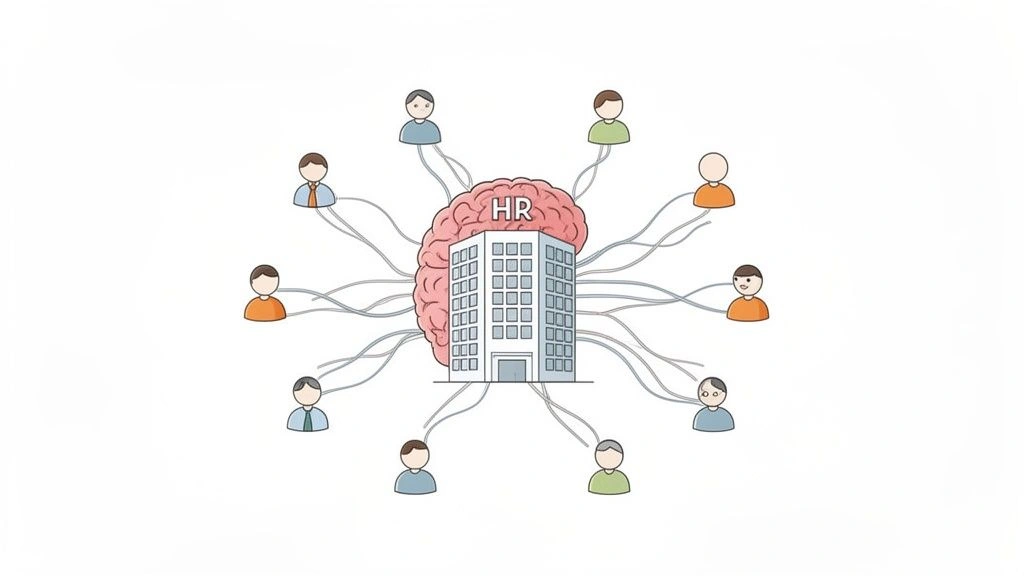
Key Benefits Of HR Workflow Automation
HR workflow automation works best when it solves a clear operational problem. The goal is not to automate every HR process. The goal is to remove repeated work from the right places first.
1. Increased Efficiency And Productivity
Automation gives HR teams more time by reducing manual routing, copying, checking, and follow-up. That matters because much office work still goes into tasks that do not create strong business value. Deloitte’s 2025 Global Human Capital Trends report says 41% of daily work is spent on non-essential tasks, while only 22% of employees say their organizations are very effective at simplifying work.
HR teams feel this problem every day. They chase signatures. They remind managers to approve forms. They answer the same benefits questions. They also copy employee data from one system to another. These tasks create delay, but they rarely need deep HR judgment.
With HR workflow automation, a team can:
- Route requests to the right approver without manual forwarding.
- Send automatic reminders before a deadline passes.
- Trigger onboarding or offboarding tasks from one employee status change.
- Sync approved data to payroll, benefits, timekeeping, and HRIS tools.
- Give employees a self-service path for common questions.
This improves HR productivity because HR professionals can focus on work that needs context. They can coach managers. They can improve retention. They can build better employee programs. They can also spend more time on workforce planning instead of routine administration.
2. Improved Accuracy
Manual HR work often creates errors because many systems depend on the same employee data. A small mistake can spread fast. An incorrect job title may affect access rights. A missing location update may affect payroll tax handling. A delayed termination task may leave system access open longer than needed.
Automation reduces these risks by using the same rules every time. It can require mandatory fields before a request moves forward. It can check whether a document is missing. It can also update connected systems after approval.
This matters most in workflows that affect pay, benefits, compliance, or security. For example, a new hire may need payroll setup, benefits enrollment, IT accounts, role-based access, equipment, and training. If HR manages every step by email, one missed step can hurt the employee’s first week. Automated workflows reduce that risk because each task has an owner, status, and deadline.
Accuracy also improves reporting. When employee data lives in scattered spreadsheets, HR leaders struggle to trust dashboards. When workflows update one shared record, reports become more useful. This helps leaders see trends in hiring, turnover, absence, training completion, and performance cycles.
3. Enhanced Employee Experience
Employees judge HR by how easy it is to get help. They want fast answers. They also want simple processes for routine needs. These needs include leave requests, benefits questions, payslip access, policy lookup, equipment requests, and onboarding tasks.
HR workflow automation improves the employee experience by reducing waiting time. A self-service portal can show request status. An AI assistant can answer common questions. Automated forms can guide employees through the right steps. This makes HR feel more responsive and consistent.
Onboarding shows this value clearly. A new employee does not want to ask five people what to do next. They need one clear path. Automation can send the right forms, training, welcome messages, and task lists before day one. It can also remind managers to schedule introductions and check-ins.
The same logic applies to offboarding. Employees need a respectful exit process. Managers need a clear checklist. HR, IT, finance, and legal teams need timely handoffs. Automation helps each team complete its part without confusion.
4. Unified Data Across Systems
HR data rarely stays in one place. A company may use one system for employee records, another for payroll, another for learning, another for recruiting, and another for collaboration. This creates data silos.
HR workflow automation connects these systems. When a record changes in one place, the workflow can update other tools. For example, a promotion can trigger a new pay grade, new access permissions, a manager change, and a learning plan. A location change can trigger payroll and compliance checks. A new role can update headcount planning and reporting.
Unified data gives leaders a cleaner view of the workforce. It also reduces repeated data entry for HR teams. More importantly, it helps companies control sensitive information. Each workflow can define who can view, approve, edit, or export employee data.
This is why HR software with workflow automation should not only look easy to use. It should also integrate with the systems that already run the business.
You might also like:
- How to Improve Developer Productivity for Long Term?
- What Is AI Automation? How It Works, Benefits, Tools, and Use Cases
- What Is Software Development and the Software Development Process?

Common HR Workflows To Automate
The best workflows to automate are frequent, rule-based, and easy to measure. They also involve many handoffs. These are the places where automation can reduce delay fast.
1. Payroll, Tax Forms, And Benefits Administration
Payroll workflows need accuracy. They also need strict timing. HR teams must collect employee data, validate changes, handle deductions, process tax forms, and coordinate benefits updates. Manual handling increases the risk of missed updates or late corrections.
Automation can help by moving approved data into payroll. It can also remind employees to complete tax forms and benefits enrollment. During open enrollment, the system can guide employees through plan choices, track completion, and notify HR about missing actions.
Common payroll and benefits automation examples include:
- New-hire payroll setup after an offer is accepted.
- Automatic reminders for tax form completion.
- Benefits enrollment workflows during onboarding.
- Payroll change approvals for promotions or role changes.
- Alerts when required employee data is missing.
These workflows help HR and payroll teams reduce repeated checks. They also help employees understand what they need to complete before deadlines.
2. Onboarding, Offboarding, And Position Management
Onboarding and offboarding are ideal for automation because they follow repeatable steps. Yet they still need personal care. Automation handles the checklist. HR handles the human experience.
For onboarding, a workflow can begin when a candidate accepts an offer. It can create an employee record, send forms, assign training, notify IT, request equipment, and schedule manager tasks. It can also send reminders before the start date.
For offboarding, automation can trigger return-of-equipment tasks, final payroll checks, exit surveys, knowledge transfer reminders, and access removal. This reduces risk and creates a more respectful exit.
Position management also benefits from automation. When a team opens a new role, the workflow can route the request for budget approval. It can then update headcount plans and notify recruiting. This gives finance, HR, and department leaders a shared view of hiring demand.
3. Timekeeping And Time-Off Requests
Timekeeping and time-off requests are simple, but they happen often. That makes them strong candidates for automation. Employees need to request leave, track balances, edit timesheets, and correct missing hours. Managers need to approve requests and view team availability.
Automation makes this process smoother. The system can check leave balance before routing approval. It can alert managers when many people request the same period. It can also sync approved leave with payroll and calendars.
For hourly teams, automated timekeeping helps reduce manual corrections. For remote or hybrid teams, it gives managers a clearer view of schedules. For HR teams, it reduces routine questions about balances, policies, and approval status.
4. Recruiting And Background Checks
Recruiting has many moving parts. HR teams post jobs, review candidates, schedule interviews, send updates, collect feedback, and manage offers. Automation can make this work faster and more consistent.
SHRM’s 2025 Talent Trends research shows that among organizations using AI to support HR activities, AI appears across 42% for HR technology and 40% for recruiting. This aligns with real adoption patterns. Recruiting has many structured steps, and AI can support several of them.
Automation can help recruiting teams:
- Move candidates through pipeline stages.
- Send interview reminders and follow-up messages.
- Route candidate feedback to hiring managers.
- Trigger background checks after conditional offers.
- Start onboarding when a candidate accepts.
AI can also draft job descriptions, summarize interview notes, and match candidates to role requirements. However, HR teams should keep humans involved in selection decisions. This helps reduce bias, protect fairness, and maintain candidate trust.
5. Performance, Training, And Employee Engagement
Performance and learning workflows often fail because teams forget key steps. Managers miss review deadlines. Employees miss training. HR teams struggle to collect feedback across departments.
Automation can schedule review cycles, send reminders, collect forms, and route approvals. It can also assign training based on role, department, seniority, or compliance needs. For engagement, the system can send surveys, collect responses, and alert HR when a team shows risk signals.
AI can add more value here by summarizing feedback themes. It can also suggest learning paths based on skill gaps. Still, HR should review sensitive insights before taking action. Performance and engagement data can affect careers, trust, and retention.
6. Compliance Management
Compliance workflows need strong records. HR teams must track policies, employee documents, training, certifications, legal notices, and audit trails. Manual tracking can work for small teams, but it becomes risky as the company grows.
Automation can remind employees to complete required training. It can flag missing documents. It can also create approval logs for policy acknowledgments and employee changes. This gives HR a cleaner audit trail.
Compliance automation should also include access controls. Sensitive records should only be available to the right people. The workflow should log changes, approvals, and timestamps. This matters for privacy, labor rules, payroll records, and internal investigations.
Learn more in:
- AI-Driven Decision Making To Harness Business Data
- Enterprise AI Agents: Use Cases, Tools, And Implementation Guide

How AI Improves HR Workflow Automation
Traditional automation follows rules. AI adds context. That is the main difference. A rule-based workflow can route a form. AI can understand a request, extract key details, and suggest an answer or action.
However, AI should not act alone in every HR workflow. It works best when it handles repeated or low-risk tasks first. Human review should remain in place for hiring decisions, terminations, pay changes, disciplinary actions, and sensitive employee relations cases.
1. AI Handles Employee Requests Faster
Many HR questions repeat. Employees ask about leave policy, benefits, pay dates, holidays, remote work, document requests, and onboarding tasks. HR teams often answer the same questions across email, chat, and tickets.
AI assistants can answer these questions from approved HR knowledge bases. They can also route complex cases to the right team. This reduces first-response time and gives employees help outside normal business hours.
For example, an employee may ask, “How many paid leave days do I have left?” A basic chatbot may only point to a policy page. A stronger AI workflow can verify the employee’s identity, check the HRIS balance, answer the question, and provide a link to submit a request.
This is where ai in hr workflow automation becomes useful. It does not only answer text. It connects the answer to a workflow.
2. AI Works With Unstructured Inputs
HR teams receive many unstructured inputs. These include resumes, contracts, medical notes, emails, scanned forms, survey comments, policy documents, and interview notes. Traditional automation struggles with this data because it does not always fit neat fields.
AI can read and classify these inputs. It can extract names, dates, skills, job titles, salary terms, and document types. It can also summarize long comments into themes. This helps HR teams move faster without reading every document from scratch.
Practical examples include:
- Extracting candidate details from resumes.
- Classifying employee documents by type.
- Summarizing exit interview comments.
- Turning policy documents into searchable answers.
- Detecting missing fields in onboarding forms.
AI still needs guardrails. HR teams should define what the AI can read, what it can change, and when it must ask for approval. This keeps automation useful without creating hidden risk.
3. AI Supports Better HR Decisions
AI can help HR leaders find patterns that are hard to see manually. It can surface turnover signals, skills gaps, training needs, hiring bottlenecks, and engagement themes. This helps HR move from reactive support to proactive workforce planning.
McKinsey’s 2025 HR Monitor shows the gap clearly. It found that only 19% of core HR processes in Europe are enhanced with gen AI, while 32% are still in pilot phases. In other words, many HR teams are testing AI, but fewer have embedded it into real processes.
Better decisions require more than a model. They need clean data, defined metrics, and clear ownership. McKinsey’s workplace AI report also found that 92% of companies plan to increase AI investments over the next three years, but only 1% of leaders call their companies mature in AI deployment. This means HR teams should focus less on AI hype and more on workflow design.
Microsoft’s 2025 Work Trend Index points in the same direction. It found that 82% of leaders call this a pivotal year to rethink key parts of strategy and operations, and 81% expect agents to be integrated into company AI strategy in the next 12 to 18 months. HR should prepare for this shift now. The best starting point is a workflow that already has clear rules, clear data, and clear business value.
Best HR Workflow Automation Software To Consider
The best HR workflow automation software depends on company size, process complexity, budget, and existing systems. Some tools focus on core HR tasks. Others connect HR with IT, finance, support, and collaboration tools.
| Software | Best Fit | Strong Workflow Areas | What To Check Before Buying |
|---|---|---|---|
| Rippling | Companies that need HR, IT, and finance automation in one platform. | Onboarding, payroll, app access, device tasks, workforce data. | Check whether the platform fits your full operating model. |
| BambooHR | SMBs that need simple HR workflows and easy adoption. | Employee records, onboarding, time off, approvals, reporting. | Check depth for complex enterprise workflows. |
| Leena AI | Teams that need AI-powered HR support. | Employee questions, HR helpdesk, knowledge base, document requests. | Check knowledge quality and escalation rules. |
| Workato | Enterprises that need cross-app workflow automation. | HR integrations, onboarding, Workday workflows, app orchestration. | Check implementation skills and governance needs. |
| Paycom | Companies that want payroll and HR automation in one system. | Payroll, employee data, time, benefits, HR administration. | Check fit for your payroll region and HR process depth. |
| Moveworks | Large companies that need enterprise employee support automation. | HR support, IT support, enterprise search, request handling. | Check integrations, security, and knowledge readiness. |
1. Rippling – Best for automating HR, IT, and finance workflows together.
For a deeper dive, read:
- AI Chatbot Integration: How To Connect Chatbots With Business Systems
- Chatbot Vs. Conversational AI: Key Differences and Complete Guide
- What Is Agentic AI? Benefits, Architecture and How It Works
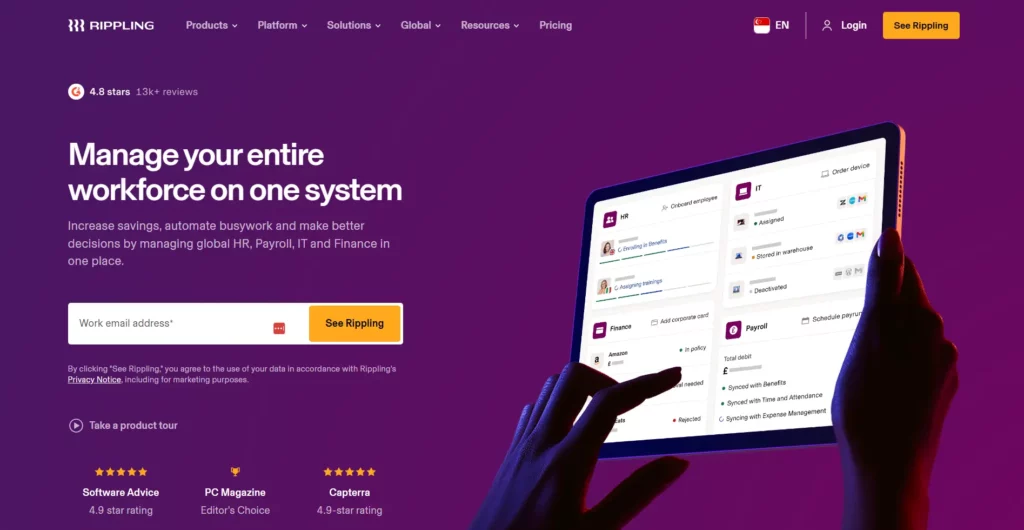
Rippling is a strong fit when employee changes affect many departments. A new hire does not only need an HR record. They may also need payroll setup, benefits, app access, a laptop, security policies, and finance workflows. Rippling helps companies manage these connected steps from one workforce platform.
This makes Rippling useful for fast-growing teams. It can reduce the handoff gap between HR and IT. For example, an onboarding workflow can trigger account creation, device tasks, payroll setup, and policy assignment. An offboarding workflow can remove access and notify the right teams.
Rippling works best when a company wants one system to control many employee lifecycle events. It may feel broader than needed for a small team that only wants simple time-off approvals. But for teams with many apps and role-based access needs, its connected model is valuable.
2. BambooHR – Best for SMBs that need easy-to-use HR workflow automation.
BambooHR is a good choice for small and midsize businesses that want clean HR workflows without heavy setup. It focuses on employee records, onboarding, time off, approvals, reporting, and employee experience.
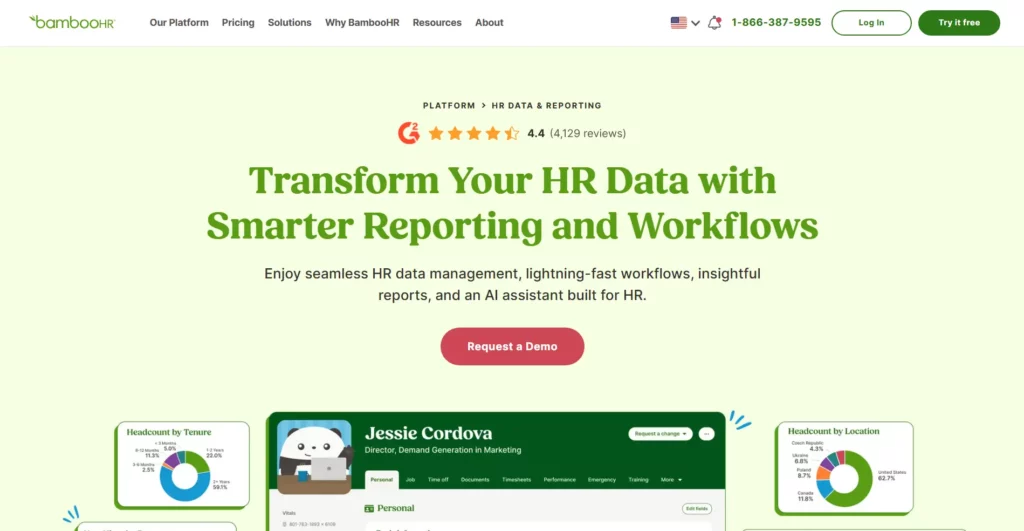
The main strength is ease of use. HR teams can build workflows for employee updates, time-off requests, onboarding tasks, and reporting without needing a large technical team. This matters for companies moving away from spreadsheets or email-based HR work.
BambooHR also fits teams that want HR software with workflow automation but do not need a complex enterprise integration platform. It gives HR a simple place to manage employee data and routine approvals. Larger companies may still need deeper customization or stronger cross-system orchestration.
3. Leena AI – Best for AI-powered employee support and HR workflow assistance.
Leena AI focuses on HR service delivery. It helps employees get answers and support through an AI-powered assistant. This makes it useful for companies with many repeated employee questions.
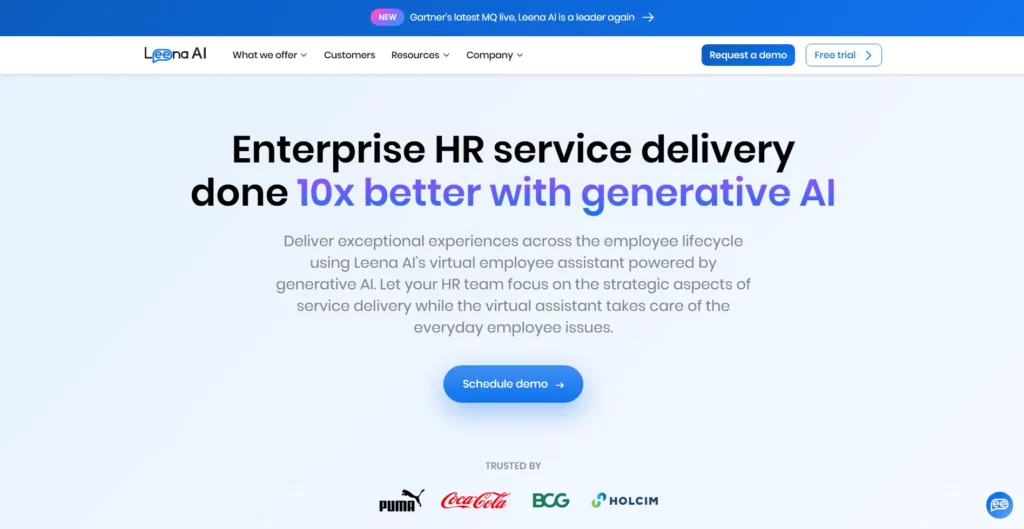
The tool can support policy lookup, ticket creation, employee helpdesk tasks, and document requests. It can also reduce the number of routine cases that HR teams need to handle manually. This improves speed for employees and frees HR to handle more complex cases.
Leena AI works best when the company has a strong knowledge base. AI support depends on accurate policies, clear ownership, and updated content. Without that foundation, the assistant may answer poorly or escalate too often.
4. Workato – Best for building automated workflows across HR systems and business apps.
For practical examples, check out:
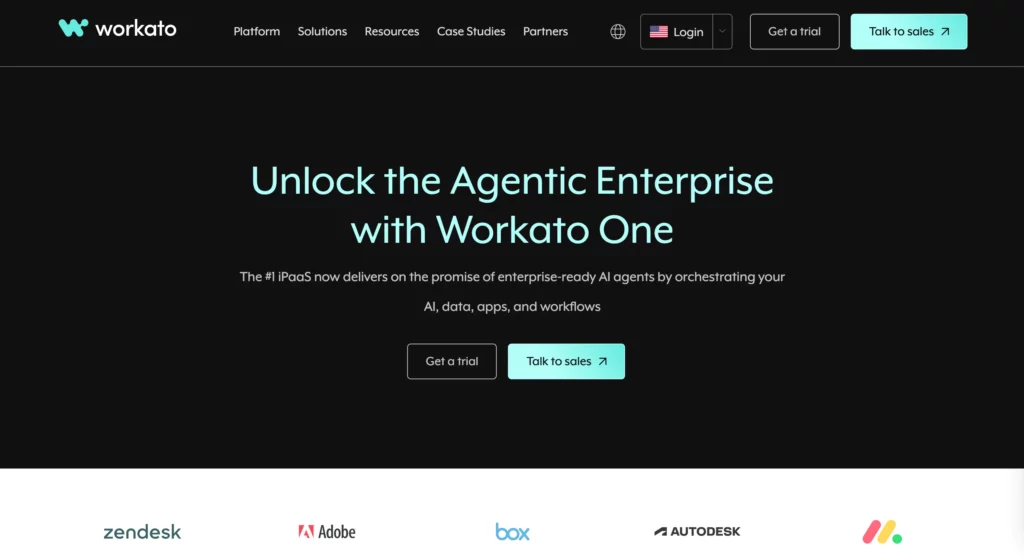
Workato is an enterprise automation platform. It works well when HR processes need to connect many systems. These may include HRIS, payroll, identity management, collaboration tools, ticketing systems, finance apps, and data platforms.
Workato is useful for complex workflows that go beyond one HR tool. For example, an onboarding workflow may connect Workday, Slack, Okta, Jira, DocuSign, and payroll software. A role change may trigger approvals, system updates, access changes, and notifications.
The tradeoff is setup. Workato can be powerful, but companies need clear workflow design and governance. It is best for teams that already know their process and want a flexible automation layer across business apps.
5. Paycom – Best for HR process automation with strong payroll and employee-management coverage.
Paycom is a strong option for companies that want payroll and HR process automation in one system. It focuses on employee data, payroll, time, benefits, talent, and HR administration.
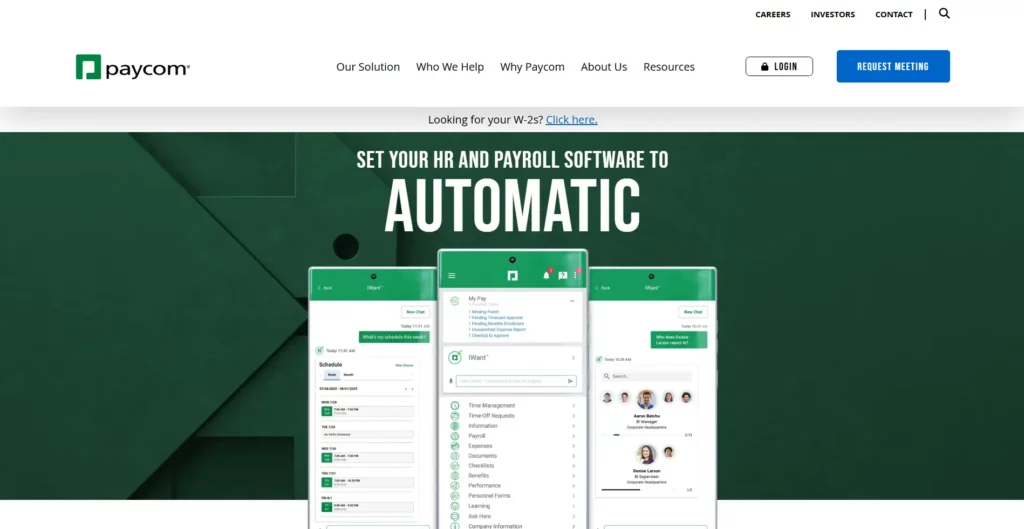
Its value is strongest when payroll accuracy and employee self-service matter. Employees can manage parts of their own HR and payroll information. This reduces manual HR data entry and helps payroll teams work from more current records.
Paycom may fit companies that want to simplify HR operations inside one platform. Before choosing it, teams should check regional payroll needs, reporting needs, and how well it fits current HR processes.
6. Moveworks – Best for enterprise HR automation and employee request handling.
Continue reading:
- AI In Software Development: Changing How Software Gets Built
- How To Build An AI Chatbot With Long-Term Memory? (Guide)
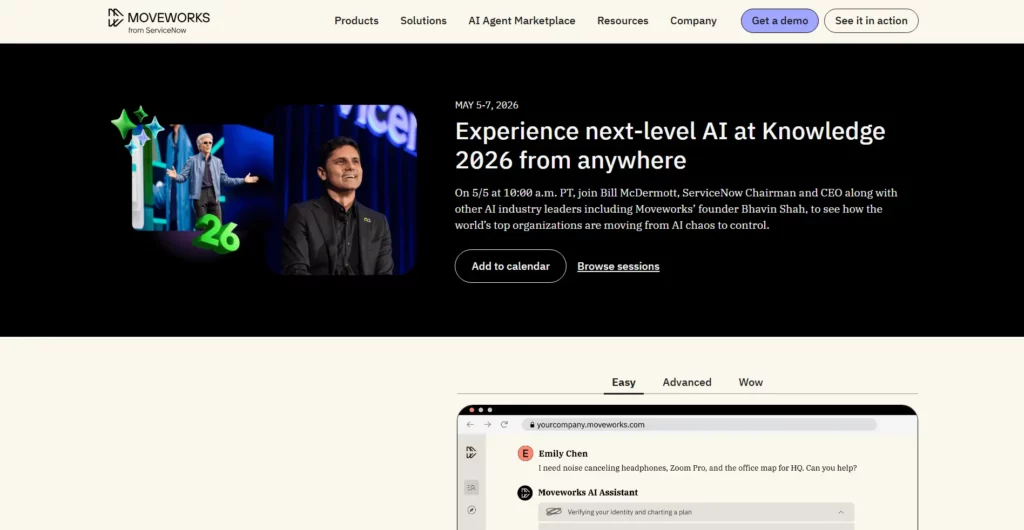
Moveworks is built for enterprise employee support. It helps workers find answers and complete tasks across business applications. It is useful when employees ask for help through chat, search, portals, or workplace tools.
For HR, Moveworks can support employee questions, policy lookup, case routing, and workflow automation. It can also work across IT, finance, and other internal service teams. This makes it valuable for large companies that want one employee support layer.
Moveworks works best when the enterprise has clean knowledge sources and mature integrations. The more systems it can reach safely, the more useful it becomes. HR should also define which requests AI can complete and which ones need human review.
How To Implement HR Workflow Automation
Implementation should start with the process, not the tool. A strong tool cannot fix a poorly designed workflow. HR teams should first define what the workflow should achieve, who owns each step, and which systems need to update.
1. Identify High-Volume Processes
Start with workflows that happen often and create visible friction. These usually deliver the fastest return. Good examples include onboarding, time-off requests, employee data changes, payroll updates, benefits questions, and policy lookup.
Ask these questions before choosing the first workflow:
- How often does this process happen?
- How many people touch it?
- Where do delays happen?
- Which errors create the highest risk?
- Can the process follow clear rules?
- Can success be measured?
A good first project should be valuable but not too risky. For many companies, time-off requests or onboarding tasks are better starting points than performance reviews or employee relations cases.
2. Map The Workflow
Map the current workflow before automating it. This helps the team see what really happens, not what the policy says should happen. Many HR workflows contain hidden steps. These include informal approvals, manual checks, spreadsheet updates, and follow-up messages.
A simple workflow map should include:
| Workflow Element | Question To Answer |
|---|---|
| Trigger | What starts the workflow? |
| Owner | Who owns the process? |
| Approver | Who must approve or reject the request? |
| Data | Which fields must the system collect or update? |
| Systems | Which tools need to connect? |
| Exception | What happens when the request does not fit the standard rule? |
| Metric | How will HR measure success? |
This step prevents bad automation. If a manual process is confusing, automation can make the confusion move faster. Clean the process first. Then automate it.
3. Choose The Right Tool
Choose a tool based on workflow needs. Do not choose only based on brand recognition. A small team may need simple approvals and self-service. A global company may need deeper payroll, compliance, and integration support. An enterprise may need an AI assistant that works across many systems.
Use these criteria when comparing HR workflow automation software:
- Workflow depth: Can the tool handle your approval rules and exceptions?
- Integration: Does it connect with payroll, HRIS, IT, finance, and collaboration tools?
- Data control: Can you manage permissions and audit logs?
- Employee experience: Is it simple for employees and managers?
- AI governance: Can you control AI access, sources, and escalation?
- Scalability: Will the workflow still work when the company grows?
Companies should also decide whether they need a ready-made HR tool, an integration platform, or custom automation. Ready-made tools work well for common HR processes. Integration platforms work better across many systems. Custom software works best when the workflow is unique or tied to a company’s core operations.
4. Test And Refine
Test automation with one workflow and one user group first. This lowers risk and gives HR real feedback. A pilot can reveal missing data, unclear approval rules, confusing forms, or poor employee communication.
A practical test should measure:
- Average completion time before and after automation.
- Number of manual touches removed.
- Error rate or rework rate.
- Employee satisfaction with the workflow.
- Manager response time.
- HR time saved on routine follow-up.
Refinement matters because HR workflows affect people directly. Small wording changes can reduce confusion. Better routing can remove delays. Clearer escalation can prevent employee frustration. After the first workflow works well, HR can reuse the pattern for other processes.
FAQs About HR Workflow Automation
1. Why Is HR Process Automation Important?
HR process automation is important because HR teams handle many repeated tasks that slow down higher-value work. These tasks include approvals, reminders, document collection, employee updates, onboarding checklists, and policy questions.
Automation helps HR teams work faster and with fewer errors. It also gives employees a better experience because they can submit requests, track status, and get answers with less waiting. For leaders, automation improves visibility into workforce data and process performance.
2. How Do You Implement HR Workflow Automation?
Start by choosing one high-volume workflow. Then map the current process from start to finish. Define the trigger, owner, approver, data fields, systems, exceptions, and success metrics.
Next, choose a tool that fits the workflow. Build a small pilot. Test it with real users. Review errors and feedback. Then refine the workflow before scaling it to more teams or regions.
3. How Does HR Automation Help HR Employees?
HR automation helps HR employees by removing repetitive administrative work. It reduces manual data entry, follow-up emails, document chasing, and repeated answers to common questions.
This gives HR more time for strategic work. HR teams can focus on employee experience, manager coaching, talent planning, retention, performance improvement, and culture. Automation also reduces stress because teams can see task status and ownership more clearly.
4. What Are The Best HR Workflow Automation Tools?
The best tools depend on the company’s needs. Rippling is strong for connected HR, IT, and finance workflows. BambooHR works well for SMBs that need easy HR automation. Leena AI is useful for AI-powered HR support. Workato fits enterprises that need cross-app automation. Paycom is strong for payroll-centered HR automation. Moveworks is useful for enterprise employee support.
Teams should compare tools based on workflow depth, integrations, data governance, employee experience, and AI controls. The right tool should fit the real process, not force HR to work around software limits.
5. Is HR Workflow Automation Worth It For Small Businesses?
Yes, HR workflow automation can be worth it for small businesses when it removes repeated work and improves employee experience. Small teams often have limited HR capacity. Automation helps them handle hiring, onboarding, time off, documents, and payroll updates with less manual effort.
Small businesses should start simple. They do not need a large enterprise platform at first. A practical HR tool with onboarding, employee records, time-off approvals, and reporting may be enough. As the company grows, it can add deeper integrations and AI support.
HR workflow automation gives HR teams a clearer way to scale. It reduces repeated work, improves data accuracy, and helps employees get faster support. It also prepares HR for a future where AI assistants and agents become part of daily operations.
Still, the best results come from good workflow design. A company should not automate a broken process. It should first clarify the steps, owners, rules, and data. Then it should choose software that supports the real way people work.
Conclusion
HR workflow automation is no longer only about saving time. It is now a practical way to build a cleaner, faster, and more scalable HR operation. When HR teams automate onboarding, time-off requests, payroll updates, employee support, compliance tracking, and internal approvals, they reduce repetitive work and give employees a smoother experience.
AI makes this shift more powerful. It helps HR teams answer employee questions faster, read unstructured documents, summarize feedback, and support better workforce decisions. Still, successful automation does not start with a tool. It starts with a clear process, clean data, defined approval rules, and strong human oversight.
At Designveloper, we understand this from both a software and workflow perspective. We are a leading web and software development company in Vietnam, with experience across AI-powered business software, custom software development, web app development, mobile app development, UI/UX design, and VoIP solutions. Since our foundation more than a decade ago, we have helped businesses turn complex operations into reliable digital systems.
Our delivery background gives us a practical view of HR automation. We have worked across 100+ projects across 20+ industries, supported by a 100+ person team and 50+ technologies. This means we do not only look at automation as a feature. We look at the full system behind it, from business logic and data flow to user experience, integrations, security, and long-term scalability.
For HR use cases, this matters. A leave request workflow, an onboarding portal, an employee self-service assistant, or an AI-powered document process must work inside real company operations. Designveloper’s own HRM experience also reflects this direction, with software that supports time-off management, account management, project resource allocation, timesheets, work logs, and employee self-service.
So, if your team wants to move beyond spreadsheets, repeated emails, and disconnected HR tools, Designveloper can help you design and build a custom automation system around your real workflow. The goal is simple: reduce manual work, improve employee experience, and make HR operations easier to scale.
Also published on

Share post on










Related Articles


10 Best AI Chatbot Of 2026: We’ve Tried & Tested By Use Case
10 Best AI Chatbot Of 2026: We’ve Tried & Tested By Use Case Published September 22, 2026
Best AI Chatbots For Businesses In 2026: Compare Tools By Use Case
Best AI Chatbots For Businesses In 2026: Compare Tools By Use Case Published September 21, 2026
Best Claude Model in 2026: Fable, Opus, Sonnet and Haiku
Best Claude Model in 2026: Fable, Opus, Sonnet and Haiku Published September 18, 2026



















