
















Best HR Automation Tools: Features, Use Cases, and Tips

KEY TAKEAWAYS:
- HR automation tools help companies standardize repetitive work, from employee onboarding and payroll to cross-team approvals, compliance, and employee support requests.
- The best HR automation tool is the one that fits existing HR workflows, connects current systems, supports compliance, delivers necessary AI capabilities, and offers reasonable price that scales with business needs.
- Teams starting with HR automation tools should focus on the workflow that creates the biggest trouble (e.g., manual follow-up or human errors).
- The best automation rollout starts with one workflow, maps the process clearly, measures outcomes, and scales only when the tool runs stably.
HR automation tools help HR teams handle high-volume, low-complexity, and recurring tasks automatically through structured workflows. They are not an option, but become a necessity in companies across industries. According to IBM, organizations are using automation and AI to free HR staff from repetitive administrative work and improve employee-facing operations.
However, choosing the best HR automation tool is never an easy task. Every team runs differently with different software stacks, approval structures, and pain points. What works seamlessly for a 50-person startup may create more chaos than clarity for a 500-person enterprise.
So, this guide is built to help HR teams find the best HR automation tools by use case. It clearly explains why many businesses are investing in these tools today, how to choose the right tool for specific needs, how to deploy the tool effectively, and which mistakes to avoid when picking the tool.
What Are HR Automation Tools?
| HR automation tools are software products that handle repetitive HR tasks automatically, so HR teams spend less time pushing paperwork and more time on people. |
Instead of waiting HR staff to manually push every task forward, automation tools listens for a trigger, applies logic, and performs the next action automatically. In practice, different tools serve different HR demands. Some tools are full HR suites with built-in automation. Meanwhile, others focus on a single stage of the employee lifecycle, mainly serving:
- Hiring: Tools screen candidates, schedule interviews, and send status updates without manual follow-up at every step.
- Onboarding: Tools route offer approvals, assign onboarding checklists, and collect documents from new hires automatically once they sign.
- Day-to-day HR operations: Tools process time-off requests, track attendance, and apply payroll changes through structured workflows instead of email chains.
- Employee development & compliance: They assign learning courses, trigger performance review reminders, and collect policy acknowledgments on a set schedule.
- Offboarding: They coordinate access removal, equipment return, and exit tasks across IT, finance, and HR so nothing gets missed when someone leaves.
Why Businesses Invest in HR Automation Tools
More and more businesses are investing in HR workflow automation to address the limitations of manual HR operations: high costs, delay, and inconsistency. In turn, they get massive benefits from automation as follows:
Reduce Repetitive Administrative Work
HR teams spend hours chasing signatures, routing approvals, updating records, and answering the same operational questions. According to Folks HR, HR professionals in SMBs are still spending 70% of HR time on those administrative tasks. Automation removes many of those touches by assigning tasks, sending reminders, and syncing data across systems automatically. This gives HR teams back the hours that should be spent on people, not process.
Improve Employee And Manager Experience
Employees want fast answers, clear next steps, and self-service when they request time off, update information, or start a new role. Meanwhile, managers want fewer handoffs and fewer status emails. Automation improves both sides of that experience by making each step more predictable. Gallup found that companies with highly engaged employees see 23% higher profitability, and smoother HR processes are one of the foundational drivers of that engagement.
Increase Accuracy And Compliance
When HR, payroll, and IT rely on duplicated manual entry, mistakes spread quickly. Accordingly, a document is stored in the wrong folder while a payroll update is missed. These are small errors with serious downstream consequences.
Automation lowers that risk by applying the same logic every time, tracking approvals, and maintaining an auditable workflow history. That matters most in payroll changes, policy acknowledgments, access removal, and benefits or tax-related tasks. For example, Deloitte stated that automating payroll processes can reduce errors by up to 50%.
Free HR Teams For Strategic Work
Administrative efficiency is only the starting point. The larger benefit is that HR teams gain capacity for workforce planning, employee development, and retention programs. The shift is already well underway across industries. In an April 2026 report, Workato found that 56% of surveyed organizations were automating PTO approvals and 43% were automating application provisioning.
Companies that keep these workflows manual are encountering overhead that their competitors have already eliminated. HR becomes less reactive and more strategically valuable when the repetitive work moves into software.
10 Best HR Automation Tools to Consider
So, what best HR automation tools should businesses care now? In this listicle, we will give a curated list of the top 10 tools that cover different HR demands, from end-to-end HR workflows to payroll-heavy automation. They include:
- Rippling: All-in-one HR + IT + payroll
- BambooHR: Core HR for SMBs
- Gusto: Payroll and benefits for small businesses
- Workday: Enterprise HCM
- Greenhouse: Recruiting automation
- Ashby: ATS with built-in data analytics
- Enboarder: Onboarding and employee lifecycle
- Paycom: Payroll-heavy HR
- Leena AI: AI-powered HR support layer
- Workato: Cross-system HR orchestration
1. Rippling: All-in-one HR Automation
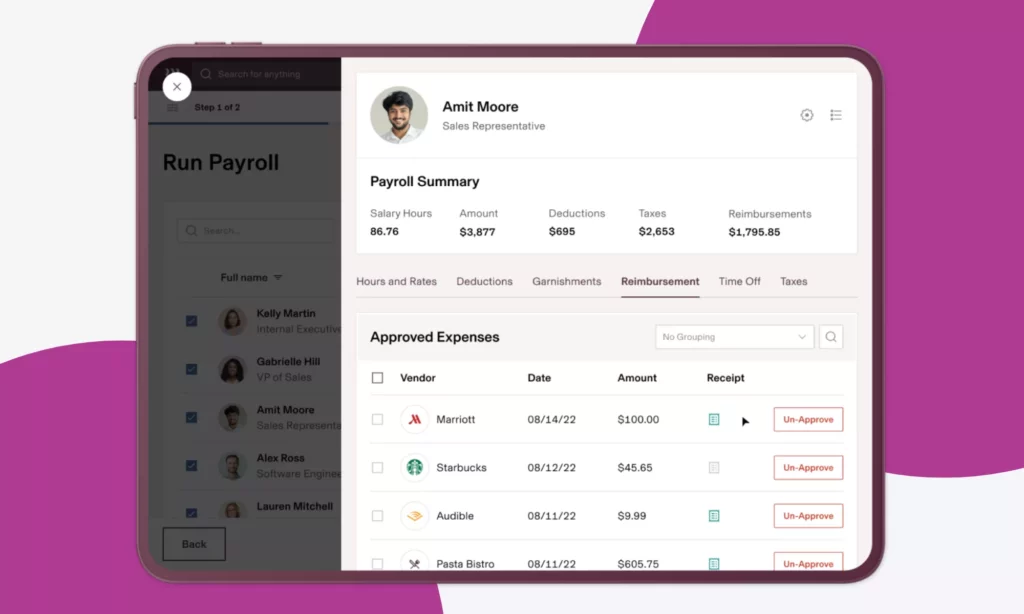
Rippling is a unified workforce management platform that brings HR, IT, payroll, and finance together in a single system. Its architecture (the Employee Graph) treats every employee as a connected node. This means a single change (like a department update) automatically triggers payroll adjustments, IT access changes, compliance alerts, and manager notifications across the entire platform.
Key features:
- Workflow Studio, no-code trigger-based automation builder with 100+ pre-built templates for onboarding, offboarding, approvals, and compliance
- AI-powered resume parsing, candidate ranking, and interview summaries built into the ATS module
- Device provisioning, app access, and IT management triggered automatically from HR events
- Global payroll in 185+ countries with automated tax filing, direct deposit, and EOR services
- 650+ third-party integrations with real-time, bi-directional data sync
- Role-based permissions and compliance policies automatically enforced across every module
Best for: Mid-sized and fast-growing companies that want HR, IT, and payroll connected in one operating layer.
Pricing: Starts at $8/employee/month for the core platform (Rippling Unity), plus a 14-day free trial.
2. BambooHR: Core HR for SMBs
BambooHR is a cloud-based HR platform purpose-built for small to midsize businesses. It helps SMBs move from tedious spreadsheets and fragmented tools to automation at an affordable cost.
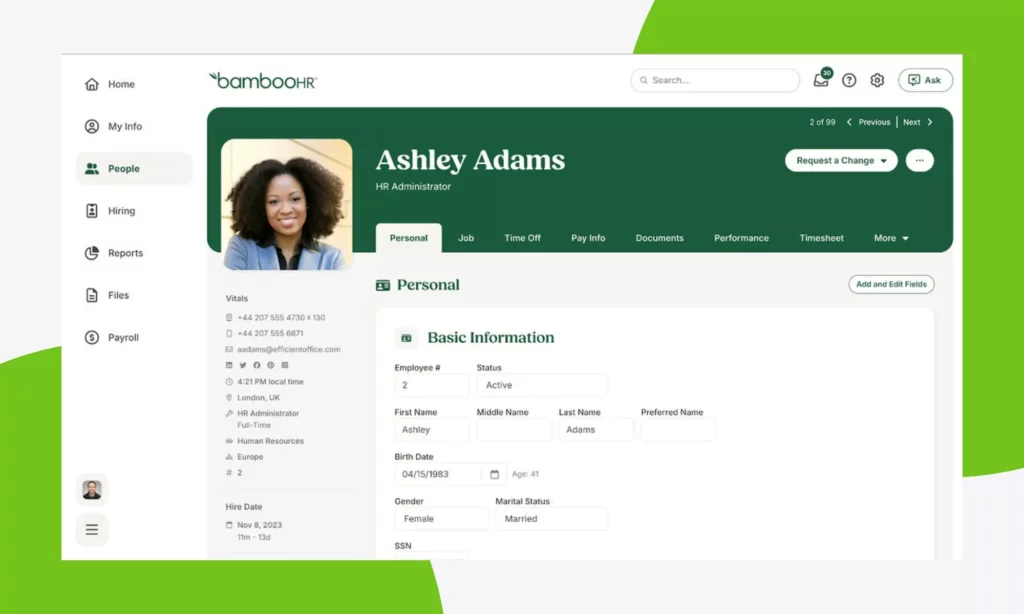
BambooHR covers the full employee lifecycle, from hiring and onboarding to time-off management, performance reviews, and offboarding. Beyond core HR automation capabilities, this tool adopts artificial intelligence to support writing job descriptions, predicting turnover, and analyzing employee feedback to identify sentiment.
Key features:
- Centralized employee records with self-service access for employees and managers
- Automated onboarding checklists, preboarding packets, and e-signatures with I-9 and E-Verify support
- AI-powered turnover prediction and survey sentiment analysis (Elite plan)
- Built-in ATS with offer letters, interview tracking, and job posting tools
- PTO management with automated accrual rules, approval workflows, and manager notifications
- US-only payroll with automated tax filing, direct deposit, and benefits integration
Best for: Small and mid-sized businesses (25-500 employees) that need an all-in-one HR system without enterprise-level complexity.
Pricing: Starts at $10/employee/month, plus a 7-day free trial.
3. Gusto: Payroll & Benefits Management For Small Businesses
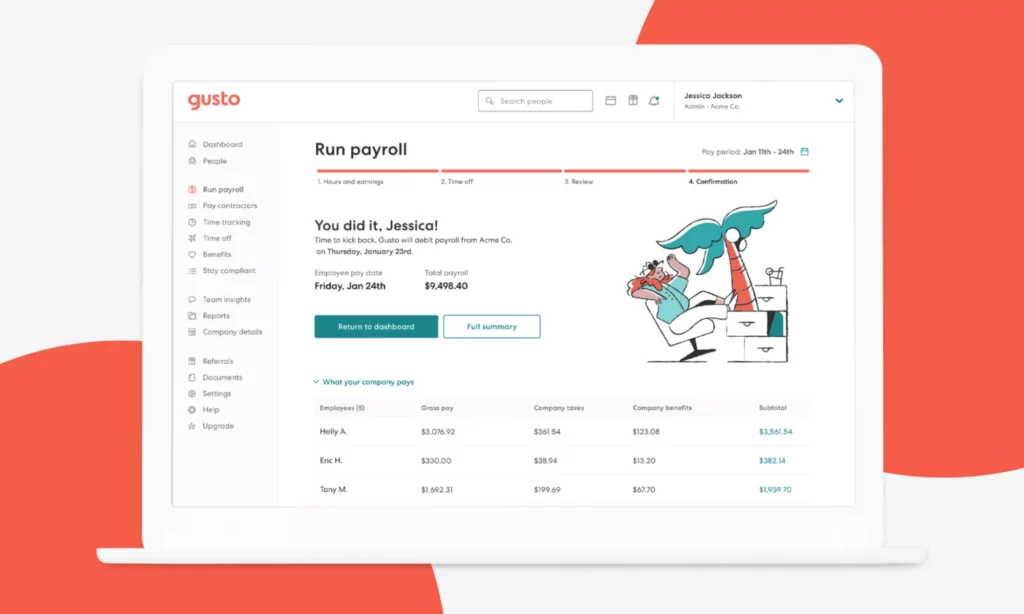
Gusto is the most approachable payroll platform for businesses under 50 employees. It is best known for its AutoPilot payroll feature, which supports automated payroll and benefits administration. Serving over 400,000 businesses, Gusto earns a 4.6 out of 5 satisfaction rating across major review platforms and G2’s Best Payroll Software award for 2025. Beyond payroll, Gusto also automates HR functions like onboarding, time tracking, PTO management, and compliance.
Key features:
- AutoPilot payroll that runs automatically on schedule with 50-state tax filing included
- Automated benefits administration including health insurance, 401(k), dental, and vision
- Employee self-onboarding with e-signatures, direct deposit setup, and new hire reporting
- PTO accrual automation with manager approval workflows and payroll sync
- Contractor payroll with 1099 filing for domestic and international contractors
- 180+ integrations including QuickBooks, Xero, and major time-tracking tools
Best for: Small businesses and startups (2–50 employees) that want simple, reliable payroll and benefits automation, especially teams without a dedicated HR or payroll specialist.
Pricing:
- Free account
- Starts at $49/month + $6/employee/month, plus a 30-day free trial.
4. Workday: Enterprise HCM
Workday is an enterprise-grade Human Capital Management platform. It combines HR, payroll, workforce planning, talent management, and finance analytics in a single cloud-based system. Besides, the tool embeds AI and machine learning to support HR functions, like skills-based talent matching or personalized learning recommendations.
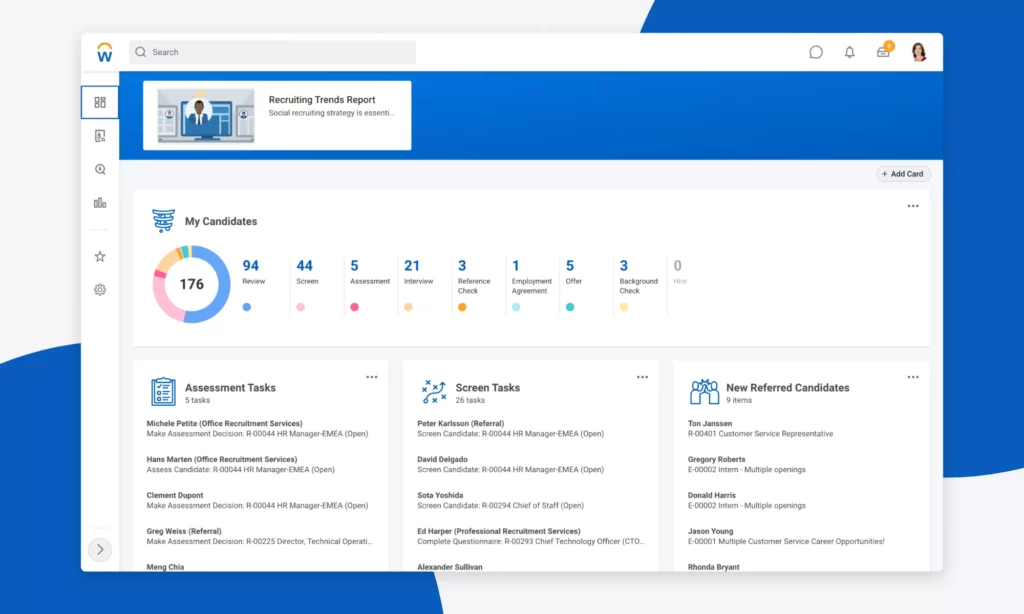
Moving beyond transactional HR, Workday gives leadership teams a strategic view of workforce costs, skills gaps, and organizational health through a unified data model that connects people data to financial planning.
Key features:
- Unified HCM covering HR, payroll, benefits, talent management, and workforce planning in one system
- AI capabilities for talent matching, internal mobility, skill gap analysis, and payroll exception detection
- Global payroll with built-in compliance for multi-country operations
- Configurable workflows with enterprise-grade role-based access controls and audit trails
- Real-time reporting and dashboards connecting HR data to financial and operational metrics
Best for: Large enterprises (1,000+ employees) that need deep workforce analytics, global compliance, and strategic planning capabilities in a single governed platform.
Pricing: Custom quote, plus a 30-day free trial.
5. Greenhouse: Recruitment Automation
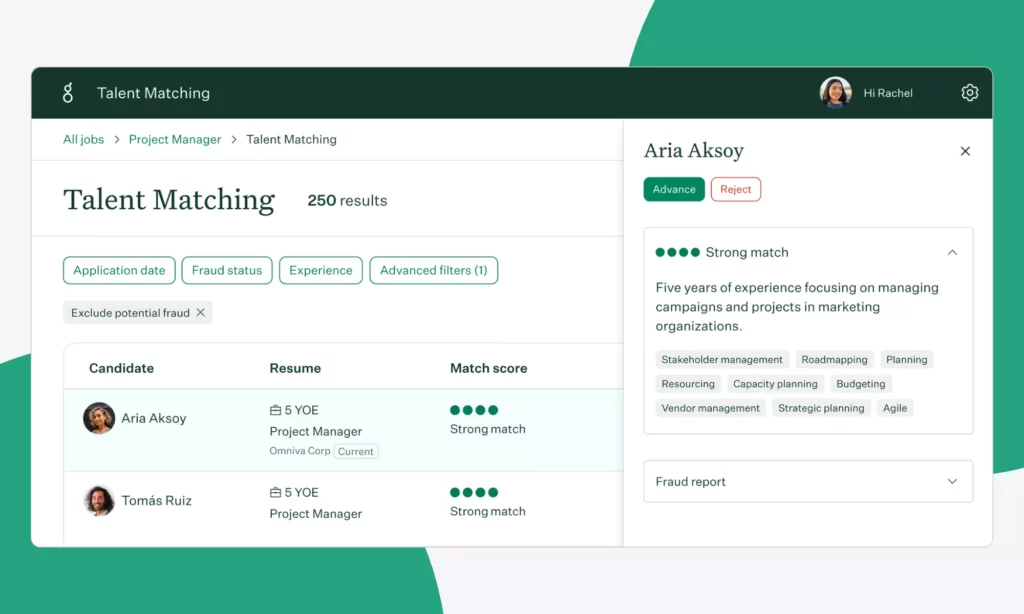
Greenhouse is a structured hiring platform. consistent, auditable, and scalable recruiting process. It is best known for popularizing the concept of structured interviewing. Accordingly, every interviewer evaluates every candidate against the same scorecard criteria before making hiring decisions. This reduces bias and gives organizations defensible data on their hiring quality over time.
Key features:
- Structured interview kits and scorecards enforced across every hiring stage
- Automated pipeline stage transitions based on scorecard completion and approval triggers
- Interview scheduling automation with calendar integration and coordination workflows
- DEI analytics and adverse-impact reporting built into the hiring pipeline
- 500+ integrations including Workday, BambooHR, LinkedIn Recruiter, and assessment platforms
- Compliance tracking for GDPR, EEO, and global hiring regulations
Best for: Mid-to-large businesses that run structured, high-volume hiring across various departments and require defensible hiring data and compliance reporting.
Pricing: Custom quote. No free trial.
6. Ashby: ATS With Built-in Analytics
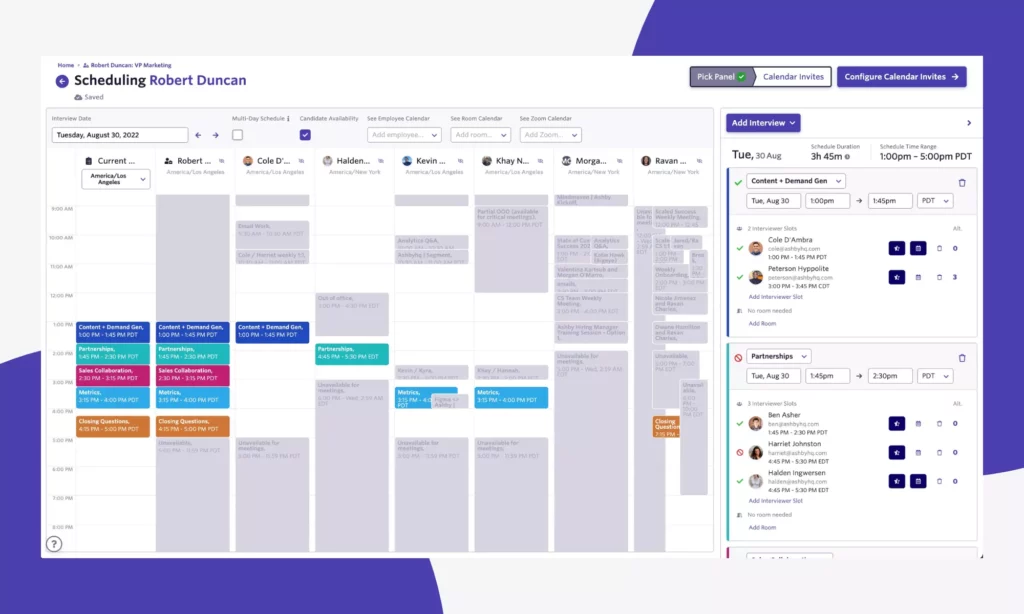
Ashby is an all-in-one recruiting platform that combines ATS, CRM, interview scheduling, and advanced analytics into a single system. Its analytics engine is what most buyers cite as the differentiator. It provides real-time pipeline dashboards of time-to-hire by source, interviewer performance, and other metrics without requiring a separate BI tool or data export. Besides, Ashby uses AI throughout its recruiting workflow to reduce manual coordination at every stage.
Key features:
- Unified ATS + CRM + scheduling + analytics in one platform
- AI-powered interview scheduling including multi-interviewer coordination and calendar sync
- Real-time pipeline analytics with conversion rates, time-in-stage, and source attribution
- Candidate stage automation triggered by scorecard completion and activity rules
- Chrome extension for LinkedIn sourcing with direct import into the CRM
Best for: Data-driven recruiting teams at growth-stage and mid-market tech companies (Series A to ~1,000 employees) that want analytics built into ATS.
Pricing: Starts at $300/month for 1-10 employees. No free trial.
7. Enboarder: Onboarding & Employee Lifecycle
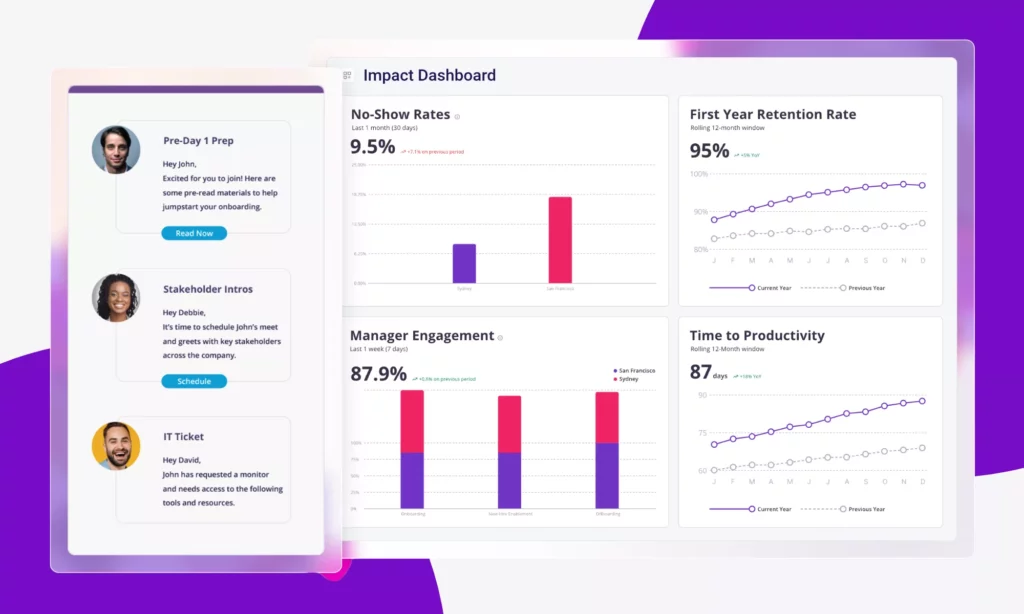
Enboarder is an experience-driven onboarding and employee lifecycle platform. It approaches onboarding differently from most HR tools. Accordingly, the tool focuses on human connection by automating the moments that make new hires feel welcomed, from team introduction and buddy system to personalized journeys. Enboarder increasingly functions as an AI tools for HR to manage complex employee transitions beyond initial onboarding.
Key features:
- Personalized onboarding journeys triggered by offer acceptance with role and location-based customization
- Automated manager reminders at every onboarding milestone
- Buddy system and team introduction workflows with built-in scheduling and communication
- Strong support for offboarding, reboarding, and internal transition
- Integrations with major HRIS systems (e.g., Workday and SAP SuccessFactors) and other enterprise systems
- Analytics to track engagement, task completion, and new hire sentiment throughout the journey
Best for: Mid-to-large businesses that prioritize retention and engagement-driven onboarding. These companies often have high new hire turnover or distributed teams and struggle to manage human connections.
Pricing: Custom quote. No free trial.
Recommended for you:
- Top 10 Recruitment Automation Tools Compared For Hiring Teams
- What Is Recruitment Automation? How to Hire Faster at Scale
- How to Use AI? A 10-Step Guide for Effective and Ethical Use
8. Paycom: Payroll-Heavy HR
Paycom is a comprehensive payroll and HR automation tool. It takes a distinctive approach to payroll automation. Instead of HR teams running payroll on behalf of employees, Paycom’s Beti technology lets employees review, verify, and approve their own paycheck before it is submitted.
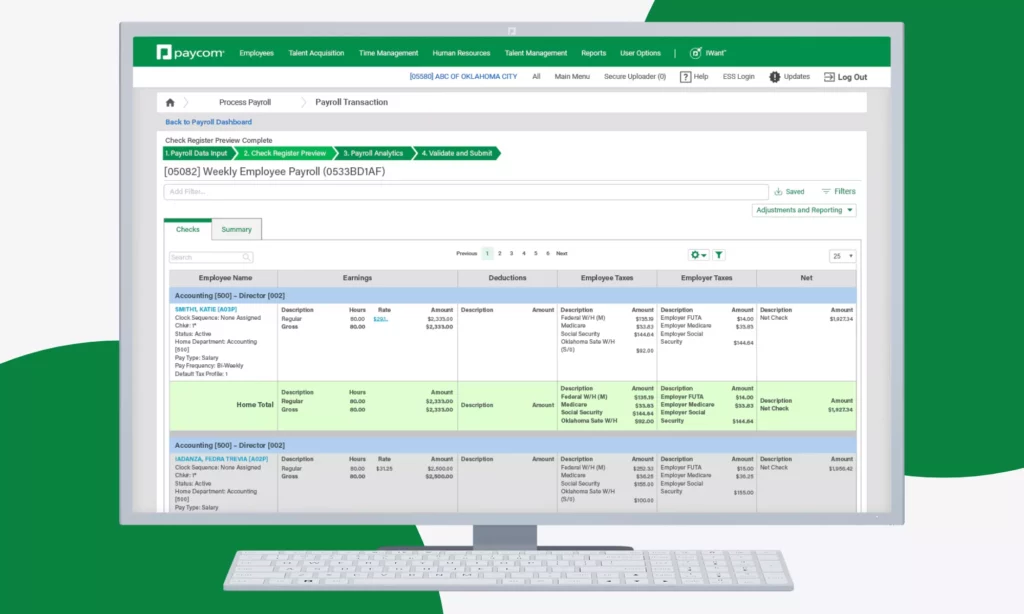
Beyond payroll, Paycom also covers other HR functions, from applicant tracking and onboarding through performance management, learning, and offboarding. With its AI assistant (“Ask Here”), employees can get immediate answers to HR and payroll questions through natural language search. This reduces the volume of repetitive inquiries that reach the HR team.
Key features:
- Beti employee-driven payroll: employees review and approve their own paycheck before submission to catch errors proactively
- Single-database architecture where HR, time, benefits, and payroll share one data source
- Ask Here: AI assistant for employee HR and payroll self-service
- Full ATS with onboarding automation, background check integration, and document collection
- Time and attendance tracking with automated scheduling and labor cost reporting
- Learning management system with compliance course tracking and custom content support
Best for: Mid-sized businesses (50-5,000 employees) that want payroll accuracy and employee self-service as the centerpiece of their HR automation strategy.
Pricing: Custom quote. No free trial.
9. Leena AI: AI-Powered Support Layer
Leena AI is an enterprise-level agentic AI platform that automates back-office tasks across HR, IT, finance, and procurement. What makes Leena AI appealing to enterprise users is its AI agents that can orchestrate multi-step workflows across departments.
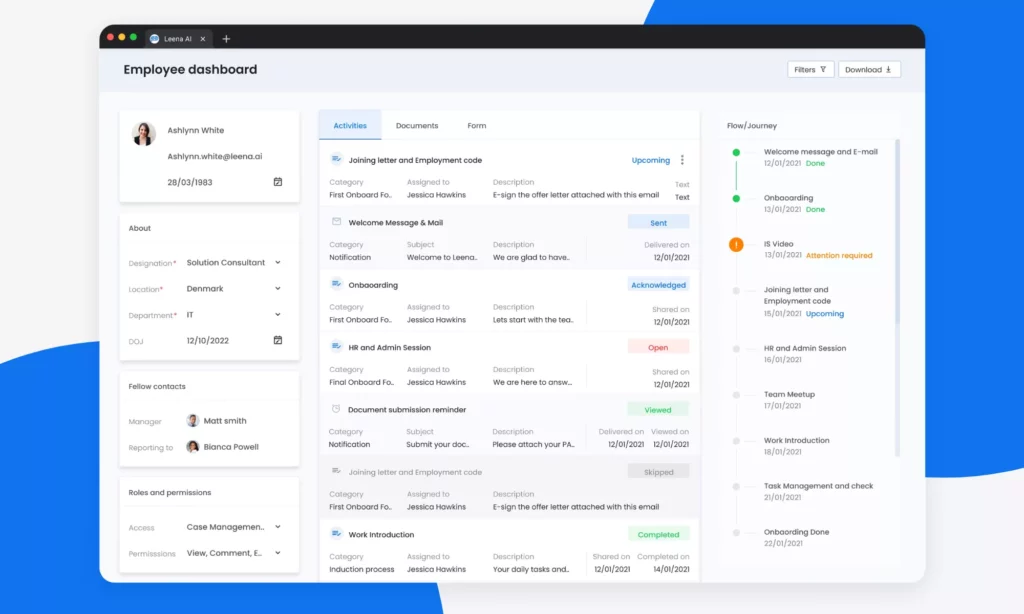
When it comes to HR operations, Leena AI integrates with existing HR systems to handle the high volume of repetitive questions and employee requests. Built around a conversational AI layer, the tool gives employees 24/7 access to HR policy answers, document requests, onboarding guidance, leave balances, and benefits information without requiring human intervention.
Key features:
- Conversational AI assistant that answers employee HR questions instantly across Slack, Teams, and email
- Automated HR service requests including document generation, leave approvals, and policy acknowledgments
- Multi-step onboarding and offboarding orchestration across HR, IT, and Finance systems
- Workforce insights including retention risk signals and engagement trend analysis
- Native integrations with enterprise HRIS platforms
- Multilingual support for global workforces across distributed locations
Best for: Mid-to-large businesses that want to reduce repetitive HR service requests and provide employee self-service without replacing their existing HRIS infrastructure.
Pricing: Custom quote, plus a 14-day free trial.
10. Workato: Cross-System HR Orchestration
Workato is an enterprise integration and automation platform, commonly called an iPaaS (Integration Platform-as-a-Service). The tool is highly applicable across departments, including HR, IT, finance operations, and marketing & sales.
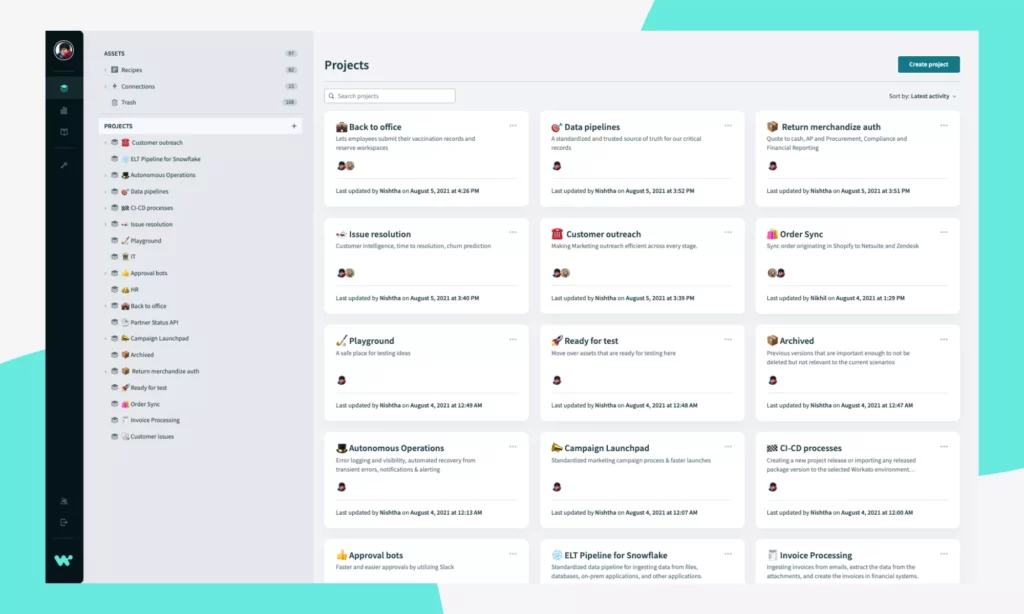
Workato provides various HR Genies (AI agents) to handle administrative tasks, from generating job descriptions to coordinating interviews and supporting onboarding. These agents connects HR systems, payroll tools, IT platforms, and collaboration tools so that workflows move automatically across the entire stack instead of stopping at one application. Besides, businesses can tailor these agents to fit their HR context or build their own agent from scratch.
Key features:
- Low-code automation interface to build workflows (“recipes”) with triggers, business actions, and conditional logic
- HR-specific automation templates for onboarding handoffs, PTO approvals, approvals routing, and offboarding access removal
- Agent Studio: a visual interface to build or customize AI agents (“Genie Skills”) that interpret employee requests and execute multi-step workflows autonomously across connected systems
- 1,200+ pre-built connectors including Workday, BambooHR, ServiceNow, Okta, Slack, and payroll platforms
- Enterprise-grade governance with role-based access controls, audit trails, and SOC 2 compliance
- Real-time monitoring and error alerting for mission-critical HR automation
Best for: Mid-to-large businesses that already have core HR and payroll platforms in place but need reliable cross-system automation.
Pricing: Custom quote, plus a 30-day free trial.
Explore more:
- What Is AI Automation? How It Works, Benefits, Tools, and Use Cases
- AI Chatbot Integration: How To Connect Chatbots With Business Systems
- 11 Best AI Chatbot Automation Tools By Categories
Comparison Table Of Best HR Automation Tools
| Tool | Description | Best for | Free trial | Pricing |
|---|---|---|---|---|
| Rippling (All-in-one) | Unified HR, IT, payroll, and finance platform. | Mid-sized teams wanting HR and IT connected in one system | ✅ | $8/employee/month |
| BambooHR (All-in-one) | SMB-focused HR platform covering the full employee lifecycle. | SMBs needing HR automation | ✅ | $10/employee/month |
| Gusto (Payroll & HR) | Full-service payroll and HR platform, known for AutoPilot payroll and automated 50-state tax filing. | Small businesses and startups without a dedicated payroll specialist | ✅ | $49/month + $6/employee/month |
| Workday (Enterprise HCM) | Enterprise-grade HCM platform unifying different HR functions with deep AI capabilities. | Large enterprises needing workforce analytics and global compliance in one governed platform | ✅ | Custom |
| Greenhouse (Recruiting ATS) | Structured hiring platform, built around scorecard-based interviewing, DEI analytics, and a 500+ integration ecosystem. | Mid-sized and enterprise teams running structured, high-volume hiring that requires compliance reporting | ❌ | Custom |
| Ashby (Recruiting ATS) | ATS with built-in CRM, AI scheduling, and native analytics. | Growth-stage and mid-sized companies that want analytics built into ATS | ❌ | $300/month for 1-10 employees |
| Enboarder (Onboarding) | Experience-driven onboarding platform focused on human connection. | Mid-sized and enterprise teams with high new hire turnover or distributed workforces where human connection is hardest to deliver | ❌ | Custom |
| Paycom (Payroll & HCM) | HCM platform that lets employees review and approve their own paycheck before submission. | Mid-sized teams where payroll accuracy and employee self-service are the top automation priority | ❌ | Custom |
| Leena AI (AI support layer) | AI-native HR operations platform that connects existing HRIS systems. | Mid-to-large businesses wanting always-on employee self-service without replacing existing HRIS | ✅ | Custom |
| Workato (Orchestration) | Enterprise iPaaS that connects HR, payroll, IT, and collaboration tools. | Mid-to-large businesses that already have HR and payroll platforms but need reliable cross-system automation | ✅ | Custom |
How to Choose the Right HR Automation Tool
To choose the right HR automation software, you need to know which workflow to fix first, whether your company size changes the equation, which integrations are non-negotiable, and whether your team is ready to govern an AI-powered tool responsibly. Work through each step below before you open a single demo call.
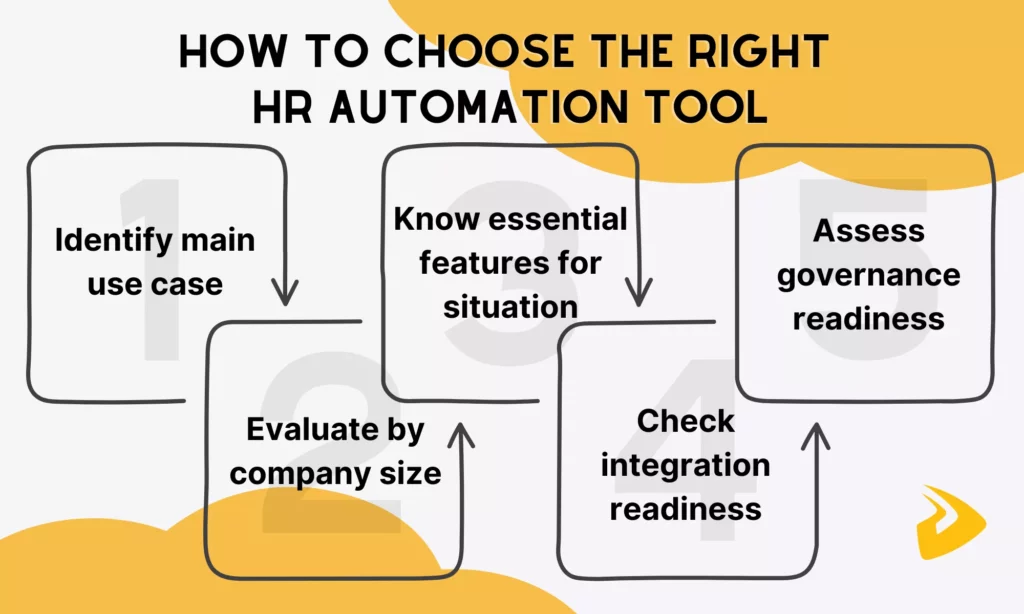
Step 1: Identify Your Priority Use Case
The most common buying mistake is selecting a platform based on its broadest capability set rather than its fit for the specific workflow causing the most pain. So, start by identifying where manual HR work is creating the most visible cost, delay, or risk.
The table below illustrates common signals that tells where to start first:
| Signal | Likely priority use case |
|---|---|
| New hires are missing equipment, access, or paperwork on Day 1 | Onboarding automation |
| Payroll errors or corrections happen most months | Payroll workflow and self-service |
| HR inbox is dominated by the same 10 questions every week | Employee support and AI assistant layer |
| Offer approvals or headcount requests take more than a week | Approval workflow and orchestration |
| Candidate pipeline stops between stages without follow-up | Recruiting automation |
| Offboarding leaves access or assets unresolved | Offboarding workflow automation |
| HR data lives in three or more disconnected systems | Integration and orchestration layer |
Once you have identified the primary use case, evaluate tools against that workflow first. A tool that scores a nine out of ten on your priority use case and a six on everything else will deliver more value than a tool that scores a seven across the board.
Step 2: Evaluate By Company Size
Company size changes the buying equation significantly. It affects not only budget, but also implementation complexity, IT support availability, integration requirements, and governance maturity. The table below maps common buying profiles to the tool types that typically fit best.
| Profile | Typical fit | What to prioritize | What to avoid |
|---|---|---|---|
| SMB, under 100 employees, one HR generalist | All-in-one platform (BambooHR, Gusto) | Ease of setup, transparent pricing, payroll included | Enterprise AI layers which are too complex and expensive for the problem size |
| Mid-sized, 100-1,000 employees, small HR team | All-in-one with deeper automation (Rippling, Paycom) | Workflow depth, integration with existing tools, scalability | Tools that require dedicated IT admin to operate or maintain |
| Fast-growing, Series B+, hybrid or remote team | All-in-one + orchestration layer (Rippling + Workato) | Cross-department automation, device and app management, speed of onboarding | Platforms that silo HR and IT data in separate systems |
| Enterprise, 1,000+ employees, dedicated HR tech team | Enterprise HCM + AI support layer (Workday + Leena AI) | Governance, global compliance, workforce analytics, audit trails | Point solutions that cannot integrate into a governed enterprise stack |
| High-volume recruiter, any size | Dedicated ATS (Greenhouse, Ashby) | Pipeline analytics, structured interviewing, DEI reporting | Using an HRIS recruiting module when hiring volume outpaces its capability |
Beyond those profiles, you should consider two additional signals, regardless of business size:
IT support availability: If your HR team has no dedicated IT resource, avoid tools that require ongoing technical administration to maintain workflows. Prioritize platforms with 15 Best AI No-Code App Builders (No Coding Skills Required) and strong customer support.
Implementation timeline: All-in-one SMB platforms typically deploy in two to four weeks. Meanwhile, enterprise HCM implementations often take three to six months. Besides, AI support layers like Leena AI require six to twelve weeks of configuration before they deliver full value. So, factor rollout time into your decision, especially if you have an urgent workflow problem to solve.
Step 3: Know Which Features Matter For Your Situation
When your priority use case and company profile are clear, you are ready to build a shortlist of two to three tools. Before opening any demo, take one more step: identify which features your situation actually requires so you evaluate tools against real needs.
The clearest way to do this is to work backward from your priority workflow. If a SMB prioritizes onboarding automation, the most important features include setup ease, onboarding checklists, e-signatures, and payroll sync. Meanwhile, mid-to-large businesses need cross-department triggers, IT provisioning, and even AI capabilities for the same case.
Beyond situation-specific capabilities, every shortlisted tool should demonstrate these key features regardless of situations:
- Workflow builder: HR and Operations teams need to build automated workflows or AI agents without extensive coding. So, the tool must provide a visual, drag-and-drop interface to support that.
- Integration fit: Weak or connector-dependent integrations create manual cleanup at every handoff. This will erase the time savings automation was supposed to deliver.
- Employee self-service: Whether recruitment, onboarding, or offboarding, the tool must support employee self-services to handle repetitive HR requests without calling HR. Smooth self-service experience on mobile is a big plus.
- Audit trails and access controls: Any workflow touching compliance data needs a documented log of approvals for governance and accountability.
- Reporting and analytics: HR teams need visible reports and analytics to easily evaluate and improve automation.
Step 4: Check Integration Readiness
Integration failure is the most common reason HR automation projects underdeliver. A tool can have excellent workflows internally but lose all its value if it cannot move data reliably between your existing systems. Before shortlisting any vendor, work through the checklist below.
Core systems to verify connectivity for:
- HRIS or employee records system: Does the tool read and write to it bidirectionally?
- Payroll platform: Are changes in HR automatically reflected in pay calculations, or does someone still have to manually sync?
- Identity and access management (Okta, Azure AD, Google Workspace): Can the tool provision and deprovision user access automatically when employment status changes?
- ATS: Does new hire data flow from recruiting into HR and payroll without duplicate entry?
- Communication tools (Slack, Teams): Can the tool send notifications, approvals, and status updates inside the platforms your team already uses?
- IT service management (ServiceNow, Jira): For onboarding and offboarding, can HR tasks trigger IT tasks without manual handoff?
Questions to ask every vendor on integration:
- Is this a native integration or a third-party connector through Zapier or a middleware layer?
- Is the sync real-time or batch? If batch, how frequently does it run and what happens to errors?
- Who owns the integration if it breaks: the vendor’s support team or your IT team?
- What happens to in-flight workflows if one connected system goes down?
If a vendor cannot answer these questions clearly during a demo, treat that as a red flag.
Step 5: Assess Your Governance Readiness
Governance readiness is the question most buyers skip. However, it causes the most problems after purchase. Before committing to any HR automation tool, especially one with AI capabilities, your team needs to be able to answer the following honestly.
- Access control: Do you have a clear policy for who can view, edit, and approve different types of HR data? If not, a tool with role-based permissions cannot be configured correctly from day one.
- Approval ownership: For every workflow you plan to automate, is there a named owner for each approval step? Automation without clear ownership creates workflows that stop or get bypassed.
- Audit requirements: Does your organization or the industry you operate in require a documented log of who approved what, and when? If yes, confirm that the tool maintains timestamped audit trails before you buy, not after.
- AI action boundaries: If you are evaluating an AI-powered HR tool, define in advance which actions AI is permitted to take autonomously (answering questions, routing requests) and which always require human review (payroll changes, compliance acknowledgments, etc.). Tools that do not allow you to configure these boundaries are not enterprise-ready regardless of their marketing.
- Data residency and privacy: If you operate across multiple countries, confirm where employee data is stored and which privacy regulations apply. GDPR, HIPAA, and regional labor laws each impose different requirements on how HR data can be processed and retained.
If two or more governance areas above are rated “Not ready,” address those gaps before purchasing any tool, especially enterprise AI platforms.
Learn more in:
- What Is AI Integration? How to integrate AI successfully?
- A Practical Guide To AI Agent Architecture With Diagrams
- How to Build Agentic AI: Practical Guide with Examples
How to Deploy HR Automation Tools Effectively
Buying the right tool is only half the decision. How you roll it out determines whether automation actually works. The teams that get the most from HR automation share one habit: they start small, measure early, and expand only after the first workflow is stable.

- Map the process before you touch the tool
Document how the workflow actually runs today. Accordingly, you should identify every step, every handoff, every exception, and every person involved. Automating a broken process produces a faster broken process. Therefore, mapping it first surfaces the gaps that need fixing before automation can work reliably.
- Pilot with a small group first
Before rolling out to the full organization, run the automated workflow with one team, one location, or one hire cohort. This gives you real feedback about how automation truly works on a manageable group before the process touches everyone.
- Measure before expanding
Define two or three success metrics before go-live. These metrics can be time to complete the workflow, error or rework rate, and support ticket volume related to the process. Then, measure them for four to six weeks post-launch. If the numbers improve, expand. If they do not, fix the configuration before scaling a workflow that still has problems.
- Assign a workflow owner, not just a tool admin
Every automated workflow needs a named owner who is responsible for keeping it accurate as the business changes. Role changes, policy updates, and org restructures all affect automated workflows. Without an owner, automations go off the planned track and cause problems that are hard to trace.
Common Mistakes to Avoid
Most failed HR automation projects are not caused by weak software alone. They fail because the process is unclear, systems lack connections, teams rely heavily on AI, businesses fail to manage change, and compliance risks are ignored. Learning these limitations helps businesses deploy HR automation tools more effectively.
Automating a Broken Process
If a workflow has too many exceptions, unclear rules, or conflicting owners, automation will only move the confusion faster. A process that takes ten manual steps with three unclear handoffs does not become efficient when automated. Instead, it becomes a faster source of errors.
How to avoid it: Teams should map the workflow and resolve ownership gaps before touching any tool. Then they can automate the repeatable path with confidence.
Buying Too Many Disconnected Tools
Specialist products can be attractive in isolation. But too many of them create duplicate employee data, fragmented reporting, and extra admin overhead that quietly grows over time.
How to avoid it: Teams should decide early which systems truly address their biggest pain points (e.g., onboarding and offboarding) and whether they work well with each other and with other software.
Overestimating AI Readiness
AI can improve employee support and workflow speed, but only if data access, permissions, and review checkpoints are already well controlled. Leaving AI to handle messy or ungoverned HR data, teams have to face inaccurate responses and compliance exposure.
How to avoid it: Teams should start with AI use cases that are narrow and low-risk (e.g., support summaries, policy Q&A). Besides, ensure HR data is well-organized and governed before teams scale AI to workflows that touch such data.
Skipping Change Management
Managers and employees do not automatically trust a new process just because the tool is live. Without clear communication, visible ownership, and a fallback path for exceptions, adoption fail. As a result, teams return to email and spreadsheets within weeks.
How to avoid it: Teams should launch with clear instructions, a named workflow owner, simple support materials, and an easy way to flag issues in the first few weeks. Automation succeeds when people trust the process, not just the platform.
Ignoring Privacy And Compliance Risks
HR automation tools handle sensitive employee data in the organization (e.g., compensation records, performance history, or health benefits). If teams automate workflows without verifying data residency, access controls, and regulatory requirements, this will create legal exposure.
How to avoid it: Teams should evaluate the privacy and governance support of any tool during procurement. Before the tool goes live, teams should confirm data residency requirements, configure role-based access controls, and verify compliance with applicable regulations.
FAQs About HR Automation Tools
What Are HR Automation Tools Used For?
HR automation tools are used to automate repetitive tasks such as recruitment, onboarding, payroll handoffs, leave approvals, and employee support. The goal is to reduce manual work while making HR processes faster and more consistent.
What Is The Difference Between An HRIS And An HR Automation Tool?
The key difference is that HRIS stores HR data while HR automation adds actions on that data. Particularly, an HRIS mainly stores employee data and acts as a system of record. Meanwhile, an HR automation tool focuses on what happens next on that data after a trigger, like sending notifications or routing approvals.
Which HR Processes Should Be Automated First?
Businesses should automate high-volume, repetitive HR workflows with clear rules. Some of them include onboarding, leave management, payroll changes, common employee support, and recurring approvals because they are easy to measure and time-wasting to manage manually.
Are There Free HR Automation Tools Available?
Yes. Some HR automation tools like Zoho Recruit or TalentHR offer free plans with limited features. Besides, other dedicated HR automation suites are usually paid, although they also come with free trials or demos to help HR teams test their features or get familiar with automation.
How Much Do HR Automation Tools Typically Cost?
HR automation tools typically range from $3 to $25+ per employee per month, depending on the platform’s scope and features. What actually affects costs is how many modules, integrations, and workflow owners are involved, not just the license itself.
Are AI HR Automation Tools Safe For Sensitive Employee Data?
They can be, but only when they allow HR teams to clearly define permissions, approval checkpoints, audit logs, and data-governance rules.
How Do You Choose The Best HR Automation Tool For Your Company?
Start with the workflow that causes the biggest problem (e.g., manual follow-up or errors). Then compare tools on use-case fit, integration depth, workflow logic, governance, and rollout complexity. The best option is the one that supports the real process you need to improve.
Conclusion
The best HR process automation tools do more than save clicks. They create a cleaner operating model for onboarding, payroll, employee support, approvals, and compliance-heavy workflows. But choosing the right tool is not just a software decision, but an operational one. So, businesses need to evaluate which software directly resolves their existing pain points and fits current workflows.
For organizations with standard needs, the off-the-shelf platforms covered in this guide offer a solid starting point. But for teams dealing with complex workflows and legacy system constraints, a custom-built or heavily configured solution is often the more reliable path.
| How Designveloper Helps Build HR Automation Tools Designveloper is an AI-first software development and automation partner in Vietnam. We bring practical, hands-on experience to HR system development, including consulting advice and production-ready software. One of our successful projects is HRM, an internal HR assistant built on Mattermost. The tool helps handle real operational complexity – from booking and leave requests to approvals and policy lookup – in one connected system. For teams that need something beyond what off-the-shelf tools can offer, Designveloper supports: Custom workflow design: Maps your existing HR, payroll, and employee service processes into an automation architecture that fits how your team actually operates. AI-assisted employee support: Builds intelligent layers that handle policy questions, service requests, and document processing without routing everything back to an HR inbox. System integration: Connects HR automation to payroll providers, IT provisioning tools, internal communication platforms, and compliance systems so nothing runs in isolation. End-to-end development: Covers scoping and architecture through to deployment, testing, and post-launch support. Designveloper’s AI Development Services help you build intelligent workflow automation, AI-assisted HR support, and custom platforms with system integration. Talk to our teams, and see how we revolutionize your HR operations. |
Also published on

Share post on










Related Articles


AI Agent Architecture Diagrams: Components, Patterns, and Design Steps
AI Agent Architecture Diagrams: Components, Patterns, and Design Steps Published September 29, 2026
Best Open-Source Vector Database In 2026: 10 Options Compared
Best Open-Source Vector Database In 2026: 10 Options Compared Published September 29, 2026
vLLM Tutorial: Install, Run Inference, and Serve an API
vLLM Tutorial: Install, Run Inference, and Serve an API Published September 29, 2026



















