
















How To Choose A Cloud Provider For Hosting: Checklist And Cost Tips

KEY TAKEWAYS:
- Choosing a cloud provider or cloud hosting package, cloud security baseline, and workload model starts with workload needs: traffic, runtime, storage, data sensitivity, data classification, and compliance needs, compliance, support, deployment model, and growth plans should drive the shortlist.
- Cloud hosting differs from traditional hosting because compute, storage, networking, availability, scaling, and billing are more flexible, but responsibility is shared between the provider and the customer.
- A good package should be evaluated on uptime, regions, scalability, backup, monitoring, cloud data protection and security controls, SLA terms, support quality, migration options, and realistic total cost.
- Cloud decisions affect performance, data protection, architecture, DevOps, and software development services and software delivery. The cheapest plan can become expensive if it creates outages, lock-in, or weak operations.
- The safest choice is a provider and package that can grow with the application while keeping ownership, observability, security, and cost control clear from the start.
Learning how to choose a cloud provider starts with the workload, not a provider logo. Define the website or application’s traffic pattern, technology stack, data sensitivity, recovery needs, team skills, and acceptable monthly cost. Then compare packages on the resources, service scope, reliability design, security responsibilities, scaling behavior, support, and migration path that those requirements demand.
Cloud hosting can range from a managed website plan with a control panel to raw virtual machines, containers, serverless functions, and managed databases. Two packages described as “cloud hosting” may therefore give the customer very different levels of control and operational responsibility. A useful comparison turns marketing labels into a measurable operating agreement.
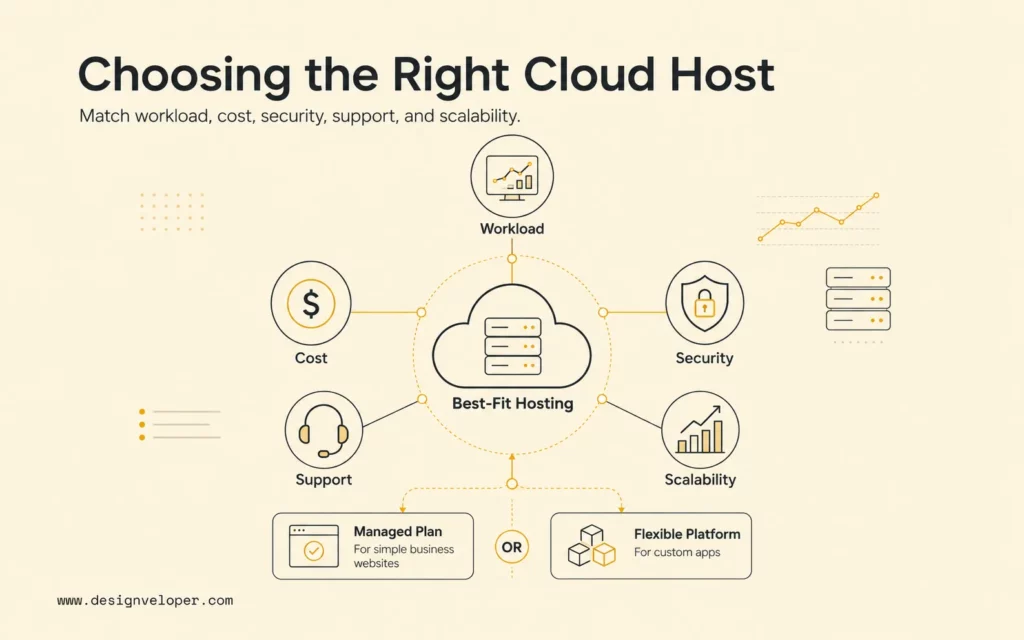
Quick decision guide: Choose a managed cloud hosting plan when a business website needs simple operations and reliable support. Choose a flexible cloud platform when a custom application needs control over architecture, deployment, scaling, integrations, or data services. Before signing a long contract, test one representative workload and verify the bill, performance, backup restoration, support response, and exit process.
| Starting Situation | Practical First Direction | Validate Before Buying |
|---|---|---|
| Small brochure or local-business website | Managed website or WordPress cloud plan | Renewal price, backups, restore help, SSL, support, and traffic limits |
| Ecommerce website | Managed cloud hosting with isolated resources and scaling | Peak-load performance, database limits, payment dependencies, recovery, and support scope |
| SaaS or custom web application | Cloud platform with managed compute, database, storage, and observability | Architecture fit, deployment control, service quotas, unit cost, reliability, and portability |
| High-traffic content platform | Elastic hosting with CDN, caching, and automated scaling | Cache behavior, origin capacity, bandwidth charges, and failover |
| AI-enabled or data-heavy product | Cloud platform with suitable data, accelerated compute, and model services | Data location, permissions, latency, evaluation, usage controls, and cost per successful task |
Further reading:
- What is an App Cloud: 5 Key Benefits & Common Platforms
- 8 Breakthrough Cloud Industry Trends
- Web Application Architecture: Types, Components, and Tools
What Is A Cloud Hosting Package?
A cloud hosting package is a hosting plan that uses cloud infrastructure to provide website or application resources such as CPU, RAM, storage, bandwidth, backups, security, scaling, and support. Google Cloud’s current Google Cloud cloud hosting definition explains that cloud hosting pools resources from networks of virtual and physical servers, creating more flexibility than hosting tied to one physical server.
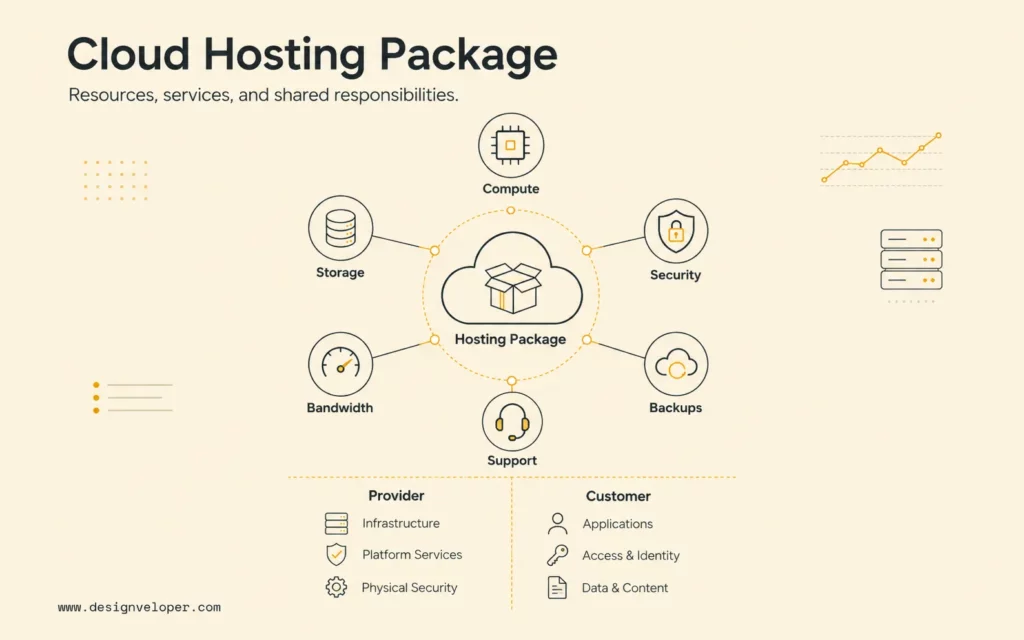
The word “package” matters because customers rarely buy compute alone. A website plan may bundle a domain connection, SSL certificate, content delivery network, malware scanning, daily backup, staging environment, migration, and support. An infrastructure plan may list virtual CPUs, memory, block storage, data transfer, load balancing, snapshots, monitoring, and support as separate billable services.
Cloud service models also change ownership. Infrastructure as a Service (IaaS) gives the customer control over virtual machines and networks but leaves more operating work to the team. Platform as a Service (PaaS) manages more of the runtime and deployment layer. Software as a Service (SaaS) delivers a complete application. Managed cloud hosting sits across these categories: the provider may manage an operating system, website stack, database, backups, or application updates, but the exact boundary comes from the contract.
A cloud package, types of cloud computing, and deployment model is not a list of resources. It is a boundary between what the provider operates and what the customer must still own.
Before asking the question of how to choose a cloud provider, ask for a responsibility matrix. It should name who patches the operating system, updates the application stack, configures firewalls, manages identities, monitors failures, tests backups, responds to incidents, and restores service. The AWS shared responsibility model demonstrates why this boundary varies: customers using virtual machines manage more configuration than customers using abstracted managed services.
Cloud Hosting Vs Traditional Web Hosting
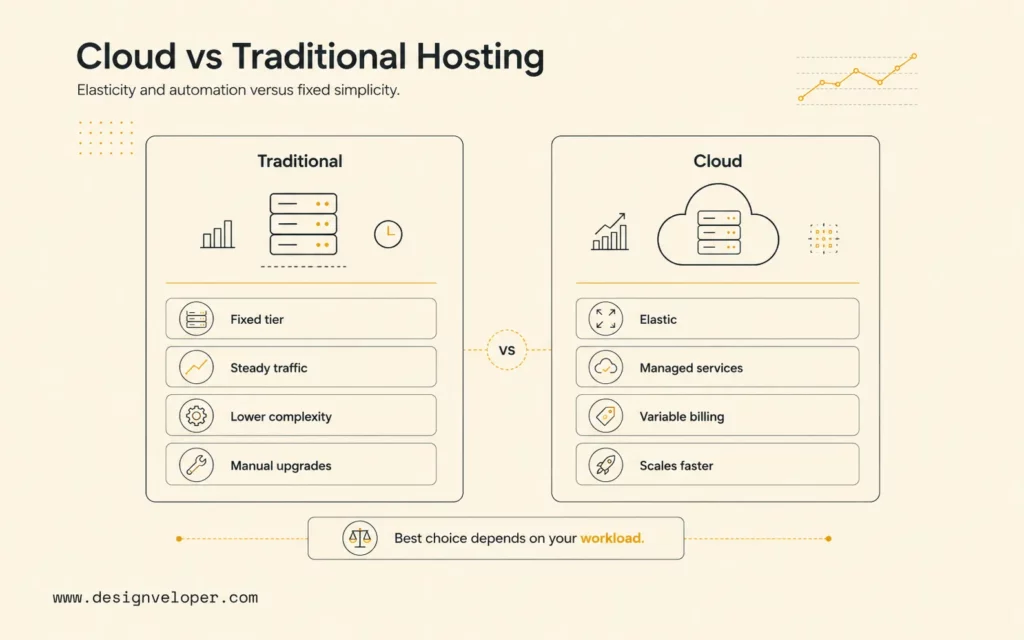
When answering how to choose a cloud provider, we’re preconditioned to think that cloud is better. Cloud hosting is usually the better fit than tradditionally web hosting when demand changes, availability matters, or the application needs programmable infrastructure. Traditional shared, VPS, and dedicated hosting can still be simpler and more economical when workload size is predictable and the website does not require elastic services. The decision is about operating characteristics, not whether one label is universally superior.
Recommended for you:
- Web App Development Cost: Breakdown
- Building User Trust through Secure Software Development
- The Role of PCI-Compliant Hosting in E-Commerce Security
| Hosting Type | Best For | Strength | Main Tradeoff |
|---|---|---|---|
| Shared hosting | Small informational sites with low, steady traffic | Low cost and minimal administration | Shared resources, limited control, and restricted scaling |
| VPS hosting | Sites needing isolated capacity and server control | More predictable resources and customization | Usually tied to a defined virtual server and requires administration |
| Cloud hosting | Changing demand, custom applications, and availability-sensitive workloads | Elastic resources, automation, and access to managed services | Variable billing and greater architecture complexity |
| Managed cloud hosting | Teams that want cloud capability without running every layer | Provider handles an agreed operational scope | Higher service cost, platform limits, and a boundary that must be verified |
| Dedicated hosting | Special performance, licensing, isolation, or hardware requirements | Exclusive hardware and extensive control | Capacity is slower to change and management burden is higher |
Traditional hosting often uses a fixed monthly or annual tier. That predictability is useful, but the package may require an upgrade when CPU, memory, storage, or traffic crosses a limit. Cloud platforms commonly use consumption-based billing, so spend can move with compute time, storage volume, operations, data transfer, requests, and managed services. Elasticity avoids some upfront overprovisioning, but it does not make capacity automatically inexpensive.
Reliability also depends on architecture. A provider may operate multiple regions and availability zones, but a website placed on one instance with one database can still have a single point of failure. Microsoft advises teams to read a Microsoft Azure service-level agreement guidance as a provider commitment, not as a substitute for the workload’s own reliability target. The application, dependencies, deployment process, monitoring, and recovery design determine what users experience.
For a broader non-cloud comparison, Designveloper’s guide to choose web hosting covers uptime, support, speed, price, and growth. Those fundamentals remain relevant for the question of how to choose a cloud provider; cloud evaluation adds service responsibility, automation, usage billing, data location, and architecture portability.
Define Your Hosting Needs Before Comparing Packages
A useful requirement profile describes what the system must do at launch, what may change, and what failure the business can tolerate. Avoid starting with an oversized future state. Separate verified demand from a growth scenario, then identify the smallest package that can meet launch requirements while preserving a safe upgrade path.
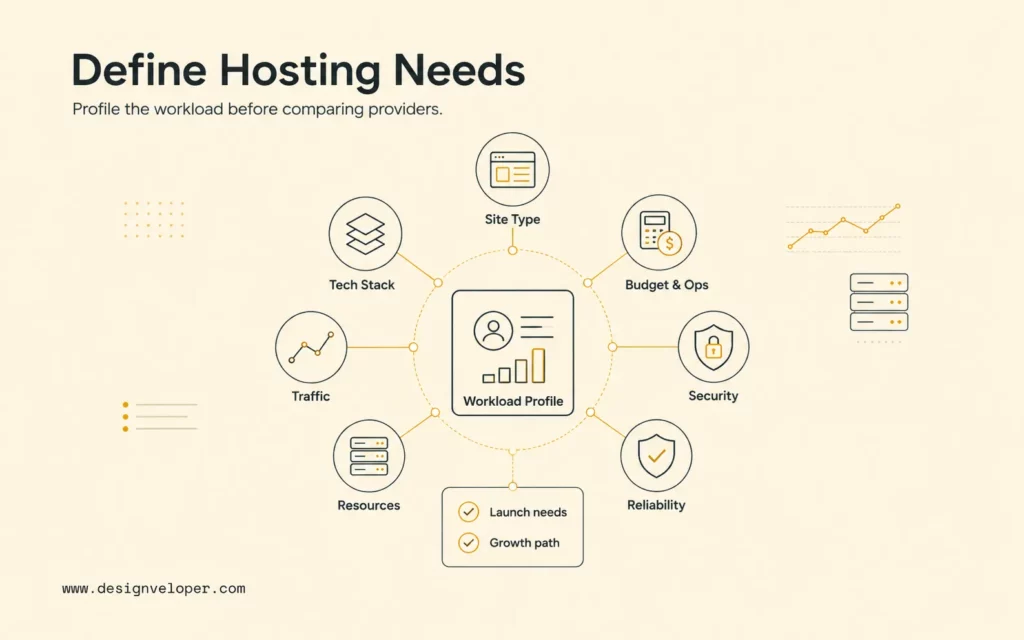
- Website or application type: brochure site, content publication, WordPress site, ecommerce store or cloud eCommerce solutions platform, customer portal, SaaS platform, API, internal tool, analytics system, or AI product.
- Technology stack: CMS, website builder, custom frontend, backend runtime, database engine, cache, queue, object storage, search, and external integrations.
- Traffic shape: average requests, concurrent users, geographic distribution, campaign spikes, seasonality, bot traffic, file downloads, and background jobs.
- Resource profile: CPU, RAM, database connections, storage growth, input/output operations, bandwidth, long-running tasks, and accelerated compute.
- Reliability: business hours or continuous availability, acceptable downtime, acceptable data loss, recovery time, dependency behavior, and restoration ownership.
- Security and compliance: data classification, residency, encryption, identity, audit logging, vulnerability management, retention, and regulatory evidence.
- Operating model: in-house engineering skill, managed-support expectations, deployment frequency, monitoring, incident response, maintenance windows, and escalation contacts.
- Commercial limits: launch budget, expected monthly range, renewal policy, contract length, usage caps, support fees, migration cost, and exit cost.
Convert vague expectations into acceptance criteria. “Fast hosting” might become a target for server response time under a defined load from the primary user region. “Reliable backups” should identify backup frequency, retention, encryption, restore time, restore owner, and a test schedule. “Scalable” should state which component scales, whether scaling is automatic, how quickly it responds, and what limit or cost guardrail applies.
Use real measurements when replacing existing hosting. Export traffic, CPU, memory, database, storage, bandwidth, error, and latency trends for at least one normal period and one peak period. Inventory cron jobs, email, DNS, certificates, integrations, background workers, and operational scripts. Hidden dependencies often cost more to migrate than the visible website files.
The requirement profile should also identify an owner for each promise. A vendor can provide infrastructure metrics while the application team owns customer-impact monitoring. A host can retain backups while the business owns restore testing. Explicit ownership prevents both parties from assuming the other one will act during an incident.
Key Factors To Compare In A Cloud Hosting Package
It’s necessary to compare factors when answering the question on how to choose a cloud provider. Compare packages with the same workload scenario and the same evidence checklist. Marketing pages are useful for discovery, but the final evaluation should use service documentation, limits, SLAs, support terms, architecture diagrams, calculator assumptions, and a hands-on trial.
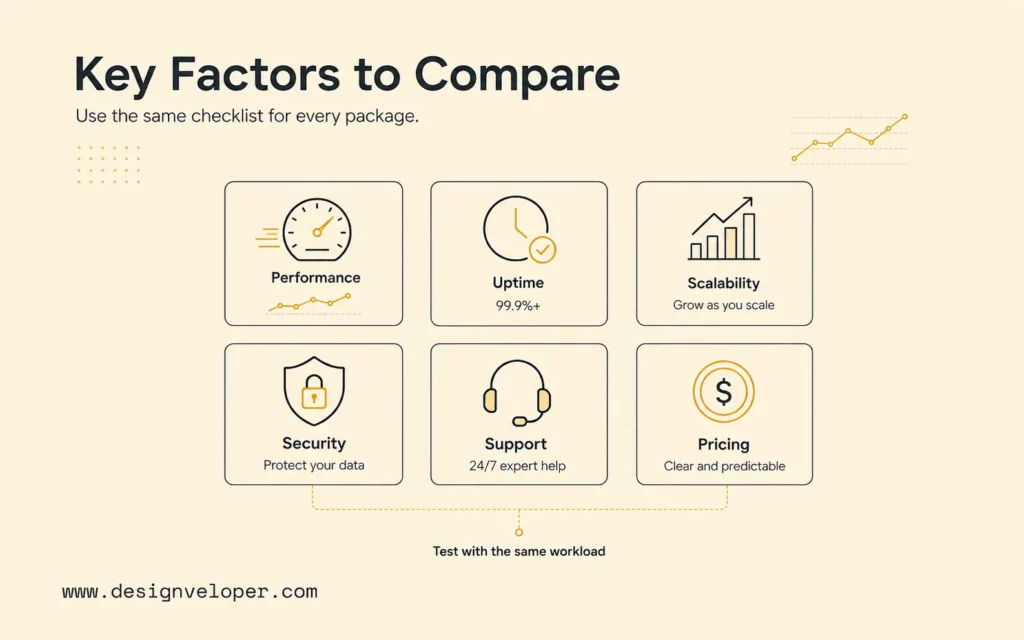
| Factor | What To Check | Why It Matters |
|---|---|---|
| Performance and server resources | Dedicated or shared CPU, memory, storage type, database limits, caching, CDN, region, and benchmark conditions | A resource headline means little if contention, latency, or service limits constrain the real request path |
| Uptime and availability | SLA calculation, exclusions, service credits, zone or region design, maintenance, dependencies, and support claim process | The package commitment may not equal application availability |
| Scalability and upgrade flexibility | Vertical and horizontal scaling, automation, quotas, database scaling, minimum capacity, scale delay, and downgrade process | Scaling must cover the actual bottleneck without creating uncontrolled spend |
| Security, SSL, backups, and restore | Identity, network controls, patch scope, certificates, encryption, backup frequency, retention, recovery testing, and compliance evidence | cloud security is shared; missing ownership becomes a business risk |
| Managed support, migration, and developer access | Support hours, channels, response targets, covered layers, migration scope, staging, shell or API access, logs, and escalation | “Managed” can range from infrastructure help to application-level operations |
| Pricing, renewal rates, usage limits, and add-ons | Introductory and renewal price, compute, storage, bandwidth, requests, backups, observability, licenses, support, tax, and termination terms | The monthly total can differ significantly from the advertised base tier |
Performance comparisons need a representative test. Deploy the actual runtime and a realistic database copy with safe data. Test uncached and cached requests, media delivery, administrative workflows, scheduled jobs, and peak concurrency. Record the region, instance size, software versions, cache state, and test duration so results can be repeated.
For reliability, read every service dependency. A compute SLA does not automatically cover a database, DNS provider, payment service, plugin, or application bug. Define an internal service-level objective based on user needs, then select architecture and provider commitments that support it. Include backup restoration and incident communication in the evaluation, not only uptime percentages.
For security, ask which controls are inherited and which remain yours. Even a managed plan typically leaves the customer responsible for user permissions, application vulnerabilities, data classification, secure content, credential handling, and business access decisions. Review audit reports and certifications only after confirming they cover the service, region, and responsibility relevant to the workload.
For cost, build a low, expected, and stress scenario. Include baseline resources that run all month plus variable compute, storage operations, database use, outbound data transfer, monitoring, backups, support, third-party licenses, and engineering labor. AWS warns in its AWS Pricing Calculator assumptions that actual cost depends on real usage, region, unmodeled services, data transfer, commitments, and price changes. Treat any calculator as a planning model, then compare it with a measured trial.
Cloud Hosting Package Options By Use Case
The better package type is the least complex option that satisfies the workload’s current operating promises and credible growth path. Provider names can be evaluated only after the service category is clear. This prevents a team from forcing a simple website into an enterprise platform or squeezing a custom product into a restrictive website plan.
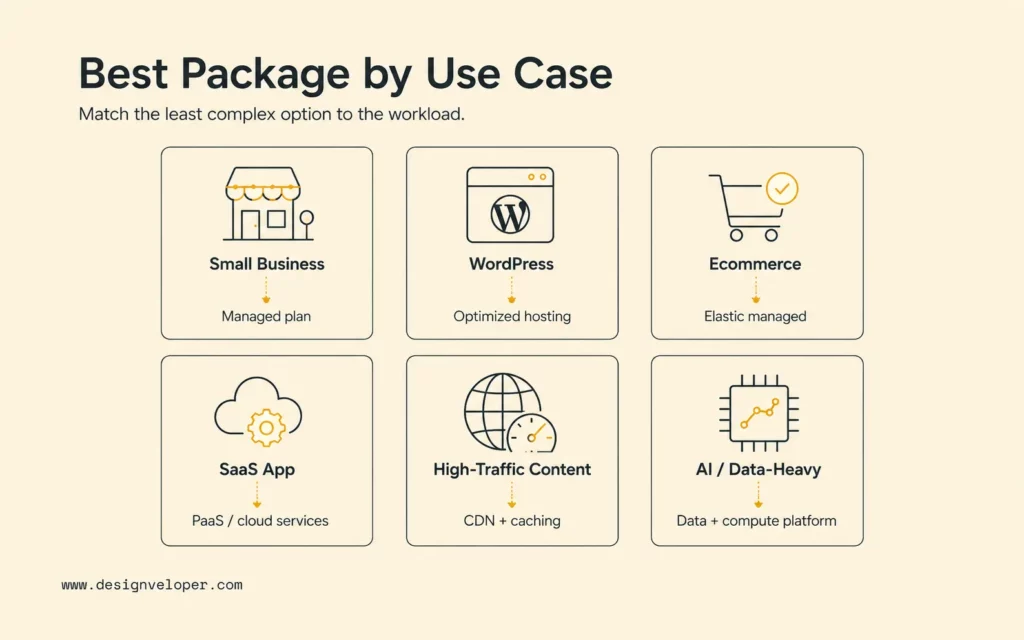
| Use Case | Better Package Type | Key Requirement |
|---|---|---|
| Small business website | Managed website cloud plan | Simple administration, predictable renewal, SSL, backup, restore, and responsive support |
| WordPress or website-builder site | Managed WordPress or builder-optimized cloud hosting | Compatible runtime, staging, caching, updates, plugin visibility, migration, and restore |
| Ecommerce website | Managed elastic cloud hosting with isolated resources | Peak transactions, database performance, payment reliability, security, backup, and urgent support |
| SaaS or custom web application | PaaS or structured public-cloud services | Deployment control, managed data, APIs, observability, autoscaling, environments, and infrastructure automation |
| High-traffic content site | Elastic origin hosting plus CDN and caching | Global delivery, cache control, origin protection, purge workflow, and bandwidth economics |
| AI-enabled or data-heavy product | Cloud platform with data, model, and accelerated-compute services | Data governance, model access, latency, evaluation, quotas, fallback, and cost per task |
A managed website package should expose enough control for the website lifecycle without requiring a team to operate a server. Confirm whether “managed” includes CMS updates, plugin troubleshooting, malware cleanup, performance investigation, database optimization, and application recovery. Support that stops at the operating system may be insufficient for a nontechnical site owner.
A custom application usually benefits from managed building blocks without surrendering deployment control. A managed database, object storage, container platform, or application runtime can remove undifferentiated operations. Raw virtual machines remain appropriate when the software needs operating-system access, special networking, legacy dependencies, or licensing that a higher-level platform cannot support.
An AI product adds workload-specific questions. Check accelerator availability, model regions, token or inference pricing, vector or search services, data retention, private networking, quotas, content controls, and observability. A model endpoint is only one part of the product; application hosting, retrieval, identity, evaluation, and fallback still need an operating plan.
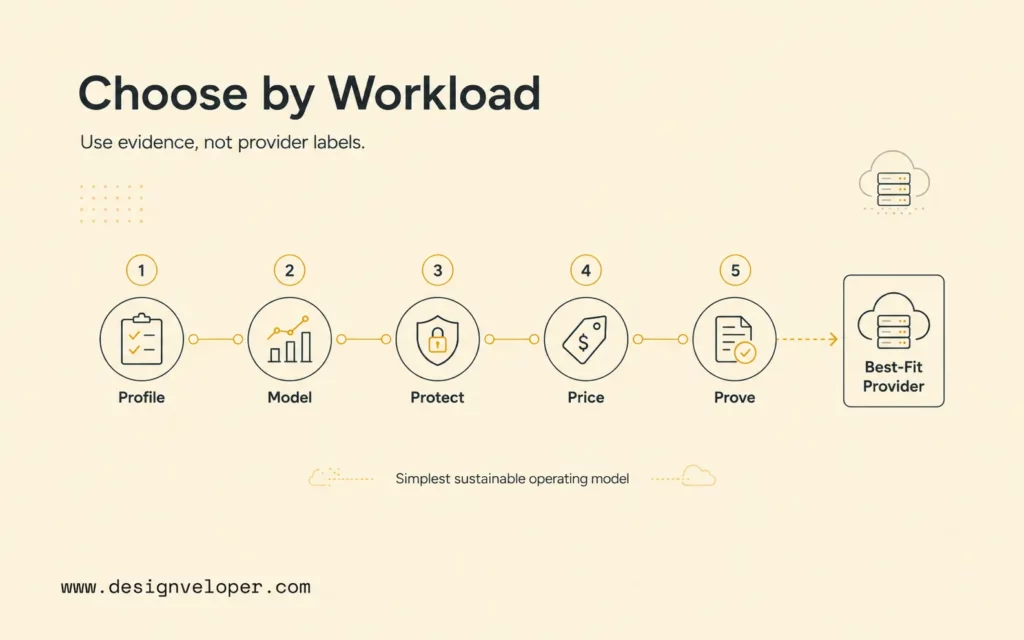
A Workload-First Cloud Selection Path
1. Profile
Measure users, traffic, data, stack, peaks, and geography.
2. Model
Choose managed hosting, IaaS, PaaS, containers, or serverless.
3. Protect
Set security, availability, backup, and recovery ownership.
4. Price
Model expected and stress usage with every recurring add-on.
5. Prove
Run a pilot, restore a backup, contact support, and test exit.
The five-stage path is deliberately provider-neutral in how to choose a cloud provider. A candidate moves forward only when it fits the service model and proves the workload’s hardest operating requirement. Teams can score two or three finalists with the same evidence instead of comparing hundreds of features that the application may never use.
Mistakes To Avoid When Choosing Cloud Hosting
The most expensive cloud hosting mistakes come from comparing an advertised tier instead of the complete workload lifecycle. Price, performance, security, support, and portability should be tested together because optimizing one in isolation can increase another cost.
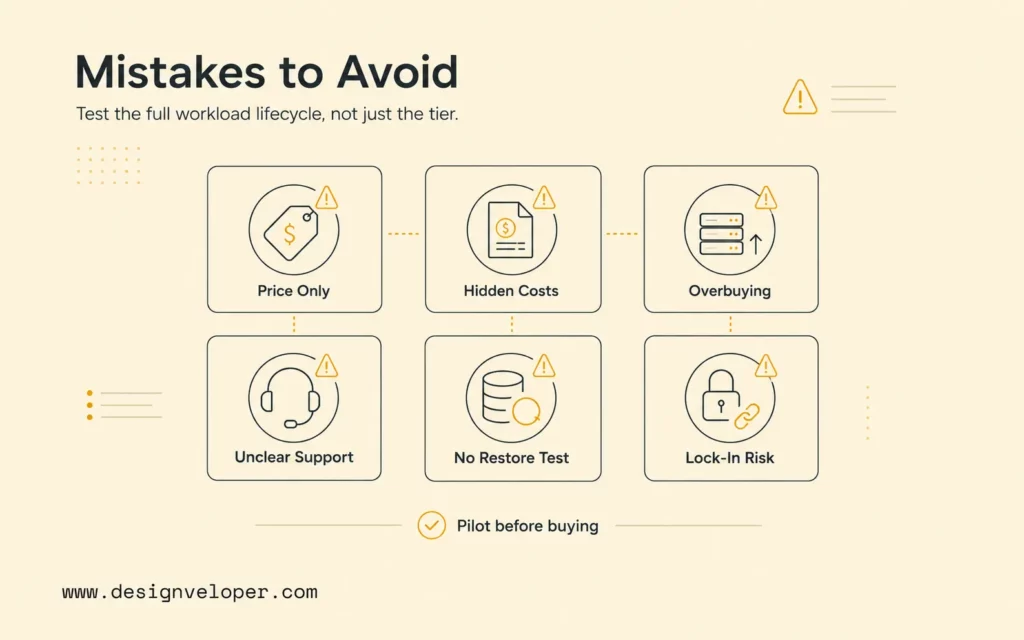
- Choosing by price only. A cheaper package can cost more when slow support, weak developer access, missing staging, manual backups, or limited observability increases labor and downtime.
- Ignoring renewal or usage-based costs. Record the normal price after introductory discounts and model compute, database, storage, requests, data transfer, backup, monitoring, support, licenses, and taxes.
- Overbuying enterprise resources too early. High availability, multiregion operation, Kubernetes, or multicloud architecture adds real value only when a requirement justifies the engineering and operating burden.
- Choosing managed cloud without checking support scope. Ask for examples of incidents the support team will and will not investigate. Verify response targets separately from resolution expectations.
- Skipping backup, monitoring, and restore planning. A backup that has never been restored is an assumption. Run a timed recovery test and confirm application consistency, credentials, DNS, and dependent services.
- Ignoring migration path and vendor lock-in. Export application code, databases, files, logs, DNS records, certificates, and configuration. Document data format, egress charges, contract notice, and the replacement for proprietary services.
Multicloud is not an automatic answer to lock-in. Operating two clouds can duplicate identity, networking, monitoring, skills, security, and incident processes. Use multiple providers when a specific resilience, regulatory, acquisition, regional, or service requirement warrants the overhead. For many teams, a tested backup and migration path provides more practical protection than keeping every component portable at all times.
Do not pay for theoretical scale while leaving real recovery, support, and cost visibility untested.
Another mistake one usually makes in figuring out the answer to how to choose a cloud provider is accepting a proof of concept that ignores production conditions. The pilot should include representative data, deployment automation, access roles, logging, backup, alerting, and a realistic peak. It should also produce a bill. A technical demo proves that software can run; a production-shaped pilot proves whether the operating model is acceptable.
Choose Cloud Hosting Around Workload, Not Just Provider Names
The right cloud hosting package matches architecture, deployment, caching, integrations, monitoring, backup, security, and scaling needs. AWS, Microsoft Azure, Google Cloud, managed WordPress providers, and developer platforms each offer multiple service categories. A company name alone cannot reveal which category, tier, region, support plan, or responsibility boundary fits the workload.
Build a short decision record for the final choice. State the workload profile, options compared, acceptance criteria, evidence collected, selected package, cost assumptions, risks, exit approach, and review trigger. A review trigger might be sustained CPU pressure, a traffic threshold, a new compliance obligation, repeated incidents, or monthly cost exceeding a unit-economics target.
Architecture quality matters more than purchasing sophistication. The AWS Well-Architected Framework evaluates operational excellence, security, reliability, performance efficiency, cost optimization, and sustainability. Those qualities create a useful provider-neutral review even when a team ultimately uses another platform.
Designveloper’s guide to cloud application development shows how to choose a cloud provider in a different way. It shows how provider choice connects to product goals, architecture, data flow, CI/CD, monitoring, testing, and continuous improvement. The hosting decision should support that complete delivery system rather than remain a procurement exercise.
A cloud provider comparison should produce an architecture decision, not just a feature score. In our software development services, the comparison includes a responsibility map, representative monthly cost model, pros and cons of cloud computing, and renewal assumptions, data-location requirements, recovery test, scaling trigger, and exit path for the most difficult managed service. Those checks show whether a provider supports the workload without creating an avoidable cost, skills, or portability constraint.
The final answer to how to choose a cloud provider is therefore evidence-based: profile the workload, choose the service model, define ownership, model the complete cost, and test the hardest requirement. Select the provider and package that passes those checks with the simplest sustainable operating model.
FAQs About Cloud Hosting Packages
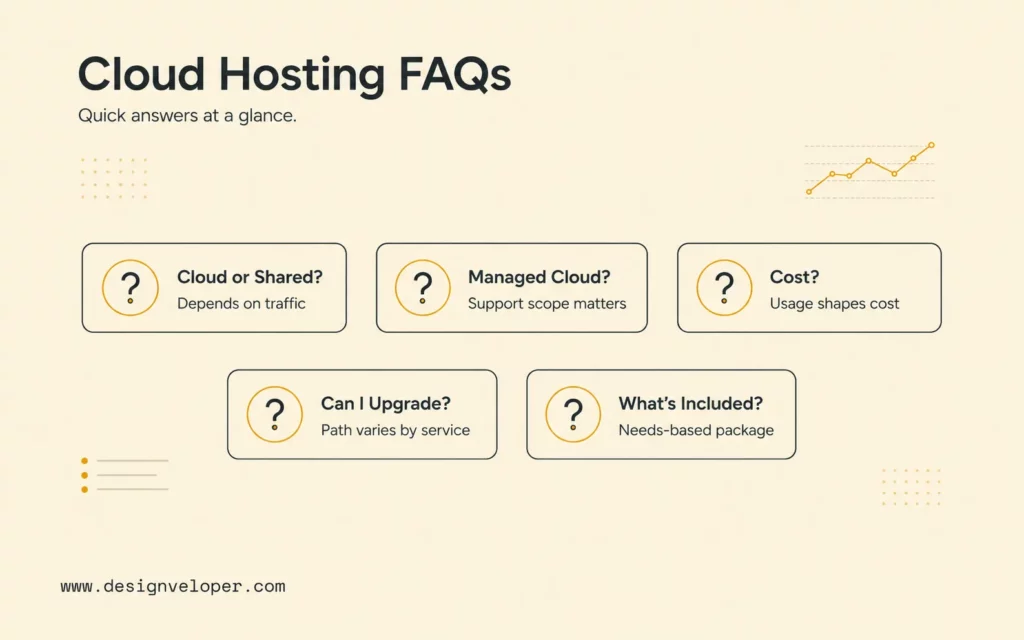
Is Cloud Hosting Better Than Shared Hosting?
Cloud hosting is generally a better fit for variable traffic, custom applications, elastic resources, and stronger availability designs. Shared hosting can be a better fit for a small, low-risk website that values low cost and simple administration. Compare the actual performance, support, backup, renewal, and migration terms instead of assuming cloud hosting is necessary for every site.
What Is Managed Cloud Hosting?
Managed cloud hosting is a service in which the provider operates an agreed portion of the cloud environment, such as infrastructure, operating systems, website runtime, database, security tooling, monitoring, backup, or migration. The label is not standardized. Read the support scope and responsibility matrix to learn which application and operational tasks remain with the customer.
How Much Does Cloud Hosting Cost?
Cloud hosting cost ranges from a predictable managed website subscription to a variable bill based on compute, storage, database, operations, bandwidth, requests, observability, backup, support, and licenses. Create expected and stress scenarios with the provider’s current calculator, then validate the assumptions with a measured pilot. Include renewal and migration costs, not only the first month’s base price.
Can I Upgrade A Cloud Hosting Package Later?
Most cloud hosting services provide an upgrade path, but the scope and disruption vary. Compute may resize automatically while a database, storage volume, regional design, or contract tier requires planned work. Ask about quotas, upgrade time, downtime, rollback, data migration, minimum terms, and whether a later downgrade is possible.
What Should A Cloud Hosting Package Include?
A package should include or clearly price the compute, memory, storage, bandwidth, SSL, backup, restore, monitoring, security controls, access, support, and scaling needed by the workload. It should also document service limits, responsibilities, SLA terms, data location, migration assistance, renewal rules, and exit procedures. The right inclusion list comes from the website or application’s requirements, not a universal bundle.
Also published on

Share post on










Related Articles



How To Choose A Web Hosting Provider: Types, Checklist, And Tips
How To Choose A Web Hosting Provider: Types, Checklist, And Tips Published October 21, 2026
7 Best Open-Source RAG Frameworks For Production AI Projects
7 Best Open-Source RAG Frameworks For Production AI Projects Published September 28, 2026
Cloud Application Development: Architecture, Process, And Cost
Cloud Application Development: Architecture, Process, And Cost Published September 25, 2026


















