
















8 Best AI Onboarding Tools For Faster Employee Ramp-Up In 2026

KEY TAKEAWAYS:
- AI is not a label for every workflow. A reminder or fixed task route is useful onboarding automation, but it is not AI by itself.
- Choose by the job you need done: HR and IT setup, new-hire questions, personalized journeys, or role-based training.
- This is a curated comparison, not a hands-on ranking. Vendor documentation was checked on October 19, 2026; features and pricing can vary.
- Test permissions, approved knowledge sources, retention, audit logs, and human escalation before a pilot.
Choosing an AI onboarding tool is harder than comparing feature lists. Some products use AI to answer new-hire questions or create role-specific training, while others mainly run fixed checklists and reminders. Both can help, but they solve different problems. This guide compares eight platforms with publicly documented onboarding-related AI functions, explains where each fits, and separates them from adjacent HR tools. It also shows what pricing information vendors publish, what to test with employee data, and how to measure a small pilot. Product descriptions reflect vendor documentation checked on October 19, 2026; we did not run hands-on tests.
Explore more:
- What Is Artificial Intelligence? Definition, Types, and How It Work
- Best HR Automation Tools: Features, Use Cases, and Tips
- Large Language Models (LLMs): How to Fine-Tune Them to Reduce the Costs Associated
What Are AI Onboarding Tools?
AI onboarding tools are HR platforms or add-ons that use a documented AI function for a defined employee-onboarding task. Examples include answering a new hire’s questions from approved HR content, drafting role-specific training material, or helping an administrator build an onboarding journey. The tool may also include an HRIS, learning content, employee support, or workflow engine.
That definition excludes ordinary automation on its own. A rule that sends a welcome email when a start date is entered is workflow automation. A language model that drafts a role-specific welcome plan is AI-assisted content generation. A platform can offer both, so check the exact feature rather than relying on the product name.
AI can also make a process less predictable if its inputs or permissions are unclear. Keep fixed rules for steps that must happen every time, such as collecting a signed policy. Use AI for tasks where a generated answer or draft adds value, and require review when it touches access, pay, eligibility, or employment decisions.
How Does AI Improve Employee Onboarding?
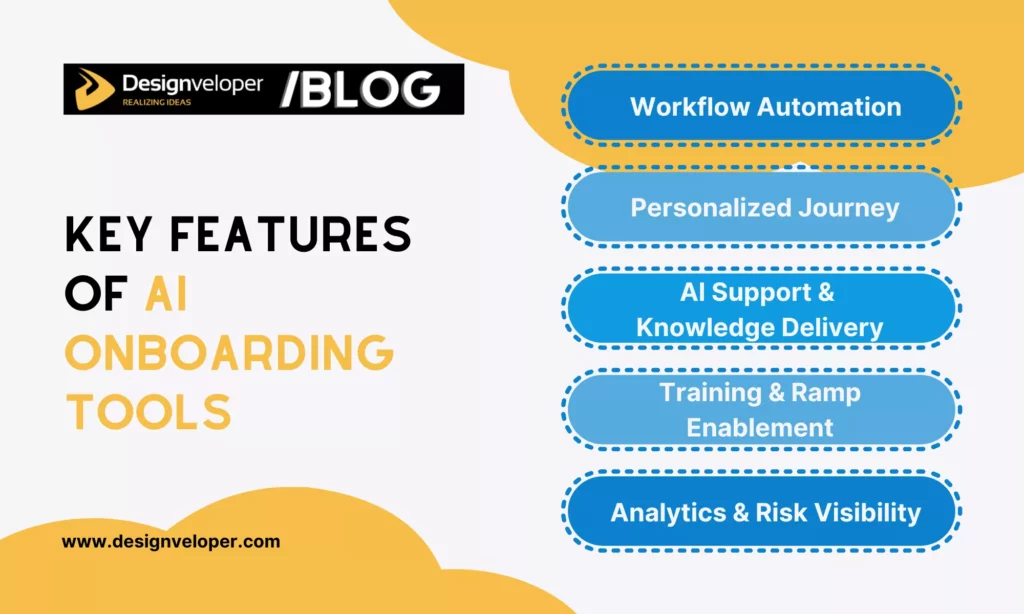
AI can support onboarding by helping new hires find approved information, helping HR prepare role-based content, and surfacing workflow gaps for a person to review. The practical benefit depends on whether the feature connects to current policies and systems, handles uncertainty safely, and fits the work HR already owns.
- Answer routine questions: An assistant can retrieve policy or process guidance, but the buyer should test its sources and escalation path. For system connections, see this guide to AI chatbot integration.
- Draft learning material: AI may turn approved notes into a first draft of a checklist, lesson, quiz, or role guide. A subject-matter owner still needs to check facts, tone, and policy wording.
- Adapt a journey: A tool may suggest steps by role, location, or start date. Confirm whether this is generated content, an administrator-configured rule, or a supported adaptive feature.
- Spot stalled work: Reports can show late tasks or unanswered requests. Treat a signal as a prompt for investigation, not proof that an employee is disengaged or likely to leave. A baseline from business data analytics can make the pilot easier to review.
These functions do not remove the need for clear owners. HR owns policy and the employee experience; IT owns access and devices; managers own role context and check-ins. An AI agent may coordinate a defined task, but a useful platform makes handoffs visible without making an automated guess the final decision.
8 AI Onboarding Tools Compared
This is a curated shortlist, not a ranked or hands-on review. We included platforms whose vendor materials describe an AI function tied to onboarding, employee support, or onboarding training. We checked feature and pricing pages on October 19, 2026. Vendor descriptions are not independent test results, and feature access can vary by plan, region, configuration, and release date.
| Tool | Best-fit job | Documented AI role | Pricing visibility checked Oct 19, 2026 |
|---|---|---|---|
| Rippling | HR and IT setup in one employee system | AI assistance across HR tasks; confirm which onboarding actions use AI versus rules. | Custom quote; depends on selected modules. |
| Enboarder | Employee journeys and manager touchpoints | AI workflow and journey creation for administrators. | Request pricing through vendor. |
| Leena AI | Employee support across HR services | Onboarding and offboarding module with an AI employee-service layer. | Custom proposal based on headcount, use cases, and volume. |
| BambooHR | SMBs that want onboarding inside an HRIS | Ask BambooHR answers employee HR questions; it is not an AI-built onboarding journey. | Core starts at $10.25 per employee/month in the U.S. public pricing shown; AI access varies by package and feature. |
| Trainual | Role-based process training and knowledge transfer | AI-generated tests and onboarding training support learning content. | Varies by team size and features; request a plan quote. |
| Talentech | Preboarding and employee questions across locations | Copilot chat in boarding answers questions from uploaded workplace documents. | Quote-based; varies with company size and solution complexity. |
| monday.com | Cross-team task routing and guided new-hire plans | Onboarding Program Manager agent generates role-based checklists and assigns tasks, per vendor. | Plan plus AI credits; estimate usage and current plan limits. |
| Workday | Enterprise onboarding on an existing HCM foundation | AI-driven insights and personalized onboarding plans, according to Workday. | Contact sales; confirm modules, deployment scope, and implementation costs. |
Use the table to decide which demos deserve your time, not to declare a universal winner. A vendor feature page establishes what the vendor says its product can do. It does not verify how well that feature performs with your policies, users, integrations, or plan.
How Each AI Onboarding Tool Fits
1. Rippling: HR and IT Setup
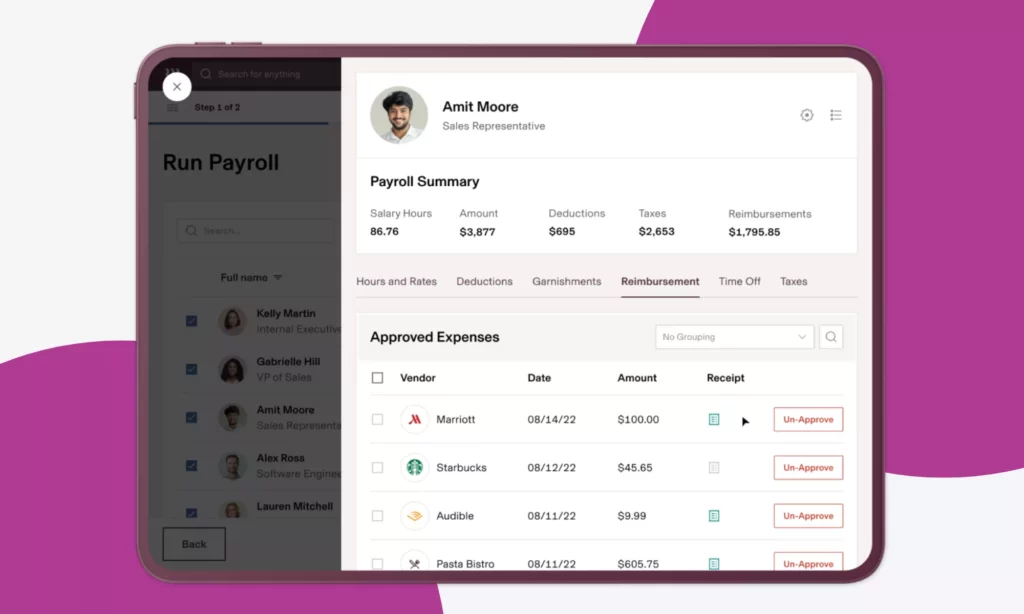
Rippling is worth evaluating when onboarding spans employee records, payroll, benefits, devices, and application access. Its HRIS product describes AI support for HR tasks, while the platform also connects employee data with operational workflows. That combination can reduce handoffs, but do not assume every provisioning step is an AI decision.
For a new remote engineer, HR could enter the approved role, manager, location, and start date. A configured workflow can route account and equipment tasks to IT, while the AI layer may help an administrator create or manage a workflow. The team should still approve permissions and confirm that each app request matches the employee’s role.
Choose Rippling when the value comes from coordinating HR and IT data in the same stack. It may be more than a team needs if the only gap is a searchable handbook or a training checklist. Ask for a line-item quote, required modules, and a demo that distinguishes AI actions from ordinary triggers.
2. Enboarder: Employee Journeys
Enboarder fits teams that already have core HR systems but want to design the experience around a new hire, manager, and buddy. Its AI Journey Builder helps administrators create journeys, and the vendor also documents a new-hire assistant for self-service guidance. Those are different jobs: one helps build the flow; the other helps answer questions during it.
A People Ops lead could use the builder to draft a role-specific first-month plan, then check every task, owner, and message before publishing. New hires may use the assistant to find approved guidance. Review the vendor’s New Hire Assistant documentation and confirm language, plan, and rollout availability with Enboarder.
This is a stronger fit for structured employee journeys than for payroll, device management, or an HRIS replacement. Pricing is not presented as a simple public per-seat rate on the checked page. Request a quote that separates implementation, integrations, and AI-enabled features.
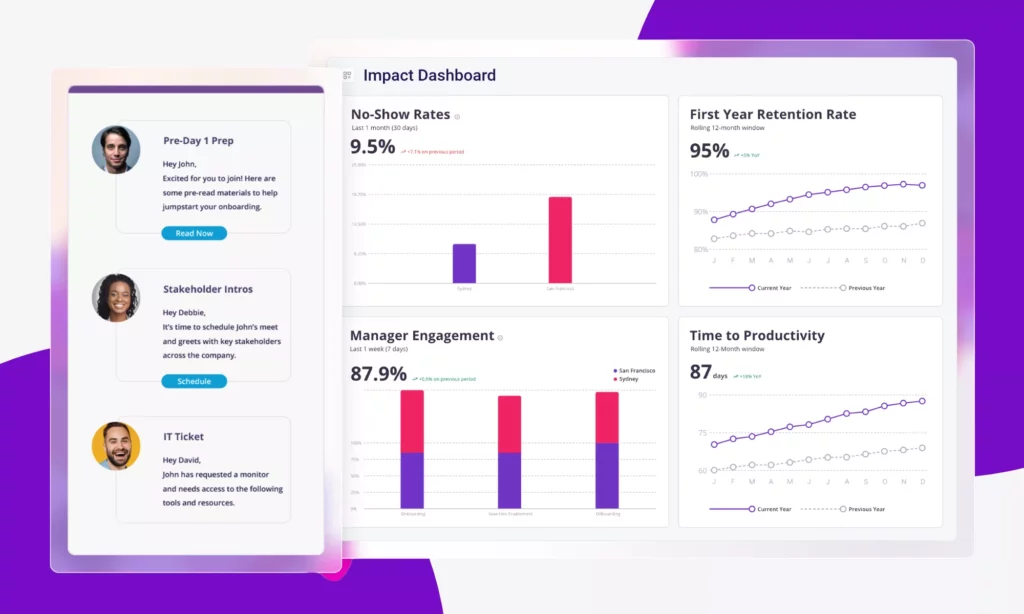
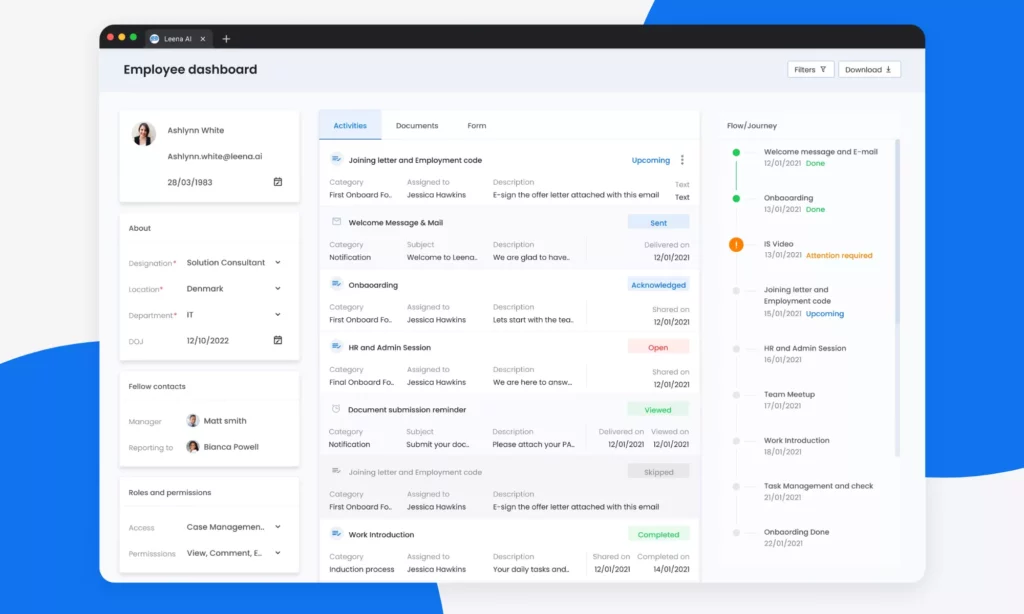
3. Leena AI: Employee Support
Leena AI is suited to organizations that want a conversational support layer across HR services. Its documentation describes an employee onboarding and offboarding module, while its broader platform connects employee questions with HR processes. Think of it as an AI service interface that can support onboarding, rather than a standalone system of record.
For example, a new hire might ask where to find a leave policy or how to request an access change. In a demo, check whether the answer points to an approved source, respects the employee’s permissions, and routes an unsupported or sensitive request to a person. The vendor’s employee-onboarding overview describes its experience-led approach; validate the exact modules and integrations you would buy.
Leena’s pricing page describes proposals based on headcount, use cases, and interaction volume. Include expected employee requests and connected systems in the estimate. Teams with a small handbook-only need may find a full enterprise support layer unnecessary.
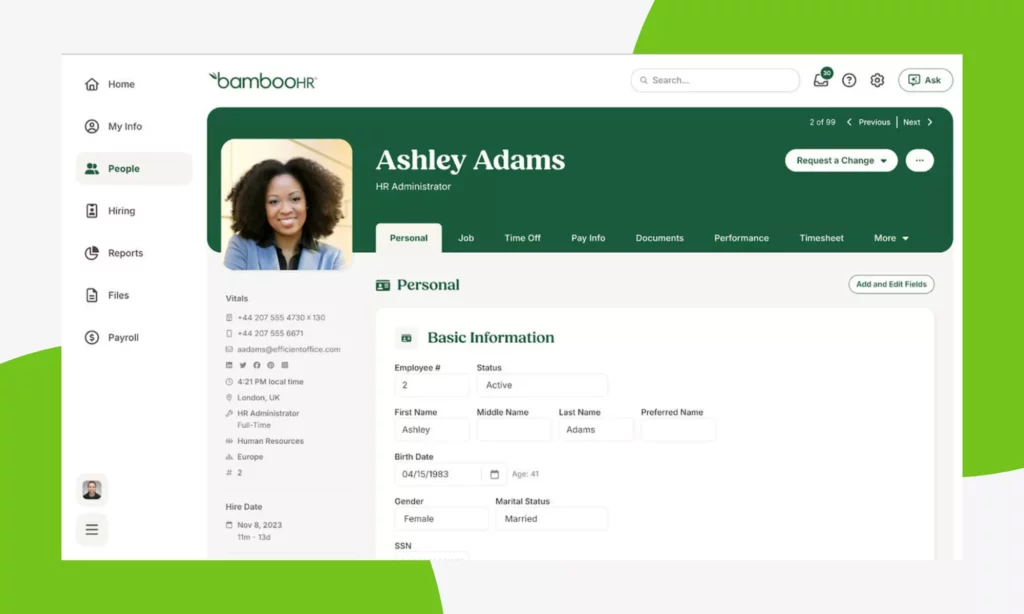
4. BambooHR: SMB Onboarding Inside an HRIS
BambooHR is a candidate for small and midsize teams that want employee records and onboarding in one HRIS. Ask BambooHR uses AI to answer employee HR questions from permitted company and employee information. BambooHR also notes that AI-feature access can depend on the package, feature, geography, and configuration.
That makes it an HRIS choice with an AI support function, not proof that every onboarding route is generated or personalized by AI. In a demo, ask what a new hire can access before and after their start date. Check which documents the assistant can use and whether the feature is available in your plan. BambooHR’s AI principles and availability notes describe these boundaries.
The U.S. pricing page showed Core starting at $10.25 per employee per month when checked on October 19, 2026. That is not the price of every plan or AI feature. Confirm headcount rules, add-ons, and the specific Ask BambooHR capabilities in your quote.
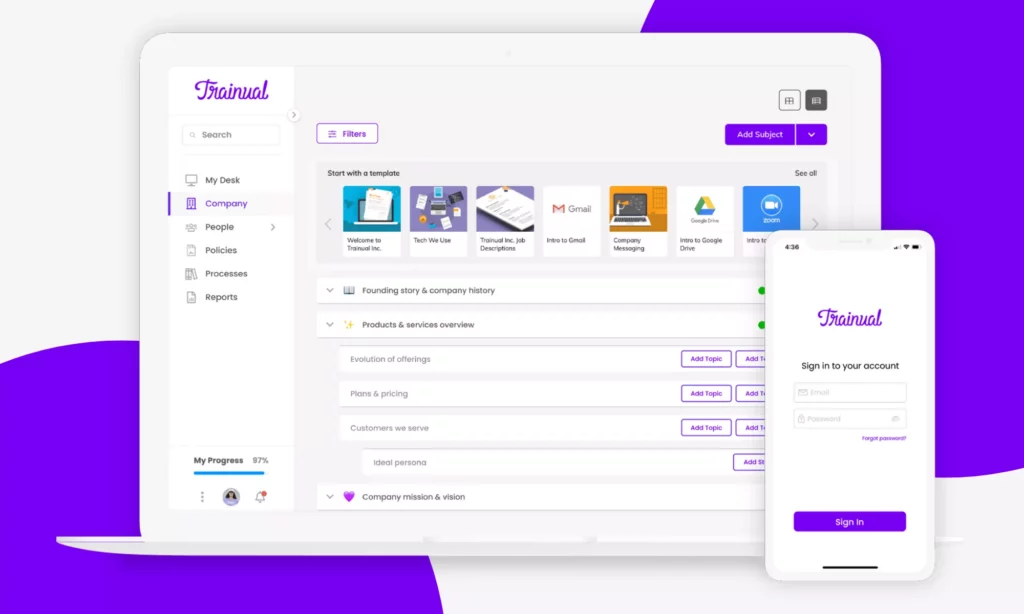
5. Trainual: Training and Documentation
Trainual is most relevant when new hires need role-based process guides, standard operating procedures, and tracked learning. The product combines onboarding and training paths with AI-assisted knowledge tools. Its documentation product also describes AI that helps write and refine training material.
A manager could turn approved notes about a support workflow into a first-draft lesson and quiz, then have the process owner check every step before assigning it. This can help a team organize knowledge; it does not remove the need to update outdated instructions or verify that a generated answer matches current policy.
Choose Trainual when learning and process knowledge are the main bottlenecks. Pair it with an HRIS or identity system if you also need employee records, payroll, or app provisioning. Trainual says pricing depends on team size and features, so compare the plan with your expected users and content needs.
See the vendor’s AI documentation capabilities and ask whether generated content, quizzes, and knowledge search are included in the plan you are considering.
6. Talentech: Preboarding and Employee Questions
Talentech suits organizations looking for connected recruiting, onboarding, and HR workflows. Its Copilot information describes an AI chat assistant that helps employees find answers during preboarding, onboarding, reboarding, and offboarding. The support material says the assistant can use uploaded handbooks, policies, and process guides.
That makes the source set part of the implementation. Before rollout, test an answer against an approved policy, then test a question whose answer is missing or out of date. Check access controls, language coverage, escalation, and whether the employee’s view respects document permissions. The public guide is hosted in Talentech’s customer portal, so confirm access and availability for your account.
Talentech says pricing depends on company size and solution complexity. It is a better fit when recruiting-to-onboarding continuity matters than when a company needs only an AI writing assistant. Ask the vendor to identify which onboarding, Copilot, and integration functions are in the proposed package.
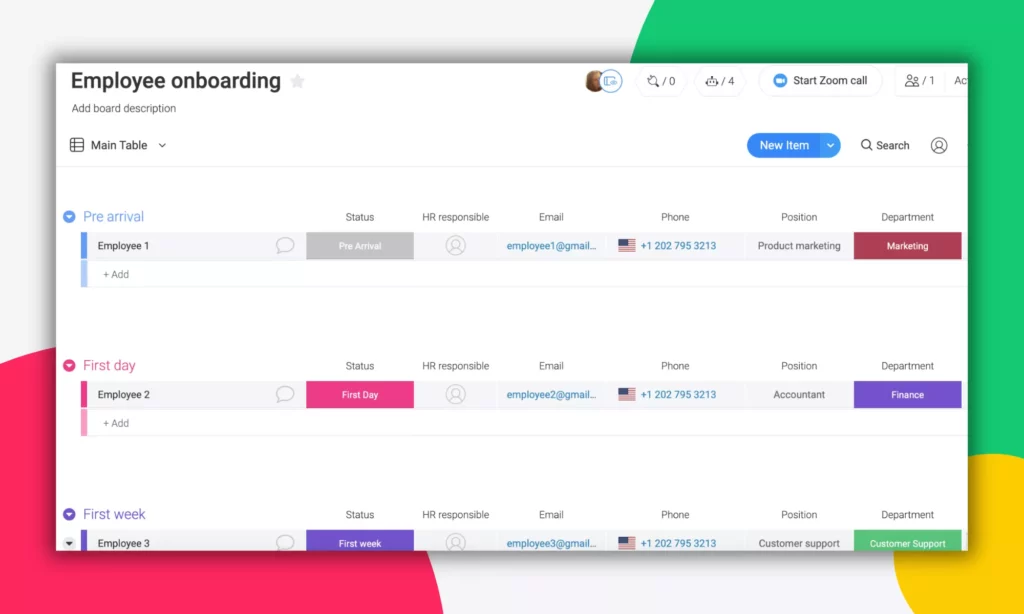
7. monday.com: Cross-Team Onboarding Tasks
monday.com may fit teams that coordinate onboarding across HR, IT, facilities, and a hiring manager in shared boards. Its onboarding page describes an Onboarding Program Manager agent that creates role-specific checklists and routes tasks. This is a vendor-described AI feature; the underlying board, task statuses, and triggers may still rely on configured workflow logic.
A buyer can test the feature with a new-hire template for one role. Check whether it assigns each task to the correct owner, handles a changed start date, and flags a missing device request without creating duplicate work. The tool is less suitable as a substitute for a full HRIS if employee records, payroll, or compliance documents must remain in a system of record.
monday.com uses an AI-credit model for relevant features, and plans differ. Include expected AI tasks in the cost estimate. Read its current AI credit overview and verify that the onboarding agent is available in your product and plan.
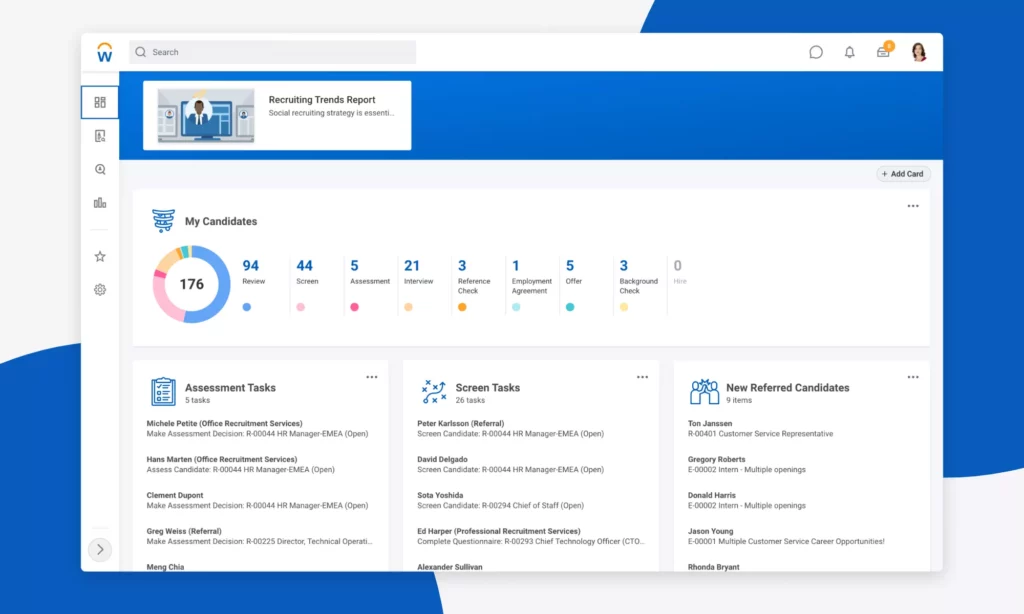
8. Workday: Enterprise HCM Onboarding
Workday is a candidate for organizations already managing talent and employee data in its HCM ecosystem. Workday’s onboarding page describes onboarding plans, intelligent personalization, and AI-driven insights. That is a broad enterprise capability set; the buyer should confirm which AI feature is included, enabled, and relevant to the specific onboarding workflow.
For a multi-location employer, an evaluation could test whether onboarding content and employee tasks can reflect location and role while staying connected to existing HCM and learning records. Ask how administrators review recommendations, how permissions flow from the employee record, and what implementation work is required.
Workday is more appropriate when enterprise HCM breadth and governance matter than when a small team needs a lightweight checklist. Pricing is not a simple public per-seat amount for this scope. Request a quote with modules, implementation, data migration, and ongoing support separated.
Adjacent Tools That Are Not Core AI Onboarding Picks
Some platforms still belong in a buyer’s broader comparison, but the available product documentation does not support presenting every onboarding workflow as AI. Keep their usefulness separate from the narrower AI shortlist.
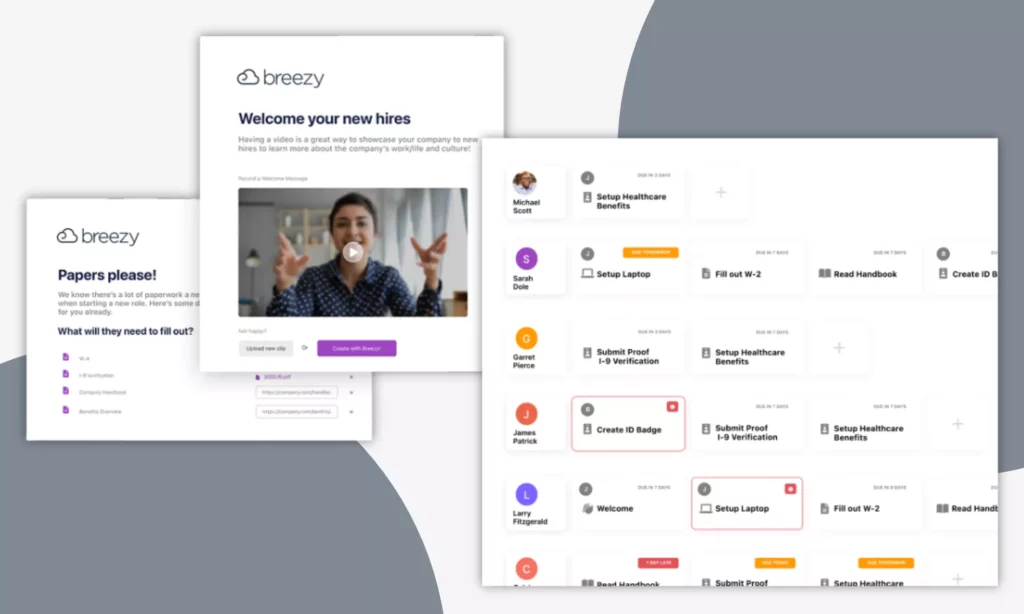
Breezy HR: Recruiting-to-Onboarding Handoff
Breezy Onboard is relevant when a small team wants to move new hires from recruiting into forms, signatures, meetings, and assigned tasks. Its help materials document an onboarding platform and route board. The sources checked for this guide do not establish an AI function in those onboarding routes, so Breezy is not counted among the eight AI picks.
Choose it for a lightweight recruiting handoff if the workflow fits. During a demo, verify what is automated, which plan includes the feature, and whether your HRIS remains the record for employee data. Do not treat reminders or task assignment alone as proof of AI.
Breezy’s Onboard help article describes the self-service workflow and plan access.
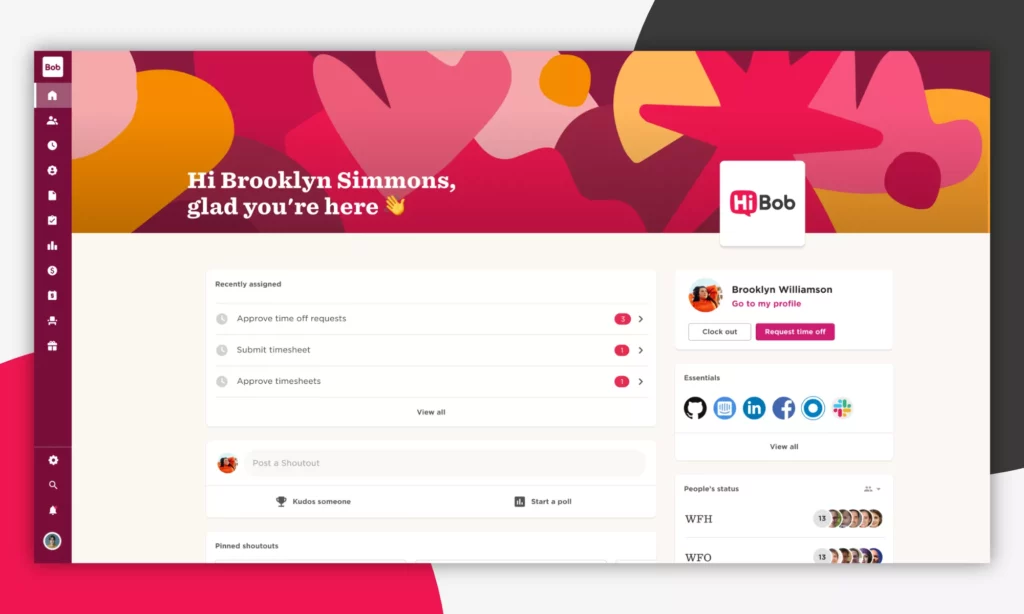
HiBob: Broader HRIS With AI Elsewhere in the Suite
HiBob may suit a mid-market team that wants onboarding workflows within a wider HR platform. Its product pages describe onboarding automation and AI in other HR tasks. The public sources checked here do not clearly establish that the specific AI features previously attributed to HiBob operate inside onboarding, so we keep it outside the core comparison.
If HiBob is already under consideration, ask the vendor to show the onboarding-specific AI feature, its data sources, plan availability, and human review controls. Compare the evidence with the workflow you want to improve instead of assuming a general HR AI feature also changes new-hire onboarding.
HiBob’s automation overview describes onboarding workflows and separate AI use cases, which buyers should validate individually.
Further reading:
- How To Build And Use AI Business Process Automation Effectively
- 10 Best Recruitment Automation Tools For Faster Hiring In 2026
- What Is A Chatbot? Real Uses, How It Works, And What It Can Do
How To Choose The Right AI Onboarding Tool
Start with the onboarding problem, not the vendor’s AI label. List the current handoffs, systems, and failure points. Then check whether the product owns the workflow, adds a support layer, generates training content, or only automates tasks.
Match the Tool to the Workflow
- If HR and IT repeat the same employee setup work, evaluate an HRIS or workflow platform and map its native integrations.
- If new hires cannot find current policy answers, test an AI support layer against the approved handbook and an out-of-scope question.
- If managers lack consistent process training, compare AI-assisted documentation and learning tools with an LMS or knowledge base you already use.
- If the main problem is missed handoffs, first check the rule-based workflow, owner, and escalation path. A generative feature may not solve a missing process.
For a broader look at HR workflow automation, map each step to a named owner. That makes it easier to see whether the missing capability is a connector, an approval, an employee-facing answer, or a new application.
Check Integrations and System Ownership
Identify which system remains authoritative for employee identity, job role, start date, location, payroll, and access. Then ask whether each connection is native, built through an API, or dependent on middleware or custom work. A logo on an integration page does not prove that the fields and events your process needs are supported.
Use a demo to change a start date, transfer an employee to another location, and cancel a hire. Check whether updates reach each connected system, whether failures are logged, and who resolves them. Ask how data is removed when a vendor or integration is disconnected.
Also confirm what the AI can read and do. If it can create a request, the system should show who approved the action and whether a human can stop or reverse it. For general concepts, see AI integration.
Evaluate Employee Data and AI Governance
Onboarding data can include identity, contact details, payroll setup, work eligibility, accommodations, and internal policies. Before using an AI feature, document who can see each data source and which answers or actions need a human. The voluntary NIST AI Risk Management Framework Playbook organizes risk work around Govern, Map, Measure, and Manage; it is guidance, not a mandatory onboarding checklist.
- Access: Can the assistant enforce the same permissions as the employee portal or HRIS?
- Sources: Does an answer point to current approved policies, and can an owner remove stale content?
- Data use: What is retained, for how long, and can customer data be used to train or improve a model?
- Audit: Can administrators review prompts, answers, workflow actions, and access changes?
- Escalation: What happens when the answer is missing, sensitive, or uncertain? Can the employee reach a person?
Do not ask an assistant to make employment decisions just because it can summarize employee data. Keep decisions about eligibility, pay, access, accommodations, and performance with an accountable person and the organization’s approved process.
Compare Total Cost and Administration
Compare more than the license. Ask for a three-year view that includes implementation, data cleanup, connectors, AI usage or credits, internal administration, support, training, and maintenance. If a vendor gives a quote, request the scope and assumptions in writing. For per-employee plans, ask how seasonal workers, contractors, or low headcount affect the bill.
Then compare that total with the work the tool would replace or improve. Use your own baseline for time spent on repeated questions, onboarding task delays, and manual follow-ups. Do not turn a vendor case study or a competitor’s customer result into a forecast for your team.

Test a Tool With a Measured Onboarding Pilot
A small pilot can show whether the feature fits your actual process, but it should not be presented as a guaranteed time-saving test. Choose one role, location, or new-hire path. Name an HR owner, an IT owner, and a person responsible for approving source content and AI access.
Worked Example: Onboarding a Remote Engineer
Suppose a company hires a remote engineer. HR records the approved start date, role, manager, and work location in its HRIS. A workflow rule can create tasks for HR, IT, and the manager. An AI assistant may answer where to find the development-environment setup guide. It should do so only if the vendor supports approved sources and the employee has permission to see them.
IT still approves application access. The manager checks the role-specific training plan, and HR handles policy or benefit questions that require judgment. If the assistant cannot find an answer, it should route the request to a named person instead of inventing a policy. This example describes a workflow to test, not a result from a vendor or a claim of achieved savings.
Designveloper’s public HRM project page describes HR self-service and workflows for time-off and remote-work requests, timesheets, work logs, and calendars. It does not document an AI onboarding deployment, so it is not evidence of AI onboarding performance.
Set a Baseline and Acceptance Checks
Before launch, record the current process for the same onboarding path. Track time from the hire record to access-ready status and required tasks completed by day one. Also count repeated HR or IT questions per hire and HR follow-up time. Assign an owner to each measure and compare the pilot cohort with a similar prior cohort.
Review the first complete cohort and the next 30 days of support requests. Treat those as a practical review window, not a research-validated universal standard. Track missing or incorrect answers, unauthorized data exposure, failed integrations, and handoffs that did not reach an owner. If data quality or safety checks fail, pause the AI feature while keeping the underlying onboarding workflow available.
The goal is to compare your own baseline with the pilot, not to claim that one tool will deliver the same outcome in every company.
When Should You Build Instead of Buy?
Build-versus-buy is a fit and total-cost decision, not a count of discovery questions. A custom system may be worth exploring when a critical workflow, integration, or governance requirement remains unmet after configuration options are tested. It is not automatically cheaper than a subscription product.
Use a Fit-Gap and Total-Cost Test
- List must-have onboarding steps, systems, jurisdictions, data controls, and employee groups.
- Compare each requirement with the vendor’s documented feature, configuration, integration, or workaround.
- Mark any remaining critical gap and estimate its operational, privacy, security, and support risk.
- Compare three-year costs for the SaaS option and a custom option, including build, integrations, model usage, internal ownership, maintenance, and vendor support.
- Prototype only the unresolved workflow. Keep a human approval step for sensitive decisions and define who owns the product after launch.
If several tools meet the must-have requirements, a configurable product may be simpler to support. If a critical gap remains, compare a scoped integration or application with a full replacement. Include operating and maintenance costs before treating a model as the whole solution.
Check the Implementation Partner
Ask a partner to explain a comparable workflow, system boundary, and post-launch ownership plan. Request a demonstration of role-based access, auditability, error handling, data deletion, integration testing, and how human review works. Also confirm who maintains connectors, updates source content, responds to incidents, and manages model or vendor changes.
Do not treat a general HR workflow example as proof of an AI onboarding deployment. If your fit-gap review points to a custom application or integration, review the scope with an AI development team before committing to a build.

FAQs About AI Onboarding Tools
What Is the Difference Between AI Onboarding and Onboarding Automation?
Onboarding automation follows configured rules, such as sending a form after a start date is entered. AI onboarding uses a documented AI feature for tasks such as drafting learning content or answering questions from approved sources. A platform may provide both, so evaluate the exact function you plan to use.
Does AI Replace HR During Employee Onboarding?
No. AI can help with drafts, routine questions, and workflow visibility, but HR still owns policy, employee context, exceptions, and sensitive decisions. A useful system makes escalation clear and gives an accountable person control over actions that affect access, pay, or eligibility.
How Much Do AI Onboarding Tools Cost?
There is no consistent market-wide price. BambooHR publishes a U.S. Core starting price, while several other vendors require a quote; monday.com also uses AI credits for relevant functions. Compare your actual plan, headcount, implementation, integrations, AI usage, and support needs. Recheck each vendor’s current pricing page before budgeting.
How Can a Company Protect Employee Data in an AI Onboarding Tool?
Limit the assistant to approved sources and role-based access. Ask the vendor about retention, model training, audit logs, deletion, and human escalation. Test questions that involve sensitive information and questions the source material cannot answer before giving employees access.
Which AI Onboarding Tool Is Best for a Small Business?
It depends on the bottleneck. Compare BambooHR if you want onboarding inside an HRIS with employee HR questions, Trainual if process training is the main need, or Rippling if HR and IT setup must connect. Confirm the exact AI feature and plan rather than choosing by company size alone.
What Should You Test in an AI Onboarding Demo?
Test one normal question, one question with no approved answer, one role-specific task, and one changed or canceled start date. Check source citations, permissions, task ownership, logs, and escalation. Ask the vendor to show plan availability, integration failures, and how administrators disable the AI feature.
The best AI onboarding tools are the ones that fit a defined HR workflow, connect to the systems you already trust, and pass your data and human-review checks. Compare the AI feature separately from routine automation, measure a bounded pilot, and use a fit-gap and total-cost analysis before deciding to build.
Also published on

Share post on










Related Articles


How To Build A RAG System: Step-By-Step (New Guide)
How To Build A RAG System: Step-By-Step (New Guide) Published October 19, 2026
8 Best AI Onboarding Tools For Faster Employee Ramp-Up In 2026
8 Best AI Onboarding Tools For Faster Employee Ramp-Up In 2026 Published October 19, 2026
Is Vibe Coding Legal? Ownership, Copyright, and Release Risks
Is Vibe Coding Legal? Ownership, Copyright, and Release Risks Published October 16, 2026


















