
















10 Best Alternatives To ChatGPT For Different Use Cases

Looking for the best ChatGPT alternatives? While ChatGPT is one of the most popular AI tools for writing, coding, data analysis, marketing, and image generation, it is not always the right fit for every user or workflow. Different AI platforms offer unique strengths, pricing, and features that may better match your needs. In this article, you’ll discover the top 10 alternatives to ChatGPT, along with their standout features, pricing options, and key limitations.
Related articles:
- How to Use ChatGPT (Free version) Effectively for Beginners
- How to Build an Application Like ChatGPT: A Full Guide
- 11 Best AI Chatbot Platforms to Use
What Is The Best ChatGPT Alternative?
Before diving deep into each ChatGPT alternative, let’s glance at all of them and learn why people (like you) are looking for other options beyond ChatGPT:
Top AI Tools Like ChatGPT In 2026 At A Glance
Previously, Artificial Intelligence (AI) was a buzzword mainly floating around tech circles. But the introduction of ChatGPT at the end of 2022 made that term publicly known. Everyday users, from students to marketers and developers, can actually use AI for brainstorming product ideas, drafting emails, analyzing sentiments, generating code, etc.
ChatGPT also laid a solid foundation for other tools to thrive deeply in specific use cases. This makes the market grow as well. According to Statista, the global generative AI market is projected to reach $86.70 billion in 2026, with a steady growth rate of nearly 25% annually through 2032.
So, what else beyond ChatGPT is out there? Let’s take a glance:
- Claude (for writing and reasoning)
- Google Gemini (for Google users)
- Perplexity AI (for research and citations)
- Microsoft Copilot (for productivity)
- DeepSeek (for coding and low-cost reasoning)
- Poe (for accessing multiple models)
- Meta AI (for social and mobile use)
- Grok (for real-time information)
- Jasper (for marketing teams)
- GitHub Copilot (for developers)
What Is Better Than ChatGPT For Different Needs?
According to the latest data at First Page Sage, ChatGPT has over 891 million monthly users. This number is anticipated to grow because the company behind it, OpenAI, is continuously improving the AI tool in terms of its system, memory, and knowledge base. When ChatGPT evolves, it’ll process data better and improve its responses as well as interactions with users.
However, ChatGPT is mainly used for general research over time (the figure below).
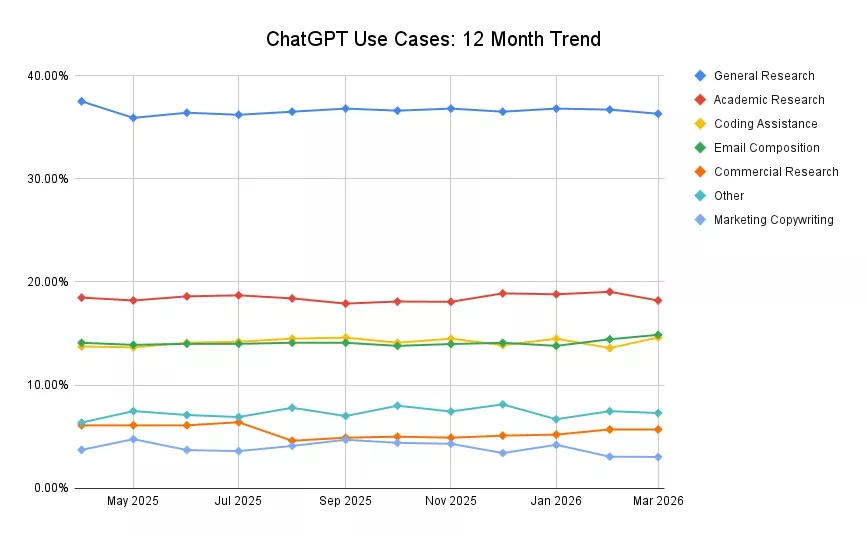
This isn’t a shortcoming, but it indicates that many might hesitate to choose ChatGPT for their specific use cases (e.g., academic research or code generation). This inevitably leads to the search for other better options than ChatGPT for different needs.
More particularly:
- Claude tends to produce more thoughtful, structured long-form writing; this makes it more reliable in reasoning-heavy tasks.
- Google Gemini helps you work in the Google ecosystem more smoothly by connecting with Docs, Gmail, and Search.
- Perplexity AI excels at evidence-backed research since it cites sources directly, which ChatGPT still doesn’t consistently do natively.
- Microsoft Copilot integrates directly into tools like Excel and Word. This makes it more practical for day-to-day business workflows and improves your productivity.
- DeepSeek works better than ChatGPT for technical tasks at low costs, typically coding, logical reasoning, and advanced mathematics.
- Poe allows you to access various AI models (Claude 3, GPT-4o, Llama 3, Mistral, etc.) in one place and experiment with niche or community-created bots.
- Meta AI outperforms ChatGPT in the Meta ecosystem. It enables you to draft replies, brainstorm ideas, and generate images directly inside Messenger, Instagram, and WhatsApp.
- Grok is great at harnessing real-time information from X (formerly Twitter).
- Jasper proves better than ChatGPT when you need high-converting marketing content (e.g., email campaigns or Facebook ads) with consistent brand voice. It also connects directly with Surfer SEO to optimize content for search engines.
- GitHub Copilot helps you generate real-time, context-aware code directly within an Integrated Development Environment (IDE) like VS Code.
Why Users Are Looking For Alternatives To ChatGPT
Even though ChatGPT continues to grow rapidly, many users (both individuals and businesses) are no longer relying completely on it. Instead, they’re comparing options and choosing tools that better fit specific needs.
Below are several main reasons behind that trend:
- Need for specialized performance
ChatGPT is a general-purpose tool. But specialized tools are fine-tuned to perform specific tasks better, like Jasper for marketing content or GitHub Copilot for development tasks.
- Integration with existing tools
Many businesses prefer AI that fits into their workflow without the need to integrate external tools or switch between apps. For example, Google Gemini connects with Docs, Gmail, and other Google services, or GitHub Copilot works directly within IDEs. This ensures seamless data exchanges and keeps their workflows smooth accordingly.
- Pricing and feature limitations
Many advanced capabilities are locked behind paid plans. This can be a big minus for many individuals or small teams. So, they’re shifting to other ChatGPT alternatives like DeepSeek to get competitive performance at a lower cost.
- Lack of real-time or verifiable information
ChatGPT doesn’t always provide up-to-date answers or clear sources. So, many users choose tools like Perplexity AI and Grok for research because they include citations or access more current data.
Related articles:
- Claude vs ChatGPT vs Gemini: Who Wins in AI Coding?
- Gemini vs ChatGPT: The Key Differences
- ChatGPT vs Generative AI: What’s the Difference?
The 10 Best ChatGPT Alternatives By Task
You’ve taken a quick look at the best alternatives to ChatGPT. Now, let’s dive deep into each tool to see what they are, what their key strengths are, and when to use them:
Claude: Best ChatGPT Alternative For Writing And Reasoning
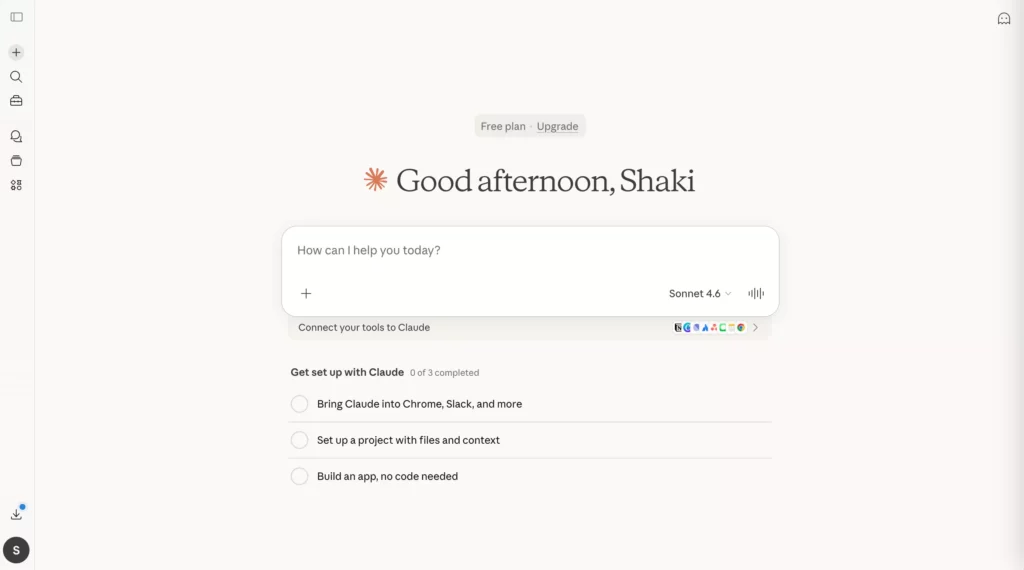
Claude is a sophisticated language model created by Anthropic, trained on vast amounts of text and code data. Like other advanced language models, Claude can generate text, translate languages, produce various creative content, and provide informative answers.
Early clients remark that Claude is less likely to make detrimental outputs, simpler to communicate with, and more steerable. Therefore, it allows you to get your desired result with less effort.
Claude is often positioned as a strong alternative to ChatGPT, especially for users who value clear thinking and well-reasoned writing over response speed.
Key features:
- Produces more structured and coherent long-form content (articles, reports, essays)
- Strong reasoning ability, particularly in multi-step or logic-heavy prompts
- Handles large context windows well, making it suitable for analyzing long documents
- Safer and more cautious responses, reducing the risk of misleading outputs
- Maintains tone consistency better across extended conversations
Limitations:
- Can feel overly cautious or “safe,” especially for creative or opinionated content
- Not as strong in real-time information retrieval compared to search-based tools
- May lack some integrations or ecosystem advantages seen in tools like Google Gemini or Microsoft Copilot
When to use Claude over ChatGPT: For writing-heavy tasks that require careful reasoning, like writing long-form content (blog posts, whitepapers, etc.) or improving structured content.
Pricing:
- Free plan (for individual users)
- Pro: $17/month (billed annually)
- Max: From $100/month
- Team (5-50 members): $20/seat/month (billed annually)
- Enterprise: Custom pricing
Google Gemini: Best AI Similar To ChatGPT For Google Users
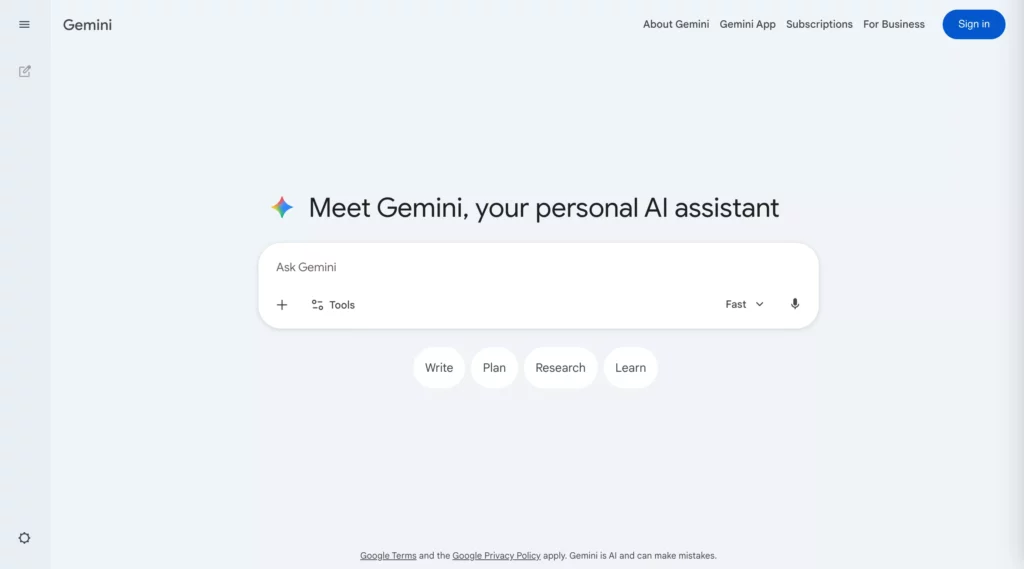
Google Gemini is Google’s answer to ChatGPT, built to work seamlessly across its ecosystem. Like ChatGPT, this AI chatbot can process text-based requests to assist with coding, storytelling, research, and more.
But Gemini goes a step further by enabling seamless workflows across Google Docs, Gmail, and other Google services with a few clicks. It even powers Google’s AI overview to help users summarize responses from the top results based on their keywords or keyphrases.
If you’re deeply invested in Google’s suite of apps, Gemini is a natural extension. And with its increasing integration into Chrome and Android, it’s poised to become an even more indispensable tool.
Key features:
- Deep integration with Google Workspace (Docs, Sheets, Gmail, Drive)
- Real-time access to Google Search for more up-to-date responses
- Strong multimodal capabilities (text, images, and more)
- Specialized “Gem” (personalized version of Gemini) that works based on your specific instructions and knowledge bases
- Useful for everyday productivity tasks like drafting emails or summarizing documents
Limitations:
- Performance can vary depending on the task, and it’s not always as consistent as ChatGPT in reasoning-heavy prompts
- Some advanced features are limited to paid Google plans, such as Pro/Thinking Modes with restricted usage quotas
- Less flexible to work with other platforms outside the Google ecosystem
When to use Google Gemini over ChatGPT: If you need deep integration with Google Workspace, real-time information (through Google Search), and excellent multimodal capabilities, Google Gemini is more ideal.
Pricing:
- Free plan with a Google account
- Google AI Plus: $7.99/month or $3.99/month for 2 months
- Google AI Pro: $19.99/ month
- Google AI Ultra3: $249.99/month or $124.99/month for 3 months
Discover more here:
- ChatGPT-4 vs ChatGPT-5: Full Comparison Breakdown
- Chatbot Integration With ChatGPT: A 5-Step Guide
- Best Tools to Automate Chatbots for Your Business
Perplexity AI: Best Alternative To ChatGPT For Research And Citations
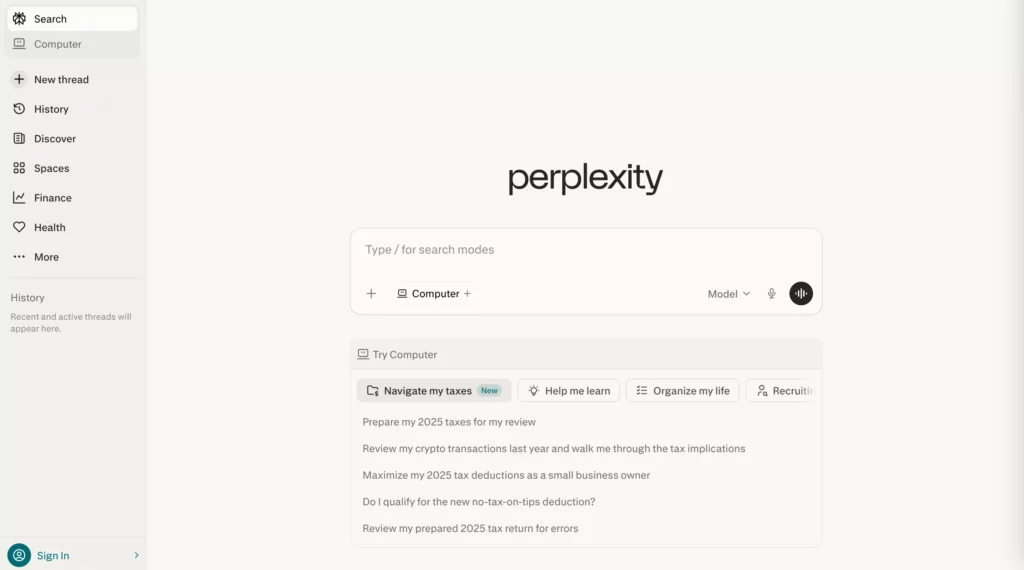
Perplexity AI positions itself somewhere between a chatbot and a search engine. Unlike ChatGPT, it doesn’t just give answers, but it also shows where those answers come from. In other words, it answers your questions conversationally by scanning the Internet in real-time, summarizing information from different sources, and giving accurate answers with clickable citations.
Key features:
- Provides real-time, evidence-backed answers with cited sources, allowing users to verify information
- Pulls information from live web data instead of solely relying on training data
- Clean, research-focused interface that reduces noise
- Supports follow-up questions with contextual understanding
- Offers Pro Search, an advanced mode that breaks down complex queries, performs searches from different angles, and offers more accurate answers
Limitations:
- Less creative in writing tasks compared to ChatGPT or Claude
- Shallow or simplified answers to complex, specialized queries (e.g., technical tasks)
- Despite citing sources, Perplexity AI can still create incorrect responses because it may prioritize popular sources over niche, expert insights
When to use Perplexity AI over ChatGPT: Perplexity AI is a better choice if you need real-time information with cited sources, especially for fast-checking, academic research, or trend analysis.
Pricing:
- Free tier
- Perplexity Pro: $17/month (billed annually)
- Perplexity Max: $167/month (billed annually)
- Enterprise Pro: $34/seat/month (billed annually)
- Enterprise Max: $271/seat/month (billed annually)
Microsoft Copilot: Best App Like ChatGPT For Productivity
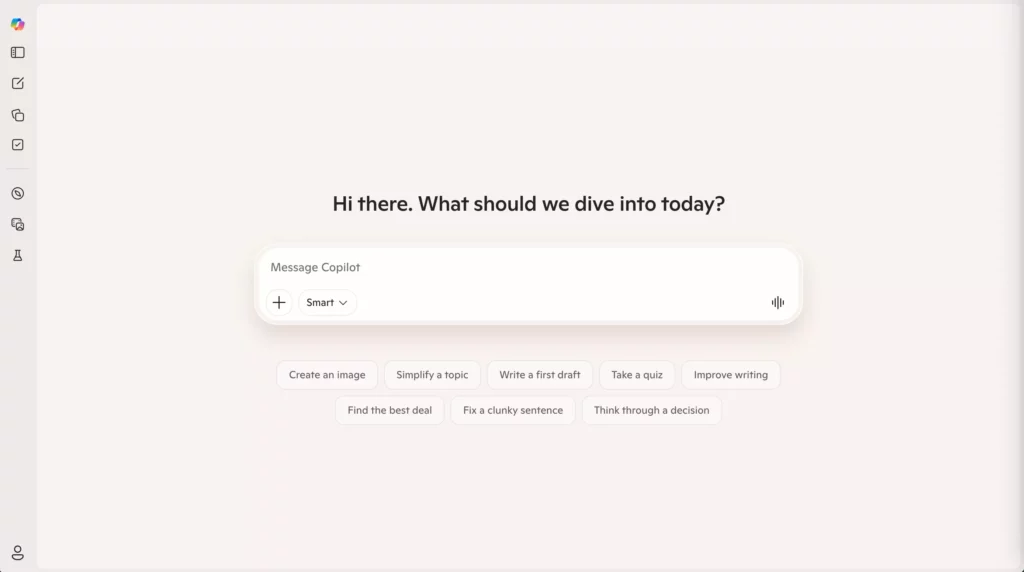
One of the best alternatives to ChatGPT is Microsoft Copilot. Microsoft Copilot, formerly known as Bing, is now an AI companion driven by OpenAI’s GPT-5 series models. It also features a text-to-image LLM. This means Copilot can answer users’ inquiries using both text and visuals.
Microsoft Copilot works fluently with Microsoft products, particularly Edge, and is available immediately from the app menu. Further, it promotes mobile interactions by allowing users to ask questions about online content. It also boasts document summarizing capabilities, such as PDFs and websites.
Key features:
- Deep integration with Microsoft 365 tools (Word, Excel, PowerPoint, Teams)
- Automates repetitive tasks for businesses like generating reports, analyzing data, creating presentations, summarizing meetings, and drafting email replies
- Enables voice- and vision-based interaction through Copilot Voice and Copilot Vision capabilities
- Allows users to build personalized AI agents in Copilot Studio for specific tasks or workflows
- Enterprise-grade security and compliance features
Limitations:
- Requires a Microsoft 365 subscription for full functionality
- Lacks the deep understanding of complex queries that require careful reasoning
- Less flexible to work outside the Microsoft ecosystem
When to use Microsoft Copilot over ChatGPT: Choose Microsoft Copilot when you’re working deeply within the Microsoft 365 ecosystem.
Pricing:
- Free tier
- Microsoft 365 Individual Plans, including Personal with $99.99/year, Family with $129.99/year, and Premium with $199.99/year
You may also interest:
- Top 13 Agentic AI Tools You Should Know
- 20 Leading Agentic AI Companies & Platforms
- 10 Useful Case Studies and Examples of AI Agents
DeepSeek: Best AI Better Than ChatGPT For Coding And Low-Cost Reasoning
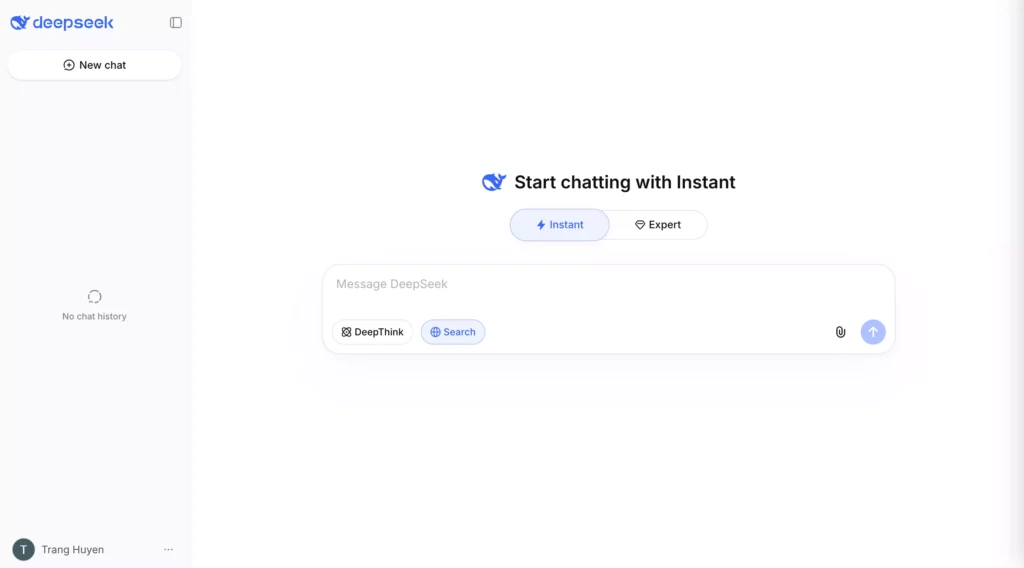
DeepSeek has gained attention as a cost-efficient alternative to ChatGPT, particularly for technical users. When debuting in early 2025, its flagship model, DeepSeek-R1, became a spotlight in global media for its superior performance, cost-effectiveness, and competitive reasoning capabilities compared with top-tier Western models.
Key features:
- Offers high-performance models (DeepSeek-V3, DeepSeek-R1, etc.) for coding, debugging, and technical problem-solving
- Competitive pricing compared to many leading AI models
- Efficient handling of logic-heavy and mathematical tasks
- Provides open-source model access, allowing developers to run models locally, fine-tune them on custom data, and integrate them easily
- Supports up to 128K tokens to process very long, complex content.
Limitations:
- Less polished in conversational tone and general writing tasks
- Limited ecosystem and integrations compared to ChatGPT
- May require more technical setup depending on usage
When to use DeepSeek over ChatGPT: DeepSeek is often the more cost-effective choice for coding and reasoning tasks, especially when you’re working on large-scale or repetitive coding tasks and looking for an alternative to expensive AI APIs.
Pricing:
- Free Chat (for personal use)
- API Access (for developers):
- $0.14/1M tokens
- DeepSeek-V3: $0.14 input / $0.28 output
- DeepSeek-R1: $0.55 input / $2.19 output
- Enterprise: Custom pricing
Poe: Best AI Like ChatGPT For Accessing Multiple Models
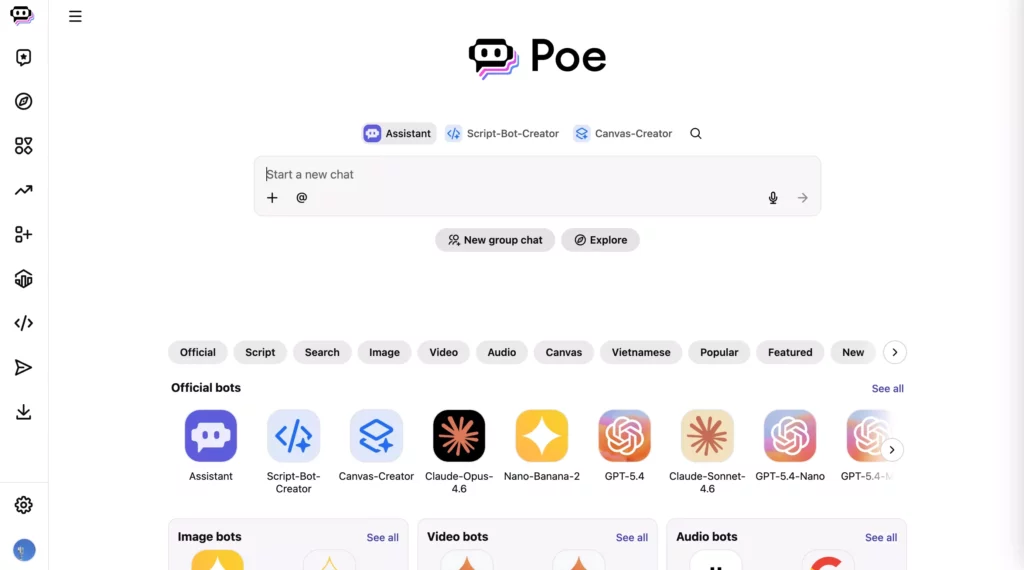
One of the famous alternatives to ChatGPT is Poe. Poe is a unique platform created by Quora that brings together multiple AI chatbots in one place. It allows users to interact with different large language models like GPT-4o and Gemini 1.5 Pro, each offering distinct capabilities. This means you can choose the best AI for the job, whether you need creative writing inspiration or in-depth research.
Poe’s user-friendly interface makes it easy to switch between these AI personalities, similar to texting friends. While there’s a free version, unlocking the full potential of all AI models requires a premium subscription.
Key features:
- Access to multiple AI models in one platform (including different strengths and styles) and easy switching between them to compare responses
- Offers simple prompt engineering (Prompt Bots) and advanced API-driven setups (Server Bots) to build customized bots for specific tasks
- Clean interface for testing prompts across models
- Integrates tools like Ideogram, Stable Diffusion, or Flux to generate and edit images directly in chats
- Provides a large library of community-generated bots to handle different needs
Limitations:
- Output quality depends on the selected model, so results can feel inconsistent
- Usage is restricted by compute points
- Lacks advanced built-in features (e.g., native code execution or web browsing) compared with other native AI platforms like ChatGPT or Claude
When to use Poe AI over ChatGPT: Poe AI works best when you want to compare fast answers and light research between different models instead of working on deep, long-form creative content in a single model.
Pricing:
- Free plan
- Paid plans start at $4.99/month, offering flexible daily or monthly compute points to use across models. Buying additional points costs from $30 per 1M points.
Meta AI: Best ChatGPT Alternative For Social And Mobile Use
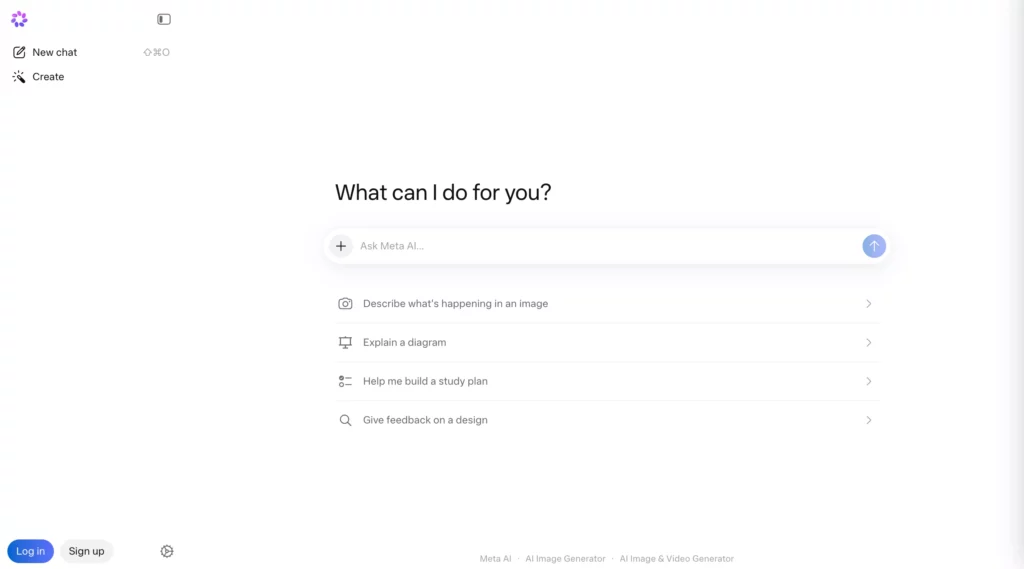
Meta AI is a free, multimodal AI alternative to ChatGPT. Built into Meta’s ecosystem (Facebook, Instagram, and WhatsApp), Meta AI supports people in social media activities. Accordingly, it helps answer questions, brainstorm ideas, generate images, select hashtags, optimize postings, and much more. This way, it fits naturally into how people already communicate and improves the messaging experience.
Key features:
- Native integration across Meta platforms (Facebook, Instagram, WhatsApp)
- Supports image generation and basic content creation using computer vision and NLP capabilities
- Fast responses for everyday queries and interactions
- Helps the users of Meta AI glasses (Ray-Ban) discover their surroundings, take photos with voice commands, and get instant information or translations
Limitations:
- Less powerful for complex reasoning or long-form tasks compared to ChatGPT or Claude
- Not ideal for professional or technical workflows
- Struggles to maintain context over long conversations and across different chats
When to use Meta AI over ChatGPT: Choose Meta AI when you need quick answers and casual conversations about content ideas, captions, and other activities in Meta’s ecosystem.
Pricing: Free. But Meta is testing paid subscriptions for Meta AI’s new features, like Vibes (a short-form video creation tool).
Grok: Best AI Tool Like ChatGPT For Real-Time Information
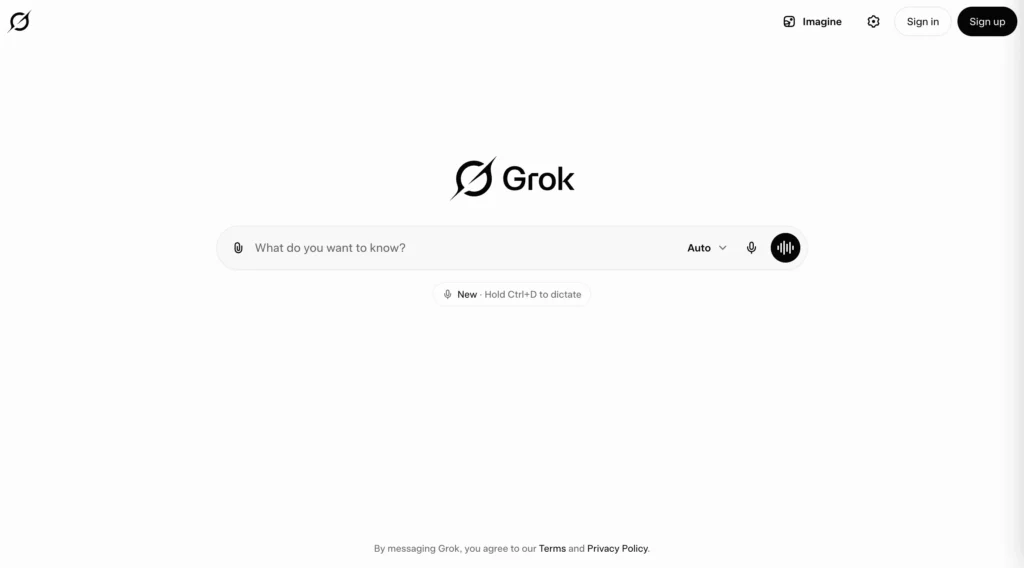
Grok is an AI chatbot developed by xAI, (Elon Musk’s AI company). Unlike many AI tools that rely heavily on static training data, Grok connects directly with live data streams, especially from X (formerly Twitter), to give real-time, up-to-date information.
According to Elon Musk, Grok features a “Fun” mode (beyond its Regular modes for direct answers) to add humor to its responses. Additionally, it can answer questions that most AI tools reject. Besides such special features, Grok still helps users with other regular tasks, like text generation, coding, image creation, or analysis.
Key features:
- Access to real-time data, particularly from social media platform X, to provide up-to-date responses about real-time news or trending topics on X
- Conversational style that feels more dynamic and less rigid
- Can process multimodal content, including text, files, charts, and images
- Provides Grok Tasks to schedule and automate tasks (e.g., creating reports, monitoring certain content, ot researching daily trends)
Limitations:
- Can surface unverified or noisy information from real-time sources
- Receives criticism about safety and content moderation due to the harmful content Grok AI generates
When to use Grok over ChatGPT: Grok shines when you’re actively working on X to discover or track trends, news, and live discussions.
Pricing:
- Free tier
- SuperGrok Lite: $10/month
- SuperGrok: $30/month
- Grok Business: $30/seat/month
- Enterprise: Custom pricing
Jasper: Best Alternative To ChatGPT For Marketing Teams
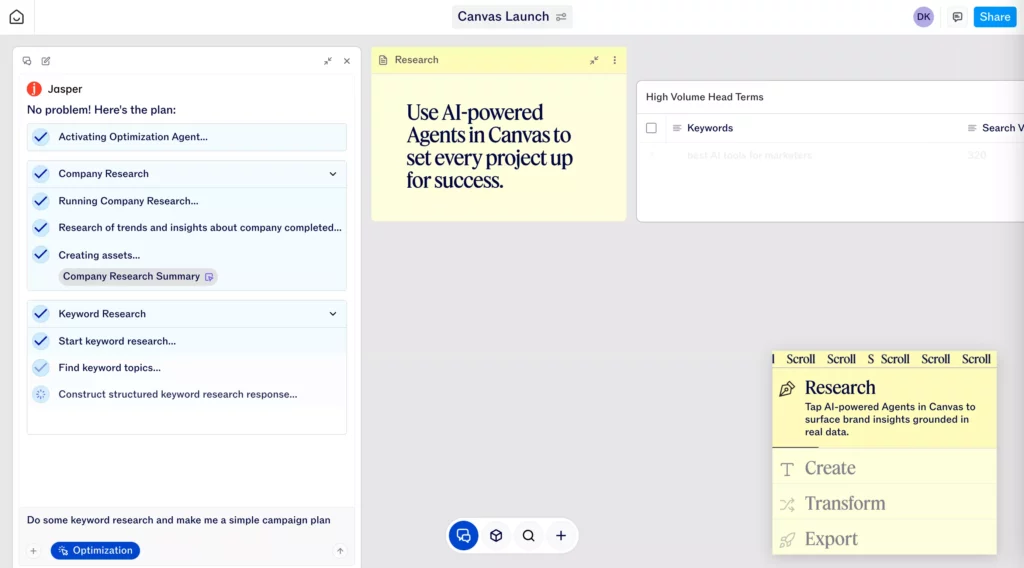
Jasper is one of the best alternatives to ChatGPT for marketing use cases. It uses generative AI to create high-quality marketing copy, blog posts, and images.
Besides, it has built-in features like workflow automation, prebuilt templates, and SEO optimization to help marketers execute campaigns and perform other marketing activities quickly without the need to start from scratch. You can also train Jasper on your brand’s unique voice, style, and product information to keep content consistent across channels.
Key features:
- Pre-built templates and AI capabilities to create marketing content (ads, emails, landing pages)
- Provides a coordinated system of specialized AI agents to perform specific tasks throughout the content pipeline
- Offers Jasper Grid, a no-code, spreadsheet-like interface for enterprise marketing teams to manage, scale, and automate content production
- Real-time collaboration tools for marketing teams
- Integrates with tools commonly used in content workflows, like Google Sheets or SurferSEO
- Data analytics and insights to track content performance
Limitations:
- Less flexible for non-marketing tasks compared to ChatGPT
- Requires a paid subscription for most features
- No free plan
When to use Jasper over ChatGPT: Use Jasper if you want a specialized tool for heavy marketing workloads, from writing ad copy and blog posts to performing email campaigns.
Pricing:
- Pro: $59/seat/month with a free 7-day trial
- Business: Custom pricing
GitHub Copilot: Best AI Similar To ChatGPT For Developers
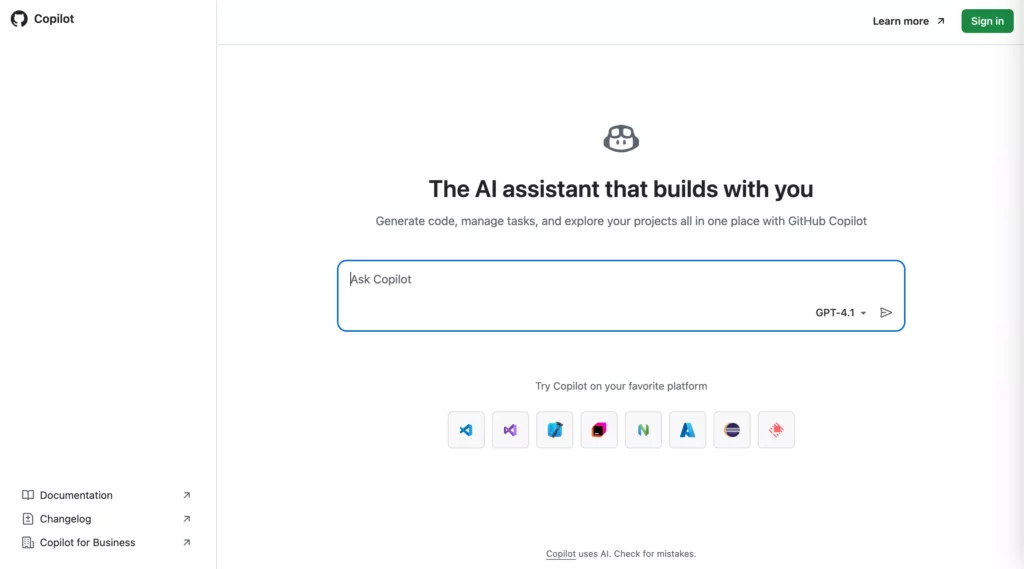
GitHub Copilot is an AI coding assistant developed by GitHub in collaboration with OpenAI. Designed specifically for developers, this AI tool helps write, debug, and explain code directly in the coding environment without the need to switch apps.
You can work with GitHub Copilot through different supported environments as follows:
- Integrated Development Environments (IDEs) like VS Code, JetBrains IDEs, XCode, or Eclipse
- The GitHub CLI (Command-Line Interface) and Windows Terminal
- GitHub mobile or web-based apps for chat and code search
Trained on massive sources of public code, GitHub Copilot supports various programming Technical DetailsModels: It allows users to choose from leading large language models (LLMs), including OpenAI’s GPT-4o, Anthropic’s Claude 3.5 Sonnet, and Google’s Gemini 1.5 Pro.
Key features:
- Real-time code suggestions in IDEs, GitHub CLI, and Windows Terminal
- Context-aware assistance based on the current codebase
- Supports multiple programming languages, such as Python, JavaScript, Ruby, Go, C#, and C++
- Helps with completing code, debugging, explaining complex logic, and searching through the codebase
- Offers Copilot Edits to apply coordinated changes across various files at the same time
- Provides autonomous agents to plan and implement multi-step tasks (e.g., fixing bugs or adding features)
- Automatically summarizes changes made in pull requests
Limitations:
- May produce incorrect or insecure code in complex cases
- Can suggest code snippets that potentially violate intellectual property rights
When to use GitHub Copilot over ChatGPT: GitHub Copilot is a better option if you need an AI tool integrated directly within IDEs to support development tasks.
Pricing:
- Free
- Pro: $10/user/month with a free 30-day trial
- Pro+: $39/user/month
- Business: $19/user/month
- Enterprise: $39/user/month
Quick Comparison Of Apps Like ChatGPT

You’ve gone through the 10 best ChatGPT alternatives by task. And now, we’ll take a quick comparison between different AI tools to help you map the right tool to the right job.
Top Picks For Writing, Research, Coding, And Productivity
Each AI tool has different strengths and shines in different use cases. Using the wrong one can slow you down more than it helps. That’s why it makes sense to look at top picks by category. This way, you can quickly match the tool to your actual needs instead of testing everything blindly.
Here are some of the best ChatGPT alternatives by category, based on their strongest capabilities:
- Writing: Claude, Jasper, Writesonic
- Claude is great for long-form, structured writing and reasoning-heavy content. It’s the best choice when your tasks require careful reasoning and multiple logical steps to handle.
- Jasper is one of the best ChatGPT alternatives for marketing. It offers templates, brand voice control, and campaign-focused outputs to execute marketing activities (like writing ad copy) effectively.
- Writesonic is a powerful AI tool for content marketing. It features the ability to create long-form content (e.g., 3,000+ word blog posts), high-quality social media posts, and high-converting ad copy.
- Research: Perplexity AI, Elicit
- Perplexity AI acts as both a search engine and a chatbot. It provides real-time answers with citations, making it a strong choice for fact-checking and current topics.
- Elicit is more academic-focused. It helps users analyze research papers and extract key insights quickly.
- Coding: GitHub Copilot, DeepSeek, Windsurf
- GitHub Copilot works directly inside IDEs and becomes one of the best options for daily development work. It offers real-time, context-aware code suggestions.
- DeepSeek is more cost-efficient and performs well in logic-heavy tasks, including algorithms and mathematical reasoning.
- Windsurf (formerly known as Codeium) is an AI-powered code editor that uses AI to streamline developer workflows. It features Cascade, which allows developers to edit code across multiple files and generates real-time code.
- Productivity: Microsoft Copilot, Google Gemini
- Microsoft Copilot integrates deeply with the Microsoft 365 ecosystem, like Word, Excel, and Teams. This makes it ideal for enterprise workflows.
- Google Gemini connects seamlessly with Docs, Gmail, Drive, and more. This creates a smoother experience for users already in the Google ecosystem.
Key Differences Between AI Tools Similar To ChatGPT
At a glance, most AI tools like ChatGPT may seem quite similar. They all generate text, answer questions, and assist with tasks. But when you look a bit closer, the differences become more visible. Let’s compare the best alternatives of ChatGPT to see how different they are:
| Tool | Best For | Core Strength | Limitation |
| ChatGPT | General-purpose tasks, brainstorming, content creation | Versatile across multiple use cases with balanced performance | Searching real-time data from the Internet is inconsistent; outdated training data |
| Claude | Long-form writing, reasoning, document analysis | Clear, structured writing with strong logical reasoning | Can be overly cautious; limited creative flexibility |
| Google Gemini | Google Workspace users | Deep integration with Docs, Gmail, Drive | Output can be inconsistent; less strong in reasoning tasks |
| Perplexity AI | Research and fact-checking | Provides answers with cited sources | Less suitable for creative or long-form writing |
| Microsoft Copilot | Business productivity and workflows | Integration with Word, Excel, Teams | Less flexible outside Microsoft ecosystem; requires a Microsoft 365 subscription for full functionality |
| DeepSeek | Coding, math, and low-cost reasoning | Strong performance in technical and logical tasks | Less polished for general writing or casual use |
| Poe | Accessing multiple AI models in one place | Multi-model platform with fast switching between AI systems | Usage is restricted by compute points; lacks deep integrations and persistent memory |
| Meta AI | Social media interactions | Deep integration with apps like WhatsApp, Instagram, and Messenger | Less powerful for complex reasoning or professional workflows |
| Grok | Real-time information and social media insights | Access to live data from X (Twitter) and real-time search | Can surface unverified or noisy information; often tied to X ecosystem |
| Jasper | Marketing content and campaigns | Templates and brand voice consistency | Limited flexibility outside marketing use cases |
| GitHub Copilot | Software development | Real-time code suggestions inside IDEs | Not suitable for non-coding tasks |
Free Vs Paid ChatGPT Alternatives
Most AI tools today, including ChatGPT, Claude, and Google Gemini, often come with a freemium model. Basically, both free and paid tiers can handle everyday tasks like answering questions or generating content. But the key differences between them become clearer when looking at the following factors:
- Model quality & performance: Paid plans often unlock more advanced models. This means that paid subscribers can get more consistent outputs with better reasoning and fewer factual errors. Meanwhile, free versions can handle simple prompts, but may struggle with depth or accuracy.
- Usage limits & speed: Many free tiers often come with daily limits or slower response times. But paid users usually get higher limits and priority access, which becomes noticeable if you rely on AI frequently.
- Features & capabilities: Paid users can access more advanced features, like longer memory or file uploads with unlimited limits, while free versions tend to offer basic functionality for daily tasks.
- Reliability: Subscribers get priority access to servers. Therefore, during peak times or for demanding tasks (e.g., long document analysis), they can continue working without interruptions. Meanwhile, free users may experience delays or restrictions.
So, when should you choose free vs paid tiers?
- Free options are designed for casual use cases. So, if you’re exploring AI, handling simple tasks, or using it occasionally, just the free tiers are enough.
- Choose paid tiers when AI becomes part of your daily workflow. For example, upgrading to Claude’s paid plan gives you access to more advanced models, larger context windows for long documents, and more consistent performance. This is especially useful for writing reports, analyzing files, or handling complex reasoning tasks at scale.
How To Choose The Right Alternative To ChatGPT
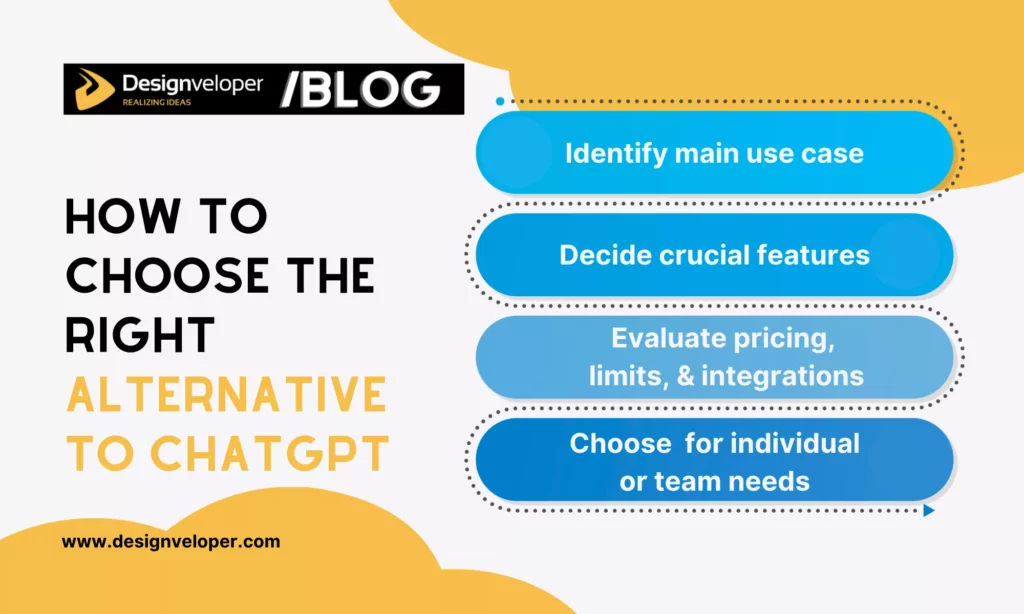
After comparing different AI tools, you’ve probably noticed that each one works best in a specific area, like writing, research, coding, or productivity. But knowing the differences is only half the story. The real challenge is figuring out which tool actually fits your workflow. So, in this section, we’ll help you move from comparison to decision to choose the right AI tool.
Identify Your Main Use Case First
Before choosing any tool, ask what you’ll actually use it for. Many people try to find one tool that does everything well, but sometimes, it doesn’t actually handle their specific needs.
So, start by asking a simple question: “What task do I repeat most often and need an AI tool to resolve?” For example:
- If you spend time writing blog posts or reports, ChatGPT alternatives like Claude may be a better fit due to stronger long-form writing and reasoning.
- If your work involves fact-checking or research, Perplexity AI can save time with built-in citations.
- For coding tasks, choose GitHub Copilot as it works directly inside your IDE.
Once you define your main use case (or your most frequent task that requires AI to handle) clearly, your options narrow down quite a bit.
Decide Which Features Matter Most
After identifying your use case, the next step is figuring out which features from the tool matter most to your tasks. Or, in other words, ask which features are needed to handle your work effectively.
Then, you can focus on what directly impacts your workflow:
- Accuracy and reasoning → important for research, analysis, or technical tasks
- Speed and responsiveness → matters for daily, high-volume usage
- Integrations → useful if you work in platforms like Google Docs or Microsoft Word
- Ease of use → especially relevant for non-technical users
For example, if you’re working inside Google Workspace every day, Google Gemini might feel more efficient simply because it connects directly to your tools. On the other hand, if you care more about structured outputs, Claude may be the better option.
So, when choosing the right AI tool, filter out “nice-to-have” features and focus on what actually improves your work.
Evaluate Pricing, Limits, And Integrations
Beyond features, you should consider other important factors, including cost, usage limits, and how well the tool fits into your existing setup.
Start with pricing, but don’t just look at the monthly fee. Instead, consider what you get in return:
- Higher usage limits or faster responses
- Access to more advanced models
- Additional features like file uploads or automation
Then look at integrations. Ask how an AI tool integrates well with your existing infrastructure and supports your workflows.
Choose The Best ChatGPT Alternative For Individual Or Team Needs
Finally, consider whether you’re choosing a tool for personal use or for a team. The requirements can be quite different.
For individual users, priorities are usually simple. They include ease of use, affordable pricing, and flexibility across different tasks. In this case, tools like ChatGPT or Poe can work well because they cover multiple use cases.
For teams, the focus shifts to collaboration features, integration with existing tools, and security and data control. For example, Microsoft Copilot is often preferred in business environments because it integrates with tools like Teams and Excel. Similarly, marketing teams may choose Jasper for its brand voice and workflow features.
What works for an individual might not scale well for a team, and vice versa. So, the decision on the right tool shouldn’t be just about performance but about who uses it.
Which AI Similar To ChatGPT Is Best For Your Needs?

In this section, we’ll break AI tools down by real-world use cases. So, you can quickly identify which tools are actually worth using in your daily workflow.
Best AI Like ChatGPT For Content Writing
Content writing today goes beyond just drafting text. Most workflows involve multiple tasks, including content planning and writing, SEO optimization and research, editing and proofreading, visual content creation, and even plagiarism detection. So, content writers often combine a few tools depending on their needs.
Some of the best options include:
- ContentMonk: Focuses on SEO-driven content planning and writing. It helps structure articles based on keywords and search intent, which is useful for long-form blog content.
- Jasper: Designed for marketing teams, Jasper offers templates, brand voice control, and campaign-focused writing. It’s particularly useful for scaling content production.
- Perplexity AI: Acts as an AI-powered research engine that helps content writers to check facts with cited sources to create factual content.
- Hypotenuse.ai: Strong for eCommerce and product descriptions, especially when generating large volumes of content quickly.
- Canva: Helps create visual content like social media graphics, presentations, and blog visuals.
- Grammarly: Supports editing and proofreading to improve grammar, clarity, and tone across different types of content.
Best AI Similar To ChatGPT For Research And Fact-Checking
AI tools for research and fact-checking share a few common strengths. They all provide real-time data access, cited sources, and stronger academic verification. Compared to general-purpose tools, they focus more on accuracy and transparency rather than creativity.
Below are some of the top tools in this category:
- Perplexity AI: Delivers real-time answers with citations. This makes it one of the most reliable tools for quick research and fact-checking.
- Google Gemini: Combines AI responses with Google Search to offer up-to-date information. This tool is especially useful for users already in the Google ecosystem.
- Elicit: Designed for academic use, Elicit helps analyze research papers, summarize findings, and extract key insights.
- Scite AI: This tool goes beyond basic citations by showing how papers are cited, whether they support or contradict a claim. This adds another layer of verification.
Best Alternative To ChatGPT For Coding And Developers

AI tools for coding are built for accurate code generation, strong technical reasoning, and deep IDE integration. They accordingly help developers debug, refactor, and understand complex codebases more efficiently.
Below are several best alternatives to ChatGPT for development tasks:
- GitHub Copilot: Provides real-time, context-aware code suggestions directly inside IDEs like VS Code. This is one of the commonly used tools for daily development.
- DeepSeek: Strong in logic-heavy tasks, including coding and mathematics. This tool is considered a more cost-efficient option for developers.
- Windsurf: A code editor that uses an AI assistant (Cascade) to read, analyze, and adjust the codebase. Besides, it helps developers write code snippets in multiple languages, refactor code, update many files at once, and execute terminal commands.
- Tabnine: An AI-powered coding assistant designed to accelerate development while maintaining code quality and security. Particularly, it offers intelligent code suggestions and completions directly within IDEs, automatically adapts to your unique coding style, and protects sensitive code from external access.
- Amazon CodeWhisperer: Built by Amazon, it integrates well with AWS services and supports secure, scalable development workflows.
Best Free App Like ChatGPT
Most AI tools like ChatGPT today offer free tiers for casual users or light workflows. These tools accordingly offer core features, from text generation and basic reasoning to real-time web search, with limitations on usage, speed, and advanced features.
Below are some of the best free ChatGPT alternatives to consider:
- Google Gemini: Offers fast responses and seamless integration with Google Search and Workspace tools. The free version is especially useful for quick tasks like drafting emails or summarizing content. Besides, it’s integrated with Google Search to quickly search and summarize the key highlights based on your keyphrases.
- Microsoft Copilot: Provides access to advanced models with web browsing capabilities at no cost. It’s a strong option for users who want more powerful AI without paying upfront.
- Claude: Known for clear, structured writing and a more natural tone. Its free version can handle long-form content reasonably well.
- NotebookLM: Lets users upload documents and generate summaries, insights, or Q&A based on their own data. This tool is useful for research and note organization.
- Meta AI: Fully free and integrated into Meta apps like Facebook and WhatsApp. This app helps users quickly discover information on the Meta ecosystem and create social media content.
- DeepSeek: Offers strong performance in coding and logical reasoning, even in its free tier. This makes it appealing for developers on a budget.
Best ChatGPT Alternative For Teams And Business Use
AI tools for teams and businesses often have some common traits like integration with internal systems, collaboration features, data security, and scalability. Unlike individual tools, these platforms are designed to fit into existing workflows, connect with company data, and support many users at once.
Below are some of the best options for teams and business users:
- Microsoft 365 Copilot: Integrates directly with the Microsoft 365 ecosystem, including Word, Excel, PowerPoint, and Teams. It helps automate reporting, analyze data, and improve collaboration. This turns Microsoft 365 Copilot into the right fit for organizations already using Microsoft tools.
- Gemini for Google Workspace: Embedded into Docs, Sheets, Gmail, Meet, and other Google services. It supports real-time collaboration and content generation across teams working in Google’s ecosystem, like composing professional emails, taking meeting notes, or brainstorming ideas.
- Dust: Designed for companies to build and deploy custom AI agents connected to internal tools like Slack, Google Drive, Notion, and GitHub. It stands out for its flexibility (model-agnostic), strong privacy controls, and ability to automate internal workflows without heavy coding.
- Claude Enterprise: Offers enhanced security, larger context windows, and better performance for analyzing internal documents. This Claude version is ideal for companies handling large volumes of data.
- Otter.ai: Focuses on meeting transcription, summaries, and action items. Besides, it helps teams capture and organize discussions automatically, improving productivity.
Which ChatGPT Alternative Should You Use?

It’s hard to decide the exact ChatGPT alternatives you should use, as there’s no single tool that works best for every situation. Each platform is built with a different priority in mind. Some focus on writing quality, while others excel at real-time research, coding performance, or team collaboration.
So, our advice is that you should match the tool to your primary goal. If your work revolves around long-form or marketing content creation, tools like Claude or Jasper tend to deliver more structured and consistent outputs. Meanwhile, if you want to make development workflows more efficient, finding GitHub Copilot or DeepSeek is more practical.
If you’re working within a specific ecosystem, the choice becomes even clearer. Google Gemini fits naturally into Google Workspace, while Microsoft Copilot is better suited for Microsoft environments.
Besides, you don’t need to rely on just one tool. Many users combine different AI solutions depending on the task. For example, a content writer can use ChatGPT to support their content planning and generation, Grammarly for proofreading, and Canva for visual content.
The best approach is to start with your most frequent use case, test a few options, and adjust based on what actually improves your workflow.
FAQs About Alternatives To ChatGPT
Is There A Better AI Than ChatGPT?
There is no single AI that is better than ChatGPT in every situation. The best choice depends on what you need. Some AI tools perform better for specific tasks, such as creative writing, coding, research with citations, or integration with workplace apps. ChatGPT remains one of the strongest all-around options for general conversation, content creation, and everyday productivity, while other models may offer advantages in more specialized use cases.
What Can I Replace ChatGPT With?
You can replace ChatGPT with different tools depending on your use case. For writing, Claude, Jasper, Writesonic, and Copy.ai are solid options. For research, Perplexity AI and Elicit work well. Meanwhile, developers may prefer GitHub Copilot or DeepSeek to accelerate development workflows.
Who Is The Biggest Rival Of ChatGPT?
You can replace ChatGPT with different tools depending on your needs. Claude is a strong option for writing and reasoning, Google Gemini works well for users in the Google ecosystem, and Perplexity is useful for research. For content creation, tools like Jasper, Writesonic, and Copy.ai are popular choices, while developers may prefer GitHub Copilot or DeepSeek for coding support.
What Are The Best Alternatives To ChatGPT For Students?
Many AI tools offer stronger benefits for students than ChatGPT because they are designed for specific learning tasks. Claude is ideal for writing support and easy-to-understand explanations, Perplexity helps with research by providing cited answers, NotebookLM is useful for organizing and analyzing personal study notes, and Khanmigo supports learning through step-by-step, Socratic-style guidance.
Are There Eco-Friendly Alternatives To ChatGPT?
Yes, there are eco-friendly alternatives to ChatGPT, although “eco-friendly” usually means lower environmental impact rather than no impact at all. The most practical options include platforms built around sustainability, smaller AI models that use fewer computing resources, and local AI tools that reduce reliance on large cloud data centers.
- Viro AI: Designed as a climate-neutral platform, Viro AI estimates the energy usage of each query and offsets it by funding carbon removal and clean energy projects.
- GreenPT: Focuses on sustainability and privacy by running entirely on renewable energy. Its infrastructure also reuses server heat for community heating to reduce overall environmental impact.
- Ollama: Runs AI models locally on your own device to avoid energy-intensive data centers. This way, Ollama can be considered a more eco-friendly option than ChatGPT.
- Ecosia Chat: Built by the team behind Ecosia, it uses AI while funding reforestation projects through its revenue. Furthermore, it also aims to offset emissions and promote sustainability-focused answers.
Which Platform Does Designveloper Use to Build AI ChatBot?
Developers at Designveloper have utilized Coze to construct AI chatbots. Coze is a comprehensive AI chatbot-building platform. Regardless of your programming expertise, Coze allows us to quickly construct a wide selection of AI-powered chatbots that can handle everything from simple queries to sophisticated conversations. Furthermore, we may publish our bots to a variety of apps, allowing for dynamic engagement with users.
Key features:
- Expands bot’s capabilities with plugins.
- Adds our data to the bot through knowledge.
- Utilizes database and variables for long-term memory.
- Automatically executes tasks with scheduled tasks.
- Creates flexible task flow with workflow.
- Runs multiple tasks in one bot with multi-agents.
Beyond its chatbot creation capabilities and marketplace, Designveloper also uses Coze to empower users to design workflows, enabling the development of chatbots capable of handling diverse specialized tasks. For instance, it allows for the integration of plugins, tools, and APIs to process emails, conduct internet searches, and web crawl. Furthermore, Coze not only facilitates the integration of chatbots into websites but also enables their deployment on social platforms such as Messenger and Zalo OA.
In the list of the best 10 alternatives to ChatGPT above, we hope that you can find some satisfactory ones to integrate into your jobs. Trying them and reading user evaluations is the best approach to determine what is best for your needs and budget.
Also published on

Share post on










Related Articles



Generative AI Applications: 20 Real-World Examples Across Industries
Generative AI Applications: 20 Real-World Examples Across Industries Published July 29, 2026
AI Chatbot Development: A Step-By-Step Guide
AI Chatbot Development: A Step-By-Step Guide Published July 15, 2026
15 Best AI No-Code App Builders In 2026 (No Coding Skills Required)
15 Best AI No-Code App Builders In 2026 (No Coding Skills Required) Published July 06, 2026



















