
















What Is a Mobile App Development Platform? Components, Types
December 11, 2025


The success or failure of mobile products lies in the quality of their apps. However, there is a whole ecosystem behind each shiny interface that developers count on. That ecosystem is what people now call a mobile app development platform. It is much more than a tool or a framework. It unifies SDKs, runtimes, API, editors, testing tools, and publishing services in a single linked environment. The knowledge of this ecosystem is no longer a luxury to teams that desire to ship faster and keep apps safe.
What Is a Mobile App Development Platform?
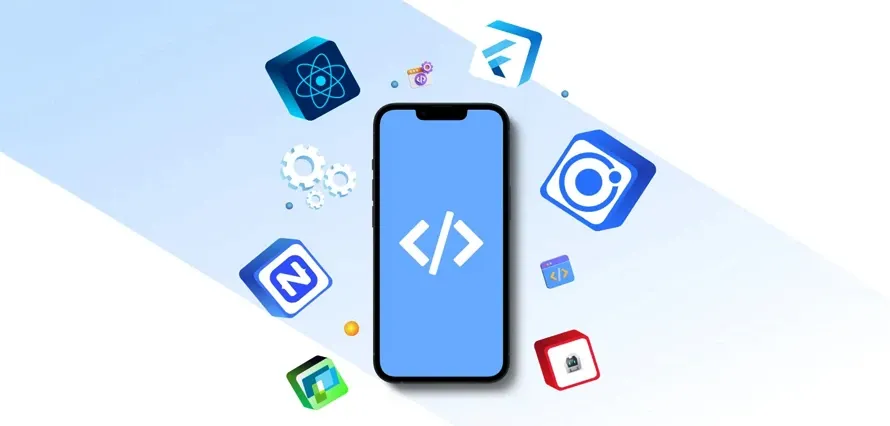
A mobile app development platform is a complete ecosystem that supports the entire app lifecycle. It typically comes with an SDK, a runtime environment, API libraries, a development environment, debugging and testing tools, build and deployment pipelines, device emulators, and app store publishing tools. These components are all intertwined such that developers are able to create, code, test, release, and maintain software without joining dozens of loose utilities together by hand.
One can consider a platform as not just a single product. A platform is the technology, tooling, documentation, and store infrastructure surrounding a mobile operating system or surrounding a cross platform runtime. When teams say they build “for Android” or “for iOS,” they usually mean they commit to the full ecosystem of that mobile app development platform, including language choices, design guidelines, and distribution rules.
Simply put platform = ecosystem: SDK and runtime and APIs and tools. There are libraries and compilers available in the SDK. The runtime code is safely executed on devs. Some of the features of a device revealed by the APIs include camera, sensors and notifications. The tools bind it, and provide developers with a realistic workflow. In the absence of that ecosystem, it would take low level system code to be written to support every type of device to make a modern mobile app, and that is not feasible on most products.
FURTHER READING: |
1. What Is App Security and How to Make It Right? |
2. 10 Most Popular Mobile App Development Tools |
3. 15 Best No-Code Mobile App Builders for Beginners |
Differentiating App Development Platform, Framework, and Software
Platform, framework and software are terms mixed by many people as one. Practically they are seated at varying levels. A mobile app development platform is the ecosystem that supports the whole lifecycle. A structure is often a collection of libraries over that platform, and software any application that executes on it.
A framework is concerned with form and design. It typically provides reusable parts, routing and lifecycle management. As an example, such frameworks are Flutter, React Native, and SwiftUI. They specify the rendering of the screens, the state changes, and the navigation. However, they continue to work on a platform that is below them, like Android or iOS, to utilize hardware and control installation.
One layer above is software. The latter is the last application that is installed by the end users in their devices. Software artifacts are an e-commerce application, a banking application, or a fitness watch. They could be based on such a framework as Flutter or Jetpack Compose and work on such a platform as Android or iOS. However, when a user clicks an icon on the home screen, he or she interacts with the software, not the framework or platform itself.
This difference assists teams to organize their stack. The mobile app development platform sets the rules and baseline capabilities. In that ecosystem, teams can adopt a structure that enhances their productivity or simplifies UI work. Besides that, they develop tailored software that creates business value. In the case of a project failure, it is usually due to the mismatch between platform, structure and actual needs of the product.
Ownership is another approach to the difference. Large ecosystem vendors, like Apple, Google, or Microsoft, or organizations with cross-platform runtimes tend to produce platforms. They can be community-based and vendor-owned frameworks.
Core Components of a Mobile App Development Platform
1. SDK (Software Development Kit)
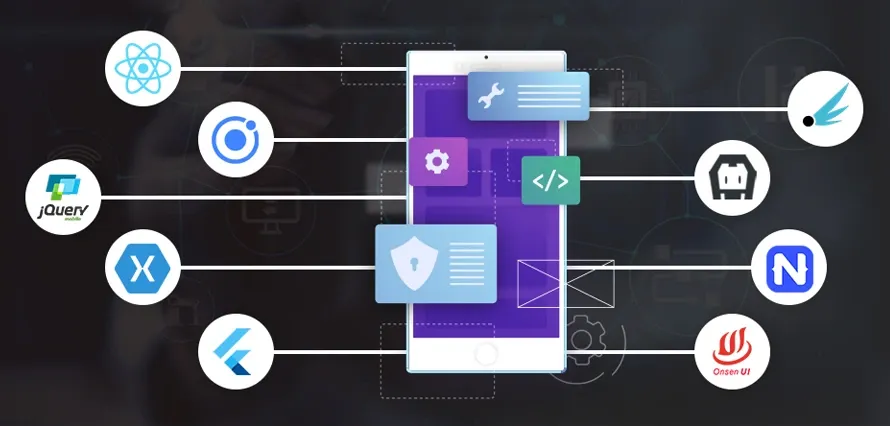
The SDK is the foundation of every mobile app development platform. It contains compilers, core libraries, documentation, sample projects and command line tools. Through an SDK, the developers are able to compile source code to binaries which are executable on the phones and tablets. It also has headers and interfaces that tell how to invoke system APIs in a safe manner.
Android SDK, as an example, has classes that are exposed as activities, services, broadcast receivers and content providers. These blocks determine the startup, UI and the inter-app interactions of Android apps. The iOS SDK has equivalent building blocks in the shape of view controllers, scenes, and structures such as UIKit, SwiftUI and Combine. In the absence of these SDKs, developers would have to interact with the low-level system calls directly, and this would slow down development and add bugs.
Contemporary SDKs do not just expose APIs. They contain templates to assist teams in creating typical project structures, automated scripts to execute common tasks, and best-practice code samples. They tend to combine with cloud solutions like push notifications, analytics, and authentication. Because of this, an SDK transforms the capabilities of the platform into something that can be used in a fast and consistent manner by developers.
2. API Libraries & Frameworks
The core SDK is covered with API libraries and frameworks. They encapsulate typical functions of networking, storage, animations, and security in more abstract functions. This results in shorter code, less maintenance and with less errors. It also promotes patterns that the platform vendor would endorse among teams.
In Android, examples are Jetpack libraries such as Navigation, Room and WorkManager. They are used to control navigation graphs, local databases and background tasks. Frameworks such as SwiftUI, Core Data, and AVFoundation are used to render the UI, store data, and play media on iOS. Cross-platform frameworks like Flutter and React Native provide their own set of widgets and modules yet depend on underlying platform APIs to provide device-specific functionality.
In a mobile app development platform, these libraries matter because they standardize how teams solve recurring problems. When the tens of applications are based on the same APIs that were tested many times, these applications tend to be faster to ship and have fewer bugs. Onboarding is also simplified by libraries, as new developers do not need to learn a mishmash of homegrown utilities, but a single homogenous toolkit.
3. IDE / Development Environment
Most of the time that developers spend on their daily lives is in the development environment. An IDE is a collection of tools to support code editing, debugging, visual layout and build control. Android Studio, iOS Xcode, and many cross-platform stacks Visual Studio Code or JetBrains IDEs are all popular IDEs.
A good IDE also has smart code completion, refactoring, and on-the-fly error checking. It knows the format of platform APIs and structures, thus it can give valid method calls and warn against deferred features. Integration Version control, code formatting, and linting plugins assist in enforcing team standards and maintaining clean repositories.
It is also an important role of visual tools. Most current IDEs have layout editors, preview modes, and live-reloads. They also provide developers with a live update of UI as they write, reducing feedback loops and accelerating design changes. In a mobile app development platform, the IDE becomes the central cockpit where all tools and services integrate.
4. Debugging & Testing Tools
No serious platform does not consider debugging and testing. The debuggers allow developers to step through the code, look into variables, and place breakpoints. Profilers disclose memory consumption, CPU utilization, and network calls. They work together to identify crashes and performance problems that teams can see before the users.
Quality checks are automated. The majority of the mobile platforms accept unit tests, integration tests, and UI tests. Android has such frameworks as JUnit, Espresso and UI Automator. iOS has XCTest and XCUITest. Testing libraries of cross-platform frameworks exist on their own. Automated test suites will assist the teams to check each build, which minimizes regressions as new features are released.
Surveillance devices complete the post-release cycle. Crash reporting services, performance dashboards and logging platforms receive the data of the production devices. They demonstrate which devices crash the most frequently, which screens are slow, and which network calls do not work within real-life scenarios. A mature mobile app development platform provides hooks or built-in services for these tasks, so teams can improve stability over time.

5. Build & Deployment Tools
Build and deployment tools work with source code and convert it into installable packages. They handle dependencies, assemble assets, sign binaries, and produce artifacts of various device architectures. In the case of Android, build variants, flavors and multi-module projects are handled by tools such as Gradle. In the case of iOS, build configurations and command-line tools such as xcodebuild can be used to do similar tasks.
These tools are automated on continuous integration and continuous delivery (CI/CD) platforms. They draw code out of repositories, test it, and create artifacts, and push them to internal testers or application stores. Many mobile app development platforms now integrate with CI/CD services, either through cloud offerings or via first-party tools.
Provisioning and signing are as well a part of this component. Signed binaries and signed provisioning profiles are frequently required on the platform. Build tools assist in controlling certificates and keys in such a way that only authorized teams are allowed to release updates. This is done to secure the users and ensure that the stores have confidence that new releases are made by legitimate developers.
6. Emulator / Simulator
Simulators and emulators allow developers to run applications without physical equipment. In an emulator, hardware and software of a device are recreated on a host computer. A simulator is an imitation of the environment of the operating system, which does not render hardware. Both are compatible with rapid testing on a wide range of screen sizes, OS versions and settings.
Android emulators have the capability to emulate various phones, tablets, and foldable devices as well as sensor and network conditions. The iOS simulator enables the developer to alternate between iPhone and iPad profiles with ease and test orientation changes. Cross-platform stacks may interface to these tools, or may offer more device simulation choices.
These tools are time and cost saving. A team does not require having all hardware variants to test simple flows. They are able to execute automated UI tests on emulators concurrently. They continue to validate on physical devices later, particularly on performance, hardware-specific features such as cameras or Bluetooth. But the emulator remains a crucial part of the mobile app development platform during daily development.
7. App Store Publishing Tools
The publishing tools link developers with the app stores. They manage bundle uploads, release notes, metadata, screenshots, pricing and regional availability. In Android, Google Play console handles these functions. App Store Connect performs the same task on iOS. Both offer release dashboards, rating dashboards, review dashboards and policy compliance dashboards.
This is also the place of test distribution. It is easy to distribute pre-release builds with tools such as TestFlight on iOS and internal testing tracks on Google Play. They endorse gradual rollouts, thus teams can observe performance on a small portion of users prior to an actual release. This makes risky shipping of large features or refactors less risky.
The publishing loop is completed through analytics and reporting. App stores deliver the number of installs, retention information, and revenue overviews. These signals in conjunction with in-app analytics can enable the teams to know the performance of their apps. A modern mobile app development platform treats store tools as part of the core ecosystem, not as an afterthought.
Types of Mobile App Development Platforms
1. Native App Development Platforms
Native platforms deal with a single operating system. They provide direct access to system APIs, hardware and platform-specific UI components to the developers. Consequently, the native applications usually provide the highest performance and the most refined user experience. They are also very much aligned with platform design guidelines and therefore are natural to the users.
Native development typically, however, only needs platform-specific codebases. The teams may have one Swift or Objective-C codebase on iOS and another Kotlin or Java one on Android. This may increase the maintenance and development time by twice. However, in case of performance-sensitive applications, gaming, or applications which are highly dependent on device capabilities, native platforms are still the choice.
iOS Platform (Apple Ecosystem)
The iOS platform is focused on the closely integrated ecosystem of Apple. Xcode is the main IDE that is used by developers and apps are developed in Swift or Objective-C. Core Data, ARKit, SwiftUI, and HealthKit are just some of the frameworks provided by the iOS SDK. They include UI, data storage, augmented reality, and health data access.
Distribution is done via Apple Developer Program. Teams develop provisioning profiles, configure bundle identifiers and sign binaries. Beta testing is done with TestFlight and public distribution is done in the App Store. Apple has stringent security and privacy policies in the review process, making it more trusted by the user but slows down the release cycle.
The iOS environment also enjoys a uniform hardware and software environment. Fragmentation is also not very high since Apple holds both devices and operating systems. Developers are able to target several new versions of iOS and address the majority of the active users. This stability allows performance tuning as well as UI design to be more predictable.
Android Platform (Google Ecosystem)
The Android platform is much broader in terms of devices and manufacturers. Android Studio is the main tool used by developers, and the code is being written in Kotlin or Java. Android SDK provides Jetpack libraries, Material design components, background work, notification, and navigation frameworks. The Google Play Services provides such features as maps, authentication, and in-app updates.
The distribution is on the Google Play Store and in certain locations on other app stores. Developers create signed App Bundles or APKs and release tracks, device targets, and country availability. Google has policies of review which are centered on malware and policy compliance but typically have faster iterations than the iOS review process.
The biggest challenge on Android is fragmentation. Devices will differ in the size of the screen, the power of hardware, and the version of the OS. A strong mobile app development platform on Android therefore emphasizes backward compatibility, responsive layouts, and extensive testing on emulators and real devices. The reward is reach, since Android is used by a significant portion of smartphones worldwide.
2. Cross-Platform Development Platforms
Cross-platform platforms aim to reuse as much code as possible across iOS and Android. They rely on frameworks like Flutter, React Native, .NET MAUI, and Kotlin Multiplatform. In these stacks, developers often write UI and business logic once, then compile or bridge it to each target platform. This approach reduces duplicated work and simplifies feature parity.
Adoption continues to grow. According to one industry analysis based on Statista data, over 42% of developers now prefer using cross-platform frameworks to streamline mobile development. For many teams, this balance of reuse and native integration offers the best mix of speed, cost, and performance.
Cross-platform platforms still depend on native ecosystems. They use native widgets or draw their own UI using graphics engines. They tap into device APIs through bridges or plugins. When performance-sensitive or platform-specific features appear, developers can drop down to native code in Swift, Objective-C, Kotlin, or Java. This hybrid approach means teams must understand both the cross-platform framework and the underlying mobile app development platform.
3. Low-Code Mobile App Development Platforms
Low-code platforms raise the abstraction level even further. They offer visual builders, drag-and-drop components, and simple scripting instead of full custom code. Business users and developers can collaborate on applications by defining data models, workflows, and UI layouts through visual tools. This approach reduces the amount of manual coding required.
Market data highlights how fast this space grows. One research report estimates that low-code application development platforms generated 30.12 billion in revenue in 2024, with a strong growth rate through the rest of the decade. This reflects demand from enterprises that need to build internal tools, portals, and companion apps quickly without expanding engineering teams at the same pace.
Low-code mobile app development platforms usually integrate with existing systems such as CRM, ERP, and databases through prebuilt connectors. They can generate native or hybrid mobile apps that run on iOS and Android. Governance and security features help IT teams control access, manage environments, and enforce policies. For line-of-business scenarios, this balance between speed and control is especially valuable.
4. No-Code Mobile App Builders
No-code platforms target users with little or no programming background. They provide templates, visual workflows, and configuration panels instead of code editors. Small businesses, entrepreneurs, and non-technical product owners can build simple mobile apps by choosing layouts, adding screens, and connecting to basic data sources.
The no-code segment has matured quickly. One market study reports that the global no-code app builder market reached 8.2 billion in 2024, with strong growth projected over the next decade. This indicates that no-code tools now serve more than just prototypes. Many organizations rely on them for production-grade forms, portals, and customer-facing apps.
Despite this progress, no-code mobile app builders do have limits. Highly specialized logic, advanced offline behavior, and heavy graphics still favor low-code or full-code platforms. Teams often start with no-code for validation and then migrate to more flexible stacks when requirements grow. Choosing the right level of abstraction becomes part of the overall platform strategy.

How to Choose the Right Mobile App Development Platform
Choosing a mobile app development platform begins with a clear understanding of the product. Teams must define target users, core features, performance needs, and the long-term roadmap. Once these basics are set, they can compare native, cross-platform, low-code, and no-code options against real project requirements.
User experience and performance come first. Native platforms work best for apps that handle real-time data, advanced graphics, or sensitive information, such as banking or healthcare. Meanwhile, cross-platform and low-code tools often suit content apps, internal dashboards, and MVPs.
Team skills matter next. Companies with strong JavaScript or web expertise may adopt React Native quickly. Teams experienced in Android or iOS usually move faster with native SDKs. Organizations with many business analysts may benefit from low-code or no-code tools.
Time to market and budget also shape platform choice. Cross-platform and low-code solutions reduce cost by centralizing logic. No-code tools help teams ship simple apps quickly. Still, teams must consider licensing, vendor lock-in, and the potential cost of migrating later.
Integration is another key factor. Mobile apps must connect to back-end systems, authentication services, analytics, and monitoring tools. Some platforms provide strong integration support, while others require custom code.
Security and compliance also weigh heavily. Regulated industries must evaluate encryption, data residency, audit capabilities, and access control. Native platforms offer detailed security APIs, while low-code and no-code tools provide more guided models.
Finally, teams should assess community strength, documentation quality, and vendor stability. A strong ecosystem ensures long-term support.
A practical approach is to build a small proof of concept on one or two platforms. This helps teams measure performance, validate integrations, and understand trade-offs. With these insights, they can choose the mobile app development platform that supports their goals, skills, and product vision.
Conclusion
The stakes keep rising. The global mobile app market generated $535.8 billion in 2024, and analysts expect steady growth as more services move to phones. At the same time, app stores handle hundreds of billions of downloads each year, with projections pointing to 299 billion downloads worldwide in 2025. In this environment, choosing the right mobile app development platform can decide whether an app launches on schedule, performs well on devices, and stays secure through its entire life cycle.
Essentially, choosing the right mobile app development platform sets the foundation for every successful product. At Designveloper, we have seen this firsthand while delivering more than 100 mobile and web applications for clients across the U.S., Europe, Australia, and Asia. Each project, be it a healthcare platform, an on-demand service app, or a real-time communication tool, proves that the platform choice shapes performance, scalability, and long-term maintenance.
With over 12 years of experience in mobile development, we guide teams through native, cross-platform, low-code, and no-code decisions based on real technical needs rather than trends. Our engineers work daily with ecosystems like iOS, Android, Flutter, and React Native, and we support full product lifecycles—from UX/UI design to development, testing, cloud deployment, and growth optimization. This gives us the insight to help businesses avoid expensive rewrites and instead choose a platform that scales with their roadmap. If your organization needs a partner to navigate the complexity of mobile ecosystems, we are ready to help.
Also published on

Share post on










Read more topics












You may also like



Convert Website to Mobile App: Cost, Methods, Best Approach
Convert Website to Mobile App: Cost, Methods, Best Approach Published March 02, 2026
Top 50 Trending Apps in 2026 (New Updated)
Top 50 Trending Apps in 2026 (New Updated) Published March 02, 2026
18 Best Productivity Apps to Organize Tasks, Time and Attention
18 Best Productivity Apps to Organize Tasks, Time and Attention Published February 24, 2026









