
















Why Learn JavaScript? Career Benefits, Uses, And Learning Path

KEY TAKEAWAYS:
- Start with JavaScript fundamentals that transfer across browser projects: events, forms, data, and debugging.
- Choose the next tool by role: React or Vue for interfaces, Node.js for server-side JavaScript, and TypeScript for static type checks.
- The BLS outlook covers a broad web-development and digital-design group, not JavaScript-specific jobs.
- Treat AI-generated code as a draft; test behavior, privacy, security, and failure paths before release.
JavaScript is worth learning if you want to build interactive websites or web applications: browsers run it directly, and Node.js can run it on servers. That creates a path from a small visible feature to frontend, backend, or full-stack work. The language is not a shortcut to a job, and syntax alone does not prove you can build reliable software. Match your first project to a real goal, practice fundamentals before frameworks, then add tools only when a project needs them.
Quick decision guide:
| Goal | What To Learn First | Good First Project |
|---|---|---|
| Build interactive websites | Core JavaScript, DOM, events | Accessible quiz or calculator |
| Become a frontend developer | JavaScript, HTML, CSS, APIs, then React or Vue | Searchable product catalog |
| Build backend services | JavaScript, HTTP, Node.js, databases | Task-management API |
| Work across the stack | Browser JavaScript, Node.js, SQL, testing | Full-stack booking app |
| Create mobile apps | JavaScript fundamentals, React, React Native | Habit-tracking app |
| Build AI-enabled products | JavaScript, APIs, async code, security | Document Q&A interface |
Further reading:
- 20 Best Resources to Learn Javascript for Beginners
- Best Javascript Tutorial for Beginners
- Free PHP, HTML, CSS, and Javascript/Typescript Editor
Is JavaScript Still Worth Learning?
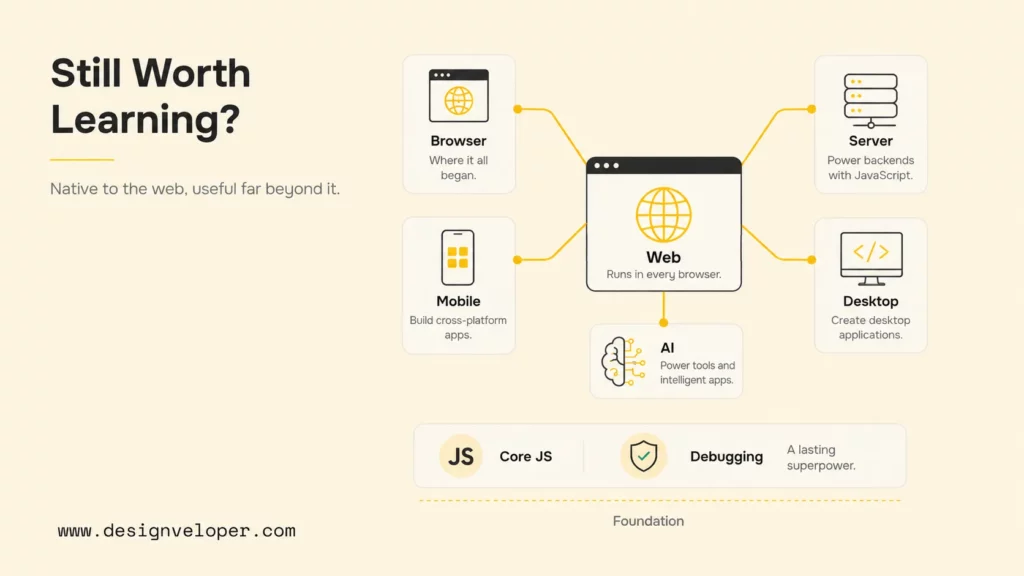
For a web-focused learner, JavaScript remains a strong choice because browser support links code directly to user behavior. A short script can respond to a click, validate a form, update page content, or request data without a separate server setup. MDN’s JavaScript learning module follows this path from core syntax to events, the DOM, network requests, JSON, and debugging.
HTML and CSS still provide a page’s structure and presentation; JavaScript adds behavior to that web platform. Outside the browser, Node.js provides a runtime for server-side JavaScript, where developers also need to learn HTTP, data storage, security, and deployment.
JavaScript’s flexible behavior can confuse new learners, and its package and framework landscape changes. That is a trade-off, not a reason to postpone starting: learn plain JavaScript and browser behavior first, then add a tool when a project calls for it.
Worth learning does not mean effortless. JavaScript has quirks, package ecosystems can feel noisy, and frameworks evolve. A learner who chases every new tool can become familiar with many names without becoming confident at programming. The durable strategy is to understand the language, browser behavior, HTTP, data flow, and debugging first. Those concepts survive tooling changes.
Why Learn JavaScript In 2026?
In 2026, JavaScript is most useful to learners who want web skills and a short path from a concept to a working result. The reasons below describe practical uses, not a promise of employment; each career path also requires skills beyond the language.
Recommended for you:
- Best Frontend Frameworks: 8 Options, Tradeoffs, And Tips
- Front-End vs Back-End: Which Suits You Best?
- Web App vs Website: Similarities, Differences and Misconceptions
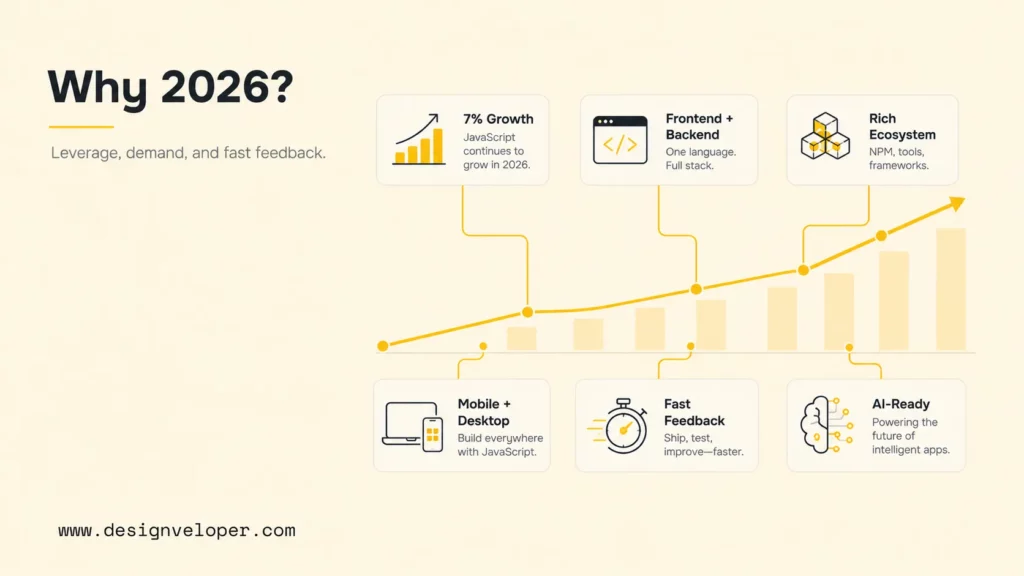
- Web development remains a broad occupation. The U.S. Bureau of Labor Statistics projects employment of web developers and digital designers to grow 5% from 2025 to 2035, with about 13,600 openings per year on average. This group is broader than JavaScript and is not a forecast for JavaScript-specific jobs.
- You can work on both frontend and backend systems. Browser JavaScript manages interfaces and interactions. Node.js lets developers use JavaScript for servers, command-line tools, background jobs, and APIs. Shared language knowledge reduces the initial barrier to understanding a complete request-and-response flow.
- The ecosystem offers tools for different jobs. React, Vue, Angular, and Svelte help organize interfaces. Next.js builds on React, Nuxt builds on Vue, and server frameworks such as Express or NestJS run with Node.js. Learn one tool when a project needs it instead of treating the list as a required checklist.
- Your skills can extend to mobile and desktop work. React Native uses JavaScript and React concepts to create native mobile interfaces. Electron combines Chromium and Node.js for cross-platform desktop applications. These are distinct platforms with distinct constraints, but JavaScript provides a useful bridge.
- Beginners receive fast feedback. You can open a browser console and run a line of code immediately. A small script can change a page in minutes. This visual feedback makes abstract concepts such as state, events, and data transformation easier to connect to an outcome.
- Learning resources and communities are extensive. Documentation, browser developer tools, open-source repositories, interactive exercises, meetups, and code-review communities cover nearly every level. The challenge is not finding material; it is choosing a coherent sequence and practicing consistently.
- AI-assisted coding increases the value of fundamentals. AI can propose functions, tests, and explanations, but generated code still needs a developer to define requirements, verify behavior, protect data, catch edge cases, and maintain the system. JavaScript knowledge lets you evaluate suggestions instead of accepting them blindly.
These benefits apply when you learn actively. Write code without an assistant, then use an assistant to compare approaches or generate test cases. Read errors. Inspect network requests. Explain why a function works. Change a requirement after a project is complete. That loop builds judgment, which is harder to automate than typing syntax.
JavaScript also rewards steady practice because the feedback loop is short. A learner can change a function, refresh the page, inspect the result, and revise the code in minutes. Over time, those small cycles teach cause and effect. Keep a learning log with the bug, the reason it happened, and the fix. Repeated mistakes then become a personal debugging guide rather than a source of frustration.
What Can You Build With JavaScript?
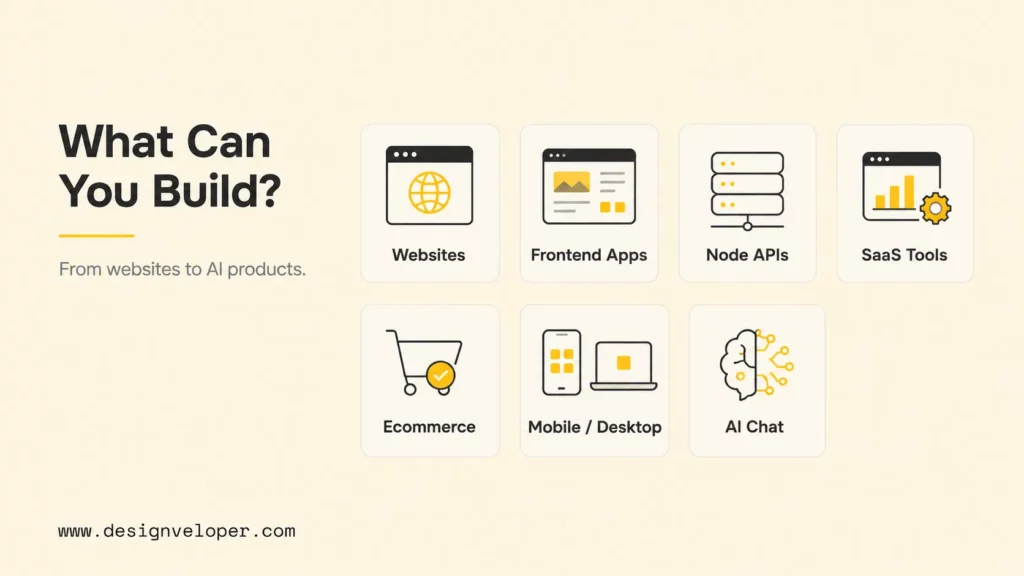
JavaScript can support the user-facing interface, the server behind it, or both. The best starting point depends on the problems you want to solve, not on which framework is receiving the most attention.
Websites And Landing Pages
JavaScript adds behavior to HTML and CSS: navigation menus, calculators, form validation, consent controls, filtering, carousels, and analytics events. A marketing page may need only a small amount of carefully written JavaScript. Performance and accessibility often improve when developers use the least code required rather than adopting a large framework automatically.
Frontend Applications
Dashboards, project-management systems, document editors, booking flows, and collaboration tools contain changing state and repeated interface components. JavaScript handles user input, data fetching, validation, routing, and live updates. Frameworks can make large interfaces easier to structure, but browser fundamentals remain essential for accessibility, performance, and debugging.
Backend APIs With Node.js
Node.js is an open-source, cross-platform JavaScript runtime. Developers use it for HTTP APIs, real-time connections, authentication services, scheduled work, data processing, and development tooling. A backend path also requires databases, security, deployment, observability, and API design; knowing JavaScript is the beginning, not the whole backend skill set.
SaaS Dashboards And Internal Tools
Software-as-a-service products commonly need role-based screens, tables, charts, forms, subscriptions, notifications, and integrations. Internal tools need many of the same capabilities, often with a stronger emphasis on workflow speed and data accuracy. JavaScript can connect these interfaces to business systems through APIs while Node.js can handle supporting services.
Ecommerce And Marketplaces
Product discovery, carts, checkout steps, account areas, inventory displays, and marketplace messaging all rely on interactive behavior. Here, developers must balance conversion goals with performance, accessibility, analytics, security, and search visibility. JavaScript enables the experience, but strong product engineering keeps it fast and trustworthy.
Mobile And Desktop Applications
React Native lets developers apply React and JavaScript knowledge to Android and iOS applications while rendering native user-interface components. Electron is used for cross-platform desktop apps. Neither option means a web developer can ignore mobile or desktop conventions; platform navigation, permissions, offline behavior, memory use, and release processes still matter.
AI-Enabled Products And Chat Interfaces
JavaScript is well suited to the interface and orchestration layers of AI products. It can stream model responses, upload documents, call secured backend endpoints, display citations, and manage multi-step interactions. Reliable AI features also need evaluation, input validation, permissions, rate limits, privacy controls, and clear fallbacks. A polished chat box without these systems is only a demo.
A useful portfolio does not need one project from every category. Choose two or three that demonstrate increasing depth. For example, build an accessible calculator, then an API-driven dashboard, then a full-stack product with authentication, tests, and deployment. Document the decisions and tradeoffs so reviewers can see how you think.
Scope each project around one clear user journey. A marketplace prototype, for example, might let a visitor search products, view details, add an item to a cart, and recover the cart after a refresh. That is enough to demonstrate state, events, storage, network requests, responsive design, and error handling. Finishing a focused flow usually teaches more than abandoning a larger clone halfway through.
What Should You Learn First In JavaScript?
Learn the core language before specializing in a framework. A framework becomes much easier to understand when variables, functions, arrays, objects, scope, modules, events, promises, and data transformations already feel familiar. The following order keeps each stage connected to something you can build.
- Practice values, functions, arrays, objects, loops, and conditions in a small script.
- Connect code to a page with DOM events and accessible forms.
- Fetch data and handle loading, empty, success, and error states.
- Use semantic HTML, responsive CSS, and browser APIs with JavaScript.
- Track code with Git; debug, test, and deploy small changes.
- Choose React or Vue, Node.js, or TypeScript based on your target role.
1. Master Programming Fundamentals
Start with variables, primitive values, operators, functions, arrays, objects, loops, and conditionals. Learn how scope and return values affect a program. Practice transforming arrays, validating input, and breaking a problem into small functions. Build a number game, expense calculator, or text analyzer without a framework. The goal is not memorizing every method; it is predicting what code will do and explaining why.
2. Work With The DOM, Events, And Forms
Next, connect code to a page. Select elements, update text and attributes, create reusable interface pieces, and respond to click, input, submit, and keyboard events. Learn event propagation and form validation. Use semantic HTML first, then JavaScript to enhance it. This avoids interfaces that work with a mouse but fail for keyboard or assistive-technology users.
3. Learn Asynchronous JavaScript
Learn promises, async/await, Fetch, JSON, and error handling so your code can wait for network responses and show the right state when they fail or arrive slowly. Build a search screen with loading, empty, success, and error states. Disconnect the network, submit invalid input, and test a slow response so you check recovery, not only the happy path.
4. Strengthen HTML, CSS, And Responsive Design
JavaScript developers still need the platform around the language. Semantic HTML gives interfaces meaning and accessibility. CSS controls layout, responsive behavior, and visual states. Learn the box model, Flexbox, Grid, forms, media queries, focus styling, and basic accessibility checks. These skills help you distinguish a JavaScript problem from a markup or styling problem.
5. Use Git, DevTools, And Debugging
Professional development is more than writing code. Use browser developer tools to inspect elements, set breakpoints, trace network requests, and measure performance. Use Git to create focused commits and review changes. Add automated tests for important behavior. Learn enough package management and deployment to understand how code moves from your computer to a working environment.
6. Choose A Framework Or Runtime
Choose a next tool by role rather than treating every name as the same kind of framework. React and Vue are options for building user interfaces; Next.js is a framework built on React. Node.js is a runtime for running JavaScript on a server, while TypeScript adds static types that help catch some mistakes before code runs. For frontend work, build and test a React or Vue interface. For backend work, build a Node.js API with HTTP, a database, and tests. Add TypeScript after core JavaScript feels familiar.
Use a simple test for readiness: can you build a small interface with plain JavaScript, retrieve data, handle failures, debug it, and explain the code? If yes, a framework will organize concepts you already recognize. If not, another fundamentals project will probably help more than another framework tutorial.
JavaScript Career Paths And Skills To Learn
JavaScript supports multiple careers, but each path demands skills beyond the language. Use job descriptions in your target market to refine the list, then build projects that resemble the work rather than generic tutorial clones.
Related reading:
- 10 Best Web App Languages
- Web App Development Cost: Breakdown
- Top 7 Best Resources to Learn React JS for Free
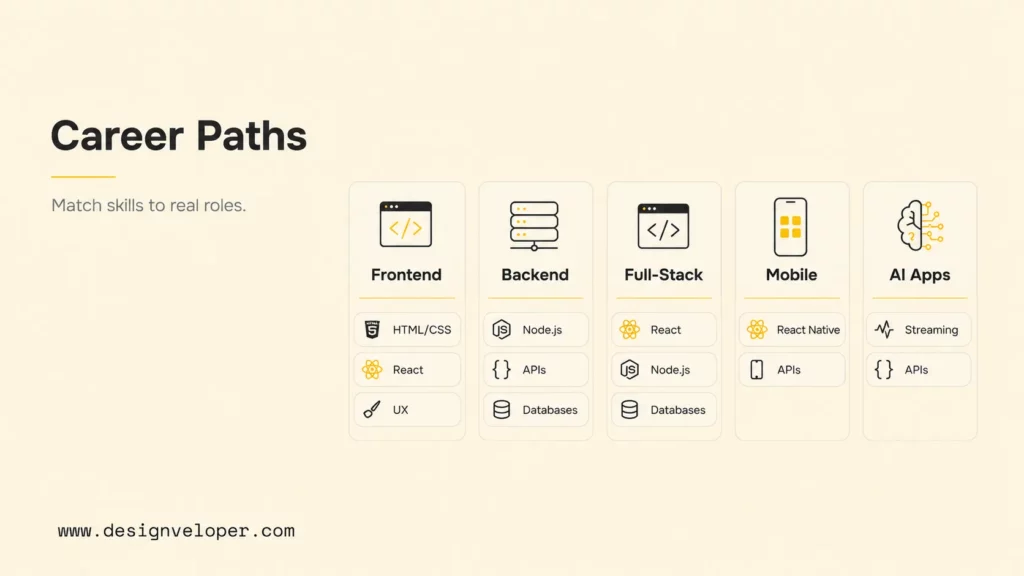
| Career Path | Skills To Learn | Example Work |
|---|---|---|
| Frontend developer | JavaScript, HTML, CSS, accessibility, browser APIs, testing, React or Vue | Responsive product interfaces, design systems, checkout flows |
| Backend Node.js developer | Node.js, HTTP, APIs, SQL or NoSQL, authentication, security, testing | REST or GraphQL APIs, integrations, background jobs |
| Full-stack JavaScript developer | Frontend framework, Node.js, databases, deployment, observability | End-to-end SaaS, marketplace, or booking products |
| Frontend application developer | Components, state, routing, rendering strategies, performance, testing; React or Vue, with Next.js as a React framework | Complex web apps, dashboards, content platforms |
| React Native developer | React, native navigation, device APIs, offline state, app releases | iOS and Android consumer or business apps |
| AI-enabled web app developer | JavaScript, APIs, streaming, prompt design, evaluation, security, UX | Copilots, document tools, support assistants, workflow automation |
For frontend roles, employers usually expect strong browser knowledge and the ability to translate designs into accessible, responsive components. Performance matters because large bundles, unnecessary rendering, and poor loading behavior directly affect users. A candidate who can explain a performance investigation may stand out more than one who lists several frameworks.
For backend roles, add data modeling, authentication, authorization, security, caching, queues, logging, and deployment. JavaScript’s event-driven model is useful for many network applications, but you still need to understand concurrency, failure, and resource limits. Build an API with tests, documented endpoints, role permissions, and structured error responses.
For full-stack work, resist the urge to build every feature at once. Define a narrow product flow, model the data, implement the API, connect the interface, and then add tests and deployment. This shows that you can move through the system deliberately. TypeScript is often valuable once JavaScript fundamentals are solid because it makes data contracts and refactoring safer.
Whatever path you select, your portfolio should show process. Include the problem, target users, constraints, architecture, accessibility decisions, tests, deployment, and what you would improve next. A clean repository and a clear case study turn code into evidence of professional judgment.
Learning JavaScript Is Only The Start Of Building Real Web Products
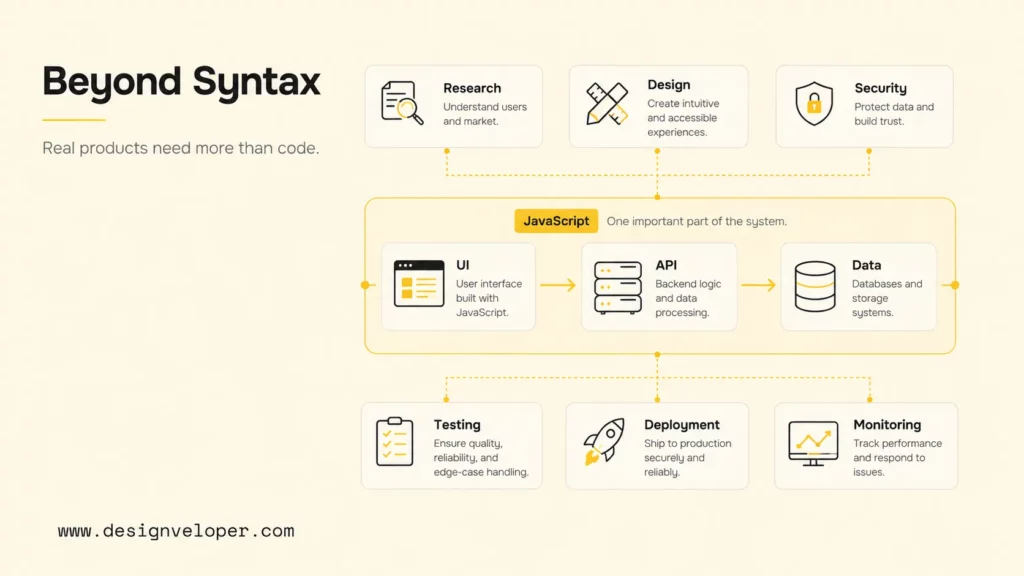
Knowing JavaScript lets you implement behavior. Building a real product requires a wider system: user research, product requirements, information architecture, interface design, backend contracts, data storage, security, testing, deployment, monitoring, and ongoing maintenance. The code must also work for different devices, network conditions, permissions, and user abilities.
A tutorial may assume perfect data. A production product cannot. Forms receive incomplete input, payments fail, permissions change, APIs slow down, and users open the same workflow in several tabs. Good engineers design loading, empty, error, retry, and recovery states. They log useful context without exposing sensitive information and test the paths that could damage trust or revenue.
Maintainability matters too. Components need clear responsibilities. APIs need stable contracts. Teams need code review, tests, documentation, and release processes. Accessibility and performance should be considered while features are designed, not patched in after launch. Security needs threat-aware defaults on both client and server because browser validation alone never protects an API.
Designveloper’s public case pages show how product work reaches beyond syntax. The Aha project page describes e-commerce performance and cost constraints, customizable management, and CMS components. The Lumin page describes a PDF product for viewing, editing, and sharing documents, including digital signatures. These examples illustrate product constraints; they do not establish which language or architecture was used.
For a learner, the practical lesson is to make each project more realistic. Add authentication to one. Add roles to another. Measure performance, test keyboard navigation, document an API, or deploy a monitored service. You do not need enterprise scale to demonstrate enterprise habits. You need deliberate choices and evidence that the product still works when conditions are imperfect.
FAQs About Learning JavaScript
Is JavaScript Good For Beginners?
Yes. JavaScript is good for beginners because it runs in the browser, gives fast visual feedback, and has extensive learning resources. Its flexible behavior can also create confusing errors, so beginners should use a structured curriculum, practice debugging, and learn HTML and CSS alongside it. Start with small plain-JavaScript projects before adding a framework.
Can I Get A Job If I Learn JavaScript?
Learning JavaScript can help you qualify for some roles, but it does not guarantee a job. Choose a frontend, backend, or full-stack target, then build two or three projects that demonstrate the skills listed in local job descriptions.
Should I Learn JavaScript Or Python First?
Learn JavaScript first if your main goal is interactive websites, frontend development, full-stack web products, or React Native apps. Learn Python first if your main goal is data analysis, scientific computing, automation, or Python-centered backend work. Both are beginner-friendly. The best first language is the one that lets you build projects aligned with your goal.
Is JavaScript Enough For Full-Stack Development?
JavaScript can be the main programming language across a full stack, but it is not the only skill required. You still need HTML, CSS, HTTP, Node.js, databases, authentication, security, testing, deployment, and system design. Many teams also use TypeScript. Full-stack capability means understanding how these layers work together, not merely using JavaScript in each layer.
Will AI Replace JavaScript Developers?
No one can reliably say that AI will replace JavaScript developers as a group, and employment projections do not isolate JavaScript roles. AI tools can draft code, but developers still need to test behavior, check security, debug failures, and maintain the result. Learn to use these tools while keeping responsibility for the software you ship.
Choose one project from the goal table and finish it: make it usable, test its failure states, and explain the decisions you made. That evidence will show whether your next step should be frontend, backend, or full-stack learning.
Also published on

Share post on










Related Articles


Why Learn JavaScript? Career Benefits, Uses, And Learning Path
Why Learn JavaScript? Career Benefits, Uses, And Learning Path Published October 21, 2026
Best JavaScript Frameworks For Web Development In 2026
Best JavaScript Frameworks For Web Development In 2026 Published October 19, 2026
How To Learn Rust? A Practical Roadmap For Beginners & Developers
How To Learn Rust? A Practical Roadmap For Beginners & Developers Published October 03, 2026


















