
















How to Create A Weather App in 9 Steps

Knowing how to create a weather app has two big benefits: it meets the need for current, precise weather data while also giving you a fulfilling project to work on. Market Research Future forecasts the worldwide weather app business will rise from $2.39 billion in 2025 to $4.77 billion by 2034, expanding at an average yearly growth rate of 7.98% during this period. This big growth occurs because weather conditions are becoming more severe, while AI and IoT technologies become part of weather services.
Learn how to build a weather app with this article from Designveloper that includes each step you need in just 9 easy parts. Our coverage will go through all nine steps needed to create your app, providing you with full insights for each part from start to finish. After reading this guide, you’ll be able to run your own working weather app.
The Need for Weather Apps
Every day, people across the world use weather apps essential for their needs. Because climate change makes weather more unpredictable, correct and fast weather updates have never been more important. Most smartphone owners, around 87%, use weather applications when deciding what to do each day. A large number of users depend on these apps, showing that ready access to dependable weather data is vital for everyone.
But there’s more good news – weather apps do much more than just tell you what the sky will look like tomorrow. The apps deliver weather warnings, show pictures from radar and satellites, and give future forecasts running many weeks ahead. The app features help people get ready for dangerous weather and guide them when planning fun or work outside. When a weather app detects a storm coming, it sends a warning message to help people prepare and stay safe.
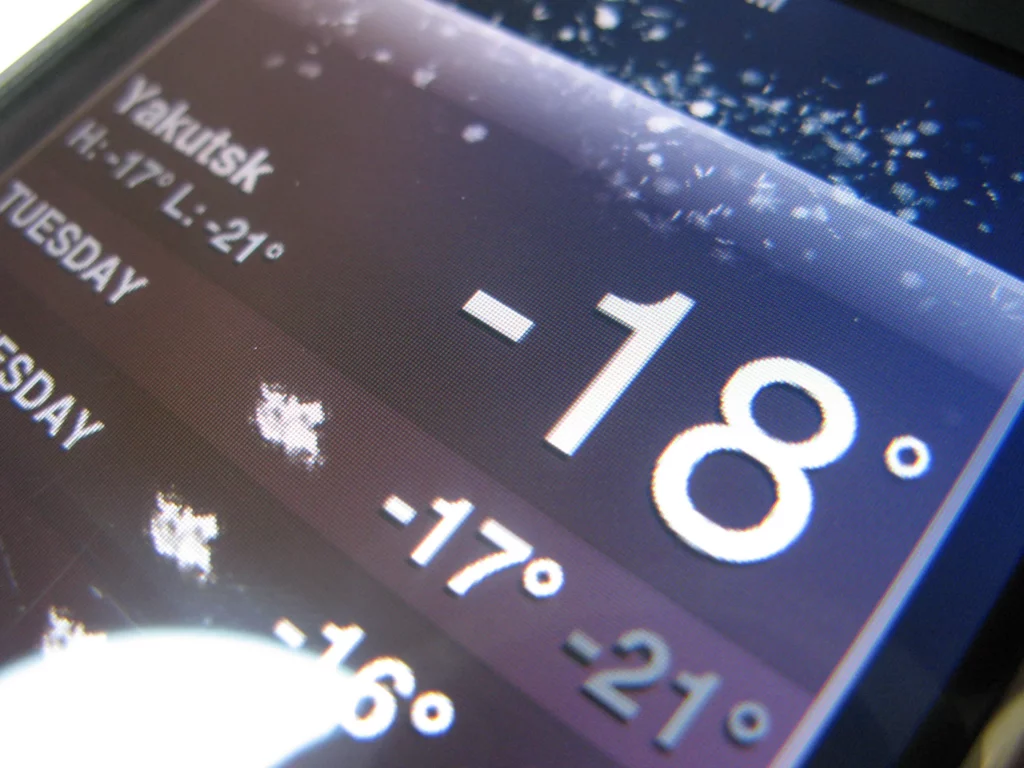
People want weather apps more and more because they like adding weather controls to their smart homes. Most new weather apps can connect with your smart home tools, letting you adjust your house’s settings based on current weather patterns. A weather app can manage your home by turning on the thermostat or shutting the blinds when it senses rain or extreme heat.
People use weather apps a lot because they help us in so many important ways. The more climate change changes our weather, the more we will need correct and immediate weather data. Therefore, knowing how to create a weather app can prove fruitful.
Popular Weather Apps in 2025
The top weather apps in 2025 draw more users because they give precise forecasts, work smoothly, and have new high-tech features. As Global Growth Insights reports, weather app companies should expect their market to grow 10% each year between 2025 and 2033. As more people want current weather information and better forecasting tools, this market has grown.
Weather Channel
The Weather Channel app leads the pack on both Google Play Store and iOS App Store, boasting 425 million users worldwide who check the app monthly. The Weather Channel gives users full weather information, from current conditions and hour-by-hour forecasts to active weather radar maps and alerts when dangerous weather comes.
AccuWeather
AccuWeather stands out because its weather forecasts are precise and it sends users customized weather warnings. This app tells you how hot or cold it will be, tells you what kind of rain or snow to expect, and shows you the cleanliness of the air you breathe, which is why so many people use it.
FlowX
For people who enjoy engaging with their weather updates, FlowX is their best bet. Weather data you can interact with is what you get with this app, currently compatible with Android devices, and coming soon to iOS. It gives you current weather information instantly and uses artificial intelligence to make forecasts tailored to you.
Dark Sky
Dark Sky is many iPhone users’ top pick because it gives exact weather information updated by the minute. With a subscription, Dark Sky gives clean, uninterrupted access to carefully animated weather information.
WeatherBug
Many people use WeatherBug because it sends weather updates at no charge. Users can download it for iOS, Android, MacOS, and Windows. The app updates you with current weather conditions and sends you important warnings about severe weather changes.
RadarScope
For weather radar fans, RadarScope is their first choice of app. You can download its detailed radar imagery on iPhones, Android phones, Macs, and Windows computers. The app’s cost changes from $9.99 to $29.99, based on which features you pick.
ClimaCell
ClimaCell gives users always-updated weather reports that are precise for their exact place of location. The app works on both iPhone and Android phone systems and you don’t have to pay for it.
AIR by Plume Labs
Plume Labs’ AIR app specializes in tracking the quality of the air around you. This application shows users what’s in the air and can be installed on both Apple and Android phones.
CARROT Weather
CARROT Weather makes reporting the weather more enjoyable. It sends funny weather updates and works on iOS and Android devices. People who like easy weather info check it out, and it costs $4.99.
A 9-Step Guide on How to Create a Weather App
Creating a weather app can be a rewarding project, especially with the growing demand for accurate and real-time weather updates. Recent statistics show that the mobile app market continues to expand, with over 218 billion app downloads in 2023 alone. Weather apps are particularly popular, with millions of users relying on them daily to plan their activities.
Plan Your App
We have to make detailed plans and gather information before creating a weather app. First, figure out who you want to use your app and learn what they expect from it. For example, a travel-related weather app needs to give correct forecasts from many places, while a gardening app must track detailed weather data for specific plant needs.
After setting your goals, take a look at existing weather apps and find where they fall short and where you can step in. In the second quarter of 2024, the Apple App Store listed around 4,656 different weather apps according to Statista’s data. Looking at what other weather apps have makes it easier to come up with your own special app features.
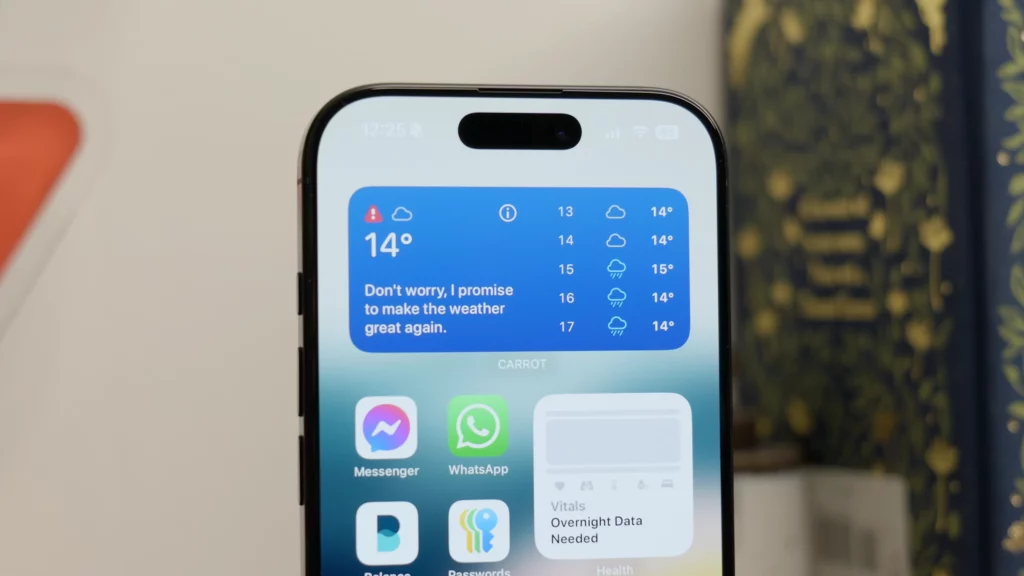
Tell your app what it should offer both inside and outside the weather forecast. Many apps show current weather, predictions, weather maps, alerts, and interactive maps. The Weather Channel app keeps users coming back with its easy-to-read forecasts and weather patterns provided by radar imaging.
Figure out what technical tools, programming languages, and APIs are required to develop your app. Pick the correct programming languages, tools, and weather data connections your app needs to work. For creating different types of apps, developers tend to pick JavaScript to build web applications, Swift when making apps for iOS devices, and Kotlin when creating apps for Android devices.
Finally, create a project timeline and budget. Planning your schedule and spending wisely will guide you throughout the development process. A study by the Vivekananda Institute of Professional Studies includes all the steps needed to finish creating a weather website.
Choose a Technology Stack
You need to pick appropriate technology tools when you create a weather mobile app. Your chosen technology stack affects how well your app runs, its ability to grow, and how users interact with it.
- Frontend: The way users interact with the app through its screen layout is really important. Create a web page design that adapts to all screens by using HTML, CSS, and JavaScript. React or Vue.jscan offers easier coding processes and improves how fast your app works.
- Backend: The backend processes data and takes care of exchanges with the server. Developers often pick Node.js, Django with Python, or Ruby on Rails when building their app’s backend. Such frameworks give you access to well-built software libraries and a helpful network of other developers.
- Database: Keep weather data safe with a good storage system. Between MySQL, PostgreSQL, and MongoDB, you have three great database possibilities. Take a look at how data is organized and how quickly it can be retrieved when picking your database.
- APIs: Include weather APIs in your application to show live weather updates. Websites including OpenWeatherMap, Weatherstack, and AccuWeather give us access to detailed weather information through their APIs. Your weather app needs an API that keeps delivering precise, recent weather information.
- Cloud Services: Managing your app using AWS, Google Cloud, or Azure helps it grow smoothly and keeps it running well. They give groups of tools to help you deploy, keep track of your app’s performance, and protect it.
- Version Control: Use Git for version control to manage code changes and collaborate with other developers. Platforms like GitHub or GitLab provide additional features like issue tracking and project management.
Set Up Your Development Environment
Before creating a weather app, you have to arrange and configure your development workspace. Here’s how to get started:
- Choose Your IDE: Find one Integrated Development Environment (IDE) that matches the way you like to work. Choose from Visual Studio Code, PyCharm, or IntelliJ IDEA for good IDE options.
- Install Necessary SDKs: Download the correct Software Development Kits (SDKs) that match the system you plan to develop for, whether that’s iOS, Android, or a web platform. To develop for Android, you must use Android Studio. For iOS, Xcode is essential.
- Set Up Version Control: Manage your codebase smoothly by using Git for controlling versions. GitHub and GitLab are both good choices for putting your code online.
- Learn the Basics: A good developer should be able to build web apps by mastering HTML, CSS, and JavaScript. For mobile app development, Swift is used when creating for iPhones, and Kotlin for writing Android apps.
- API Integration: Select a well-supported weather API to get your weather data. Use OpenWeatherMap or Weatherstack to get all the weather facts your app needs.
- Set Up a Database: For mobile applications, SQLite serves as the preferred database option; whereas, MongoDB and Firebase fit web applications better.
- Testing Tools: Place testing software into your project to make sure everything runs smoothly. Both Android’s and Apple’s development environments have their own testing materials, while web applications can run tests using Jest.
- Continuous Integration/Continuous Deployment (CI/CD): Create automatic systems that check your app and put it online by themselves. Use Jenkins or Travis CI to simplify work between testing and deployment tasks.
- Documentation: Record every step you take while developing, from start to finish.
Build the Frontend
To create your weather app’s frontend, plan and build a design that users find easy and natural to navigate. Put your app’s design on paper first, or draw it directly in Figma or Sketch software. Test your design to make sure it displays right on both personal computers and mobile phones.
Then, decide on using a frontend framework – either React or Vue.js. These frameworks come with powerful libraries and ready-made components to speed up your work. The useState and useEffect hooks in React make it much easier to handle the state of your app and manage side effects.
Use animated symbols of weather to make your app look more attractive and fun. These two libraries, Weather Icons and React Spring, provide great ways to add weather graphics to your app. Get fresh weather updates through the OpenWeatherMap API and show this data in your application.
Check how your frontend works on many devices and browsers to confirm it runs properly everywhere. BrowserStack assists you with testing across different web browsers.
Integrate the Weather API
To create a weather app, choose a good weather API first. Many choices are available to pick from. Three common weather API choices people use are OpenWeatherMap, Ambee, and Tomorrow.io. The APIs supply live updates on the weather, give future weather predictions, and provide past weather records.
Sign up with the provider of your chosen weather API to get your own API key. This specific key proves who you are when your app makes calls to the service. Check and use the guidelines provided by your API provider to connect it with your app. All popular languages for programming, like Python, JavaScript, and Java, can connect to these APIs.
When using OpenWeatherMap, you can get live weather details through one easy API request. Weather details like how warm it is, how wet the air is, and wind speed will all be in the data they send back. Bring the weather readings into your app’s look and feel using what you get from that data.
Handle API errors gracefully. Let your users know when data can’t be found and try fetching it again soon. The app keeps users happy by working properly, even if the API doesn’t respond for a little while.
Using a weather API connection means your app can give users the latest and precise weather details. Apps that help with travel, outdoor fun, and daily schedules need to have this weather feature.
Build the Backend
Building the backend of a weather app involves several key steps to ensure it functions efficiently and provides accurate data. Here’s a detailed guide:
- Choose a Backend Technology: Select a backend technology that suits your needs. Popular choices include Node.js, Python with Django or Flask, and Ruby on Rails. Each has its strengths, so choose based on your familiarity and project requirements.
- Set Up a Server: Use a cloud service like AWS, Google Cloud, or Heroku to host your backend. These platforms offer scalability and reliability.
- Database Selection: Choose a database to store weather data. Options include SQL databases like PostgreSQL or NoSQL databases like MongoDB. Consider factors like data structure and query performance.
- API Integration: Integrate with weather data providers like OpenWeatherMap or WeatherAPI. These APIs provide real-time weather data that your app can use.
- Data Processing: Implement data processing to handle incoming weather data. This might involve cleaning, validating, and transforming data to fit your app’s needs.
- Authentication: Set up user authentication to secure access to your app. Use technologies like OAuth or JWT (JSON Web Tokens) to manage user sessions and protect sensitive information.
- Caching: Implement caching to improve performance. Use tools like Redis or Memcached to store frequently accessed data temporarily, reducing load times.
- Error Handling: Develop robust error handling to manage unexpected issues. This ensures your app remains stable and provides a good user experience even when things go wrong.
- Testing: Thoroughly test your backend to catch bugs and ensure everything works as expected. Use automated testing tools like Jest for Node.jsor PyTest for Python.
- Deployment: Deploy your backend to your chosen cloud service. Monitor its performance and make adjustments as needed to ensure optimal operation.
Implement Additional Features
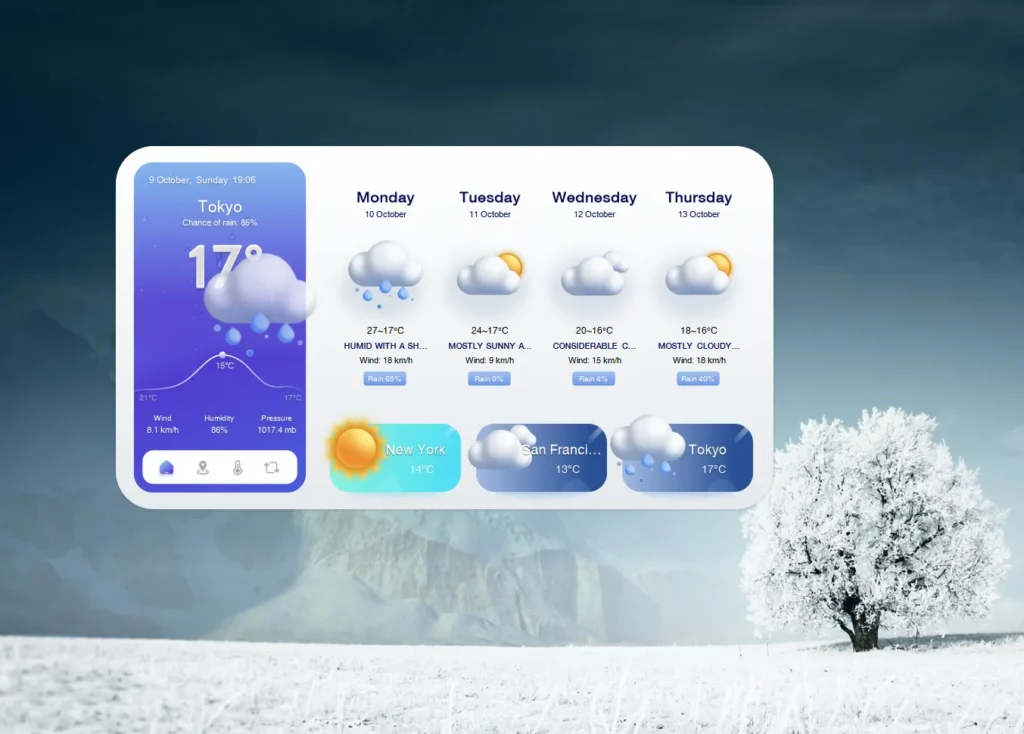
To make your weather app stand out, consider adding these features:
- Real-Time Weather Updates: Your weather app needs to send users weather information as soon as it changes. Your audience prefers having the correct weather details delivered at the right time.
- Weather Forecasts: Tell your users what weather they can expect over the next few days, up to two weeks. Certain apps let you check the weather forecast for a full 30 days ahead of time.
- Weather Alerts: Send alerts through the app when bad weather hits. When users receive early warnings through these alerts, they can take steps to protect themselves.
- Interactive Maps: Put maps that let users watch weather changes through radar and satellite pictures. Interactive maps with radar and satellite imagery show users what’s happening with the weather.
- Customizable Widgets: Let users design their home screen widgets to show the weather info they use most.
- Weather History: Give users past weather records to compare today’s weather with how it used to be.
- Social Sharing: Make it possible for users to send weather updates and forecasts to their social media friends and followers.
- User Preferences: Let your users choose how they want to see weather information – by selecting their preferred temperature unit and geographic location.
- Dark Mode: Include a night-friendly dark screen option that users can activate when they want to reduce screen brightness.
Test and Deploy
Carefully testing and putting your weather app into use is key to make sure it works right and gives users precise weather data. Here’s a step-by-step guide to help you through this process:
- Unit Testing: First, test each separate part of your app by writing unit tests. Running unit tests helps you find and fix issues early on, while making sure every app section works properly. Choose JUnit when working with Java apps and XCTest for iOS applications.
- Integration Testing: After successful unit tests, proceed to check how well app parts work together. You need to check if the various sections of your app cooperate smoothly when put together. To simplify this part of app testing, use Espresso for Android apps and XCTest for iOS apps.
- UI Testing: Make sure users can interact with your app’s interface just like planned. Tests that run automatically check if your app responds properly when users perform actions on it. Appium and Selenium make automated user interface tests much simpler.
- Performance Testing: Make sure your app runs smoothly whether things go right or wrong. You’ll test your app against massive data volumes, poor network speeds, and when lots of users try to use it at once. Run performance tests with JMeter or LoadRunner to see how your app functions under stress.
- Security Testing: Look for security problems in your app that hackers could take advantage of. Look for specific digital threats, such as SQL injection and cross-site scripting, to prevent attacks on the app. Tools like OWASP ZAP can help with this.
- Deployment: Move your app to a test environment similar to production once all tests pass, to make sure it operates smoothly before final release. Put Jenkins or Travis CI into your workflow to manage and automate your release and deployment steps automatically.
Maintain and Update
Making a weather app is the essential last step in knowing how to create a weather app. Running maintenance often and updating features keeps the app working better. Here are some key steps to ensure your weather app stays up-to-date and performs well:
- Monitor Performance: Stay alert by constantly checking how well your app runs and always fix any problems you find. Check Google Analytics to understand how users interact with your app and find out when it fails.
- Update Data Sources: The information about the weather is always shifting. Make certain your app stays accurate by frequently refreshing the data APIs and sources. OpenWeatherMap gives current weather information as soon as it happens.
- Incorporate New Features: Make your app stronger by including fresh features. For example, adding AI technology to analyze weather conditions can make your app both more reliable and better to use.
- Optimize for New Devices: When new gadgets and software get released, you need to update your app to keep it running smoothly with them. You need to make your app work well on various devices no matter their screen size or picture quality.
- Improve User Interface: Keep making design changes to your app so it always looks good and works well for users. Learn from what users say and make important updates based on their suggestions.
- Security Updates: Keep users’ data safe by updating app security measures regularly. You need to repair security weaknesses and make sure your app meets all legal privacy standards.
Conclusion
Learning how to create a weather app is an exciting journey, and with Designveloper’s expertise, you will be in great hands. Our team has completed over 100 projects, like the well-respected healthcare platform ODC and the new digital wallet Bonux. Follow our tips in this article to use our experience and make a great weather app.
The weather app market is expected to double in size, growing from USD 2.39 billion in 2025 to USD 4.77 billion by 2034. Growing numbers of people looking for reliable weather updates check by check now explains why our weather app is booming. So, why wait? Create your weather app now by working with Designveloper and engage with this growing business opportunity!
Also published on

Share post on










Related Articles


20 Best Small Business Applications In 2026
20 Best Small Business Applications In 2026 Published September 28, 2026
Cloud Application Development: Architecture, Process, And Cost
Cloud Application Development: Architecture, Process, And Cost Published September 25, 2026
SaaS Application Development: Process, Cost, And Architecture
SaaS Application Development: Process, Cost, And Architecture Published September 25, 2026



















