
















Difference Between HTML And CSS: Key Comparisons And Examples

The difference between HTML and CSS is simple: HTML gives a web page its content, meaning, and structure, while CSS controls its visual presentation and layout. You normally use them together. HTML defines elements such as headings, paragraphs, links, images, lists, and forms, while CSS sets details such as color, spacing, typography, size, positioning, and responsive layout.
They are not competing technologies. HTML answers “what is this content and how is it organized?” CSS answers “how should that content be presented?” JavaScript can then add behavior when the page needs richer interaction.
What Is HTML?
HTML, or HyperText Markup Language, is the standard markup language used to create and structure web pages and other documents displayed in a web browser. The WHATWG HTML Standard describes HTML as the Web’s core markup language, while MDN explains that HTML defines the meaning and structure of web content. If you want a broader beginner introduction, our HTML fundamentals guide covers the language in more depth.
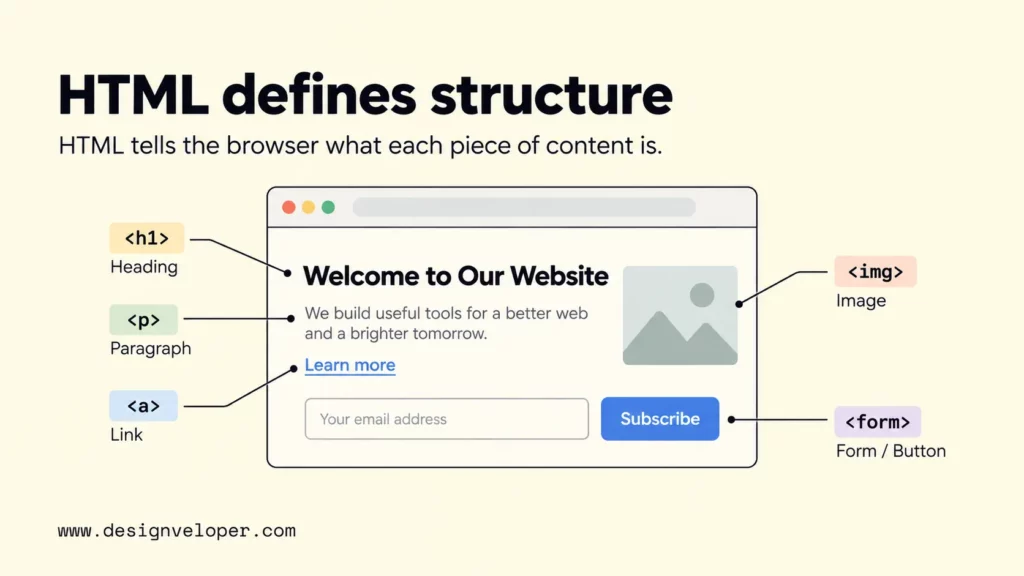
HTML uses elements, which are written with tags, to organize content and define relationships within a document. A heading element identifies a heading, and a paragraph element identifies a paragraph. Anchors create links, image elements embed images, and form elements describe controls such as labels, inputs, and buttons.
A short HTML example can define a small piece of page content without saying anything about its final visual design:
<article> <h2>Project update</h2> <p>The new dashboard is ready for review.</p> <a href="/dashboard">Open dashboard</a></article>Semantic HTML means choosing an element because it matches the content’s purpose, not because of how it looks by default. For example, a real <button> should normally represent a button action rather than a generic container made to look clickable. MDN’s semantic HTML accessibility guidance explains that appropriate elements come with useful built-in behavior and accessibility hooks.
The browser can display HTML even if no custom CSS is loaded. It will use default styles, so the content still has a heading, paragraph, and link, but the page will usually look plain. This is an important boundary: HTML should carry the document’s content and meaning, not act as a substitute for a styling system.
What Is CSS?
CSS, or Cascading Style Sheets, is the language used to describe how structured documents such as HTML are rendered. The W3C CSS Snapshot 2026 defines CSS in those terms. In practical web development, CSS controls presentation such as color, typography, spacing, borders, alignment, layout, and many responsive changes.
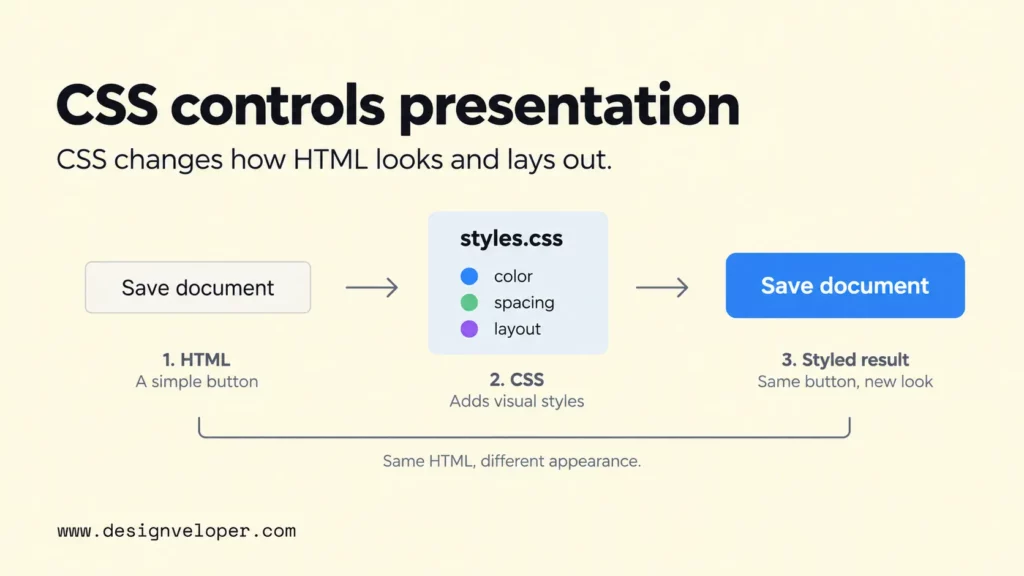
CSS applies rules to selected elements. A selector identifies what should be styled, a property names the aspect to change, and a value supplies the setting. MDN’s CSS syntax guide describes a property-value pair as a declaration and explains how declarations are grouped into rule blocks. For a fuller beginner walkthrough, our CSS guide explains selectors, declarations, the cascade, and common ways to apply styles.
For example, this CSS targets the article heading from the earlier HTML and changes its appearance:
article h2 { color: #1f3a5f; font-size: 2rem; margin-bottom: 0.5rem;}To apply CSS from a separate file, link the stylesheet from the HTML document’s <head>. MDN’s external stylesheet example uses this pattern:
<link rel="stylesheet" href="styles.css">CSS also handles much of responsive web design. Layout systems such as Flexbox and Grid can adapt as space changes, while media queries can apply different rules when the viewport or another environment condition matches a test. MDN’s media query documentation identifies media queries as a key part of responsive design. Our guide to responsive web design explains how those CSS techniques fit into a broader multi-device layout strategy.
CSS does not replace the structure that HTML provides. A stylesheet can change how an existing heading, form, or card is presented, but it does not make a generic element semantically equivalent to the right HTML element. Keeping structure and presentation separate also makes it easier to change a visual system without rewriting the page’s core content.
HTML Vs CSS: Key Differences
The main HTML vs CSS difference is their job: HTML defines content structure and meaning, while CSS controls presentation and layout. The comparison below shows how that difference affects their syntax, files, output, and typical use.
| Comparison | HTML | CSS |
|---|---|---|
| Primary purpose | Defines content, document structure, and semantic meaning. | Controls visual presentation and layout. |
| Language type | Markup language. | Style sheet language. |
| Core syntax | Elements, tags, attributes, and nested content. | Selectors, properties, values, declarations, and rules. |
| Common file type | .html or .htm. | .css for external style sheets; CSS can also appear in an HTML document. |
| What it produces | A structured document that a browser can parse and display. | Styling instructions applied to matching document elements. |
| Common uses | Headings, paragraphs, links, images, lists, tables, forms, landmarks, and metadata. | Colors, fonts, spacing, borders, alignment, Grid, Flexbox, states, and responsive layout. |
| Can it work without the other? | Yes. HTML can display with browser default styles. | CSS needs a structured document or other compatible markup to style. |
| Main limitation | It is not intended to control a complete visual design or application logic. | It does not replace semantic document structure or general application logic. |
HTML and CSS also have important similarities. Both are browser-facing web technologies, both use standardized syntax, and both are interpreted as part of rendering a page. They also depend on clear structure: poorly chosen HTML makes styling and accessibility harder, while disorganized CSS can make a sound HTML document difficult to maintain visually.
Their limitations are easiest to see when you try to make one do the other’s job. Using HTML elements only because of their default font size or spacing confuses meaning with appearance. Using CSS to imitate the meaning or behavior of a proper HTML control can create a page that looks correct but behaves poorly for keyboards, assistive technology, or future maintenance.
A paired example makes the separation clear. The HTML identifies a real action:
<button class="save-button" type="button">Save document</button>The CSS then changes how that button looks:
.save-button { padding: 0.75rem 1rem; border-radius: 0.5rem; font-weight: 600;}If the CSS is removed, the button still exists as a button and keeps its basic browser behavior. If the HTML button is removed, the CSS selector has nothing useful to style. That dependency is why HTML and CSS complement each other rather than replace each other.
How HTML And CSS Work Together
HTML and CSS work together by separating the page’s structure from its presentation. The browser parses the HTML into a document structure, matches CSS rules to relevant elements, and then renders the result. That separation lets the same HTML structure support different visual states, screen sizes, and design systems without changing the meaning of every element.
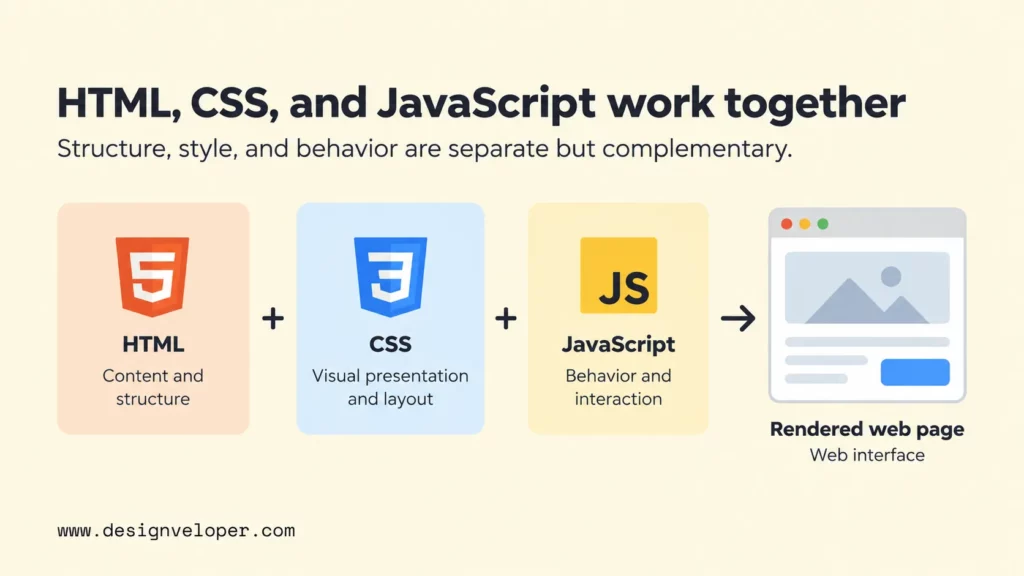
The save button above shows the relationship in a small example. HTML says that the control is a button and gives it the text “Save document.” CSS can then change its size, spacing, typography, or position. It can also define visible focus and hover states. Each layer has a clear responsibility, so a developer can inspect a problem and ask whether it comes from structure or styling.
JavaScript adds a third responsibility when the page needs behavior. A script can listen for the button click, validate form data, call an API, update the page, or open a dialog. HTML and CSS do not become obsolete when JavaScript is added; the script usually works with the document and styles already on the page. MDN defines JavaScript as a programming language, and our JavaScript guide explains its role as the behavior layer of a web interface.
- HTML identifies the content and controls: for example, a heading, document title, toolbar, form field, and save button.
- CSS decides how those elements are arranged and presented across different states and screen sizes.
- JavaScript handles behavior that requires logic, such as reacting to a save action or updating content after a server response.
This separation becomes more useful as an interface grows. On our Lumin project page, we describe a web-based document platform with viewing, editing, sharing, cloud integration, and electronic-signature workflows. That product context shows why it helps to keep structure, presentation, and behavior conceptually distinct when many interface states and actions must coexist.
The Lumin page should not be read as proof of one particular HTML or CSS implementation. Its current Tools and Technologies section includes React, Node.js, and NestJS among the technologies shown, but it does not document the project’s exact markup or stylesheet architecture. The useful lesson here is the layer model. Complex web products still need clear ways to represent content, present it, and respond to user actions. Frameworks can help generate or manage those layers, but the responsibilities remain distinct.
FAQs About The Difference Between HTML And CSS
Are HTML And CSS Programming Languages?
HTML and CSS are generally not classified as programming languages. HTML is a markup language for describing document structure and meaning, while CSS is a style sheet language for describing presentation. JavaScript, by contrast, is a programming language that can express application logic and react to events. This distinction helps beginners understand why HTML, CSS, and JavaScript are usually learned as separate but connected layers.
Which Should You Learn First: HTML Or CSS?
Learn basic HTML first, then start CSS as soon as you can build a small structured page. CSS selectors need elements to target, so headings, paragraphs, links, images, lists, and forms are easier to style once you understand what those HTML elements mean. You do not need to master HTML before touching CSS. A better sequence is to learn a small set of HTML elements, style them, then repeat with slightly more complex pages. Our guide on learning HTML as a beginner gives more practice-oriented advice.
Can You Build A Website With Only HTML And CSS?
Yes. You can build and publish a useful static website with only HTML and CSS. HTML and CSS alone do not provide general application logic. API calls after user actions, complex client-side state, and custom data processing usually need JavaScript, back-end code, or both.
Do HTML And CSS Work Without JavaScript?
Yes. A browser can parse HTML and apply CSS without any JavaScript. Navigation links, document structure, forms, and responsive CSS can all work without a script. JavaScript is added when the page needs behavior that HTML and CSS do not provide on their own, such as dynamic validation, API-driven updates, complex interactive components, or application state.
Also published on

Share post on










Related Articles


What Is Ext JS? Features, Components, And Frontend Use Cases
What Is Ext JS? Features, Components, And Frontend Use Cases Published September 25, 2026
Difference Between HTML And CSS: Key Comparisons And Examples
Difference Between HTML And CSS: Key Comparisons And Examples Published September 23, 2026
Best Frontend Frameworks In 2026 : 8 Options, Tradeoffs, And Tips
Best Frontend Frameworks In 2026 : 8 Options, Tradeoffs, And Tips Published September 22, 2026



















