
















ChatGPT Vs. Generative AI: The Product And The Broader Field

ChatGPT is a generative AI product, while generative AI is the wider technology for creating text, code, images, audio, and video. The ChatGPT vs generative AI comparison is therefore about a product and its broader field, not rival technologies. Choose ChatGPT for flexible conversations or a specialized tool when its controls, output, or integrations fit better.
Is ChatGPT Generative AI?
Yes. ChatGPT is a user-facing AI service from OpenAI that uses generative models to respond to instructions and create new content. Generative AI names the wider group of technologies that make this possible. As OpenAI explains in its overview of ChatGPT and foundation models, the models behind ChatGPT are developed separately from the service people use.
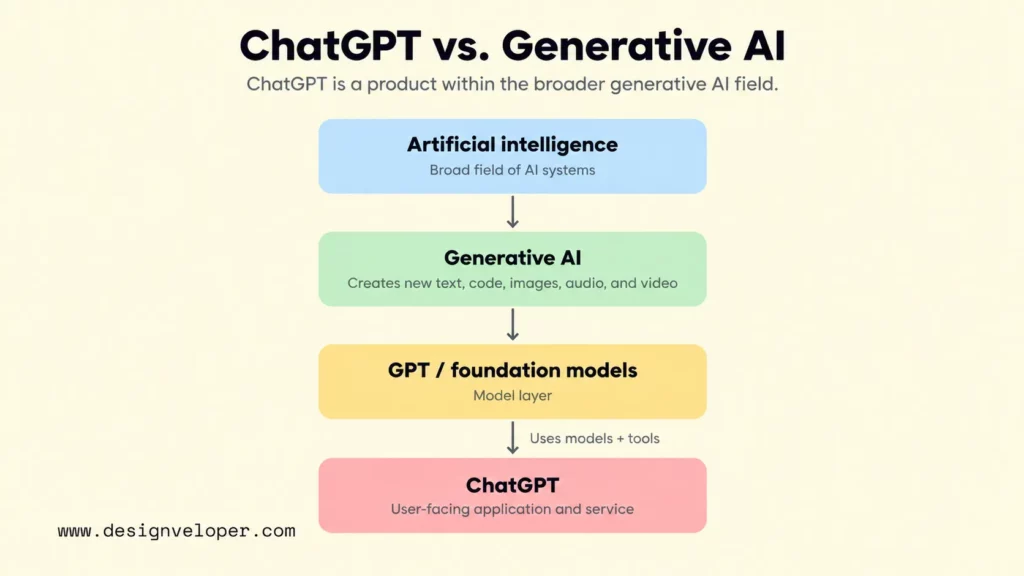
Four levels help explain the relationship. Artificial intelligence is the broad field, including systems that predict or classify information. Generative AI is a part of that field focused on producing new outputs. Foundation models are trained systems that can support many tasks, including generation. ChatGPT is an application that provides access to models and supporting tools through a conversation. Our guide to how generative AI works explains the wider technology and its business uses.
GPT models are also generative AI. GPT stands for generative pre-trained transformer, a family of models rather than the name of the ChatGPT service. OpenAI makes this distinction in its API guide to GPT models. ChatGPT is a product that uses models together with other software features.
This distinction matters when someone says they want to build ChatGPT for their company. They might only need an existing assistant for staff. Or they might need a separate application that uses a foundation model to answer questions about private company records. The second project involves data access, permissions, a user interface, and testing. Choosing a model alone does not deliver those functions. Our guide to building an application like ChatGPT explains the product decisions behind that second path.
ChatGPT also does more than generate written replies. Depending on the plan, selected experience, and available settings, it can work with uploaded documents, analyze data, search the web, interpret or generate images, and support voice conversations. OpenAI lists these features in its ChatGPT capabilities overview. Some tasks combine generative models with other software tools. A spreadsheet calculation, for example, is not simply a language model guessing the result.
What Generative AI Includes Beyond ChatGPT
Generative AI includes tools designed for specific outputs and working environments, not just conversational assistants. A marketing writer, software developer, and video editor may all use generative AI while needing different controls. Our examples of generative AI applications show how the same broad technology supports different business tasks.
Text And Code Generation
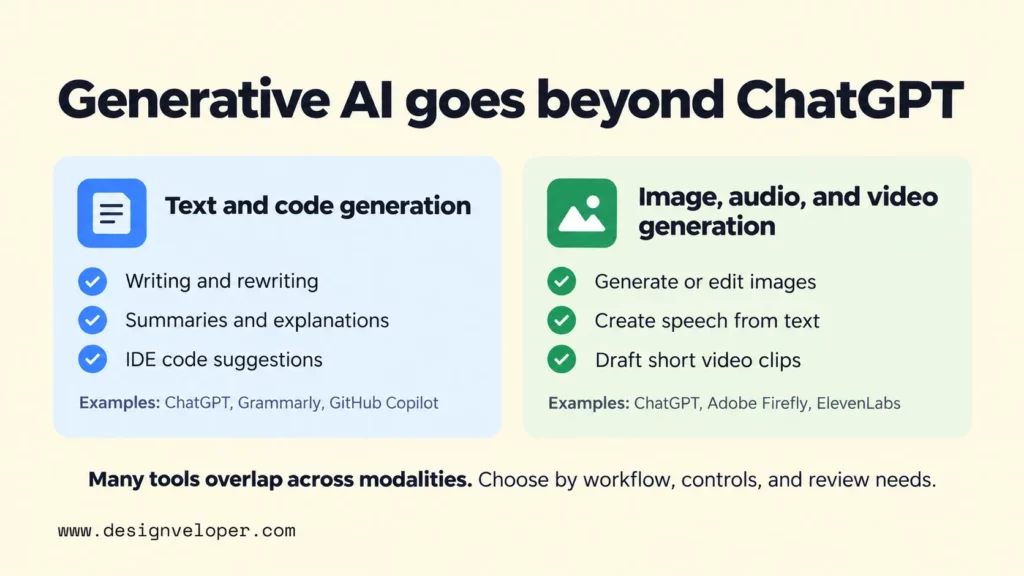
Text generation covers more than an open-ended chat. Some tools sit inside the documents, messages, and applications people already use. Others help developers write code in an editor. The difference is where the AI receives context and where a person reviews the output.
- Writing and rewriting: Grammarly can draft text, rewrite passages, and help adjust tone inside writing workflows. This can suit a communications team that wants suggestions while editing rather than switching to a separate chat. Its generative AI writing features describe these functions.
- Summaries and explanations: A generative assistant can turn a long report into a shorter account or explain unfamiliar terms. The person using it still needs to compare important claims against the original document. A fluent summary can leave out a condition that changes the decision.
- Code suggestions: GitHub Copilot provides code suggestions inside supported development environments. Its IDE documentation explains inline and next-edit suggestions. Developers can accept suggestions where they are working, then review and test the code before using it.
Consider a team maintaining an online store. ChatGPT might explain a bug report and help plan the fix. An editor-based coding assistant might suggest the change while a developer works in the project. Neither output is automatically correct. Tests, security checks, and review remain necessary, especially when the suggested code touches payments or customer data.
For IDE-based coding work, our comparison of AI tools for developers explains how to assess editor integration and code review.
Image, Audio, And Video Generation
Media-generation tools create or transform visual and sound assets. They often provide controls that matter to creative teams, such as editing a selected area, choosing a voice, or setting the shape of a video. Some products now cover several media types, so these categories describe tasks rather than exclusive product boundaries.
- Images and visual concepts: Adobe Firefly can generate and edit images. A designer might use it to explore directions for an advertising concept, then refine the chosen work against a brand guide.
- Speech and narration: ElevenLabs can turn written text into generated speech. A learning team might test narration for training material and check pronunciation, consent, and the permitted use of voices.
- Video clips: Adobe Firefly also supports video generation and editing. A campaign team might create short draft scenes before deciding what needs filming or professional post-production.
These examples reflect the providers’ current Firefly product description and ElevenLabs text-to-speech page. They are examples of capability, not a ranking or a claim that one provider produces the best result. Features, access limits, and usage rights can differ by plan and change over time.
Choose ChatGPT Or A Specialized Generative AI Tool By Task
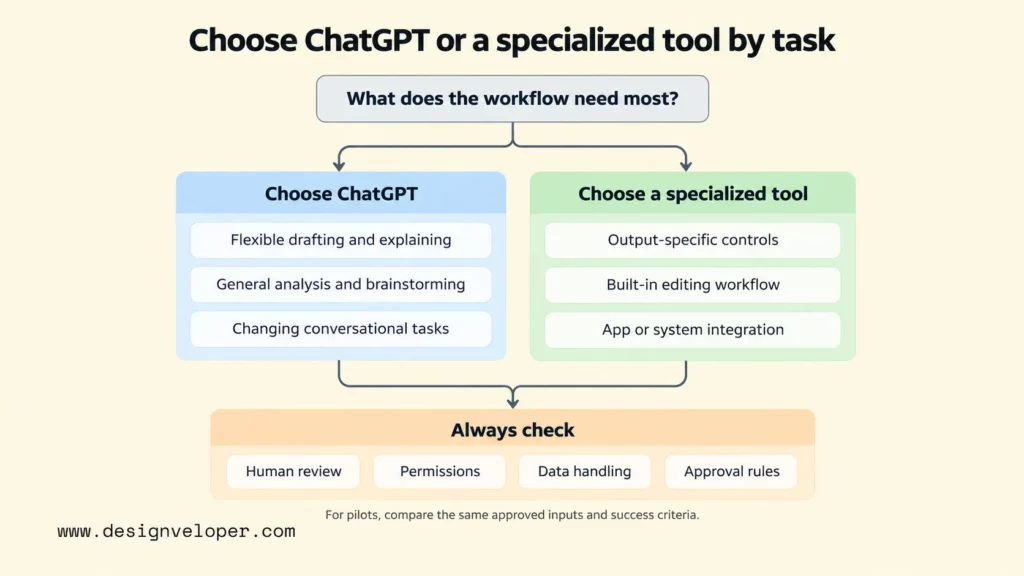
Choose ChatGPT for changing conversational tasks. And choose a specialized product when the output format, editing workflow, or integration requirements matter more than having a general chat interface.
Use ChatGPT For General Conversational Workflows
ChatGPT makes sense when people need to move between questions, drafts, explanations, and analysis without designing a new application for every request. For example, a product manager might upload an approved feature brief, ask for a clearer summary, compare open questions, and prepare a draft message for the engineering team. The same conversation can carry useful context from one step to the next.
Supported file and data features can extend this work. An analyst might upload a spreadsheet and ask ChatGPT to examine trends, while a support lead might summarize a set of anonymized customer questions. OpenAI’s file-upload guidance explains the supported file tasks and notes that availability depends on plans and settings. Teams should check the tools that are actually enabled for their workspace before setting a process around them.
Research requires another check. ChatGPT can search for newer information in supported experiences, but an answer without a source is not evidence. Even a cited response needs someone to inspect the cited page when the decision is important. OpenAI’s guidance on inaccurate answers warns that ChatGPT can produce mistakes and invented references. It is better used to prepare a decision than to approve its own work.
A broad assistant is less attractive when its convenience creates extra manual steps. If a designer must export every result into another editor, or a developer must copy suggestions into an IDE, a purpose-built tool may save effort. The decision should include the time spent transferring work and reviewing results, not just the apparent quality of the first answer.
Choose Specialized Tools For Modality-Specific Or Embedded Workflows
A specialized generative AI tool is often a better fit when the work needs controls that a general chat interface cannot provide conveniently. A video editor may need scene-by-scene adjustments. A developer may need code suggestions tied to the current file. A customer-service team may need a system that identifies an account, checks permissions, and records the result of an approved action.
Use five practical questions to compare products. First, can the tool produce the required output at an acceptable quality? Next, can people edit and review that output within their usual workflow? Does the tool connect to the necessary data and software? Do its privacy settings, permissions, and usage terms fit the information involved? Finally, who checks the result and handles errors? These questions often reveal a poor fit before a team commits to an integration.
An invoice assistant illustrates the difference between creating a response and completing a business task. Our published generative AI overview describes assistant capabilities such as conversational actions, optical character recognition (OCR), workflow support, and personalization. In this hypothetical scenario, not a documented Designveloper project, an employee uploads a scanned invoice. OCR extracts the supplier, date, and total, and an assistant drafts the next step. The business application must check the employee’s permissions and require human approval before changing a financial record. Our guide to AI chatbot integration explains why these controls belong to the surrounding system. We have not published a result for this particular invoice workflow.
Do not enter passwords, API keys, payment details, or identifiable customer or employee records into a personal AI account for work. For confidential tasks, use only an organization-approved tool and confirm its data retention, sharing rules, access permissions, and contractual terms. Disabling model training or choosing Temporary Chat does not by itself make restricted information safe to share. Removing names alone may still leave a document identifiable. OpenAI explains that ChatGPT data controls depend on the account and workspace. Its enterprise privacy commitments describe separate default training protections for business offerings. Always follow your organization’s data policy.
Start with one real, low-risk task. Before testing, agree on approved inputs and acceptance thresholds for output accuracy, human correction time, latency, integration effort, total cost, and data handling. Test ChatGPT and a suitable specialist against the same requirements. Record failures rather than deciding which tool should win in advance. Even an accurate tool is unsuitable if it cannot meet the workflow’s permissions or approval rules. Begin with a general assistant for flexible work; choose a specialized product or controlled integration when the task demands one.
Also published on

Share post on










Related Articles


How To Build And Use AI Business Process Automation Effectively
How To Build And Use AI Business Process Automation Effectively Published October 27, 2026
AI Agents Vs. RPA: How To Choose The Right Fit For Your Workflow
AI Agents Vs. RPA: How To Choose The Right Fit For Your Workflow Published October 23, 2026
AI Proof Of Concept Development: How To Test Before You Scale
AI Proof Of Concept Development: How To Test Before You Scale Published October 22, 2026


















