


















A website is always the first option for many companies that want to go online effectively. It connects them with target customers through organic search and shows their professionalism. But relying only on a website is not always a good way to guarantee engagement, especially in the era when people expect speed and offline access. That’s when many companies think of how to build a mobile app from a website.
If you consider converting your existing website into a mobile app, you’ve come to the right place. Here, we’ll walk you through everything you need to know. They include benefits, methods, tools, steps, and costs of turning a website into a mobile app. Keep reading!
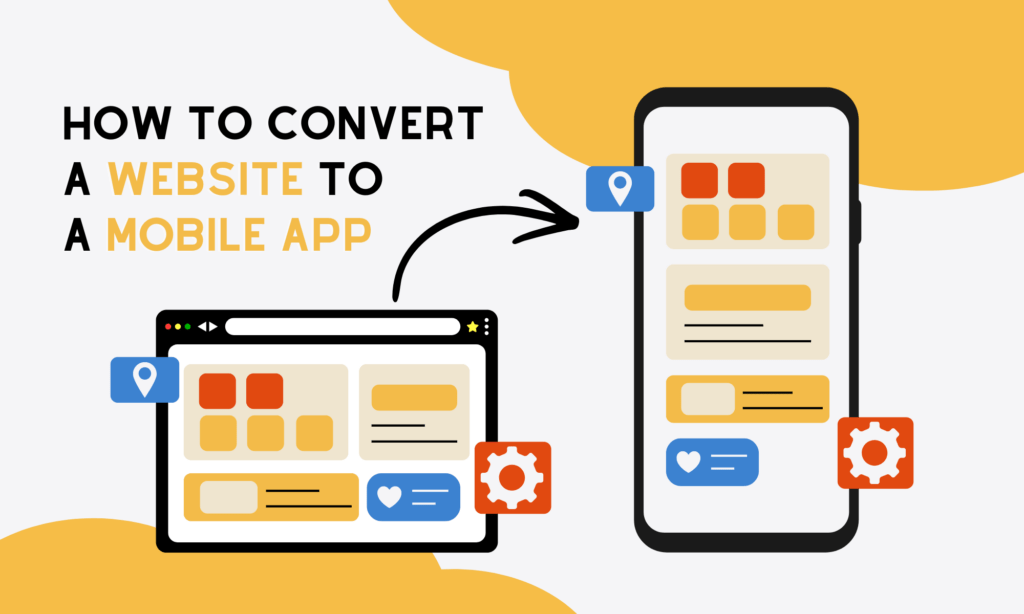
Top Benefits of Converting Your Website to a Mobile App
Mobile app development is booming. It’s forecast to reach nearly $378 billion by 2026, fueled largely by the rising adoption of smart gadgets and faster internet connectivity.
On the surface, those trends seem like obvious reasons to jump in. But are they, honestly, strong enough motivations to turn a website into an app? Not exactly. Many businesses convert their websites into mobile apps for the following tangible advantages:
- Push Notifications
This is the most direct and effective marketing channel available today. Push notifications land straight on a user’s screen, delivering them personal offers or reminding them of the apps they may forget. This way increases the likelihood of opening an app because the message feels immediate and personal.
- Offline Access
Mobile apps allow users to access certain features or content even without an internet connection. That basic functionality is something your users truly value. Accordingly, they can browse saved items, view past orders, and read downloaded content in offline mode. Meanwhile, websites rely heavily on connectivity, so signal drops can break the experience.
- App Store Presence
Being listed on app stores adds credibility for your business. Plus, app stores help new customers find your brand simply by browsing or searching within the ecosystem.
- Enhanced User Experience (UX)
Mobile apps are built specifically for touch and swipe interactions. Therefore, their interfaces feel smoother, faster, and more intuitive. While responsive websites try to adapt, they rarely perform as seamlessly as a mobile app because they still depend on internet connectivity.
FURTHER READING: |
1. The Different Types of App: An In-Depth Guide |
2. What is Hybrid App Development? |
3. Cloud-Native Applications: Unlocking the Power of the Cloud |
4 Methods to Build a Mobile App from a Website

So, how exactly do you turn an existing website into a mobile app? Below are four common methods to consider:
- Progressive Web App (PWA)
A PWA is a digital solution that lives on browsers like a website but behaves like an app. Accordingly, users can install it on their home screen from the browser and access certain features offline.
The big advantage of PWAs is that they’re quite affordable and don’t require approval from the App Store or Google Play. But they also come with downsides. Because PWAs aren’t truly listed on app marketplaces, you may miss new customers on stores and some native device capabilities.
- WebView Wrapper App
This may be the most popular shortcut to build a mobile app from a website. Particularly, a WebView app “wraps” your existing website inside a native app shell, which allows you to publish it on app stores quickly.
Many people consider this approach convenient because they can reuse their current websites almost entirely. This translates to lower cost and faster launch. If your website is already mobile-optimized and you mainly want store presence plus push notifications, this approach is for you.
- Hybrid App (Reuse Backend, Build Mobile Frontend)
Instead of building from scratch, you’ll keep your existing backend and APIs but create a dedicated mobile frontend using frameworks like React Native or Flutter. This is the best option in case you need a smoother UX and better performance than a WebView can offer but don’t want to rebuild everything from scratch.
- Native App (Full Rebuild)
This is the most resource-intensive option because you have to rebuild the app entirely for iOS or Android. The approach is necessary only when performance is crucial, or when your app relies heavily on hardware features like camera processing or GPS tracking.
Best Tools and Platforms to Build Mobile Apps from Websites
Accompanying with these methods are the right tools to build a mobile app from an existing website.
- No-code Converters
These platforms let you convert a website into an app without touching code. Some common tools like AppMySite, Mobiloud, and GoNative, accordingly, help shop owners and bloggers build mobile apps quickly from websites.
So, the benefits are obvious: fast setup, low upfront cost, and minimal technical skills required. But these tools enable limited customization. If your business grows beyond basic features, these tools don’t help optimize performance and facilitate scaling.
- Developer Frameworks
Technical teams often use developer frameworks like Capacitor, Apache Cordova, and Flutter. Accordingly, tools like Capacitor and Apache Cordova wrap the existing web code in a native shell and distribute the package through app stores.
Besides, your development team can use Flutter (a cross-platform UI toolkit), coupled with its Dart programming language and Skia rendering engine, to rebuild the UI. Meanwhile, you can still reuse backend APIs. Using Flutter, you can create a mobile app with superior performance and smoother animations than Capacitor and Cordova. But it requires development resources and longer timelines.
- Custom Services (Software Agency)
If you’re thinking long-term, hiring a software agency is often the more sustainable move. A professional team evaluates your current website architecture, business goals, and growth roadmap before recommending the right tech stack. That’s how Designveloper helps many clients build a mobile app from an existing website.
As a leading mobile app development company in Vietnam, we provide end-to-end services from technical consulting to UI/UX design and deployment. Our highly skilled team helps various businesses convert websites into mobile apps efficiently and at an affordable cost, while ensuring on-time delivery and scalability. Contact us if you’re looking for a reliable, experienced partner to transform your website into an app.
Step-by-Step Process to Build a Mobile App from Your Website
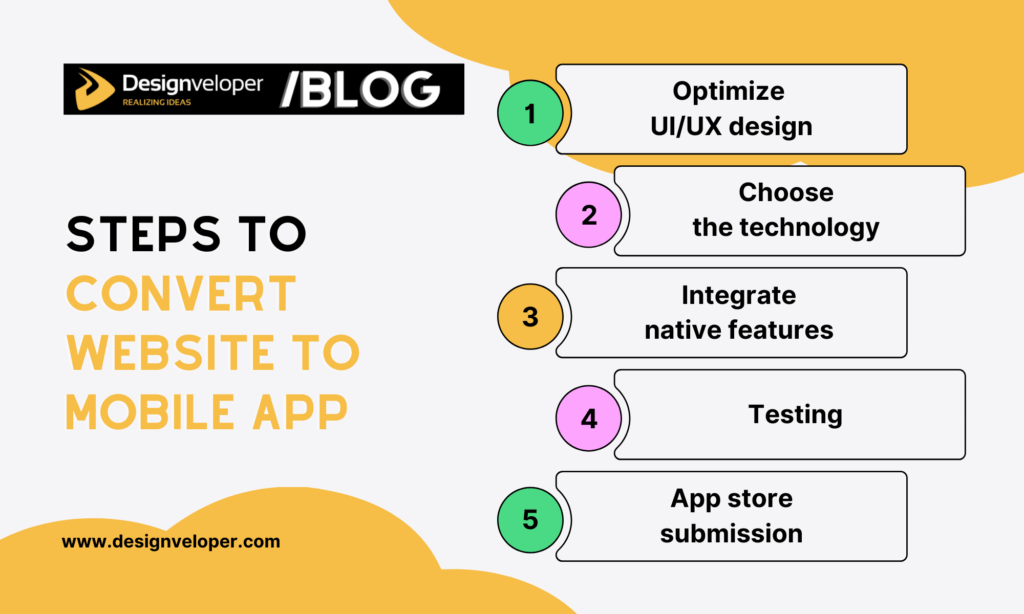
Turning a website into a mobile app is like building an app from scratch. You should have a structured process for the development team to follow. This way, you can ensure everything goes on the right track and avoid unexpected delays. Below are the typical steps to follow:
- UI/UX Optimization
Before anything else, the website must be optimized for mobile standards. However, UI/UX optimization doesn’t just mean reducing the size and content to fit a smaller screen. Your team must also review layouts, font sizes, button spacing, and loading speed to restructure navigation, simplify flows, and remove clutter. This way makes the mobile-based experience more natural and seamless.
- Choosing the Technology
Next, choose the right approach: WebView or Hybrid. If speed and budget are priorities, a WebView wrapper might be enough. But if your business requires better performance and smoother interaction, you should pick a hybrid framework. Your choice is important because it shapes the development timeline and cost.
- Integrating Native Features
Now, developers integrate native functionalities such as camera access, GPS tracking, and push notifications. These features connect your platform more directly to users’ daily habits, which traditional websites simply can’t fully replicate.
- Testing
Does your converted mobile app truly work? To answer this question, your team need consider testing the app across devices and operating systems, including iOS and Android. Testing is crucial because it helps you check whether all the functions work as planned and identify bugs that may cause big problems for users.
- App Store Submission
When testing is done, it’s time for your team to prepare app store assets, ensure compliance with platform guidelines, and submit the app for review.
How Much Does It Cost To Convert A Website to a Mobile App?
Your business definitely wants to calculate the possible cost of building a mobile app from an existing website. And many companies also have the same consideration as you.
But it’s hard to give you an exact number because the cost varies widely depending on the method you choose, required features, the website’s complexity, and even scalability goals. Accordingly, a simple content-based website will be cheaper than a complex site.
However, you can glance at rough estimates below for reference:
| Method | Estimated Costs | Factors Affecting Costs | Best For |
| DIY / No-Code Converters | $500 – $3,000 | Subscription fees, plugin limitations, feature add-ons | Bloggers, small shop owners, MVP testing |
| Hybrid Wrapper Approach | $3,000 – $15,000 | UI customization, API integration, native feature additions | SMEs requiring better UX and app store presence |
| Custom Development | $15,000 – $50,000+ | Backend restructuring, advanced features, performance optimization, multi-platform development | Enterprises, scalable products, complex systems |
If you want a precise estimate tailored to your business model and technical requirements, it’s best to consult with professionals. For detailed cost analysis and strategic advice, consider contacting Designveloper. Their team can evaluate your website and propose an affordable solution that ensures both performance and on-time delivery.
FAQs about Build Mobile App From A Website
Can You Really Build a Mobile App from a Website for Free?
Technically yes, but with limitations. Some no-code converters allow you create a simple app version of your website. However, publishing to app stores, removing branding, adding push notifications, or unlocking advanced features often requires a paid plan or a dedicated development team.
How Long Does It Take to Convert a Website into a Mobile App?
It depends on your method, technical skills, and the project’s complexity. A simple WebView wrapper might take 2-4 weeks, if your website is already mobile-optimized. Meanwhile, a hybrid or more customized solution can require 1-3 months, especially if you want to adjust the user interface (UI) and integrate native features.
Do I Need to Rebuild My Backend?
In most cases, no. If your website already has a well-structured backend and APIs, developers can reuse it for the mobile app. That’s actually one of the biggest advantages of converting instead of rebuilding from scratch. However, if your system isn’t optimized for mobile performance or lacks API support, developers have to adjust the backend. This doesn’t mean rebuilding the backend from scratch but partially restructuring it to fit the mobile app.
Also published on

Share post on










Read more topics












You may also like


Convert Website to Mobile App: Cost, Methods, Best Approach
Convert Website to Mobile App: Cost, Methods, Best Approach Published March 02, 2026
Top 50 Trending Apps in 2026 (New Updated)
Top 50 Trending Apps in 2026 (New Updated) Published March 02, 2026
18 Best Productivity Apps to Organize Tasks, Time and Attention
18 Best Productivity Apps to Organize Tasks, Time and Attention Published February 24, 2026









