
















Jira And Agile Project Management: Complete Guide For Agile Teams

KEY TAKEAWAYS:
- Jira helps Agile teams organize work through boards, backlogs, reporting, and workflow control, making it easier to manage both sprint-based and flow-based delivery.
- Its strongest Agile support usually appears in Scrum planning, Kanban visibility, issue hierarchy, sprint tracking, and automation rather than in simple task lists alone.
- Teams get the best results when they keep Jira simple, consistent, and aligned with their real workflow instead of over-configuring every status, rule, and board.
- Jira can work for both small and large Agile teams, but success depends more on good backlog hygiene, realistic sprint planning, and clear usage rules than on the tool itself.
When a team starts a project, one of the biggest challenges is deciding how to organize tasks, track progress, and keep everyone aligned without creating unnecessary chaos. That problem becomes even more visible in Agile teams, especially when work is distributed across functions, time zones, or delivery streams.
That is why many teams end up evaluating Agile project management tools, and Jira is usually one of the first names that comes up. This guide explains how Jira supports Agile workflows in practice, how to set it up for Scrum or Kanban teams, where it helps most, and what teams should avoid if they want the tool to stay useful.
Related reading:
- What Is SCRUM And How Does It Work?
- Agile Vs. Waterfall Vs. Scrum Vs. Kanban: Key Differences
- What Is Agile Project Management? Benefits & Best Practices
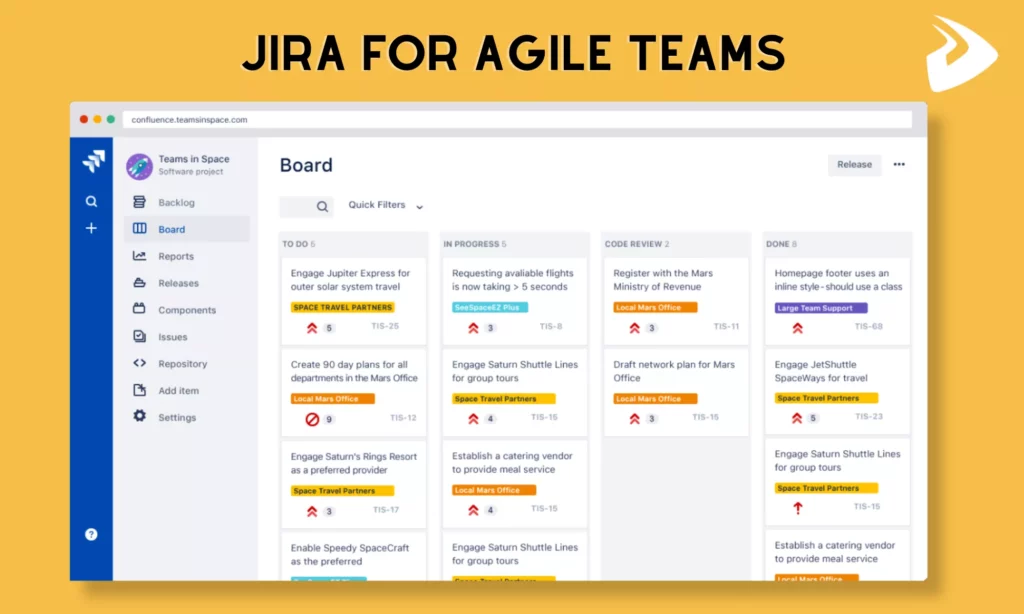
What Is Jira And Agile Project Management?
Before looking at Jira itself, it helps to clarify what Agile project management means and why software teams need a tool like this in the first place.
What Agile Project Management Means
Agile project management applies the Agile mindset to planning, delivery, and collaboration. Instead of trying to define every requirement upfront, teams work in smaller iterations or sprints, ship usable increments early, collect feedback, and adapt as the product evolves.
That approach values flexibility over rigid long-range planning. Teams break large initiatives into smaller work items, manage them through short delivery cycles, and keep adjusting based on real user needs, changing priorities, and delivery constraints. If you want the broader foundation behind that model, it helps to understand what Agile software development means in practice before thinking about tooling.
Tooling demand reflects that shift. Research Nester projected the global Agile project management software market would reach $6.08 billion by 2026 and continue growing at a 13.5% annual rate through 2035, showing how strongly teams now depend on software support for Agile delivery.
How Jira Supports Agile Teams
Jira, created by Atlassian, started as an issue-tracking tool for software teams and gradually evolved into a broader project and delivery platform. In Agile environments, what makes Jira useful is not just that it supports Scrum and Kanban, but that it lets teams shape how work moves, who sees it, and how progress is reported.
Inside Jira, teams can manage sprint backlogs, visualize work on boards, estimate effort, track velocity, monitor burndown patterns, and connect day-to-day issues back to larger delivery goals. That gives project leads and product owners more than a task list. It gives them an operating view of how work actually flows.
At delivery companies like Designveloper, Jira is often used to manage sprint backlogs, keep stakeholders aligned through reports, and spot bottlenecks early enough to adjust before those issues become release delays.
Key Aspects Of Agile With Jira
Agile in Jira is not one feature. It shows up through several connected pieces that shape how teams plan, track, and improve work.
Jira Support For Scrum And Kanban
Jira supports the two most common Agile frameworks: Scrum and Kanban. That matters because these two approaches solve different delivery problems.
- For Scrum
Jira provides dedicated Scrum boards where teams can plan sprints, estimate work, manage backlog items, and track progress across short iterations. Teams also get sprint planning, story point estimation, and burndown-style tracking inside the same workspace.
- For Kanban
Kanban focuses less on fixed timeboxes and more on work flowing steadily across stages. Jira supports that model through customizable boards, visible queues, and workflow transitions that help teams see bottlenecks without forcing them into sprint commitments.
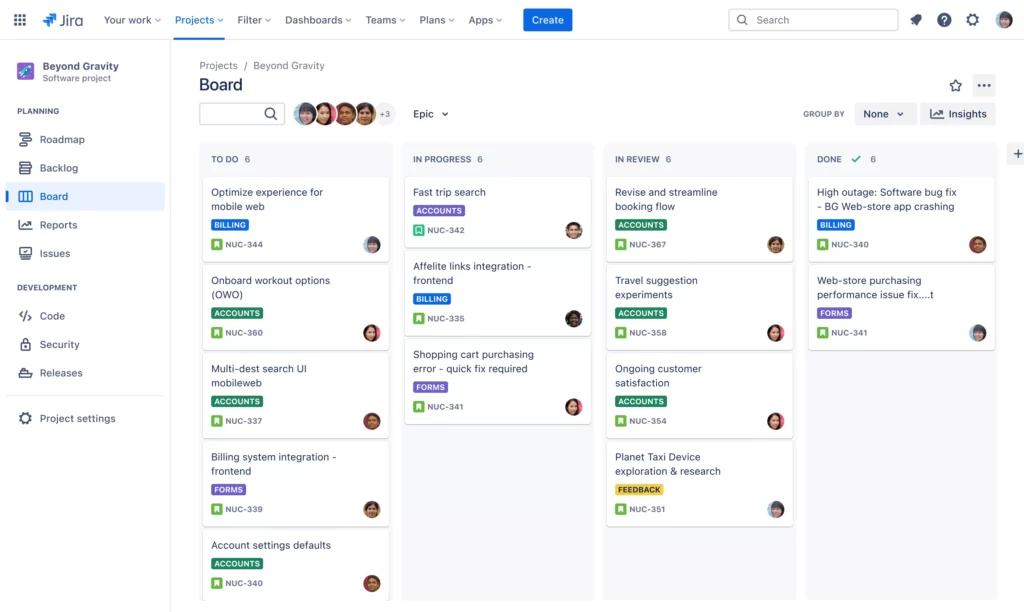
That flexibility is one reason Jira works for different team styles. A team can stay fully Scrum, stay fully Kanban, or combine both into a hybrid workflow when delivery reality requires it. If your team is still choosing between those models, this comparison of Agile vs Kanban vs Waterfall helps clarify the tradeoffs.
Work Hierarchy In Jira: Epics, Stories, Tasks, And Sub-Tasks
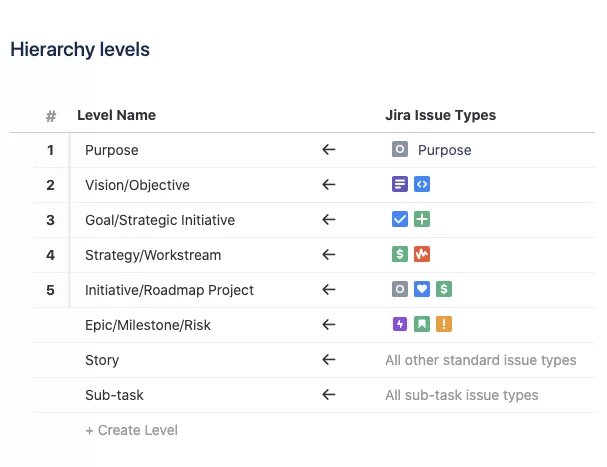
Agile work is rarely one flat list of tasks. Teams usually need a hierarchy that starts with larger initiatives and breaks them into smaller, actionable units. Jira supports that structure through epics, stories, tasks, and sub-tasks.
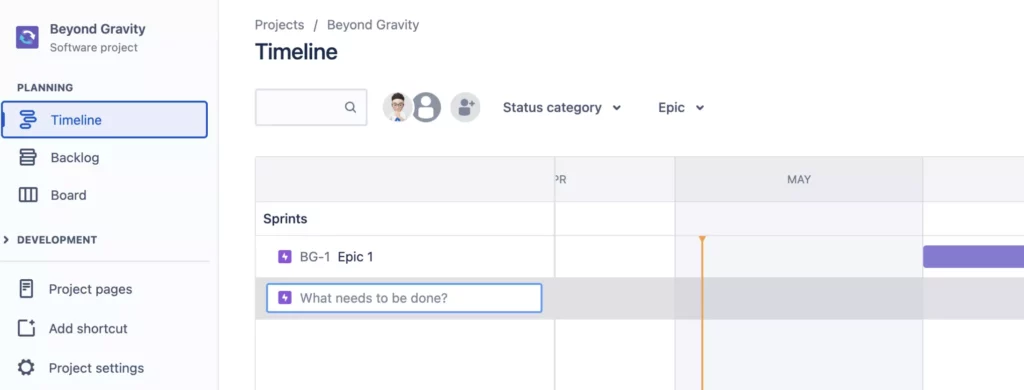
This structure helps teams manage complexity without losing the bigger picture. An epic can span multiple sprints, while stories and tasks bring that work into sprint-level planning. Jira then links everything together so a small sub-task can still be traced back to the broader product initiative. That is why it also fits well with topics like What Is An Epic In Agile? and story-level delivery planning.
Jira also adds visibility on top of that hierarchy through epic reports, backlog panels, and planning views, which makes it easier to see how much work remains and where progress is slowing down.
Agile Boards For Visibility And Workflow Transparency
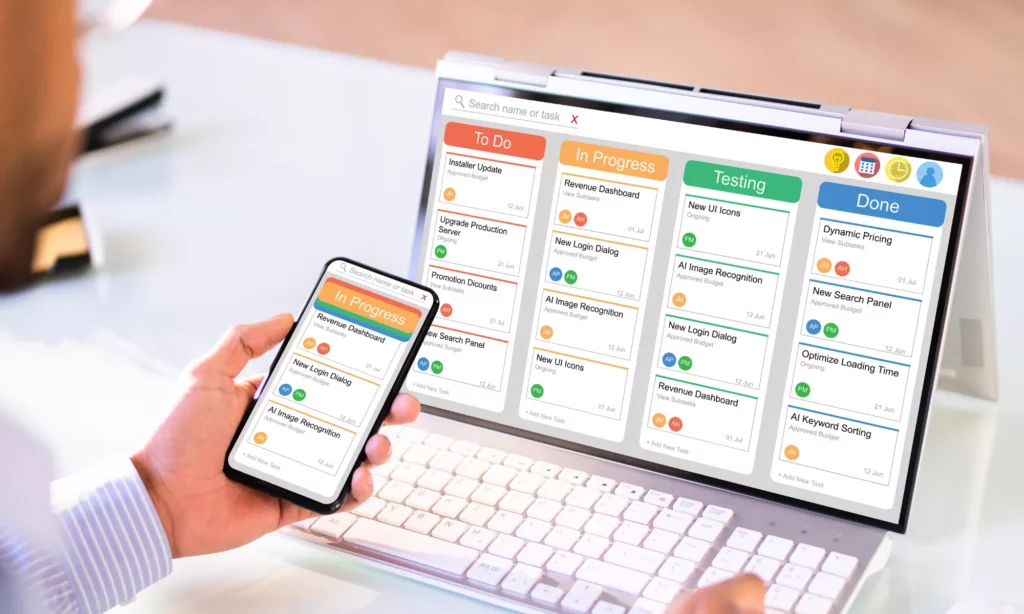
Boards are one of Jira’s most practical Agile features because they turn workflow status into something the whole team can see immediately. Instead of chasing updates across chats or meetings, team members can look at the board and understand what is in progress, blocked, or finished.
That visibility supports workflow transparency. Developers know what to pick up next, project leads can spot congestion earlier, and stakeholders can check status without interrupting the team constantly. For distributed teams, that shared visual layer is often more valuable than another status meeting.
See more:
- Story Points in Agile and How to Estimate Them Effectively
- What Is Velocity In Agile? Formula, Examples, And Common Mistakes
- Agile Sprint Cycle: Definition, Execution, and Steps Explained
Core Jira Features For Agile Project Management
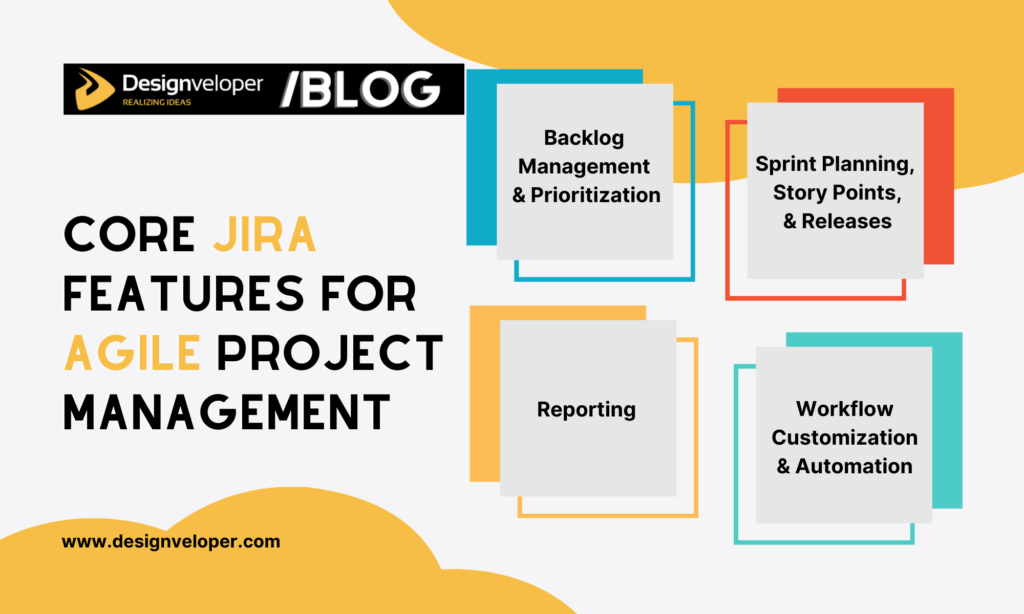
Once the Agile basics are in place, Jira’s day-to-day value comes from a few core capabilities that teams use constantly: backlog control, sprint planning, reporting, and workflow automation.
Backlog Management And Prioritization
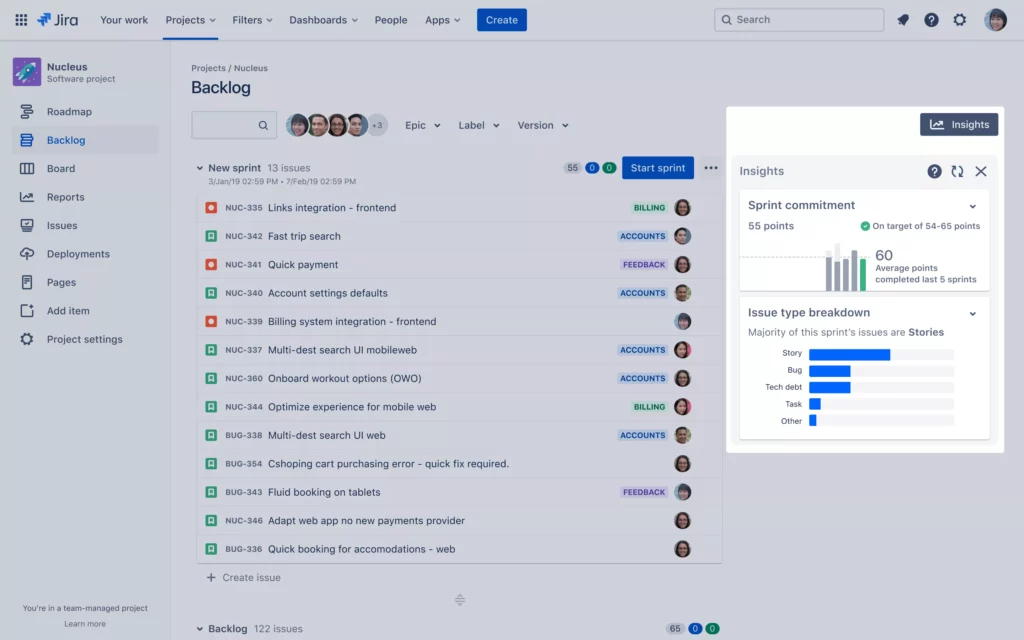
Jira’s backlog view helps teams stay organized beyond the current sprint. Product owners and project leads can create issues, group work under epics, reorder priorities, and keep future work visible without losing sight of the active sprint.
That backlog discipline matters because Agile teams do not only need execution speed. They also need clarity about what comes next, what has become stale, and which work actually supports current product goals.
Sprint Planning, Story Points, And Releases
For Scrum teams, Jira supports sprint creation, issue assignment, planning around sprint goals, and effort estimation through story points. That makes it easier to move from a large backlog into a realistic sprint commitment.
Issues can also be grouped into versions or releases so teams can track larger delivery milestones, not just individual sprint output. This connects sprint execution back to product delivery planning more clearly.
These features become more useful when a team already understands how user stories work in Agile and how estimation supports sprint planning rather than replacing judgment.
Reporting With Burndown Charts, Velocity Charts, And Epic Reports
Jira also helps teams understand performance through built-in reports. Burndown charts show how work is trending inside a sprint, velocity charts show how much work teams complete over time, and epic reports show whether larger initiatives are moving as expected.
These reports are useful because they turn delivery patterns into something more observable. A team can see if scope is expanding, if estimation is unstable, or if work is consistently dragging across sprints. Used well, that reporting supports planning rather than becoming surveillance.
Workflow Customization And Automation
One of Jira’s biggest strengths is that teams can shape workflows instead of accepting one rigid process. Statuses, transitions, conditions, and validators can be adapted to reflect how work actually moves through design, development, QA, and release.
Jira also supports automation rules that reduce repetitive work. Teams can auto-assign issues, sync related statuses, close parent tasks, or move unfinished work based on pre-defined rules. Atlassian also provides an automation template library that teams can adapt instead of building every rule from scratch.
The key is not to automate everything. Good automation removes repetitive friction. Bad automation hides process confusion under more rules.
How To Set Up Jira For Agile Teams
Setting Jira up well matters almost as much as choosing Jira in the first place. A clean setup gives the team clarity. A messy setup creates noise from day one.
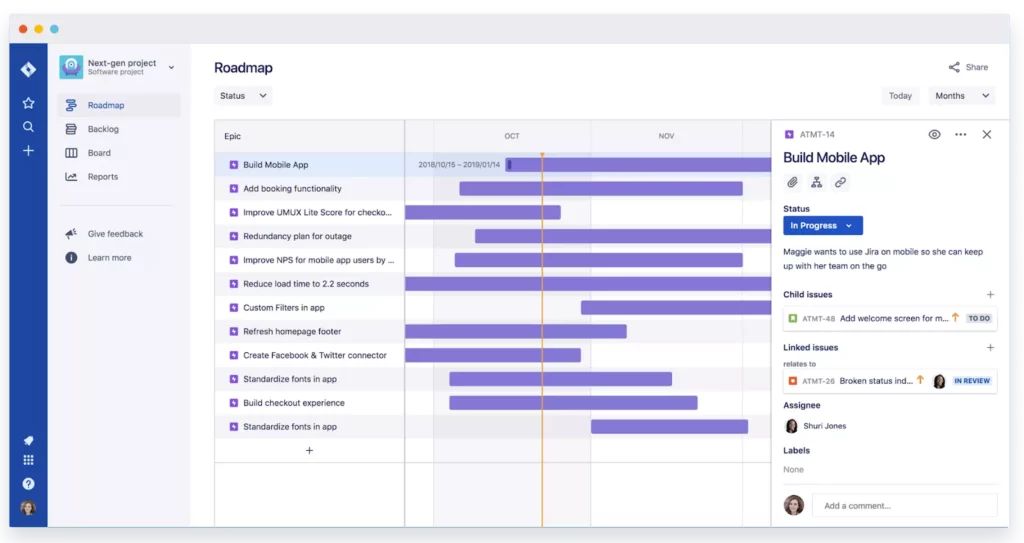
Create A Scrum Or Kanban Project
The first decision is whether the project should start as Scrum or Kanban. Scrum projects usually include backlog and sprint features by default, while Kanban projects focus more on flow and board-based visibility.
Teams also need to decide between team-managed and company-managed projects. Team-managed setups are simpler and faster for smaller teams. Company-managed projects offer more control, but they also require more initial configuration.
Configure Workflows And Issue Types
After the project exists, the next step is aligning issue types and workflow stages with the real work. That includes choosing whether the team truly needs statuses such as Code Review or Ready for QA, or whether simpler stages like To Do, In Progress, and Done already cover the workflow well enough.
Issue types matter too. Stories, tasks, bugs, and epics should be used consistently so reporting stays meaningful and backlog structure does not become ambiguous.
Build, Refine, And Prioritize The Backlog
Once structure is in place, the backlog becomes the main planning surface. Teams can create work items, group them under epics, estimate them, and reorder them based on actual priority. Strong backlog refinement is what keeps Jira useful instead of letting it become a storage bin for half-defined ideas.
Further reading:
- What Pair Programming Means In The Age Of AI Pair Programmers
- Agile Vs Scrum: What’s the Difference and When to Use Each?
- The 12 Agile Principles and 4 Agile Values of the Agile Manifesto
How To Use Jira In Scrum And Kanban Teams
Jira’s value changes slightly depending on whether the team is using Scrum, Kanban, or a hybrid approach. The tool supports all three, but teams should still choose the setup that matches how work actually arrives and gets completed.
Using Jira For Scrum Planning And Sprint Execution
Scrum in Jira works best when the team wants structured planning, time-boxed work, and clear sprint goals. Teams start in the backlog, create a sprint, pull selected issues into it, and then track progress on the Scrum board as work moves across columns.
During the sprint, burndown and board status help the team understand whether the commitment still looks realistic. At the end, incomplete work can return to the backlog or move into the next sprint, depending on team practice.
Using Jira For Kanban Flow Management
Kanban in Jira works better when the team handles ongoing work, support tickets, maintenance, or highly variable priorities. Instead of sprint ceremonies, the team relies on board visibility, queue control, and workflow stages to manage continuous flow.
That makes Jira useful for teams that need flexibility over fixed planning windows. The board becomes the center of work, and cumulative flow patterns help teams see whether throughput is healthy or blocked.
Choosing The Right Jira Setup For Your Team
Scrum is usually the better Jira setup when the team works toward defined releases, benefits from retrospectives, and can break work into reasonably predictable sprint-sized units.
Kanban is often better when work arrives unpredictably, support requests interrupt planned work, or continuous delivery matters more than sprint targets. Some teams also use a hybrid setup, especially when they want sprint structure but still need flexibility for urgent work.
Pros And Cons Of Using Jira For Agile
Jira is powerful, but that does not mean it is effortless. Understanding both the strengths and the friction points makes adoption decisions more realistic.

Benefits Of Jira For Agile Project Management
- Strong Scrum and Kanban support: Teams can run either framework without needing a separate platform.
- Flexible workflows and automation: Jira can adapt to how work actually moves instead of forcing one generic status model.
- Powerful backlog control: It helps teams plan, reorder, and track work clearly across sprints and releases.
- Useful reporting: Burndown, velocity, and flow-style reporting help teams make planning decisions from delivery history.
- Scalability: Jira can support small teams and grow into larger multi-team delivery environments.
Common Challenges For Beginners
- Steep learning curve: New users often struggle with issue types, workflow logic, reporting, and project setup choices.
- Too many features upfront: Teams can easily overcomplicate their setup before they understand what they really need.
- Inconsistent usage: If the team has no shared Jira rules, one person’s clean workflow becomes another person’s cluttered backlog.
- Process overload: Some teams end up serving the tool instead of using the tool to support delivery.
How Over-Configuration Can Slow Teams Down
Over-configuration is one of the most common Jira mistakes. Too many statuses, too many approval steps, too many manual fields, or too much hierarchy can make the workflow slower than the work itself.
The safer pattern is to start with the smallest workflow that supports the team’s real needs, then add complexity only when an actual bottleneck proves it is necessary. That mindset keeps Jira closer to an Agile tool and farther from a bureaucratic system.
Best Practices For Using Jira In Agile Teams
Jira works best when teams treat it as a support system for delivery, not as the delivery process itself.
- Define clear sprint goals. A sprint should have a meaningful objective, not just a pile of unrelated tickets.
- Keep workflows simple. Start with only the stages the team truly uses, then expand only if a real workflow gap appears.
- Break work into smaller stories. Smaller issues are easier to estimate, track, and complete inside one delivery cycle.
- Use automation selectively. Automate repetitive work, but do not hide process confusion behind more rules.
- Review backlog hygiene regularly. A clean backlog is one of the biggest reasons Jira stays useful over time.
Continue reading:
- DevOps Best Practices: 10 Ways To Improve Speed And Reliability
- What Is An Agile Framework? Definition, Types And Examples
- Custom Software Development: How It Can Drive Your Business Growth
FAQs About Jira And Agile
Is Jira Good For Agile Project Management?
Yes. Jira is one of the strongest tools for Agile project management because it supports Scrum boards, Kanban boards, backlog planning, sprint tracking, and delivery reporting in one system. It becomes especially useful when teams need more visibility and workflow control than a simple task app can provide.
Is Jira Better For Scrum Or Kanban?
Jira works well for both, but many teams feel its strongest built-in experience is around Scrum because of the backlog view, sprint planning tools, and sprint-based reports. Still, Kanban teams also benefit from Jira when they need strong workflow visibility and customization.
How Do Agile Teams Use Jira Every Day?
Agile teams use Jira as a shared operational workspace. Developers move issues across workflow stages, product owners refine backlog priorities, project leads monitor progress, and teams use the board during daily coordination and review discussions.
What Are The Most Useful Jira Reports?
Burndown charts, velocity charts, cumulative flow diagrams, and epic reports are usually the most useful. Together, they give teams both sprint-level and longer-horizon visibility into how work is progressing.
Can Small Teams Use Jira Effectively?
Yes. Small teams can still use Jira effectively, especially when they keep the setup simple. The tool becomes much heavier only when teams over-configure workflows or introduce more process detail than their size actually needs.
Conclusion
Jira is a strong Agile project management tool because it helps teams plan work, visualize flow, track delivery patterns, and adapt workflows without losing structure. Its real value appears when the team uses it to support delivery decisions, not when it becomes another system to maintain for its own sake.
For software teams, that usually means keeping Jira simple, consistent, and aligned with the actual delivery model. In broader software development services work, that kind of discipline matters because delivery visibility, backlog quality, and release rhythm all shape product outcomes.
At Designveloper, Jira is most useful when it supports a larger Agile system built around Scrum, Kanban, reporting clarity, and practical delivery habits. That is what turns the tool from a board full of tickets into something that genuinely helps teams ship better software.
Also published on

Share post on










Related Articles



Can ChatGPT Create an App? What It Can Build and What to Check
Can ChatGPT Create an App? What It Can Build and What to Check Published September 30, 2026
Best Open-Source Vector Database In 2026: 10 Options Compared
Best Open-Source Vector Database In 2026: 10 Options Compared Published September 29, 2026
Agile vs DevOps: Key Differences and How They Work Together
Agile vs DevOps: Key Differences and How They Work Together Published September 29, 2026



















