
















What Are Vertical AI Agents? Use Cases, Benefits, And Examples

Vertical AI agents are AI systems built to handle specific tasks in an industry, business function, or workflow. They use relevant information and connected tools to make decisions or take limited actions toward a goal. For a business, the key question is not whether an agent sounds specialized. It is whether the agent can complete a clearly defined job safely and reliably.
Consider an agent that checks invoices against purchase orders and sends exceptions to an accounts payable specialist. Its value comes from knowing the approval rules and working with the right records. That makes it different from a general assistant that can discuss invoices but cannot carry out the company’s actual process.
What Are Vertical AI Agents?
A vertical AI agent is defined by the job it supports, not by a special kind of model. IBM’s overview of vertical AI agents also centers on specific industry or business tasks. It may focus on healthcare claims, legal document review, restaurant orders, or one finance workflow. The agent can use domain rules and approved data to choose a next step. Our guide to AI agents and their business uses explains the broader idea of systems that work toward goals instead of only generating answers.
Vertical AI means AI adapted to a particular field. A vertical AI agent goes further by selecting steps or using tools within that field. It does not have to use a custom-trained model. It may rely on a general model with retrieved documents, business rules, and software connections. Specialization also does not grant full autonomy or guarantee correct results.
How Do Vertical AI Agents Work?
Vertical AI agents turn a defined request into a series of controlled steps. The system combines a model with relevant records, rules, and tools. A human may approve important actions. The precise design depends on whether the task needs an answer, a draft, a system update, or a decision for review.
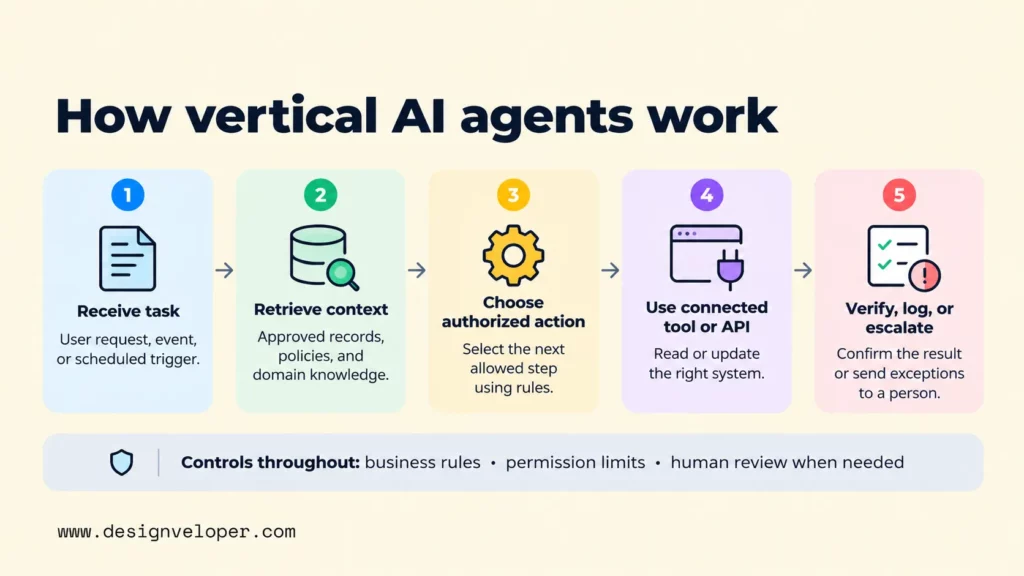
- Receive a task. A user, business event, or scheduled process gives the agent a goal. For example, a new supplier invoice arrives for review. The workflow defines what counts as a completed check and what the agent must not do.
- Retrieve relevant context. The agent reads permitted invoice fields, purchase orders, and approval policies. Retrieval-augmented generation (RAG) can supply current documents without retraining the underlying model. Our guide to building a RAG system covers source quality, access controls, and testing when this approach is needed.
- Choose an authorized next step. The model may suggest matching the invoice, asking for missing information, or flagging a mismatch. Business rules should set hard limits. An agent should not be able to approve a payment merely because its generated explanation sounds convincing.
- Use a connected tool or API. The agent calls a permitted software function to look up a record or save a draft. An application programming interface (API) is a defined way for software systems to exchange data or request actions. The receiving system must enforce the user’s permissions rather than trusting the model to decide who has access.
- Verify, log, or escalate the result. The workflow checks whether the expected record was updated and captures the action taken. Unmatched invoices or high-value approvals go to an authorized person. A failed API call needs a controlled retry or an error state, not an invented success message.
This process is easier to understand as a controlled workflow than as a single intelligent model. The model helps interpret inputs and select among allowed steps. Retrieval provides evidence. Existing software performs durable business actions. Validation and review decide whether those actions are acceptable. An agent needs memory only when previous interactions affect the current job; running it does not automatically train the model.
In practice, the tool connection can be harder than the prompt. Two systems may use different supplier IDs, return partial results, or process the same event twice. Our guide to API integration and failure handling explains why field mapping, permissions, and recovery rules belong in the design. An agent cannot safely finish a task if the systems underneath it disagree about what happened.
Vertical AI Agent Examples Across Industries
Useful vertical AI agent examples share one feature: each has a narrow task with a clear point for human control. The following are illustrative workflow designs, not claims that every industry has deployed these exact systems. The final row is supported by a publicly described customer deployment.
| Industry | Example Task | Human Review Or Control |
|---|---|---|
| Healthcare | Draft a visit summary from approved notes and flag missing information. | A clinician checks the draft before it enters the patient record. |
| Finance | Match an invoice to an order and flag missing or conflicting amounts. | An accounts payable specialist resolves exceptions and approves payment. |
| Legal services | Review a contract against an approved clause library and identify deviations. | A qualified legal reviewer confirms meaning and decides on changes. |
| Manufacturing | Combine sensor alerts with maintenance records to suggest an inspection. | A maintenance lead confirms the action before work is scheduled. |
| Restaurants | Interpret spoken menu requests and prepare a structured drive-thru order. | Customers should confirm order details; staff should handle exceptions. |
Restaurant ordering offers a documented example. In April 2025, Google Cloud described Wendy’s FreshAI as using its Food Ordering AI Agent for drive-thru orders. This is a specific ordering application, not evidence that the system manages every restaurant operation. The useful lesson is to specialize around a process with known inputs, a menu of permitted outputs, and ways to check the result.
A related example from our work helps clarify the boundary. Our Song Nhi personal-finance assistant project describes logging expenses from messages and answering questions about spending reports. It shows how a focused assistant can make a familiar task easier. We do not describe Song Nhi as a verified autonomous vertical AI agent. That label would require evidence that it independently selects and carries out authorized multi-step actions.
These examples also show why the approval point matters more than the industry name. A restaurant customer may confirm an order on a screen. A clinician must judge whether a proposed note reflects the encounter. Both systems can be specialized, but their acceptable errors and review duties are very different.
Vertical Vs. Horizontal AI Agents
The difference between vertical and horizontal AI agents is the scope of work they are built to handle. A vertical agent is tailored to a particular domain or process. A horizontal agent aims to support tasks that recur across many teams or industries. Neither category tells you which model powers the system or how much freedom it has to act.
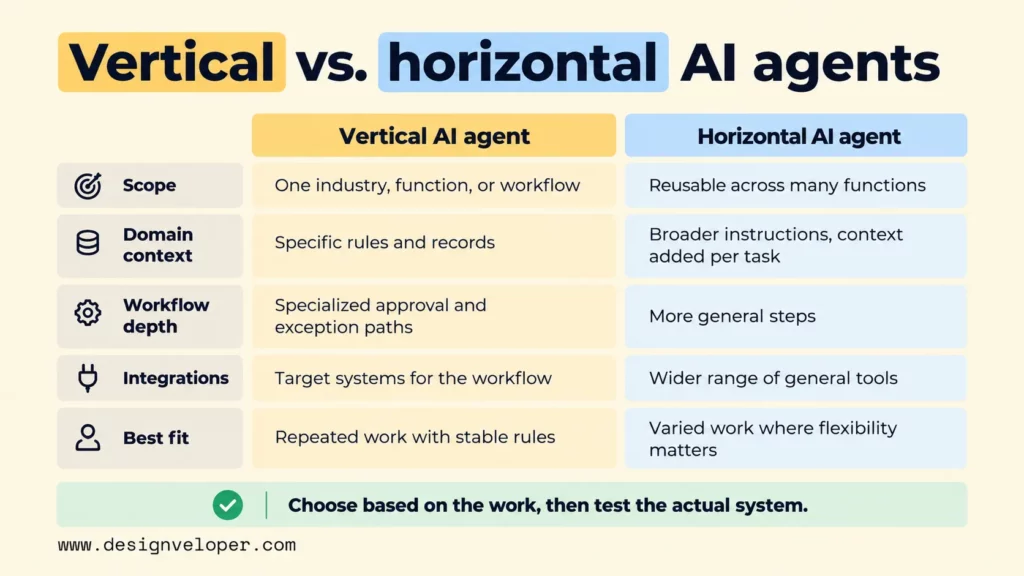
| Dimension | Vertical AI Agent | Horizontal AI Agent |
|---|---|---|
| Scope | One industry, business function, or defined workflow. | Reusable tasks across several functions or industries. |
| Domain context | Uses specific rules, records, and vocabulary for the target job. | Starts with broader instructions and adds context for each task. |
| Workflow depth | May follow specialized approval and exception paths. | Often uses more general task steps that can be adapted. |
| Integrations | Connects to selected systems used in the target process. | May connect to a wider range of general productivity tools. |
| Best fit | Repeated work with stable rules and clear quality checks. | Varied work where flexibility matters more than deep process fit. |
Take an illustrative purchasing team. A horizontal agent could summarize supplier emails and draft replies. A vertical purchasing agent could check approved vendor records, compare a requested amount with a policy, and prepare a purchase request in the correct system. The second job needs more workflow knowledge. It also carries greater risk if the agent writes the wrong record.
That does not make vertical agents inherently more accurate. A general agent with better data and stricter checks may outperform a poorly configured specialist. Some products also blend the two approaches: a broad assistant can send a task to a specialized workflow when needed. Choose based on the work to be done, then test the actual system rather than trusting the category label.
Benefits And Limitations Of Vertical AI Agents
The main benefit of a vertical AI agent is a closer fit between its tools and the work people already do. When the system has the right records and rules, it can produce a useful draft, route an exception, or complete a permitted routine step. This can reduce manual handoffs, but only when the automated result is dependable enough to use.
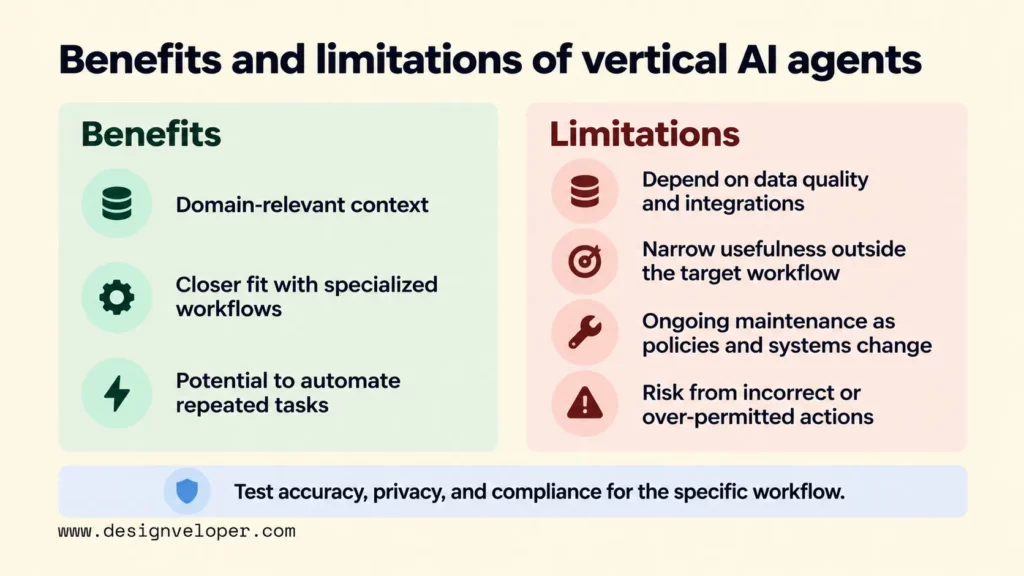
Domain context can make responses more relevant. For instance, an invoice agent can use a company’s current approval policy rather than explain invoice rules in general. That advantage depends on whether the policy is correct, current, and available to the right person. Giving an agent more documents is not the same as giving it trustworthy information.
Specialized workflow design also makes boundaries easier to specify. Teams can name the allowed actions, required fields, exception types, and approval gates for one process. Those controls can be difficult to define for an assistant expected to handle every possible task. A narrow first deployment is therefore often easier to evaluate and improve.
The same narrow focus limits reuse. An agent built for accounts payable will not automatically understand clinical documentation or production equipment. Even within its field, policy changes and new document formats can cause errors. Teams must maintain the underlying data connections and test behavior when those conditions change.
Tool access introduces a more serious limitation: an incorrect suggestion can become an incorrect business action. The OWASP guidance on excessive agency identifies risks from excessive functionality, permissions, and autonomy. For a payment workflow, reading an invoice is much less dangerous than releasing funds. Start with limited access and enforce approval in the connected system, not only in the model’s instructions.
Accuracy, privacy, and compliance are not built-in benefits of specialization. Each depends on the task, the data involved, the applicable obligations, and the controls in place. Healthcare and finance teams, for example, need to decide which records the agent may read and how to review its output. The right test asks whether this workflow meets its requirements under realistic conditions.
How To Choose And Pilot A Vertical AI Agent
Start with one repetitive workflow where success can be checked against a real business outcome. Avoid beginning with a broad promise to automate a department. A better first candidate is invoice matching, where a team can compare the agent’s proposed result with approved records and see when a person had to intervene.
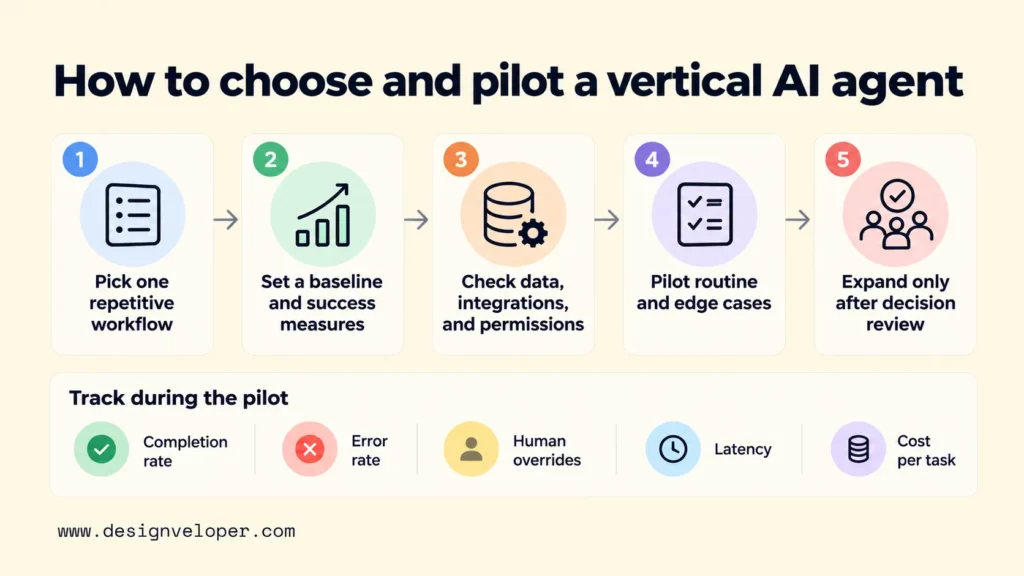
Before choosing a product or building an agent, record how the work performs today. Measure how many cases reach the expected result, how long they take, how often they need correction, and what each completed case costs. Without that baseline, a fast-looking demo cannot show whether the change helps.
- Set the boundary. Write down the trigger, data used, permitted outputs, and person accountable for each decision. Separate read-only help from actions that change a system of record. For an invoice pilot, the agent might draft a match decision but never release a payment.
- Check data and connections. Test whether the records have reliable identifiers and whether the agent can access only the information it needs. Check API behavior for timeouts, missing fields, repeated requests, and failed writes. Integration effort may decide whether a packaged tool is sufficient or custom work is necessary.
- Design exceptions before automation. Name the cases that must stop for review, such as an unknown supplier, conflicting totals, or a missing purchase order. Give reviewers enough context to approve or reject the proposed action. A manual fallback must remain available when the agent or a connected system fails.
- Run representative and difficult cases. Test routine inputs alongside duplicates, vague instructions, conflicting records, and unauthorized requests. Track correct completions, error types, human overrides, response time, and full operating cost. Treat a confident wrong action as an error even if the task appears completed.
- Expand only after a decision review. Compare the pilot with the baseline and examine the failures. Confirm that the saved effort is not outweighed by checking, maintenance, or recovery work. Widen permissions or add another workflow only when the evidence supports that change.
These measures need clear definitions. For example, a completion rate should count an invoice as successful only when it reaches the correct workflow state, not merely when the agent returns a message. Report results separately for routine and exception cases. The NIST AI Risk Management Framework’s Measure function supports testing against real deployment conditions and continued monitoring after release.
Selection also depends on the kind of system you already have. A packaged agent may work when the needed data and approval features exist in one platform. A custom workflow may be more appropriate when several older systems must share records or when access rules are unusual. Our practical guide to building agentic AI explains how to define tools, limits, test cases, and human approval before expanding an agent’s responsibilities.
If integration or access control is the main barrier, that is the problem to scope before committing to an agent rollout. Through our AI development services, we offer AI software development and integration work. A useful first deliverable is a small pilot plan showing the systems involved and the actions that need approval. It should also explain failure handling and the measures that will decide whether to continue. The goal is a workflow that earns wider access through evidence, not a demo that assumes it.
Also published on

Share post on










Related Articles


What Are Vertical AI Agents? Use Cases, Benefits, And Examples
What Are Vertical AI Agents? Use Cases, Benefits, And Examples Published October 16, 2026
Types Of AI Agents: 5 Core Types, Examples, And When To Use Them
Types Of AI Agents: 5 Core Types, Examples, And When To Use Them Published October 16, 2026
AI Voice Agent Platforms: Best Options For Business In 2026
AI Voice Agent Platforms: Best Options For Business In 2026 Published October 15, 2026


















