
















16 Real Web App Examples to Inspire Your Next Digital Product

From Google Docs and Figma to Airbnb and Canva, web apps power many of the products people use every day. They run in a browser, support real user actions, and often connect to accounts, data, workflows, or payments. If you need a full primer first, read What Is a Web Application?. This guide stays focused on something more practical: real web app examples, why they work, and what businesses can learn from them.
If you are comparing product types, you can also read our guide on the difference between a website and a web app.
16 Web App Examples You Can Learn From
The web app examples below include some of the most recognizable and insightful products available today. They span collaboration, ecommerce, payments, media, design, and professional workflows, offering a better understanding of how various web apps deliver value and what businesses can take away from their success.
1. Google Docs
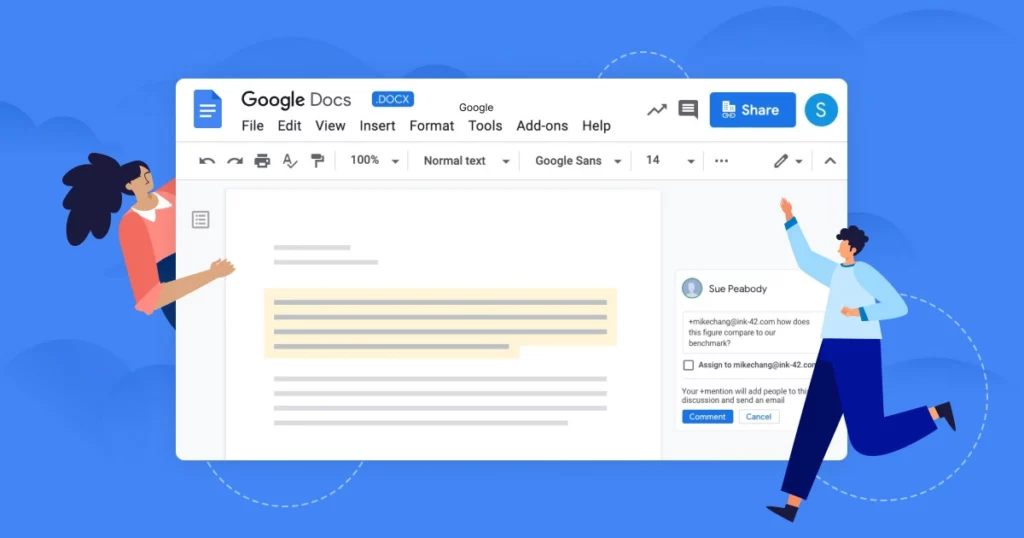
Google Docs is one of the clearest web app examples because it lets multiple users create, edit, comment on, and share documents directly in a browser. The product handles live collaboration, autosave, version history, and permissions without requiring users to install desktop software.
What makes Google Docs effective is that it removes friction from a task people repeat every day. Users can open a file from almost any device, invite others quickly, and continue working without file conflicts. The business lesson is simple: if a workflow depends on collaboration, speed matters more than complexity.
Related article: Best Progressive Web Apps Examples (PWAs) over the Past Decade
2. Notion
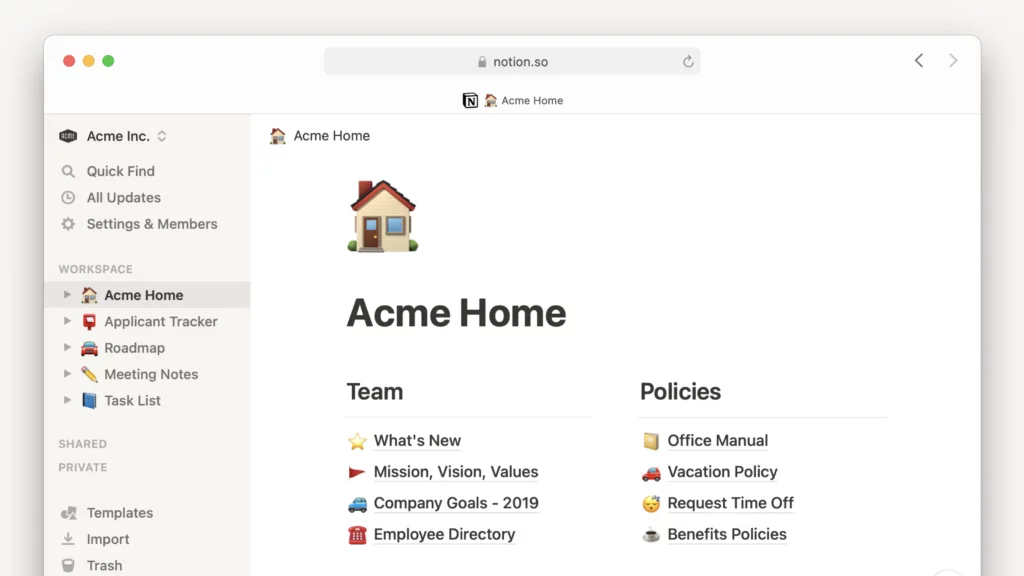
Notion combines documents, wikis, lightweight databases, and project organization into one browser-based workspace. Teams use it to manage knowledge, write internal docs, track tasks, and build flexible systems without needing separate tools for every job.
Notion stands out because the experience feels highly customizable while still remaining approachable. Users can start small, use templates, and gradually build more structured workflows. The lesson for businesses is that modular product design increases stickiness. When users can shape a tool around their own process, the product becomes harder to replace.
Read more: Most Popular Super Apps in the World
3. Trello
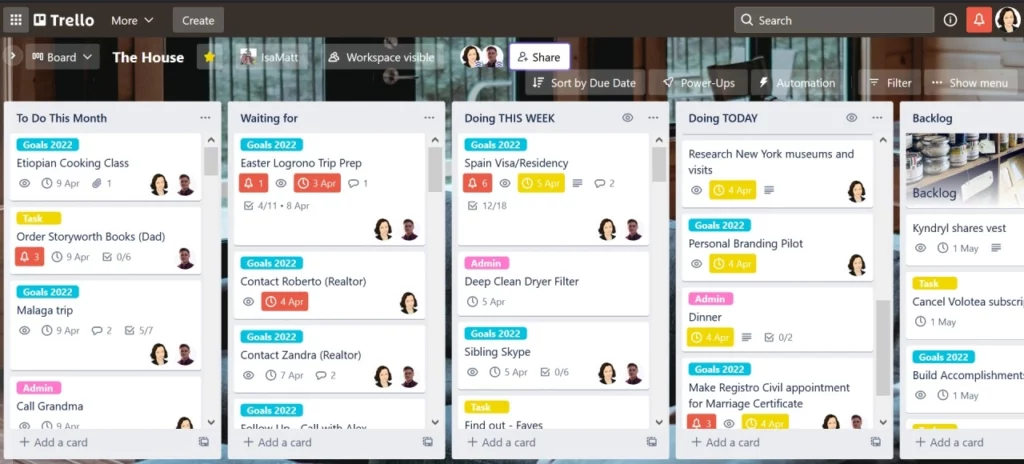
Trello is a web app built around visual task management. Its boards, lists, and cards make it easy to organize work, assign owners, set due dates, and track progress.
The reason Trello remains a useful example is that its core interaction model is obvious. Users do not need a long onboarding process to understand how to move a card or scan project status. The business takeaway is that clarity often beats feature density. Many companies overbuild early products when a lighter workflow could solve the main user problem faster.
Useful post: Best Productivity Apps to Organize Tasks, Time and Attention
4. Slack
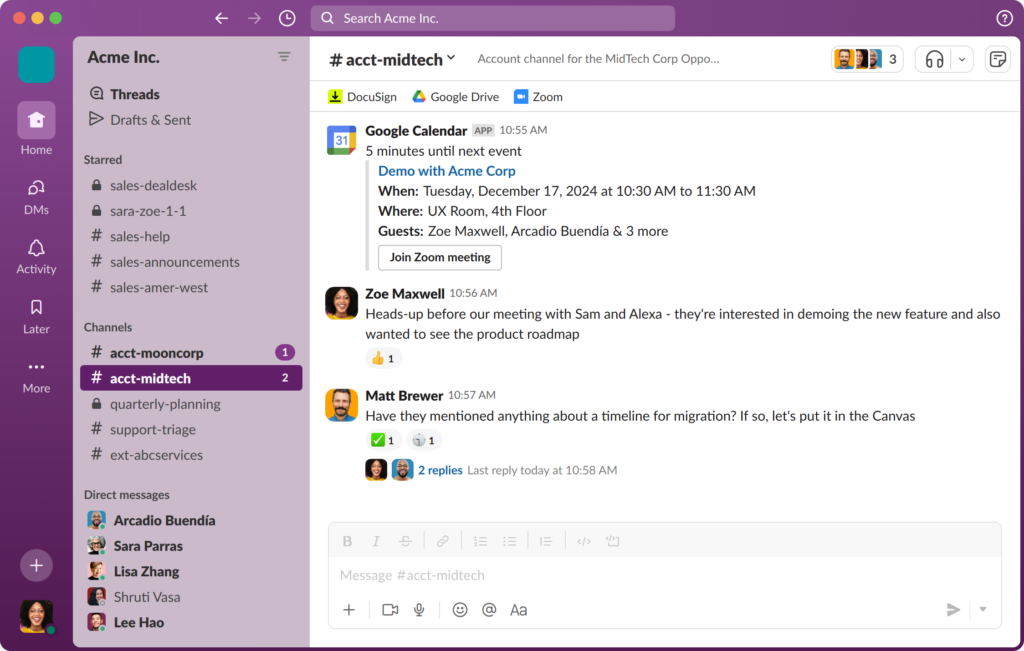
Slack shows how a web app can become central to team operations. Slack supports channels, direct messages, file sharing, search, app integrations, and notification workflows inside a browser-based interface.
What makes Slack especially effective is that it connects with other tools such as calendars, ticketing systems, documentation platforms, and deployment alerts. That turns a messaging product into an operating layer for work. The lesson here is that integrations can become a strategic advantage when a web app fits naturally into daily workflows.
5. Figma
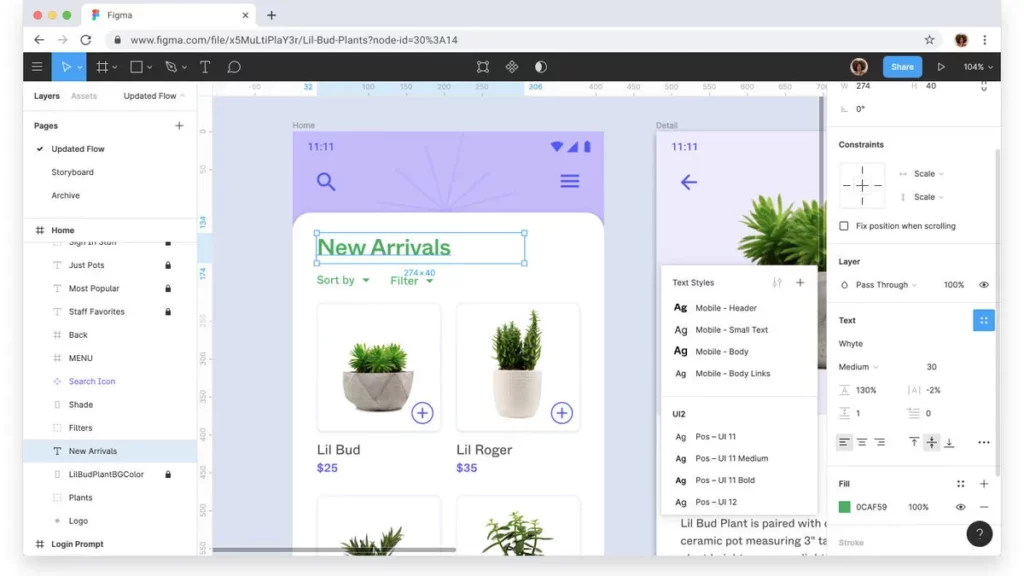
Figma is one of the strongest examples of what browser-based software can achieve. It allows design teams to create interfaces, build component systems, leave feedback, and collaborate in real time without relying on locally installed design software.
Figma’s impact comes from combining creative work with multiplayer collaboration. Designers, developers, and stakeholders can work in the same file and stay aligned more easily. The business lesson is that complex software does not need to feel heavy. With the right architecture and UX, even advanced workflows can succeed in the browser.
6. Canva
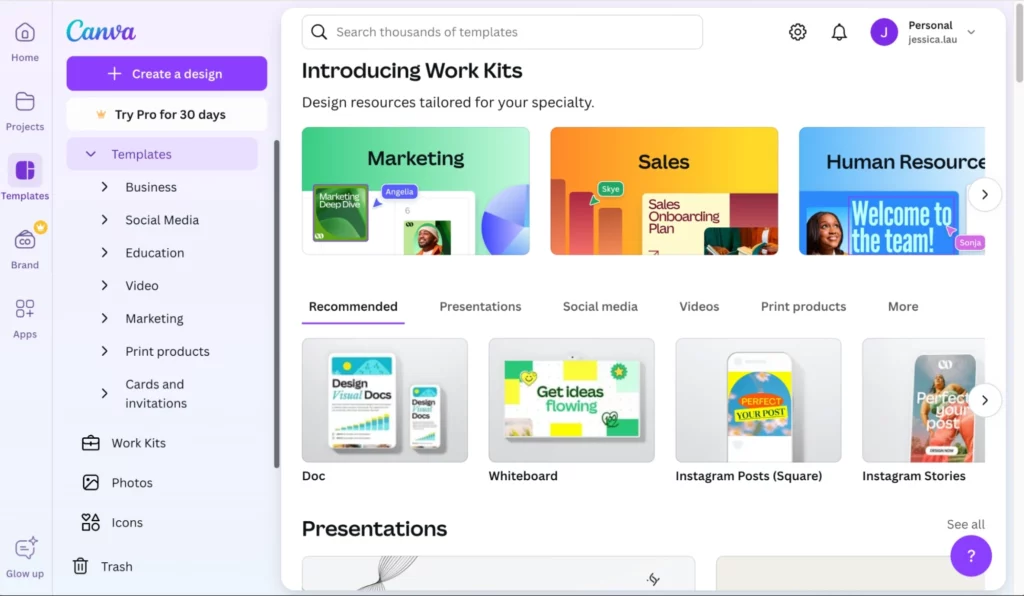
Canva is a web app built for fast visual content creation. Users can design presentations, social posts, marketing assets, and documents using templates, drag-and-drop editing, and shared brand elements.
What makes Canva effective is that it lowers the skill barrier. Many users want speed and usable results more than professional-grade complexity. Canva gives them that with a clear interface and a short path from idea to finished asset. The lesson for businesses is that accessibility creates growth.
7. Airbnb
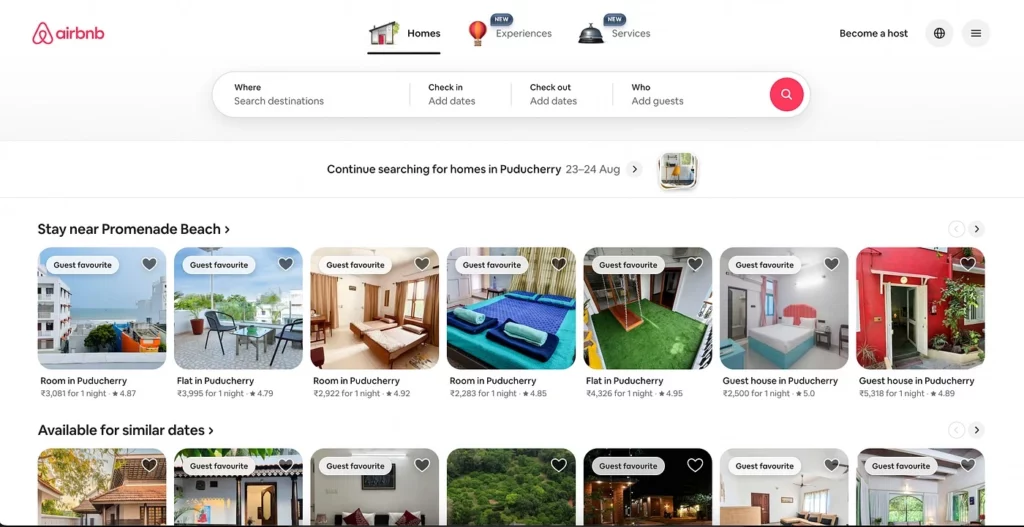
Airbnb is a strong web app example because it handles a full transactional workflow in the browser. Users can search listings, apply filters, compare options, communicate with hosts, book stays, and manage trips in one product.
Airbnb’s success is not based only on search and booking. Airbnb also invests heavily in trust signals such as reviews, identity layers, policies, and guided booking flows. The business takeaway is that product trust deserves as much attention as core functionality. For marketplaces and booking systems, confidence is part of the user experience.
8. Amazon
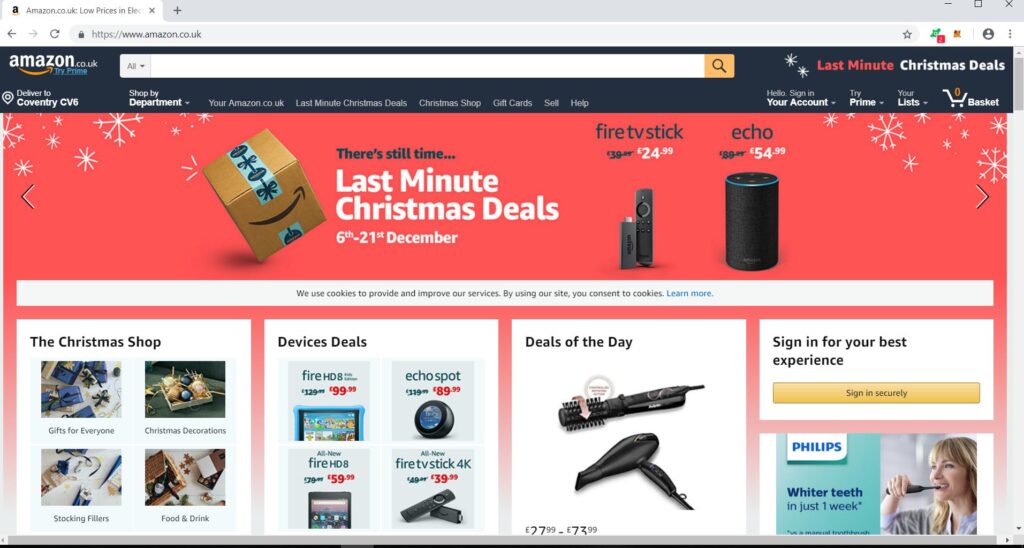
Amazon remains one of the most influential web application examples because it manages product discovery, account history, recommendations, cart logic, checkout, and post-purchase actions at enormous scale.
What makes it effective is the ability to support fast browsing, personalized results, and a low-friction purchase journey. Users feel that convenience even if they never think about the software behind it. The lesson is that personalization and conversion design directly shape revenue.
9. Shopify Admin
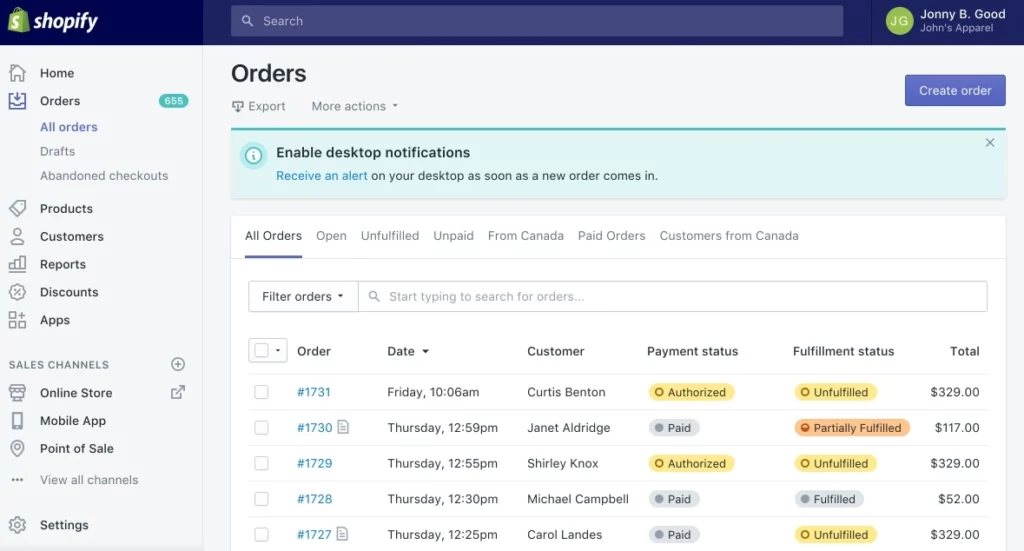
Shopify Admin is a useful example because it highlights a less glamorous but highly valuable kind of web app: operational software for business users. Merchants use it to manage products, inventory, orders, discounts, analytics, and storefront settings from a browser.
Shopify Admin’s strength comes from organizing many business tasks into one workspace. Store owners want a single place to run operations, monitor performance, and make updates quickly. The business lesson is that internal and back-office workflows deserve serious product thinking.
10. PayPal
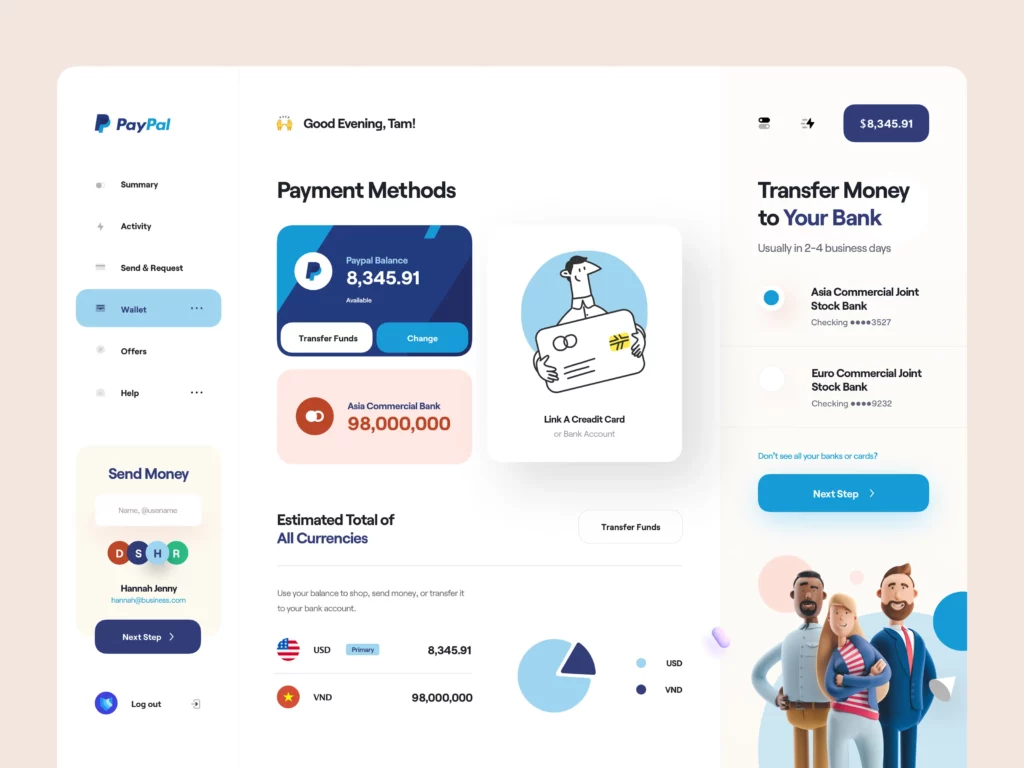
PayPal is a classic web app example in online payments. It lets users send money, receive funds, review transactions, manage balances, and connect payment methods through a browser-based account.
PayPal’s effectiveness comes from familiar flows and a strong sense of control. In financial products, users need to understand what is happening and what will happen next. The lesson for businesses is that trust and clarity reduce abandonment. In any web app that involves money or sensitive information, uncertainty is a conversion problem.
11. Stripe Dashboard
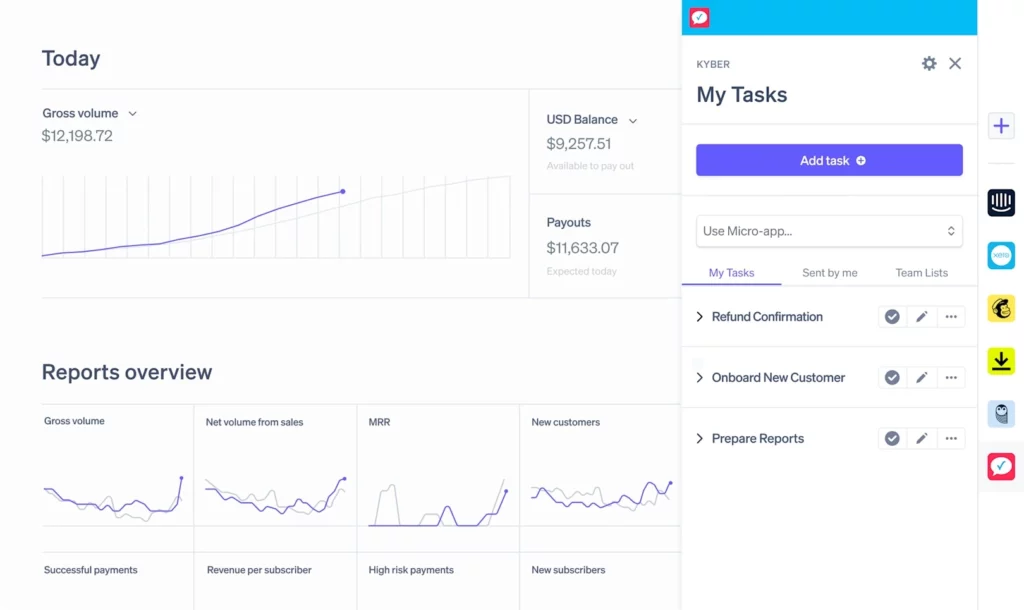
Stripe Dashboard is built for businesses rather than end consumers, but Stripe Dashboard is one of the best examples of a powerful web app. Stripe Dashboard gives teams access to payments data, subscriptions, invoices, billing workflows, reporting, and developer-facing settings in one browser interface.
What makes it stand out is how it handles complexity. Payments operations can become dense very quickly, yet Stripe organizes that information in a way that feels structured rather than chaotic. The business takeaway is that strong information architecture matters.
12. Netflix
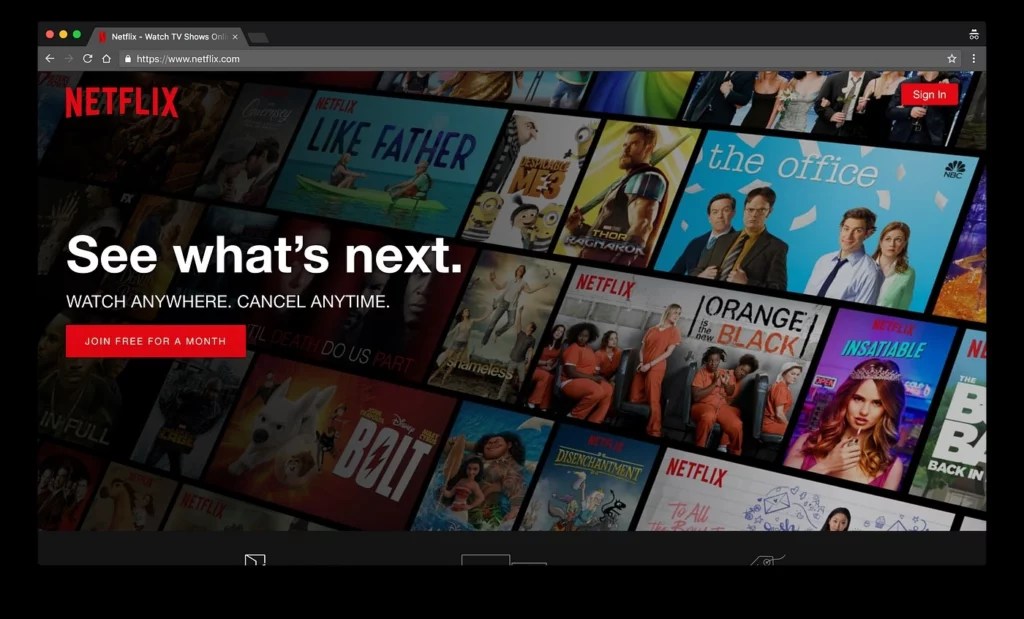
Netflix shows that media products can also be strong web apps. Users can browse content, create profiles, continue watching across devices, and receive personalized recommendations directly in a browser.
Netflix’s strength lies in discovery and continuity. The product actively guides people toward the next action through categories, previews, watch history, and recommendation logic. The lesson for businesses is that discovery is part of the experience. If users face too many choices, a web app should help narrow the path.
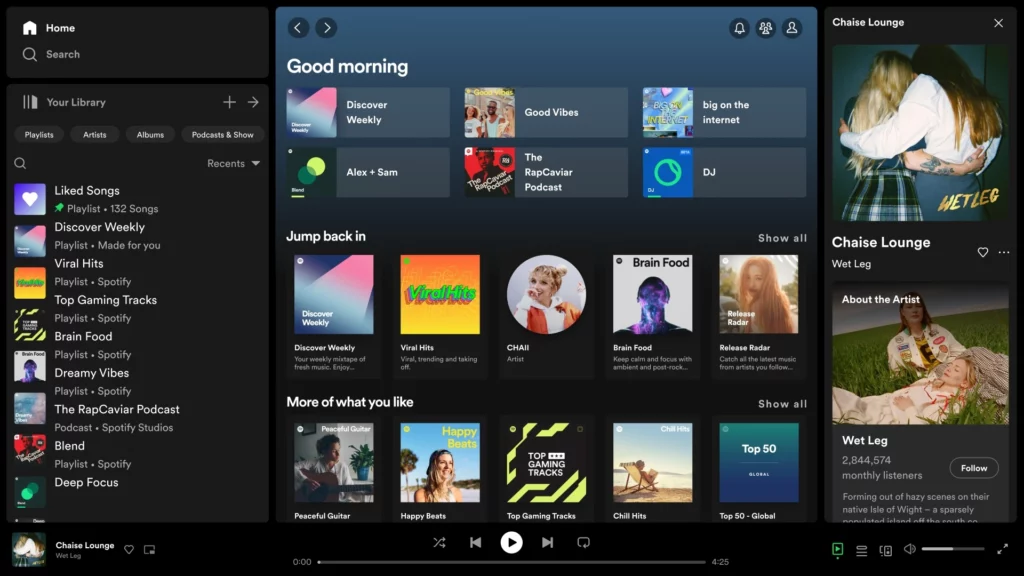
13. Spotify Web Player
Spotify Web Player gives users browser-based access to music, podcasts, playlists, and recommendations without requiring a desktop installation. It extends the Spotify experience to more environments while preserving the same account and listening history.
What makes Spotify Web Player effective is continuity. A user can move between devices, log in from a work computer, and pick up where they left off. That seamless transition strengthens the value of the overall product. The lesson is that cross-device access increases engagement.
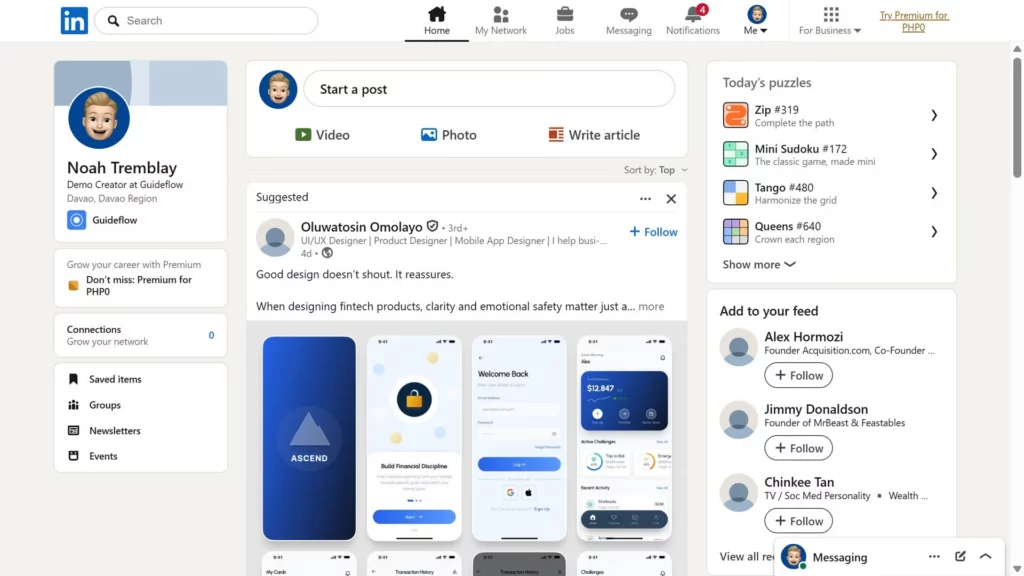
14. LinkedIn
LinkedIn is more than a professional profile site. LinkedIn is a browser-based product that supports networking, job search, messaging, publishing, recruiting, and brand visibility in one place.
LinkedIn stands out because several user groups get value from the same platform. Professionals manage identity and relationships, recruiters search for candidates, and companies post jobs. The business lesson is that a web app becomes harder to replace when it sits inside repeated professional behavior.
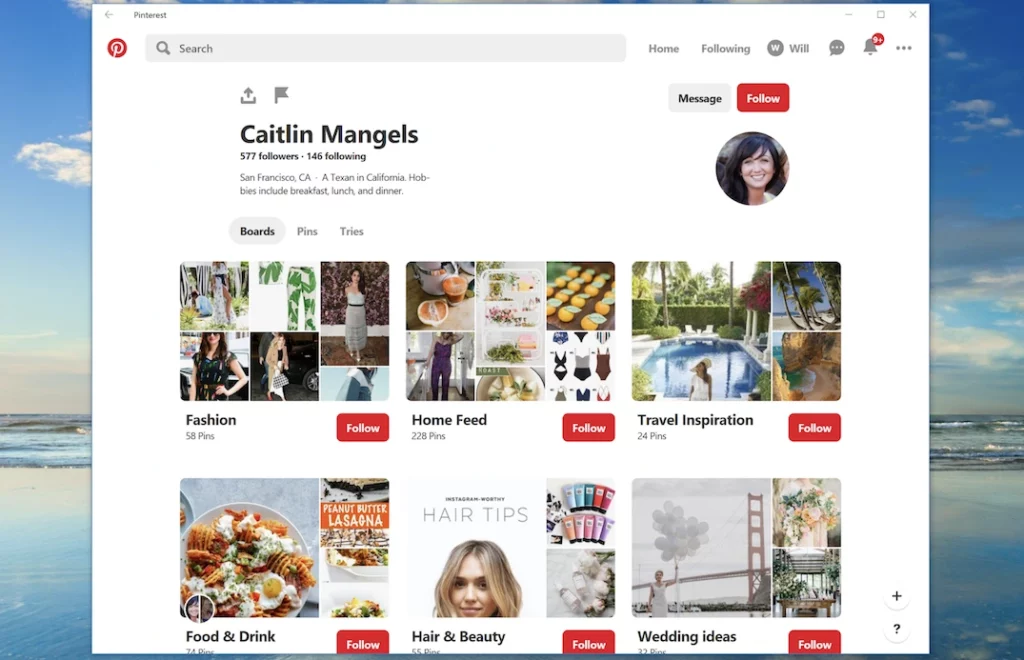
15. Pinterest
Pinterest is a strong example of a discovery-focused web app. Users browse visual ideas, save items into collections, click through to learn more, and return over time for inspiration.
Pinterest’s effectiveness comes from the loop between interest, recommendation, and organization. People explore, save, revisit, and continue discovering. That repeated behavior is what makes the product sticky. The business lesson is that retention does not always come from task completion alone.
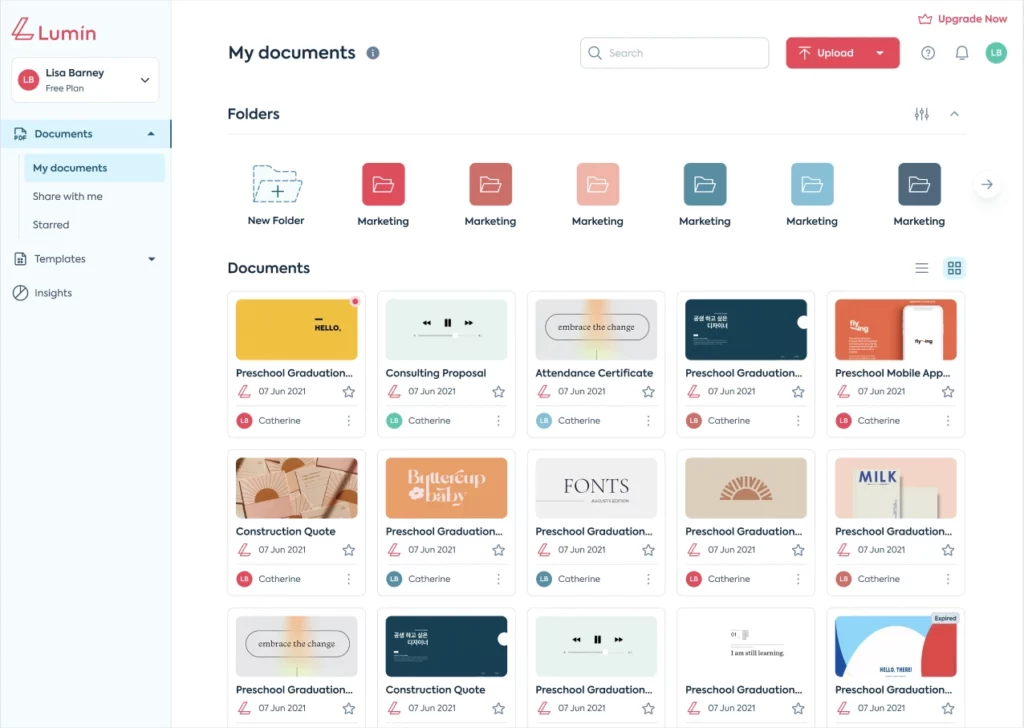
16. Lumin PDF
Lumin PDF is a browser-based document platform that helps users view, annotate, share, and sign PDF files online. Lumin PDF is a strong web app example because the product turns a document file into an interactive workflow instead of a static asset.
Lumin PDF stands out because the product supports repeated business tasks such as commenting, reviewing, editing, and signing inside one browser-based experience. The business lesson is that web apps create more value when they help users complete real operational workflows, not just access content.
If you are planning to build your own web app, these guides can help you:
- Guide about Web Application Development for Beginners
- How Long Does It Take To Build A Web App
- Web App Development Cost Breakdown
- Best Web App Development Companies in Vietnam
What These Web App Examples Have in Common
The web app examples in this list solve different problems, but the strongest products follow a few repeatable patterns.
- Browser-first convenience: Users can open them quickly, sign in, and continue a task without depending on one specific machine. That convenience matters for both personal and professional workflows.
- User accounts, personalization, and stored data: Whether the product is a streaming service, a design platform, or an admin dashboard, the value increases when the experience adapts to the user.
- Action-oriented experience: The strongest web apps are built around action, not passive reading. Users edit, collaborate, purchase, organize, communicate, or manage something.
- Trust built into the product: Permissions, billing clarity, transaction records, reviews, and account security are not secondary features. In many cases, they are what make the product usable at scale.
- Support for repeated workflows: Great web apps save time, reduce friction, and become more useful as users return. That repeated value is usually what turns a web app into a habit.
What Businesses Can Learn From the Best Web Apps
The most successful web apps rarely win because they have the longest feature list. The strongest products usually solve one core workflow clearly and then expand from that base.
Google Docs makes collaboration easy. Trello makes task tracking easy to understand. Canva reduces design friction. Airbnb builds trust into booking. Stripe organizes payment complexity. Each product creates value by helping users reach a useful outcome quickly.
That creates several practical lessons for teams planning a web app:
- Start with one repeatable workflow: Build around a task users need to complete again and again.
- Reduce time to first value: Help users reach a useful result soon after signing up.
- Make return visits easier: Use saved history, synced state, and personalization to reduce repeated effort.
- Treat trust as product design: Permissions, billing clarity, and account security should feel like part of the UX, not an afterthought.
- Use integrations carefully: Add integrations when they remove real friction from the workflow.
- Improve based on behavior: Use real usage patterns to guide product decisions instead of internal assumptions.
Businesses should copy principles, not surface features. A recommendation engine, messaging panel, or analytics dashboard is not valuable by default. It becomes valuable only when it supports the product’s main job. If you are still exploring what kind of product to build, these lessons pair well with our guide to practical web app ideas for different industries and use cases.
Build a Web App With Designveloper
Designveloper is a Vietnam-based software development company founded in 2013. With more than 13 years of experience and 100+ delivered projects across 20+ industries, Designveloper helps businesses design and build custom web applications. Designveloper also applies AI throughout the delivery process to speed up execution, support decision-making, and improve development efficiency.
Web App Solutions Designveloper Builds
Designveloper develops several types of web applications for different business needs:
- eCommerce platforms: Designveloper builds eCommerce web apps with product catalogs, smart search, filtering, checkout flows, and payment integration.
- Healthcare portals: Designveloper creates healthcare web applications that support patient records, appointment workflows, and communication between patients and providers.
- HR management systems: Designveloper develops HR web apps for payroll, attendance, employee records, and performance tracking.
- Social and community platforms: Designveloper builds interactive platforms with profiles, feeds, search, filtering, and engagement features.
Why Businesses Work With Designveloper
Designveloper is more than a development vendor. Designveloper works as a product and engineering partner for companies building browser-based platforms, internal systems, customer portals, and workflow-driven digital products.
Businesses often work with Designveloper when they need:
- a custom web app tailored to a specific workflow
- a customer-facing portal or dashboard
- an internal business system with role-based access
- a browser-based product that can scale over time
- a web application partner that can support planning, UX, development, and launch
If your company is planning a custom eCommerce platform, healthcare portal, HR system, or another browser-based product, Designveloper can help turn the idea into a working web application. Designveloper supports the full process from product thinking and UX planning to development and release.

Final Thoughts
The best web app examples are not memorable just because they are popular. They are memorable because they solve clear, repeated user problems through a browser experience that feels fast, useful, and dependable.
If you are researching ideas for your own product, focus less on copying visible features and more on understanding why these apps work. Strong web apps reduce friction, support meaningful actions, and fit naturally into everyday workflows. That is the pattern worth following.
If your team is evaluating a browser-based product, customer portal, internal dashboard, or SaaS workflow, Designveloper can help shape the product direction and build the web app around real business use cases.
Also published on

Share post on










Related Articles



16 Real Web App Examples to Inspire Your Next Digital Product
16 Real Web App Examples to Inspire Your Next Digital Product Published May 27, 2026
What Is a Web Application (Web App)? Is It the Same as Website?
What Is a Web Application (Web App)? Is It the Same as Website? Published April 23, 2026
What Is a Progressive Web App (PWAs)? Key Features, Examples
What Is a Progressive Web App (PWAs)? Key Features, Examples Published April 23, 2026



















