
















11 Best Agile Project Management Tools That Actually Work

KEY TAKEAWAYS:
- The best Agile project management tool depends on workflow fit, not popularity, because software teams, startups, agencies, and enterprise groups usually need different levels of structure and reporting.
- Strong Agile tools usually stand out through backlog management, sprint planning, Kanban visibility, reporting, and team adoption rather than through feature count alone.
- Jira, Azure DevOps, Linear, Shortcut, and ClickUp fit engineering-heavy teams well, while Trello, Asana, monday.com, Wrike, Zoho Sprints, and Teamwork solve other coordination and delivery needs more effectively.
- Teams choose better software when they test real workflows, prioritize adoption, and avoid paying for complexity they will not actually use.
Choosing agile project management tools is harder than it sounds. Most platforms say they support Scrum, Kanban, and reporting, yet many teams still end up with bloated setups, weak visibility, or workflows that nobody wants to use.
The stakes are rising as well. According to Grand View Research, the project management software market generated USD 7,383.8 million in 2023 and is expected to reach USD 20,469.8 million by 2030. Meanwhile, Digital.ai reported that 42% of respondents use hybrid models, based on 788 survey respondents. Teams therefore need tools that can support both classic Agile and mixed delivery models.
This guide explains what matters, what each platform does well, and where each one fits. It also helps readers compare agile project tools, avoid common buying mistakes, and choose the best agile project management software for their team.

Related articles:
- What Is Agile Software Development? Guide for Modern Teams
- Types Of Agile Methodology: Which One Is Best For Your Team?
- Jira And Agile: How To Use Jira For Agile Project Management
What Is Agile Project Management?
Agile project management is an approach where work is delivered iteratively and incrementally throughout the product lifecycle. The Association for Project Management describes it that way because Agile is fundamentally about breaking work into smaller parts, learning fast, and adjusting often.
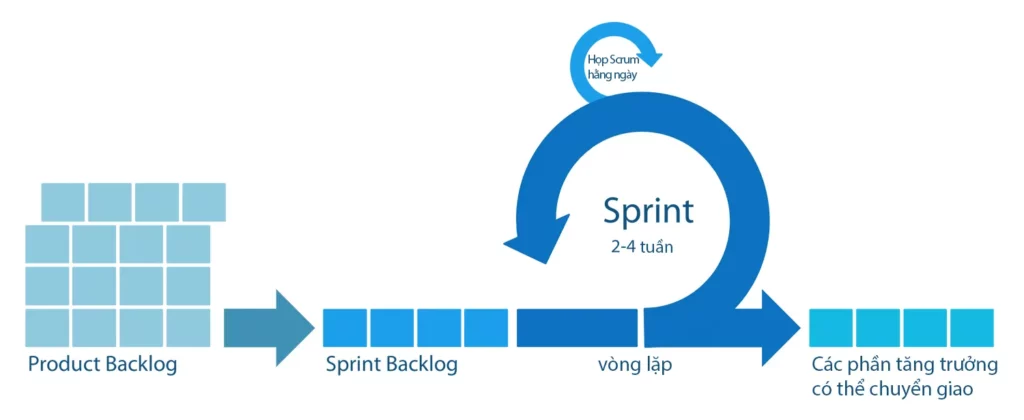
That matters because plans change, priorities move, customer feedback arrives late, and bugs show up at the worst time. Agile helps teams respond without rebuilding the whole roadmap every week.
However, Agile only works well when the tool supports the way the team actually operates. A software team may need backlog depth, sprint metrics, and developer visibility. A startup may need speed and simplicity first. A service business may need time tracking and client reporting on top of Agile workflows. That is why the right tool matters almost as much as the method itself.
See more:
- What Is Scrum?
- Agile Vs Scrum: What’s the Difference and When to Use Each?
- Agile vs Kanban vs Waterfall: Definition, Purpose, Disadvantages, and Performance
Key Features To Look For In Agile Project Management Tools
Not every feature deserves the same weight. A good tool should first make planning, execution, and visibility easier. After that, automation and AI can help, but they should not compensate for a weak core workflow.
1. Backlog Management
Backlog management comes first because it controls what the team works on next. Atlassian describes backlog software as a way to manage, prioritize, and track work on a single platform, and that definition captures the core need well.
If the backlog becomes messy, sprint planning gets worse. Teams then overcommit, underdeliver, and lose trust in their estimates. That is why tools with stronger backlog workflows often support better story point estimation and planning rhythm overall.
2. Sprint Planning
Sprint planning should feel simple and fast. Good tools support estimating stories, adjusting scope, and checking velocity during planning so the team can turn a rough priority list into a realistic sprint.
If sprint planning feels slow, the tool usually adds friction instead of removing it. This is also why teams often compare tool support against broader workflow choices like Agile, Waterfall, Scrum, and Kanban.
3. Kanban Boards
Kanban boards matter because they make work visible. At a minimum, the best boards should show status, blockers, ownership, and flow without making people dig through extra menus.
Boards remain useful even for teams that do not run strict Scrum. Clear flow visibility is often the fastest way to understand whether work is moving or getting stuck.
4. Burndown Charts
Burndown charts help teams answer a simple question: are we on track? They are especially useful in short iterations because they expose delivery risk before the sprint ends.
Not every team needs burndown charts every day, but software teams that work in short cycles usually benefit from that visibility. They often work best alongside metrics like velocity in Agile.
5. Reporting And Dashboards
Dashboards turn project data into decisions. Strong reporting gives teams real-time visibility into KPIs, trends, and delivery performance without forcing managers to rebuild status decks by hand.
The best reporting does not stop at pretty charts. It helps teams spot blockers, compare commitments versus delivery, and decide what to change next.
11 Best Agile Project Management Tools
These 11 tools stand out because they solve different problems well. Some are built for software engineering depth, while others are better for startups, cross-functional teams, or client delivery.

| Tool | Best fit | Main strength | Main trade-off |
|---|---|---|---|
| Jira | Software teams | Deep Agile workflows | Can feel complex |
| monday.com | Mixed product teams | Visual planning and dashboards | Best Agile depth sits in monday dev |
| Trello | Small teams | Fast setup | Less native engineering depth |
| ClickUp | Flexible teams | All-in-one workspace | Needs setup discipline |
| Asana | Cross-functional work | Easy coordination | Not engineering-first |
| Wrike | Larger operations teams | Reporting and visibility | Heavier than simple tools |
| Zoho Sprints | Agile teams on a budget | Agile-first value | Smaller ecosystem |
| Azure DevOps | Microsoft-based engineering teams | Strong traceability | Best for technical users |
| Shortcut | Lean product engineering teams | Lightweight software workflow | Less broad than general PM suites |
| Teamwork | Agencies and client work | Time tracking and reporting | Less dev-centric |
| Linear | Modern product teams | Speed and focus | Advanced reporting depends on plan |
Further reading:
- What Is An Epic In Agile?
- User Stories in Agile: Examples and How to Write Them
- What Is Pair Programming? Types, Pros, and Cons
1. Jira (Atlassian)
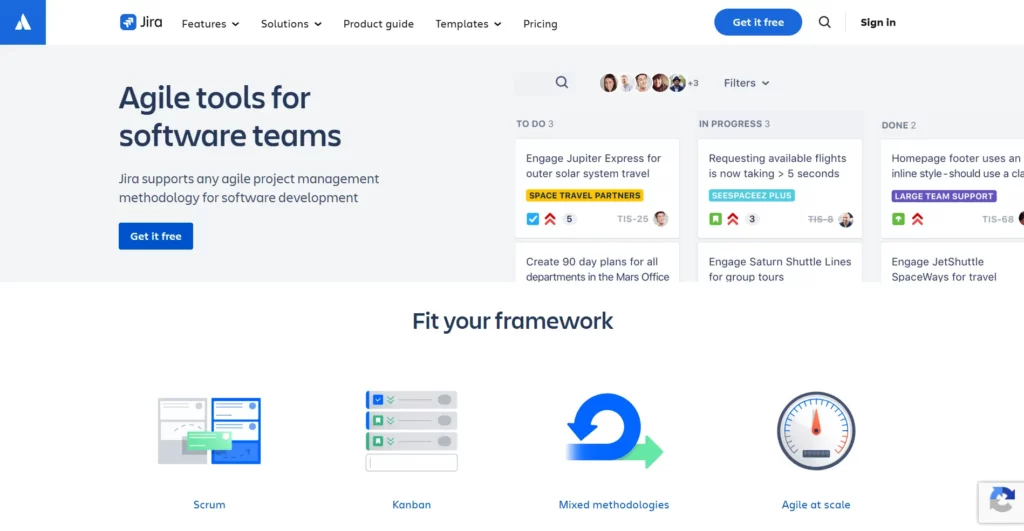
Jira remains the safest pick for software delivery. It handles backlogs, sprint planning, Scrum boards, Kanban boards, releases, and reporting in one mature system. That depth is one reason Atlassian says it serves more than 300,000 customers.
Jira works best when the team needs structure. Product owners can refine backlogs, developers can move work through sprint boards, and managers can review velocity and burndown without chasing manual updates.
Best for: Software development teams that need deep Agile control. Watch for: It can feel heavy for small teams that only need a board and a task list.
2. monday.com
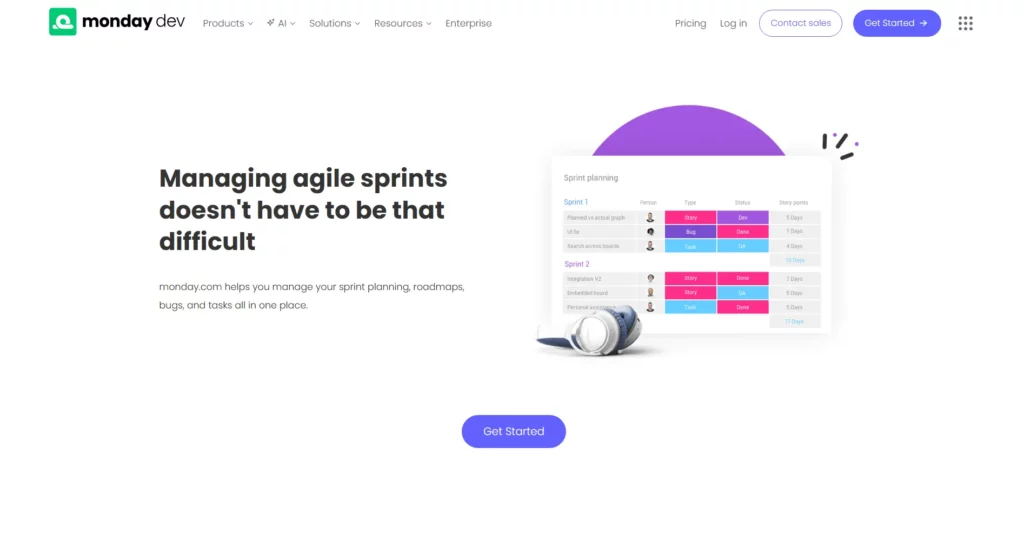
monday.com is a strong choice for teams that want a visual, flexible workspace. It works especially well when product, design, QA, and business teams collaborate in the same platform.
Its Agile-focused layer, monday dev, adds sprint analytics, burndown views, and roadmap visibility without making the whole system feel engineering-heavy. That makes it easier to adopt than many developer-first tools.
Best for: Cross-functional product teams and hybrid workflows. Watch for: Its deepest Agile features sit in monday dev, not the most basic setup.
3. Trello
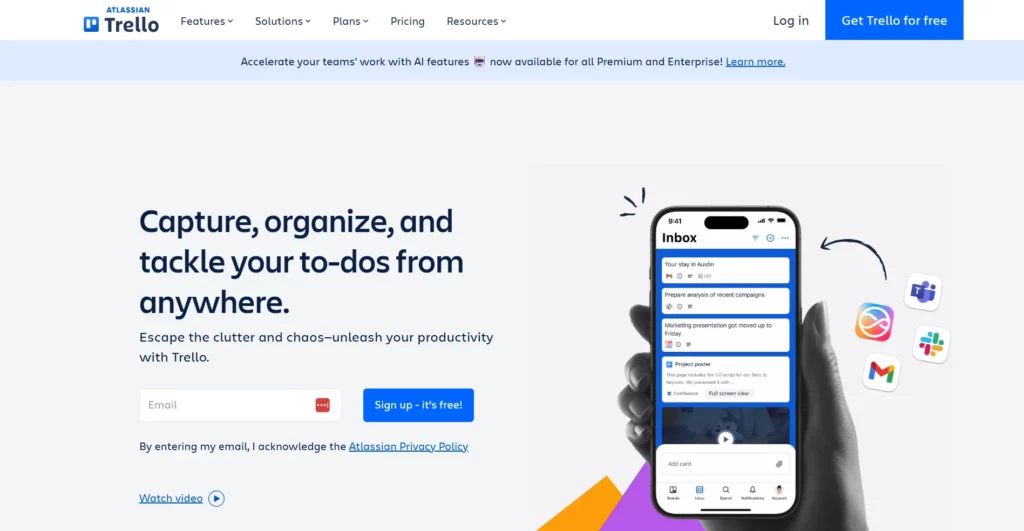
Trello works because it stays simple. Teams can create lists, drag cards, and start tracking work in minutes, which is still valuable for groups that care more about adoption than advanced admin controls.
It also supports Agile templates out of the box, so small teams can run sprint boards or lightweight Scrum workflows without a long setup phase.
Best for: Small teams, startups, and simple Kanban workflows. Watch for: Teams that need deeper native sprint metrics or complex governance may outgrow it.
4. ClickUp
ClickUp is one of the most flexible tools on this list. It combines tasks, docs, chat, dashboards, automations, and Agile views in one workspace, which makes it appealing for teams that want broad operational coverage.
For Agile work, it supports backlogs, sprint folders, board views, and dashboards with velocity, burnup, and burndown reporting. That flexibility is powerful, but only when the team sets structure early.
Best for: Teams that want one flexible platform for product work and general operations. Watch for: Too much flexibility can create messy workspaces if rules are unclear.
5. Asana
Asana shines when Agile work crosses many departments. It is easy to adopt, clear to navigate, and useful for planning work that involves product, marketing, operations, and leadership in one place.
It is not as engineering-native as Jira, but it works well for backlog tracking, standups, and board-based coordination when software delivery is only one part of a broader organizational workflow.
Best for: Cross-functional Agile teams that need visibility more than deep engineering workflow control. Watch for: Pure software teams may need extra customization to match stricter Scrum processes.
6. Wrike
Wrike fits teams that care about reporting, visibility, and coordination at scale. It is broader than a pure Scrum tool, which makes it useful for organizations that combine Agile delivery with stronger project oversight.
Wrike supports sprint planning, Scrum boards, Kanban boards, dashboards, and reports. That mix makes it practical for larger operations teams that want visibility without stitching together multiple disconnected tools.
Best for: Mid-sized and enterprise teams that want strong reporting with Agile workflows. Watch for: It can feel heavier than a small product team needs.
7. Zoho Sprints
Zoho Sprints is one of the clearest Agile-first tools in this roundup. It focuses on the basics Agile teams actually use: backlog, boards, releases, reports, and collaboration.
Its biggest advantage is value. Smaller teams can get meaningful Scrum-friendly functionality without jumping into a large enterprise suite too early.
Best for: Agile teams that want Scrum-friendly features without enterprise weight. Watch for: Its surrounding ecosystem is not as broad as Atlassian or Microsoft.
8. Azure DevOps
Azure DevOps is built for technical teams that want tight traceability between planning and delivery. It is especially useful when the engineering organization already lives inside Microsoft tooling.
Its strength is end-to-end alignment. Teams can connect epics, stories, tasks, code, tests, and releases inside one environment, which is valuable when leadership needs reliable reporting and developers need stronger workflow links.
Best for: Engineering teams, especially those already using Azure and Microsoft tools. Watch for: It works best for technical users and can feel less friendly for non-technical stakeholders.
9. Shortcut
Shortcut sits in the middle ground between simple and serious. It is lighter than Jira, but it still speaks the language of software teams through issue tracking, iterations, boards, and roadmaps.
That makes it a strong fit for product and engineering teams that want useful Agile visibility without a heavy admin model or a full company-wide work management suite.
Best for: Product and engineering teams that want a lightweight software workflow. Watch for: It is less broad than general PM suites built for every department.
10. Teamwork
Teamwork is different from many tools here because it is built around client work. That makes it a strong Agile choice for agencies, consultancies, and service teams that need iterative delivery plus hours, budgets, and reporting.
Its mix of board views, time tracking, and reporting is very practical when a team must deliver fast while still showing client-facing accountability and profitability.
Best for: Agencies and client-service teams that run Agile delivery and track time. Watch for: It is less developer-centric than Jira, Azure DevOps, Shortcut, or Linear.
11. Linear
Linear has become a favorite for modern product teams because it feels fast, clean, and focused. It removes much of the clutter that slows older systems down.
Its workflow centers on cycles, which are effectively sprint-like planning windows, plus lightweight issue tracking and in-product insights. That gives fast-moving teams enough reporting without turning the workspace into a dashboard maze.
Best for: Startup and product engineering teams that want speed, focus, and low overhead. Watch for: Heavier enterprise governance needs may still push larger organizations toward Jira or Azure DevOps.
Which Agile Project Management Tool Is Best For Your Team?
The best answer changes with team structure. A software organization with multiple delivery squads does not evaluate tools the same way a startup or agency does.

1. Best For Software Development Teams
Jira and Azure DevOps lead here. Jira is usually the stronger general answer because it balances backlog depth, sprint workflows, and ecosystem reach. Azure DevOps wins when the engineering organization already works inside Microsoft systems. Linear and Shortcut also fit well for product engineering teams that want less admin weight.
2. Best For Small Teams And Startups
Linear, Trello, ClickUp, and Shortcut stand out here. Linear gives startups a polished engineering workflow. Trello offers the fastest setup. ClickUp works when the team wants one system for many work types. Shortcut fits startups that build software and want something lighter than Jira.
3. Best For Simple Kanban Workflows
Trello is usually the clearest answer. Teamwork also fits when Kanban needs to connect to time tracking and client delivery. Asana works well when the board is only one part of a broader cross-functional process.
4. Best For Enterprise-Scale Teams
Jira, Azure DevOps, and Wrike are the strongest fits. Jira handles software complexity well. Azure DevOps adds strong traceability across engineering work. Wrike becomes useful when the organization wants broader portfolio visibility instead of only engineering execution. monday.com can also fit enterprise teams that want a more visual and cross-functional setup.
How To Choose The Right Agile Tool
Choosing well starts with the workflow, not the brand. The tool should fit how the team plans, ships, and reviews work in real life.
1. Choose Based On Team Size And Workflow
A five-person startup does not need the same controls as a multi-team product organization. Likewise, a service business that runs Agile delivery still needs time tracking and client visibility.
Ask three questions first. Does the team run Scrum, Kanban, or a hybrid model? Does it need deep developer workflow support? Does it need time, budget, or portfolio reporting? Those answers narrow the shortlist quickly.
2. Compare Flexibility, Complexity, And Cost
Every Agile tool makes a trade-off. Simpler platforms are easier to adopt, but they may run out of depth later. Richer tools support more workflows, but they can also slow teams down if configured badly.
That is why total fit matters more than headline price. Teams should compare onboarding speed, reporting clarity, and admin effort, not just subscription cost.
3. Focus On Adoption Before Advanced Features
Adoption beats feature count. A lighter tool that the whole team uses well is usually better than a powerful tool that only the PMO understands.
That is why pilots matter. Teams should test real backlog items, real sprint planning, and real reporting needs before committing to a broad rollout.
Common Mistakes When Choosing Agile Project Management Software
Many teams do not choose the wrong tool because the software is bad. They choose it for the wrong reasons or roll it out without enough workflow discipline.

1. Choosing A Popular Tool Instead Of The Right Fit
Popularity helps with trust, but it does not guarantee fit. Jira may be perfect for one team and too heavy for another. Trello may be perfect for one startup and too shallow for another.
The better question is not what large companies use. It is which tool helps this team plan, ship, and review work with less friction.
2. Ignoring Team Adoption And Setup Complexity
Many teams buy the tool and forget the rollout. Then fields multiply, views overlap, and reporting becomes unreliable.
A stronger rollout needs simple rules around statuses, naming, board ownership, reporting views, and backlog hygiene. Otherwise, even good software becomes a noise factory.
3. Paying For Features Your Team Will Not Use
This happens often. Teams buy portfolio layers, AI add-ons, or advanced analytics before they even run clean weekly planning.
That approach wastes budget. Buy for the next real stage, not the imaginary future stage. If the team does not yet use advanced dashboards or workload planning well, the most expensive tier may not be necessary yet.
FAQs About Agile Project Management Tools
1. What Are The Best Free Agile Project Management Tools?
Jira, ClickUp, Linear, and Trello are usually the strongest free options for different team shapes. Jira gives small software teams more Agile depth, ClickUp offers broad flexibility, Linear suits modern product startups, and Trello remains the easiest free Kanban option for simple workflows.
2. What Are The Best Open-Source Agile Project Management Tools?
Taiga, OpenProject, and Tuleap are among the strongest open-source choices. Taiga is good for clean Scrum or Kanban workflows, OpenProject fits broader project control needs, and Tuleap works better in engineering-heavy environments that want Agile support inside a larger ALM setup.
3. Is Jira Better Than Trello For Agile Teams?
Jira is usually better for software teams that need deep backlog management, sprint workflows, and reporting. Trello is better when the team wants the fastest setup and a lighter Kanban-style system. The better choice depends on workflow depth, not on brand recognition alone.
4. Which Tool Is Best For A Small Software Team?
Linear, Shortcut, Jira, and ClickUp are usually the strongest candidates for small software teams. Linear and Shortcut keep overhead low, Jira adds more process depth, and ClickUp works well when the team wants one workspace for product and operations together.
5. Can Non-Software Teams Use Agile Project Management Tools?
Yes, many non-software teams use Agile tools successfully for marketing, operations, design, and client delivery. The key is choosing software that supports visibility and coordination without forcing engineering-heavy workflows where they are not needed.
Conclusion
The best Agile tool is not the one with the longest feature list. It is the one that helps the team plan clearly, move work smoothly, and learn from each sprint or flow cycle. Some teams need depth. Others need speed. The smartest choice comes from matching the tool to the team, not the hype.
At Designveloper, that same practical mindset shapes how product teams are supported from planning to execution. Since 2013, the company has helped businesses build web apps, mobile apps, AI products, and long-term digital platforms that need delivery workflows real teams can actually use.
That experience comes from real product work across many delivery models and growth stages. If your company needs help choosing the right workflow, delivery model, or build strategy, Designveloper’s software development services can help turn that decision into a practical setup that scales with the team.
If you are still comparing Agile project management tools and want a clearer product delivery direction, contact us.
Also published on

Share post on










Related Articles



Best Open-Source Vector Databases In 2026: Top Options Compared
Best Open-Source Vector Databases In 2026: Top Options Compared Published June 05, 2026
AI In Software Development: Changing How Software Gets Built
AI In Software Development: Changing How Software Gets Built Published June 05, 2026
What Is A Vector Database? A Practical Guide For AI Search And RAG
What Is A Vector Database? A Practical Guide For AI Search And RAG Published June 04, 2026



















