
















Choosing agile project management tools is harder than it sounds. Most platforms say they support Scrum, Kanban, and reporting. Yet many teams still end up with bloated setups, weak visibility, or workflows that nobody wants to use.
The stakes are rising. The project management software market generated USD 7,383.8 million in 2023 and is expected to reach USD 20,469.8 million by 2030. At the same time, Digital.ai reported that 42% of respondents report hybrid models, based on 788 survey respondents. So teams now need tools that can support both classic Agile and mixed delivery models.
This guide explains what matters, what each tool does well, and where each one fits. It also helps readers compare agile project tools, avoid common buying mistakes, and choose the best agile project management software for their team.

What Is Agile Project Management?
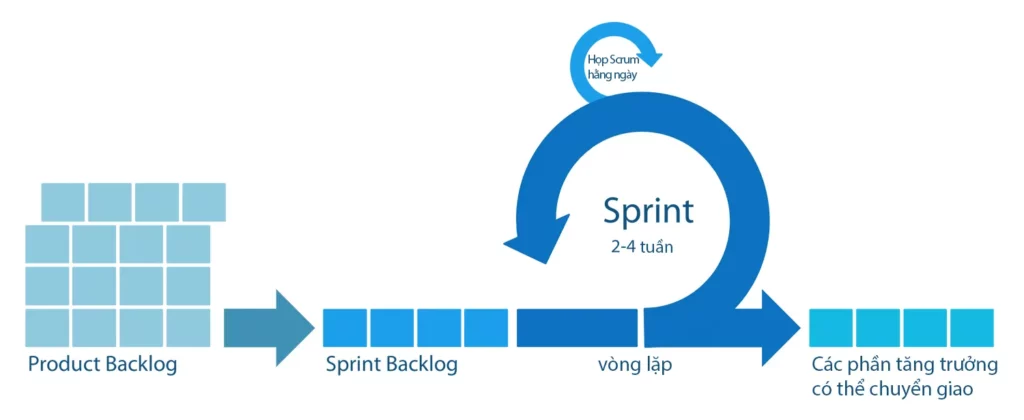
Agile project management is an approach based on delivering requirements iteratively and incrementally throughout the life cycle. In simple terms, teams break work into smaller parts, learn fast, and adjust often.
That matters because plans change. Priorities shift. Customer feedback arrives late. Bugs appear at the worst time. Agile helps teams respond without rebuilding the whole plan every week.
However, Agile only works well when the tool supports the way the team works. A software team may need backlog depth, sprint metrics, and developer visibility. A startup may need speed and simplicity first. A service business may need time tracking and client reporting on top of Agile workflows. That is why the right tool matters as much as the method.
Key Features To Look For In Agile Project Management Tools
Not every feature deserves the same weight. A good tool should first make planning, execution, and visibility easier. After that, advanced automation and AI can help.
1. Backlog Management
Backlog management comes first because it controls what the team works on next. A strong backlog system should let teams manage, prioritize, and track work on a single platform. It should also make refinement easy, so product managers and developers can sort urgent work from noise.
If the backlog becomes messy, sprint planning gets worse. Teams then overcommit, underdeliver, and lose trust in their own estimates.
2. Sprint Planning
Sprint planning should be simple and fast. Good tools support estimating stories, adjusting sprint scope, and checking velocity during planning. That keeps the conversation practical. It also helps the team turn a rough priority list into a realistic sprint.
If sprint planning feels slow, the tool usually adds friction instead of reducing it.
3. Kanban Boards
Kanban boards matter because they make work visible. Atlassian defines a kanban board as a tool that helps teams visualize work, limit work-in-progress, and maximize efficiency. That is exactly why boards remain useful even for teams that do not run strict Scrum.
The best boards feel clear at a glance. They show status, blockers, ownership, and flow without making people dig through extra menus.
4. Burndown Charts
Burndown charts help teams answer a simple question: are we on track? Jira explains that a burndown chart shows the actual and estimated amount of work to be done in a sprint. That makes it useful for daily standups, sprint reviews, and early risk detection.
Not every team needs burndown charts every day. Still, software teams that work in short iterations usually benefit from them.
5. Reporting And Dashboards
Dashboards turn project data into decisions. Strong reporting gives teams real-time visibility into KPIs, trends, and performance. It also helps managers communicate clearly with stakeholders without building a fresh slide deck every Friday.
The best reporting does not stop at pretty charts. It helps teams spot blockers, compare commitments versus delivery, and decide what to change next.
11 Best Agile Project Management Tools

These 11 options stand out because they solve different problems well. Some are built for software engineering depth. Others work better for startups, cross-functional teams, or client delivery.
| Tool | Best fit | Main strength | Main trade-off |
|---|---|---|---|
| Jira | Software teams | Deep Agile workflows | Can feel complex |
| monday.com | Mixed product teams | Visual planning and dashboards | Best Agile depth sits in monday dev |
| Trello | Small teams | Fast setup | Less native engineering depth |
| ClickUp | Flexible teams | All-in-one workspace | Needs setup discipline |
| Asana | Cross-functional work | Easy coordination | Not engineering-first |
| Wrike | Larger operations teams | Reporting and visibility | Heavier than simple tools |
| Zoho Sprints | Agile teams on a budget | Agile-first value | Smaller ecosystem |
| Azure DevOps | Microsoft-based engineering teams | Strong traceability | Best for technical users |
| Shortcut | Lean product engineering teams | Lightweight software workflow | Less broad than general PM suites |
| Teamwork | Agencies and client work | Time tracking and reporting | Less dev-centric |
| Linear | Modern product teams | Speed and focus | Advanced reporting depends on plan |
1. Jira (Atlassian)
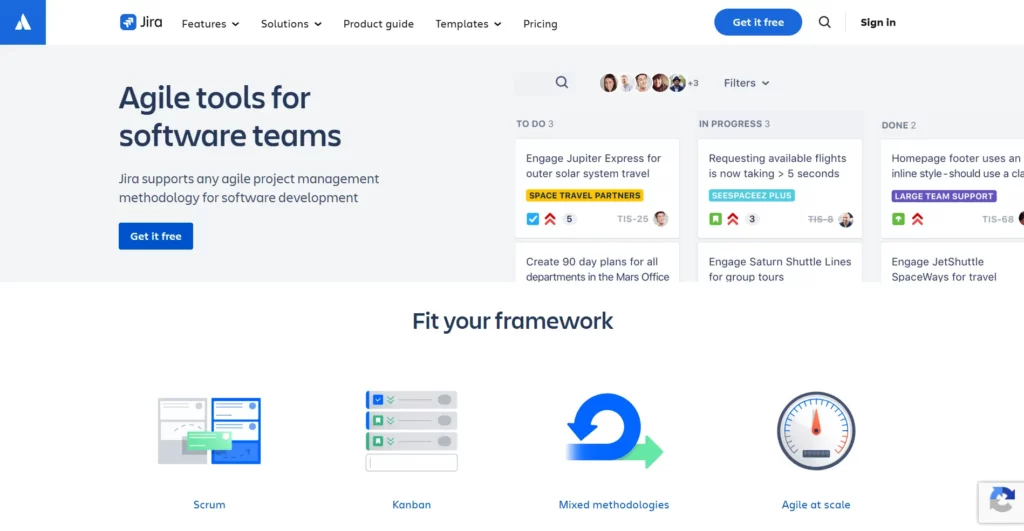
Jira is still the safest pick for software delivery. It handles backlogs, sprint planning, Scrum boards, Kanban boards, releases, and reporting in one mature system. That depth is one reason Atlassian says it serves over 300,000 customers.
Jira works best when the team needs structure. Product owners can refine backlogs. Developers can move work through sprint boards. Managers can review velocity and burndown without asking for manual updates. It also scales well across several teams.
Best for: Software development teams that need deep Agile control. Watch for: It can feel heavy for small teams that only need a board and a task list.
2. monday.com
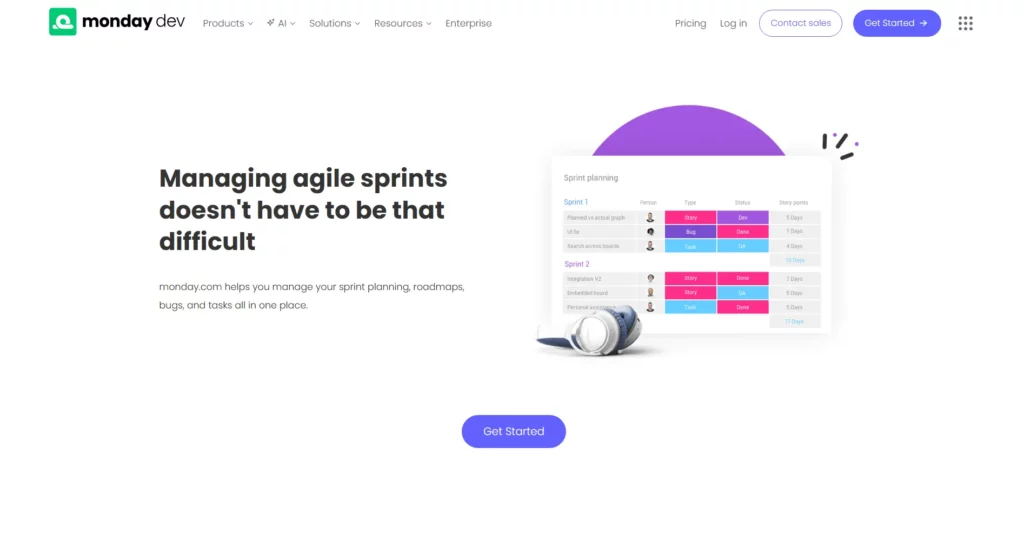
monday.com is a strong choice for teams that want a visual, flexible workspace. It works especially well when product, design, QA, and business teams collaborate in the same tool. The Agile-focused product layer, monday dev, includes burndown charts, velocity charts, and AI sprint summaries.
That mix makes monday.com easier to adopt than many engineering-heavy tools. It is also useful for teams that blend Agile with roadmap planning and broader operations work. In addition, monday dev offers built-in sprint analytics through Agile Insights, which helps teams review commitments and performance without extra reporting work.
Best for: Cross-functional product teams and hybrid workflows. Watch for: Its deepest Agile features sit in monday dev, not the most basic setup.
3. Trello
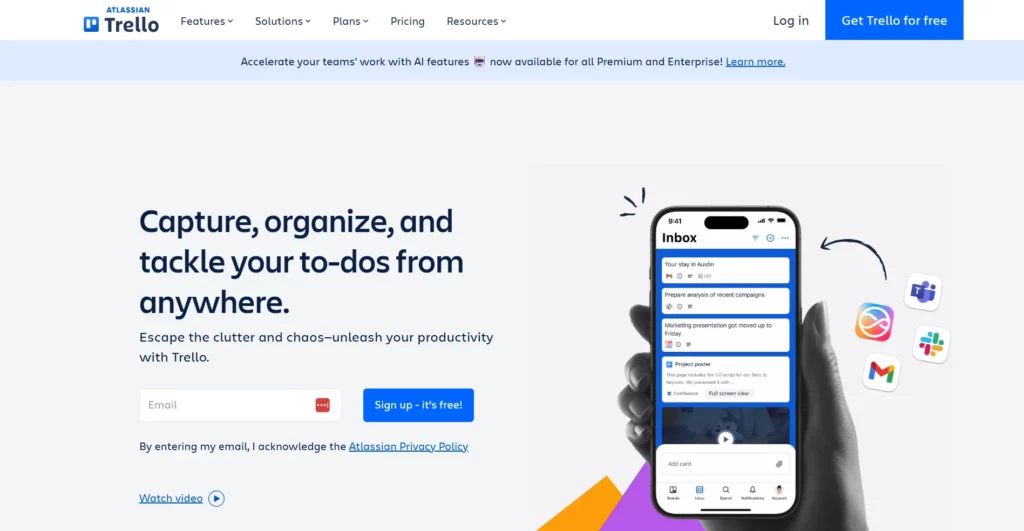
Trello works because it stays simple. Teams can open a board, create lists, drag cards, and start moving work in minutes. That speed still matters. Many teams do not fail because they lack advanced features. They fail because nobody adopts the tool.
Trello also has official templates for Agile workflows, including an Agile Sprint Board and a Scrum Board. So it can support Agile work without a long setup process.
Best for: Small teams, startups, and simple Kanban workflows. Watch for: Teams that need deeper native sprint metrics or complex admin controls may outgrow it.
4. ClickUp
ClickUp is one of the most flexible agile project management software tools on this list. It combines tasks, docs, chat, dashboards, automations, and Agile views in one workspace. That broad setup is why the company says 3M+ teams use its reporting environment.
For Agile teams, ClickUp supports backlogs, sprint folders, board views, and dashboards. Its sprint dashboard cards include Velocity, Burnup, and Burndown reporting. It also supports WIP limits in Board view, which helps Kanban teams stay disciplined.
Best for: Teams that want one flexible platform for product work and general operations. Watch for: Too much flexibility can create messy workspaces if the team does not set rules early.
5. Asana
Asana shines when Agile work crosses many departments. It is clear, easy to adopt, and strong for planning work that involves product, marketing, operations, and leadership. The platform is not as engineering-native as Jira, but it handles modern coordination well.
Asana’s own guidance shows teams can plan sprints, track backlogs, and run daily standups using Kanban boards and custom fields. It also offers real-time reporting dashboards for managers who want a clean view of progress.
Best for: Cross-functional Agile teams that need visibility more than deep engineering workflow control. Watch for: Pure software teams may need extra customization to match stricter Scrum processes.
6. Wrike
Wrike fits teams that care about reporting, visibility, and control at scale. It is broader than a simple Scrum tool, which makes it useful for organizations that combine Agile delivery with formal project oversight. The company also highlights 20,000+ happy customers worldwide.
Wrike supports sprint planning, Scrum boards, Kanban boards, dashboards, and reports. Its Agile Scrum board page says teams can prioritize backlogs, manage Scrum meetings, and use Agile dashboards to monitor progress. That makes it a strong choice for larger teams that want visibility without leaving one platform.
Best for: Mid-sized and enterprise teams that want strong reporting with Agile workflows. Watch for: It can feel like more system than a small product team needs.
7. Zoho Sprints
Zoho Sprints is one of the clearest Agile-first tools in this list. It focuses on the basics that Agile teams actually use: backlog, boards, releases, reports, and team collaboration. Zoho also states that the platform is trusted by 100,000+ Agile Teams Worldwide.
What makes it stand out is value. The free and paid tiers give teams a lot of Agile depth without forcing them into a giant enterprise suite. The official pricing page lists Free 3 users with Agile Boards, Agile Reports & Dashboards, and Unlimited sprint cycles, which is unusually generous for smaller teams.
Best for: Agile teams that want Scrum-friendly features without paying for enterprise weight. Watch for: Its ecosystem is not as broad as Atlassian or Microsoft.
8. Azure DevOps
Azure DevOps is built for technical teams that want tight traceability between planning and delivery. Azure Boards supports Kanban boards, backlogs, team dashboards, custom reporting, and drag-and-drop sprint planning. That makes it a serious option for engineering organizations already inside the Microsoft stack.
Its strength is end-to-end alignment. Teams can connect epics, stories, tasks, code, tests, and releases in one environment. That visibility is useful when leadership wants reliable reporting and developers want strong workflow links.
Best for: Engineering teams, especially those already using Azure and Microsoft tools. Watch for: It works best for technical users and can feel less friendly for non-technical stakeholders.
9. Shortcut
Shortcut sits in the sweet spot between simple and serious. It is lighter than Jira, but it still speaks the language of software teams. The company describes it as a platform with issue tracking, sprints, and roadmaps, which tells you exactly what it is built to do.
It also offers Kanban boards and customizable reports. Its Iteration tools include Burndown and Cumulative Flow views, so teams still get useful Agile visibility without a heavy admin model.
Best for: Product and engineering teams that want a lightweight software workflow. Watch for: It is not meant to be a full work management suite for every department.
10. Teamwork
Teamwork is different from most tools here because it is built around client work. That makes it a strong Agile choice for agencies, consultancies, and service teams that run iterative delivery but also need hours, budgets, and reporting. The platform itself says it is project management made for client work.
For Agile workflows, Teamwork provides kanban board view, built-in time tracking, and real-time reporting insights. That mix is very practical when a team must deliver fast and still prove profitability.
Best for: Agencies and client-service teams that run Agile delivery and track time. Watch for: It is less developer-centric than Jira, Azure DevOps, Shortcut, or Linear.
11. Linear
Linear has become a favorite for modern product teams because it feels fast, clean, and focused. It avoids much of the clutter that slows older systems down. The platform is built for planning, issue tracking, cycle planning, and insights across the development cycle.
Its Agile model centers on cycles, which are time-boxed periods similar to commonly used agile-flavored sprints. Linear also offers in-product analytics for issues and project graphs that estimate completion. That gives fast-moving teams enough reporting without turning the tool into a dashboard maze.
Best for: Startup and product engineering teams that want speed, focus, and low overhead. Watch for: Heavier enterprise reporting and governance needs may push larger organizations toward Jira or Azure DevOps.
Which Agile Project Management Tool Is Best For Your Team?

1. Best For Software Development Teams
Jira and Azure DevOps lead here. Jira is the better general answer because it balances backlog depth, sprint workflows, and ecosystem reach. Azure DevOps wins when the engineering org already lives in Microsoft tools. Linear and Shortcut also work very well for product engineering teams that want less admin weight.
2. Best For Small Teams And Startups
Linear, Trello, ClickUp, and Shortcut stand out. Linear gives startups a polished engineering workflow. Trello gives tiny teams the fastest setup. ClickUp works when the team wants one system for many work types. Shortcut fits startups that build software and want something lighter than Jira.
3. Best For Simple Kanban Workflows
Trello is usually the cleanest answer. Teamwork is also good when Kanban must connect to time tracking and client delivery. Asana works well when the board is only one part of a broader cross-functional process. So the best pick depends on whether the team values simplicity, client work controls, or company-wide coordination.
4. Best For Enterprise-Scale Teams
Jira, Azure DevOps, and Wrike are the strongest fits. Jira handles software complexity well. Azure DevOps adds strong traceability across development work. Wrike becomes useful when the organization wants broader portfolio visibility, not only engineering execution. monday.com can also fit enterprise teams that want a more visual and cross-functional setup.
How To Choose The Right Agile Tool
1. Choose Based On Team Size And Workflow
Start with the workflow, not the brand. A five-person startup does not need the same controls as a multi-team product organization. Likewise, a service business that runs Agile delivery still needs time tracking and client visibility.
Ask three questions first. Does the team run Scrum, Kanban, or a hybrid model? Does it need deep developer workflow support? Does it need time, budget, or portfolio reporting? Those answers narrow the shortlist fast.
2. Compare Flexibility, Complexity, And Cost
Every Agile tool makes a trade-off. Simpler tools are easier to adopt, but they may run out of depth later. Richer tools support more workflows, but they can slow the team down if configured badly.
So compare total fit, not just price. Look at how fast people can learn the tool, how easy reporting feels, and how much admin work the setup requires. Cheap software becomes expensive when it creates friction every day.
3. Focus On Adoption Before Advanced Features
Adoption beats feature count. A lighter tool that the whole team uses well is better than a powerful tool that only the PMO understands.
That is why pilots matter. Test the workflow with real backlog items, real sprint planning, and real reporting needs. Then see whether the team actually likes using it. If they avoid the tool after one sprint, the decision is already wrong.
Common Mistakes When Choosing Agile Project Management Software

1. Choosing A Popular Tool Instead Of The Right Fit
Popularity helps with trust, but it does not guarantee fit. Jira may be perfect for one team and too heavy for another. Trello may be perfect for one startup and too shallow for another.
The right question is not, “What tool do big companies use?” The right question is, “What tool helps this team plan, ship, and review work with less friction?”
2. Ignoring Team Adoption And Setup Complexity
Many teams buy the tool and forget the rollout. Then the workspace turns messy, fields multiply, views overlap, and reporting becomes unreliable.
A strong rollout needs simple rules. Define statuses, naming, board ownership, reporting views, and backlog hygiene early. Otherwise, even good Agile project management software tools become noise factories.
3. Paying For Features Your Team Will Not Use
This happens often. Teams buy portfolio layers, AI add-ons, or advanced analytics before they even run clean weekly planning.
That approach wastes budget. Buy for the next real stage, not the imaginary future stage. If the team does not yet use burndown, workload, or advanced dashboards, it may not need the most expensive tier today.
FAQs About Agile Project Management Tools
1. What Are The Best Free Agile Project Management Tools?
The best free option depends on the team’s shape. Up to 10 boards per Workspace makes Trello a strong free choice for simple Kanban work. Unlimited Tasks and Unlimited Free Plan Members makes ClickUp attractive for growing teams that want flexibility. Free plan makes Jira a good starting point for small dev teams. Free forever works well for one or two people. Use Linear for free with your whole team is appealing for startups that want a modern product workflow.
If the team wants the most Agile depth for free, Jira, ClickUp, and Linear are usually the strongest answers. If it wants the easiest setup, Trello often wins.
2. What Are The Best Open-Source Agile Project Management Tools?
Strong open-source options include Taiga, OpenProject, and Tuleap. Taiga is great for teams that want a clean Scrum or Kanban experience. OpenProject fits organizations that want broader project controls with Agile boards. Tuleap is stronger for engineering-heavy environments that want Agile support inside a larger ALM setup.
Open-source tools are best when control, self-hosting, or customization matters more than slick onboarding. However, teams should also count the cost of setup, maintenance, and internal support before deciding.
The best Agile tool is not the one with the longest feature list. It is the one that helps the team plan clearly, move work smoothly, and learn from each sprint or flow cycle. Some teams need depth. Others need speed. The smartest choice comes from matching the tool to the team, not the hype. If your company needs help choosing the right workflow, delivery model, or software stack for a product build, Designveloper can help turn that decision into a practical setup that your team will actually use.
Conclusion
Choosing the right Agile platform is not about chasing the most popular name. It is about finding a tool that fits your team, your delivery style, and your growth stage. At Designveloper, we take that same practical view in every product we build. Since 2013, we have helped companies turn ideas into usable digital products with AI development, web app development, mobile app development, UI/UX design, and long-term product support.
We also know that tools only matter when they support real execution. That is why we focus on workflows that teams can actually use every day. Across 100+ successful projects for over 50 clients worldwide, we have seen one pattern again and again: the best Agile setup is the one that helps teams prioritize clearly, ship faster, and adapt without confusion.
That experience comes from real product work, not theory. Our portfolio includes projects such as Lumin, a document platform for viewing, editing, sharing, and signing PDFs, as well as Song Nhi, an AI assistant that shows our strength in conversational AI and finance. We have also worked on products like Bonux, Joyn’it, Walrus Education, and ODC across different business needs and technical environments.
So, if your team is still comparing agile project management tools, the smartest next step is to match the software to your process before you scale the process itself. At Designveloper, we do exactly that. We help startups, SMBs, and enterprises choose the right product strategy, design the right workflow, and build software systems that support Agile delivery from day one. When you are ready to turn planning into execution, we are ready to help you build with more clarity, speed, and confidence.
Also published on

Share post on










Related Articles


11 Best Agile Project Management Tools That Actually Work
11 Best Agile Project Management Tools That Actually Work Published April 09, 2026
Agile Vs Scrum: What’s the Difference and When to Use Each?
Agile Vs Scrum: What’s the Difference and When to Use Each? Published April 09, 2026
Types Of Agile Methodology: Which One Is Best For Your Team?
Types Of Agile Methodology: Which One Is Best For Your Team? Published April 03, 2026Read more topics



AI Development
AI Development

Automation Technologies & Solutions
Automation Technologies & Solutions

Back-End Development
Back-End Development

Best Companies
Best Companies

Blockchain Technology and Applications
Blockchain Technology and Applications

Business Analyst Role & Skills
Business Analyst Role & Skills

Chatbot Development
Chatbot Development

Cloud Technology Revolution
Cloud Technology Revolution

CMS Platforms Development
CMS Platforms Development

Cyber Security
Cyber Security










