
















How To Set Up A SIP Server With Kamailio? 5 Steps

KEY TAKEAWAYS:
- Use one documented environment: Debian 13 (Trixie) with Kamailio 6.1.x from the project APT repository.
- Keep credentials out of the config. Enable database-backed authentication and add SIP users as subscriber records.
- Registration, SIP routing rules, and two-way audio are separate checks; a successful SIP dialog does not prove the media path works.
A phone that registers but cannot place a call points to a different fault than a call with one-way audio. To set up a SIP server with Kamailio, align SIP signaling, subscriber records, routing, and the separate media path. This walkthrough follows the official Kamailio 6.1 package guide for Debian 13, uses the shipped configuration instead of disconnected code fragments, and shows what to check at each stage. The result is a small learning setup, not a hardened PBX or a capacity-tested production service.
SIP Servers Handle Signaling, Not the Media Stream
Before changing a configuration file, separate the job of the SIP server from the audio and video path. That distinction makes the setup steps and the troubleshooting results easier to interpret.
SIP Establishes the Session; RTP Carries the Media
The Session Initiation Protocol (SIP) carries messages used to establish, change, and end a communication session. RFC 3261 defines SIP requests and responses, including messages such as REGISTER and INVITE. A SIP server can authenticate a user, record a registered contact, and route a request to that contact.
Audio and video usually travel separately from those SIP messages. Real-time Transport Protocol (RTP) carries media packets, while Secure RTP (SRTP) adds protection for media when endpoints and the media path are configured to use it. RFC 3550 describes RTP, and RFC 3711 specifies SRTP. Kamailio handles signaling; it does not become a media server simply because it routes an INVITE.
A basic call has three useful roles:
- User agent: the phone or softphone that sends and receives SIP messages.
- Proxy: the server that applies routing rules and forwards requests.
- Registrar: the function that stores a user’s current contact so a later call can find the registered device.
Kamailio can provide proxy and registrar functions when its configuration and modules enable them. A PBX or media relay may provide other features, such as voicemail, call queues, or media anchoring. For a broader introduction to VoIP basics, keep the signaling and media roles distinct.
Related reading:
- How to Build a Basic SIP Client Using the SipJs Library
- Kamailio vs. OpenSIPS: Differences & How to Choose One
- Setting Up Asterisk PBX: Install and Configure Asterisk

Size the Lab Around Its Workload
There is no single CPU or memory figure that fits every Kamailio deployment. A local lab with two test accounts has a different workload from a public signaling edge with many registrations, database queries, logging, and redundant nodes. Start with a small Debian 13 virtual machine for the lab, then measure the workload before using it to set production capacity.
- Record the expected registered users and call attempts per second.
- Decide which transports and modules the lab needs; extra modules can add dependencies and configuration work.
- Keep the database and test clients on a network that you control.
- Do not expose SIP ports to the public internet while using sample accounts or an unfinished configuration.
Use a reachable private address or an internal DNS name for the lab. A listener bound to 127.0.0.1 accepts local traffic only, so a phone on another device will not reach it. Also confirm that the host firewall and any network firewall allow the signaling transport you selected.

Prepare the Debian Host and Test Plan
Use a clean Debian 13 host and an account with sudo access. The package guide supports Debian Trixie and documents a separate Kamailio 6.1 APT repository; Debian’s own stable package may contain a different Kamailio release. Pin the source and check the installed version instead of mixing instructions from different releases.
- Choose a private SIP domain, such as an internal DNS name, or use the server’s reachable IP address for a closed lab.
- Choose two test users, for example Alice and Bob, and create a different strong password for each.
- Decide how you will test: inspect service logs, register both clients, place one call, and check audio in both directions.
- Keep a copy of the package’s original
kamailio.cfgbefore editing it, so you can return to the known starting point.
Git is needed for a source-build workflow, not for the package installation below. A source build has different dependencies, file paths, and service setup; do not combine its steps with the Debian package path.

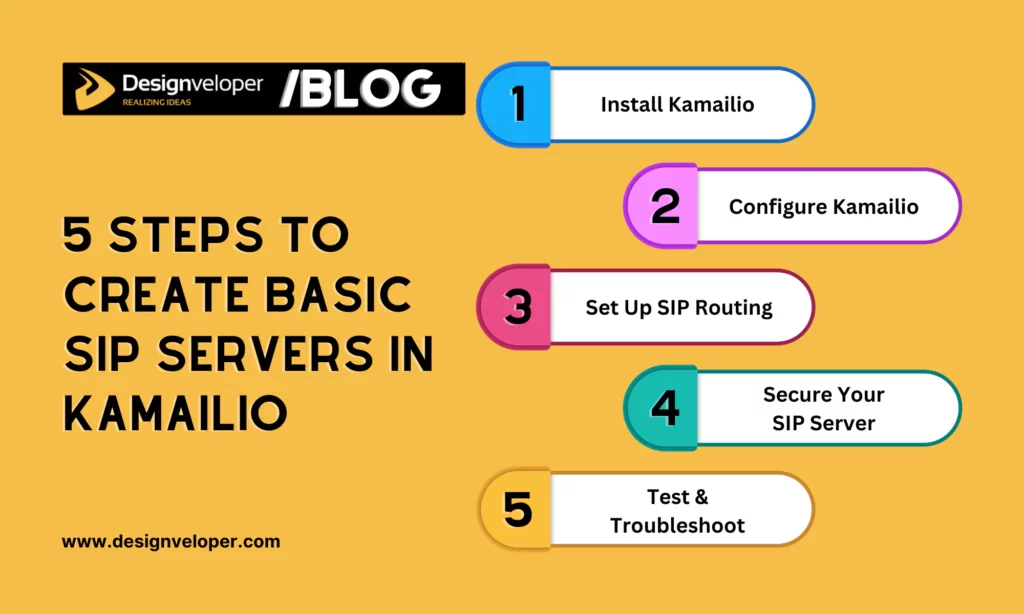
Set Up a Kamailio SIP Server in Five Steps
These steps install the 6.1.x package, turn on database-backed authentication in the supplied configuration, add two test users, and verify signaling before treating media as a separate check. The commands target Debian 13 (Trixie); check the package version before continuing.
Step 1: Add the Kamailio 6.1 Repository and Install the Packages
The Kamailio project publishes a Debian 13 repository for the 6.1 series. Add its signing key and repository, then install the core package, MySQL module package, and database server used by this walkthrough. The official Kamailio Debian installation guide is the source of truth if the repository instructions change.
sudo apt update
sudo apt install -y curl gnupg
curl -fsSL https://deb.kamailio.org/kamailiodebkey.gpg | sudo gpg --dearmor -o /usr/share/keyrings/kamailio.gpg
echo "deb [signed-by=/usr/share/keyrings/kamailio.gpg] http://deb.kamailio.org/kamailio61 trixie main" | sudo tee /etc/apt/sources.list.d/kamailio.list
sudo apt update
apt-cache policy kamailio
sudo apt install -y default-mysql-server kamailio kamailio-mysql-modules
kamailio -v
Check that the package candidate and installed binary are from the intended 6.1 series. If APT selects another version, stop and fix the repository configuration before applying version-specific settings. Do not assume that a successful package install means the SIP service is already enabled or ready for clients.
Step 2: Enable the Shipped Database-Authentication Features
The package installs a complete starting configuration at /etc/kamailio/kamailio.cfg. Use the configuration supplied with the installed release rather than replacing it with a short example that omits module loading, transaction handling, or error responses. The official guide explains the 6.1 feature switches for MySQL, authentication, and persistent user locations.
Add or enable these preprocessor directives near the top of the shipped file, after its first line. Keep each directive on its own line:
#!define WITH_MYSQL
#!define WITH_AUTH
#!define WITH_USRLOCDB
Set the SIP domain and database engine in /etc/kamailio/kamctlrc. Change the database read/write and read-only passwords before creating the database, then make sure the database URL in kamailio.cfg matches the password you chose. Do not publish real credentials in screenshots, examples, or logs.
On Debian package installs, check /etc/default/kamailio and enable the service if the package has left it disabled. The exact route logic and optional modules depend on the shipped 6.1 configuration; review its comments instead of copying instructions from a different Kamailio release.
Step 3: Create the Database and Add Two Test Subscribers
Kamailio’s database-backed authentication flow reads subscriber records; it does not create accounts from auth_user or auth_pass variables in the main configuration. Once the database service and kamctlrc values are ready, create the schema and add test users with the package tools:
sudo kamdbctl create
kamctl add alice 'REPLACE_WITH_ALICE_TEST_PASSWORD'
kamctl add bob 'REPLACE_WITH_BOB_TEST_PASSWORD'
Replace both sample values locally and keep the passwords different. The kamctl add command stores subscriber credentials in the configured database, while the authentication modules verify REGISTER requests. Use test-only credentials on a private lab network; never reuse a personal or production password.
If database creation fails, check the MySQL service, DBENGINE, the database passwords, and the matching DBURL before editing route logic. A database connection failure and a bad SIP password can produce different symptoms, so inspect the service log and client response instead of changing multiple settings at once.
Step 4: Set the Listener and Use the Release’s Request Routes
In /etc/kamailio/kamailio.cfg, set the listener to an address that the test clients can reach. Align that address with the domain or IP in kamctlrc, the clients’ SIP account settings, and the firewall. The listen parameter binds the socket; alias identifies a local SIP host name. Neither setting creates a subscriber or defines a complete call route. See the Kamailio 6.1 Core Cookbook for the configuration sections and listener syntax.
Keep the shipped request_route and the route blocks that handle registration and local user lookup. With the matching authentication and user-location features enabled, the expected flow is:
- A client sends REGISTER for the configured local SIP domain.
- Kamailio challenges the first unauthenticated request, then verifies the client’s response against its subscriber record.
- The registrar stores the contact. A later INVITE for that user is looked up and relayed toward the registered contact.
Do not paste a partial if (method == ...) snippet into the file or treat t_relay() as a generic URI setter. The 6.1 Core Cookbook linked above documents request routing and relay behavior. For more involved rules, see advanced Kamailio configuration after the basic registration path works.
Step 5: Check the Service, Registration, Call, and Media Separately
Validate the configuration before restarting, then use the status and journal output to find startup errors. These commands are diagnostic checks; they do not prove that clients can register or that calls have working audio.
sudo kamailio -c -f /etc/kamailio/kamailio.cfg
sudo systemctl enable --now kamailio
sudo systemctl --no-pager --full status kamailio
sudo journalctl -u kamailio -n 50 --no-pager
kamctl ul show
Configure Alice and Bob in two SIP clients with the same domain, server address, and credentials used during setup. A typical authenticated registration first receives a challenge, then succeeds after the client responds; confirm the final success response and check that the contact appears in the user-location list. Next, call Bob from Alice and confirm that the INVITE reaches the expected registered contact and the dialog completes.
Finally, speak and listen from both endpoints. A completed SIP dialog does not confirm that media packets pass in both directions. SIPp can generate a defined signaling scenario, and Wireshark can help inspect SIP and RTP packets, but a tool name alone is not a test result. Record the scenario, expected response, observed result, and pass condition before calling a test successful.
The first checks for common failures are different because each symptom points to a different layer:
| Symptom | Check first | What the result tells you |
|---|---|---|
| REGISTER does not succeed | Listener reachability, firewall, SIP domain, database connection, and client credentials | A timeout suggests transport or reachability; an authentication response points to the credential or subscriber path. |
| INVITE cannot find the other user | Whether the destination is registered and its contact is present in user location | A missing or expired contact is a registration/location issue, not proof that the SIP listener is down. |
| The call connects, but audio is one-way or absent | SDP addresses, endpoint NAT, firewall rules for the negotiated RTP ports, and any required media relay | Signaling may be working while the separate media path is blocked or advertised incorrectly. |
| CPU or call setup time rises | Call rate, database latency, debug logging, and enabled modules | Measure a baseline before changing timers or adding load balancing; this lab is not a capacity benchmark. |
Secure the Lab Before Public Access
A working registration is not the same as a secure public SIP service. Keep the lab on a private network and limit the signaling listener to trusted client addresses until authentication, transport, and firewall rules have been reviewed.
- Protect signaling: use TLS when clients and the server are configured for it, install and renew certificates, and verify the selected listener. TLS protects the signaling transport; it does not encrypt RTP media.
- Protect media separately: configure SRTP at the endpoints and media path where supported. If the network requires media anchoring or NAT handling, deploy and configure a media relay such as RTPengine; it is a separate component, not a traffic-monitoring tool.
- Limit exposure: allow only the required client networks and transports, use unique credentials, and avoid opening a broad UDP range until the media design is known.
- Handle logs carefully: SIP traces can contain account, address, and call details. Restrict access, set retention, and redact sensitive material before sharing a capture.
The Kamailio TLS module documentation and RTPengine module documentation, along with the SRTP specification, describe different parts of this setup. Enable each only with a version-matched configuration and a test that checks its actual job.
Conclusion: What This Basic SIP Server Setup Proves
Treat a SIP server with Kamailio as lab-ready only when the selected configuration parses, both test users can register, an INVITE reaches its intended contact, and the media test passes when audio is in scope. Keep those results separate: a running systemd service proves process health, not authentication, routing, two-way audio, security, or capacity.
Before adding failover, load balancing, or a public trunk, document the expected call rate, the failure path, database ownership, monitoring signals, and the recovery test. Teams planning to grow a service can use these results as a baseline for scaling a VoIP system, rather than treating a two-user lab as production evidence.
Also published on

Share post on










Related Articles



Integrating VoIP With CRM Systems: A Practical Integration Guide
Integrating VoIP With CRM Systems: A Practical Integration Guide Published October 16, 2026
Kamailio Advanced Configuration: 10 Areas To Review
Kamailio Advanced Configuration: 10 Areas To Review Published October 12, 2026
How To Set Up A SIP Server With Kamailio? 5 Steps
How To Set Up A SIP Server With Kamailio? 5 Steps Published October 12, 2026


















