

















Working as a web designer from anywhere in the world sounds like a dream, and in many ways, it is. Morning design sprints from Lisbon, feedback calls over flat whites in Chiang Mai, mockups reviewed in the shadow of the Alps – this is the setup many creatives aim for. The freedom to explore new places while still delivering client work or agency projects is undeniably appealing. But the nomadic lifestyle isn’t all golden-hour laptop photos and tropical backgrounds on Zoom calls. To stay productive and maintain high-quality output, having the right tools for web designers is essential, ensuring efficiency no matter where you are in the world.
Overview of Tools for Web Designers
The statistics paint a rosy picture, too. According to the U.S. Bureau of Labor Statistics, industries that saw more people working remotely between 2019 and 2021 also saw higher productivity. Even a small increase in remote workers was linked to noticeable growth in overall output.
In reality, remote design work from abroad can mean dealing with patchy internet, trying to share large files from an airport café, and navigating client messages that arrive while you’re asleep because your time zone is ten hours ahead.
Even the best-laid schedules can be thrown off by unreliable Wi-Fi or last-minute feedback requests. Add in jet lag, unfamiliar workspaces, and the occasional language barrier, and it becomes clear that staying productive on the move takes more than good intentions.
That’s where having the right tools becomes essential – not just for getting the job done, but for doing it well, consistently, and with a bit of breathing room.
Tools Web Designers Working Abroad Find Helpful
Whether you’re freelancing from a beach café or jumping on agency projects from a co-working space in Berlin, these five categories of tools will help you stay productive, connected, and creatively charged – no matter where you open your laptop.
1. Design Software That Doesn’t Break the Flow
When juggling layers, components, fonts, and feedback, lag is not your friend. A minor delay can throw off your rhythm, especially when you’re in the zone and trying to finish a client mockup before hopping on your next call. That’s why the best design tools for working abroad are those that can handle less-than-perfect internet connections and still keep everything running smoothly.
Figma continues to stand out in remote design work. It runs directly in your browser, updates in real-time, and doesn’t require a heavy-duty machine or constant syncing to function well. Whether you’re designing solo or collaborating with developers and stakeholders across time zones, it keeps everything fluid. It also plays nicely across platforms, so switching between devices – say, from your main setup to your backup travel laptop – won’t disrupt your work.
But Figma isn’t your only option. Tools like Sketch offer robust offline capabilities, making it a solid backup if you’re working without a stable internet. Adobe XD integrates smoothly with Creative Cloud, ideal for designers who already use Photoshop or Illustrator as part of their workflow.
When choosing your setup, consider how much flexibility you need. Will you be sharing files frequently? Working with developers in different countries? Jumping between Wi-Fi networks with varying speeds? Prioritize tools that don’t crash when the signal drops and that allow you to pick up right where you left off.
Tip: Download offline backups of your most critical files in case you end up working from a Wi-Fi-deprived train or mountaintop café.
2. Rely on the Cloud, Not Just Your Laptop
The golden rule of remote work is simple: don’t trust your device.
Cloud storage gives you peace of mind and flexibility. It ensures you can access your work from anywhere, using any device, and that your files are still safe if your laptop suddenly crashes or your charger decides to vanish somewhere between layovers.
Google Drive and Dropbox remain reliable for daily syncing, sharing, and quick file access. However, for web designers, tools like Notion, Airtable, and even Miro offer more visual ways to manage assets, track progress, and centralize project information.
You’ll want tools that:
- Sync automatically without you having to think about it.
- Let you adjust sharing permissions with a click.
- Save version history in case a file gets accidentally overwritten.
If you’re collaborating with clients or developers across continents, centralizing everything in one accessible place can save you hours of back-and-forth. And don’t forget to enable two-factor authentication. Public café Wi-Fi might be convenient, but it’s not always secure.
A cloud-first mindset isn’t just a convenience when working abroad – it’s your insurance policy.
3. Communication Tools That Adapt to Any Time Zone
When you’re bouncing between time zones but still need to stay in sync with clients, PMs, or other creatives, communication can prove rather tricky. The right tools turn potential challenges into something manageable, even when you’re answering Slack messages from a hammock 12 hours ahead of everyone else.

Slack remains a solid anchor. It’s built for async work, with organized channels, direct messaging, and integrations for nearly everything else you might using. One of its lesser-used but most helpful features is that you can set your availability and display your local time zone, which gently reminds your team you’re not ignoring them – you’re probably just asleep.
To round things out, pair Slack with:
- Zoom or Google Meet for video calls.
- Loom for recording design feedback or walkthroughs when schedules don’t line up.
- World Time Buddy to avoid scheduling disasters.
When communication flows, your work does, too. Don’t let time zones be the reason things fall through the cracks.
4. Productivity & Focus Helpers
Even in the most beautiful places, the hardest part of working remotely is often… working.
When your beach-view Airbnb is tempting you into “just a quick walk,” or you’re recovering from jet lag but trying to meet a deadline, having tools that help you stay focused can make a world of difference.
Try:
- Toggl Track to log billable hours and hold yourself accountable.
- RescueTime to monitor productivity and flag distractions.
- Notion or ClickUp to organize your to-dos and projects in one place.
- Brain.fm or Noisli for soundscapes that drown out airport noise or late-night hostel parties.
Tip: Use calendar blocking or Pomodoro apps (like Focus Keeper) to keep your creative sessions structured without burning out.
5. Tools for When the Internet Fails You
Working abroad means you will run into terrible Wi-Fi at some point. The sooner you prepare for it, the less stressful those moments will be.
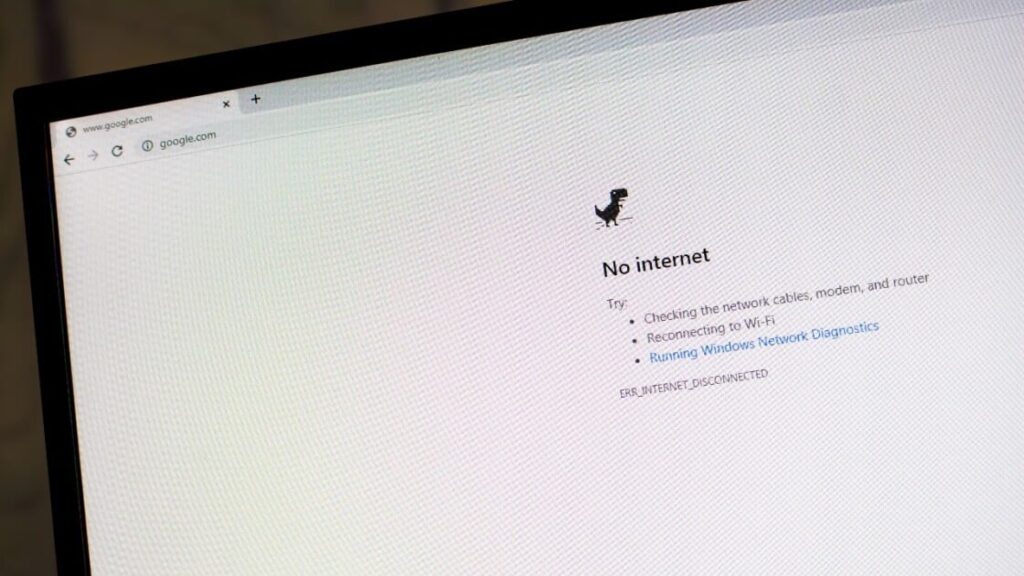
Offline-friendly tools are your best friends:
- Evernote and Notion (both allow offline editing and sync when back online).
- Figma’s desktop app for accessing local design files.
- Google Docs (set key files to offline mode before you go dark).
Also helpful:
- A mobile hotspot or an eSIM app, if your device supports it.
- External battery packs for long travel days.
- USB sticks with design kits, fonts, and assets, just in case.
Stay two steps ahead of tech hiccups so your creativity stays uninterrupted.
Your Workflow Should Travel With You
You don’t need dozens of apps or high-tech gear to be a successful web designer on the road. But you do need systems that support your process, no matter where in the world you are.
Pick tools that are flexible, intuitive, and built for mobility. The goal isn’t to over-engineer your setup. It’s to make space for your best work to show up, even if you’re on the move, sipping espresso in a noisy café, or uploading a homepage draft from a beachside hammock.
Work can happen anywhere. Great design can, too, as long as you’ve packed the right digital toolbox.
Conclusion
At Designveloper, we understand that working abroad as a web designer comes with both freedom and unique challenges. Having the right tools not only boosts productivity but also ensures seamless collaboration, communication, and creativity—no matter where you are.
The five tools we’ve highlighted are essential for staying connected, organized, and inspired while working remotely. With the right setup, web designers can thrive globally and deliver top-quality work from anywhere in the world.
Also published on

Share post on










Read more topics












You may also like


What is Nano Banana? Features of Google’s New AI Image Editing Model
What is Nano Banana? Features of Google’s New AI Image Editing Model Published September 30, 2025
How to Choose a Proxy Server for Designers
How to Choose a Proxy Server for Designers Published June 26, 2025
Visual Hierarchy in Directory Design: Guiding Users to the Right Professionals
Visual Hierarchy in Directory Design: Guiding Users to the Right Professionals Published June 06, 2025









