
















Top 5 Advantages and Disadvantages of AI for Businesses

Artificial Intelligence, or AI, is not a strange term for many of us. Without many people knowing, AI has sneaked into every aspect of our lives and work, from customizing patient treatments to drawing a realistic picture. But the emergence of this powerful tech still raises a controversial question: Is AI a friend or enemy, especially for businesses? To solve this query, Designveloper will reveal the advantages and disadvantages of AI, clearly showing how it’s impacting businesses. Let’s get started!
Understanding Artificial Intelligence (AI)
Before further exploring the advantages and disadvantages of AI, let’s demystify its basics first.
What is AI?
AI is simply the ability of computer systems to perform complex tasks like a human. As such, AI-powered machines can mimic human cognitive functions like speech recognition, problem-solving, or reasoning.
As an umbrella term, AI includes a variety of advanced technologies like deep learning or natural language processing (NLP).
One of the standout techs must count machine learning which is a core contributor behind the explosive growth of ChatGPT and other generative AI tools. This tech enables your computer systems to learn from massive data and do complex tasks based on that learning (e.g., text generation and car driving).
AI also comes into two main categories, including:
- Weak AI: Galaxy AI and Siri are familiar examples of this AI type. They can do some already programmed tasks like question answering or reminder setting. Beyond that, they can’t understand or learn anything.
- Strong AI: This is an advanced type of AI. It uses advanced ML techniques to interpret and respond to your inquiries in human language. Song Nhi, a virtual financial assistant launched by Designveloper, is a chatbot powered by this tech. On your behalf, it helps manage your finances, track expenses, and produce reports, giving you a clear picture of your spending and savings.
What are the Practical Applications of AI?
Despite some arguments around the advantages and disadvantages of AI these days, we can’t ignore the fact that this tech is revolutionizing different industries. Some of its popular use cases below will prove its importance:
- Healthcare: One of the best advantages of AI algorithms is predicting patient risk based on health records and medical images. For this reason, they can detect chronic diseases (i.e., cancer and depression) at early stages. Accordingly, doctors can use data summarized and analyzed by AI to make informed decisions and offer suitable care for each patient.
- Transportation: One standout achievement of AI in this realm is self-driving cars, with giant players like Waymo and Tesla leading the way. Thanks to AI, these cars can understand their surroundings, make decisions, and navigate roads safely.
- Entertainment: Have you ever wondered how Netflix can suggest your favorite shows? That’s due to AI as well. AI can provide personalized recommendations for products, films, and more by analyzing your viewing history and preferences. This enhances your user experience and keeps you hooked.
Growth and Future of AI
The global AI market is experiencing explosive growth, with a projected CAGR of 19% during the forecast period 2023-2032. Accordingly, the market is estimated to reach USD 2,575.16 billion by 2032.
So what propels this market to grow at that high speed? The answer lies in the higher demand for AI among end-use industries (e.g., automotive, healthcare, or banking). Further, big investments of tech giants like Microsoft, Meta, and Google in this realm, especially GenAI, have fuelled this development.
In addition to this phenomenal growth, the market has witnessed AI trends emerge. They not only drive the current AI industry but also affect its future. Here are two standout trends you should consider these days:
Democratized Generative AI
Generative AI is the technology behind the success of ChatGPT or Midjourney. These impressive GenAI tools use advanced ML techniques to generate texts, draw a picture with any style, suggest code, or even compose music. Accordingly, this tech allows non-experts to create anything they like based on the training dataset with minimal technical knowledge.
With this advantage, GenAI becomes accessible to a broader range of users, regardless of their expertise or resources. This democratization of generative AI can revolutionize various industries, from design to education.
In particular, Gartner predicted that GenAI will substantially change up to 70% of the effort put into designing and developing new web and mobile apps. Also, over 80% of organizations will be expected to leverage GenAI APIs and models in their apps.
AI-Augmented Development
This involves integrating AI tools and techs into the traditional software development life cycle (SDLC). It aims to streamline the various stages of development, such as automating coding tasks, generating code snippets, or offering code suggestions. This makes the process more efficient and intelligent.
With its massive advantages in software development, AI will become a powerful assistant to developers. Not only can this tech speed up the development process, but it also enhances code quality and minimizes errors.
What are the Advantages and Disadvantages of AI?
You’ve grasped the fundamentals behind AI. But what does this mean to your business? Are AI models worth investing in? Discovering the following advantages and disadvantages of AI will help you answer these questions.
Advantages of AI
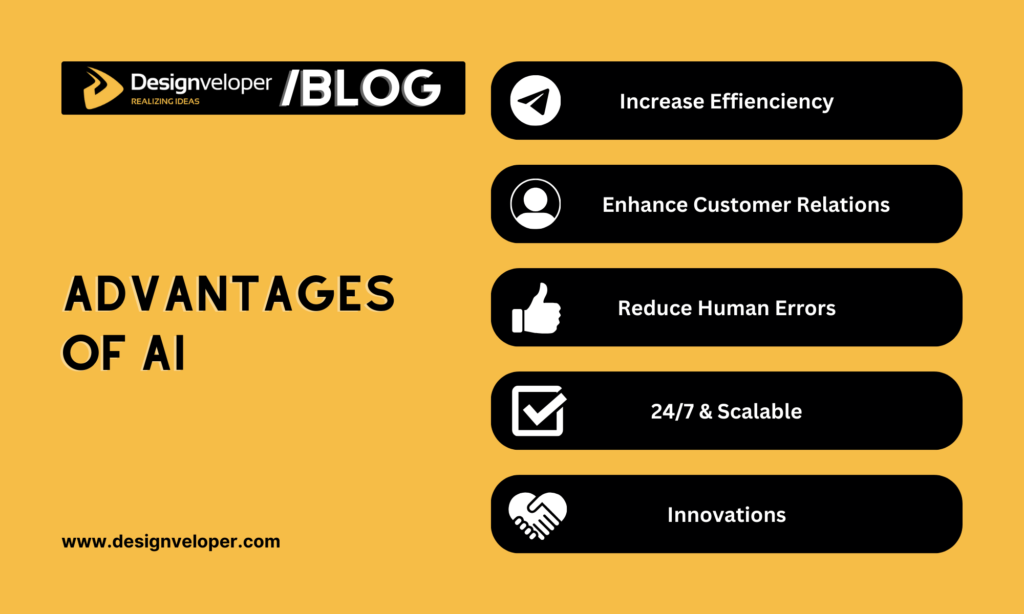
AI offers numerous advantages across different industries. Below are several standout benefits:
Increase Efficiency and Productivity
According to Forbes Advisor, business owners believe AI can improve productivity (64%), enhance decision-making (44%), and streamline job processes (42%).
Indeed, AI excels at automating repetitive tasks, freeing up human employees for more strategic and creative work. For example, in manufacturing, AI-powered robots can handle assembly lines with precision and speed, while human workers can focus on quality control and design.
Moreover, AI algorithms can dig into massive databases, discover patterns, and provide valuable insights that humans could miss. All can be done within weeks, days, or even minutes. Based on AI-powered data analytics, your business can optimize customer service, advance business processes, and make informed decisions for increased productivity.
Boost Customer Relationships
AI is also considered an asset for leveling up customer relationships (64%). It does this by providing 24/7 customer support, regardless of a customer’s time zone or geographical location. Besides, it can answer basic questions and troubleshoot some common problems promptly.
More than that, AI-powered chatbots can understand customer sentiment by analyzing their feedback and conversations. This information proves valuable for your business to identify where to improve, address customer concerns fast, tailor product recommendations, and even deliver target marketing campaigns.
Using AI-powered solutions helps retailers outperform those who don’t. In particular, they saw a double in their annual sales growth and an 8% increase in annual profit from 2022 to 2024.
Reduce Human Errors
Forbes also stated that AI can help businesses minimize the risk of errors (48%). How? AI can analyze massive amounts of data more quickly and precisely than humans. This allows you to identify patterns and trends that your employees might miss. For this reason, they can make better decisions and fewer errors caused by incomplete information.
AI algorithms are also trained to detect anomalies from expected patterns. They follow specific instructions and don’t suffer from emotional biases or inconsistencies that can affect human judgment. This leads to more precise and consistent results, especially in tasks requiring strict adherence to protocols.
In healthcare, for example, accuracy is paramount. So AI can be used to analyze medical images for early detection of diseases or assist surgeons during complex procedures. Or in finance, AI can automate trade execution and fraud detection, reducing the risk of human error.
Provide 24/7 Service and Scalability
While humans require breaks and rest, AI systems can run around the clock without interruption. This ensures continuous service, shorter wait times, and faster turnaround times.
Especially in customer service, AI proves helpful in handling customer requests whenever and wherever possible. Even in manufacturing, robots can keep production lines operating 24/7 to maximize output and efficiency. These AI-powered machines only take a break when they need advanced updates and maintenance.
Besides, AI systems are scalable. This means their capabilities can be easily adjusted based on changing needs. For this reason, your business can increase the processing power of its AI system to handle larger datasets or expand its chatbot network to serve a growing customer base. This scalability makes AI a versatile tool that can adapt to the evolving needs of your business.
Produce New Innovations
Many believe that AI can ruin human creativity. But contrary to this common belief, AI can be a powerful assistant in your creative path if it’s used in the right way.
Powered by advanced ML techniques, this tech can generate new design ideas, explore different styles, and prototype concepts based on user needs and interests. This allows designers to refine and iterate on their concepts faster.
Beyond design, AI algorithms help with discoveries in the research and development (R&D) process. For instance, Paige collaborated with Microsoft to develop the global largest image-based AI model to combat cancer. Besides, AI techniques are applied to identify biological targets (e.g., proteins or nucleic acids) for drug development and custom treatments, implement virtual screening, and even explore new materials with desired properties.
AI also contributes to the creation of products we couldn’t imagine previously. One typical example is self-driving cars, which use AI algorithms, cameras, and sensors to navigate traffic. With these capabilities, these vehicles help reduce traffic jams, enhance road safety, and even become accessible for those with limited mobility or disabilities.
Disadvantages of AI
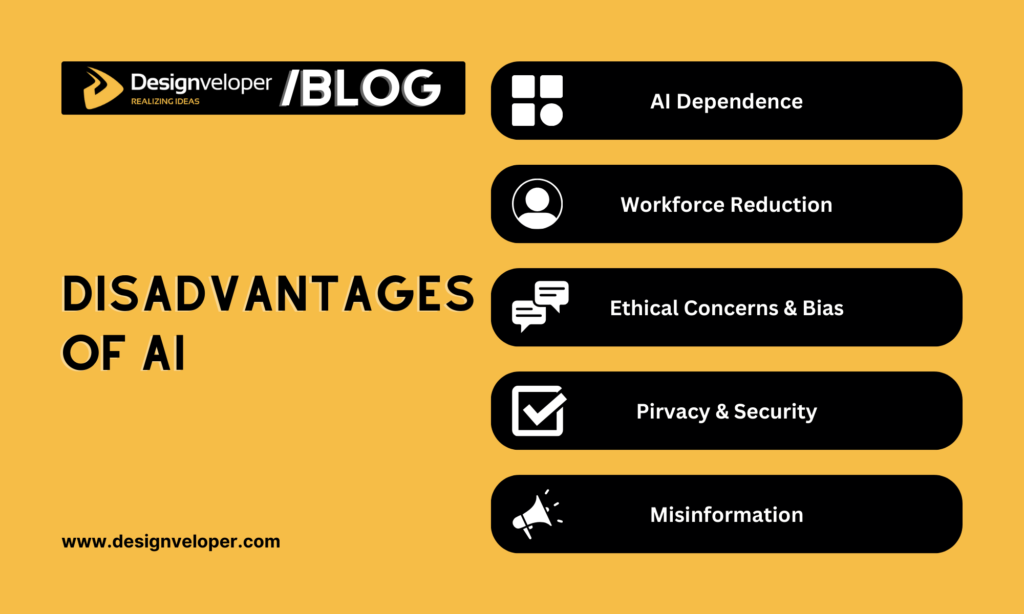
In addition to those advantages, we can’t deny some potential disadvantages of AI. Below are some problems you may encounter when using AI:
AI Dependence
AI proves increasingly beneficial in many aspects of our lives, from scheduling meetings to discovering new drugs. But this makes us rely too much on automation for even simple tasks.
Accordingly, most business owners (43%) are also concerned about this over-dependence. If people get accustomed to letting AI handle tasks too often, their critical thinking and problem-solving can decrease accordingly.
Further, AI systems don’t always work flawlessly. Just imagine a scenario where an AI system managing a power grid undergoes a malfunction. Without the human expertise to diagnose and address the issue, significant disruptions could occur.
So to mitigate this risk, we need to strike a balance between using AI as a powerful assistant while maintaining our own problem-solving capabilities.
Risk of Workforce Reduction
As already mentioned, AI models can automate lots of tasks, which leads to significant productivity and cost savings. This also encourages many businesses to lay off human workers whose jobs are repetitive and can done better by AI-powered machines.
SAP, a German software giant, announced in early 2024 that it would invest around €2 billion to integrate AI into its operations as part of what it called “a transformation program”. This decision affects 8,000 positions company-wide. Accordingly, some will be “voluntarily” laid off while others can be retrained for AI usage.
The emergence of AI could lead to increased unemployment and make displaced workers struggle to find new jobs. So, human workers must constantly upgrade their skills to avoid this layoff wave.
Ethical Concerns and Bias
AI algorithms can produce high-quality content only when their training data is unbiased and reliable. However, if this data contains inherent biases, AI may bring those biases in its decisions. For instance, an AI system trained on loan applications from a biased dataset might discriminate against certain demographics when evaluating loan eligibility.
28% of business owners are also worried about bias errors caused by AI. It’s because these biases can raise serious ethical problems about fairness and equal opportunity.
To address this, we advise you to be transparent about data collection practices and actively identify and mitigate potential biases in training data. Furthermore, ongoing evaluations of AI systems are crucial to ensure they are functioning ethically and fairly.
Privacy and Security Risks
Privacy issues are one of the biggest concerns for 31% of organizations using AI. We all know AI collects a massive volume of data provided by users. This data may contain sensitive or personal information (e.g., financial records, medical data, or browsing history). So if security measures are inadequate, data breaches can occur and have serious consequences for users like identity theft, financial loss, or even physical harm.
Further, there’s a risk that data collected for AI development could be misused for targeted advertising, social manipulation, or even mass surveillance. This encourages many countries to impose robust data governance frameworks to ensure data is collected, stored, and used ethically and responsibly.
For example, 17 US states have passed 29 bills that govern the development and use of AI since 2019. The European Parliament also enacted the Artificial Intelligence Act to build a common framework for using AI in the region.
Misinformation
AI’s ability to generate realistic-looking fake content, also known as “deepfakes”. They’re a type of synthetic media where a person’s appearance is digitally changed to someone else doing or saying bad things.
Bad people can use AI techniques to build highly believable videos or audio recordings that manipulate people’s perceptions. They aim to sow discord, spread misinformation, damage reputations, or weaken people’s trust in organizations and social systems. For example, AI-generated fake news articles could be designed to sway public opinion during elections or damage a company’s reputation.
Additionally, AI-powered social media bots can be used to amplify misleading narratives and manipulate online discourse. To combat these threats, we need to develop effective methods for identifying and labeling AI-generated content. Also, the government and organizations should release media literacy initiatives to equip users with the skills to evaluate online information wisely.
Conclusion
Now you’re here! After this guide, we expect you to have a solid knowledge of AI, from its use cases to the advantages and disadvantages of AI techniques. AI is helpful in our lives and work, but it can be abused for wrong purposes. So, there’s a need to use this advanced tech responsibly and ethically. If you care about more exciting aspects of AI, subscribe to our blog and follow along for our upcoming posts.
Also published on

Share post on










Related Articles


Chroma Vs FAISS Vs Pinecone: Which Vector Solution Fits Your Use Case Best?
Chroma Vs FAISS Vs Pinecone: Which Vector Solution Fits Your Use Case Best? Published June 10, 2026
Best Open-Source Vector Databases In 2026: Top Options Compared
Best Open-Source Vector Databases In 2026: Top Options Compared Published June 05, 2026
What Is A Vector Database? A Practical Guide For AI Search And RAG
What Is A Vector Database? A Practical Guide For AI Search And RAG Published June 04, 2026



















